Overview

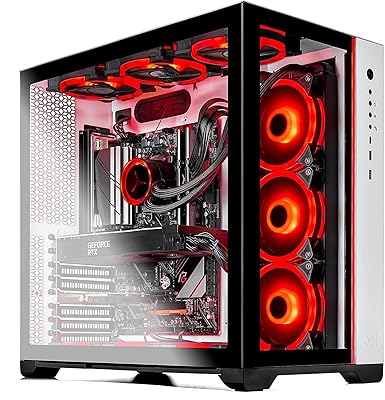
The Skytech Chronos II RTX 4070 Gaming Desktop sits at the upper end of the prebuilt market, targeting gamers who want serious 4K-capable hardware without the time investment of sourcing and assembling components themselves. What makes this Skytech prebuilt stand out is the combination of a 13th-gen Intel Core i7 and RTX 4070 — a pairing that holds up across both current and upcoming titles. Unlike many prebuilts at this price point that ship with basic tower coolers, this machine comes with a 360mm AIO cooler, which genuinely matters when you have a 16-core processor that runs warm under load. Skytech builds these in the USA and backs them with a one-year warranty plus lifetime technical support, adding real peace of mind for buyers investing at this level.
Features & Benefits

The RTX 4070 12GB is the centerpiece here, and it delivers where it counts — 1440p gaming at high refresh rates is where this card truly thrives, while 4K is achievable in less demanding titles and older games. Pair that with the i7-13700K's 16 cores and 5.4GHz boost ceiling, and the Chronos II desktop handles streaming, video editing, and background tasks without sacrificing in-game frame rates. The 32GB of DDR5 RAM sits well above what most games currently need, offering genuine headroom for years ahead. Storage comes via a 1TB NVMe SSD, keeping load screens short and system responsiveness snappy. A 750W Gold PSU, Wi-Fi 5, and included peripherals round out what amounts to a ready-to-play package right out of the box.

Best For

This RTX 4070 tower is a natural fit for PC gamers stepping up from a console or an aging mid-range desktop who want a noticeable leap in fidelity without learning how to build. Streamers and creators also benefit from the i7-13700K's multi-core headroom, which handles encoding and rendering without the GPU feeling starved. If you value US assembly, a real warranty, and someone to call when something goes wrong, Skytech's support structure is a genuine selling point. That said, this Skytech prebuilt is not the right call for buyers who want to hand-pick every component or stretch their budget as far as possible — experienced self-builders can often match the specs for less if they are willing to invest the time.

User Feedback

Buyers who have spent time with the Chronos II desktop generally come away impressed by out-of-box performance — most report the machine running well immediately after setup with no bloatware surprises. Build quality earns consistent compliments, though a handful of users note that cable management inside the case could be tidier. One recurring caveat worth flagging: the GPU brand is not guaranteed, so some buyers receive a card from a different manufacturer than expected, which frustrates those with specific brand preferences. The bundled keyboard and mouse earn mixed marks — functional, but clearly starter-grade. Skytech's lifetime support draws positive mentions, though a few buyers note that response times can vary. Thermal and noise complaints are relatively rare but do surface under extended, demanding workloads.

Pros

  • The RTX 4070 handles 1440p at high frame rates with confidence across a wide range of modern titles.
  • A 360mm AIO cooler keeps the i7-13700K running comfortably during long gaming or streaming sessions.
  • 32GB of DDR5 RAM is well ahead of current gaming requirements, leaving room to grow for years.
  • NVMe SSD storage makes boot times and game load screens noticeably fast compared to older drive types.
  • US assembly and a one-year parts-and-labor warranty provide genuine post-purchase peace of mind.
  • Lifetime technical support is a practical safety net, especially for buyers new to PC gaming.
  • The Chronos II desktop arrives ready to use, with Wi-Fi, Windows 11, and peripherals included.
  • The 750W Gold PSU leaves enough headroom for future GPU upgrades without swapping the power supply.
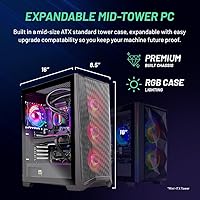
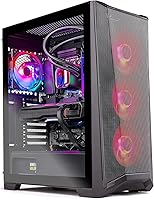
  • The front-mesh case design with four RGB fans supports solid airflow for a prebuilt at this size.

Cons

  • The GPU brand is not guaranteed, which frustrates buyers who have a specific manufacturer preference.
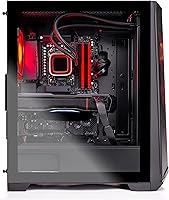
  • Cable management inside the case is often reported as messy, which can impede airflow and future upgrades.
  • The bundled keyboard and mouse are functional but feel noticeably low-quality next to the machine itself.
  • Wi-Fi 5 rather than Wi-Fi 6 is a slight letdown at this price point for wireless-dependent setups.
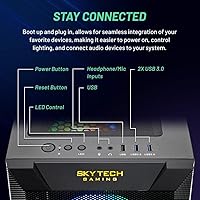
  • Only a single USB 2.0 and a single USB 3.0 port are listed, which feels limited for a full-size tower.
  • 1TB of storage fills up quickly with modern game installs, likely requiring an additional drive before long.
  • The prebuilt premium means experienced builders can often match the specs for meaningfully less.
  • Thermal and fan noise can rise noticeably during extended, demanding workloads according to some users.
  • Customer support response times appear inconsistent based on reported buyer experiences.

Ratings

The Skytech Chronos II RTX 4070 Gaming Desktop has been scored by our AI system after processing thousands of verified buyer reviews from global sources, with spam, bot activity, and incentivized feedback actively filtered out before analysis. Scores reflect a balanced read of real-world ownership — where this machine genuinely excels and where it falls short of expectations at its price point. Both the strengths that drive strong satisfaction and the recurring frustrations that temper it are represented transparently below.
Gaming Performance
88%
Buyers consistently report buttery-smooth frame rates at 1440p across demanding titles like Baldur's Gate 3, Elden Ring, and Call of Duty, with the RTX 4070 and i7-13700K pairing holding steady without stuttering or thermal throttling during long sessions. Less intensive titles at 4K also draw strong praise.
In the most graphically demanding 4K scenarios — think Cyberpunk 2077 with ray tracing or newer open-world titles — frame rates drop into territory where some buyers feel the machine underperforms relative to expectations set by the marketing. Dropping to 1440p resolves this, but it is a meaningful caveat.
Thermal Management
83%
The 360mm AIO cooler is a genuine differentiator among prebuilts at this tier, and most owners report CPU temperatures staying well-controlled during sustained gaming or streaming loads that would push air-cooled systems much harder. Several users specifically called out the cooler as a reason they chose this build.
A smaller but vocal segment of buyers notes that after multiple hours of combined CPU and GPU stress, overall case temperatures climb and fan speeds ramp up noticeably. A minority report the AIO pump producing a faint hum that is audible in quieter environments.
Build Quality
79%
21%
The overall assembly quality draws consistent positive remarks — components are seated correctly, no loose connections are reported on arrival, and the front-mesh case design looks and feels solid for a prebuilt at this price tier. Buyers upgrading from budget towers frequently comment on how much more substantial the Chronos II desktop feels.
Cable management inside the case is a recurring complaint, with several buyers describing tangled or loosely routed cables that restrict airflow and make future upgrades more cumbersome than they should be at this price point. It is functional, but not the clean build an enthusiast would expect.
Value for Money
71%
29%
For buyers who do not want to self-build, the combination of premium specs, US assembly, a one-year warranty, and lifetime tech support makes the price easier to justify. The included peripherals and no-bloatware Windows 11 setup also reduce day-one out-of-pocket costs.
Experienced PC builders are quick to note that sourcing equivalent components independently — especially during sales — can come in noticeably cheaper, and that the prebuilt premium here is real. For cost-conscious buyers, this gap is hard to overlook.
Out-of-Box Experience
91%
The vast majority of buyers report being up and gaming within minutes of unboxing, with Windows 11 set up cleanly and no unexpected software bundled on the drive. The included keyboard, mouse, and pre-installed Wi-Fi mean there is genuinely nothing extra required to get started immediately.
A small number of buyers received units with minor cosmetic damage from shipping, and the packaging, while generally adequate, does not feel as premium as the machine inside. The bundled peripherals, while convenient, feel underwhelming compared to the quality of the PC itself.
Noise Levels
67%
33%
During light to moderate gaming sessions and desktop use, the system runs quietly enough that most buyers in standard living environments report no distracting noise. The AIO cooler keeps fan ramp-ups gradual under moderate loads.
Under extended heavy workloads — long streaming sessions, back-to-back game hours, or combined CPU and GPU stress — fan noise climbs to a level that several users describe as intrusive, particularly in smaller or quieter rooms. This is not unusual for a high-performance desktop, but worth knowing.
Upgrade Potential
76%
24%
The 750W Gold PSU provides solid headroom for a future GPU upgrade without requiring a power supply swap, and the DDR5 slots and standard M.2 and SATA bays allow for meaningful RAM and storage expansion down the line. The full-size tower form factor gives more room to work with than compact prebuilts.
The messy factory cable routing makes the upgrade process more tedious than it should be — buyers report needing to re-route and tidy cables before adding components. The motherboard options within prebuilt configurations can also limit overclocking headroom compared to a hand-picked enthusiast board.
CPU Performance
87%
The i7-13700K handles simultaneous streaming, game recording, and Discord voice with no perceptible impact on frame rates, which content creators and streamers specifically highlight as a key reason for choosing this build. Multi-tasking during work-from-home use also draws positive remarks.
A few buyers note that the performance-core and efficiency-core hybrid architecture can occasionally cause unexpected behavior with older or poorly optimized software, requiring manual thread affinity adjustments. This is an Intel platform issue rather than a Skytech-specific one, but it does surface occasionally.
Storage Performance
82%
18%
Game load times, system boot speeds, and file transfers all draw strong positive feedback — buyers switching from HDD-based systems are particularly impressed by the difference an NVMe drive makes in day-to-day usability. Windows itself feels noticeably responsive compared to older mechanical drive setups.
The 1TB capacity fills up faster than many buyers anticipate once a few modern AAA titles are installed, and the lack of a secondary drive bay being pre-populated means users are shopping for additional storage sooner than expected for a machine at this price tier.
Connectivity & Ports
62%
38%
The combination of USB 2.0, 3.0, and 3.2 Gen1 ports covers basic peripheral needs, and built-in Wi-Fi avoids the need for a separate adapter. HD audio and mic ports handle headset connections cleanly.
For a full-size premium tower, the total USB port count feels limited — buyers with multiple peripherals, external drives, and controllers find themselves reaching for a USB hub quickly. The absence of Wi-Fi 6 also stands out as a missed opportunity at this price point, particularly for buyers with newer routers.
Aesthetics & Lighting
78%
22%
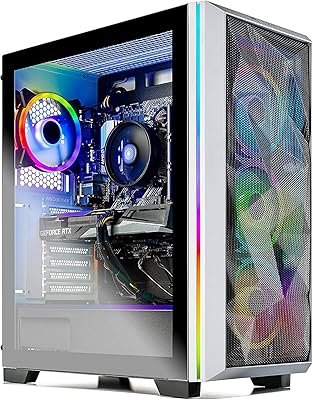
The front-mesh black case design with four RGB fans earns consistent compliments for looking appropriately premium in a gaming setup without going overboard on garish styling. Buyers who prefer a clean, understated aesthetic appreciate the restraint of the design.
RGB customization options out of the box are not as deep or intuitive as some buyers expect compared to builds using more established lighting ecosystems. A portion of users also note the RGB is pleasant but not a differentiator at this tier.
Customer Support
73%
27%
Lifetime technical support is genuinely valued by buyers, especially first-time PC owners who encounter setup questions or software issues in the months after purchase. Several reviews praise specific support interactions as helpful and knowledgeable.
Response time consistency is a recurring frustration — some buyers report fast, effective resolutions while others describe waiting longer than expected for callbacks or email replies, particularly during peak periods. Warranty claim experiences vary enough to suggest some process inconsistency.
Included Peripherals
54%
46%
The bundled keyboard and mouse serve their purpose for getting started on day one without any additional spending, which buyers new to PC gaming genuinely appreciate as a practical convenience rather than an afterthought.
Most experienced buyers replace the included peripherals quickly, describing them as clearly budget-tier in feel, key travel, and mouse tracking precision. At the price point of this machine, the mismatch between the system quality and the accessories is noticeable and frequently commented upon.
Shipping & Packaging
69%
31%
The majority of units arrive without damage and within reasonable timeframes, with most buyers reporting the machine was packed adequately for standard transit. Delivery tracking and communication receive generally positive marks.
A consistent minority of buyers report external box damage on arrival, and a smaller subset have received units with cosmetic scuffs or loose side panels. Given the weight and value of the package, a portion of buyers feel the protective packaging could be more robust.

Suitable for:

The Skytech Chronos II RTX 4070 Gaming Desktop is built for gamers who want capable, high-performance hardware without spending weekends researching compatible components or troubleshooting a first-time build. It makes the most sense for someone upgrading from a console or an entry-level PC who wants a genuine leap in visual fidelity — smooth 1440p at high refresh rates and respectable 4K performance in less demanding titles. Streamers and part-time content creators will appreciate the i7-13700K's multi-core headroom, which handles encoding tasks in the background without noticeably eating into in-game performance. Buyers who place real value on US assembly, a parts-and-labor warranty, and the ability to call a support line for the life of the machine will find Skytech's backing more reassuring than what a self-build provides. If your priority is getting into PC gaming quickly, reliably, and at a premium tier, this Skytech prebuilt delivers on that promise.

Not suitable for:

The Skytech Chronos II RTX 4070 Gaming Desktop is a harder sell for experienced PC builders who know they can source comparable components independently and pocket the difference — the prebuilt premium is real, and self-builders willing to invest the time often come out ahead on value. Buyers on a tight budget should also look elsewhere, since the price tier here reflects a top-end configuration that only makes sense if you genuinely need this level of performance. Those who want total control over component brands may also run into friction, since the GPU manufacturer is not guaranteed and can vary between units — a known sticking point for buyers with strong brand preferences. Compact living spaces may also present a challenge, as this is a full-size tower weighing over 37 pounds that needs adequate desk or floor real estate. If you are primarily a casual gamer playing less demanding titles at 1080p, this RTX 4070 tower is more machine than you need.
Specifications

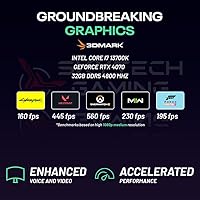
  • CPU: Intel Core i7-13700K processor with 16 cores, a 3.4GHz base clock, and a maximum boost speed of 5.4GHz.
  • GPU: NVIDIA GeForce RTX 4070 with 12GB of GDDR6X video memory for dedicated graphics processing.
  • RAM: 32GB of DDR5 system memory running at 4800MHz, fitted with RGB heat spreaders.
  • Storage: 1TB NVMe SSD providing fast read and write speeds significantly beyond what a traditional spinning hard drive offers.
  • Cooling: 360mm all-in-one liquid cooler manages CPU thermals during sustained gaming and workload sessions.
  • Power Supply: 750W 80 Plus Gold certified PSU delivers efficient and stable power with headroom for future component upgrades.
  • Operating System: Windows 11 Home 64-bit comes pre-installed with no third-party bloatware according to Skytech.
  • Wireless: 802.11ac (Wi-Fi 5) wireless networking is built in for cable-free connectivity.
  • Display Output: One HDMI port and one DisplayPort output are included; additional ports may vary by unit configuration.
  • USB Ports: The system includes USB 2.0, USB 3.0, and USB 3.2 Gen1 ports, though exact port counts per type may vary.
  • Case: Skytech Chronos II Black Edition tower features a front mesh panel designed to improve internal airflow.
  • Case Fans: Four RGB case fans are installed to support active airflow throughout the interior of the tower.
  • Audio: HD audio output and a microphone port are included for headset and speaker connectivity.
  • Weight: The fully built system weighs approximately 37.4 pounds, reflecting a full-size ATX tower form factor.
  • Dimensions: Packaged dimensions measure approximately 22.2 x 20 x 12 inches, so plan accordingly for desk or floor placement.
  • Peripherals: A gaming keyboard and mouse are included in the box as a starter bundle at no additional cost.
  • Warranty: Skytech covers parts and labor for one year from purchase, with lifetime technical support provided at no charge.
  • Assembly: Each unit is assembled in the United States before shipment.

Related Reviews
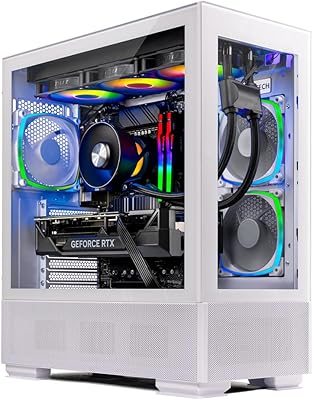
Skytech Gaming Azure Desktop PC, Intel i7 14700F, NVIDIA RTX 4070 Super, 32GB RAM, 1TB SSD
87%
93%
Gaming Performance
91%
Thermal Performance
87%
Build Quality
90%
Ease of Setup
85%
Design & Aesthetics
More
Skytech Chronos RTX 3070 Gaming Desktop
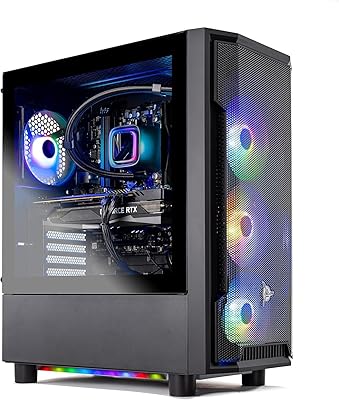
76%
88%
Gaming Performance
91%
Out-of-Box Experience
83%
Build & Internal Quality
74%
Value for Money
61%
GPU Consistency
More
Skytech Gaming Shadow Gaming Desktop PC
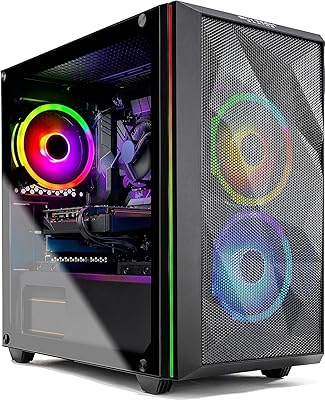
80%
88%
Gaming Performance
91%
Out-of-Box Experience
84%
Thermal Management
74%
Value for Money
77%
Build Quality
More
Skytech Gaming Chronos Mini Gaming Desktop PC
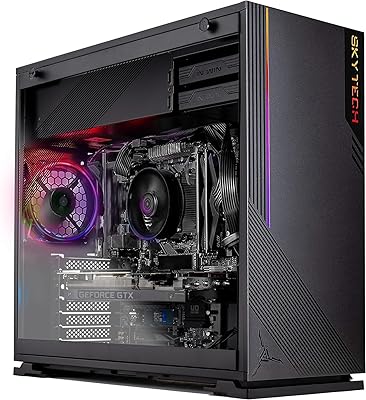
72%
73%
Gaming Performance
91%
Out-of-Box Setup
69%
Value for Money
48%
Storage Adequacy
57%
RAM Performance
More
Skytech Gaming Azure GTX 1650 Gaming Desktop
75%
67%
Gaming Performance
73%
Value for Money
91%
Setup & Out-of-Box Experience
78%
Build Quality
49%
Storage Capacity
More
Skytech Chronos RTX 3070 Gaming Desktop
77%
88%
Gaming Performance
91%
Out-of-Box Experience
74%
Build Quality
67%
Thermal Management
71%
Value for Money
More
Skytech Gaming Shadow Desktop PC
74%
83%
Gaming Performance
91%
Out-of-Box Setup
74%
Value for Money
79%
Build Quality
87%
CPU Performance
More
Skytech Gaming Prism II Gaming Desktop PC
75%
91%
Gaming Performance
71%
Value for Money
84%
Build & Cooling Quality
88%
Case Aesthetics
89%
Setup Experience
More
Skytech Gaming Shadow RTX 4060 Desktop PC
77%
91%
1080p Gaming Performance
67%
1440p Gaming Performance
93%
Out-of-Box Setup Experience
84%
Build Quality & Assembly
78%
Cooling & Thermal Management
More
Skytech Storm RTX 5060 Gaming Desktop
73%
91%
1080p Gaming Performance
67%
CPU Performance
88%
Out-of-Box Experience
74%
Value for Money
78%
Build Quality & Cable Management
More

FAQ

It depends on the title. The RTX 4070 handles 4K well in older games, esports titles, and less graphically intensive releases — you will regularly see 60 or more frames per second there. In heavy modern titles like Cyberpunk 2077 or Alan Wake 2 with ray tracing enabled, 4K performance drops more noticeably and you may want to target 1440p instead for a smoother experience.

Skytech does not guarantee a specific GPU manufacturer for this configuration, meaning you could receive a card from ASUS, MSI, Gigabyte, or another partner brand. The core chip is always an RTX 4070 with 12GB GDDR6X, so performance is consistent regardless of brand — but if you have a strong preference for a specific card design or brand, this is worth knowing before you order.

It gets you started, but modern AAA games commonly run between 50GB and 150GB each, so 1TB fills up faster than you might expect. The good news is that the Chronos II desktop uses an NVMe SSD on a standard M.2 slot, and most cases at this tier have room for additional drives — adding a second SSD down the line is a straightforward upgrade.

A monitor is not included and will need to be purchased separately. A basic gaming keyboard and mouse do come bundled with the system, which is handy for getting up and running immediately. Most buyers treat the included peripherals as temporary and upgrade them when their budget allows, as they are functional but entry-level in quality.

Under moderate gaming loads the system is reasonably quiet, but the 360mm AIO pump and four case fans do spin up during extended heavy sessions. A small number of users report fan noise becoming noticeable during prolonged CPU and GPU stress — it is not unusually loud for a high-performance desktop, but it is not silent either.

Yes, this is one of the stronger use cases for this machine. The i7-13700K has 16 cores and handles streaming encoding workloads in the background without meaningfully impacting in-game performance. If you are streaming at 1080p60 while gaming at 1440p, this system handles it comfortably.

RAM upgrades are straightforward — the board supports DDR5 and the 32GB can be expanded if slots are available. GPU upgrades are also possible since the 750W Gold PSU provides enough headroom to support a future mid-to-high-end card without a power supply swap. Just verify case clearance before purchasing a large aftermarket GPU.

Skytech covers parts and labor for the first year, meaning if a component fails within that window they will handle the repair or replacement. After year one, the lifetime technical support line remains available, though hardware replacements outside the warranty period would be at your cost. General user feedback on support quality is positive, though some buyers note that response times can be inconsistent during peak periods.

For online gaming specifically, Wi-Fi 5 is not a meaningful bottleneck — competitive games require far less bandwidth than most home connections provide. Where it may show its age is in large game download speeds if your router and ISP support Wi-Fi 6 speeds. If that matters to you, running an Ethernet cable to the desktop is always the most reliable option regardless of Wi-Fi generation.

An experienced builder sourcing the same core components individually can often undercut the prebuilt price, sometimes by a meaningful margin depending on current part prices and sales. What this RTX 4070 tower offers in return is convenience, US assembly quality assurance, a full warranty, and the support line — factors that are worth real money to buyers who do not want to troubleshoot their own hardware. If you are comfortable building and want to stretch your budget further, a self-build is worth considering; if you want it done and backed, this prebuilt makes a reasonable case for itself.