Overview

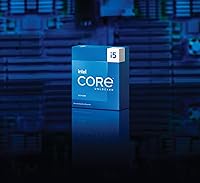
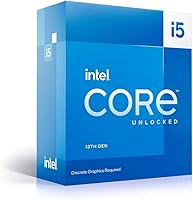
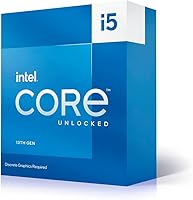
The Intel Core i5-13600KF 13th Gen Desktop Processor is Intel's answer to builders who want serious performance without paying for features they'll never use. The KF suffix tells you two things right away: no integrated graphics and no bundled cooler — both worth knowing before you finalize your parts list. What you do get is a hybrid-architecture chip with six Performance cores tackling heavy workloads and eight Efficiency cores managing background tasks. It sits comfortably in the mid-range bracket, undercutting Intel's own i7 while trading punches with AMD's Ryzen 5 7600X. Compatibility with both 600- and 700-series motherboards gives existing Intel platform owners a legitimate upgrade path.
Features & Benefits

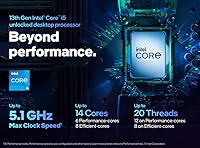
The i5-13600KF runs six high-powered Performance cores and eight lighter Efficiency cores — think of the P-cores as the sprinters handling gaming and rendering, while the E-cores quietly manage browser tabs and background apps. The base clock sits at 3.5 GHz, but the P-cores can boost up to 5.1 GHz under load, which translates to responsive gameplay and noticeably faster video exports. The unlocked multiplier means you can push clocks further with a capable cooler. PCIe 5.0 and 4.0 support keeps the platform relevant for next-gen GPUs and fast NVMe drives. Crucially, it accepts both DDR4 and DDR5 memory, so you are not forced into an expensive memory upgrade mid-build.

Best For

This Raptor Lake chip is an obvious fit for dedicated PC gamers — if you're already buying a discrete GPU, there's no point paying extra for integrated graphics you'll never touch. It also shines for content creators: the combination of fast single-core clocks and a strong multi-threaded core count handles video editing and 3D rendering without the long waits that mid-range chips used to be known for. If you're already on a 600-series Intel board, dropping this in is one of the cleanest upgrade paths available. Budget-focused builders will appreciate the DDR4 support, and anyone with an interest in overclocking gets a reasonable entry point with the unlocked K-series multiplier.

User Feedback

Buyers consistently praise the i5-13600KF for strong gaming performance at 1080p and 1440p, with many noting it holds its own against pricier chips in frame-rate-sensitive titles. The DDR4 compatibility gets frequent mentions as a genuine budget saver. That said, a few recurring issues stand out. Many first-time builders are caught off guard by the missing cooler — it is a real added cost that needs factoring into your budget from the start. Under sustained workloads, this 13th Gen processor runs notably warm, and several users found mid-range air coolers barely adequate. Some 600-series board owners also reported needing a BIOS update before the chip would even post.

Pros

  • Excellent single-core boost speeds translate directly into high, consistent frame rates in demanding games.
  • The 14-core hybrid design handles gaming, streaming, and background tasks simultaneously without noticeable slowdown.
  • DDR4 and DDR5 memory support gives builders genuine flexibility and helps control overall build costs.
  • LGA 1700 socket compatibility with both 600- and 700-series boards makes this a practical upgrade for existing Intel users.
  • The unlocked multiplier opens up overclocking headroom for enthusiasts who want to push beyond stock performance.
  • PCIe 5.0 support keeps the platform ready for next-generation GPUs and high-speed NVMe storage.
  • Strong price-to-performance ratio compared to Intel's own i7 lineup and competing AMD chips at similar price points.
  • 24MB of Intel Smart Cache noticeably reduces latency in cache-sensitive workloads like gaming and light creative tasks.
  • Multi-threaded throughput handles video editing and 3D rendering workflows well above what older mid-range chips could manage.

Cons

  • No CPU cooler is included in the box, adding a meaningful extra cost that first-time builders often overlook.
  • A discrete graphics card is mandatory — the i5-13600KF cannot output video of any kind on its own.
  • Under sustained workloads, the chip runs hot and requires a quality cooler; budget air coolers often struggle to keep up.
  • Some 600-series motherboards need a BIOS update before the chip will even boot, which can be a frustrating hurdle for new builders.
  • Maximum turbo power draw of up to 181W demands a robust power supply and good case airflow, raising overall system costs.
  • Overclocking gains tend to plateau unless paired with premium cooling, limiting the practical upside for casual overclockers.
  • No integrated graphics means there is no fallback display output for troubleshooting if the dedicated GPU fails or is unavailable.
  • Builders starting from scratch on an AMD platform or older Intel socket will need a full motherboard replacement, eroding the value advantage.

Ratings

Based on a comprehensive AI analysis of verified global user reviews — with spam, bot-generated feedback, and incentivized submissions actively filtered out — the Intel Core i5-13600KF 13th Gen Desktop Processor scores below reflect a balanced picture of its real-world strengths and documented shortcomings. Ratings weigh both the performance praise from enthusiast builders and the recurring frustrations flagged by everyday buyers, so you get an honest view before committing.
Gaming Performance
92%
Gamers running demanding open-world titles at 1440p consistently report smooth, high frame rates with minimal stutter, even during the busiest in-game scenes. The fast P-core boost speed prevents the processor from becoming a bottleneck when paired with a mid-to-high-end GPU, which is exactly the dynamic enthusiast gaming builds depend on.
Users on very high refresh rate monitors — 240Hz and above — occasionally find limits in the most CPU-intensive competitive titles at extreme settings. The gap widens slightly compared to the i7-13700K when running a game, a live stream encoder, and background apps simultaneously, which matters most for content-creator gamers.
Single-Core Speed
93%
The 5.1 GHz boost clock on the Performance cores makes a tangible difference in everyday responsiveness — app launches, game level transitions, and browser-heavy workflows all feel noticeably snappier than what buyers experienced on previous-generation chips. Reviewers running lightly-threaded productivity tools note the same benefit consistently across different use cases.
The single-core advantage is most dramatic when comparing generationally rather than against other 13th Gen Intel chips, where differences narrow considerably. Buyers upgrading from 12th Gen specifically report a more modest, incremental improvement rather than the sharp jump that those coming from 9th or 10th Gen platforms experience.
Value for Money
91%
Buyers who intentionally skipped integrated graphics because they were already purchasing a dedicated GPU frequently describe this chip as one of the best-value decisions in their entire build. The combination of strong IPC, DDR4 compatibility, and broad motherboard support stretches the budget further than most competing alternatives at a similar price point.
The value proposition weakens once the mandatory cost of a separately purchased CPU cooler is factored in — an expense that is easy to overlook but required before the system can run. Buyers on tight overall build budgets who missed this detail report feeling caught short, even though the omission is technically stated in the product listing.
Multi-Thread Performance
88%
Video editors working in Premiere Pro or DaVinci Resolve report noticeably faster export times compared to 8-core predecessors, with the 14-core hybrid design handling both active timeline rendering and background tasks efficiently. Streamers using software encoding find the Efficiency cores absorb most of the encoding overhead without visibly impacting in-game frame rates.
Professionals running heavily parallelized workflows — large Blender scenes, batch RAW photo processing, or multi-instance rendering jobs — will hit the ceiling faster than they would with a 16-core or 24-core chip. The i5-13600KF suits part-time creative work well, but daily professional production at sustained scale will eventually demand more cores.
Thermal Management
62%
38%
Under light-to-moderate loads — browsing, office tasks, or casual gaming sessions — temperatures remain manageable on a decent air cooler, and the chip does not throttle during these everyday scenarios. Many buyers report quiet, stable operation during normal desktop use when paired with a 240mm AIO or a tower cooler rated for 150W or above.
Under sustained heavy loads — extended rendering sessions, long gaming marathons, or any overclocked operation — the chip runs significantly hot, and budget coolers simply cannot keep pace with the 181W maximum turbo draw. Multiple buyers reported thermal throttling mid-render with sub-premium air coolers, which directly negates the performance advantage they purchased the chip for.
Overclocking Potential
78%
22%
Enthusiasts with a quality 360mm AIO or a high-end tower cooler have found meaningful all-core clock gains with modest voltage increases, and the unlocked multiplier makes the initial process straightforward in most Z-series BIOS interfaces. The overclocking community reception has been broadly positive for a chip sitting at this price tier.
Meaningful overclocking headroom demands a premium cooling investment that raises the total build cost noticeably, and many users find the real-world performance delta over a well-tuned stock configuration does not justify the added complexity. Gains plateau faster compared to the i7-13700K, and silicon lottery variance means some units overclock noticeably better than others at identical settings.
Platform Compatibility
83%
LGA 1700 socket compatibility with both 600- and 700-series motherboards is a genuine practical advantage — the same Z690 board that ran a 12th Gen chip will often run this Raptor Lake chip after a BIOS update, avoiding the cost of a full platform replacement. This cross-generational support is frequently highlighted as a standout upgrade-path benefit.
Some 600-series owners hit a frustrating catch: you need a working CPU already installed to flash a BIOS update, meaning first-time builders starting fresh with an older board can get stuck in a non-booting situation with no straightforward workaround. Contacting the motherboard manufacturer to request a pre-flashed BIOS service is sometimes the only viable path forward.
Memory Flexibility
87%
Support for both DDR4 and DDR5 gives builders genuine options: budget-focused buyers can reuse existing DDR4 kits without performance penalty, while those building fresh can invest in DDR5 for better long-term headroom. Feedback consistently highlights this dual compatibility as a standout cost-saving factor compared to AMD's AM5 platform, which requires DDR5 exclusively.
Memory type compatibility is platform-dependent — the motherboard determines what you can use, not the chip itself — which causes real confusion among less experienced builders who assume they can mix both types freely. A subset of users also report XMP profiles failing to apply cleanly, requiring manual BIOS frequency and timing adjustments to reach advertised memory speeds.
Power Efficiency
57%
43%
Under everyday mixed workloads — a game running alongside a browser, Discord, and a music app — the processor manages power draw sensibly, and users in mid-tower builds report acceptable idle temperatures without the system fans constantly ramping up. Light desktop use is genuinely quiet on a competent cooler.
At maximum turbo, this 13th Gen processor pulls up to 181W — measurably more than several AMD competitors at comparable performance levels — which translates into higher electricity costs over time and stricter PSU requirements. Builders targeting a quiet, low-power, or small-form-factor system will find this power profile a real obstacle rather than a minor footnote.
PCIe & Storage
84%
PCIe 5.0 on the primary x16 slot means a next-generation GPU installed today will not face bandwidth limitations for years, which is a meaningful consideration for buyers planning a multi-year build around this platform. PCIe 4.0 lanes for NVMe storage also ensure that current high-speed SSDs operate at their fully rated throughput without compromise.
PCIe 5.0 storage support is not directly accessible from the CPU in most mainstream consumer configurations — it requires specific motherboard implementation and a PCIe 5.0 NVMe drive, both adding cost without practical mainstream benefit today. Buyers not investing in a PCIe 5.0 GPU in the near term will see no immediate real-world advantage from this specification at all.
Out-of-Box Experience
44%
56%
For experienced builders who already know to budget separately for a cooler and a discrete GPU, the unboxing experience is clean and uncomplicated — the chip arrives securely packaged, and installation into an LGA 1700 socket is straightforward for anyone familiar with Intel mounting hardware and standard thermal paste application.
First-time builders are frequently caught off guard by the absent bundled cooler and the mandatory requirement for a dedicated GPU — both represent significant additional costs that are easy to overlook when shopping by processor specs alone. Several buyers arrived at their build day to find the system could not display anything, having overlooked the complete absence of integrated graphics.
Cache Performance
81%
19%
The 24MB Intel Smart Cache noticeably benefits latency-sensitive workloads, particularly in competitive gaming where fast data access between CPU and cache contributes to more consistent frame timing and reduced microstutter. Users running large strategy games, simulation titles, and complex open-world engines tend to report a smoother overall feel compared to processors with smaller cache configurations.
Cache size advantages are most visible in specific workload types and diminish in heavily multi-threaded tasks where raw core count and memory bandwidth become the primary bottlenecks instead. Compared to AMD chips featuring large 3D V-Cache configurations, the i5-13600KF offers less dramatic cache-driven gaming gains for buyers where peak frame rates are the single overriding priority.

Suitable for:

The Intel Core i5-13600KF 13th Gen Desktop Processor is a strong match for PC gamers and content creators who already know they need a discrete GPU and want to stretch their CPU budget as far as it will go. If you are building a dedicated 1080p or 1440p gaming rig, the combination of fast single-core boost speeds and a 14-core hybrid architecture means you get snappy frame rates in games while still having genuine multi-threaded muscle for streaming or background tasks. Content creators doing video editing, 3D rendering, or encoding will find the performance-per-dollar ratio hard to argue with at this tier. Existing Intel platform owners on a 600-series motherboard are particularly well-served here — dropping this chip in often requires nothing more than a BIOS update, avoiding the cost of a full platform replacement. Budget-conscious builders also benefit from the chip's support for both DDR4 and DDR5 memory, which allows them to reuse existing RAM or shop the more affordable end of the memory market.
Not suitable for:

Anyone expecting to run a system without a dedicated graphics card should look elsewhere — the KF designation means there is no integrated GPU whatsoever, so this chip cannot drive a display on its own under any circumstances. Casual or first-time builders who are not yet comfortable budgeting for both a discrete GPU and a separate CPU cooler may find the total build cost climbs faster than expected, since neither is included. Users who prioritize low power consumption or are building a compact, thermally constrained system should also think carefully, as this 13th Gen processor can pull up to 181W under full turbo load, demanding a capable cooler and a well-ventilated case. Professionals running workloads that scale heavily beyond 14 cores — such as large-scale 3D simulation, server-grade compilation, or multi-instance rendering — may find the i7 or i9 tier a better long-term investment. Finally, anyone on an AMD platform or an older Intel socket will need an entirely new motherboard, which shifts the value calculation considerably.

Specifications

  • Architecture: Built on Intel's Raptor Lake architecture, representing the 13th Generation of Intel Core desktop processors.
  • Core Count: Features 14 cores in a hybrid configuration: 6 high-performance P-cores and 8 power-efficient E-cores.
  • Thread Count: Supports 20 simultaneous threads, enabling strong multi-tasking and parallel workload handling.
  • Base Clock: The Performance cores operate at a base frequency of 3.5 GHz under sustained load conditions.
  • Boost Clock: P-cores can boost up to 5.1 GHz under short-burst workloads, improving responsiveness in games and single-threaded applications.
  • CPU Socket: Uses the LGA 1700 socket, which is mechanically compatible with Intel 600- and 700-series motherboards.
  • Chipset Support: Officially supported on Intel 600-series (Z690, B660, H670) and 700-series (Z790, B760) chipset motherboards.
  • Memory Support: Compatible with both DDR4 and DDR5 memory, with the supported type determined by the motherboard platform.
  • PCIe Support: Provides PCIe 5.0 lanes for the primary GPU slot and PCIe 4.0 lanes for NVMe storage on supported motherboards.
  • Base Power: Processor Base Power (PBP) is rated at 125W, reflecting typical sustained power draw under normal operating conditions.
  • Turbo Power: Maximum Turbo Power (MTP) reaches up to 181W during peak boost activity, requiring adequate cooling and PSU headroom.
  • Integrated Graphics: No integrated graphics are included; the KF suffix denotes the absence of Intel UHD Graphics, making a discrete GPU mandatory.
  • Thermal Solution: No CPU cooler is included in the box; a separately purchased thermal solution is required before the system can operate.
  • Overclocking: The unlocked multiplier (K-series designation) allows manual overclocking of P-core, E-core, and ring bus frequencies via compatible motherboards.
  • Cache: Equipped with 24MB of Intel Smart Cache, helping reduce memory latency in gaming and cache-sensitive creative workloads.

Related Reviews
Intel Core i5-7600 7th Gen Desktop Processor
72%
83%
Everyday Performance
78%
Value for Money
86%
Single-Core Speed
61%
Multitasking Capability
67%
Gaming Performance
More
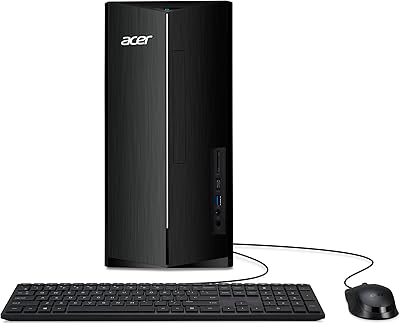
Acer Aspire TC-1780-UR11 Desktop, 13th Gen Intel Core i5, 16GB RAM, 512GB SSD
85%
86%
Overall Performance
88%
Build Quality
91%
Value for Money
84%
Usability & Setup
90%
Expandability
More
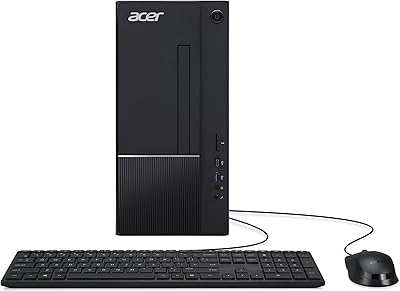
Acer Aspire TC-1770-UR12 Desktop
75%
88%
Processor Performance
91%
Storage Speed
82%
RAM & Multitasking
44%
Graphics Capability
79%
Wireless Connectivity
More
Intel Core i5-13400F 2.5GHz 10-Core Desktop Processor
87%
88%
Performance
92%
Value for Money
84%
Gaming Performance
89%
Multi-core Efficiency
91%
Ease of Installation
More
Intel Core i5-9500 Desktop Processor

72%
88%
Everyday Performance
81%
Gaming Capability
91%
Thermal Management
58%
Multi-threaded Workloads
83%
Platform Compatibility
More
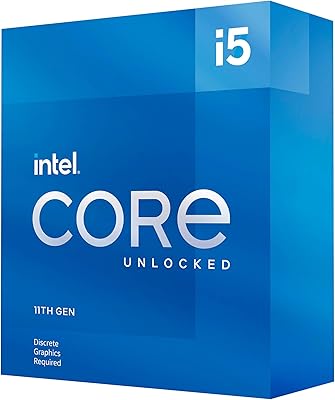
Intel Core i5-8600 Desktop Processor
71%
83%
Single-Core Performance
61%
Multithreaded Performance
74%
Gaming Performance
71%
Value for Money
88%
Thermal Efficiency
More
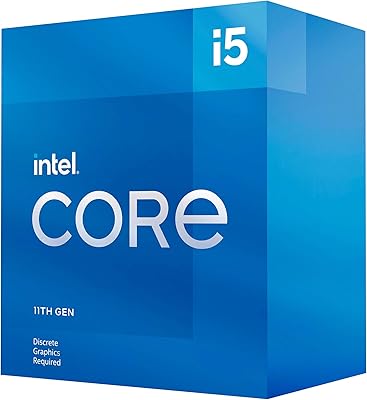
Intel Core i5-11600KF Desktop Processor
67%
84%
Gaming Performance
81%
Overclocking Headroom
58%
Thermal Management
79%
Value for Money
43%
Platform Longevity
More
Intel Core i5-13600K Desktop Processor
79%
93%
Gaming Performance
88%
Multi-Threaded Throughput
61%
Thermal Management
91%
Value for Money
79%
Overclocking Headroom
More
Intel Core i5-10600K Desktop Processor
78%
88%
Gaming Performance
91%
Overclocking Potential
89%
Single-Core Performance
61%
Thermal Management
78%
Value for Money
More
Intel Core i5-10400 Desktop Processor
76%
91%
Everyday Performance
88%
Multitasking Capability
93%
Value for Money
74%
Thermal Management
77%
Gaming Performance
More
Intel Core i5-9400 Desktop Processor
69%
83%
Everyday Performance
78%
Gaming Performance
81%
Value for Money
74%
Thermal Management
77%
Power Efficiency
More

FAQ

No, it does not. This is one of the most common surprises for first-time builders — the box contains the processor and documentation only. You will need to budget for and purchase a separate CPU cooler before your system can run. Given how warm this chip can get under load, a quality mid-tower air cooler or a 240mm AIO liquid cooler is a sensible minimum investment.

Yes, the i5-13600KF supports both DDR4 and DDR5 memory, but which type you can actually use depends entirely on your motherboard. DDR4 boards and DDR5 boards are not interchangeable — a Z690 DDR4 board uses DDR4, and a Z790 DDR5 board uses DDR5. Check your motherboard specifications carefully before assuming you can reuse your current sticks.

In most cases, yes, but there is an important catch. Many 600-series boards require a BIOS update to recognize 13th Gen Raptor Lake CPUs, and some boards need an already-compatible CPU installed to perform that update. If you are upgrading from a 12th Gen chip, updating the BIOS first before swapping processors is the safest approach.

Yes, without exception. The KF designation means there is no integrated GPU at all, so the processor cannot output a signal to a monitor on its own. A discrete graphics card is not optional here — it is a hard requirement for the system to display anything.

It performs very well at both resolutions, particularly in titles where single-core speed matters. The high boost clock on the Performance cores keeps frame rates competitive with pricier chips in most popular games. At 1440p, pairing it with a capable GPU is what will determine your ceiling, not the processor itself.

Yes, and this is actually one of the stronger use cases for the hybrid core design. While the P-cores handle the game, the E-cores can manage the encoding workload in the background without the kind of frame-rate hit you would see on an older quad-core or hexa-core CPU. Most streamers running software encoding report a smooth experience with this chip.

Overclocking is supported thanks to the unlocked multiplier, but whether it is worth the effort depends on your cooling setup. With a premium air cooler or a 360mm AIO, you can push clocks meaningfully and see real gains in sustained workloads. With a mid-range cooler, the chip will throttle before you hit its true ceiling, so the practical gains tend to be modest.

Both are strong gaming processors in a similar price bracket, but they differ in platform costs and memory flexibility. The Ryzen 5 7600X requires DDR5 memory and an AM5 motherboard, which can push total platform costs higher. The i5-13600KF offers DDR4 compatibility and broader motherboard options, often making it the more budget-friendly complete build — though AMD's platform has better upgrade longevity with the AM5 socket going forward.

For a typical gaming build with a mid-to-high-end discrete GPU, a 750W power supply from a reputable brand is a reasonable baseline. If you are pairing this chip with a high-end GPU like an RTX 4080 or RX 7900 XT and plan to overclock, stepping up to 850W gives you adequate headroom. Avoid under-speccing the PSU — this processor can spike to 181W on its own under turbo conditions.

For the price, it punches well above its weight in both tasks. The 14-core count and 20 threads allow it to handle multi-threaded render jobs and timeline exports at speeds that would have required an expensive workstation chip just a couple of generations ago. It is not a replacement for a dedicated workstation processor if you are rendering at a professional scale all day, but for creators who also game on the same machine, it strikes a very practical balance.

Where to Buy