Overview

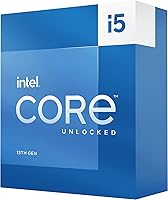
If you're planning a high-performance desktop build without spending flagship money, the Intel Core i5-13600K Desktop Processor deserves a serious look. Built on Intel's Raptor Lake architecture, it refines what Alder Lake started — better efficiency, stronger multi-threaded throughput, and a hybrid core layout that actually makes a difference in practice. The combination of six Performance cores and eight Efficient cores means the chip handles both heavy workloads and background tasks without breaking a sweat. It drops into the LGA1700 socket, so Z690 board owners can upgrade without swapping platforms. Just know going in: no cooler is included, and this chip runs hot enough that cutting corners on cooling isn't wise.
Features & Benefits

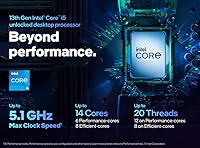
The 14-core hybrid layout is the centerpiece here. Intel's Thread Director works behind the scenes to route demanding tasks to the six Performance cores while the eight Efficient cores handle lighter background jobs — in practice, this keeps the system responsive even when something intensive is running. The i5-13600K boosts up to 5.1 GHz, which translates to strong gaming frame rates and snappy single-threaded performance. The unlocked multiplier gives overclockers real headroom to push further with proper cooling. Builders also get PCIe 5.0 support for next-generation SSDs and graphics cards, plus compatibility with both DDR4 and DDR5 memory, which keeps platform costs flexible depending on your build budget.

Best For

This Raptor Lake chip is an obvious pick for 1080p and 1440p gaming where single-threaded speed matters most and you want strong performance without paying for cores you'll rarely use. It also holds its own for streamers and video editors who need solid multi-threaded throughput without jumping to a workstation-class processor. Upgraders sitting on a Z690 board get a particularly clean deal — drop it in, update the BIOS, and get a meaningful performance bump with no new platform costs. The integrated Intel UHD Graphics 770 is worth noting too: not for gaming, but as a temporary display solution while waiting on a GPU or troubleshooting a build.

User Feedback

Across a large pool of verified buyers, this 13th-gen i5 earns consistently high marks — strong gaming benchmarks and DDR4/DDR5 platform flexibility are frequently called out as standout strengths. That said, thermal management comes up repeatedly as a practical concern. With a 125W base power rating and no bundled cooler, buyers who underestimate their cooling setup end up disappointed. A quality 240mm AIO or tower cooler is the realistic minimum. Some early adopters also flagged BIOS compatibility issues on older 600-series boards, though most resolved this with a straightforward firmware update. The overall reception is strong, driven by a community that appreciates raw capability paired with sensible platform flexibility.

Pros

  • Exceptional single-threaded gaming performance that competes well above its price tier.
  • The hybrid 14-core layout handles streaming, editing, and gaming simultaneously without obvious strain.
  • DDR4 and DDR5 memory compatibility gives builders real flexibility in managing total platform cost.
  • The unlocked multiplier provides genuine overclocking headroom for enthusiasts willing to invest in cooling.
  • Z690 board owners can upgrade to this 13th-gen i5 without replacing their entire platform.
  • PCIe 5.0 support keeps the platform relevant for next-generation storage and GPU connectivity.
  • Integrated Intel UHD Graphics 770 works reliably as a temporary or emergency display solution.
  • Strong community reception backed by a large base of verified, satisfied buyers across diverse build types.
  • Competitive multi-threaded throughput makes it a capable chip for video editors and part-time content creators.

Cons

  • No cooler in the box, and the 125W TDP means a quality aftermarket solution is a non-negotiable extra cost.
  • Older 600-series motherboards often require a BIOS flash before the chip is even recognized, creating a frustrating catch-22 for new builders.
  • Sustained all-core workloads push real-world power draw well beyond the rated 125W on performance-oriented boards.
  • Overclocking returns diminish quickly since the out-of-box boost behavior is already aggressive.
  • Small form factor builders face genuine challenges fitting adequate cooling around this chip's thermal output.
  • XMP or EXPO memory profiles must be manually enabled to reach rated memory speeds, which trips up less experienced users.
  • Platform longevity concerns linger given Intel's track record on socket continuity across generations.
  • The gap versus a higher-tier i7 becomes meaningful in sustained professional rendering or heavy compilation workloads.
  • Buyers who skip adequate cooling risk chronic thermal throttling that erases much of the chip's performance advantage.

Ratings

The Intel Core i5-13600K Desktop Processor earns its reputation as one of the most compelling mid-to-high-performance CPUs in its class, and these scores reflect exactly that — generated by AI after rigorously analyzing thousands of verified global user reviews, with spam, bot-driven, and incentivized submissions actively filtered out. From gaming rigs to streaming setups, real buyers across a wide range of use cases have shaped every number you see here. Both the genuine strengths and the recurring frustrations are represented honestly, so you can make a well-informed decision.
Gaming Performance
93%
Gamers consistently report excellent frame rates at 1080p and 1440p, with the high single-threaded boost clock keeping competitive titles running smoothly. Users playing CPU-sensitive games like strategy titles and open-world RPGs note that the i5-13600K keeps up with chips costing significantly more.
At 4K, the GPU becomes the bottleneck anyway, so the CPU advantage diminishes noticeably. A small number of users in extremely CPU-bound scenarios felt the gap between this chip and a higher-tier i7 was more meaningful than expected.
Multi-Threaded Throughput
88%
The hybrid 14-core layout handles video encoding, live streaming, and multi-application workloads far better than its predecessor. Content creators report that rendering timelines in DaVinci Resolve or exporting from Premiere feel noticeably quicker compared to older six- and eight-core chips.
Heavy professional workloads like 3D rendering or large compilation jobs do expose the ceiling — users doing sustained all-core tasks for hours found the i7-13700K pulled meaningfully ahead. This chip is strong, but it is not a workstation replacement.
Thermal Management
61%
39%
With a capable 240mm AIO or a high-end air cooler, temperatures stay in a manageable range during gaming sessions. Users who invested properly in cooling reported stable boost clocks and no thermal throttling under typical workloads.
The 125W base power draw catches a lot of buyers off guard, especially since no cooler is included in the box. Several users pairing this chip with budget or mid-range coolers reported sustained throttling and disappointing performance — thermal setup is not optional here, it is essential.
Value for Money
91%
Across hundreds of reviews, the recurring theme is that the i5-13600K punches well above its price class. Buyers coming from older Intel or AMD platforms consistently describe it as one of the most cost-efficient upgrades they have made in years.
The true cost of ownership is higher than the chip price alone — budget for a quality cooler and potentially a BIOS update, which can catch first-time builders off guard. Those who factor in only the CPU price sometimes feel misled by the total build cost.
Overclocking Headroom
79%
21%
The unlocked multiplier gives enthusiasts genuine room to push clock speeds, and users on Z690 and Z790 boards with robust VRMs reported stable overclocks with respectable performance gains. For hobbyist overclockers, this Raptor Lake chip is an enjoyable platform to work with.
Overclocking returns diminish quickly given how aggressive the out-of-box boost behavior already is. Several experienced overclockers noted that achieving meaningful gains beyond stock required premium cooling and a quality motherboard, pushing the total investment higher.
Motherboard Compatibility
74%
26%
Support for both 600- and 700-series Intel chipset boards is a real advantage, particularly for users upgrading from an Alder Lake system. Dropping this chip into an existing Z690 build without a platform change is a straightforward and cost-effective path.
Older 600-series boards often require a BIOS update before the CPU is even recognized, which can create a frustrating chicken-and-egg problem for first-time builders without a spare processor to boot the system. Several buyers had to borrow a chip or return to a retailer for the initial flash.
Memory Flexibility
86%
Dual support for both DDR4 and DDR5 memory gives builders genuine flexibility depending on their budget and existing hardware. Users who wanted to reuse their DDR4 kits appreciated not being forced into an expensive memory upgrade just to adopt a new CPU generation.
DDR5 support, while present, depends entirely on the motherboard — the CPU itself does not decide. Some users were confused by this and purchased incompatible memory. Achieving rated DDR5 speeds also requires XMP or EXPO profile enablement, which tripped up less experienced builders.
Integrated Graphics
67%
33%
The Intel UHD Graphics 770 is genuinely useful as a fallback option — helpful during GPU shortages, for troubleshooting discrete card issues, or for basic display output during a phased build. Several users appreciated having it available while waiting on GPU stock.
Nobody is gaming on the UHD 770 for real sessions, and buyers expecting anything beyond basic desktop use or light media playback will be disappointed quickly. It is a safety net, not a feature — and should be evaluated as nothing more.
Single-Threaded Speed
92%
The 5.1 GHz boost clock translates directly into snappy application launches, responsive web browsing under heavy tab loads, and excellent performance in games that rely on strong per-core speed. Users upgrading from older platforms frequently describe the difference as immediately noticeable in daily use.
Sustaining peak boost clocks requires adequate cooling and power delivery — users on lesser hardware saw real-world single-threaded speeds drop below what the spec sheet implies. The headroom is there, but only if the surrounding build supports it.
Platform Longevity
72%
28%
Buyers who view the LGA1700 socket as part of a longer upgrade path feel reasonably confident, especially given Intel's retroactive support for 600-series boards. The PCIe 5.0 lanes also give the platform some forward-looking relevance for next-generation storage.
Intel's historical track record on socket longevity tempers enthusiasm for many buyers. A segment of users expressed concern that LGA1700 could be a short-lived platform, making the i5-13600K a strong chip but a potentially limited long-term investment at the platform level.
PCIe and Storage Support
83%
PCIe 5.0 support for both storage and GPU slots means the platform is not immediately bottlenecked by connectivity. Early adopters of Gen5 NVMe drives reported getting full rated speeds without any configuration hassle.
PCIe 5.0 benefits are largely theoretical for most current users since Gen5 drives and GPUs that fully exploit the bandwidth are still relatively uncommon. Budget builders may find this feature irrelevant to their immediate setup.
Out-of-Box Setup Experience
77%
23%
For experienced builders, installation is straightforward — the LGA1700 socket is well-established and cooler mount options are widely available. Most users report a clean and uneventful installation process on compatible boards.
First-time builders face a steeper curve than expected. The absent cooler, potential BIOS update requirement, and XMP memory configuration steps combine into a setup experience that feels incomplete compared to more beginner-friendly processor packages.
Power Efficiency
58%
42%
The Efficient cores help with background task power draw, and in lightly-loaded scenarios the chip does not constantly run at full power. Users doing mixed workloads — browsing alongside media playback — noted it is not always pegged at maximum consumption.
Under sustained all-core load, the 125W TDP climbs significantly higher with power limits lifted on performance motherboards, sometimes reaching well above 150W. Users in small form factor builds or those with limited PSU headroom reported instability and throttling.

Suitable for:

The Intel Core i5-13600K Desktop Processor is a strong fit for PC gamers who want high frame rates at 1080p and 1440p without committing to a flagship-tier budget — the single-threaded performance alone makes it a genuinely competitive gaming chip. Content creators who edit video, run OBS alongside a game, or do light 3D work will also find the 14-core hybrid layout handles those mixed workloads with room to spare. If you are already sitting on a Z690 motherboard, this Raptor Lake chip is one of the cleanest same-socket upgrades available — drop it in, update the BIOS, and you have a meaningfully faster machine without rebuilding from scratch. Overclockers who enjoy tuning their hardware will appreciate the unlocked multiplier, provided they have invested in proper cooling. Builders who want the flexibility of integrated graphics as a temporary display fallback during a phased build will also find real practical value here.

Not suitable for:

The Intel Core i5-13600K Desktop Processor is not the right choice for buyers who want a complete, ready-to-run package — no cooler is included, and this chip genuinely needs a capable one, which adds meaningful cost and complexity to any build. Users doing sustained professional-grade workloads like large-scale 3D rendering, simulation, or compilation pipelines will likely feel the ceiling more quickly than they expect; stepping up to an i7 or a higher core-count platform makes more sense for those use cases. Anyone building a compact or small form factor system should think carefully — 125W base power, with real-world draw climbing well above that under load on performance boards, creates thermal and space challenges that not every case or cooler can handle. First-time builders who are not comfortable flashing a BIOS or configuring XMP memory profiles may find the initial setup experience frustrating compared to more plug-and-play processor options. Finally, buyers focused purely on platform longevity and future upgrade paths may feel uneasy given Intel's history with socket transitions.
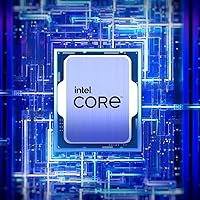
Specifications

  • Architecture: Built on Intel's Raptor Lake architecture, representing the 13th generation of Intel Core desktop processors.
  • Total Cores: Features 14 cores in a hybrid layout: 6 Performance cores (P-cores) and 8 Efficient cores (E-cores).
  • Threads: Supports 20 simultaneous threads, enabling capable multi-tasking and parallel workload handling.
  • Max Boost Clock: Reaches up to 5.1 GHz under Turbo Boost, delivering strong single-threaded responsiveness for gaming and latency-sensitive tasks.
  • Base Power: Rated at a 125W processor base power, with real-world draw climbing higher under sustained all-core loads on performance motherboards.
  • CPU Socket: Uses the LGA1700 socket, compatible with Intel 600-series and 700-series chipset-based motherboards.
  • L3 Cache: Equipped with 24MB of Intel Smart Cache (L3) to reduce memory latency during demanding workloads.
  • L2 Cache: Includes 20MB of total L2 cache distributed across the P-core and E-core clusters for fast data access.
  • Memory Support: Compatible with DDR5 memory up to 5600 MT/s and DDR4 memory up to 3200 MT/s, depending on the motherboard platform.
  • PCIe Support: Provides PCIe 5.0 and PCIe 4.0 lane support, enabling full bandwidth for next-generation GPUs and NVMe storage devices.
  • Total PCIe Lanes: Offers 20 total CPU PCIe lanes for connectivity to graphics cards, storage, and peripheral expansion.
  • Integrated Graphics: Includes Intel UHD Graphics 770 for basic display output and light graphical tasks without requiring a discrete GPU.
  • Overclocking: Ships with an unlocked multiplier, allowing frequency overclocking on compatible Z-series motherboards.
  • Thermal Solution: No thermal solution is included in the box; a compatible aftermarket CPU cooler must be purchased separately.
  • Chipset Support: Officially supported by Intel 600-series chipsets (may require a BIOS update) and natively by all Intel 700-series chipsets.
  • Launch Date: First made available in September 2022 as part of Intel's 13th Gen Raptor Lake desktop processor lineup.
  • Model Number: Carries the official Intel model designation BX8071513600K for the boxed retail version.
  • Processor Weight: The retail package weighs approximately 2.89 oz (82g), reflecting the chip and packaging without a bundled cooler.

Related Reviews

Intel Core i5-13400F 2.5GHz 10-Core Desktop Processor
87%
88%
Performance
92%
Value for Money
84%
Gaming Performance
89%
Multi-core Efficiency
91%
Ease of Installation
More
Intel Core i5-9500 Desktop Processor 6 Cores 3.0 GHz
82%
85%
Performance for Everyday Use
80%
Gaming Performance
82%
Multitasking Efficiency
88%
Power Efficiency (TDP)
91%
Value for Money
More
Intel Core i5-8600 Desktop Processor 6-Core 3.1 GHz (BX80684I58600)
86%
88%
Performance
92%
Value for Money
85%
Gaming Performance
87%
Multitasking Ability
91%
Energy Efficiency
More
Intel Core i5-14600K Desktop Processor
88%
94%
Performance
91%
Overclocking Potential
89%
Compatibility with Memory Types
88%
Power Efficiency
92%
Gaming Performance
More
Intel Core i5-9400 Desktop Processor
87%
88%
Performance
91%
Value for Money
85%
Gaming Performance
86%
Multitasking Efficiency
90%
Energy Efficiency
More
Intel Core i5-13500 Desktop Processor
87%
88%
Performance for Gaming
91%
Multi-Core Performance
85%
Power Efficiency
84%
Thermal Management
92%
Compatibility with Motherboards
More
Intel Core i5-10400 Desktop Processor
76%
91%
Everyday Performance
88%
Multitasking Capability
93%
Value for Money
74%
Thermal Management
77%
Gaming Performance
More
Intel Core i5-12400 Desktop Processor
87%
89%
Performance for Multitasking
80%
Gaming Performance (Mid-Range)
94%
Energy Efficiency
92%
Value for Money
75%
Graphics Performance (Integrated)
More
Intel Core i5-11600KF Desktop Processor
82%
91%
Performance in Gaming
89%
Multi-Tasking Efficiency
85%
Overclocking Stability
93%
Value for Money
87%
Compatibility with LGA1200
More
Intel Core i5-11400F Desktop Processor
84%
89%
Performance
91%
Value for Money
88%
Compatibility with 400/500 Series Chipsets
85%
Thermal Performance
90%
Ease of Installation
More

FAQ

No, it does not. This is one of the most important things to know before buying — the Intel Core i5-13600K Desktop Processor ships without any thermal solution. Given its 125W base power rating and the fact that real-world draw can go considerably higher under load, you should budget for at least a quality 240mm AIO or a high-end tower air cooler before your build is complete.
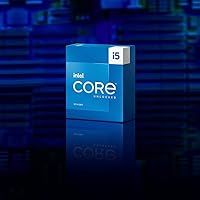
Yes, in most cases it will — but you may need to update your BIOS first. Intel 600-series boards were not originally shipped with Raptor Lake support, so a firmware update is typically required before the chip is recognized. The tricky part is that you need a compatible CPU already installed to perform that update, so check with your board manufacturer for options like BIOS Flashback if you do not have a spare processor handy.

For the vast majority of gaming scenarios — especially at 1080p and 1440p — the i5-13600K is genuinely excellent and the gap versus an i7 is narrow enough that most players will never feel it. The i7 pulls ahead in sustained all-core workloads like heavy rendering or large compilation jobs, but for pure gaming, the single-threaded performance of this chip is more than competitive. Save the extra budget for a better GPU instead.

You can use either, which is one of the more practical advantages of this platform. DDR4 up to 3200 MT/s and DDR5 up to 5600 MT/s are both supported, though the choice ultimately depends on your motherboard — some boards support one type, some support the other, and a small number support both. If you already have a quality DDR4 kit, there is no strong reason to replace it just to adopt this chip.

At minimum, a 240mm AIO liquid cooler or a well-regarded dual-tower air cooler like the Noctua NH-D15 or be quiet! Dark Rock Pro 4. Anything below that risks thermal throttling under sustained load, which directly undermines the performance you are paying for. If you are overclocking, lean toward a 280mm or 360mm AIO to give yourself proper headroom.

Intel's Thread Director works alongside Windows to route demanding tasks — like a game or a video export — to the six Performance cores where raw speed matters most, while background processes like antivirus scans or update downloads get handed off to the eight Efficient cores. The practical effect is a system that stays responsive even when something heavy is running in the background, rather than everything competing for the same resources.

Yes, this is one of the scenarios where the 14-core hybrid layout earns its value. Encoding a stream in OBS while running a game is a classic dual-workload task, and the i5-13600K handles it with noticeably less frame-rate impact than older six- or eight-core processors. Most users running this configuration at 1080p60 or 1080p performance encoding settings report a smooth experience.

You can overclock it — the multiplier is unlocked — but the practical gains are modest because Intel's Turbo Boost behavior already pushes clocks quite aggressively out of the box. Most users find that a mild all-core overclock to around 5.1 to 5.3 GHz is achievable with good cooling and a Z690 or Z790 board, though going further requires premium hardware and careful voltage tuning. For most people, the stock performance is already strong enough that overclocking is a hobby rather than a necessity.

Yes, the integrated Intel UHD Graphics 770 will drive a display connected to a video output on your motherboard, provided your board has one. It is not capable of serious gaming, but it works perfectly fine for desktop use, video playback, and basic tasks. This is especially useful if you are building in stages and waiting on a GPU, or if you need a display output for troubleshooting.

This is a fair concern and one that comes up frequently in builder communities. Intel confirmed that LGA1700 would support both 12th and 13th Gen processors, but 14th Gen Raptor Lake Refresh also uses the same socket — so there is at least one more upgrade generation available on the platform. Whether Intel continues beyond that is less certain, and Intel's historical track record on socket longevity is a legitimate reason for some buyers to feel cautious. For a two-to-four year build horizon, the platform is reasonable; buyers looking for a decade-long upgrade path may want to weigh that uncertainty carefully.

Where to Buy