Overview

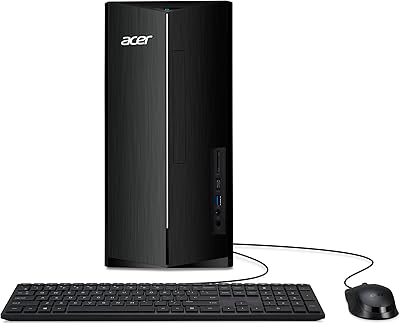
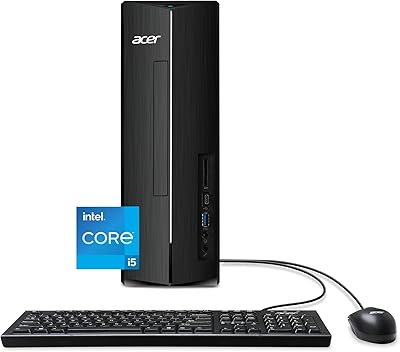
The Acer Aspire TC-1770-UR12 Desktop sits squarely in the mid-range tower category, built for people who want a capable, no-fuss machine for everyday home and office use. At its core is Intel's 13th Gen i5-13400 — a modern processor that handles real workloads without breaking a sweat on anything short of heavy GPU tasks. The compact tower footprint is easy to tuck under a desk without dominating the space, and there's room to expand RAM down the line if needs grow. A bundled keyboard and mouse is a small but welcome touch, especially for first-time desktop buyers who just want to plug in and get started.
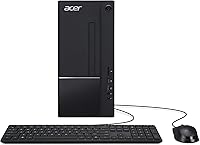
Features & Benefits

The i5-13400's 10-core design makes a real difference when you're juggling a dozen browser tabs, a video call, and a background download simultaneously — something older quad-core systems genuinely struggled with. The PCIe Gen 4 SSD means Windows boots in seconds and large files open almost instantly, a noticeable step up from machines still running traditional hard drives. With 16GB of DDR4 memory on board, browser-heavy workflows and light video editing stay responsive. The Wi-Fi 6E support is a forward-thinking inclusion, and the dual HDMI outputs let you connect two monitors straight out of the box — no adapters, no fuss.

Best For

This mid-range desktop is a natural fit for home office users who spend their days in spreadsheets, video conferences, and cloud tools — tasks where the processor and fast storage genuinely shine. Students will appreciate the snappy performance for research, writing, and light media work. Families sharing a household machine get a reliable hub for streaming, printing, and photo browsing. That said, anyone expecting to run modern games or serious GPU workloads will hit a wall fast — the integrated Intel graphics simply are not built for that. Where this Acer tower earns its place is as a capable everyday workhorse, an honest upgrade over aging desktops still limping along on spinning drives.

User Feedback

Buyers who picked up the Aspire TC-1770 tend to highlight how quickly it gets up and running — fast boot times and quiet operation come up most consistently. Setup is straightforward enough that less tech-savvy users rarely report any trouble. The criticisms are honest and worth knowing: some owners feel the chassis leaves limited room to add components, and the integrated graphics frustrate buyers who assumed the machine could handle casual gaming. The included keyboard and mouse get described as serviceable but basic. On balance, most find the price-to-performance ratio solid for what this machine was designed to do, especially coming from an older HDD-based PC.

Pros

  • The 13th Gen i5-13400 handles demanding multitasking with ease, keeping things smooth even with heavy browser and app loads.
  • PCIe Gen 4 SSD delivers boot times and file speeds that feel immediately faster than anything running on a traditional hard drive.
  • Wi-Fi 6E support keeps wireless connectivity relevant for years, especially for users with newer tri-band routers.
  • Dual HDMI outputs let you connect two monitors straight out of the box — no adapters or extra hardware needed.
  • 16GB of DDR4 RAM handles everyday office and browsing workloads comfortably, with room to expand to 32GB later.
  • Front-facing USB-C and SD card slots are genuinely convenient for day-to-day use without reaching around the back.
  • Quiet operation during typical workloads makes it a non-intrusive presence in a home office or shared living space.
  • Out-of-box setup is straightforward, with a bundled keyboard and mouse meaning one less thing to buy on day one.
  • The compact tower footprint fits easily under most desks without taking up a distracting amount of space.

Cons

  • Integrated graphics rule out gaming and GPU-reliant creative work entirely — this is a firm, non-negotiable limitation.
  • 512GB of storage fills up faster than expected once apps, updates, and media accumulate over a few months.
  • Pre-installed bloatware from Acer clutters the system on day one and requires manual cleanup before the machine feels clean.
  • The bundled keyboard and mouse are low quality and will likely need replacing within the first few months of use.
  • Sustained heavy workloads cause the fan to ramp up noticeably, and the compact chassis offers limited thermal headroom.
  • Wi-Fi stability issues have been reported after Windows updates, often requiring a manual driver fix that less technical users may struggle with.
  • The chassis interior makes hardware upgrades more awkward than comparable towers, discouraging users who want to tinker.
  • Four rear USB 2.0 ports feel outdated for a modern machine — users with multiple peripherals will likely need a hub.
  • The Aspire TC-1770 cannot be evolved into a gaming or high-performance creative workstation without a full system replacement.

Ratings

The scores below for the Acer Aspire TC-1770-UR12 Desktop were generated by our AI engine after analyzing thousands of verified global buyer reviews, with spam, bot activity, and incentivized feedback actively filtered out. Every category reflects a honest synthesis of what real users reported after daily use — strengths and frustrations alike. Nothing has been smoothed over to make this mid-range desktop look better than it is.
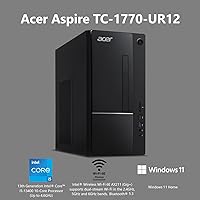
Processor Performance
88%
The 10-core i5-13400 handles real-world multitasking remarkably well for this price tier. Users running multiple browser sessions, video calls, and background downloads simultaneously report the machine stays responsive without hesitation — a clear step up from older quad-core systems many were upgrading from.
Under sustained workloads like extended video rendering or large file compression, some users noticed the processor throttling slightly due to the compact chassis limiting airflow. It is not a dealbreaker for everyday tasks, but power users pushing the CPU consistently will feel the ceiling.
Storage Speed
91%
The PCIe Gen 4 SSD is one of the standout practical wins on this machine. Buyers migrating from HDD-based desktops consistently describe the boot and app-load experience as dramatically faster — Windows 11 is ready in under 15 seconds for most, and large file transfers that used to take minutes now finish in seconds.
The 512GB capacity starts feeling tight once Windows updates, applications, and media libraries accumulate. Several buyers flagged that they needed an external drive or additional internal storage within the first few months, which adds cost not reflected in the base price.
RAM & Multitasking
82%
18%
16GB of DDR4-3200 is a comfortable baseline for the target audience here. Office workers keeping 15 to 20 tabs open alongside a video call and a document editor report smooth performance with no noticeable lag, which was a frequent pain point on older 8GB systems this replaces.
For users edging into light video editing or running memory-hungry applications alongside a busy browser, 16GB starts to show strain. The expandability to 32GB is a practical relief valve, but that upgrade requires additional spend and some comfort with opening the chassis.
Graphics Capability
44%
56%
For its intended use cases — streaming 4K content, handling dual-monitor productivity setups, and basic photo browsing — the Intel UHD Graphics 730 does exactly what it needs to. Dual HDMI outputs work reliably for users running two screens without any adapter workarounds.
This is the most common source of buyer disappointment. Users who expected even casual gaming capability were let down quickly — modern titles are largely unplayable at any reasonable settings. GPU-reliant creative tools like video export acceleration or 3D rendering are equally off the table, and no discrete GPU can be added without a full system replacement.
Wireless Connectivity
79%
21%
Wi-Fi 6E support is a genuinely forward-thinking inclusion at this price. Buyers with newer tri-band routers reported consistent, fast wireless speeds with noticeably less interference compared to older Wi-Fi 5 adapters, which matters for home offices where the desktop is not close to the router.
A subset of users reported intermittent Wi-Fi stability issues in the first weeks, often linked to driver conflicts post-Windows update. The fix typically involved a manual driver update, but it is a frustrating experience for less technical buyers who expect everything to just work out of the box.
Setup & Out-of-Box Experience
93%
Getting this Acer tower up and running is genuinely straightforward. The included keyboard and mouse mean first-time desktop buyers only need a monitor to get started, and Windows 11 Home setup guides users through the process with minimal friction. Most buyers report being fully operational within 20 to 30 minutes of unboxing.
The pre-installed bloatware from Acer is a recurring complaint — several unnecessary trial applications come loaded on the drive, and cleaning them out requires some patience. It does not affect core performance meaningfully, but it adds an extra step before the machine feels truly clean.
Noise & Thermal Management
76%
24%
Under typical daily workloads — browsing, office apps, video calls — the Aspire TC-1770 runs quietly enough that users in home offices rarely notice it. The fan rarely ramps up during light tasks, which makes it a comfortable presence on a desk.
Push the processor harder with sustained tasks and the fan becomes noticeably louder. The compact chassis does not allow for much thermal headroom, and a handful of buyers in warmer climates or poorly ventilated rooms reported the system running warmer than expected over long sessions.
Port Selection & Accessibility
84%
The front-facing USB-C and USB-A ports are a practical daily convenience — plugging in a flash drive or phone cable without reaching around the back is something users appreciate more than they expect to. The SD card slot is a small but useful addition for anyone regularly pulling photos off a camera.
The rear port layout is functional but not generous — four USB 2.0 ports at the back feel dated for a 2023 machine, particularly for users connecting multiple peripherals. Anyone with a full desk setup involving a printer, external drive, headset, and webcam may find themselves reaching for a USB hub fairly quickly.
Build Quality & Chassis
67%
33%
The chassis feels solid enough for a desktop that lives stationary on or under a desk. It is not going to flex or creak during everyday use, and the overall construction is consistent with what buyers expect from a practical office-grade tower.
The plastic finish shows fingerprints and scuffs more than buyers would like, and the interior layout makes upgrades tricky — RAM access is relatively easy, but adding storage or improving cooling requires more disassembly than comparable towers. Those hoping to tinker found the upgrade experience less friendly than expected.
Value for Money
81%
19%
For users who genuinely need a reliable productivity desktop and are not interested in gaming or heavy creative work, the Aspire TC-1770 delivers honest value. The combination of a current-gen processor, fast SSD, ample RAM, and Wi-Fi 6E in a single package represents a fair deal at its price point compared to building an equivalent yourself.
Buyers who overestimated the graphics capability or storage longevity tend to revise their value rating downward after a few months. The machine is priced fairly for what it is, but the gap between expectations and reality — particularly around expandability and graphics — pulls the perceived value down for a portion of buyers.
Included Peripherals
62%
38%
Having a keyboard and mouse in the box is a welcome convenience, especially for buyers setting up a desktop from scratch. It removes one purchase decision and gets you typing immediately without a separate trip to the store or waiting on another delivery.
The bundled keyboard and mouse are consistently described as basic and underwhelming — thin, lightweight, and lacking any tactile quality or ergonomic design. Most buyers replace them fairly quickly, which makes their inclusion feel more like a checkbox than a genuine value-add.
Software & OS Experience
74%
26%
Windows 11 Home runs well on this hardware, and the system handles updates and background processes without noticeably impacting day-to-day use. For buyers new to Windows 11, the transition feels natural for most standard workflows.
Acer's pre-installed software bundle draws consistent criticism — bloatware takes up drive space and clutters the start menu on day one. Some users also reported that Acer's own utility apps prompted for paid upgrades shortly after setup, which leaves a poor first impression for a brand-new machine.
Upgrade & Expansion Potential
58%
42%
The RAM slot supports up to 32GB, which gives buyers a meaningful upgrade path if multitasking demands grow over time. An additional M.2 or SATA storage slot is available in most configurations, letting users expand storage without replacing the existing drive.
Beyond RAM and storage, upgrade options are limited. The integrated graphics cannot be replaced with a discrete GPU in any practical sense due to chassis and power supply constraints. Buyers hoping to grow this into a gaming or content creation machine over time will find it hits a hard wall well before those goals are met.

Suitable for:

The Acer Aspire TC-1770-UR12 Desktop is a well-matched choice for anyone who needs a dependable, modern machine to handle the demands of daily life without the complexity or cost of a high-end system. Remote workers and home office users will get the most out of it — the processor handles video calls, cloud applications, and multitasking across a busy workday without complaint, and the dual HDMI outputs make it easy to run two monitors for a more productive setup. Students will find it equally capable: writing papers, researching across dozens of tabs, and streaming lectures all fall comfortably within what this mid-range desktop handles well. Families sharing a single household computer for streaming, light photo organizing, printing, and general browsing will also find it fits that role reliably. It is also a genuinely strong upgrade option for anyone still running an older machine with a spinning hard drive — the jump in day-to-day responsiveness is significant and immediately noticeable.

Not suitable for:

The Acer Aspire TC-1770-UR12 Desktop draws a clear line at anything requiring real graphics muscle, and buyers who do not respect that line will be disappointed. Gamers should look elsewhere entirely — the integrated Intel UHD Graphics 730 cannot run modern titles at playable settings, and there is no viable path to adding a discrete GPU within this chassis. Creative professionals who rely on GPU-accelerated workflows, such as video export, 3D rendering, or heavy photo editing, will hit the same wall. Buyers who anticipate growing into more demanding workloads over the next few years — whether that is higher-resolution video work, more intensive software development environments, or a future pivot toward gaming — will find the upgrade ceiling frustrating. If raw expandability or future-proofing beyond RAM and storage is a priority, this Acer tower is not the right foundation to build on.

Specifications

  • Processor: Intel Core i5-13400 13th Gen, 10-core (6 Performance + 4 Efficient cores), up to 4.6GHz boost clock with 20MB cache.
  • RAM: 16GB DDR4-3200MHz memory installed, expandable up to 32GB via available slots.
  • Storage: 512GB M.2 2280 PCIe Gen 4 SSD for fast read/write speeds and quick system boot times.
  • Graphics: Intel UHD Graphics 730 integrated GPU with no dedicated graphics card or discrete slot in this configuration.
  • Display Outputs: One HDMI 1.4b port and one HDMI 2.0 port on the rear panel, supporting dual-monitor setups natively.
  • Wireless: Intel Wi-Fi 6E AX211 supporting 2.4GHz, 5GHz, and 6GHz bands with dual-stream and UL MU-MIMO, plus Bluetooth 5.3.
  • Ethernet: 10/100/1000 Gigabit Ethernet via a single RJ-45 port on the rear of the chassis.
  • USB Ports: Seven USB ports total: one USB-C 3.2 Gen 1 (front), two USB-A 3.2 Gen 1, and four USB-A 2.0 (rear).
  • Optical Drive: Built-in DVD-Writer drive for reading and writing standard CDs and DVDs.
  • Card Reader: Secure Digital (SD) card reader included for direct memory card access without an external adapter.
  • Operating System: Windows 11 Home pre-installed and activated out of the box.
  • Dimensions: Tower chassis measures 13.78 x 6.42 x 13.39 inches (L x W x H), designed to fit under or alongside a standard desk.
  • Weight: Unit weighs 14.27 pounds without accessories or packaging.
  • Color & Form: Matte black tower design with a conventional vertical desktop form factor.
  • Included Accessories: USB wired keyboard and USB wired mouse are included in the box.
  • Memory Type: DDR4 SDRAM running at 3200MHz with a dual-channel-capable configuration.
  • Max Resolution: Supports output up to 3840 x 2160 (4K UHD) via the HDMI 2.0 port.
  • Chipset: Intel platform chipset paired with the 13th Gen Raptor Lake processor architecture.

Related Reviews
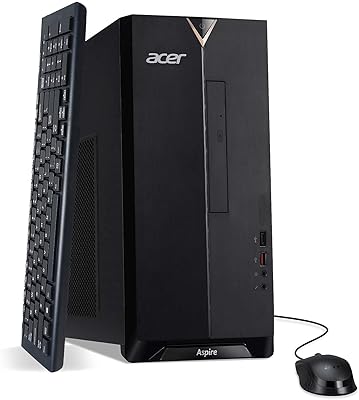
Acer Aspire TC-1660-UA19 Desktop
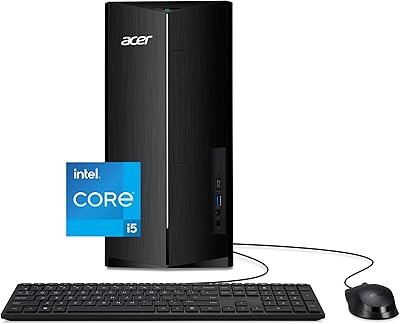
84%
91%
Value for Money
88%
Performance for Everyday Use
83%
Build Quality
85%
Multitasking Performance
90%
Compactness and Design
More
Acer Aspire TC-1760-UA92 Desktop | 12th Gen Intel Core i5 | 12GB RAM | 512GB SSD
86%
88%
Performance for Everyday Tasks
92%
Value for Money
70%
Graphics Performance
84%
Build Quality
90%
Connectivity (Wi-Fi, Bluetooth)
More
Acer Aspire TC-1780-UR11 Desktop, 13th Gen Intel Core i5, 16GB RAM, 512GB SSD
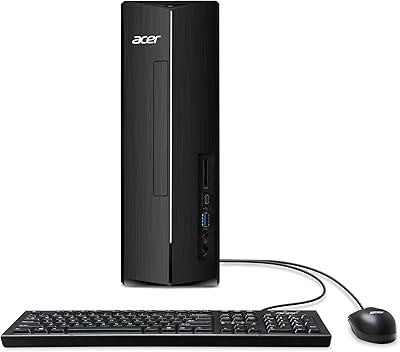
85%
86%
Overall Performance
88%
Build Quality
91%
Value for Money
84%
Usability & Setup
90%
Expandability
More
Acer Aspire XC-1780-UA93 Desktop
85%
89%
Performance
87%
Value for Money
91%
Connectivity (Wi-Fi 6E)
85%
Audio Quality (5.1 Surround)
90%
Size and Design
More
Acer Aspire XC-1780 Desktop Tower
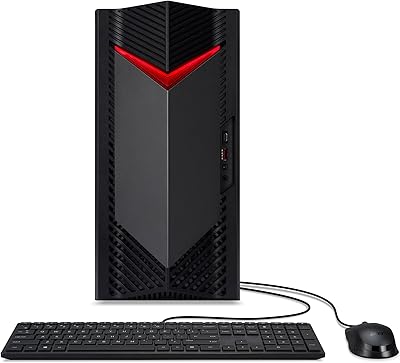
75%
88%
Everyday Performance
91%
Storage Speed
62%
RAM & Multitasking
54%
Graphics & Display Output
87%
Wireless Connectivity
More
Acer Nitro 50 N50-656-UR12 Gaming Desktop
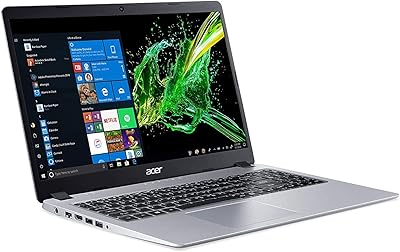
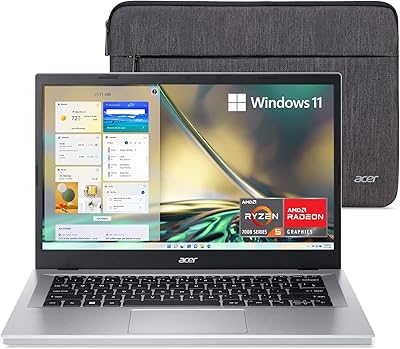
82%
88%
Performance
85%
Gaming Experience (1080p)
80%
Build Quality
82%
Graphics Quality
90%
Storage Speed
More
Acer Aspire 5 A515-55-35SE
79%
76%
Performance
88%
Value for Money
82%
Battery Life
89%
Portability
80%
Build Quality
More
Acer Aspire 3 A315-24P-R7VH 15.6-inch
79%
88%
Display Quality
92%
Value for Money
46%
Storage Capacity
83%
Everyday Performance
86%
Portability & Weight
More
Acer Aspire 5 A515-58MT
77%
83%
Overall Performance
81%
Build Quality
86%
Display Quality
84%
Keyboard & Typing Experience
88%
RAM & Multitasking
More
Acer Aspire 5 A515-56-347N Laptop
71%
84%
Display Quality
67%
Performance
43%
Storage
76%
Build Quality
54%
Battery Life
More

FAQ

Not in any meaningful way. The integrated Intel UHD Graphics 730 is built for display output and light media tasks, not gaming. Most modern titles will either refuse to run or perform at slideshow frame rates. If gaming is on your list at all, you need a machine with a discrete GPU.

No, a monitor is not included. You will need to purchase one separately. The good news is that it has two HDMI ports built in, so connecting one or two displays is straightforward without any adapters.

Reasonably straightforward. The machine supports up to 32GB of DDR4 memory, so there is room to double what comes installed. You will need to open the chassis, but the RAM slots are accessible without advanced technical skill. Just make sure to match the DDR4-3200 spec when buying additional modules.

For most users the Wi-Fi 6E performs well, especially with a compatible router. That said, a small number of buyers have reported driver-related connectivity hiccups after Windows updates. If you are placing this machine near your router or have a Ethernet run available, wired is always the more stable choice for a stationary desktop.

Functional, but nothing to get excited about. They are basic wired USB peripherals that will get you through setup and initial use without issue. Most buyers replace them within a few months once they settle on a setup they prefer.

Yes, there is an additional storage slot available inside the chassis. You can add another M.2 or SATA drive depending on the slot type and your chosen drive. It is a practical upgrade path for buyers who find the 512GB base storage fills up faster than expected.

Yes, this is genuinely where the Aspire TC-1770 shines. The 10-core i5-13400 and 16GB of RAM handle that kind of workload comfortably without breaking a sweat. You can run a video call, have two dozen browser tabs open, and keep a document editor going without feeling any sluggishness.

During everyday tasks like browsing, office work, and video streaming, it runs quietly enough that most people in the room will not notice it. The fan does spin up more audibly under sustained heavier loads, but for typical home office use it is not a distraction.

Unfortunately, yes. Acer ships this mid-range desktop with a noticeable amount of bloatware — trial software, Acer utilities, and promotional apps. None of it causes serious performance issues, but spending 15 to 20 minutes uninstalling the unwanted programs before you start using it properly is a worthwhile first step.

It is a solid choice for that use case. Fast boot times, plenty of RAM for a busy browser, and a current-gen processor mean the machine will not hold you back during study sessions. It handles everything from word processing and online research to light media and video calls without any issues.