Overview

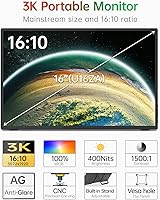
The Intehill U16ZT 16″ Portable Touchscreen Monitor arrived on the market in late 2024, stepping into a crowded space with a spec sheet that genuinely stands out from the typical 1080p travel display. The 3K panel in a 16:10 format gives you noticeably more vertical real estate than most portable monitors — useful for spreadsheets, code, or reading long documents on the road. The full aluminum alloy body feels solid in hand, and at just 0.39 inches thick and under two pounds, it earns its travel credentials without much argument. That said, this is a second screen built around portability, not a workstation-grade display — approach it with that lens and expectations will align.

Features & Benefits

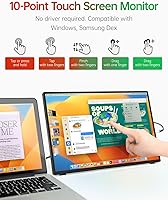
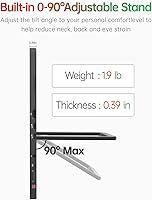
The panel is where this travel display earns its credibility. The 3K resolution with full sRGB color coverage means images are sharp and colors read accurately — a real advantage for photo editing or working with design files away from your desk. The 10-point capacitive touchscreen with tempered glass is responsive enough for presentations and annotation, though calibration precision can vary depending on how the display is connected. Connectivity is refreshingly straightforward: two USB-C ports and one HDMI cover most laptop setups, and no drivers are required. The built-in adjustable stand handles a 90-degree range, and VESA mounting holes add desk-arm flexibility. The onboard speakers work, but don't expect much from them.

Best For

This portable touch monitor fits a fairly specific buyer profile — and fits it well. Remote workers who regularly set up in coffee shops, co-working spaces, or hotel rooms will appreciate how quickly it deploys and packs away. Creatives who need reasonably accurate colors on a secondary screen will find the sRGB coverage practical for on-the-go review work. Business travelers running client demos or presentations benefit from a sharp, touch-enabled surface that requires no software setup. It also works well as a compact secondary display that doubles as an annotation surface with compatible stylus apps. MacBook and Windows laptop users alike should connect without friction.

User Feedback

Buyers consistently praise 3K panel sharpness and the quality of the aluminum build — two things that land well at this price tier. The touch functionality gets positive marks for general use, though some users report needing to recalibrate after reconnecting, and a handful note that certain USB-C cables don't deliver reliable signal. Outdoor brightness gets mixed reviews — 400 nits is adequate in a shaded setting but struggles in direct sunlight. The stand is stable on flat surfaces but wobbles on textured ones. Speaker feedback is almost universally the same: they exist, audio quality is basic, and most users plug in headphones. No major OS compatibility red flags have emerged, though a few macOS users flagged initial touch driver quirks.

Pros

  • The 3K resolution delivers noticeably sharper text and detail compared to typical 1080p portable monitors in this size range.
  • A 16:10 aspect ratio gives you meaningfully more vertical screen space — genuinely useful for coding, documents, and spreadsheets.
  • Full sRGB color coverage makes this portable touch monitor a credible companion for on-the-go creative and photo review work.
  • At under two pounds and less than half an inch thick, it disappears into a laptop bag without adding noticeable bulk.
  • Plug-and-play setup via USB-C or HDMI works without driver installation, which removes a common travel-setup headache.
  • The aluminum alloy build feels premium and holds up well against the plastic-heavy competition at this price point.
  • The built-in adjustable stand is genuinely useful — it deploys quickly and handles a wide enough angle range for most desk situations.
  • VESA mount support adds long-term value, letting you use the same display on a monitor arm at your home or office desk.
  • The 10-point touch layer is responsive enough for presentations, annotations, and general navigation without noticeable lag.
  • Intehill backs the display with a one-year warranty and has a decade of portable monitor experience behind the brand.

Cons

  • Touch calibration can drift after reconnecting, requiring recalibration that some users find frustrating during quick setups.
  • Brightness tops out at 400 nits, which is adequate indoors but struggles noticeably in direct sunlight or near bright windows.
  • USB-C cable compatibility is inconsistent — some cables fail to deliver stable video signal, and finding the right one takes trial and error.
  • The built-in stand wobbles on textured or uneven surfaces, which is a real issue when working on fabric or soft desk mats.
  • The onboard speakers are functional at best — thin audio output that most users will immediately route to headphones or external speakers.
  • Some macOS users have reported initial touch driver quirks that require a restart or manual input re-enable to resolve.
  • The 16-inch size, while great for screen space, means it does not fit as discreetly into all laptop bags as smaller 13 or 14-inch alternatives.
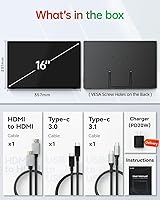
  • No carrying case or protective sleeve is included in the box, which is a noticeable omission for a display marketed toward travelers.

Ratings

Our AI rating engine analyzed verified global buyer reviews for the Intehill U16ZT 16″ Portable Touchscreen Monitor, actively filtering out incentivized, bot-generated, and low-quality submissions to surface what real users consistently experience. Scores reflect both the genuine strengths that keep buyers satisfied and the recurring pain points that have caused frustration — nothing is glossed over.

Display Sharpness
91%
The jump from 1080p to 3K is immediately noticeable — users working with spreadsheets, dense code editors, or detailed design files consistently describe text as crisp and fatigue-reducing over long sessions. The 16:10 ratio adds enough vertical room that buyers switching from standard widescreen displays rarely want to go back.
A small number of users noted minor backlight uniformity variations in dark scenes, which is not unusual at this price tier but may bother those doing critical video grading work on the road.
Color Accuracy
84%
For a portable display, the full sRGB coverage earns consistent praise from photographers and designers who need colors to read reliably when reviewing edits away from a calibrated desktop setup. Most buyers find the out-of-box color rendering natural and well-balanced without needing manual adjustments.
Users attempting serious color grading or print proofing note that sRGB coverage alone is insufficient — this travel display does not cover DCI-P3, so it is not a substitute for a wide-gamut professional monitor, and a few buyers expecting that level of accuracy were disappointed.
Touch Responsiveness
74%
26%
For typical use cases — navigating presentations, scrolling web pages, tapping through slides during a client demo — the 10-point touch layer is accurate and quick enough to feel natural. Buyers using it for annotation in note-taking apps during meetings report a noticeably smoother experience than competing monitors at similar prices.
Touch calibration drift after reconnecting is the single most reported complaint. Some users find the touch layer loses a few millimeters of accuracy at screen edges, which becomes an issue during precise work; and on macOS, touch recognition occasionally requires a reconnect cycle to initialize correctly.
Build Quality
89%
The full aluminum alloy body makes an immediately strong impression — buyers frequently describe it as feeling far more premium than the price suggests. Compared to the plastic-shelled portable monitors many users were upgrading from, the rigidity and refined finish land as a genuine quality step up.
A handful of buyers reported minor flex near the display corners under firm pressure, and a few noted that the matte panel surface shows fine scratches with bag use over time if not sleeved — a protective case in the box would meaningfully address this.
Portability
88%
At under two pounds and roughly the thickness of a few stacked notebooks, this portable touch monitor fits neatly alongside a 16-inch laptop in most standard backpacks without noticeably changing the bag's weight or profile. Frequent flyers and commuters rate pack-and-go convenience highly and rarely feel its presence during transit.
The 16-inch footprint, while great for screen space, is simply wider than 13 or 14-inch portable monitors and does not fit into smaller laptop sleeves designed for compact notebooks — buyers traveling with compact bags may need to size up their carry gear.
Brightness & Glare Control
67%
33%
In typical indoor environments — hotel rooms, airport lounges, office meeting rooms — the 400-nit output combined with the matte anti-glare coating keeps the image clear and readable without needing to crank any settings. The matte surface handles overhead fluorescent lighting particularly well.
Outdoor and bright-window use is where the display noticeably falls short; buyers who tested it on a sunlit patio or near a large south-facing window consistently describe the image as washed out and hard to parse. For outdoor-heavy workers, 400 nits is simply not enough.
Connectivity
82%
18%
Two full-featured USB-C ports and an HDMI port cover the vast majority of modern laptop setups without needing a hub or adapter, which is something buyers genuinely appreciate when setting up quickly in an unfamiliar workspace. Plug-and-play detection on both Windows and macOS works reliably with quality cables.
USB-C cable compatibility is a known friction point — several users found that bundled or budget cables failed to carry stable video signal, requiring them to source a certified full-featured cable separately. The HDMI port does not carry touch data, which catches some buyers off guard when they connect that way first.
Stand & Ergonomics
71%
29%
The integrated stand deploys in seconds and covers a useful range of tilt angles, which is more than many competing portable monitors offer without a separate kickstand accessory. VESA mount support is a practical bonus that lets the same display live on a desk arm at home.
On soft or textured desk mats — which a large share of buyers use — the stand wobbles when the touchscreen is pressed, which interrupts the experience noticeably. On hard flat surfaces it is stable, but the stand base is not wide enough to feel fully secure on irregular surfaces.
Audio Quality
43%
57%
The built-in speakers handle basic functionality — system notification sounds, muted video call audio, and low-volume reference playback — without needing an external device in a pinch. Their presence means buyers are not entirely without audio if headphones are unavailable.
Virtually every buyer who comments on the speakers uses language ranging from underwhelmed to dismissive. Bass is essentially absent, volume ceiling is low, and audio in a noisy environment like a coffee shop is effectively unusable. No buyer should factor the speakers as a genuine feature when making this purchase.
Setup & Compatibility
83%
The driver-free plug-and-play experience is consistently praised — most buyers have the display running as an extended screen within a minute of unboxing. Windows detection is particularly smooth, and the monitor auto-adjusts resolution without the manual intervention some portable monitors require.
macOS users occasionally encounter touch initialization quirks that require a disconnect-reconnect cycle, and a small number of users with older Windows laptops reported needing to manually set the output resolution. These are edge cases but worth knowing before assuming zero setup friction.
Value for Money
78%
22%
Buyers who prioritize the combination of 3K resolution, touchscreen functionality, and aluminum build in a single portable package generally feel the pricing is justified — each of those three features individually commands a premium in this category, and the Intehill U16ZT delivers all three together.
Buyers who do not need touch input or who primarily work in low-light indoor settings may find the value proposition harder to justify against cheaper 1080p alternatives that handle basic second-screen duties adequately. The absence of a carry case also stings at this price point.
Durability Over Time
69%
31%
Short-term durability reports are positive — the aluminum chassis resists minor dings and the tempered glass overlay adds meaningful protection against everyday scratches during travel. The brand's decade-long track record in portable displays gives some confidence in component longevity.
Long-term durability data is limited given the product launched in late 2024, so multi-year wear patterns on the stand hinge, touchscreen coating, and port connectors remain unverified. Buyers should treat the one-year warranty as a meaningful but not comprehensive safety net.
OS & Device Compatibility
79%
21%
Compatibility across Windows 10, Windows 11, and macOS is broadly reliable for video output, covering the overwhelming majority of the target buyer base without any special configuration steps. USB-C video compatibility with recent iPad Pro and Android flagship models is an added bonus many buyers discover after purchase.
Touch functionality on macOS is narrower than on Windows — not all macOS touch gestures are natively supported, and some users find the experience more limited than expected. Older host devices with USB-C ports that do not support video output will require an HDMI connection, losing touch capability entirely.

Suitable for:

The Intehill U16ZT 16″ Portable Touchscreen Monitor is a strong fit for remote workers and digital nomads who regularly set up in hotels, airports, or co-working spaces and need a reliable second screen that packs flat into a laptop bag. The step up to 3K resolution in a 16:10 ratio genuinely matters for anyone working with design files, spreadsheets, or long documents — you get sharper text and more vertical space than the 1080p portable monitors that dominate this category. Creatives doing on-location photo or video review will also appreciate the full sRGB color coverage, which keeps colors honest enough for non-critical work away from a calibrated desktop setup. Business travelers who give client presentations or product demos will find the touch functionality useful for walking through slides without needing a mouse. MacBook and Windows laptop users looking for a no-fuss plug-and-play extended display should find setup straightforward, and the VESA mount compatibility means it can pull double duty as a permanent desk-side secondary screen when you're back home.
Not suitable for:

Buyers expecting a primary monitor replacement will likely find this travel display underwhelming for all-day, everyday use — it is purpose-built for portability, not prolonged stationary work. The Intehill U16ZT is not well-suited for users who need reliable performance in direct sunlight or very bright outdoor environments, as 400 nits has real limits when competing with natural light. Anyone planning to use the built-in speakers as a meaningful audio source should look elsewhere; they handle basic alert sounds and video calls acceptably, but fall short for music or media watching. Users who depend on a perfectly stable touch surface — digital artists using pressure-sensitive stylus apps, for instance — may find the touch calibration too inconsistent for precision work. Finally, if your laptop's USB-C port does not support full video output, or you're working with older cables, you may hit connectivity frustrations that require troubleshooting before the display works as expected.

Specifications

  • Screen Size: The display measures 16 inches diagonally, offering more usable area than the 15-inch portable monitors that dominate the travel display market.
  • Resolution: Native resolution is 3072x1920, which Intehill markets as 3K — noticeably sharper than a standard 1080p panel at this screen size.
  • Aspect Ratio: The 16:10 format provides additional vertical space compared to widescreen 16:9 displays, which benefits productivity tasks like reading, coding, and document editing.
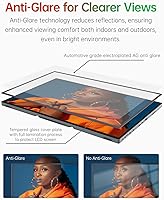
  • Panel Surface: The screen uses a matte anti-glare coating designed to reduce reflections in bright ambient lighting conditions, including office and indoor travel environments.
  • Brightness: Peak brightness is rated at 400 nits, which handles most indoor settings adequately but may fall short in direct outdoor sunlight.
  • Contrast Ratio: The panel delivers a 1500:1 contrast ratio, which helps produce richer blacks and more visible detail separation compared to lower-contrast portable displays.
  • Color Coverage: The display covers 100% of the sRGB color space, making it a practical choice for color-sensitive work like photo review and light design tasks on the road.
  • Touchscreen: A 10-point capacitive touchscreen with tempered glass overlay supports multi-finger gestures and provides a degree of physical protection for the panel surface.
  • Connectivity: The monitor includes one full-size HDMI port and two full-featured USB-C ports, covering the majority of modern laptop output configurations without requiring adapters in most cases.
  • Body Material: The chassis is constructed entirely from aluminum alloy, which contributes to both the rigid feel and the low overall weight relative to comparable-sized portable monitors.
  • Thickness: At 0.39 inches (approximately 10mm) at its thinnest point, this travel display sits flat enough to slip alongside a laptop in most standard travel sleeves.
  • Weight: The monitor weighs 1.9 lbs (approximately 860g), which is light enough for daily carry without adding significant load to a laptop bag.
  • Built-in Stand: An integrated stand adjusts across a 90-degree range, allowing the display to be propped at multiple viewing angles without a separate accessory.
  • VESA Mount: Four VESA-compliant mounting holes in a 75x75mm pattern allow the monitor to attach to standard monitor arms or wall mounts for fixed desk installations.
  • Audio: The unit includes built-in speakers capable of basic audio playback, though output quality is limited and most users will prefer external audio for media or calls.
  • Driver Requirement: No software drivers are required — the display functions as a plug-and-play device over HDMI or USB-C on both Windows and macOS systems.
  • Certifications: The Intehill U16ZT carries FCC, CE, and PSE certifications, indicating it has passed standard electromagnetic and safety compliance testing in major markets.
  • Warranty: Intehill provides a one-year limited warranty covering manufacturing defects, backed by what the brand describes as responsive customer support.

Related Reviews
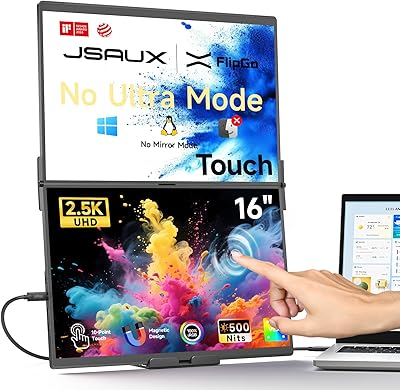
JSAUX FlipGo TouchScreen 16″ Dual Portable Monitor
86%
94%
Display Quality
89%
Touchscreen Accuracy
91%
Portability
88%
Ease of Setup
87%
Build Quality
More
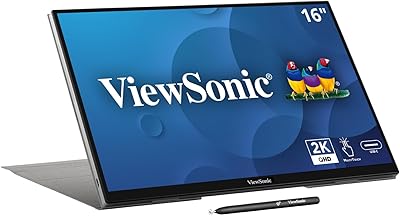
ViewSonic TD1656-2K 16-inch Touchscreen Portable Monitor
80%
93%
Display Sharpness
74%
Touch Responsiveness
91%
USB-C Connectivity
88%
Portability
86%
Build Quality
More
Magedok 16-inch 4K OLED Touchscreen Portable Monitor
85%
91%
Display Quality
89%
Portability
75%
Touchscreen Performance
65%
Brightness in Bright Environments
88%
Gaming Performance
More
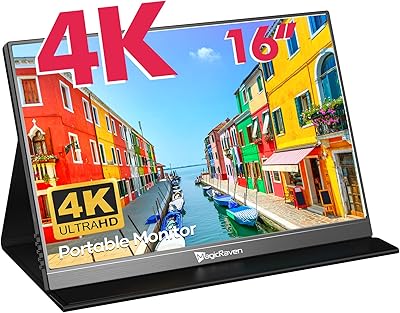
MAGICRAVEN M1603 16″ 4K Portable Monitor
75%
91%
Image Sharpness
88%
Portability
86%
Connectivity
89%
Setup Experience
63%
Brightness
More
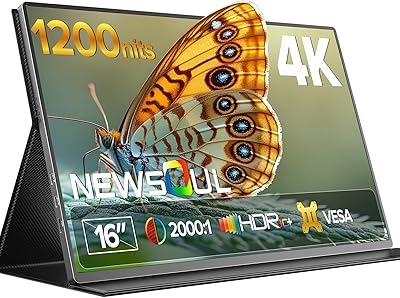
Newsoul M1620 16″ 4K Portable Monitor
81%
91%
Display Clarity
74%
Real-World Brightness
83%
Color Accuracy
88%
Build Quality
67%
Stand and Portability
More
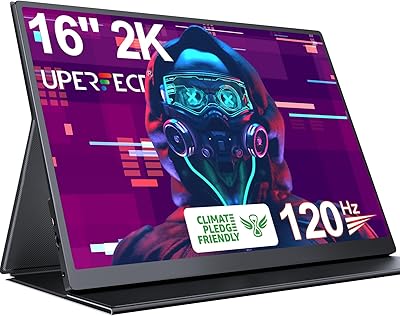
Upperizon U16LS 16″ 2K Portable Monitor
74%
91%
Display Sharpness
83%
Color Accuracy
89%
Portability
78%
Refresh Rate Performance
86%
Setup & Ease of Use
More
CAPERAVE BQ16H 16″ Portable Monitor
76%
91%
Display Clarity
86%
Refresh Rate & Gaming
78%
Connectivity & Setup
83%
Build Quality
74%
Color Accuracy
More
Veout V1 16″ Portable Monitor
76%
84%
Display Quality
91%
Portability & Form Factor
82%
Color Accuracy
88%
Setup & Compatibility
67%
Kickstand Stability
More
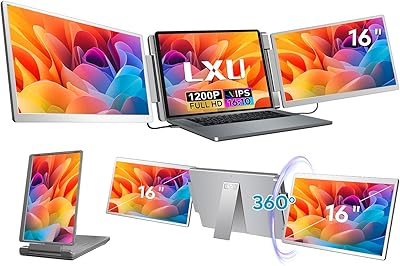
LXU S11 16-inch Portable Screen Extender
71%
83%
Display Quality
88%
Aspect Ratio Utility
91%
Setup & Ease of Use
41%
Mac Compatibility
62%
Portability
More
Prechen HD-123 12.3-inch Portable Touchscreen Monitor
67%
78%
Display Clarity
74%
Touch Responsiveness
61%
Connectivity Setup
88%
AIDA64 Integration
83%
Build Quality
More

FAQ

In most cases, yes — if your MacBook has a Thunderbolt or USB-C port that supports video output (which most modern MacBooks do), a single high-quality USB-C cable should handle both video and power delivery simultaneously. That said, cable quality matters here: some cheaper or older USB-C cables only carry data and not video, so if you run into a blank screen, swapping to a certified full-featured USB-C cable usually resolves it.

Yes, once connected via USB-C (which carries the touch data signal), Windows should recognize the touch input natively and enable features like the on-screen keyboard, touch gestures, and tablet mode. Touch does not work over an HDMI-only connection since HDMI carries video but not touch data, so USB-C is the required connection for touch functionality.

The difference is genuinely visible, especially for text-heavy tasks like reading documents, browsing the web, or working in code editors. On a 16-inch screen, 1080p starts to show some softness, while 3K keeps text crisp and detailed at normal viewing distances. For spreadsheets or design work where you're parsing fine detail, the upgrade is worth it.

It handles both roles reasonably well. The VESA mount support means you can attach it to a monitor arm for a cleaner permanent desk setup, and the resolution holds up well for all-day use. The main trade-off is that the built-in speakers are underwhelming and the stand, while adjustable, is less stable than a dedicated desktop monitor base. For occasional desk use it works fine; as a full-time primary monitor for an eight-hour workday, most users would eventually want something more robust.

No, the box does not include a carrying case or protective sleeve, which is a noticeable omission for a display positioned as a travel product. You will want to pick up a separate padded sleeve or case sized for a 16-inch screen before taking it on the road — there are plenty of affordable options available that fit this form factor well.

Near a window with indirect light, 400 nits is generally sufficient to maintain a clear, readable image — especially with the matte anti-glare coating reducing reflections. In direct sunlight outdoors, it will struggle and you will likely see washed-out colors and reduced contrast. For typical indoor work environments, including bright offices, 400 nits is adequate but not exceptional.

Calibration is generally accurate out of the box but some users report that touch accuracy shifts slightly after disconnecting and reconnecting — particularly on Windows systems. Running a quick touch calibration through Windows settings after each reconnect takes about a minute and typically brings it back into alignment. It is not a dealbreaker, but it is a step worth being aware of if you plan to use the touch functionality regularly.

It depends on your phone. Android phones with USB-C DisplayPort Alt Mode (common on many Samsung Galaxy, Google Pixel, and OnePlus flagship models) can drive this display directly with a compatible USB-C cable. iPhones with USB-C (iPhone 15 and later) can also output video with the right cable or adapter. Older iPhones with Lightning connectors would require a Lightning to HDMI adapter. It is worth checking your specific phone model's video output specs before assuming it will connect.

They are usable in the sense that they produce audible sound — fine for a quick video call or background reference audio. For music, movies, or any situation where audio quality matters, they fall short. Most users who spend time with this portable touch monitor consistently route audio to headphones or a small Bluetooth speaker. Think of the built-in speakers as a convenience feature rather than a real audio solution.

On a flat, hard surface like a wood or glass desk, the stand is stable and holds the chosen angle without wobbling. On softer or textured surfaces — fabric desk mats, for example — it can rock slightly, which becomes more noticeable when using the touchscreen since pressing the display puts sideways pressure on the stand. If you use a thick desk mat, a small hard coaster or book under the stand base can solve this quickly.