
Overview
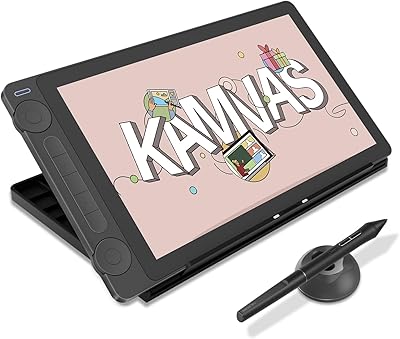
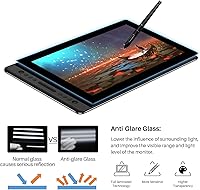
The Huion Kamvas Pro 16 Pen Display sits firmly in the mid-range of the drawing monitor market, targeting serious hobbyists and working creatives who want a capable screen tablet without spending Wacom Cintiq money. Within Huion's lineup it occupies a sweet spot — more polished than their entry-level options but priced accessibly enough to attract students and freelancers alike. The fully laminated anti-glare screen is what really separates it from cheaper alternatives, where a gap between glass and display makes precise linework feel off. It runs on Windows, macOS, and Linux, which matters if your workflow spans multiple systems. Just keep in mind: this is a secondary display that needs a computer to function, not a standalone device.
Features & Benefits
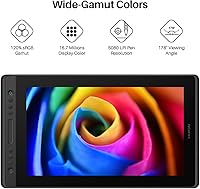
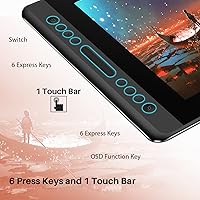
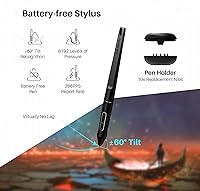
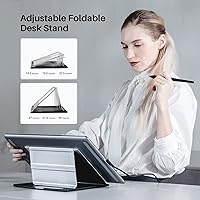
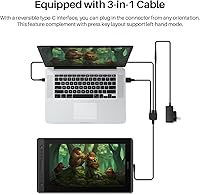
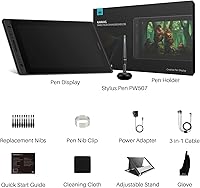
The 15.6-inch screen is fully laminated, meaning the display sits flush against the glass — no parallax drift when you're working at an angle. Color accuracy is genuinely strong; 120% sRGB coverage means illustrations and photo edits look vibrant without heavy post-calibration. The battery-free PW507 pen handles 8192 pressure levels and 60-degree tilt recognition, translating to strokes that actually respond like a real brush or pencil. Six programmable express keys and a touch bar let you map shortcuts for undo, zoom, or brush sizing without breaking your flow. The adjustable ST200 stand tilts between 20 and 60 degrees, and a single 3-in-1 USB-C cable handles both data and display signal, keeping your desk reasonably tidy.
Best For
This Huion drawing monitor makes the most sense for digital illustrators and concept artists who have outgrown a screenless tablet but cannot justify the cost of a Wacom Cintiq. Photographers doing detailed retouching in Lightroom or Photoshop will appreciate the color accuracy enough that it does not feel like a compromise. Students in design or animation programs get a reliable, portable setup that travels well. If you regularly switch between operating systems — Windows at work, macOS at home, or Linux in a studio environment — the broad compatibility removes one genuine headache. Basically, if you want direct on-screen drawing at a price that does not sting, this pen display hits a very practical target.
User Feedback
Most owners of the Kamvas Pro 16 are genuinely satisfied, with pen feel and screen clarity drawing consistent praise — people mention it holds up well after months of daily use with minimal nib wear. The value-for-money sentiment comes up repeatedly when buyers compare it against pricier alternatives. That said, a few friction points are worth knowing. The driver software can be temperamental during initial setup, sometimes requiring a fresh install or a specific version to work properly with certain systems. The touch bar, while useful once configured, has a learning curve — a handful of users simply prefer physical buttons. A small number of buyers also find the factory color calibration slightly off and recommend a manual profile adjustment before tackling color-critical work.
Pros
- The fully laminated screen eliminates the gap between pen tip and cursor, making linework feel precise and immediate.
- 120% sRGB color coverage is genuinely strong for this price range, handling illustration and photo editing with confidence.
- The battery-free PW507 pen is light, responsive, and never needs charging — one less thing to manage during a long session.
- 8192 pressure levels and 60-degree tilt recognition give the pen a natural, nuanced feel that holds up for detailed work.
- Six programmable express keys and a touch bar meaningfully reduce keyboard dependency once you dial in your shortcut layout.
- The adjustable ST200 stand covers a wide tilt range, making it comfortable whether you prefer a flat drafting angle or a more upright monitor position.
- A single 3-in-1 USB-C cable handles everything, keeping cable clutter minimal on a working desk.
- Cross-platform support across Windows, macOS, and Linux removes compatibility guesswork for users with mixed-OS workflows.
- Long-term users consistently report durable build quality with minimal pen nib wear even after extended daily use.
- The value relative to comparable screen tablets from other brands is a consistent highlight in real buyer feedback.
Cons
- Driver setup can be frustrating on first install and occasionally requires reinstalling a specific version to work correctly.
- The touch bar has a noticeable learning curve and feels less intuitive than a row of dedicated physical buttons.
- Color calibration out of the box is slightly off for some units, requiring a manual profile adjustment before color-critical work.
- FHD resolution at 15.6 inches is adequate but starts to show its limits if you regularly zoom into very fine linework.
- The device is fully dependent on a host computer — no tablet, no drawing, which surprises buyers who misread the product category.
- The 1000:1 contrast ratio is functional but does not match what higher-end displays offer for deep shadow detail work.
- Touch bar placement may lead to accidental activation during intensive drawing sessions until muscle memory catches up.
- Huion's software ecosystem, while functional, lacks the polish and stability of more mature driver platforms.
Ratings
The scores below reflect an AI-driven analysis of verified global buyer reviews for the Huion Kamvas Pro 16 Pen Display, with spam, bot-generated feedback, and incentivized reviews actively filtered out before scoring. Each category captures what real users experienced across daily creative workflows — from illustration marathons to photo retouching sessions. Strengths and friction points are both represented honestly, so the numbers reflect the full picture rather than just the highlights.
Pen Accuracy
Screen Clarity
Color Accuracy
Value for Money
Driver & Software
Build Quality
Ergonomics & Stand
Express Keys & Touch Bar
Anti-Glare Performance
Connectivity & Setup
Portability
Software Compatibility
Pen Comfort & Grip
Suitable for:
The Huion Kamvas Pro 16 Pen Display is a strong match for digital illustrators, concept artists, and photo retouchers who want the direct, on-screen drawing experience without the steep cost of higher-end alternatives. Students enrolled in design, animation, or fine arts programs will find it reliable and portable enough to move between a dorm room and a studio workspace. Freelancers who regularly switch between operating systems — Windows, macOS, or Linux — get genuine flexibility without compatibility headaches. If you are currently using a screenless graphics tablet and feeling the disconnect between where you draw and where you see results, this Huion drawing monitor closes that gap in a very tangible way. The fully laminated anti-glare screen and accurate color output also make it a practical tool for photographers doing detailed retouching work in Lightroom or Photoshop, where color fidelity actually matters to the final result.
Not suitable for:
The Huion Kamvas Pro 16 Pen Display is not a standalone device — it requires a connected computer or laptop to function at all, which is a dealbreaker for anyone expecting an all-in-one creative workstation. Buyers working in high-end broadcast, print production, or professional color grading environments will likely find the FHD resolution and color accuracy capable but not quite at the level required for that caliber of work. Users who are easily frustrated by software setup may hit a rough patch early on, since the driver can require some troubleshooting to get working properly, particularly on less common system configurations. If you prioritize tactile, physical shortcut buttons exclusively, the included touch bar may feel like a step down from what you are used to. And for anyone considering this as a first-ever drawing device with no computer to pair it with, it simply will not work out of the box without that additional hardware investment.
Specifications
- Screen Size: The active display area measures 15.6 inches diagonally, offering a comfortable working surface for detailed illustration and editing tasks.
- Resolution: The screen runs at FHD 1920x1080, delivering a clean, sharp image suitable for most creative workflows at this display size.
- Color Gamut: The panel covers 120% sRGB and 92% AdobeRGB color gamut volume, providing vivid and reasonably accurate color reproduction for illustration and photo work.
- Contrast Ratio: A 1000:1 contrast ratio helps distinguish shadow detail and tonal gradations during drawing and retouching sessions.
- Surface Finish: The screen is covered with anti-glare etched glass that reduces reflections and provides a slight texture to mimic the feel of drawing on paper.
- Full Lamination: The display uses full lamination technology, bonding the glass directly to the panel to minimize parallax and keep the cursor visually aligned with the pen tip.
- Pen Model: The included PW507 stylus is battery-free, meaning it draws power passively and never requires charging or battery replacement.
- Pressure Sensitivity: The PW507 pen supports 8192 levels of pressure sensitivity, allowing fine control over line weight and brush opacity across compatible software.
- Tilt Recognition: The pen recognizes up to 60 degrees of tilt, enabling natural shading and calligraphic strokes in applications that support tilt input.
- Express Keys: Six fully programmable express keys and one touch bar are built into the left edge of the tablet for quick access to frequently used shortcuts.
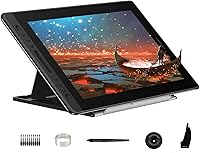
- Included Stand: The bundled ST200 stand is adjustable between 20 and 60 degrees, supporting both upright monitor-style and low drafting-style working positions.
- Connectivity: The tablet connects to a host computer via a single 3-in-1 USB-C cable that carries both the HDMI display signal and USB data in one connection.
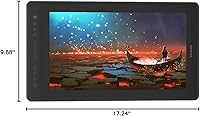
- Dimensions: The unit measures 17.24 x 9.88 x 0.47 inches, making it compact enough to fit on most standard desks without dominating the workspace.
- Weight: At 2.98 lbs (1.35 kg), the tablet is light enough to move between locations without significant effort.
- OS Compatibility: The Kamvas Pro 16 is compatible with Windows 7 and later, macOS 10.12 and later, and Linux Ubuntu distributions.
- Software Support: The tablet works with major creative applications including Adobe Photoshop, Adobe Lightroom, Clip Studio Paint, and SAI, among others.
- Pen Technology: Huion classifies the PW507 under their PenTech 2.0 platform, which underpins the pen response and tracking accuracy.
- Nib Compatibility: The PW507 pen uses standard replaceable nibs, and Huion includes spare nibs in the box for extended use without additional purchases.
Related Reviews
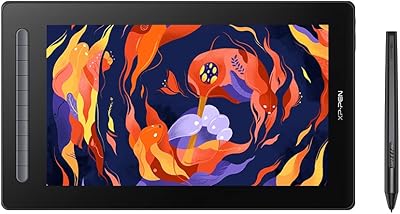
XP-Pen Artist 16 2nd Gen Pen Display

ASUS ProArt Display PA169CDV 15.6” 4K Pen Display
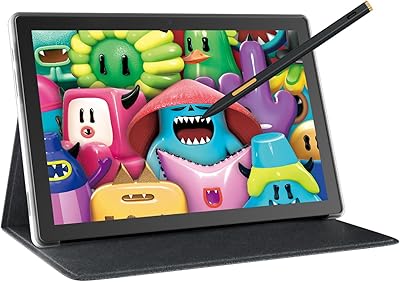
HUION Kamvas Slate 10 Standalone Drawing Tablet
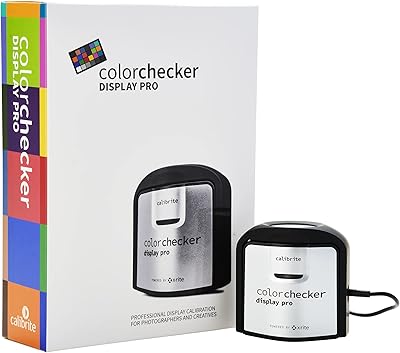
Calibrite ColorChecker Display Pro Colorimeter
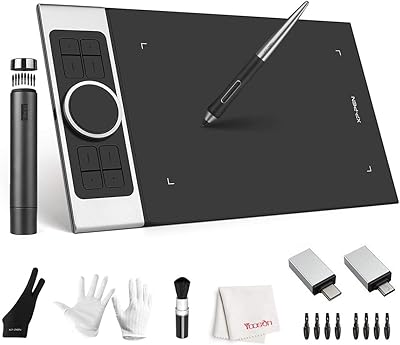
XP-Pen Deco Pro Medium Graphics Tablet
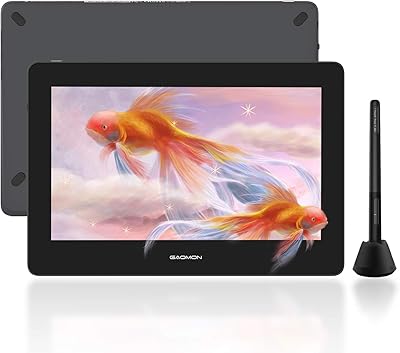
GAOMON PD1220 11.6-inch Pen Display
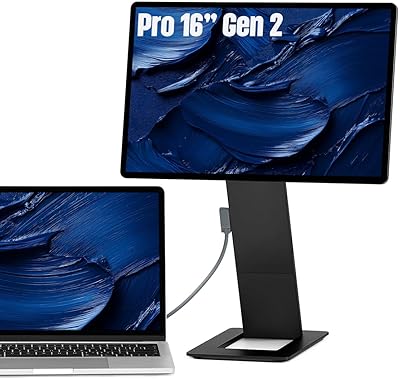
SOTSU FlipAction Pro 16″ Gen2 Portable Monitor

Ubiquiti USW-Pro-Max-16-PoE 180W Network Switch
SwissGear Civic Pro 16″ Laptop Backpack