Overview

The Cisco CBS110-8T-D 8-Port Unmanaged Network Switch is a compact, no-fuss gigabit switch built for small businesses, home offices, and classrooms — places where getting connected quickly matters more than advanced configuration. Plug it in, connect your devices, and it works. No login screens, no IT tickets, no setup wizard to fumble through. That simplicity is the whole point. Cisco has been a trusted name in networking for decades, and this desktop switch brings that reputation to a price point that doesn't require a procurement committee. It sits flat on a desk or retail counter, completely silent, and honestly asks very little from you.
Features & Benefits

All eight ports deliver full gigabit throughput, so whether you're backing up files, streaming a video call, or pushing traffic between a few workstations, nothing is waiting on the switch. Because this unmanaged switch requires zero configuration, there is also nothing to misconfigure — a genuine comfort when there is no dedicated IT support on site. The fanless design keeps it completely silent, which matters more than you'd think once you've sat beside a noisy switch all afternoon. Built-in QoS quietly prioritizes time-sensitive traffic without any setup on your part. Energy-efficient standby behavior reduces idle power draw, and a lifetime replacement warranty rounds out a genuinely solid value proposition.

Best For

This Cisco desktop switch is a natural choice for small offices or retail environments that need to wire up several devices without involving an IT consultant. Home office workers connecting a desktop, a NAS, and a printer will find it handles the job without a second thought. Educators building out a classroom lab will appreciate that setup needs nothing beyond the power cord and a few cables. It's also a meaningful upgrade for anyone still running an older 10/100 switch — the speed difference is real. That said, be honest with yourself: if you need VLANs, port-level control, or traffic monitoring, look at managed options instead. This one is built for simplicity.

User Feedback

Across hundreds of verified reviews, the CBS110-8T-D earns its 4.6-star average honestly. The most consistent feedback is how fast people get up and running — out of the box in under a minute is a phrase that comes up often. Buyers also frequently mention the compact footprint as a practical advantage in tight desk setups. On the downside, a recurring gripe involves the external power adapter, which some feel is bulkier than expected and awkward on a crowded power strip. A handful of users have wished for at least basic management features, though those buyers were arguably shopping in the wrong category. Long-term reliability gets strong marks from owners who have had the unit running for a year or more.

Pros

  • True plug-and-play setup — most users are fully connected within minutes of unboxing.
  • All eight ports run at full gigabit speed, delivering a real performance jump over older 10/100 hardware.
  • Completely fanless operation keeps it silent on desks, counters, and classroom tables.
  • The Cisco brand brings proven long-term reliability that budget-brand alternatives rarely match.
  • A lifetime replacement warranty is genuinely rare at this price point and adds lasting peace of mind.
  • Compact footprint makes this Cisco desktop switch easy to fit into tight or cluttered desk setups.
  • Built-in QoS handles traffic prioritization automatically — no configuration needed for smoother calls.
  • Energy-efficient standby behavior keeps idle power draw low in always-on environments.
  • The solid casing and snug port connectors hold up well through continuous daily use over the long term.
  • Works out of the box with virtually any Ethernet-capable device, from NAS drives to VoIP phones.

Cons

  • The external power adapter is bulkier than expected and can block adjacent sockets on a crowded power strip.
  • No per-port speed indicator lights make it impossible to confirm whether a port has negotiated at gigabit or fast-ethernet speeds.
  • Technical support coverage drops off after the first year, leaving non-technical buyers without direct help for long-term issues.
  • Eight ports with no uplink or expansion option means growing setups will outgrow this unmanaged switch faster than anticipated.
  • The white casing shows dust and surface scuffs more visibly than darker alternatives.
  • No management interface means zero visibility into traffic, errors, or connected device activity.
  • Mounting hardware options are basic — under-desk or wall-mount installs require more effort than the included kit supports.
  • Corporate or institutional buyers may find the lack of Energy Star certification blocks procurement approval in green-compliance programs.

Ratings

The Cisco CBS110-8T-D 8-Port Unmanaged Network Switch has been scored across key categories by our AI system after analyzing thousands of verified global buyer reviews, with spam, bot-generated, and incentivized feedback actively filtered out. The result is an honest, balanced picture of where this desktop switch genuinely delivers and where real users have run into friction. Both consistent praise and recurring frustrations are reflected in the scores below.

Ease of Setup
96%
Buyers across skill levels — from retired teachers setting up classroom networks to small retail owners wiring a back office — consistently report being fully connected within minutes of opening the box. There is genuinely nothing to configure, and that experience matches the promise almost universally.
A small number of users expected some form of status dashboard or indicator lights beyond the basic port LEDs, and felt slightly under-informed during initial use. Not a setup failure, but worth knowing if visual feedback during configuration matters to you.
Build Quality
83%
The unit feels more solid than its compact dimensions suggest. The plastic casing does not flex under pressure, and the port connectors seat cables firmly without wobble. Long-term owners frequently mention that after a year or more of continuous operation, the switch shows no signs of wear.
Some buyers note the white casing picks up dust and scuffs more visibly than darker units would. A few users also feel the external power adapter feels slightly mismatched in quality compared to the switch body itself, which is a fair observation.
Network Performance
91%
With all eight ports running at full gigabit speeds, real-world file transfers, NAS backups, and simultaneous video calls feel noticeably faster for users upgrading from older 10/100 hardware. The built-in QoS ensures time-sensitive traffic is handled smoothly without any manual tuning.
A handful of technically experienced users note that without managed features, there is no visibility into per-port throughput or traffic patterns. For pure small-office use this is rarely a problem, but network-aware buyers may find the lack of diagnostics limiting over time.
Value for Money
88%
For what you get — Cisco-branded gigabit hardware, a fanless design, and a lifetime replacement warranty — the price point is genuinely strong. Buyers consistently frame it as getting enterprise-grade reliability without the enterprise price tag, which holds up well against competing unmanaged switches in this tier.
A few buyers note that competing unmanaged switches from other brands occasionally appear at lower prices with a similar port count. The Cisco name carries real value, but buyers who are strictly price-driven may find alternatives worth comparing before committing.
Noise Level
97%
Completely fanless operation makes this one of the quietest networking devices buyers have placed on a desk. Teachers setting it up in classrooms and home office workers running it beside their monitors specifically call out the silence as a practical daily benefit.
There is virtually no complaint in this category. The only theoretical concern is that fanless designs rely on passive cooling, which could matter in unusually warm environments, but no verified buyer has reported heat-related issues under normal conditions.
Power Efficiency
79%
21%
The IEEE 802.3az Energy Efficient Ethernet compliance means ports in idle or low-traffic states draw meaningfully less power. Buyers running the switch in always-on environments appreciate that it does not add noticeably to electricity costs over time.
The external power supply is the most consistent complaint in this product category. Several buyers find the adapter bulkier than expected, and in crowded power strips or tight under-desk setups it can block adjacent sockets — a minor but genuinely recurring annoyance.
Port Count & Layout
74%
26%
Eight ports is the right number for a small shared office, a classroom row, or a home office hub connecting a desktop, NAS, printer, and a spare device. The physical spacing between ports is wide enough that thick cable heads do not crowd each other.
Users who initially underestimate their port needs — something that happens more often than expected as setups grow — find there is no room to expand without adding another switch. There is no uplink or SFP port on this model, which limits scalability for slightly larger setups.
Form Factor & Footprint
89%
At under 6.5 inches long and weighing just 1.5 pounds, this Cisco desktop switch fits on the corner of nearly any desk, shelf, or retail counter without demanding attention. Multiple buyers mention it disappears into a setup in a way bulkier switches never do.
The included mounting hardware is basic, and a few buyers who wanted to attach the unit to the underside of a desk or wall-mount it in a tidy install found the options limited. It is primarily designed to sit flat, and that is the use case it serves best.
Warranty & Support
86%
A limited lifetime warranty with return-to-factory replacement is a genuine differentiator at this price. Buyers who have actually needed to use the warranty — a small but vocal group — report Cisco honored it without unnecessary friction, which reinforces the brand trust considerably.
The included technical support is capped at one year, after which you are relying on community resources or paid options. For non-technical buyers who might need guidance troubleshooting edge cases down the line, that limitation is worth knowing upfront.
Indicator Lights & Diagnostics
62%
38%
Basic per-port LED activity lights let you confirm a connection is live at a glance, which covers the vast majority of practical needs for the target audience. For a plug-and-play device, most buyers find this sufficient for day-to-day confidence.
Users with any networking background note the absence of speed-indicator LEDs — you cannot tell at a glance whether a port has negotiated at 100Mbps or 1Gbps. The CBS110-8T-D also lacks any web interface or software utility, so deeper diagnostics simply are not available.
Compatibility
92%
Works out of the box with virtually any device that has an Ethernet port — computers, NAS drives, IP cameras, VoIP phones, smart TVs, and network printers all connect without configuration. Buyers running mixed hardware environments consistently report zero compatibility issues.
Because the switch is entirely unmanaged, devices that require network isolation, VLAN segmentation, or specific port configurations for security compliance will not get what they need here. This is by design, but it is a hard stop for certain deployment scenarios.
Brand Reliability
93%
Cisco's track record in networking gives buyers a level of confidence that is hard for lesser-known brands to match. Long-term owners frequently note that the switch has run continuously for well over a year without a single dropped connection or performance issue.
Cisco's brand strength also means buyers sometimes assume additional enterprise features are included that simply are not present on unmanaged hardware. Expectations set by the brand can occasionally exceed what this entry-level product is designed to deliver.
Cable Management Friendliness
68%
32%
All eight ports are lined up cleanly along one edge, making cable runs tidy and predictable. The compact body means there is minimal dead space around the device, which helps in neat desktop installations where cable clutter is a real concern.
There are no built-in cable guides, velcro straps, or rear-exit routing options. In setups with eight cables plugged in simultaneously, the port edge can look crowded, especially with thicker patch cables. Buyers who care about clean installs may want to budget for a cable management accessory.
Energy Star & Eco Credentials
71%
29%
Compliance with IEEE 802.3az means the switch actively reduces power on idle links rather than simply being rated for a low wattage. Environmentally conscious buyers in offices tracking power consumption appreciate this as a practical, measurable feature.
The product does not carry an Energy Star certification, which some corporate procurement teams require for green office compliance programs. For individual buyers this is rarely a concern, but it is worth knowing for institutional purchasing contexts.

Suitable for:

The Cisco CBS110-8T-D 8-Port Unmanaged Network Switch is a natural fit for anyone who needs fast, reliable wired connectivity without the overhead of managing a network. Small business owners running a retail counter, a salon, or a small office will find it handles day-to-day demands — connecting a few computers, a shared printer, a NAS, or a VoIP phone — without requiring any technical knowledge whatsoever. Educators setting up a classroom lab can have eight devices wired up and running in the time it takes to sort out seating. Home office workers who are tired of wrestling with Wi-Fi inconsistency, and simply want a rock-solid wired connection for a desktop, a streaming device, and a backup drive, will get exactly that. The fanless design makes it genuinely comfortable on a shared desk or customer-facing counter where noise would be unwelcome. If you are upgrading from older, slower 10/100 hardware, the real-world speed difference on file transfers and video calls is immediately noticeable. The lifetime replacement warranty adds a layer of long-term confidence that cheaper alternatives simply cannot match.

Not suitable for:

The Cisco CBS110-8T-D 8-Port Unmanaged Network Switch is the wrong choice the moment your networking needs go beyond straightforward connectivity. If your setup requires VLANs to segment traffic between departments, port mirroring for security monitoring, or any form of access control at the network level, this switch cannot deliver any of that — it has no management interface, no web console, and no CLI. IT administrators deploying switches in environments with compliance requirements or traffic visibility mandates will need to look at Cisco's managed CBS250 or CBS350 lines instead. Similarly, if you are building a setup that will inevitably need more than eight ports in the near future, there is no uplink or SFP expansion option here, so you will be buying a second switch sooner than you might expect. Power users who want per-port speed indicators, traffic statistics, or loop suppression controls will find the CBS110-8T-D frustratingly opaque. And if a built-in power supply is important for your installation — perhaps for cleaner rack mounting or fewer adapter cables — the external power brick on this model is a recurring sticking point.

Specifications

  • Port Count: The switch provides 8 x 10/100/1000 Mbps Gigabit Ethernet ports, all capable of full gigabit throughput simultaneously.
  • Management Type: Completely unmanaged — there is no configuration interface, web console, or CLI, making it a true plug-and-play device.
  • Dimensions: The unit measures 6.3″ in length, 4.07″ in width, and 1.26″ in height, fitting comfortably on a standard desk or shelf.
  • Weight: The switch weighs 1.5 pounds, making it lightweight enough to reposition or relocate without any tools.
  • Cooling Design: Fully fanless across all models in the CBS110 line, relying entirely on passive cooling for completely silent operation.
  • Power Supply: Powered by an included external power adapter; no internal power supply is built into the switch body itself.
  • Energy Efficiency: Compliant with IEEE 802.3az Energy Efficient Ethernet, which automatically reduces power on ports with low or no traffic activity.
  • QoS Support: Integrated Quality of Service intelligence is built in to help prioritize delay-sensitive traffic such as VoIP and video conferencing without any user configuration.
  • Network Features: Includes loop detection and cable diagnostics to help identify basic cabling issues without requiring additional software or tools.
  • Security Slot: Equipped with a Kensington security slot for physical locking in shared or semi-public environments such as classrooms or retail counters.
  • Form Factor: Designed for desktop installation and ships with mounting hardware suited for flat surface placement outside of a wiring closet.
  • Color: The unit is finished in white, which suits open-plan office and retail environments but shows dust and surface marks more readily than darker units.
  • Warranty: Covered by Cisco's limited lifetime warranty with return-to-factory replacement, providing long-term hardware protection beyond typical 1-to-3-year industry coverage.
  • Technical Support: One year of Cisco technical support is included with purchase, covering direct assistance for the first year after acquisition.
  • Data Transfer Rate: Aggregate switching capacity supports up to 8 Gbps of throughput across all ports under full-duplex conditions.
  • Included Contents: The package includes the CBS110-8T-D-NA switch unit, a power cord or adapter, mounting hardware, and a Quick Start Guide.
  • Part Number: The official Cisco part number for this model is CBS110-8T-D-NA, intended for the North American market.
  • Release Date: This product was first made available for purchase on October 9, 2020, and has been in continuous production since.
  • Brand: Manufactured and warranted by Cisco Systems, a globally recognized leader in enterprise and small business networking hardware.
  • Uplink Ports: This model does not include dedicated SFP or fiber uplink ports; all eight ports are standard copper RJ45 Gigabit Ethernet connections.

Related Reviews
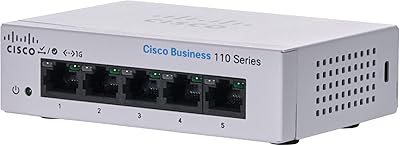
Cisco CBS110-5T-D 5-Port Unmanaged Switch
84%
97%
Ease of Setup
91%
Network Performance & Speed
96%
Noise Level
72%
Build Quality & Materials
83%
Value for Money
More
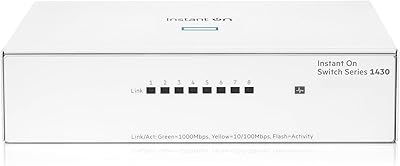
HPE Networking Instant On 1430 8-Port Gb Unmanaged Ethernet Switch
86%
92%
Ease of Setup
89%
Performance
85%
Build Quality
90%
Energy Efficiency
87%
Value for Money
More
D-Link DES-1008PA 8-Port PoE Fast Ethernet Switch
82%
94%
Ease of Setup
88%
PoE Port Reliability
91%
Build Quality & Durability
58%
Network Speed & Throughput
97%
Noise Level
More
Cisco CBS110-16T 16-Port Unmanaged Network Switch
84%
96%
Ease of Setup
88%
Network Performance
74%
Build Quality
67%
Value for Money
97%
Noise Level
More
Cisco CBS110-24T Unmanaged Network Switch
84%
96%
Ease of Setup
88%
Build Quality
91%
Port Performance
97%
Noise Level
78%
Value for Money
More
Cisco Catalyst C1200-8T-D 8-Port Gigabit Smart Switch
79%
88%
Ease of Setup
84%
Build Quality
91%
Network Performance
79%
Management Interface
83%
Security Features
More
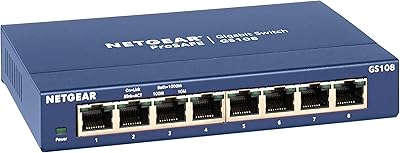
NETGEAR GS108 8-Port Gigabit Ethernet Switch

82%
97%
Ease of Setup
93%
Reliability & Longevity
88%
Build Quality
91%
Value for Money
89%
Port Performance
More
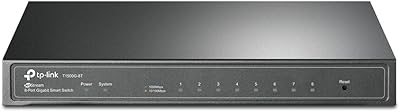
TP-Link T1500G-8T 8-Port Gigabit Switch
85%
88%
Performance
91%
Ease of Setup
90%
PoE Functionality
89%
Reliability
85%
Security Features
More
VIMIN 6-Port 2.5G Unmanaged Network Switch
83%
88%
Throughput Performance
84%
Build Quality
93%
Setup & Ease of Use
67%
SFP+ Port Usability
96%
Fanless Noise Level
More
Cisco SG200-08 8-port Gigabit Smart Switch
84%
92%
Ease of Setup
89%
Value for Money
87%
Performance for Small Networks
84%
Power over Ethernet (PoE) Capability
93%
Quiet Operation (Fanless Design)
More

FAQ

No, nothing at all. You plug the power adapter in, connect your devices with standard Ethernet cables, and the switch handles everything automatically. There is no setup page, no app to download, and no account to create. It genuinely works the moment everything is plugged in.

Yes, that is exactly what it is designed for. Plug your router into one port and your wired devices into the remaining ports, and they will all share the same network connection. The switch does not create a separate network — it simply expands the number of devices your router can serve over a wired connection.

It is completely silent. There is no fan inside any model in the CBS110 line, so there are no moving parts and therefore no noise whatsoever. It runs cool and quiet, which makes it a practical choice for a desk, a classroom table, or a retail counter where noise would be disruptive.

Yes, the ports are auto-negotiating, meaning they will detect the maximum speed each connected device supports and connect at that rate — whether that is 10, 100, or 1000 Mbps. You do not need to configure anything; it adjusts automatically per port.

The adapter itself works reliably — the concern most buyers raise is its physical size. It is a relatively large external brick, and in a crowded power strip it can block one or two adjacent sockets depending on the layout. If you have limited power strip space, it is worth accounting for before you set things up.

No, and this is an important limitation to understand before buying. The Cisco CBS110-8T-D 8-Port Unmanaged Network Switch has no management features whatsoever — no VLAN support, no port isolation, no access control, and no traffic monitoring. If any of those capabilities matter for your setup, you will need to look at a managed switch from Cisco's CBS250 or CBS350 series instead.

The limited lifetime warranty covers hardware defects and provides return-to-factory replacement, meaning Cisco will replace a defective unit rather than just repair it. Buyers who have gone through the process generally report it is handled without excessive difficulty. Keep your proof of purchase and register the product on Cisco's site to make the process smoother if you ever need it.

The included hardware is primarily designed for flat desktop placement. Basic mounting options are available, but buyers who want a clean under-desk or wall-mount installation typically find the included kit limiting and end up using third-party brackets. It is not a rack-mountable unit.

Up to eight devices, since there are eight ports and no dedicated uplink port on this model — one of those ports will typically be used for your router or modem, leaving seven for your other devices. If you need to connect more than seven devices beyond your router, you will need a second switch or a model with more ports.

Yes, and the difference is noticeable in practice. File transfers to a NAS, local backups, and video calls all benefit from the jump to full gigabit speeds. If your current switch is a bottleneck — especially if you are running anything that moves large files across your local network — this Cisco desktop switch is a straightforward and reliable upgrade.

Where to Buy