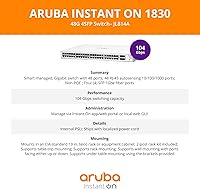
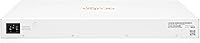
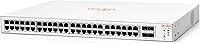
Overview

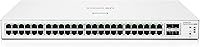
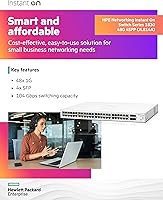
The HPE Instant On 1830 48G 4SFP Switch sits in an interesting spot — capable enough for businesses that have outgrown a basic unmanaged switch, but approachable enough that you don't need a dedicated network engineer to run it. It's a Layer 2 smart-managed switch, which means you get real features like VLANs and SNMP without the complexity of a full enterprise platform. The fanless chassis makes it genuinely quiet — no fan hum in a shared office or reception closet. Management runs through the Instant On mobile app, keeping things accessible for non-technical staff. A limited lifetime warranty rounds out a package that feels seriously considered for its market.

Features & Benefits

Forty-eight gigabit copper ports and four SFP uplink slots give most small offices everything they need in a single unit — no stacking, no second switch. The fanless operation is a practical win for installations near people: a reception desk, a design studio, or a shared workspace where fan noise is actually noticed. You can manage the 1830 48G through the Instant On app for day-to-day tasks, or drop into the full local web interface for VLAN segmentation or SNMP polling. Critically, there are no ongoing licensing fees — what you pay upfront is what it costs, period. The metal chassis also handles up to 70°C, useful in tight, poorly ventilated wiring closets.

Best For

This 48-port smart-managed switch makes the most sense for small businesses putting 30 to 48 wired devices on managed infrastructure for the first time. It's a natural fit for IT generalists or MSPs who want remote visibility through a clean app interface and don't want to memorize CLI commands to get there. Clinics, creative agencies, and front-desk environments benefit from the silent operation in ways a traditional fan-cooled rack switch simply can't match. If your site spans multiple floors or buildings, the SFP uplink slots let you run fiber without extra hardware. One important note: this model has no PoE output, so it won't power IP phones or access points directly — that's the JL815A's job.

User Feedback

Owners tend to praise this HPE Instant On switch most for how quickly it comes up on a network — the app-guided setup is frequently described as among the easiest they've used for a managed device. Build quality earns consistent compliments too, with the all-metal construction feeling durable for the price. Thermal performance in warm closets hasn't drawn many complaints, suggesting the fanless design handles realistic conditions reasonably well. Where criticism surfaces, it's usually around feature depth: buyers coming from Cisco or Netgear ProSAFE sometimes find the management interface limits advanced use cases. HPE support under the lifetime warranty gets mixed reviews — responsive for hardware replacements, but less so for configuration help.

Pros

  • Forty-eight gigabit ports and four SFP uplinks handle most SMB deployments without needing a second switch.
  • Completely fanless operation keeps noise at zero — a real advantage in client-facing or shared office environments.
  • The Instant On mobile app makes remote monitoring accessible without any advanced networking knowledge.
  • No subscription or licensing fees means your total cost is fixed at the point of purchase.
  • VLAN support and SNMP access give IT admins meaningful network control without full enterprise complexity.
  • Metal chassis and a 70°C operating ceiling make it durable in warm, poorly ventilated wiring closets.
  • Flexible mounting options — tabletop, wall, or under-desk — accommodate tight or unconventional installation spaces.
  • A limited lifetime warranty from an established manufacturer provides genuine long-term peace of mind.
  • Setup time is consistently reported as fast, even by non-technical owners managing their first smart switch.
  • Low power draw of around 17.7W keeps operating costs minimal over the device lifespan.

Cons

  • No PoE output on this model — you cannot power access points, phones, or cameras from the switch ports.
  • The management interface has a feature ceiling that frustrates experienced network engineers used to deeper controls.
  • Does not support native stacking, so scaling beyond 48 ports requires managing a second independent device.
  • Competing brands offer similar port counts at lower price points, making value comparisons necessary before buying.
  • HPE support quality for configuration questions is inconsistent, even though hardware replacement under warranty is generally smooth.
  • The 1830 48G lacks Layer 3 routing capabilities, limiting its usefulness as a network grows in complexity.
  • Mobile app functionality, while convenient, can feel restrictive for admins who prefer a full-featured desktop interface.
  • At roughly 10.8 pounds and standard 1U rack dimensions, it is not a lightweight option for portable or temporary deployments.

Ratings

The HPE Instant On 1830 48G 4SFP Switch has been scored by our AI engine after processing verified buyer reviews from global markets, with spam, bot-submitted, and incentivized feedback actively filtered out before analysis. The scores below reflect genuine owner experiences across a range of deployment scenarios — from small office rollouts to multi-site MSP installations — and do not shy away from the real trade-offs this 48-port smart-managed switch presents at its price point.

Ease of Setup
88%
Non-technical buyers consistently describe the initial configuration as faster than expected — many report having all 48 ports live within an hour using the Instant On mobile app. The guided onboarding flow removes the intimidation factor that typically comes with managed switches, making it accessible to office managers and IT generalists alike.
Users who skip the app and go straight to the local web interface sometimes find the initial discovery process less intuitive, particularly when assigning static IPs during first boot. A small number of buyers report inconsistent app connectivity during setup when the switch is placed behind certain ISP-provided routers.
Build Quality
84%
The all-metal chassis earns consistent praise from buyers who have previously dealt with plasticky budget switches that warp or crack in warm wiring closets. Port connectors feel solid after months of daily use, and the overall fit of the enclosure inspires confidence in long-term reliability.
At nearly 11 pounds, the unit is heavier than some competitors at this port count, which can be a minor inconvenience during solo rack installations. A handful of reviewers note that the surface finish scratches relatively easily during mounting, though this is cosmetic and does not affect function.
Fanless Performance
91%
In environments where silence genuinely matters — dental clinics, creative studios, front-desk reception areas — buyers treat the zero-noise operation as a standout practical feature rather than a marketing point. Several MSP customers specifically cite it as the deciding factor when deploying in client-facing spaces where fan noise from other equipment is already a complaint.
In poorly ventilated server rooms where ambient temperatures regularly exceed 45°C, a small number of buyers report the chassis becoming noticeably hot to the touch, raising concerns about long-term component stress even if the unit remains operational. The lack of active cooling also means heat dissipation depends entirely on placement quality, which requires more installation planning than a fan-cooled alternative.
Management Software
76%
24%
The Instant On app strikes a practical balance for small business owners who want remote visibility without investing in a network management platform. Being able to check port status, run basic diagnostics, and adjust settings from a smartphone genuinely simplifies day-to-day administration for users without a dedicated IT team.
Power users and experienced network administrators frequently hit the ceiling of what the app and web interface allow — granular ACL configurations, advanced QoS policies, and detailed traffic analysis require workarounds or are simply unavailable. Compared to Cisco Business Dashboard or Netgear Insight at similar price points, the management depth feels deliberately limited.
Port Density & Layout
87%
Forty-eight gigabit copper ports plus four SFP uplinks cover the full connectivity needs of most SMB deployments in a single 1U unit, eliminating the cost and complexity of stacking a second switch for the first year or two of business growth. The port spacing is comfortable for standard patch cables without crowding adjacent connectors.
Users working with thicker or angled patch cables occasionally report cramping near the SFP slots, which sit close to the copper port bank on one end of the faceplate. There is also no dedicated management port, which is a minor inconvenience for admins who prefer out-of-band access during network troubleshooting.
Value for Money
78%
22%
Buyers who do the total cost of ownership math — factoring in the lifetime warranty and the complete absence of subscription fees — tend to view this switch favorably against competing platforms that charge annually for cloud management features. For a set-and-forget SMB deployment, the flat cost structure is a meaningful financial advantage over a three-to-five year horizon.
At its market price, buyers are cross-shopping against Cisco Business 350 and Netgear ProSAFE models that offer more advanced feature sets, and some feel the 1830 48G lags on features-per-dollar even if the hardware quality is competitive. Budget-conscious buyers can also find 48-port unmanaged switches for significantly less, making the managed premium feel steep if they only need basic connectivity.
VLAN & Network Segmentation
73%
27%
For standard use cases — separating guest Wi-Fi from internal traffic, isolating a POS system, or segmenting IoT devices — the VLAN implementation works reliably and is straightforward to configure through the web interface. Small business owners who have never managed VLANs before find the guided setup approachable without needing to understand tagging protocols in depth.
Network engineers who need inter-VLAN routing, dynamic VLAN assignment via RADIUS, or voice VLAN automation encounter hard limitations quickly, as this is a Layer 2-only device with no routing capability. The VLAN configuration options in the mobile app are also more limited than those in the web UI, creating an inconsistent experience depending on which management path a user chooses.
SFP Uplink Flexibility
82%
18%
Having four SFP slots rather than the two found on smaller models in the same product line gives network planners room to connect multiple fiber runs simultaneously — useful for multi-floor offices or businesses with a separate server room and a patch closet on a different floor. Users who have standardized on a particular SFP module brand report clean compatibility with HPE-branded optics.
HPE does not officially guarantee compatibility with third-party SFP modules, and a small number of buyers report link instability when using off-brand optics in all four slots simultaneously. This is not unusual for the industry, but it can catch buyers off guard who assume any standards-compliant 1G SFP will work without issue.
Thermal Management
79%
21%
In typical office and retail environments operating between 20°C and 35°C ambient, the passive cooling handles sustained full-port utilization without any performance degradation reported by buyers running the unit for over a year continuously. The metal chassis acts as an effective heatsink under normal conditions.
Installations in warmer climates or poorly ventilated spaces push the passive cooling closer to its limits, and some buyers in those conditions report the chassis surface reaching temperatures that make extended physical contact uncomfortable. While the switch remains within its rated 70°C upper limit in most reported cases, buyers in hot environments should plan for deliberate airflow around the unit.
Mounting Versatility
83%
The inclusion of both rack brackets and surface-mounting hardware in the box removes the need for separate accessory purchases in most deployment scenarios. Buyers who mount the switch under desks — with ports facing up for cleaner cable runs — specifically praise this option as a practical solution for open-plan offices without a dedicated network cabinet.
Wall mounting with the included brackets requires careful stud or anchor placement given the unit's weight, and a few buyers report that the supplied hardware feels lighter than expected relative to the switch itself. Under-table installations in tight spaces can also make future port additions or cable changes more physically awkward than a rack-mounted setup.
Remote Management
74%
26%
The ability to check port status and reboot individual ports remotely via the Instant On app is genuinely useful for MSPs managing multiple client sites, saving physical site visits for minor connectivity complaints. Buyers who have tried to manage similar-priced Cisco switches purely through a browser appreciate having a mobile-first option that does not require VPN access for basic monitoring.
Remote management is dependent on the switch maintaining a stable internet connection, and buyers who use the switch in environments with unreliable ISP service report losing app connectivity at the exact moments they need remote access most. Advanced configuration tasks still require either local access or a VPN tunnel to the site, limiting the practical reach of the app for complex troubleshooting.
Warranty & Support
69%
31%
The limited lifetime warranty is a legitimate differentiator in a market segment where competitors often cap coverage at three or five years, and buyers who have needed hardware replacements under the warranty generally report the process as handled efficiently by HPE. Having that long-term safety net genuinely reduces the perceived risk of the initial investment for small business owners.
Technical support quality for configuration questions is the most consistent complaint category in user feedback — HPE Instant On support agents are described as helpful for hardware failures but less knowledgeable about advanced network configuration scenarios. Buyers who need hands-on setup guidance often find community forums and third-party documentation more useful than official support channels.
PoE Clarity
51%
49%
For buyers who research carefully before purchasing, the non-PoE nature of this model is clearly documented, and the product family lineup makes it straightforward to identify the JL815A as the PoE alternative if powered device connectivity is needed. The low power draw of 17.7W is a direct benefit of the non-PoE design, keeping electricity costs minimal.
A recurring pain point across reviews is buyers who purchased this unit expecting PoE capability — either because they confused it with the JL815A or because the product listing was not explicit enough in their purchasing context. Returning and reordering costs time and shipping fees, making this one of the most avoidable but most frequently reported purchase mistakes in the product category.
Scalability
62%
38%
For businesses in the 20 to 45 wired device range, the 1830 48G provides genuine room to grow without an immediate hardware upgrade, and the SFP uplinks add connectivity headroom that smaller switches in the family cannot offer. Buyers who plan their network around this switch as a core access layer device report being satisfied for two to four years before outgrowing it.
The absence of native stacking means that once you exceed 48 ports, you are managing two completely independent switches rather than a unified logical device — a meaningful step up in administrative overhead. Buyers planning for rapid headcount growth or anticipating needs for dynamic routing in the near term will likely find themselves needing to replace this unit entirely rather than expand it.

Suitable for:

The HPE Instant On 1830 48G 4SFP Switch is a strong fit for small businesses that have hit the ceiling of their unmanaged switch and need real network control without hiring a full-time network administrator. If you are running a clinic, design studio, or professional office where 30 to 48 wired devices need reliable connectivity and network segmentation, this switch covers that ground comfortably. The Instant On mobile app makes it accessible to IT generalists and MSPs who need to check in remotely without digging through CLI documentation. Teams with multi-floor or multi-building layouts will appreciate the four SFP uplink slots, which allow fiber runs without purchasing additional hardware. The completely fanless design is a genuine advantage for anyone mounting this in a shared or client-facing space where fan noise would be noticeable and annoying.

Not suitable for:

Buyers who need to power IP phones, wireless access points, or cameras directly from the switch should look elsewhere — the HPE Instant On 1830 48G 4SFP Switch has no PoE output whatsoever, and confusing it with the PoE-capable JL815A variant is an easy and expensive mistake. Organizations that have outgrown Layer 2 switching and require dynamic routing protocols like OSPF or BGP will find the feature set too shallow for their needs. Network engineers accustomed to Cisco IOS or a full-featured CLI will likely find the management interface limiting once they push past basic VLAN configuration. If your environment demands more than 48 wired ports today, this switch does not natively stack, so scaling means adding and separately managing another unit. Buyers in regions with aggressive network hardware pricing may also find competing options from Netgear or TP-Link offering comparable port counts at a lower entry cost, so it is worth cross-shopping before committing.

Specifications

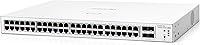
  • Port Count: The switch provides 48 gigabit copper RJ45 ports plus 4 SFP uplink slots, giving a total of 52 active ports for wired connectivity.
  • Port Speed: All 48 RJ45 ports support 10/100/1000 Mbps auto-negotiation, while the 4 SFP slots support 1G fiber or copper SFP modules.
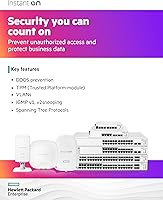
  • Switching Type: This is a Layer 2 smart-managed switch, supporting VLANs, QoS, SNMP, and basic traffic management without requiring full Layer 3 routing capability.
  • Cooling: The chassis is entirely fanless, producing zero acoustic noise during operation, which is achieved through passive thermal management via the metal enclosure.
  • Power Draw: Maximum power consumption is rated at 17.7W, making it energy-efficient for a 48-port gigabit switch running continuously.
  • Operating Temp: The unit is rated to operate in ambient temperatures up to 70°C, suitable for warm or minimally ventilated wiring closets and server rooms.
  • Dimensions: The switch measures 20.6 x 15.3 x 5.2 inches (approximately 523 x 389 x 132 mm), fitting a standard 1U rack form factor.
  • Weight: The unit weighs 10.8 pounds (approximately 4.9 kg), reflecting a solid all-metal construction.
  • Chassis Material: The enclosure is built from metal throughout, contributing to both passive heat dissipation and long-term physical durability.
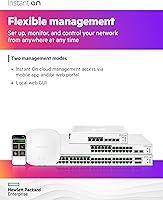
  • Management: The switch supports dual management via the Aruba Instant On mobile app for iOS and Android, and a full local web interface for advanced configuration.
  • Protocols: Supported management protocols include SNMP v1/v2c/v3, providing compatibility with standard network monitoring and management platforms.
  • Mounting Options: Included hardware supports rack, wall, tabletop, and under-desk mounting, with ports configurable to face upward or downward for under-desk installs.
  • PoE Support: This model does not provide Power over Ethernet output on any port; it is a non-PoE switch and cannot power connected devices.
  • Warranty: HPE covers this switch under a limited lifetime warranty, which includes hardware replacement support for the original purchaser.
  • Licensing Fees: No ongoing subscription, license, or cloud service fee is required to access any management feature of the switch, including app-based remote monitoring.
  • Manufacturer: The switch is designed and sold by Aruba, a Hewlett Packard Enterprise company, under the Instant On product line targeting small business networks.
  • Model Number: The official model designation is JL814A#ABA, corresponding to the US cord version of the Instant On 1830 48G 4SFP.
  • Included Accessories: The box includes two post rack kit brackets and surface mounting hardware for under-desk installation, along with a US power cord.

Related Reviews
HPE Networking Instant On 1830 24-Port Switch
87%
91%
Ease of Setup
93%
Quiet Operation
89%
Reliability
85%
Build Quality
90%
Port Availability
More
HPE Instant On 1830 8-Port PoE Switch
82%
91%
Ease of Setup
74%
PoE Performance
88%
Build Quality
77%
Management Software
83%
Value for Money
More
HPE Networking Instant On 1430 26-Port Switch
84%
94%
Ease of Setup
91%
Energy Efficiency
88%
Performance & Reliability
85%
Mounting Flexibility
83%
Build Quality
More
HPE Instant On 1930 8-Port PoE Switch
83%
91%
Ease of Setup
83%
Management App Quality
74%
PoE Performance
88%
Build Quality
72%
Value for Money
More
HPE Instant On 1430 8G Unmanaged Switch
83%
96%
Ease of Setup
93%
Reliability & Uptime
97%
Noise & Acoustic Performance
88%
Port Performance & Speed
84%
Value for Money
More
HPE Networking Instant On 1430 16-Port Gb Unmanaged Layer 2 Ethernet Switch
85%
92%
Setup and Installation
88%
Performance and Reliability
94%
Silent Operation
89%
Energy Efficiency
85%
Build Quality and Durability
More
HPE Instant On AP22 Wi-Fi 6 AP
80%
88%
Wireless Performance
91%
Setup & Installation
79%
App & Management Experience
86%
Build Quality & Design
74%
Value for Money
More
HPE Instant On AP11 Wi-Fi Access Point
78%
88%
Ease of Setup
83%
Signal Stability
71%
Coverage Range
86%
Value for Money
61%
Power Setup & Flexibility
More
Shelly LAN Switch 5-Port Ethernet Switch

85%
89%
Value for Money
94%
Ease of Setup
90%
Energy Efficiency
85%
Reliability
88%
Performance
More
Nintendo Switch Lite
82%
94%
Portability & Form Factor
91%
Build Quality
88%
Display Quality
78%
Game Library Compatibility
92%
Value for Money
More

FAQ

No, it does not. You can manage the 1830 48G entirely through the local web interface without ever creating a cloud account. The Instant On app is optional and adds remote visibility, but it has no recurring cost attached to it.

Unfortunately, no. This specific model has no PoE output on any of its ports. If you need to power access points, cameras, or VoIP phones directly from the switch, you would need to look at the JL815A, which is the PoE-capable variant in the same Instant On 1830 family. Mixing this switch with a separate PoE injector is an option, but it adds cost and cable clutter.

Most non-technical users report getting the switch up and running within 30 minutes using the Instant On mobile app. The app walks you through device discovery and basic configuration step by step. For more advanced tasks like VLAN setup, you would use the local web interface, which is more involved but still guided.

HPE officially supports its own SFP modules, but many users report success with third-party 1G SFP modules in standard formats. That said, HPE does not guarantee compatibility with non-HPE optics, so if you are running a critical fiber uplink, using HPE-branded modules is the safer choice to avoid any unexpected behavior.

The switch is rated to handle ambient temperatures up to 70°C, which covers most real-world wiring closets. Users in warm environments generally report stable performance. That said, no switch — fanless or not — benefits from being packed into a completely sealed enclosure with zero airflow, so passive ventilation in your cabinet is still advisable.

Yes, through the Instant On mobile app you can monitor and make basic configuration changes remotely as long as the switch is online and connected to the internet. For more advanced configuration, you would typically need to be on the local network or use a VPN.

Yes, VLAN configuration is supported through both the local web interface and partially through the Instant On app. This is one of the key reasons to choose a smart-managed switch over a basic unmanaged model — you can isolate guest Wi-Fi traffic, segment departments, or separate IoT devices without needing separate physical switches.

At this price tier, the main trade-off is between ease of use and feature depth. The Instant On platform is genuinely easier to manage for non-technical users, and the fanless design is a differentiator that Cisco and Netgear do not always offer at this port count. However, Cisco Business and Netgear ProSAFE switches at comparable prices often have deeper CLI access and more granular traffic controls, which matter to experienced network engineers.

Two rack-mount brackets are included in the box, so you can install it in a standard 19-inch rack without purchasing additional hardware. Wall-mount and under-desk mounting hardware is also included. The only extras you might need are cage nuts and screws specific to your rack enclosure, which is standard for any rack-mounted equipment.

HPE covers manufacturing defects and hardware failures under its limited lifetime warranty for the original purchaser. Replacement processes for failed hardware are generally described as straightforward by users. Where feedback gets more mixed is around technical support for configuration questions — HPE Instant On support is better suited to hardware issues than to detailed setup troubleshooting, so leaning on community forums or documentation is advisable for complex configuration help.

Where to Buy