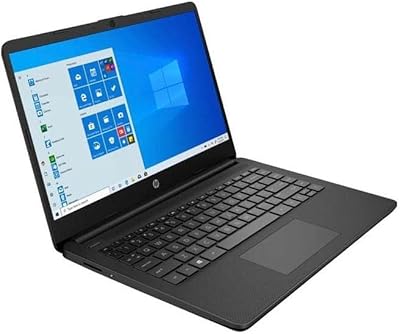
Overview

The HP Stream 14 AMD A4 Laptop is a lightweight, no-frills machine built for students and everyday home users who need something reliable without spending a lot. At under three pounds, it's genuinely easy to carry around campus or between rooms, and the Office 365 Personal subscription included for a full year adds real, immediate value right out of the box. That said, going in with clear expectations matters here. The entry-level AMD processor and 32GB of local storage mean this is designed around cloud-first use — lean on OneDrive, keep local installs minimal, and it holds up fine for basic tasks. Push it harder than that, and you'll feel the limits quickly.

Features & Benefits

The AMD Dual-Core A4-9120E processor is enough to handle web browsing, writing papers, and streaming video without much fuss, but it's not built for multitasking. The 4GB of RAM is soldered in — you can't upgrade it later, so what you buy is what you're stuck with. Locally, 32GB fills up faster than you'd expect, which makes leaning on the bundled 1TB OneDrive storage essentially mandatory. The 14-inch display at 1366x768 is clear enough for documents and video calls. Battery life is one of the stronger suits here — seven to eight hours of real-world use is achievable for lighter workloads. Just be aware that Windows 10 in S Mode limits you to Microsoft Store apps only.

Best For

This budget HP laptop makes the most sense for students who spend the bulk of their day in a browser, a word processor, or a video call — and not much else. It's also a solid pick for older adults or first-time laptop buyers who want something simple and low-maintenance without being overwhelmed by options. Households looking for a backup machine for occasional use will find it checks that box well too. If you're already part of the Microsoft ecosystem and store most of your files in OneDrive, the transition here is painless. Anyone who needs to run specialized software or demands snappy performance should look elsewhere.

User Feedback

Owners of this entry-level machine tend to split into two clear camps. Those with modest needs — checking email, drafting documents, attending virtual classes — are generally satisfied and frequently highlight the included Office subscription as a standout perk. On the other side, buyers who underestimated S Mode's restrictions often feel blindsided when they can't install apps from outside the Microsoft Store. The 32GB storage ceiling comes up often in critical reviews, with users describing it as filling up after just a few Windows updates. Build quality gets a mixed reception — the keyboard is functional but not comfortable for long writing sessions. Overall, satisfaction correlates tightly with how realistic a buyer's expectations were before purchase.

Pros

  • Office 365 Personal included for one year adds immediate, real-world value right out of the box.
  • At under three pounds, this budget HP laptop is light enough to carry comfortably all day.
  • Battery life of seven to eight hours covers a full school day without hunting for an outlet.
  • The 1TB OneDrive storage effectively extends the machine beyond its tight local drive.
  • Windows 10 in S Mode keeps the system clean and resistant to unwanted software installs.
  • The 14-inch display is a comfortable size for document work, video calls, and light streaming.
  • Setup is straightforward — ideal for first-time laptop users who want to get started quickly.
  • Thin profile and compact footprint make it easy to fit in most bags and backpacks.

Cons

  • The 4GB of RAM is soldered in and cannot be upgraded — ever.
  • 32GB of local storage fills up alarmingly fast once Windows updates and apps start accumulating.
  • S Mode blocks installation of apps outside the Microsoft Store, including popular browsers and media tools.
  • Multitasking with more than a few browser tabs causes noticeable, frustrating slowdowns.
  • The single USB 2.0 port is a real connectivity bottleneck for users who need to plug in multiple devices.
  • Keyboard feel is merely adequate — extended typing sessions are not comfortable on this machine.
  • 802.11b/g/n wireless lacks the speed of modern Wi-Fi standards, which can limit streaming quality.
  • Performance headroom is essentially zero — there is no upgrade path to grow with your needs.

Ratings

Our AI rating system analyzed thousands of verified global purchases of the HP Stream 14 AMD A4 Laptop, actively filtering out incentivized, duplicate, and bot-generated submissions to surface what real everyday users actually experienced. The scores below reflect a candid synthesis of genuine satisfaction and recurring frustrations — no spin, no cherry-picking. Where this machine earns praise, you will see it; where it falls short of expectations, that is reflected just as transparently.

Value for Money
81%
19%
Among buyers who understood what they were purchasing, the bundled Office 365 Personal subscription alone felt like it justified a meaningful portion of the asking price. Many students and parents noted that getting a working laptop with a full Microsoft Office suite pre-loaded, without paying extra, made the overall deal feel genuinely worthwhile.
Buyers who later needed to upgrade storage, add RAM, or install non-Microsoft-Store apps felt the value erode quickly once workarounds and accessories were factored in. The perceived value drops sharply if you outgrow the machine within a year.
Performance
54%
46%
For single-task use — typing a document, watching a video, or browsing a handful of tabs — the AMD A4 processor holds its own and keeps things moving without obvious lag. Users who kept expectations in check and used the laptop for one thing at a time generally reported a functional, if unspectacular, experience.
Open more than three or four browser tabs simultaneously and slowdowns become noticeable and frustrating. Reviewers consistently flagged multitasking as the machine's clearest weakness, with some describing it as near-unusable during busier school sessions involving video calls and background apps.
Storage Capacity
41%
59%
The pairing of 32GB local storage with 1TB of OneDrive cloud space is a thoughtful design choice for users who are already cloud-native and disciplined about where they save files. Students who primarily work through a browser or Office apps and archive everything online rarely hit a hard wall.
Windows updates alone can consume a double-digit percentage of the 32GB, leaving many users with far less usable space than they anticipated at purchase. A significant portion of negative reviews centered specifically on storage warnings appearing within weeks of first use, causing real frustration.
Portability
88%
At just 2.9 pounds and under three-quarters of an inch thick, this is a laptop that genuinely disappears into a bag. Students commuting between campus buildings and home users moving between rooms consistently praised how easy it was to carry without a second thought.
The slim profile does come with the expected trade-off of a limited port selection — one USB 2.0 port is the only standard connection, which forces bag-packers to also carry a hub if they need more than one peripheral at a time.
Battery Life
79%
21%
In real-world light use — note-taking, streaming lectures, writing assignments — most users landed comfortably in the six-to-seven-hour range, with some hitting closer to eight. For a budget machine at this price tier, that is a notably strong result that students and travelers genuinely appreciated.
Heavier use cases, including sustained video calls or having multiple applications running, pulled battery life down into the four-to-five-hour range, which some users found disappointing relative to HP's rated figures. A few reviewers noted the charger is not particularly compact for travel.
Software Experience
57%
43%
For users who wanted a clean, simple Windows environment, S Mode delivered exactly that — a locked-down system that resists unwanted installs and keeps things predictable. First-time users and older adults appreciated not being overwhelmed by software choices or exposed to accidental downloads.
S Mode caught a large number of buyers off guard when they tried to install popular apps like Chrome, VLC, or Spotify's desktop client and found them unavailable. The restriction feels arbitrary to users unfamiliar with S Mode, and while it can be disabled, many felt it should not have been enabled by default without a clearer upfront warning.
Display Quality
63%
37%
The 14-inch screen is a comfortable size for document work, casual browsing, and video calls, and its brightness holds up reasonably well in typical indoor lighting. Users doing word processing or attending online classes found it adequate and easy enough to look at for extended periods.
The 1366x768 resolution shows its limitations the moment you compare it to even modestly priced competing displays — text can look soft and fine detail in images and video is noticeably lacking. Creative tasks, photo editing, or anything requiring color accuracy are not well served by this screen.
Build Quality
61%
39%
The chassis is lighter than it looks and manages to feel sturdy enough for daily light use — tossing it in a backpack without a sleeve is something many student reviewers admitted doing without damage. The hinge felt firm to most users at purchase.
The plastic construction feels noticeably budget-grade to the touch, and several buyers noted flex in the keyboard deck when typing firmly. A subset of longer-term owners reported the casing showing wear — scuff marks and minor warping — within the first year of regular use.
Keyboard & Trackpad
58%
42%
The keyboard layout is sensibly spaced for a 14-inch chassis and functional for light typing sessions — short emails, quick notes, and classroom assignments are manageable. New users and those upgrading from a tablet found the physical keyboard a welcome addition.
Extended writing sessions exposed the keyboard's shortcomings, with reviewers describing shallow key travel and a slightly mushy feedback that becomes tiring over longer stints. The trackpad is functional but receives consistent criticism for imprecise tracking and an overly stiff click.
Connectivity
46%
54%
Wireless connectivity handles standard home and campus Wi-Fi networks without dropping connections, and the machine stays reliably online for browsing and video calls in typical environments. Setup with home routers was consistently described as painless.
The 802.11b/g/n Wi-Fi standard is noticeably behind modern expectations — users on faster home networks or streaming in higher quality noticed buffering and inconsistent speeds that newer laptops at similar prices handle without issue. The single USB 2.0 port is a persistent practical frustration for anyone connecting more than one peripheral.
Setup & Out-of-Box Experience
76%
24%
Initial setup is genuinely simple and fast — most reviewers noted the machine was ready to use within minutes of opening the box. The inclusion of Office 365 meant no hunting for software or dealing with trial versions, which first-time buyers found particularly welcoming.
The S Mode discovery tends to hit during setup when users try to download a preferred browser and find themselves blocked, creating an early moment of confusion or frustration. A clearer explanation of S Mode during the onboarding process would have avoided a lot of early negative reactions.
Thermal Management
67%
33%
Under typical light loads, the laptop runs quietly and stays cool to the touch — students who used it on their laps during lectures reported no discomfort from heat. The fan is rarely audible during everyday tasks.
Under sustained load, temperatures climb faster than expected for a low-power chip, and the fan noise becomes more present during longer video sessions or when the system is updating in the background. It is not a serious issue, but noticeable enough for users who expected near-silent operation throughout.
Long-Term Viability
38%
62%
For buyers who need a laptop to last just one to two years for a specific, limited purpose — a single school year, a light work-from-home stint — the Stream 14 can fulfill that role without major complaints. It does the job while the job stays simple.
The non-upgradeable RAM, the tight storage ceiling, and the aging wireless standard collectively mean this machine has a short runway before it starts feeling inadequate. Several reviewers who owned it for two-plus years described it as increasingly sluggish and limiting as software and websites grew more demanding.

Suitable for:

The HP Stream 14 AMD A4 Laptop is a genuinely practical choice for students who spend most of their day writing papers, attending online classes, and doing research — tasks that don't demand heavy processing power. If you're heading into a school year and need Office apps ready to go without an extra subscription cost, the bundled Office 365 Personal for one year is a tangible saving that makes this machine feel like a smarter deal than its sticker price alone suggests. It also works well as a household backup laptop, the kind you leave on the kitchen counter for quick email checks or video calls. Older adults or first-time laptop users who want a simple, stable Windows experience without a cluttered app ecosystem will find S Mode's guardrails more helpful than limiting. Anyone already living inside the Microsoft ecosystem — OneDrive, Outlook, Teams — will slot right into this machine without friction.

Not suitable for:

Buyers who need a workhorse should look elsewhere before considering this entry-level machine. The AMD A4 processor and fixed 4GB of RAM hit a ceiling fast — open a handful of browser tabs alongside a video call and you will feel the slowdown in a way that becomes genuinely frustrating for daily use. The 32GB of local storage is another hard constraint; a few Windows updates and a handful of downloaded files can push you uncomfortably close to the limit if you are not actively managing what lives on the drive versus in the cloud. Anyone who relies on specialized software — photo editors, coding environments, games, or non-Microsoft apps like Chrome or Spotify's desktop client — will run directly into S Mode's app restrictions, which require switching out of S Mode entirely or working around limitations that many buyers simply don't anticipate. Creative professionals, power users, and anyone who tends to multitask heavily will find the Stream 14 a source of daily irritation rather than a useful tool.

Specifications

  • Processor: The laptop runs on an AMD Dual-Core A4-9120E processor clocked at 1.5GHz base and up to 2.2GHz boost, suited for light computing tasks.
  • RAM: 4GB of DDR4-1866 SDRAM is installed and soldered directly to the motherboard, meaning it cannot be upgraded after purchase.
  • Local Storage: 32GB eMMC flash storage is built in, offering faster read speeds than a traditional spinning hard drive but very limited total capacity.
  • Cloud Storage: A 1TB OneDrive subscription is included, intended to offset the small local drive for document and media storage.
  • Display: The 14-inch HD SVA panel delivers a 1366x768 pixel resolution with WLED backlighting, sized for everyday document and web use.
  • Operating System: Windows 10 Home in S Mode comes pre-installed, restricting app installations to the Microsoft Store only unless S Mode is manually disabled.
  • Included Software: Office 365 Personal is bundled for one full year, covering Word, Excel, PowerPoint, OneNote, and Access.
  • Battery Life: HP rates battery life at 7 to 8 hours under typical mixed-use conditions, adequate for a standard school or work day.
  • Weight: The laptop weighs 2.9 pounds, making it one of the lighter options in the 14-inch budget laptop category.
  • Dimensions: The chassis measures 13.27 x 8.9 x 0.7 inches, keeping the overall footprint slim and bag-friendly.
  • Wireless: Wi-Fi connectivity uses the 802.11b/g/n standard, which is functional for everyday browsing but does not support newer Wi-Fi 5 or Wi-Fi 6 speeds.
  • Graphics: Graphics are handled by AMD integrated GPU sharing system memory, sufficient for video playback and basic display tasks only.
  • USB Ports: One USB 2.0 port is available, which is the sole standard USB connection on the device.
  • Hard Drive Interface: The eMMC storage uses a Serial ATA interface internally, delivering solid-state reliability without any moving parts.
  • Color: The device ships in Diamond White, the only color option for this specific model configuration.
  • Processor Cores: The A4-9120E is a dual-core chip, providing two processing threads for handling basic simultaneous computing tasks.
  • Memory Speed: The installed RAM operates at 1866MHz, a standard speed tier appropriate for the processor and workload class of this machine.
  • Power Source: The laptop is powered by an included lithium-ion battery pack and ships with an AC adapter for recharging.

Related Reviews
HP Chromebook 14 AMD A4 Laptop
75%
83%
Value for Money
71%
Performance
67%
Display Quality
74%
Build Quality
88%
Portability
More
HP 14 AMD 3020e Touchscreen Laptop
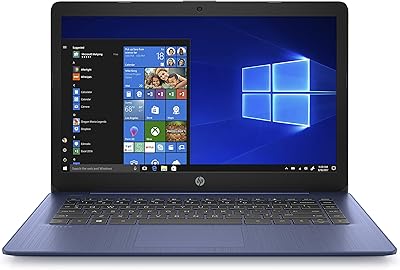
66%
83%
Battery Life
88%
Portability
78%
Value for Money
81%
Touchscreen
62%
Display Quality
More
HP Stream 14-inch Laptop
65%
78%
Value for Money
84%
Battery Life
53%
Performance
41%
Storage Capacity
67%
Display Quality
More
HP 14-dq0020nr 14-Inch Laptop
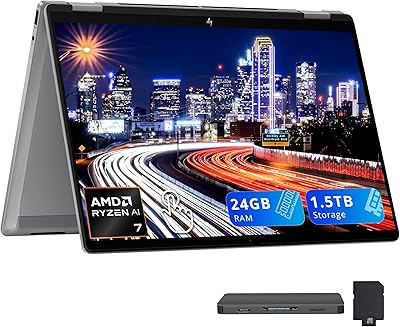
69%
83%
Value for Money
58%
Performance
88%
Portability
71%
Battery Life
86%
Software & Value Bundle
More
HP OmniBook X Flip 14″ 2K Touch-Screen 2-in-1 Laptop, AMD Ryzen AI 7 3500U, 24GB RAM, 1.5TB Storage
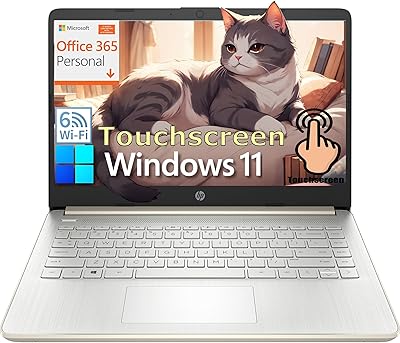
86%
92%
Performance
90%
Display Quality
88%
Multitasking & RAM
94%
Storage Capacity
84%
Portability & Weight
More
HP 14 Celeron 14-inch Touchscreen Laptop
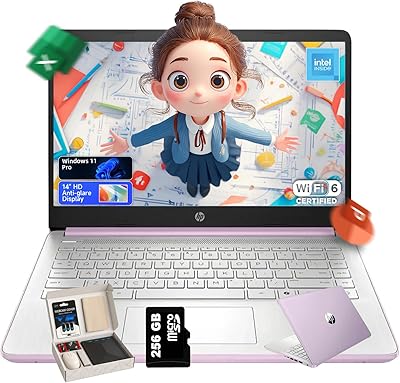
68%
74%
Value for Money
52%
Performance
43%
Storage Adequacy
91%
Portability
61%
Display Quality
More
HP 14-fq0032ms 14-inch Touchscreen Laptop
72%
83%
Value for Money
67%
Performance
61%
Display Quality
79%
Touchscreen Experience
74%
Build Quality
More
HP 14 Inch Laptop
HP 14 Inch Laptop
83%
92%
Value for Money
89%
Portability & Weight
90%
Battery Life
80%
Performance
84%
Build Quality
More
HP Chromebook 14a 14-inch Laptop
76%
83%
Display Quality
71%
Performance
88%
Battery Life
86%
Value for Money
54%
Storage Adequacy
More
HP 14 Intel N150 14″ Laptop
70%
81%
Value for Money
72%
Performance
58%
Display Quality
74%
Battery Life
77%
Build Quality
More

FAQ

Not out of the box. The laptop ships with Windows 10 in S Mode, which only allows apps downloaded from the Microsoft Store. Chrome and the desktop Spotify app are not available there. You can switch out of S Mode for free through Windows Settings, but once you do, you cannot go back, and it does open the system to a broader range of software.

It depends heavily on your habits. Windows itself and necessary updates take up a significant chunk of that 32GB, leaving you with noticeably less usable space than the number suggests. If you store documents, photos, and files in OneDrive and avoid downloading large apps locally, you can manage. But if you prefer keeping things stored on the device, you will hit the ceiling quickly and find it frustrating.

No, unfortunately not. The 4GB of DDR4 RAM is soldered directly onto the motherboard and cannot be replaced or expanded. This is a firm hardware limitation, so the 4GB you get at purchase is what you will have for the life of the machine.

For light tasks like note-taking, browsing, and streaming lectures, most users get close to the rated 7 to 8 hours. If you are running more demanding tasks or keeping screen brightness high, expect something closer to 5 to 6 hours. It is solid enough for most students to get through a full day of classes without a charger.

The HP Stream 14 AMD A4 Laptop is a reasonable fit for college students whose workload centers on writing, research, and online coursework. It handles Microsoft Office apps, web browsing, and video calls without issue. Students in programs that require specialized software — coding environments, design tools, or statistical packages — will likely find the hardware and S Mode limitations too restrictive.

You can, but the single USB 2.0 port means you will need a hub if you want to use both a mouse and any other peripheral at the same time. It is worth picking up an inexpensive USB hub if you plan to connect more than one device.

Yes, Office 365 Personal is included and provides access to Word, Excel, PowerPoint, OneNote, and Access for one full year. After the year is up, you would need to pay for a continued subscription or switch to a free alternative like the online versions of the Office apps.

It handles streaming reasonably well as long as you are not trying to do much else at the same time. 1080p video plays without major issues, though the 768p display means you won't see the full benefit of HD content anyway. Keeping other tabs and apps to a minimum helps keep playback smooth.

It can be, particularly for someone who just needs email, video calls, and simple document work. The S Mode environment keeps things simple and reduces exposure to unwanted software. The setup process is straightforward, and the lightweight design makes it easy to move around the home. Just make sure they are comfortable with the cloud-first approach to storage.

The 1TB of OneDrive storage is tied to the Office 365 Personal subscription, which runs for one year. After that, storage reverts to the free OneDrive tier, which is 5GB. If files stored in OneDrive exceed that limit, they become read-only until you either subscribe again or move files elsewhere. It is worth planning ahead rather than discovering the limitation when the subscription lapses.