Overview

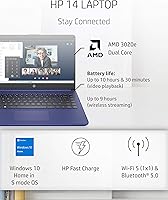
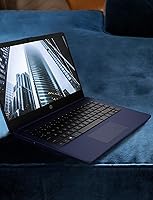
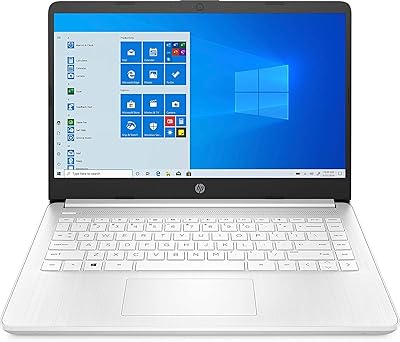
The HP 14 AMD 3020e Touchscreen Laptop is a no-frills, budget-conscious machine built for people who need a reliable daily driver without spending a lot. Its combination of a 14-inch touchscreen and a genuinely lightweight chassis gives it a practical edge for commuters and students. Powering it is the AMD 3020e, a dual-core chip that handles web browsing, email, and document work without complaint — but don't expect it to multitask gracefully under pressure. Windows 10 Home in S Mode comes pre-installed, which locks app installs to the Microsoft Store only. That's worth knowing upfront, because it catches many buyers off guard.

Features & Benefits

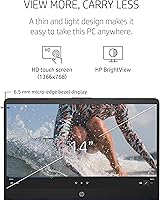
The HP 14 touchscreen's micro-edge bezel display keeps the footprint compact while giving you a full 14 inches to work with — it's crisp enough for YouTube or a Netflix session, though the 1366x768 resolution won't dazzle anyone used to higher-end screens. Boot times are surprisingly snappy thanks to eMMC storage, but the 64GB cap fills up fast; a microSD card or leaning on OneDrive is almost a necessity. The 9-hour battery life is a genuine highlight, holding up well through a school day or a long travel stretch. At 3.24 lbs, it slips easily into any bag.

Best For

This entry-level HP punches above its weight for a fairly specific crowd. Students writing papers, attending virtual classes, or juggling Google Docs will find it more than adequate. It also works nicely as a secondary travel laptop for remote workers who don't need heavy-duty software on the road. Seniors and first-time users tend to appreciate the touchscreen, which removes some of the intimidation of a traditional trackpad. For households needing a shared machine for streaming and email, it fits the bill cleanly. If raw performance or heavy multitasking is your priority, though, look elsewhere.

User Feedback

Owners of this HP budget laptop consistently praise its portability and battery life — two things that genuinely deliver on their promise. The lightweight design gets frequent mentions from students and travelers who carry it daily. On the flip side, the 64GB storage frustrates many buyers sooner than expected, and S Mode restrictions on app installs come as a surprise for those unfamiliar with it. The display earns mixed but mostly fair reviews — fine for casual use, not exceptional. Some users report that performance slows noticeably during Windows updates or with several browser tabs open, and trackpad feedback tends to divide opinion.

Pros

  • Battery life regularly lasts through a full school day or workday without needing a charge.
  • At 3.24 lbs, this HP budget laptop is light enough to carry daily without fatigue.
  • The touchscreen is genuinely responsive and makes casual navigation faster and more natural.
  • Fast boot times thanks to eMMC storage mean you are up and running in seconds.
  • The micro-edge bezel keeps the chassis compact while maximizing screen real estate.
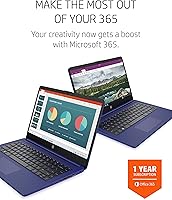
  • Microsoft 365 is included, giving students and home users real software value right out of the box.
  • Wireless connectivity covers 802.11ac and Bluetooth, handling modern home and office networks well.
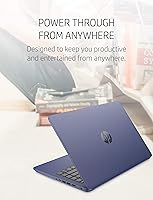
  • The indigo blue finish gives it a more distinctive look than the typical all-black budget laptop.
  • HDMI output makes it easy to connect to a larger display for presentations or home viewing.

Cons

  • 64GB of built-in storage fills up alarmingly fast once updates and apps are installed.
  • Windows 10 S Mode restricts app installs to the Microsoft Store, which catches many buyers off guard.
  • 4GB of RAM creates noticeable slowdowns when running multiple applications or browser tabs simultaneously.
  • The 1366x768 display resolution looks soft compared to even modestly priced competing laptops.
  • The AMD 3020e processor struggles with anything beyond basic single-tasking workloads.
  • Trackpad feel and responsiveness receive mixed reviews, with some users finding it imprecise for extended use.
  • Performance can degrade significantly during background Windows updates, which tend to run at inconvenient times.
  • No optical drive and limited port selection may require adapters for users with older peripherals.
  • Switching out of S Mode is a one-way process, which creates confusion and hesitation for less tech-savvy owners.

Ratings

The HP 14 AMD 3020e Touchscreen Laptop has been scored across key categories by our AI rating engine, which analyzed thousands of verified global buyer reviews while actively filtering out incentivized, bot-generated, and duplicate submissions. These scores reflect what real owners consistently reported — both what genuinely impressed them and what left them frustrated — so you get an honest, unvarnished picture before you buy. This entry-level HP earns its praise where it counts for its target audience, but the numbers don't hide its real-world limitations either.

Battery Life
83%
Consistent praise from students and commuters who made it through a full day of light use on a single charge. The HP Fast Charge feature also earned genuine appreciation from people who forgot to plug in overnight and needed a quick top-up before heading out.
Heavier usage — keeping multiple browser tabs open or streaming video at high brightness — tends to trim real-world runtime to around 6 hours, which is noticeably below the advertised figure. Users who push the hardware harder report the battery drains faster than expected.
Portability
88%
At 3.24 lbs and just under three-quarters of an inch thick, this HP budget laptop slips easily into a school bag or carry-on without adding bulk. Buyers frequently mention grabbing it for coffee shop work sessions or long commutes precisely because it doesn't feel like a burden to carry.
The slim chassis does create some flex when pressure is applied to the lid or keyboard deck, which makes a handful of users nervous about long-term durability in a daily-carry scenario. A protective sleeve is strongly recommended for anyone tossing it into a crowded bag regularly.
Value for Money
78%
22%
For buyers who genuinely only need web browsing, email, and document editing, the price-to-functionality ratio is hard to argue with. The inclusion of a Microsoft 365 subscription adds tangible software value that budget competitors don't always match.
The 64GB storage ceiling and 4GB RAM cap mean buyers often face additional costs — a microSD card, external drive, or cloud storage subscription — sooner than they anticipated, which quietly erodes the upfront savings. Expectations mismatched with the hardware lead to disappointment for buyers who didn't research carefully.
Touchscreen
81%
19%
The touchscreen genuinely resonates with first-time laptop users, seniors, and students who find touch navigation more intuitive than a trackpad. Pinch-to-zoom on documents and casual scrolling through social media or news sites feel natural and responsive during everyday use.
The display glass attracts fingerprints at an almost impressive rate, and there's no stylus support for users hoping to annotate or sketch. A handful of reviewers noted touch sensitivity becoming slightly inconsistent near the screen edges, though this wasn't a widespread complaint.
Display Quality
62%
38%
For casual streaming, video calls, and document work, the 14-inch screen gets the job done without causing eye strain in well-lit environments. The micro-edge bezel design makes the display feel larger than its resolution technically deserves.
The 1366x768 resolution is the most common complaint in user reviews — text and images look noticeably soft compared to even mid-range competitors, and colors appear washed out in brighter rooms. Users upgrading from a Full HD screen are consistently disappointed by the step down in sharpness.
Performance
54%
46%
For a single focused task — writing a document, attending a video call, or browsing the web — the AMD 3020e handles the job without freezing or crashing. Boot times are genuinely quick thanks to the eMMC storage, which makes a strong first impression when powering up.
Open more than four or five browser tabs simultaneously, and the system starts to drag noticeably. Users who work with multiple applications at once or leave background processes running report frustrating slowdowns, and Windows update cycles in particular can render the machine nearly unusable for several minutes at a time.
Storage
43%
57%
The eMMC format delivers fast read speeds for the operating system and pre-installed apps, which contributes to the snappy startup experience buyers appreciate. For users who lean heavily on cloud storage from day one, the internal limit becomes less of a daily frustration.
Sixty-four gigabytes is genuinely tight once Windows, system files, and a handful of apps are installed — many users hit their storage ceiling within weeks of setup. This is the single most common complaint across verified reviews, and it often forces buyers to purchase additional storage accessories shortly after unboxing.
RAM & Multitasking
49%
51%
For the specific use case of running one application at a time — a word processor, a streaming tab, or an email client — 4GB of DDR4 memory is adequate and doesn't create major issues. Light users who stay disciplined about closing unused apps rarely run into serious problems.
Four gigabytes of RAM is simply not enough headroom for modern multitasking, and this surfaces quickly in real use. Buyers who open Zoom while taking notes and playing a background playlist report sluggish response times and occasional system freezes that break their workflow.
Keyboard & Trackpad
66%
34%
The keyboard layout is spacious enough for comfortable extended typing sessions, and students writing essays or taking notes find the key travel acceptable for a thin budget laptop. Backlighting would have been a nice addition, but the key feel itself draws mostly neutral-to-positive feedback.
The trackpad is where opinions split most sharply — some users find it accurate and smooth, while others report inconsistent cursor behavior and a clicking mechanism that feels cheap under sustained use. No backlit keyboard is a frequent complaint from users working in dim environments like lecture halls or evening commutes.
Build Quality
61%
39%
The Indigo Blue finish gives the machine a more considered aesthetic than typical all-black budget laptops, and the overall assembly feels solid enough for light daily handling. Several buyers noted that the hinge mechanism in particular felt sturdier than they expected at this price point.
The plastic chassis flexes noticeably when picked up by one corner or when pressure is applied to the keyboard area, which doesn't inspire confidence in long-term durability. It's not fragile by any measure, but buyers who are rough with their devices or frequently travel without a case should temper their expectations.
Software & OS Experience
57%
43%
Windows 10 in S Mode boots cleanly and runs smoothly within its restrictions, and for users who stay inside the Microsoft ecosystem — Edge, Microsoft 365, and Store apps — the experience is fluid and well-optimized for the hardware.
S Mode causes genuine confusion for many buyers who don't realize they can't install Chrome, Spotify, or other standard desktop apps without permanently switching modes. The one-way nature of that switch, combined with the lack of clear in-box explanation, is a recurring frustration in user reviews.
Connectivity
74%
26%
The inclusion of both USB-A and USB-C ports, HDMI output, Bluetooth, and 802.11ac Wi-Fi covers the connectivity needs of most everyday users without requiring adapters for common peripherals. The HDMI port in particular is appreciated by students who need to present from a projector.
There is no built-in SD card slot, which frustrates photographers and users who frequently transfer files from cameras or other devices. The total port count is limited, so users with multiple wired peripherals will need a USB hub fairly quickly.
Audio
58%
42%
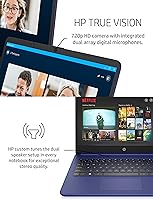
For casual video calls and background music during work sessions, the built-in speakers are functional and clear enough at moderate volumes. Users on video meetings report that microphone pickup quality is acceptable for standard remote work use cases.
Speaker volume maxes out at a level that struggles to fill even a small room, and bass response is essentially absent. Users who rely on laptop speakers for movie nights or group listening find the output thin and underwhelming, making headphones or an external speaker a practical necessity.
Setup & Out-of-Box Experience
72%
28%
Initial setup is quick and guided clearly by Windows, and the inclusion of Microsoft 365 means the machine is genuinely useful within minutes of first boot. Buyers who are less tech-savvy report feeling comfortable with the setup process, which is a meaningful win for this laptop's target audience.
The S Mode restriction blindsides buyers who assume any Windows laptop can install any Windows software, and the setup process doesn't communicate this limitation clearly enough upfront. A small number of users also report that pre-installed bloatware slows down the initial experience before being cleaned up.

Suitable for:

The HP 14 AMD 3020e Touchscreen Laptop is a genuinely solid pick for anyone whose computing needs stay firmly in the lane of browsing, writing, video calls, and streaming. Students in middle school, high school, or community college will find it handles Google Docs, Microsoft 365, and web-based coursework without fuss, and the touchscreen makes navigating slides or annotating notes feel more intuitive than a trackpad alone. Seniors or first-time laptop owners benefit especially here — the responsive touch display lowers the learning curve considerably. It also makes a practical secondary machine for remote workers who need something light to carry between a home office and a coffee shop, without risking an expensive primary device. Families looking for a shared household laptop for casual use — think streaming a show, checking email, or helping kids with homework — will get real everyday value from this entry-level HP.

Not suitable for:

The HP 14 AMD 3020e Touchscreen Laptop has clear boundaries, and buyers who push past them will be disappointed. The AMD 3020e is a low-power chip designed for efficiency, not speed — anyone running creative software, video editing tools, or even a busy browser session with a dozen tabs open will hit a wall quickly. The 64GB eMMC storage is another hard constraint; it sounds workable until Windows updates, a few apps, and a semester's worth of files eat through it, leaving you scrambling for external storage solutions. Windows 10 in S Mode means you cannot install software from outside the Microsoft Store without switching modes manually — a process that confuses many users and permanently removes S Mode protections once done. Gamers, developers, graphic designers, or anyone running demanding local applications should look at a more powerful machine in a higher price bracket. This entry-level HP simply was not built for heavy lifting, and forcing it into that role will lead to real frustration.

Specifications

  • Processor: The laptop runs on an AMD 3020e dual-core processor clocked at 2.6 GHz, designed for low-power everyday computing tasks.
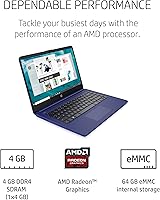
  • RAM: It includes 4GB of DDR4-2400 SDRAM soldered to the motherboard, which is sufficient for basic single-tasking workloads.
  • Storage: Internal storage is 64GB eMMC, which offers fast boot speeds but limited capacity compared to traditional hard drives or SSDs.
  • Display: The 14-inch HD touchscreen outputs at 1366x768 pixel resolution with a 6.5mm micro-edge bezel and a 16:9 aspect ratio.
  • Graphics: AMD Radeon integrated graphics handle the display output and are capable of smooth HD video playback and light visual tasks.
  • Operating System: Windows 10 Home in S Mode comes pre-installed, restricting app installations to the Microsoft Store unless the user manually switches out of S Mode.
  • Battery: A 3-cell 41Wh lithium-ion battery powers the device, rated for up to 9 hours of mixed use with HP Fast Charge support.
  • Weight: The laptop weighs 3.24 lbs, making it one of the lighter options available in the entry-level 14-inch laptop category.
  • Dimensions: Its physical footprint measures 12.76 x 8.86 x 0.71 inches, keeping the profile slim and bag-friendly for daily transport.
  • Wireless: Wireless connectivity includes 802.11a/b/g/n/ac Wi-Fi and Bluetooth, compatible with standard modern home and office network equipment.
  • Ports: Available ports include USB-A, USB-C, HDMI, and a 3.5mm headphone jack; there is no optical drive or SD card slot built in.
  • Software Included: A Microsoft 365 subscription is bundled with the laptop, giving users access to Word, Excel, PowerPoint, and OneDrive cloud storage.
  • Color: The chassis is finished in Indigo Blue, giving it a more distinctive appearance than the typical matte-black budget laptop design.
  • Optical Drive: No optical drive is included, which is standard for slim laptops at this size and weight class.
  • Warranty: HP covers this laptop with a 1-year limited hardware warranty from the date of purchase.

Related Reviews
HP 14″ Touchscreen Laptop, Intel Celeron N4020, 16GB RAM, 192GB Storage

79%
81%
Performance
65%
Display Quality
55%
Battery Life
73%
Build Quality
88%
Portability
More
HP Chromebook 14 AMD A4 Laptop
75%
83%
Value for Money
71%
Performance
67%
Display Quality
74%
Build Quality
88%
Portability
More
HP 15-fc0047wm 64GB 4TB Touchscreen Laptop
76%
88%
Performance & Speed
93%
RAM & Multitasking
91%
Storage Capacity
76%
Display Quality
82%
Touchscreen Responsiveness
More
HP 15-inch Touchscreen Laptop, AMD Ryzen 3 3250U, 8 GB RAM, 256 GB SSD
82%
92%
Value for Money
89%
Battery Life
87%
Touchscreen Responsiveness
88%
Portability
84%
Display Quality
More
HP 14-dq0020nr 14-inch Laptop 64GB
80%
72%
Performance
94%
Portability
88%
Battery Life
81%
Build Quality
75%
Display Quality
More
HP OmniBook X Flip 14″ 2K Touch-Screen 2-in-1 Laptop, AMD Ryzen AI 7 3500U, 24GB RAM, 1.5TB Storage

86%
92%
Performance
90%
Display Quality
88%
Multitasking & RAM
94%
Storage Capacity
84%
Portability & Weight
More
HP 14 Celeron 14-inch Touchscreen Laptop

68%
74%
Value for Money
52%
Performance
43%
Storage Adequacy
91%
Portability
61%
Display Quality
More
HP 14 Inch Laptop
HP 14 Inch Laptop
83%
92%
Value for Money
89%
Portability & Weight
90%
Battery Life
80%
Performance
84%
Build Quality
More
HP 14-fq0032ms Laptop
79%
82%
Performance
88%
Battery Life
75%
Build Quality
68%
Display Quality
90%
Portability
More
HP 17 17.3″ Touchscreen Laptop
61%
83%
Screen Size & Usability
76%
Touch Screen Performance
41%
Performance & Speed
38%
RAM Adequacy
53%
Storage & Space
More

FAQ

Not right away — the laptop ships in Windows 10 S Mode, which limits installs to Microsoft Store apps only. You can switch out of S Mode for free through the Microsoft Store settings, but be aware that this change is permanent and cannot be reversed once done. After switching, you can install Chrome, Zoom, or any standard Windows software without restrictions.

It depends on how you use it. If you rely heavily on web-based tools like Google Docs or stream content rather than download it, you can make 64GB work. That said, Windows updates alone can consume a significant chunk of space over time. Adding a microSD card for extra storage or using OneDrive for files and photos is a smart move from day one with this HP budget laptop.

For casual use, it's genuinely practical. Scrolling through web pages, zooming into documents, and tapping on-screen buttons all feel natural. It won't replace a stylus or drawing tablet experience, but for a student or everyday user, the touch input adds real convenience, especially for people who are less comfortable with a trackpad.

Yes, for standard video calls it performs reliably. As long as you're not running a dozen other tabs or apps in the background simultaneously, the AMD 3020e handles video conferencing without major hiccups. Keep your browser and background apps minimal during calls for the smoothest experience.

S Mode is a locked-down version of Windows designed for security and speed, but it restricts you to Microsoft Store apps only. If you only use web-based tools and Microsoft 365, you may never need to leave it. However, if you plan to install Chrome, Spotify, or any third-party desktop software, you'll want to switch out of S Mode through the Store settings — it's free and takes just a couple of minutes.

Most users report landing somewhere between 6 and 8 hours under regular mixed use — browsing, writing, and some streaming. The rated 9-hour figure assumes lighter workloads and moderate screen brightness. It's not going to last all day under heavy use, but for a school day or a long commute it holds up well.

It's a reasonable fit for students in middle school or high school who need a machine for homework, research, and school-based apps. The touchscreen makes it approachable, and the lightweight build means it won't weigh down a backpack. Just keep in mind the storage limit and consider setting up cloud-based backups early to avoid running out of space.

Yes — Microsoft 365 is included with the purchase, so Word, Excel, PowerPoint, and OneNote are ready to go right out of the box. These apps run smoothly on the hardware for standard document and spreadsheet work.

Absolutely. The built-in HDMI port lets you connect directly to a monitor or TV for a larger display. It's a handy feature if you want to use this entry-level HP as a desktop setup at home while keeping it portable for travel.

The build quality is what you'd reasonably expect at this price tier — functional and lightweight but not premium. The plastic chassis flexes a little if you push on it, which is common among budget laptops. It isn't fragile, but you'll want to handle it with reasonable care and use a sleeve or padded bag if you're carrying it around daily.