Overview

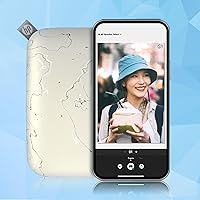
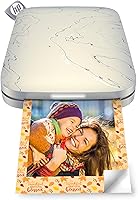
The HP Sprocket Select Portable Photo Printer is one of those rare gadgets that actually delivers on its promise of fun and portability. Weighing under 200 grams and no thicker than a slim wallet, this pocket photo printer slips into a bag or jacket pocket without a second thought. It uses Zink inkless technology, meaning there are no cartridges to fuss with — just load the paper and print via Bluetooth from your phone. Compared to the original Sprocket, the Select prints photos 30% larger, which makes a noticeable difference at the 2.3×3.4-inch format. At its mid-range price, it sits in a sweet spot between novelty toy and genuinely useful device.
Features & Benefits

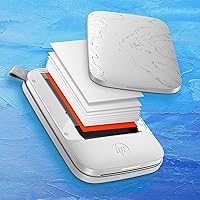
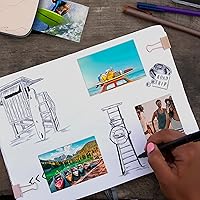
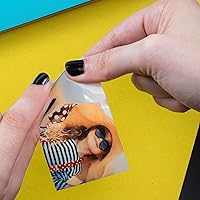
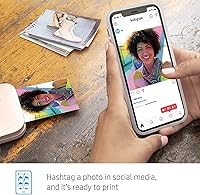
What makes the Sprocket Select interesting beyond the print itself is how the paper functions. Every sheet is sticky-backed, so your prints can go straight onto a journal page, a laptop, or a bedroom wall — no tape needed. The free HP Sprocket app handles everything from editing to printing, with filters, frames, and a custom sticker tool that lets you turn your own sketches into stickers. There is also a tag-to-print option for pulling photos from social media by hashtag, and an augmented reality feature that can unlock hidden content from a printed photo. Both feel like bonus tricks rather than core selling points, but they add variety. No Wi-Fi required — just Bluetooth — keeps the whole experience refreshingly simple.

Best For

This little Zink printer was clearly designed with a specific kind of person in mind. Teens and young adults who want a creative, tactile outlet for their camera roll will get the most out of it. It is also a natural fit for scrapbookers and journal keepers who want adhesive prints on demand without the cost or bulk of a traditional photo printer. Travelers who like to document trips with physical photos will appreciate how easily it fits into a carry-on. It makes a genuinely strong gift choice too — particularly for birthdays and holidays — because the concept is immediately intuitive and the unboxing experience feels polished. If you are a professional photographer expecting lab-grade output, look elsewhere. But for everyday creative use, it hits the mark.

User Feedback

With over 26,000 ratings and a 4.5-star average, the Sprocket Select has a genuinely broad and enthusiastic user base. Most buyers highlight the quick, easy setup and the satisfaction of holding a physical print seconds after snapping a photo. The sticky-backed novelty is a recurring crowd-pleaser. On the flip side, honest reviewers point out that print quality, while perfectly fine for casual use, won't rival a drugstore photo print — the 313×400 dpi resolution has a visible ceiling. The 10-sheet starter pack runs out fast, and replacement paper is an ongoing expense worth factoring in upfront. Occasional Bluetooth pairing hiccups come up too, though rarely as dealbreakers. Gift recipients, overwhelmingly, love it.

Pros

  • Genuinely pocketable at under 200 grams — easy to bring to events, trips, or creative sessions
  • No ink cartridges ever — just load Zink paper and you are ready to print
  • Sticky-backed prints double as stickers, eliminating the need for separate adhesive supplies
  • Bluetooth-only setup means no router, no Wi-Fi password, no network headaches
  • Smudge-proof and water-resistant output holds up well on journals, laptops, and water bottles
  • The free HP Sprocket app offers real creative tools — filters, frames, and a hand-drawn sticker maker
  • Prints 30% larger than the original Sprocket, a meaningful upgrade for the same compact form factor
  • Setup from box to first print takes most users under five minutes
  • Over 26,000 global ratings with a 4.5-star average reflects broad, sustained buyer satisfaction
  • Makes an immediately intuitive gift — the concept lands the moment someone picks it up

Cons

  • Print resolution has a clear ceiling — fine detail and subtle tones can look soft or slightly muddy
  • The included 10-sheet paper pack is gone within one sitting, leaving buyers to purchase more almost immediately
  • Replacement paper packs represent a real and recurring cost that accumulates quickly with regular use
  • Bluetooth dropout mid-print is a documented and recurring frustration, especially on Android devices
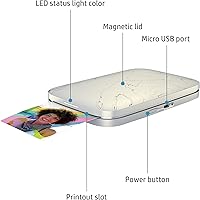
  • No battery level indicator on the device itself means a dying battery often interrupts a print session without warning
  • The glossy plastic shell scratches easily and attracts fingerprints with routine handling
  • AR and hashtag features work as advertised but rarely get used beyond the first few tries
  • Batch printing 10 sheets takes close to ten minutes, which feels slow in a group or party setting
  • Older or budget Android devices may experience app instability and more frequent connection failures
  • The app creative library has not expanded significantly since launch, limiting long-term variety for regular users

Ratings

The HP Sprocket Select Portable Photo Printer has accumulated over 26,000 verified ratings worldwide, giving us a rich, reliable dataset to work with. Our AI scoring model processed this global feedback — actively filtering out incentivized, duplicate, and bot-generated reviews — to surface what real buyers genuinely think after daily use. Scores reflect both where this little Zink printer consistently impresses and where it falls short, so you can make a fully informed call.
Portability & Form Factor
93%
Buyers are genuinely surprised by how small and light the Sprocket Select is in person. At under 200 grams and roughly the footprint of a large smartphone, it slips into a jacket pocket or small purse without bulk. Travelers and festival-goers repeatedly mention it as something they actually bring everywhere.
A small number of users with larger hands find the device slightly awkward to hold steady while feeding paper. The glossy finish also picks up fingerprints quickly, which bothers detail-oriented owners who want it looking pristine on a desk or shelf.
Print Quality
67%
33%
For casual snapshots, group photos, and journaling inserts, the output looks cheerful and perfectly presentable. Colors are warm and punchy rather than clinical, which suits the fun, creative use case this printer is built around. Most buyers in this context report being happy with what comes out.
The 313×400 dpi resolution has a visible ceiling — fine detail, text overlays, and dark shadow areas can look soft or slightly muddy. Anyone expecting drugstore photo-print sharpness will be disappointed. Multiple reviewers specifically note that portraits with subtle skin tones print less faithfully than brighter, high-contrast shots.
Ease of Setup
91%
Getting the Sprocket Select up and printing for the first time takes most users under five minutes. The Bluetooth pairing process is straightforward, and the HP Sprocket app walks new users through loading paper and sending their first print without any real friction. Gift recipients consistently praise how intuitive the out-of-box experience is.
A recurring minority of users — particularly on older Android devices — report that the initial Bluetooth pairing fails silently and requires restarting both the app and the printer. It is not a widespread issue, but it comes up often enough in reviews to be worth noting for buyers with older phones.
App Experience
74%
26%
The HP Sprocket app is genuinely well-designed for its audience. Filters, frames, and the custom sticker creator give younger users real creative tools rather than just a print button. The tag-to-print and social media integration features work as advertised and add convenience for users who live in their Instagram or TikTok feeds.
Some users report the app crashing or freezing mid-edit, particularly on lower-spec Android devices. Bluetooth disconnects between the app and printer mid-queue are the single most cited frustration in negative reviews. A handful of users also feel that certain premium design assets inside the app should not require additional unlocking steps.
Paper & Consumable Costs
52%
48%
The Zink sticky-backed paper produces smudge-proof, water-resistant prints that hold up well on journals, water bottles, and notebooks. The adhesive backing is strong and does not leave residue when peeled from most surfaces. For crafters and scrapbookers, the dual print-and-sticker function genuinely reduces the need for separate supplies.
The 10-sheet starter pack included in the box disappears in one sitting, and replacement packs work out to a meaningful per-print cost that accumulates quickly with regular use. This ongoing expense is the most common post-purchase complaint by a wide margin, with many buyers wishing they had factored paper costs into their budget before buying.
Battery Life
78%
22%
The built-in rechargeable lithium polymer battery handles a reasonable session of prints on a single charge — enough for a party, a short trip, or an afternoon of journaling without needing to plug in. Recharging via USB is convenient and works with most standard chargers buyers already own.
Heavy users printing large batches in one go will find the battery runs down faster than expected. There is no battery level indicator on the device itself, so the first sign of a dying battery is often a failed print mid-session. A visible battery display would remove a lot of the guesswork.
Build Quality & Durability
76%
24%
The Sprocket Select feels solid in hand for a device this light. The plastic shell has a satisfying rigidity, and the paper slot mechanism operates smoothly without feeling fragile. Multiple users report carrying it daily in bags alongside keys and other items without visible wear after months of use.
The glossy plastic exterior scratches relatively easily, and a few buyers mention the paper door feeling less robust than the rest of the unit after repeated daily use. It is not a rugged device by any measure — drops onto hard floors have resulted in cracked shells for a small number of reviewers.
Connectivity Reliability
69%
31%
For the majority of users, Bluetooth connectivity works consistently once the initial pairing is done. Keeping the phone close — within a meter or two — results in a stable connection and predictable print queuing. iOS users in particular tend to report fewer connectivity issues than their Android counterparts.
Bluetooth dropout during printing is a real and recurring issue in the review pool, not an isolated edge case. It does not happen to everyone, but it happens often enough that some buyers describe needing to re-pair the printer before each use session. A firmware update addressing this would likely lift user satisfaction noticeably.
Print Speed
71%
29%
Prints arrive in roughly 45 to 60 seconds per sheet, which feels satisfying in a social setting — fast enough to hand someone a photo while the moment is still fresh. For casual single-print use, the pace adds to the instant-camera atmosphere that makes the device fun to use at gatherings.
At one print per minute, printing a batch of 10 sheets takes the better part of ten minutes. Users who load a full paper pack expecting quick results often find the cumulative wait tedious. Competing Zink printers from other brands print marginally faster, which some buyers discover only after purchase.
Value for Money
72%
28%
As a standalone purchase, the Sprocket Select is priced reasonably for what it delivers — a branded, well-supported, genuinely portable printing experience from a major manufacturer. It regularly ranks in the top five of its category, and for a one-time gift purchase, the price-to-delight ratio is solid.
When you factor in the cost of ongoing paper packs, the long-term value proposition weakens considerably. Buyers who print frequently find the total cost of ownership climbs well above the initial price within a few months. Those who buy it expecting to use it daily need to budget for consumables honestly.
Gifting Appeal
88%
This is one of the stronger gift products in the portable printer space. The packaging is clean, the concept communicates instantly, and the recipient gets something tactile and fun that feels thoughtful rather than generic. Buyers purchasing it for teens, college students, and young adults report overwhelmingly positive gift reactions.
Gifting the device without also including extra paper packs is a common oversight that buyers mention in hindsight. Giving just the 10-sheet starter pack means the recipient burns through it quickly and then faces the consumable cost question on their own. Bundling extra paper is strongly recommended for a complete gift experience.
Photo Customization Options
81%
19%
The app's creative toolkit is genuinely broader than expected for a printer at this price. Designer frames, filters, and the hand-drawn sticker creator give users real expressive tools. Teens and creatives in particular respond enthusiastically to being able to personalize prints before they come out of the device.
The filter and frame library, while solid at launch, has not expanded significantly over time according to long-term users. Some of the more distinctive design assets are locked behind steps that feel unnecessary for a paid device. Heavy creative users may find the options feel limiting after a few months of regular use.
Augmented Reality Features
58%
42%
The AR functionality — scanning a printed photo to unlock a video or shared print queue — is a genuinely clever concept that surprises and delights users the first time they experience it. For group events or shared memory-making, it adds an interactive layer that goes beyond what a regular print can offer.
In practice, the AR feature is used once or twice and then largely forgotten. The experience depends on others having the app installed, which limits its real-world utility. Several users describe it as a fun party trick rather than a feature they return to, and it rarely influences purchase decisions among serious buyers.
Compatibility & Device Support
82%
18%
The Sprocket Select works with both iOS and Android devices, which covers virtually every potential buyer. The app is free, regularly updated, and available globally. iPhone users in particular report a consistently smooth experience from pairing through printing.
Older Android versions and budget Android handsets can struggle with the app — some users report sluggish performance and more frequent disconnections compared to iOS. HP's published compatibility list does not always reflect real-world performance on every device, which catches some Android buyers off guard.

Suitable for:

The HP Sprocket Select Portable Photo Printer is a strong fit for anyone who wants a fun, low-friction way to turn phone photos into physical keepsakes without the bulk or setup of a traditional printer. Teens and young adults will get the most out of it — particularly those who are into journaling, scrapbooking, or decorating their space with personal photos and custom stickers. Travelers who want to document trips with tangible mementos, rather than just a camera roll, will appreciate how easily it fits into a day bag alongside everything else. It also makes a genuinely thoughtful gift for birthdays and holidays, especially for creative-minded recipients who will actually use it regularly. If your goal is casual, spontaneous printing for craft projects, memory books, or social sharing made physical, this pocket photo printer hits that mark reliably.
Not suitable for:

Anyone expecting output that rivals a professional photo lab or even a standard home inkjet printer should know upfront that the Sprocket Select is not that device — the 313×400 dpi resolution is adequate for fun and casual use, but fine detail, subtle skin tones, and dark backgrounds will reveal its limits clearly. Buyers who print in high volumes will also find the ongoing cost of Zink paper packs adds up faster than the initial purchase price suggests, making it a poor fit for anyone on a tight consumable budget. If you need to print larger formats — anything beyond the 2.3×3.4-inch output — this little Zink printer simply cannot accommodate that, and no setting or accessory changes it. Users on older Android handsets should be cautious, as Bluetooth reliability and app stability tend to be weaker on non-flagship Android devices. And if you are looking for a standalone, no-app-required printing experience, the mandatory dependency on the HP Sprocket app will feel like a barrier rather than a feature.

Specifications

  • Print Size: Each photo prints at 2.3×3.4 inches, which is 30% larger than the output of the original HP Sprocket model.
  • Print Technology: The printer uses Zink (Zero Ink) technology, embedding color dye crystals directly into the paper so no separate ink cartridges are ever needed.
  • Print Resolution: Maximum color and monochrome print resolution is 313×400 dpi, suitable for casual photos but not fine-detail professional output.
  • Print Speed: The printer outputs approximately one page per minute for both color and monochrome prints.
  • Connectivity: The device connects exclusively via Bluetooth, with no Wi-Fi or wired printing support, keeping pairing simple and cable-free.
  • Compatible Devices: Works with iOS and Android smartphones through the free HP Sprocket app, available on both the App Store and Google Play.
  • Dimensions: The unit measures 3.48″ deep, 5.13″ wide, and 0.69″ tall, making it genuinely slim enough to fit in most pockets.
  • Weight: The printer weighs 6.3 ounces (approximately 180 grams), light enough to carry all day without noticing it.
  • Battery: A built-in rechargeable lithium polymer battery powers the device and charges via the included USB cord.
  • Paper Capacity: The paper tray holds a maximum of 10 sheets at a time, matching the size of standard Zink paper packs sold separately.
  • Paper Type: The printer requires HP Zink 2.3×3.4″ glossy, sticky-backed photo paper, which produces smudge-proof, water-resistant, and tear-resistant prints.
  • Output Type: Prints are color only and single-sided (simplex); dual-sided printing is not supported.
  • Memory: The device includes 64 MB of onboard memory storage for print queue management.
  • Power Draw: The printer consumes approximately 22.46 watts during active printing operations.
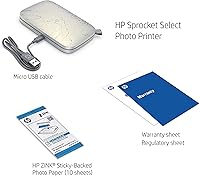
  • In the Box: Each unit ships with the printer, a USB charging cord, a printer ink cartridge placeholder, and a 10-sheet starter pack of Zink photo paper.
  • Warranty: HP provides a one-year limited warranty, with 24/7 free web support available through HP's official support portal.
  • App Required: The free HP Sprocket app is required for all printing, editing, and creative features; the printer cannot operate without it.
  • Color Depth: The printer supports high color depth output, rated at 24 bits per pixel or more for rich, vibrant color reproduction.
  • Model Number: The official HP model number for this unit is 5XH49A, and the ASIN on Amazon is B07SXVJFYN.
  • BSR Ranking: As of the most recent data, the device ranks #5 in the Portable Photo Printers category and #623 overall in Electronics on Amazon.

Related Reviews
HP Sprocket Photo Booth Instant Photo Printer
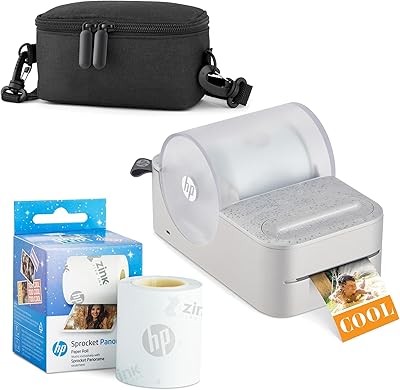
71%
91%
Ease of Setup
68%
Print Quality
83%
Portability & Design
52%
Paper Tray & Reload Experience
57%
Print Speed
More
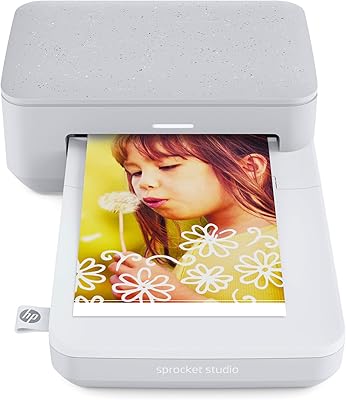
HP Sprocket Studio Photo Printer
83%
91%
Print Quality
89%
Ease of Use
58%
Bluetooth Connectivity
85%
Portability
87%
App Integration (HP Sprocket)
More
HP Sprocket 2nd Edition Portable Photo Printer
76%
93%
Ease of Setup
74%
Print Quality
96%
Portability & Form Factor
78%
Zink Paper Technology
54%
Ongoing Running Costs
More
HP Sprocket Panorama Portable Photo Printer
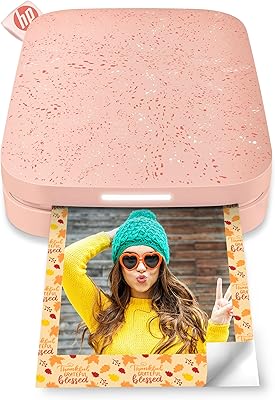
73%
93%
Portability & Form Factor
61%
Print Quality
88%
Zink Ink-Free Convenience
74%
App Experience
67%
Bluetooth Connectivity
More
Kodak Mini 3 Retro Portable Photo Printer
77%
88%
Print Quality
62%
Value for Money
71%
App Experience
93%
Portability & Size
84%
Build Quality & Design
More
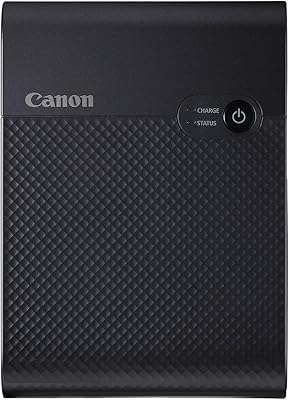
Canon SELPHY Square QX10 Portable Photo Printer
83%
91%
Print Quality
89%
Ease of Use
93%
Portability
78%
Print Speed
84%
Battery Life
More
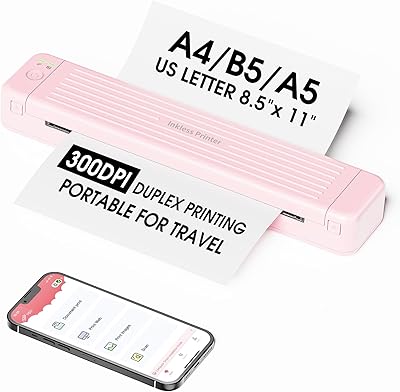
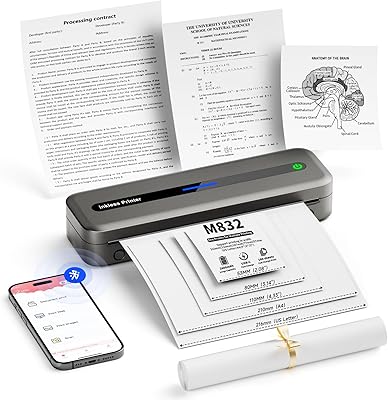
Zoolion P831 Portable Printer
69%
93%
Portability
61%
Print Quality
74%
Setup & Connectivity
78%
Battery Life
82%
Duplex Printing
More
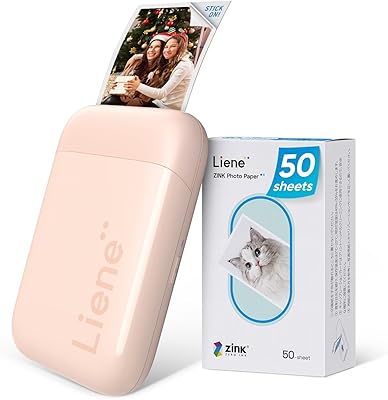
Liene ZPP110 2x3 Portable Instant Photo Printer
77%
74%
Print Quality
93%
Portability & Size
88%
Ease of Setup & Use
79%
Adhesive Paper Quality
71%
Battery Life
More
Polaroid Lab Instant Photo Printer
72%
73%
Print Quality & Character
88%
Ease of Setup & Use
66%
App Experience
41%
Film Cost & Ongoing Value
53%
Device Compatibility
More
Rongta PN81 A4 Portable Thermal Printer
74%
93%
Portability & Form Factor
81%
Print Quality
89%
Ink-Free Running Costs
71%
Bluetooth Connectivity
66%
App Experience (SoPrint)
More

FAQ

No — that is one of the genuinely convenient aspects of this device. The Zink technology embeds color dye directly into the paper itself, so there are no cartridges to buy or replace. The only consumable you will ever need to restock is the Zink photo paper, which you can order in packs online.

Paper packs typically come in 20- or 50-sheet bundles, and the per-print cost is noticeably higher than standard inkjet printing. The 10-sheet starter pack that ships in the box will disappear in one casual session, so budget for additional paper from the start — especially if you plan to use it regularly or hand it to a teenager who will print everything in sight.

Yes, it is compatible with both iOS and Android devices through the free HP Sprocket app. iPhone users tend to report slightly smoother Bluetooth pairing and app stability overall, but it works well on Android too — just make sure your Android OS and the app are both up to date to avoid connectivity hiccups.

No — the HP Sprocket app is required for every print job. There is no way to send a photo to the printer without it. That said, the app is free, quick to install, and easy to navigate, so it rarely feels like a burden once you are set up.

Expect roughly 45 to 60 seconds per print. That feels satisfying for a single snapshot — you hand someone a photo while the moment is still fresh — but if you load a full 10-sheet tray and queue everything at once, the total wait stretches to around 10 minutes, which can feel slow at a party or event.

They hold up well in everyday conditions. The Zink paper is smudge-proof, water-resistant, and tear-resistant, so light moisture, normal handling, and the friction of being in a bag will not ruin them. They are not fully waterproof for prolonged submersion, but for journaling, laptop decoration, or sticking on a water bottle, they perform reliably.

Technically, generic 2×3-inch Zink paper from other brands can physically fit the tray, but HP designs the printer to work optimally with its own Zink paper, and color accuracy or feeding reliability may vary with off-brand alternatives. Most users stick with HP-branded packs to avoid wasted prints.

Start by closing and fully restarting the HP Sprocket app, then power-cycle the printer by holding the power button until it turns off and back on. If it still does not pair, go into your phone's Bluetooth settings, forget the device, and pair it fresh. This sequence resolves the majority of connectivity issues reported by users.

Battery life is sufficient for a typical casual session — most users can print a full 10-sheet pack or two before needing to recharge. Charging is via the included USB cord, which works with standard USB-A adapters you likely already own. There is no battery percentage display on the device itself, so plug it in after each session to avoid mid-print surprises.

It is one of the better options in this category for gifting precisely because the setup is so intuitive — most people are printing within minutes of opening the box. The concept lands immediately, and the sticky-backed print novelty creates a strong first impression. Just do yourself a favor and include an extra paper pack with the gift; the 10-sheet starter will feel generous until it is gone in the first half hour.

Where to Buy