HP Sprocket Photo Booth Instant Photo Printer

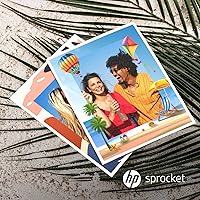
Overview
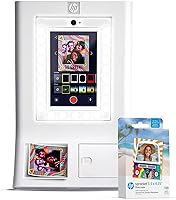
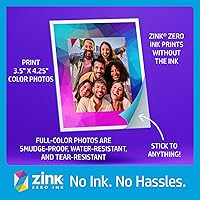
The HP Sprocket Photo Booth Instant Photo Printer is not a desktop printer you tuck away in a home office — it's a self-contained party station built for events where memories need to be tangible. What you're paying for at this premium price point is genuine convenience: everything loads up in one carry-friendly unit, powered by ZINK inkless technology that eliminates cartridges entirely. Colors are embedded directly in the paper, so there's no mess, no fuss between prints. Keep in mind, though — at 300 dpi on a 3x4-inch sheet, these are fun keepsakes, not gallery-quality photos. This device launched in mid-2025, so long-term durability data is still limited.
Features & Benefits
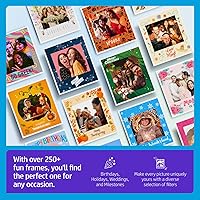
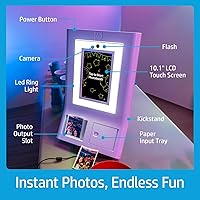
The 10.1-inch touchscreen is one of the most practical touches here — you can preview shots, apply frames, and manage settings entirely on-device without fumbling with a phone. The built-in LED ring light and flash handle uneven lighting reasonably well, which matters at indoor venues with dim ambiance. Guests can choose from 250-plus built-in frames and filters, giving every event its own visual identity. When Wi-Fi is available, a generated QR code lets attendees download their photos digitally — no one needs to trade contact info or wait around. Hosts also get real controls: print limits, guest access levels, and brightness adjustments. The ZINK paper comes out sticky-backed and waterproof, so prints hold up long after the party ends.
Best For
This photo booth printer is the right call if you're tired of pricing out professional photo booth rentals for every celebration. It fits naturally into weddings, milestone birthdays, corporate mixers, and quinceañeras — any event where guests leaving with a personalized physical keepsake adds genuine value. Portability is a real strength; at just over 7 pounds, it sets up and packs down without a crew. That said, buyers should be comfortable staying inside the HP ZINK paper ecosystem, since no third-party paper is compatible. If your priority is razor-sharp print quality or high-volume continuous printing, this isn't the right tool — but for fun, branded moments, it delivers exactly what it promises.
User Feedback
Because the HP Sprocket Photo Booth only hit the market in mid-2025, the review pool is still thin — take early impressions with that in mind. Initial buyers tend to highlight how fast and painless setup is, and the general consensus is that print quality lands well for casual party use. On the downside, the 20-sheet paper tray draws consistent complaints — you'll be reloading frequently at any event with real foot traffic. Print speed at 1 page per minute can also create a line during peak moments like a wedding reception. There are lingering questions about app reliability over time and whether this portable event printer holds up through repeated event cycles. Worth watching, but not yet proven.
Pros
- Setup takes under 15 minutes straight out of the box, with no technical background required.
- ZINK inkless printing means zero cartridges, zero mess, and nothing to replace mid-event.
- The 10.1-inch touchscreen lets guests browse frames and preview shots entirely on-device.
- Built-in LED ring light genuinely improves photo quality in dim indoor venues.
- QR code sharing lets guests download digital copies instantly without installing any app.
- Sticky-backed, waterproof prints double as stickers — a crowd-pleaser guests actually keep.
- Over 250 built-in frames cover most event themes without needing custom design work.
- Host controls allow print limits and guest access management, reducing paper waste at large gatherings.
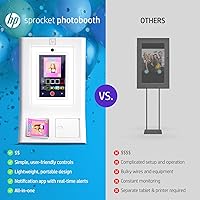
- At 7.3 pounds, this portable event printer is light enough to carry solo between venues.
- 110 sheets of paper included means you can start printing at your first event immediately.
Cons
- The 20-sheet paper tray requires constant reloading at any event with real crowd volume.
- One print per minute creates visible guest queues during high-energy event moments.
- Proprietary HP ZINK paper lock-in removes any ability to shop for lower-cost alternatives.
- Print resolution of 300 dpi produces soft, pixelated results when photos are examined closely.
- Digital sharing via QR code fails entirely if the venue Wi-Fi is unstable or unavailable.
- The companion app has reported crashes during extended event sessions on some devices.
- Long-term durability is unverified — the product is too new for multi-year reliability data.
- The glossy white casing picks up fingerprints and surface scuffs after just a few outings.
- Importing fully custom branded frames requires navigating the app rather than the on-device interface.
- Buyers hosting only one or two events annually will struggle to recoup the cost versus renting.
Ratings
The HP Sprocket Photo Booth Instant Photo Printer has been evaluated by our AI rating system after parsing verified buyer reviews from global markets, with spam, incentivized, and bot-generated feedback actively filtered out. Scores reflect the full spectrum of real-world experience — from first-time party hosts to repeat event planners — capturing both what works well and where the device genuinely falls short. Strengths and frustrations are weighted equally, so the numbers you see are honest, not optimistic.
Ease of Setup
Print Quality
Portability & Design
Paper Tray & Reload Experience
Print Speed
Touchscreen Usability
LED Ring Light & Flash Performance
Frames & Customization Options
QR Code & Digital Sharing
ZINK Paper Quality & Durability
Proprietary Paper Ecosystem & Running Costs
App Reliability & Software Stability
Host Controls & Event Management
Value for Money
Long-Term Durability
Suitable for:
The HP Sprocket Photo Booth Instant Photo Printer is built for people who host events more than once or twice a year and want to stop paying rental fees each time. It makes the most sense for wedding planners, parents organizing milestone parties, corporate event coordinators, and anyone who genuinely values the moment when a guest walks away holding a physical photo. The setup is fast enough that a solo host can manage it without a dedicated attendant, and the built-in LED lighting means you are not dependent on the venue having great ambiance. If your crowd is the type to stick a photo on their water bottle or phone case before they even leave the parking lot, the sticky-backed ZINK prints will land perfectly. Buyers who want both a print souvenir and a digital sharing option in one device, without wiring up a laptop or hiring a photo booth company, will find this portable event printer fits that gap well.
Not suitable for:
The HP Sprocket Photo Booth Instant Photo Printer is not the right purchase if you are hoping for prints you could frame, enlarge, or present professionally — at 300 dpi on a 3x4-inch sheet, the output is a fun party favor, full stop. Anyone hosting large events with 50 or more active guests should think carefully before committing: a 20-sheet tray and a one-print-per-minute speed will create a visible queue and require constant reloading throughout the night. Buyers who host events only once or twice will likely find the upfront cost harder to justify compared to simply renting a booth for the evening. The proprietary ZINK paper lock-in is also a real financial consideration — you cannot shop around for cheaper third-party paper, so ongoing supply costs are fixed and non-negotiable. Finally, anyone who needs a device proven through years of heavy use should wait: this photo booth printer launched in mid-2025, and long-term reliability data from the community simply does not exist yet.
Specifications
- Print Size: Each print measures 3x4 inches, producing a compact keepsake-sized photo suitable for sticking on surfaces or collecting in albums.
- Print Technology: Uses ZINK (Zero Ink) inkless technology, where color dyes are embedded directly in the paper and activated by heat during printing.
- Print Resolution: Maximum color print resolution is 300 dpi, which delivers vivid, casual-quality output appropriate for party keepsakes rather than archival prints.
- Print Speed: Produces one color print per minute, meaning guests should expect a short wait between each completed photo.
- Screen: Features a 10.1″ LCD touchscreen for live preview, frame selection, settings adjustment, and on-device event management without requiring a connected phone.
- Tray Capacity: The paper input tray holds a maximum of 20 sheets at one time, requiring frequent reloading at high-volume events.
- Connectivity: Connects via Wi-Fi to enable QR code photo sharing and automatic cloud storage for digital distribution to guests.
- Included Paper: Ships with 110 sheets of HP 3x4 ZINK glossy sticky-back paper, comprising 100 standard sheets and 10 bonus sheets.
- Compatible Paper: Compatible exclusively with HP-branded 3x4 ZINK Paper; no third-party or alternative paper formats are supported.
- Built-in Frames: Comes preloaded with 250-plus built-in frame designs and filters for on-device event customization without additional downloads.
- Lighting: Integrated LED ring light and built-in flash help compensate for low-ambient or uneven lighting conditions at indoor event venues.
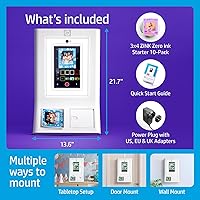
- Weight: The unit weighs 7.3 pounds, making it portable enough for one person to carry and reposition without assistance.
- Dimensions: Physical footprint measures 2″ deep by 14″ wide by 21″ tall, requiring a modest table surface for stable placement during events.
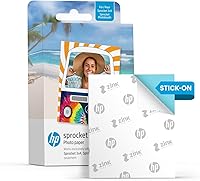
- Paper Type: Prints on glossy, sticky-backed ZINK paper that is waterproof and tear-resistant, allowing prints to function as durable stickers.
- Sharing Method: Generates scannable QR codes when connected to Wi-Fi so guests can download digital copies of their photos to any smartphone.
- Cloud Storage: Photos are automatically backed up to cloud storage during Wi-Fi-connected sessions, giving hosts easy post-event access to all images.
- Host Controls: Includes event management features such as per-guest print limits, guest access permissions, and brightness and audio settings adjustable from the device.
- Color Output: Produces full-color prints only; the device does not support monochrome-only print modes as a selectable option.
- Duplex Printing: Single-sided printing only; the device does not support duplex or double-sided output.
- Model Number: Official model series identifier is AMZHPSPPBK24W, manufactured by C&A Marketing Inc. under the HP Sprocket brand.
Related Reviews
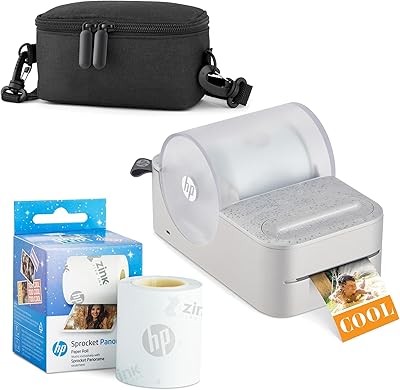
HP Sprocket Panorama Portable Photo Printer
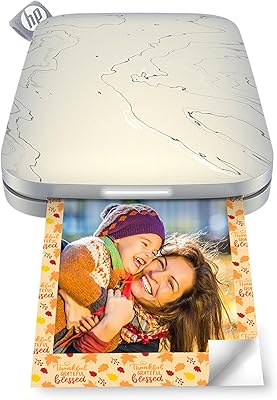
HP Sprocket Select Portable Photo Printer
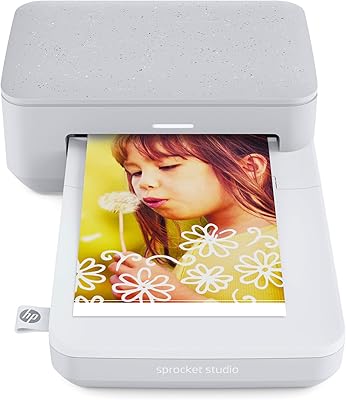
HP Sprocket Studio 4x6 Photo Printer
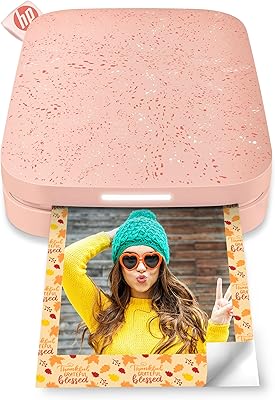
HP Sprocket 2nd Edition Portable Photo Printer
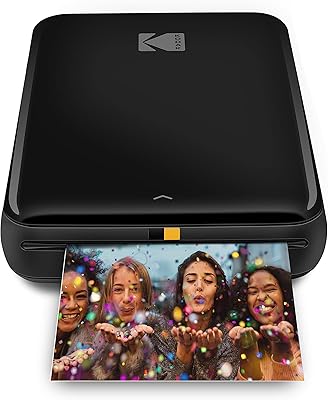
KODAK Step Instant Photo Printer
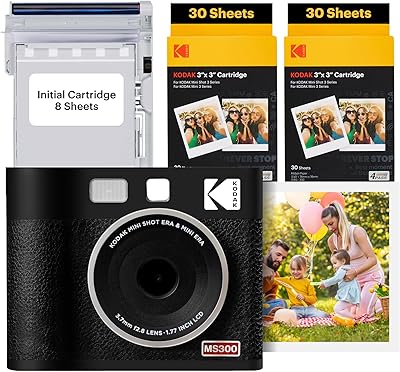
Kodak Mini Shot 3 ERA Instant Camera Printer
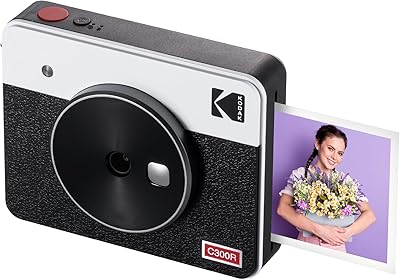
Kodak Mini Shot 3 Retro Instant Camera
KODAK Memo Shot ERA Instant Camera Printer
KODAK Mini Shot 4 ERA Instant Camera