

Overview

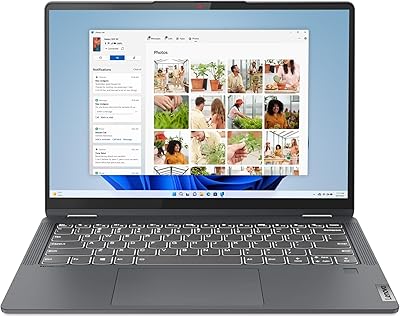
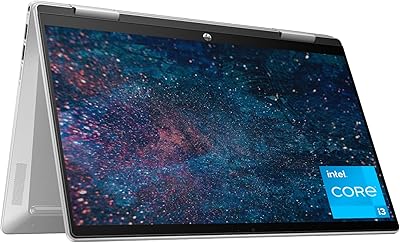
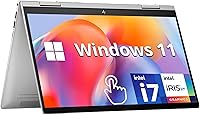
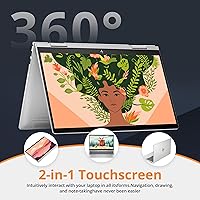
The HP Envy x360 14″ 2-in-1 Laptop occupies a comfortable niche in the mid-range convertible market — capable enough for everyday demands, yet light enough to travel with daily. The 360-degree hinge is the centerpiece of the design, letting you flip the screen into tablet, tent, or stand mode depending on what you need, and it genuinely shifts how you interact with the machine throughout the day. At 3.3 lbs and under an inch thick, the HP Envy x360 slides into a bag without complaint. The Natural Silver chassis looks professional without trying too hard. This is a solid everyday performer, not a workstation — keep expectations realistic and it will rarely disappoint.

Features & Benefits

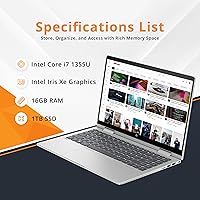
The 13th Gen i7-1355U keeps up well with the kind of multi-app chaos most people actually deal with — running a full browser, a video call, and a document side by side without the machine slowing down. Backing that up, 16GB DDR4 RAM and a 1TB PCIe SSD keep everything snappy; apps launch fast and large files move quickly. Worth noting: newer competitors at a similar price are starting to ship DDR5 memory, so this config is not cutting-edge by current standards. The FHD IPS touchscreen renders color accurately enough for casual editing, and the 5MP wide-angle camera is a clear step up from the grainy 720p sensors common at this price point. Bang & Olufsen speakers and a backlit keyboard are welcome additions.

Best For

This convertible laptop is a natural fit for college students who want a single device — flipping into tablet mode for handwritten notes during class and back into laptop mode for writing papers at night. Remote workers who live on video calls will notice the wide-angle 5MP camera picks up far more than the typical built-in webcam. Frequent travelers benefit from the sub-3.5-lb build and a battery that holds up through a full workday in lighter use. Casual creatives doing digital sketching or light photo retouching get a responsive touch display with plenty of storage to match. And if you are moving up from an older budget laptop, the performance gap will be obvious from the first boot.

User Feedback

Buyers consistently single out the display and hinge quality as highlights, with many noting the SSD makes the system feel fast from day one. The fan is a recurring complaint — under sustained load it becomes audible, and some users mention the chassis getting warm during longer sessions. Intel Iris Xe handles general use and casual image work without issue, but it hits a hard ceiling with GPU-heavy tasks; this is not a machine for gaming or serious video work. The DDR4 spec draws pointed comparisons to DDR5 rivals at the same price point, and some buyers flag it as a reason to shop around. A few reviews mention pre-loaded bloatware requiring cleanup, and initial Windows 11 setup friction is a minor but consistent theme. Hinge and keyboard durability feedback over time is broadly positive.

Pros

  • The 360-degree hinge feels solid and opens up genuinely useful tablet and tent modes for presentations or sketching.
  • A 1TB NVMe SSD means fast boot times and plenty of room without juggling external drives.
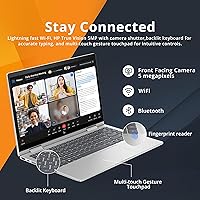
  • The 5MP IR camera is a meaningful upgrade over the blurry 720p webcams still common at this price.
  • Wi-Fi 6E keeps connections stable even in apartments crowded with competing networks.
  • Fingerprint reader and IR face login make unlocking the machine fast and reliable in daily use.
  • Bang & Olufsen speakers produce noticeably better audio than what most laptops in this range deliver.
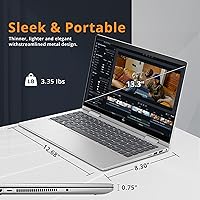
  • At 3.3 lbs and 0.77 inches thick, the HP Envy x360 travels light without feeling flimsy.
  • 16GB of RAM handles real multitasking — browser tabs, a video call, and a document open simultaneously without slowdown.
  • The backlit keyboard and full port selection, including HDMI 2.1 and a microSD slot, reduce the need for dongles.
  • FHD IPS display offers decent color accuracy and good viewing angles for media consumption and light editing.

Cons

  • The fan ramps up audibly during sustained workloads, which can be distracting in quiet environments.
  • DDR4 memory is a generation behind; several competitors at this price have already moved to faster DDR5.
  • Intel Iris Xe graphics hit a hard ceiling fast — GPU-dependent tasks are not where this machine shines.
  • Pre-installed bloatware requires a cleanup session before the machine feels fully yours.
  • Some buyers report Windows 11 initial setup adding friction, including unwanted account prompts and bundled apps.
  • The chassis can get warm around the keyboard area during longer work sessions.
  • No discrete graphics option is available, limiting future-proofing for creative workloads.
  • Battery life in real-world mixed use typically falls short of the 12-hour marketing claim.
  • The microSD slot rather than a full-size SD card reader is a small but real inconvenience for photographers.
  • This convertible laptop lacks Thunderbolt 4 support, which matters for users connecting high-speed peripherals or external displays.

Ratings

Our AI rating engine analyzed thousands of verified global buyer reviews for the HP Envy x360 14″ 2-in-1 Laptop, actively filtering out incentivized, duplicate, and bot-generated submissions to surface what real owners actually experience. The scores below reflect a balanced picture — genuine strengths and recurring frustrations alike — so you can make a confident, informed decision before buying.

Build Quality
82%
18%
The aluminum chassis feels noticeably more premium than most plastic-bodied competitors at this price tier, and the 360-degree hinge draws consistent praise for staying firm in every position without wobbling during tablet use. Long-term owners rarely report structural issues after a year or more of daily use.
The lid and palm rest area attract fingerprints and light scratches more visibly than expected on the Natural Silver finish. A few buyers mention slight flex in the display panel when pressure is applied in tablet mode, which is not unusual for a convertible but worth knowing.
Display Quality
79%
21%
The FHD IPS panel renders colors with enough accuracy for casual photo browsing and media consumption, and viewing angles hold up well when sharing the screen or working in tent mode. Brightness is frequently called out as a positive, with the display remaining legible in moderately lit environments.
Outdoor use in direct sunlight is a challenge, as the glossy touchscreen surface causes significant glare that brightness alone cannot fully overcome. Users coming from higher-end panels with better contrast ratios may find the display serviceable but not impressive.
Performance
76%
24%
The i7-1355U handles the daily stack — a browser with fifteen tabs open, a video call running, and a document in the background — without the stutter you expect from machines at this price point. The fast NVMe SSD makes the system feel snappier than the processor benchmarks alone would suggest.
Sustained workloads like large file exports or prolonged Lightroom cataloging cause the processor to throttle noticeably as thermals build up. Users comparing this convertible laptop against machines with newer, more thermally efficient chips will find it falls behind under pressure.
Keyboard & Trackpad
77%
23%
Key travel is comfortable for extended writing sessions, and the backlit keyboard allows accurate typing in dim dorm rooms or on overnight flights without needing to hunt for keys. The trackpad is smooth and responsive, handling multi-finger gestures without lag.
The key layout feels slightly cramped to typists migrating from a full-size keyboard, particularly around the arrow cluster. The trackpad, while functional, lacks the glass surface texture found on premium machines, which makes longer swipe gestures feel slightly rough over time.
Battery Life
68%
32%
Under light use — documents, light browsing, and the occasional video — the HP Envy x360 can stretch through a full university day or a work-from-home shift without needing to locate a charger. The battery recovers reasonably quickly when plugged in.
The marketed 12-hour figure is a best-case scenario that most users do not replicate in practice. Real-world mixed use typically lands between 6 and 8 hours, and streaming video or working at higher brightness pulls that number down further, making a charger necessary for longer travel days.
Webcam Quality
84%
The 5MP IR sensor with an 88-degree wide-angle lens is a genuine differentiator at this price, capturing sharper and more detailed video than the 720p cameras still bundled on many competing laptops. Remote workers on daily video calls consistently highlight this as one of the machine’s most appreciated practical upgrades.
In low-light conditions the image quality drops and some softening becomes visible, which is typical of laptop cameras but worth noting for evening calls without a desk lamp. Dynamic range struggles when the background is significantly brighter than the subject.
Thermal Management
61%
39%
Under light to moderate workloads the machine stays cool and quiet, making it comfortable to use on a lap or a small desk for the majority of everyday tasks. The thermal system manages browsing and document work without drawing attention to itself.
Push the machine into sustained heavy tasks and both the fan noise and chassis temperature climb more than users expect from a slim convertible. The bottom panel and the area above the keyboard can get uncomfortably warm during longer video exports or when multiple demanding apps run simultaneously.
Audio
81%
19%
The Bang & Olufsen tuned dual speakers produce a fuller, warmer sound than nearly any competing machine at this price, which makes streaming music, watching lectures, or joining a group video call a noticeably more pleasant experience. Volume headroom is adequate for a medium-sized room.
Bass response is thin, as expected from slim laptop speakers regardless of tuning partnership, so music genres that rely on low-frequency richness sound flat. At maximum volume, a slight distortion can be detected that becomes more apparent with bass-heavy audio.
Portability
86%
At 3.3 lbs and just under an inch thick, this 2-in-1 Envy slides into a standard laptop sleeve or backpack without dominating the bag. Students and commuters who switch between locations daily consistently mention the weight as one of the reasons they chose it over bulkier alternatives.
The power brick adds meaningful weight to the carry load on days when battery life falls short of expectations. The 14-inch footprint, while manageable, does not fit as easily into ultra-slim shoulder bags designed for 13-inch machines.
Touchscreen & Hinge
83%
The touchscreen responds accurately to both finger and stylus input, and transitioning between laptop, tent, and tablet mode is smooth enough that users actually adopt multiple orientations rather than ignoring the hinge entirely. The hinge resistance is well-calibrated for one-handed mode switching.
The screen surface picks up oil and smudging faster than a non-touch display, requiring more frequent wiping for users who switch into tablet mode regularly. Without a bundled stylus, touch-based creative work requires an additional purchase before the mode feels fully useful.
Connectivity & Ports
74%
26%
The port selection covers most everyday needs without requiring a hub: two USB-A ports handle legacy peripherals, HDMI 2.1 connects to a monitor or TV, and the microSD slot is a practical touch for camera users. Wi-Fi 6E keeps the connection fast and stable on compatible routers.
The absence of Thunderbolt 4 is a meaningful gap for users who want to connect high-speed external drives or run a high-refresh-rate external display at full bandwidth. The single USB-C port limits simultaneous peripheral and charging options without adding a hub.
Value for Money
73%
27%
The hardware bundle — a capable i7 processor, generous 16GB of RAM, a 1TB SSD, a quality webcam, and Bang & Olufsen audio — represents solid value against what comparable spending on other brands typically buys. For buyers upgrading from budget machines, the quality jump feels meaningful.
At the same price range, a growing number of competitors now offer DDR5 memory and more thermally efficient chip architectures, making this convertible laptop feel slightly less competitive on raw spec comparison sheets than it did at launch in mid-2023.
Software & Out-of-Box Experience
58%
42%
Windows 11 Home is a functional and reasonably well-designed operating system, and face recognition login through Windows Hello works reliably from the first setup. Once the machine is cleaned up and personalized it runs well.
The pre-installed bloatware from both HP and third parties is a recurring irritant, requiring buyers to spend 20 to 30 minutes removing unwanted apps before the machine feels clean. Windows 11 setup itself pushes users toward Microsoft account creation in a way many find unnecessarily persistent.
Security Features
88%
The combination of fingerprint reader and IR face recognition gives users two fast and reliable hardware-level login methods that work consistently even in dim conditions. Having both options available means you are never locked out because one method fails in an edge case.
Neither feature is unique to this machine at this price tier, so while they work well they are table stakes rather than standout advantages. Initial setup of Windows Hello requires a few extra steps that less tech-savvy buyers sometimes find confusing.
Graphics & Visual Output
55%
45%
Intel Iris Xe handles everyday visual tasks — watching 1080p video, light image editing in casual apps, and running slide presentations — without any noticeable issues. For the primary audience of students and remote workers, it is sufficient for typical daily demands.
Integrated graphics are a genuine ceiling for GPU-intensive work: serious video editing, 3D rendering, and modern gaming are all out of scope. Users who discover they need more graphical power after purchase will find no upgrade path short of replacing the machine entirely.

Suitable for:

The HP Envy x360 14″ 2-in-1 Laptop is a strong match for college students who want one machine that handles both focused laptop work and casual tablet use without carrying two devices. Remote workers who spend a meaningful chunk of their day on video calls will get real value from the wide-angle 5MP IR camera, which outperforms the mediocre webcams common at this price tier. Frequent travelers who track bag weight will appreciate a machine that comes in under 3.5 lbs and fits into slim laptop sleeves. Anyone upgrading from a several-year-old budget machine will notice an immediate jump in responsiveness, thanks to the fast NVMe SSD and ample memory. Light creatives — think casual Lightroom edits, digital journaling, or annotating PDFs by hand — will find the responsive touchscreen a practical tool rather than a gimmick.

Not suitable for:

The HP Envy x360 14″ 2-in-1 Laptop is not the right call for anyone who relies on GPU-intensive work — 3D rendering, serious video editing, or PC gaming above the most casual titles will quickly expose the ceiling of integrated Intel Iris Xe graphics. Power users who move between demanding applications simultaneously will also find DDR4 memory a step behind what newer DDR5 configurations offer at comparable prices, making this a harder sell if raw benchmark performance is a priority. Content creators who need color-accurate output for professional delivery should look at machines with factory-calibrated displays or dedicated graphics. Anyone expecting a near-silent machine will be disappointed during sustained workloads, as the fan noise becomes noticeable. Finally, buyers who want a traditional clamshell laptop and have no interest in touch or tablet modes are essentially paying for hardware they will never use.

Specifications

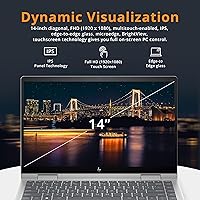
  • Display: 14-inch FHD IPS touchscreen with a 1920x1080 resolution and wide viewing angles suited for everyday media and productivity use.
  • Processor: Intel Core i7-1355U (13th Gen), a 10-core chip running at a base clock of 1.7 GHz with Turbo Boost support for demanding tasks.
  • RAM: 16GB DDR4 SDRAM at 3200 MHz provides solid multitasking headroom for browser-heavy workflows and light creative applications.
  • Storage: 1TB PCIe NVMe SSD delivers fast read and write speeds, quick boot times, and ample space for a large local file library.
  • Graphics: Intel Iris Xe integrated graphics handles everyday visuals, light photo editing, and video playback without a dedicated GPU.
  • Camera: 5MP IR wide-angle camera with an 88-degree field of view supports both face recognition login and high-clarity video conferencing.
  • Hinge Design: 360-degree rotating hinge converts the machine between laptop, tablet, tent, and stand modes for flexible use across different settings.
  • Battery: HP rates battery life at up to 12 hours; real-world mixed use typically yields less depending on screen brightness and active workloads.
  • Weight: The machine weighs 3.3 lbs (approximately 1.5 kg), keeping it practical for daily commutes and travel without sacrificing a full 14-inch display.
  • Dimensions: Physical footprint measures 12.68 x 8.3 x 0.77 inches, giving it a slim profile that fits comfortably in standard laptop sleeves and bags.
  • Ports: Connectivity includes 2x USB-A 3.0, 1x USB-C 3.2, 1x HDMI 2.1, a 3.5mm headphone jack, and a microSD card reader.
  • Wireless: Wi-Fi 6E support enables faster, lower-latency connections on compatible routers, alongside standard Bluetooth for peripheral pairing.
  • Audio: Dual speakers tuned in collaboration with Bang & Olufsen deliver noticeably cleaner and fuller sound than typical built-in laptop speakers.
  • Security: A fingerprint reader and IR-based face recognition via Windows Hello provide two convenient, hardware-level login options.
  • Operating System: Ships with Windows 11 Home pre-installed, including the standard suite of Microsoft apps and the updated Start menu and settings interface.
  • Color & Build: Available in Natural Silver with a chassis that balances a professional aesthetic against a practical, everyday-use build quality.

Related Reviews
HP Envy x360 16-inch 2-in-1 Laptop (Core Ultra 5 125U, 16GB, 1TB)

76%
88%
Display Quality
83%
Performance & Speed
79%
Build Quality & Design
61%
Portability & Weight
67%
Battery Life
More
HP OmniBook X Flip 14″ 2K Touch-Screen 2-in-1 Laptop, AMD Ryzen AI 7 3500U, 24GB RAM, 1.5TB Storage
86%
92%
Performance
90%
Display Quality
88%
Multitasking & RAM
94%
Storage Capacity
84%
Portability & Weight
More
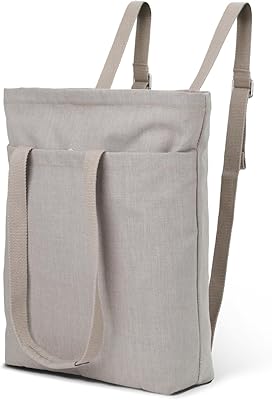
2-in-1 Waterproof Tote Backpack 14″
72%
83%
Convertible Design
76%
Laptop Protection
61%
Water Resistance
79%
Interior Organization
52%
Strap Comfort
More
HP Pavilion x360 14-inch Laptop, 13th Gen Intel Core i3, 8GB RAM, 256GB SSD
82%
80%
Performance
92%
Portability
85%
Display Quality
88%
Battery Life
83%
Build Quality
More
HP Chromebook Plus x360 14-inch 2-in-1 Laptop
76%
78%
Display Quality
82%
Performance & Speed
71%
Battery Life
81%
Build Quality & Hinge
76%
Keyboard & Trackpad
More
Lenovo IdeaPad Flex 5i 14″ 2-in-1 Laptop, Intel Core i3, 8GB RAM, 256GB SSD

84%
87%
Battery Life
91%
Portability
80%
Performance
72%
Display Quality
85%
Build Quality
More
Lenovo IdeaPad Flex 5 14-inch 2-in-1 Laptop, Ryzen 7 5700U, 16GB RAM, 512GB SSD
85%
88%
Performance
93%
Display Quality
80%
Battery Life
75%
Portability/Weight
85%
Keyboard Comfort
More
HP 2025 OmniBook X Flip 16″ 2-in-1 Laptop, Intel Core Ultra 7, 16GB RAM, 1TB SSD
86%
91%
Performance
94%
Battery Life
88%
Display Quality
75%
Portability
87%
Build Quality
More
HP 14-dq0020nr 14-inch Laptop 64GB
80%
72%
Performance
94%
Portability
88%
Battery Life
81%
Build Quality
75%
Display Quality
More
Millennium Mom's Tattoo Ink 14 Bottle Primary Color Kit 2-1/2 oz
88%
94%
Pigment Quality
90%
Ease of Application
88%
Fade Resistance
91%
Flow Consistency
85%
Long-Term Performance
More

FAQ

No, the HP Envy x360 14″ 2-in-1 Laptop does not include a stylus in the box. The touchscreen does support active pen input, but you would need to purchase an HP-compatible stylus separately if you plan to sketch or annotate regularly.

On most configurations of this model, the RAM is soldered to the motherboard and cannot be upgraded after purchase. The SSD may be replaceable depending on the specific build, but it requires opening the chassis and voids your warranty, so it is worth confirming with HP support before attempting it.

In practical everyday use — browsing, documents, video calls — you are unlikely to notice a real difference between DDR4 and DDR5. Where it starts to matter is in memory-bandwidth-sensitive workloads like video encoding or certain creative apps. If benchmark performance is a priority, some competing machines at a similar price have moved to DDR5, so it is worth comparing before committing.

For light tasks like web browsing, document editing, and video calls, the fan is quiet and often inaudible. Under sustained heavier loads — exporting files, running multiple intensive apps at once — the fan becomes noticeably active. It is not unusually loud for the category, but it is something to be aware of if you work in very quiet environments.

Light or older titles can run on the Intel Iris Xe integrated graphics, but this convertible laptop is not designed for gaming. Expect playable framerates on less demanding games, and significant performance issues with modern, graphically intensive titles. If gaming is a regular use case, a machine with a dedicated GPU would serve you much better.

Yes, the USB-C 3.2 port supports both charging the laptop and video output to an external display. It does not support Thunderbolt 4, so transfer speeds and daisy-chaining capabilities are more limited than on premium Thunderbolt-equipped machines.

It is genuinely good for this price range. The 5MP sensor with an 88-degree wide-angle lens captures a much broader and sharper image than the 720p cameras still found on many competing laptops. The infrared sensor also means Windows Hello face recognition works reliably even in lower light.

HP claims up to 12 hours, but real-world results depend heavily on screen brightness, Wi-Fi usage, and what you are running. Most users doing mixed work — browsing, documents, the occasional video call — report getting somewhere between 7 and 9 hours before needing to plug in. Streaming video or working at full brightness will bring that number down noticeably.

Yes, like most Windows laptops from major manufacturers, the HP Envy x360 ships with a handful of pre-installed apps from HP and third parties that you may not need. It is worth spending 20 to 30 minutes after setup going through the installed programs list and removing anything you do not plan to use. It makes a noticeable difference to the out-of-the-box experience.

The hinge is one of the consistently praised aspects of this machine in long-term user feedback. It holds positions firmly and does not wobble in tent or stand mode, and extended owners generally report it staying solid after regular use. That said, like any mechanical hinge used heavily over years, it is worth handling it with reasonable care rather than forcing it past its range of motion.