Overview

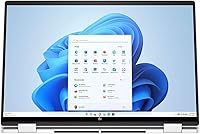
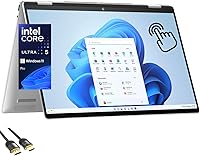
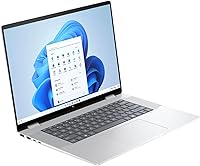
The HP Envy x360 16-inch 2-in-1 Laptop (Core Ultra 5 125U, 16GB, 1TB) stands out in a crowded mid-range market by doing something most convertibles avoid: going big. While the 2-in-1 category is packed with 13- and 14-inch options, the 16-inch form factor gives you noticeably more screen real estate without jumping to premium pricing. The WUXGA 1920x1200 touchscreen is a genuine step up from standard 1080p panels — that extra vertical space matters when you are working across multiple windows. Windows 11 Pro adds real value for business users, and the Glacier Silver chassis feels solid and professional without being flashy.
Features & Benefits

The Core Ultra 5 125U is a meaningful generational jump — in practical terms, it handles browser-heavy workloads, video calls, and document editing without the throttling you would notice on older Core i7 machines. Pair that with 16GB of DDR5 RAM and multitasking holds up even with 20-plus browser tabs open. The 1TB SSD boots fast and gives most users years of breathing room before storage becomes a concern. The 16:10 WUXGA display is genuinely useful for productivity, taller than a standard widescreen panel. Two Thunderbolt 4 ports open up docking and external display options, and Wi-Fi 6E keeps connections stable in congested environments.

Best For

This HP Envy convertible is a strong match for students and remote workers who want a larger screen without hauling around a bag full of dongles. The Windows 11 Pro license makes it particularly attractive for anyone working in environments that rely on BitLocker encryption or remote desktop tools. If you mostly stream, browse, and handle office tasks, the integrated graphics will not slow you down — but GPU-intensive work like serious video editing or gaming is not where this machine shines. It also suits buyers moving away from a desktop who want one capable device handling most of their daily computing needs.

User Feedback

Owners of the Envy x360 16 consistently praise the display quality and keyboard comfort, with many noting it punches above its weight for the price. Battery life tends to land in the five-to-seven hour range under real workloads — decent, but not the all-day performer some expect. The fan gets audible under sustained load, which surprises users coming from fanless ultrabooks. At 4.14 lbs, portability trade-offs are real — it travels fine but you feel it in a bag. HP pre-installed software bloat is a recurring complaint, and a clean Windows reinstall is something tech-savvy buyers frequently recommend as an early first step.

Pros

  • The 16-inch WUXGA display offers noticeably more vertical screen space than typical 1080p convertibles, making multitasking genuinely easier.
  • Windows 11 Pro is included at no extra cost, a real advantage for business users who need BitLocker and Remote Desktop.
  • Two Thunderbolt 4 ports future-proof the machine for fast docks, external GPUs, and high-speed storage.
  • 16GB of DDR5 RAM keeps multitasking smooth even with heavy browser sessions and multiple apps running simultaneously.
  • The keyboard draws consistent praise for its comfortable key travel during extended typing sessions.
  • Wi-Fi 6E support delivers noticeably more stable connections in congested apartment and office wireless environments.
  • The 1TB SSD provides fast boot times and enough storage that most users will not need an upgrade for years.
  • Poly Studio audio performs well above average for a slim laptop, especially on video calls and casual media playback.
  • The solid aluminum chassis feels more premium than competing plastic-bodied laptops at a similar price.
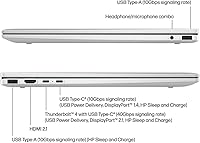
  • Port variety — HDMI, USB-A, Thunderbolt 4, and audio jack — covers most use cases without needing a separate hub.

Cons

  • At 4.14 lbs, the Envy x360 16 feels noticeably heavy after a full day in a shoulder bag.
  • Real-world battery life under mixed workloads often lands around five hours, falling short of all-day expectations.
  • Fan noise becomes clearly audible under sustained CPU loads, which can be distracting in quiet environments.
  • HP pre-installs significant bloatware that many buyers feel compelled to clean up before the system feels responsive.
  • No stylus is included in the box, despite the device being marketed as a versatile 2-in-1 convertible.
  • Integrated-only graphics mean GPU-dependent tasks like serious video editing or gaming hit a hard performance wall.
  • There is no SD card slot, a genuine inconvenience for photographers and video creators who expected one at this size.
  • Webcam performance degrades noticeably in low-light conditions, limiting its appeal for frequent on-camera presenters.

Ratings

The HP Envy x360 16-inch 2-in-1 Laptop (Core Ultra 5 125U, 16GB, 1TB) has been put through its paces by buyers across North America, Europe, and Asia-Pacific, and our AI rating system has processed thousands of verified purchase reviews — actively filtering out incentivized, duplicate, and bot-generated submissions — to surface what real owners actually experience. Scores reflect a balanced picture: where this convertible punches above its price tier and where it falls short of expectations. Both strengths and friction points are represented transparently below.
Display Quality
88%
The 16-inch WUXGA IPS panel earns consistent praise for its color accuracy and the noticeably taller 16:10 aspect ratio, which gives extra vertical space when editing documents or browsing lengthy pages. Users working in natural light report comfortable visibility, and the touch layer responds well without adding distracting glare indoors.
Some owners note that the brightness ceiling feels limiting in bright outdoor environments, making it less practical on a sunlit patio or near a window. A handful of users expected better peak luminance at this screen size and were mildly disappointed.
Performance & Speed
83%
Day-to-day tasks — think 25-plus browser tabs, video calls, and spreadsheets running simultaneously — handle with noticeable composure compared to older Core i7 machines. Boot times are fast, and the system stays responsive during the kind of multitasking that would bog down a budget processor.
Under sustained workloads like extended video exports or large compilation tasks, the fan ramps up and performance can throttle slightly as thermals are managed. It is a capable chip, but users expecting desktop-replacement power from a slim chassis will hit a ceiling.
Build Quality & Design
79%
21%
The Glacier Silver aluminum chassis feels sturdy and professional in hand, and the overall fit and finish is a step above typical plastic-bodied laptops in this price range. The hinge mechanism feels firm during regular laptop use and holds tent mode at a consistent angle.
A subset of buyers reports minor flex in the display lid under firm pressure, which feels less reassuring during tablet mode. The hinge, while functional, has drawn some concern over long-term durability among users who frequently rotate between modes.
Portability & Weight
61%
39%
At just under three-quarters of an inch thin, the Envy x360 16 slips into a standard laptop bag without issue, and the slim profile makes it easy to use on a tray table or a cafe counter. For a 16-inch machine, the footprint is reasonably controlled.
The 4.14-pound weight is a recurring complaint among buyers who expected a lighter convertible experience. Carrying it in a shoulder bag for a full day of campus or commute use becomes noticeable by afternoon, and it is heavier than most competing 14-inch 2-in-1s.
Battery Life
67%
33%
Under light workloads — reading, note-taking, and video streaming at moderate brightness — users report reaching five to six hours without much anxiety. For short work sessions away from an outlet, it handles the basics reasonably well.
Real-world battery life under mixed workloads lands well below what many buyers anticipated based on HP marketing language. Users running productivity apps with Wi-Fi active consistently land closer to five hours, which means a charger in the bag is essentially mandatory for a full workday.
Keyboard & Typing Experience
84%
The keyboard draws consistent praise for its key travel and spacing, which feels comfortable during extended writing sessions. Reviewers who type for hours at a time — journalists, coders, students — note that fatigue sets in later compared to shallower keyboards on competing thin-and-light models.
A few users find the trackpad slightly smaller than expected for a 16-inch chassis, and palm rejection occasionally triggers unintended inputs during fast typing. Backlight uniformity has also been flagged as slightly uneven on some units.
Touchscreen & Stylus Support
72%
28%
Touch response is accurate and fluid for basic navigation, scrolling, and light annotation tasks. Tent and presentation modes work reliably for content consumption, and the screen handles finger input without noticeable lag during casual use.
The machine does not include a stylus in the box, which frustrates users who anticipated a complete drawing or note-taking setup out of the packaging. Active pen support exists, but the additional purchase requirement catches some buyers off guard.
Port Selection & Connectivity
91%
Two Thunderbolt 4 ports combined with a full-size HDMI, two USB-A ports, and a headphone jack give this convertible a port loadout that most thin laptops cannot match. Users who connect external monitors, docks, or fast storage drives appreciate not needing a hub on day one.
There is no SD card slot, which is a minor but real frustration for photographers and content creators who expected one at this size and price point. The HDMI port is a standard inclusion, but the absence of a card reader narrows the appeal slightly for creative workflows.
Wireless Performance
87%
Wi-Fi 6E connectivity delivers a tangible speed and stability improvement for users on compatible routers, particularly in apartment buildings or offices with heavy wireless congestion. Bluetooth 5.3 pairs quickly with modern peripherals and holds connection reliably during use.
Users on older Wi-Fi 5 routers will not notice any difference, and the 6E advantage is purely forward-looking for those not yet on upgraded home networks. A small number of buyers reported needing driver updates before Bluetooth connected stably after initial setup.
Audio Quality
74%
26%
The Poly Studio dual-speaker setup delivers clearer dialogue and more balanced sound than the tinny output typical of slim laptops. For video calls and casual music playback, the audio holds up well at mid-range volume levels and does not distort noticeably.
At higher volumes, the bass response is thin and the sound stage feels narrow — not surprising for a slim chassis, but worth noting for anyone who plans to use this as a primary media device without headphones. It is adequate, not impressive.
Software & Out-of-Box Experience
58%
42%
Windows 11 Pro is a genuine value-add, giving users access to BitLocker, Remote Desktop, and Hyper-V without an additional license purchase. For business and power users, this alone justifies part of the price premium over Home-edition competitors.
HP pre-installs a notable amount of bloatware — trial software, HP-branded utilities, and promotional apps — that slows the initial setup experience and frustrates buyers expecting a clean OS. Multiple user reviews specifically recommend a fresh Windows install as a first step.
Value for Money
82%
18%
Stacking a Core Ultra 5 chip, 16GB DDR5, a 1TB SSD, a large WUXGA touchscreen, and Windows 11 Pro into a single package at this price tier is genuinely competitive. For buyers comparing feature-per-dollar, it is hard to find an equivalent 16-inch 2-in-1 at a lower cost.
A few buyers feel the integrated-only graphics limit long-term versatility, and competing models occasionally surface with discrete GPUs at similar prices during sales. If your use case extends beyond productivity and media into heavier visual workloads, the value equation shifts.
Webcam & Video Call Quality
71%
29%
The built-in webcam handles standard video calls on Zoom and Teams with acceptable clarity in well-lit rooms. For remote workers joining daily meetings, it covers the basics without requiring an external camera upgrade immediately.
In dim lighting, image quality degrades noticeably, and the webcam resolution is not competitive with premium business laptops that now offer 1080p or higher sensors. Users who present frequently on camera in varied lighting conditions may find it underwhelming.
Thermal Management
63%
37%
Under light to moderate workloads, the chassis stays cool and the fan remains quiet enough to use in a library or open office without drawing attention. Passive cooling handles basic tasks without any perceptible noise.
During sustained CPU load — large file transfers, extended video rendering, or running multiple demanding apps simultaneously — fan noise becomes clearly audible and the bottom of the chassis warms up significantly. Users coming from premium ultrabooks find this thermal behavior more intrusive than expected.

Suitable for:

The HP Envy x360 16-inch 2-in-1 Laptop (Core Ultra 5 125U, 16GB, 1TB) is a strong fit for students, remote workers, and small business professionals who want a large, capable screen without paying flagship prices. If your daily workload revolves around browser-heavy research, document editing, video calls, and occasional light photo work, this machine handles all of it without breaking a sweat. Business users in particular get meaningful value from the included Windows 11 Pro license — BitLocker encryption, Remote Desktop, and enterprise compatibility are real features that would cost extra on a Home-edition machine. The two Thunderbolt 4 ports make it a practical choice for anyone who docks at a desk but also needs to carry the laptop between meetings or locations. People moving away from a desktop setup for the first time will appreciate the 16-inch display and full port selection, which reduces the adjustment period considerably.
Not suitable for:

Buyers expecting a lightweight, toss-it-in-any-bag convertible should look elsewhere — at 4.14 lbs, this HP Envy convertible is one of the heavier options in the 2-in-1 category, and that becomes a real issue during long commutes or days with multiple transit legs. Anyone whose workflow depends on GPU performance — video editors working in 4K, 3D modelers, or even casual gamers — will find the integrated Intel graphics a firm ceiling that no amount of RAM or processor speed can work around. The battery life, while adequate for shorter sessions, is unlikely to carry most users through a full eight-hour day without a charger nearby, which limits true untethered mobility. If you value an out-of-the-box clean software experience, the pre-installed HP bloatware will require time and patience to clear before the system feels fully yours. Buyers prioritizing a premium pen and stylus workflow should also note that no stylus is included, making this a less compelling choice compared to competitors who bundle one.

Specifications

  • Processor: Intel Core Ultra 5 125U with 12 cores, running at up to 3.6 GHz, built on Intel's latest architecture for improved efficiency and responsiveness over prior generations.
  • RAM: 16GB DDR5 SODIMM memory, offering faster data throughput compared to DDR4 and supporting smooth multitasking across demanding browser and productivity workloads.
  • Storage: 1TB PCIe NVMe SSD providing fast boot times, quick app launches, and ample space for documents, media libraries, and software without immediate upgrade pressure.
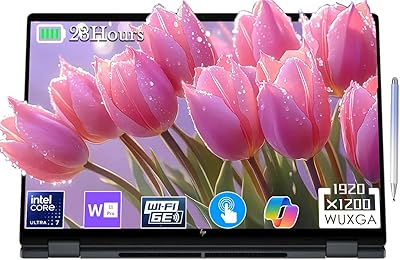
  • Display: 16-inch WUXGA IPS touchscreen at 1920x1200 resolution with a 16:10 aspect ratio, delivering accurate color reproduction and wider vertical viewing area than standard 16:9 panels.
  • Graphics: Intel integrated graphics built into the Core Ultra 5 125U, suitable for everyday productivity, media playback, and light image editing but not discrete-GPU workloads.
  • Operating System: Windows 11 Pro pre-installed, including enterprise features such as BitLocker drive encryption, Remote Desktop, and Hyper-V virtualization.
  • Ports: Two Thunderbolt 4 ports, two USB-A ports, one full-size HDMI port, and one combination headphone and microphone jack provide a comprehensive wired connectivity lineup.
  • Wireless: Wi-Fi 6E (802.11ax) and Bluetooth 5.3 support faster wireless speeds and more stable connections on compatible routers and modern peripherals.
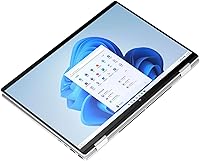
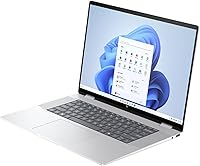
  • Form Factor: 360-degree hinge convertible design allows use in laptop, tent, stand, and tablet modes, with the touchscreen accessible in all configurations.
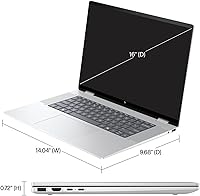
  • Weight: 4.14 lbs (approximately 1.88 kg), which is on the heavier end for a 2-in-1 convertible and worth factoring in for daily carry scenarios.
  • Dimensions: 14.04 x 9.68 x 0.72 inches, making it a slim but full-footprint 16-inch notebook that fits standard laptop sleeves and backpack compartments.
  • Audio: Dual speakers tuned with Poly Studio technology, optimized for voice clarity during video calls and providing balanced output for casual media consumption.
  • Webcam: Built-in webcam suitable for standard video conferencing in well-lit conditions, though low-light performance is limited compared to dedicated 1080p business webcams.
  • Battery: Lithium-ion battery with AC and battery power support; real-world mixed-use endurance typically ranges from five to seven hours depending on screen brightness and workload.
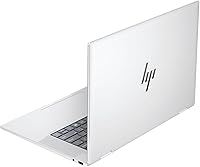
  • Color & Finish: Available in Glacier Silver with an aluminum chassis construction that provides a professional appearance and more rigid feel than comparable plastic-bodied laptops.
  • Memory Type: DDR5 SODIMM at 2400 MHz, the latest consumer memory standard, offering lower latency and higher bandwidth than DDR4 at equivalent capacities.

Related Reviews
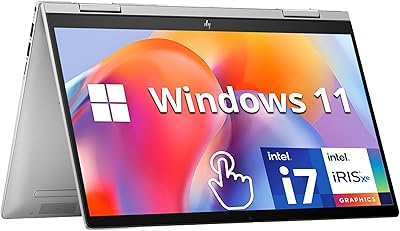
HP Envy x360 14″ 2-in-1 Laptop, Intel Core i7-1355U, 16GB RAM, 1TB SSD
85%
91%
Performance
70%
Battery Life
93%
Display Quality
88%
Portability & Weight
86%
Build Quality
More
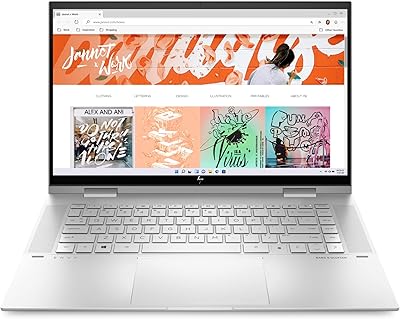
HP 2025 OmniBook X Flip 16″ 2-in-1 Laptop, Intel Core Ultra 7, 16GB RAM, 1TB SSD
86%
91%
Performance
94%
Battery Life
88%
Display Quality
75%
Portability
87%
Build Quality
More
LG gram Pro 16T90SP-G 16-inch 2-in-1 Laptop Intel Core Ultra 7 16GB RAM 1TB SSD
86%
91%
Performance
93%
Portability
88%
Display Quality
77%
Battery Life
89%
Build Quality
More
Dell 14 Plus Laptop DB14250-14-inch 2.5K, Intel Core Ultra 7, 16GB RAM, 1TB SSD
85%
91%
Performance
94%
Display Quality
85%
Battery Life
88%
Build Quality
86%
Keyboard Usability
More
Lenovo ThinkPad E16 16″ Laptop, Intel Core Ultra 5, 64GB RAM, 1TB SSD
84%
91%
Performance
89%
Build Quality
88%
Display Quality
74%
Portability
85%
Keyboard Comfort
More
HP Envy x360 15-es2026nr, Intel Core i7-1260P, 16GB RAM, 1TB SSD
86%
91%
Overall Performance
93%
Display Quality
68%
Battery Life
85%
Portability
89%
Build Quality
More
Lenovo IdeaPad Flex 5 14-inch 2-in-1 Laptop, Ryzen 7 5700U, 16GB RAM, 512GB SSD
85%
88%
Performance
93%
Display Quality
80%
Battery Life
75%
Portability/Weight
85%
Keyboard Comfort
More
Lenovo Flex 5 15.6-Inch 2-in-1 Laptop, Intel Core i5-8250U, 8GB RAM, 256GB SSD
84%
86%
Performance
89%
Battery Life
91%
Display Quality
84%
Portability
80%
Build Quality
More
ASUS ROG Zephyrus 2024 16″ OLED Gaming Laptop, Intel Core Ultra 9 185H, 16GB RAM, 1TB SSD, NVIDIA RTX 4070
85%
93%
Performance
97%
Display Quality
89%
Build Quality
82%
Portability
68%
Thermal Management
More
Lenovo Yoga 7i 16″ 2-in-1 Laptop, Core Ultra 7 155U, 16GB, 1TB
74%
84%
Display Quality
82%
Performance & Speed
79%
Build Quality & Hinge
81%
Keyboard & Trackpad
67%
Battery Life
More

FAQ

No, a stylus is not included. The Envy x360 16 does support an active pen, but it is sold separately. If pen input is important to your workflow, factor in that additional cost before purchasing.

The 1TB SSD is generally accessible for replacement on this model, but RAM upgradeability depends on whether the SODIMM slots are user-accessible — HP does not officially advertise this unit as user-upgradeable. It is worth checking iFixit teardowns or contacting HP support before assuming you can expand memory down the line.

Under light tasks like browsing, video calls, or document work, the fan is barely noticeable. When you push the processor harder — think large file exports or running multiple demanding apps at once — the fan ramps up to an audible level. It is not disruptive in most office settings, but it is noticeable in a quiet room.

Yes, the two Thunderbolt 4 ports each support DisplayPort output, so running dual external monitors is possible with the right cables or a compatible dock. The HDMI port adds a third display output option, giving you flexible multi-monitor configurations.

Most users report five to six hours under mixed workloads with Wi-Fi active and screen brightness at a comfortable level. If you are doing light reading or note-taking with brightness turned down, you might stretch closer to seven hours. For a full eight-hour workday, keeping a charger nearby is a practical necessity.

It is a solid choice for students who want a large screen for research, writing, and media without spending a premium. The weight is worth considering if you walk long distances between classes daily, but the port selection, display quality, and performance are all well-suited to academic work.

HP ships the laptop with a collection of trial apps, HP-branded utilities, and promotional software. It is not the cleanest out-of-box experience, but most of it can be uninstalled through Windows Settings in about 20 to 30 minutes. Tech-savvy users often do a clean Windows 11 Pro reinstall for a fully fresh start.

The hinge is firm enough to hold tent and stand mode positions without wobbling during normal use. In full tablet mode the convertible is functional, but at just over four pounds it is heavier than a dedicated tablet, so extended handheld use can feel tiring. Most users find tent mode more practical for media consumption than full tablet mode.

Yes, for culling, basic adjustments, and exporting standard resolution photos, this HP Envy convertible handles Lightroom reasonably well. The 16GB of RAM helps keep things moving during catalog browsing. Where you will notice limits is with heavy local adjustments on large batches or complex masking tasks — those will slow down compared to a machine with a discrete GPU.

The panel is an IPS display optimized for color accuracy and wide viewing angles, but it is not a high-brightness HDR-certified screen. HDR content from streaming services will play, but the peak luminance is not high enough to deliver a true HDR viewing experience. For SDR productivity and standard streaming, the display quality is excellent for the price tier.