

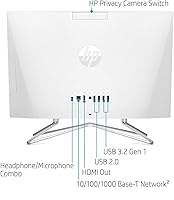
Overview
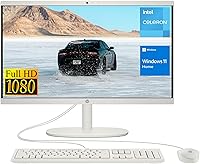
The HP 22-df0224 All-in-One 21.5″ represents a practical entry point into the world of simplified home computing. In an era where bulky towers and messy cables feel increasingly dated, this budget HP all-in-one aims for a clean, integrated look that fits easily onto a small kitchen nook or a cramped bedroom desk. The minimalist white finish gives off a fresh, modern vibe that belies its affordable price tag. However, it is important to set the right expectations from the start regarding power. This is an entry-level machine designed for modest computing needs rather than heavy multitasking or creative production. It prioritizes a small footprint and ease of use, making it an attractive option for those who want a computer that just works without taking over the entire room.
Features & Benefits
For a machine in this price bracket, the 21.5-inch FHD display is a standout, featuring a three-sided micro-edge design that maximizes your viewing area. The anti-glare coating is a thoughtful touch, especially if your workspace is near a window. Under the hood, this compact desktop pairs 8GB of memory with a 256GB SSD. While the Intel Celeron processor is humble, the SSD ensures that boot times are snappy and applications open without the frustrating lag common in older hard drives. Connectivity is surprisingly robust, offering a mix of USB ports and an HDMI output for a second monitor. Having a matching wired keyboard and mouse included in the box means you can go from unboxing to browsing the web in just a few minutes.
Best For
This 21.5-inch workstation finds its stride in environments where simplicity is the primary goal. It is an ideal student station for writing essays, researching projects, or joining virtual classrooms. Home users who primarily stick to checking emails, paying bills, and streaming high-definition video will find the performance perfectly adequate. It also serves as a reliable secondary computer for a clutter-free home office or a dedicated spot for basic administrative tasks. If you are looking for a machine to handle complex video editing or high-end gaming, you will want to look elsewhere. This budget HP all-in-one is built for daily productivity and light entertainment, offering a tidy solution for those who value desk space and a straightforward user experience over raw processing power.
User Feedback
Real-world buyers frequently highlight how easy it is to get this compact desktop up and running right out of the box. The user-friendly setup is a recurring theme in feedback, particularly from those who are not tech-savvy. Many users are pleasantly surprised by the vivid screen clarity, noting that it punches above its weight for a budget model. On the flip side, the entry-level Celeron processor does receive some criticism when pushed too hard. Trying to run dozens of browser tabs or heavy background software can lead to noticeable slowdowns. Despite these performance ceilings, the general consensus remains positive for everyday reliable use. Most owners feel the trade-off in power is worth the aesthetic appeal and the organized, wire-free look it brings to their workspace.
Pros
- The all-in-one design significantly reduces cable clutter and saves valuable desk space in small rooms.
- A crisp 21.5-inch FHD display provides clear visuals for homework, streaming, and general web browsing.
- The 256GB SSD ensures the system boots up quickly and feels responsive during initial startup.
- Comes with a matching white keyboard and mouse, making it ready to use immediately after unboxing.
- Equipped with 8GB of RAM, which provides a helpful boost for basic multitasking over cheaper 4GB models.
- The integrated anti-glare coating helps maintain visibility even when placed near bright indoor lighting.
- Its minimalist white aesthetic allows this budget HP all-in-one to blend seamlessly with modern home furniture.
- The inclusion of an Ethernet port offers a more stable internet connection for those with weak Wi-Fi.
Cons
- The dual-core Celeron processor frequently hits performance limits when attempting to run multiple heavy applications.
- Wired peripherals occupy two of the limited USB ports, which can be frustrating if you have many accessories.
- The integrated webcam can appear grainy and struggle with clarity in poorly lit home office environments.
- Internal storage capacity of 256GB may fill up quickly for families who save many photos or videos.
- Lacks a modern USB-C port, which complicates connecting newer smartphones or high-speed external drives.
- The non-adjustable stand height can lead to ergonomic issues during extended study or work sessions.
- Built-in speakers lack depth and bass, often requiring external headphones for a better audio experience.
- Limited upgradeability means you cannot easily swap out internal components to improve speed later on.
Ratings
Our team analyzed thousands of verified global owner reports for the HP 22-df0224 All-in-One 21.5″, using advanced AI filtering to strip away bot activity and incentivized reviews. This scoring system reflects a transparent synthesis of real-world reliability and daily performance, highlighting where this compact desktop shines and where it hits its hardware limits.
Value for Money
Display Quality
Setup Experience
Processing Power
Boot Speed
Physical Footprint
Connectivity & Ports
Build Aesthetics
Multitasking Ability
Audio & Webcam Quality
Suitable for:
The HP 22-df0224 All-in-One 21.5″ is a practical solution for students and home users who need a dedicated workstation without the bulk of a traditional tower. It excels in low-intensity environments such as a shared family kitchen or a small bedroom where space is at a premium. Parents will appreciate the straightforward setup for kids' homework, while casual users will find it perfectly adequate for checking emails, social media, and streaming video. If your daily routine involves basic document editing and web browsing, this compact desktop offers a tidy, all-in-one footprint that fits modern decor.
Not suitable for:
Power users and creative professionals should steer clear of the HP 22-df0224 All-in-One 21.5″ due to its entry-level processing hardware. The Intel Celeron chip simply isn't built to handle demanding tasks like 4K video editing, complex data analysis, or modern gaming. Furthermore, if you are someone who keeps dozens of active browser tabs and background applications running simultaneously, the hardware will likely struggle to keep up. It is not a suitable choice for anyone looking for a future-proof machine that can grow with expanding technical needs over several years.
Specifications
- Display: The 21.5″ diagonal FHD VA ZBD display features a three-sided micro-edge design with anti-glare coating and 250 nits of brightness.
- Processor: This system runs on an Intel Celeron J4025 dual-core processor with a base frequency of 2.0GHz up to 2.4GHz burst.
- Memory: The unit is equipped with 8GB of DDR4 RAM to handle standard multitasking and application loads.
- Storage: Internal data is managed by a 256GB PCIe NVMe M.2 Solid State Drive for faster boot times and data access.
- Operating System: The computer comes pre-installed with Windows 11 Home edition.
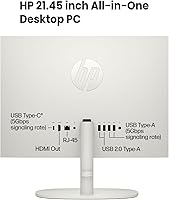
- USB Connectivity: It includes two SuperSpeed USB Type-A ports with 5Gbps signaling rate and two legacy USB 2.0 Type-A ports.
- Video Output: One HDMI 1.4 port is available on the rear of the machine for connecting an external monitor or television.
- Networking: Standard connectivity includes an integrated RJ-45 Ethernet port for wired internet and built-in WiFi.
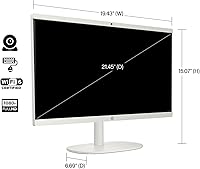
- Dimensions: The physical footprint of the unit measures approximately 19.3″ by 14.99″ by 8.05″.
- Weight: The entire all-in-one system weighs roughly 12.56 pounds, making it easy to relocate if needed.
- Graphics: Visual processing is handled by integrated Intel UHD Graphics 600.
- Audio: The chassis features a headphone and microphone combo jack and built-in stereo speakers.
- Camera: An integrated webcam is positioned at the top of the display for video conferencing and calls.
- Power Supply: The system is powered by an external AC power adapter included in the box.
- Included Peripherals: A matching white wired keyboard and a white wired optical mouse are provided as standard accessories.
Related Reviews
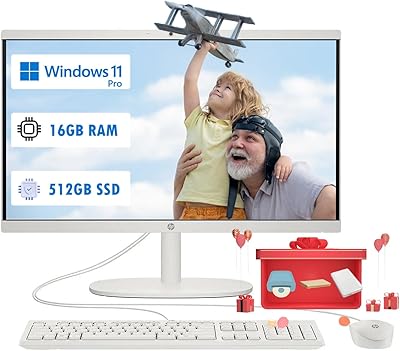
HP 22 All-in-One PC (21.5-inch, 16GB RAM, 512GB SSD)
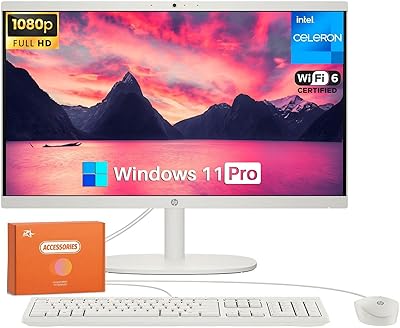
HP 22-DG0024 21.5-inch All-in-One Desktop
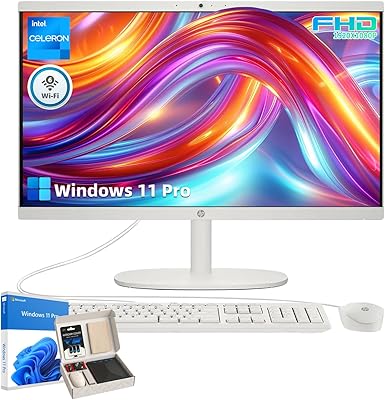
HP 21.5″ All-in-One Desktop 16GB RAM 1TB SSD
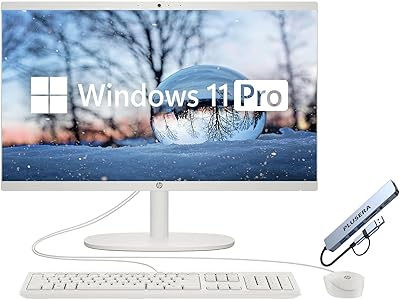
HP 21.5″ All-in-One Desktop (64GB RAM, 2.5TB Storage)
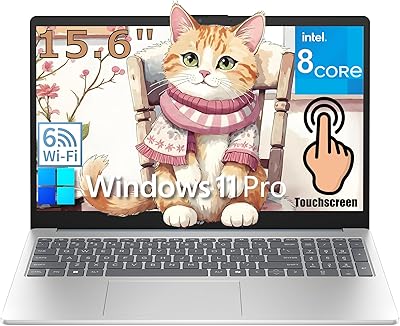
HP 15 15.6-Inch Touchscreen Laptop
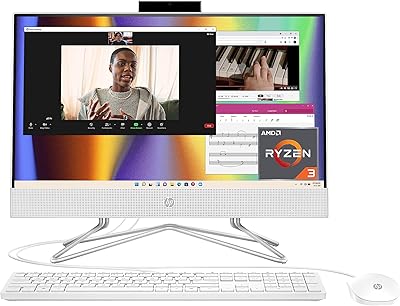
HP All-in-One 22-dd0032 21.5″ Desktop
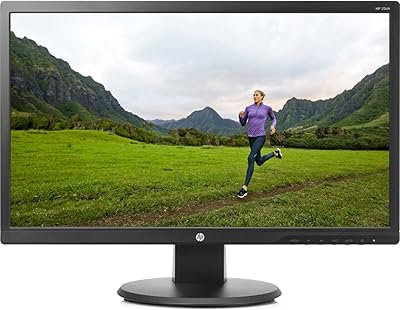
HP 22uh 21.5-inch Monitor
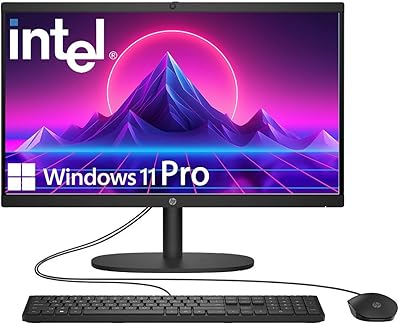
HP 22″ All-in-One Desktop (N100, 8GB DDR5, 128GB)
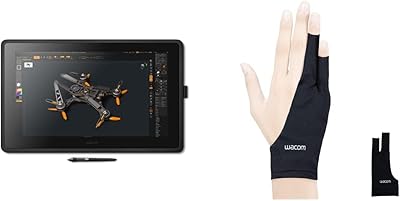
Wacom Cintiq 22 21.5-inch Pen Display