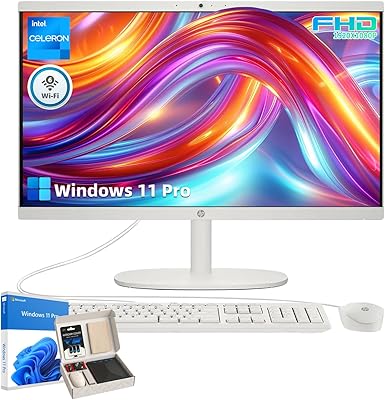
HP 22″ All-in-One Desktop (N100, 8GB DDR5, 128GB)



Overview
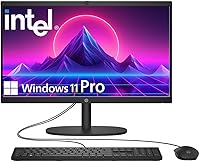
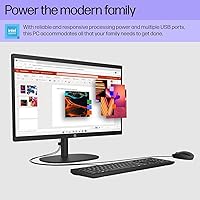
The HP 22″ All-in-One Desktop (N100, 8GB DDR5, 128GB) is HP's latest entry into the affordable all-in-one space, landing on shelves in July 2025 with a focus on simplicity and everyday practicality. One thing you notice immediately is how much desk space it frees up — no tower, no cable tangle, just a clean 22-inch screen with everything built in. It currently sits at #9 in All-in-One Computers on Amazon, which is a decent early signal. Powering it all is Intel's N100 chip — efficient and cool-running, but designed for light workloads, not heavy lifting. Know that going in and you'll likely be satisfied.
Features & Benefits
The 21.5-inch Full HD anti-glare display is genuinely one of the stronger aspects of this all-in-one desktop — it's comfortable to look at for hours, which matters if you're doing paperwork, watching content, or sitting through back-to-back video calls. The Intel N100 processor handles web browsing, Office applications, and streaming without complaint, though it will show its limits if you push it with multiple heavy tabs or large files simultaneously. Eight gigabytes of DDR5 RAM keeps everyday multitasking fluid. The 128GB UFS storage boots fast but fills up quickly — the limited capacity is the honest trade-off here. On the connectivity side, you get Wi-Fi 6, Bluetooth 5.3, USB-C, multiple USB-A ports, HDMI-out, and Ethernet, which is a generous spread for this price tier.
Best For
This HP all-in-one is a solid pick for anyone who wants a clutter-free desk without the complexity of building or configuring a separate tower-and-monitor setup. Home office workers handling documents, emails, and video calls will find it more than capable day-to-day. It's also well-suited for students who need a reliable Windows 11 Pro machine for assignments and light research without overspending. Seniors and non-technical users tend to appreciate how straightforward it is to get running — there's very little setup friction. Small businesses looking for an affordable secondary workstation at a reception desk or shared workspace should also take note. Just be clear-eyed: if you need serious storage or graphics horsepower, this is not the machine for you.
User Feedback
Early buyers of the HP 22″ desktop tend to praise the compact footprint and clean display most often — setup takes minutes and the screen looks sharp in person. Boot times get positive mentions too, thanks to the UFS storage. On the flip side, the 128GB capacity is the most recurring complaint; users filling it with photos, videos, or software run out of room faster than expected, so pairing it with an external drive or cloud storage plan is essentially a necessity. Webcam quality earns mixed marks — functional for standard calls, but not impressive. A few users note the N100 chip feels sluggish under heavier loads. Overall, satisfied buyers are those who matched their expectations to the machine's modest but genuine capabilities.
Pros
- Completely eliminates desktop clutter — no tower, no extra cables, just one power cord
- Anti-glare Full HD display is comfortable for hours of reading, writing, and video calls
- Windows 11 Pro inclusion adds real security and remote desktop features uncommon at this price
- Fast UFS storage means boot times and app launches feel snappy from day one
- Wi-Fi 6 and Bluetooth 5.3 keep wireless connections stable and future-ready
- Generous port selection covers USB-C, multiple USB-A, HDMI-out, and Ethernet without needing a hub
- Built-in webcam privacy shutter is a thoughtful touch for remote workers and privacy-conscious users
- Out-of-box setup is genuinely simple — ideal for non-technical users and first-time PC buyers
- Quiet fan operation during everyday tasks makes it unobtrusive in home or shared office environments
- Compact footprint fits comfortably on smaller desks where a traditional tower-and-monitor combo would not
Cons
- 128GB internal storage fills up within weeks under normal real-world use
- No practical RAM or storage upgrade path means you are locked into the base configuration permanently
- Webcam image quality drops noticeably in low-light environments, a real problem for home office video calls
- The N100 processor slows down visibly when several demanding browser tabs or background tasks run simultaneously
- Plastic chassis picks up fingerprints and surface scratches more easily than expected from an HP product
- Stand offers no height or tilt adjustment, creating ergonomic issues during extended work sessions
- Pre-installed bloatware adds unnecessary clutter that less experienced users may not know how to remove
- USB-C port is data-only — no video output or power delivery, which limits its practical usefulness
- Speaker audio lacks bass depth and sounds thin during music playback beyond casual background listening
- No confirmed VESA mount support restricts placement options for users who prefer monitor arm setups
Ratings
The HP 22″ All-in-One Desktop (N100, 8GB DDR5, 128GB) scores below are generated by AI after analyzing verified buyer reviews from multiple global markets, with spam, bot-submitted, and incentivized feedback actively filtered out. This all-in-one desktop lands in an interesting spot — genuinely useful for the right buyer, but with real limitations that the scores reflect honestly. Both what users love and what frustrates them are represented here without sugarcoating.
Value for Money
Display Quality
Performance / Everyday Speed
Storage Capacity
Setup & Ease of Use
Build Quality & Design
Webcam Quality
Audio Quality
Connectivity & Ports
RAM & Multitasking
Thermal Management & Noise
Software & OS Experience
Screen Size & Workspace Fit
Upgrade Potential
Suitable for:
The HP 22″ All-in-One Desktop (N100, 8GB DDR5, 128GB) is built for buyers whose daily computing stays within a well-defined lane: emails, document editing, video calls, web browsing, and light media consumption. Home office workers who want a clutter-free desk without managing cables, a tower, or a separate monitor will find the all-in-one format genuinely practical. Students who need a reliable, Windows 11 Pro-equipped machine for schoolwork and online classes get solid value without overspending. Seniors and non-technical users benefit especially here — setup takes minutes, the interface is familiar, and there is nothing intimidating about the hardware. Small businesses can also put this all-in-one desktop to good use as a reception workstation or shared-access terminal where the workload stays predictable and light.
Not suitable for:
Anyone expecting the HP 22″ All-in-One Desktop (N100, 8GB DDR5, 128GB) to handle demanding workloads will run into hard limits fairly quickly. The Intel N100 chip is an efficiency-class processor — it was never designed for video editing, photo processing, gaming, or running multiple resource-intensive applications at once. The 128GB internal storage is the other unavoidable constraint: it fills up fast under normal real-world use, and unlike a traditional desktop, you cannot simply swap in a larger drive. Buyers who rely on large local libraries of photos, videos, or project files should look elsewhere or budget for external storage immediately. Creative professionals, developers running local environments, or anyone who multitasks heavily across a dozen browser tabs and productivity tools will find this HP all-in-one frustrating rather than helpful within a short period of time.
Specifications
- Display Size: 21.5″ Full HD (1920x1080) anti-glare panel designed for comfortable extended viewing in typical home and office lighting conditions.
- Processor: Intel N100 13th Gen quad-core chip running up to 3.4GHz with 6MB cache, built for energy-efficient everyday computing rather than heavy workloads.
- RAM: 8GB DDR5 system memory provides responsive multitasking for standard productivity tasks, web browsing, and media streaming.
- Storage: 128GB UFS internal storage delivers fast boot and app-launch speeds, though capacity is limited for users with large file libraries.
- Operating System: Windows 11 Pro (64-bit) comes pre-installed, including BitLocker encryption, remote desktop support, and business-grade security features.
- Graphics: Intel UHD integrated graphics handles everyday display output, video playback, and video conferencing without a discrete GPU.
- Webcam: Built-in HD webcam includes a physical privacy shutter that mechanically blocks the lens when not in use.
- Audio: Dual built-in stereo speakers provide adequate audio for voice calls, casual media playback, and video conferencing in small room environments.
- Wi-Fi: Wi-Fi 6 (802.11ax) wireless networking delivers faster throughput and better performance in congested multi-device home or office networks.
- Bluetooth: Bluetooth 5.3 supports wireless peripherals including keyboards, mice, and headphones with improved connection stability over earlier versions.
- Ports: Port selection includes one USB-C (5Gbps, data only), three USB-A ports, one HDMI-out, one RJ-45 Ethernet, and one 3.5mm headphone/microphone combo jack.
- Dimensions: The unit measures 6.69 x 19.43 x 15.07 inches (D x W x H), making it compact enough for smaller desks without a separate tower footprint.
- Weight: At 11 pounds, this all-in-one desktop is light enough to reposition on a desk but not designed for portable or mobile use.
- Color & Finish: Available in Jet Black with a plastic chassis finish that suits both home and light professional office environments.
- Form Factor: All-in-One design integrates the computer, display, speakers, and webcam into a single unit requiring only a power cable to operate.
- HDMI Output: The HDMI-out port allows connection to an external monitor or display for extended or mirrored screen setups.
- Ethernet: A dedicated RJ-45 Ethernet port supports wired network connections for users who prefer stable, low-latency internet over Wi-Fi.
- Power & Thermals: The low thermal design of the N100 chip allows quiet fan operation during typical workloads, with the cooling system only becoming audible under sustained load.
Related Reviews
HP All-in-One 22-dd0032 21.5″ Desktop
HP Chromebook 14a-nf0099nr
HP 22 All-in-One PC (21.5-inch, 16GB RAM, 512GB SSD)
HP 27-cr0060 27-Inch All-in-One Desktop
HP 22-df0224 All-in-One 21.5″
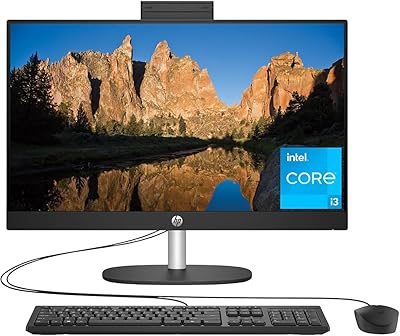
HP 23.8″ All-in-One Desktop 24-cr0030
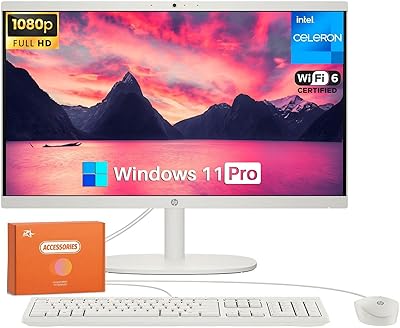
HP 22-DG0024 21.5-inch All-in-One Desktop
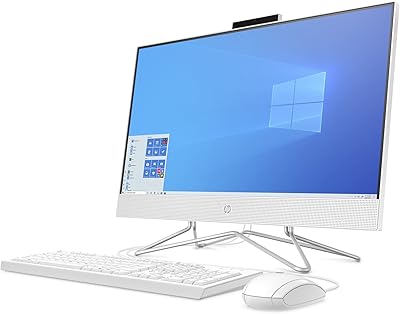
HP 24-dp1250 23.8-inch All-in-One Desktop
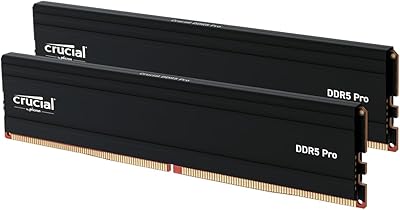
Crucial Pro 128GB DDR5-5600 Kit (2x64GB)