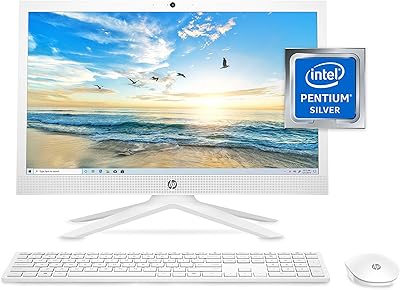
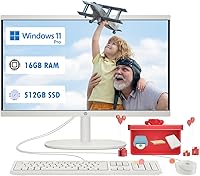
HP 22 All-in-One PC (21.5-inch, 16GB RAM, 512GB SSD)




Overview
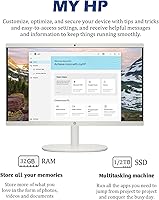
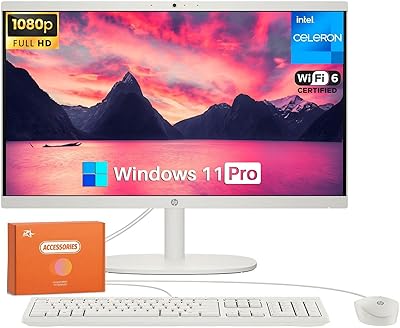
When you first pull the HP 22 All-in-One PC (21.5-inch, 16GB RAM, 512GB SSD) out of the box, the clean white finish immediately stands out as a refreshing change from the typical black plastic towers. It offers a clutter-free design that integrates the computer directly into the monitor, effectively reclaiming valuable desk space. Setting it up is remarkably straightforward since it comes with Windows 11 Pro pre-installed and ready for work. This isn't just a basic machine for browsing; it is positioned as a turn-key solution for anyone needing a functional home office without the cable mess of a traditional PC. For students or remote workers, the footprint of this compact desktop is impressively small, making it a viable option for tight corners or small kitchen tables where a bulky tower simply wouldn't fit.
Features & Benefits
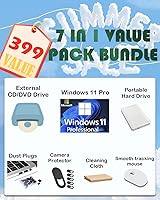
The decision to include 16GB of RAM is where this budget-friendly PC really shines, allowing you to keep dozens of browser tabs open while running productivity apps without the usual stutter. Its 21.5-inch anti-glare screen provides sharp Full HD clarity, which is a major benefit during long work sessions where reflections can cause eye strain. Connectivity is surprisingly modern; the Wi-Fi 6 integration ensures that your wireless connection remains stable even in a crowded household. While most modern computers have ditched physical media, this HP all-in-one includes an external CD/DVD drive, which is a practical touch for those who still have archived files or older media collections. Even during long periods of video streaming, the system remains impressively quiet, managing its heat efficiently without loud fan noise distracting you from your tasks.
Best For
For remote professionals who handle sensitive data, having Windows 11 Pro security features baked in provides necessary peace of mind for daily business operations. It is also an excellent choice for students from grade school through college who need a dedicated, reliable station for web-based assignments and research. Since the unit occupies very little desk area, it works well for users living in limited desk space environments like dorms or studio apartments. This budget-friendly PC handles standard home tasks like digital banking, social media, and word processing with ease. While it won't replace a high-end gaming rig, it serves perfectly as a central family computer for general use. The simplicity of the all-in-one format means there is very little to manage, making it a stress-free addition to any household.
User Feedback
Most owners highlight how quickly the system wakes up, attributing the fast boot times to the responsive 512GB SSD. There is also consistent praise for the built-in HD webcam, which users find clear enough for professional video calls without needing an external camera. However, buyers should maintain realistic expectations regarding the Intel Celeron processor. While it handles spreadsheets and streaming beautifully, it will struggle with intensive video editing or modern 3D gaming. One frequent point of satisfaction is the easy assembly, with many reporting that they were up and running within minutes of unboxing. As long as you understand this is a machine built for efficiency rather than raw power, it stands out as a reliable daily driver that delivers exactly what it promises for the price.
Pros
- The 16GB RAM allows for smooth multitasking with numerous browser tabs and office applications open simultaneously.
- A 512GB NVMe SSD ensures exceptionally fast boot times and responsive file access for daily tasks.
- The 21.5-inch anti-glare display provides great clarity for work without the annoyance of reflections from nearby windows.
- Inclusion of Wi-Fi 6 offers a more stable and faster wireless connection in busy household networks.
- The HP 22 All-in-One PC (21.5-inch, 16GB RAM, 512GB SSD) comes with Windows 11 Pro, adding professional-grade security and productivity features.
- A built-in HD webcam and integrated speakers make it a convenient, all-in-one solution for video conferencing and remote learning.
- The external CD/DVD drive is a thoughtful inclusion for users who still need to access legacy media or physical backups.
- Its compact, white aesthetic reclaimed significant desk space compared to traditional desktop tower configurations.
Cons
- The Intel Celeron processor has a low performance ceiling that limits the machine to basic productivity and streaming.
- Integrated graphics are strictly for standard visuals and cannot handle modern 3D gaming or intensive rendering software.
- Most connectivity ports are located on the rear of the unit, making it awkward to quickly swap USB peripherals.
- This compact desktop lacks a USB-C port, which may be inconvenient for users with modern smartphones and high-speed accessories.
- The internal speakers lack depth and bass, making them better suited for voice calls than for immersive music or movies.
- While the stand is sturdy, it offers limited adjustability, which might not be ideal for users with specific ergonomic requirements.
- A 512GB drive can feel restrictive for those who prefer to store large collections of high-definition video files locally.
- The primarily plastic build, while attractive, does not feel as durable as premium metallic all-in-one alternatives.
Ratings
Our team analyzed thousands of global verified reviews for the HP 22 All-in-One PC (21.5-inch, 16GB RAM, 512GB SSD) to provide a transparent look at its real-world performance. By using advanced AI filtering to strip away bot-generated spam and incentivized feedback, we have synthesized these scores to reflect the genuine strengths and pain points experienced by actual owners.
Multitasking Efficiency
Display Quality
System Boot Speed
Value for Money
Raw Processing Power
Webcam & Audio Clarity
Aesthetic & Build Quality
Connectivity & Ports
Setup Simplicity
Thermal Management
Software Environment
Suitable for:
The HP 22 All-in-One PC (21.5-inch, 16GB RAM, 512GB SSD) is a practical choice for remote professionals and students who need a dedicated workstation that does not dominate their living space. Its inclusion of Windows 11 Pro makes it particularly relevant for small business owners who require advanced security features like BitLocker or remote desktop support. Families will appreciate the simple, turn-key setup that allows kids to jump into web-based learning or research without troubleshooting complex hardware configurations. It also serves as an excellent station for general home management, such as digital banking and checking emails, where a large, clear screen is preferred over a tiny laptop display. If your daily routine involves heavy web browsing, streaming HD content, and basic office tasks, this compact desktop fits the bill perfectly.
Not suitable for:
This specific budget-friendly PC is not designed for power users, creative professionals, or anyone looking to engage in modern 3D gaming. The HP 22 All-in-One PC (21.5-inch, 16GB RAM, 512GB SSD) relies on an entry-level Celeron processor, which will struggle significantly with heavy video editing, high-resolution photo rendering, or running local virtual machines. Similarly, gamers will find the integrated graphics insufficient for anything beyond simple web-based titles or very old legacy games. It is also not the right fit for users who need a large amount of local storage for 4K video libraries, as the 512GB drive can fill up quickly. If your work requires professional-grade speed or multi-threaded processing power, you should look toward more robust workstations with i5 or i7 processors instead.
Specifications
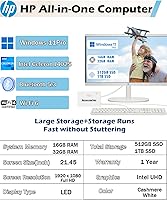
- Display Size: The computer features a 21.5-inch diagonal Full HD anti-glare screen with a resolution of 1920x1080 pixels.
- Processor: It is powered by an Intel Celeron J4025 dual-core processor with a base clock speed of 2 GHz.
- System Memory: The system includes 16GB of DDR4 SDRAM for handling multiple applications and browser tabs simultaneously.
- Storage: Files are stored on a 512GB PCIe NVMe Solid State Drive for quick boot times and data access.
- Operating System: This desktop comes pre-installed with Windows 11 Pro to support professional and business features.
- Wireless Tech: Connectivity includes integrated Wi-Fi 6 and Bluetooth for stable, high-speed wireless networking.
- USB Ports: The chassis provides two USB 3.0 ports and two USB 2.0 ports for connecting various peripherals.
- Optical Drive: A separate external CD/DVD drive is included in the package for reading and writing physical media.
- Webcam: An integrated HD webcam is built into the top of the monitor for video conferencing and remote calls.
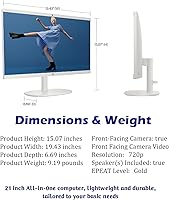
- Dimensions: The unit measures 15.07 x 19.43 x 6.69 inches, making it suitable for narrow desks and small spaces.
- Weight: The total weight of the all-in-one system is approximately 9.19 pounds.
- Wired Peripherals: A matching white wired keyboard and a wired optical mouse are provided in the box.
- Network Interface: In addition to wireless options, there is a built-in Ethernet port for a stable wired internet connection.
- Color Finish: The entire system, including the stand and peripherals, features a modern white aesthetic.
Related Reviews
HP 27-cr0060 27-Inch All-in-One Desktop
HP 22-DG0024 21.5-inch All-in-One Desktop
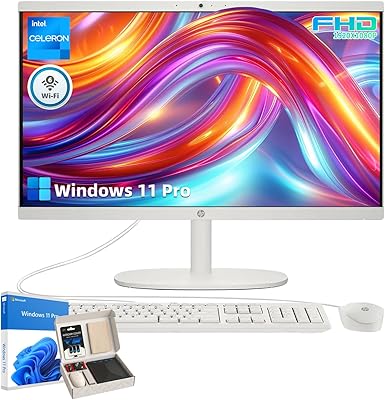
HP 21.5″ All-in-One Desktop 16GB RAM 1TB SSD
HP Laptop 17-cp2199nr
HP 24-dp1250 23.8-inch All-in-One Desktop
HP All-in-One 22-dd0032 21.5″ Desktop
LXZ Ryzen 5 5600GT 512GB Desktop PC
BOSGAME E2 Mini PC 16GB/512GB
HP 15-inch N4120 16GB Laptop