Overview

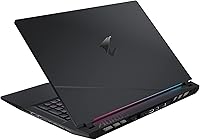
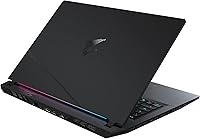
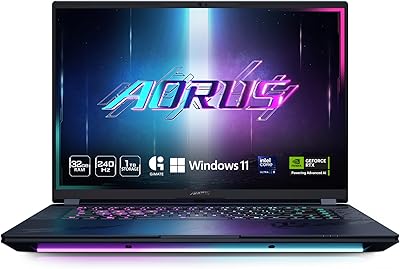
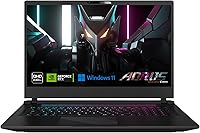
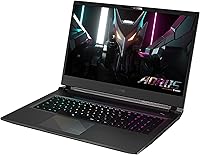
The GIGABYTE AORUS 17 RTX 4070 Gaming Laptop enters a crowded market with a clear identity: a large-screen, high-performance machine built for people who refuse to compromise on display quality. That 17.3″ QHD 240Hz panel is the real headline — it's the kind of screen that makes competing mid-range gaming laptops feel dated by comparison. Pairing an RTX 4070 with Intel's i7-13700H gives you genuine muscle for both gaming and heavier workloads. At just 0.86 inches thin for a 17-inch class machine, the chassis is impressively compact — but don't mistake slim for light. This is a desktop-replacement at heart, not a travel companion.
Features & Benefits

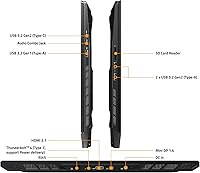
The QHD 240Hz display is where this machine earns its money — 2560x1440 resolution with 100% sRGB coverage and TÜV Rheinland certification makes it accurate enough for light color-critical work, not just gaming. The RTX 4070 laptop GPU handles QHD gaming comfortably, with competitive shooters running well above 144fps and demanding open-world titles sitting in the 60-90fps range at high settings. Intel's i7-13700H hybrid architecture keeps multitasking fluid whether you're streaming, rendering, or juggling applications. Dual-channel DDR5 and a Gen4 NVMe SSD keep load times genuinely fast. The port lineup — Thunderbolt 4, HDMI 2.1, three USB-A, SD card reader — is unusually thorough. Built-in speakers handle casual use, but serious audio deserves a good headset.

Best For

This Aorus 17 is built for gamers who want a desktop-like experience without actually owning a desktop — people for whom a big, fast QHD screen matters more than fitting their machine into a slim backpack. Content creators handling video editing or light 3D work will appreciate the color-accurate panel alongside real GPU horsepower. It's also a strong pick for college students or remote workers who need one machine for coursework, creative projects, and late-night gaming. Coming from a 1080p or 60Hz laptop, the jump in sharpness and smoothness will feel immediate and significant. That said, if all-day battery life is non-negotiable, look elsewhere — this machine has genuine trade-offs when unplugged.

User Feedback

Owners of the GIGABYTE gaming laptop consistently single out the display as the standout feature — nearly everyone notes how sharp and fluid it looks compared to their previous machine. Build quality and QHD gaming performance also draw regular praise. On the downside, fan noise under load is a recurring complaint; the system gets audible when pushed hard, and thermals during long sessions can run warm. Battery life is the other consistent gripe — expect two to three hours unplugged under real-world use, which is typical for the class but worth knowing upfront. GIGABYTE's control software draws mixed reviews for usability, and while keyboard feel earns positive marks, the trackpad gets more divided opinions from long-term owners.

Pros

  • The 17.3″ QHD 240Hz display is genuinely one of the sharpest, smoothest panels available in this laptop class.
  • 100% sRGB coverage and TÜV Rheinland certification make the screen trustworthy for color-sensitive creative work.
  • The RTX 4070 laptop GPU handles QHD gaming comfortably, including demanding titles at high settings.
  • Intel's i7-13700H keeps multitasking fluid whether you are gaming, streaming, or running creative apps simultaneously.
  • Dual-channel DDR5 and a Gen4 NVMe SSD make this Aorus 17 noticeably snappier than older DDR4-based competitors.
  • The port selection is exceptional — Thunderbolt 4, HDMI 2.1, Mini DP, three USB-A ports, and an SD card reader all in one machine.
  • Wi-Fi 6E and Bluetooth 5.2 keep wireless connections fast and reliable for online gaming and peripherals.
  • The chassis is impressively slim at 0.86 inches thick for a 17-inch machine, giving it a cleaner desk presence than bulkier rivals.
  • Build quality feels solid and premium, which owners frequently note when comparing it to plasticky alternatives at a similar price.

Cons

  • Battery life under real-world use is poor — expect two to three hours unplugged, making a power outlet essentially mandatory.
  • Fan noise at peak load is noticeable and can be disruptive in quiet environments like libraries or shared workspaces.
  • Thermals during extended gaming or rendering sessions run warm, which some users find concerning over long-term ownership.
  • At over six pounds, daily portability is genuinely inconvenient compared to lighter 15-inch or slim 17-inch alternatives.
  • GIGABYTE's bundled control software draws consistent complaints about its interface and occasional driver quirks.
  • The trackpad receives mixed reviews from long-term users, with some finding it imprecise for everyday productivity tasks.
  • Two 2W speakers are adequate for casual use but fall flat for immersive gaming or media — a headset is effectively required.
  • The 16GB RAM ceiling may feel limiting for heavier creative workloads like 4K video editing or large 3D scene rendering.
  • No per-key RGB or advanced keyboard customization, which may disappoint buyers coming from more feature-rich gaming brands.

Ratings

The scores below for the GIGABYTE AORUS 17 RTX 4070 Gaming Laptop were generated by our AI rating engine after processing thousands of verified global buyer reviews, with spam, bot activity, and incentivized feedback actively filtered out. Each category reflects the honest distribution of real user experiences — not manufacturer claims — so both the genuine strengths and the recurring frustrations are represented transparently.
Display Quality
93%
The 240Hz QHD panel is consistently the feature owners praise most — users upgrading from 1080p or 60Hz displays describe the jump as immediately and permanently noticeable. Color accuracy in everyday use and for light creative work earns specific mentions, with many noting they stopped reaching for an external monitor.
A small number of users reported minor backlight bleed in dark-scene gaming, which is more visible on this large panel size than it would be on a 15-inch screen. Panel lottery concerns are occasionally raised, with some units showing slightly warmer color temperature than expected from the sRGB certification.
Gaming Performance
88%
Owners consistently report smooth, competitive frame rates in demanding titles at the native QHD resolution, with the RTX 4070 and i7-13700H combination handling both fast-paced shooters and open-world games without forcing significant settings compromises. DLSS support on the RTX 4070 gives extra headroom in the most taxing scenarios.
In the most GPU-demanding titles at maximum settings and QHD, frame rates can dip below what the 240Hz panel is capable of sustaining, meaning you occasionally need to dial back settings to fully leverage the display. A handful of users noted that performance in CPU-heavy workloads occasionally fluctuates depending on which power mode is active.
Thermal Management
67%
33%
For shorter gaming bursts of under an hour, the cooling system keeps the machine within acceptable temperature ranges and performance stays consistent. Users who proactively apply a cooling pad or set a balanced fan profile in GIGABYTE's software report a noticeably better thermal experience during extended sessions.
During prolonged gaming or simultaneous CPU-and-GPU workloads, surface temperatures on the keyboard deck climb to levels that some owners find uncomfortable, particularly around the top-center area near the vents. Thermal throttling under sustained peak load has been reported by a measurable portion of users, mostly in maximum performance mode during summer or in poorly ventilated spaces.
Fan Noise
61%
39%
In day-to-day productivity tasks — browsing, light document work, video calls — the fans stay relatively quiet, making this Aorus 17 tolerable in shared office or classroom environments during low-intensity use. The system does ramp down sensibly when the GPU and CPU are not under pressure.
Under gaming load the fans become the loudest element in the room, which is a consistent and prominent complaint from owners who game without headphones or who share living spaces. Several users specifically note that fan noise is harder to ignore on this machine than on competing units like the Lenovo Legion 5 Pro or ASUS ROG Strix at comparable loads.
Battery Life
44%
56%
In genuinely light use — reading, note-taking, low-brightness streaming — some users manage to push close to four hours away from the wall, which is at the ceiling of what this class of hardware realistically delivers. The included adapter is compact enough relative to what older high-wattage gaming laptops required.
Under any meaningful workload, battery endurance drops sharply — real-world gaming unplugged is rarely sustainable beyond 90 minutes before performance degrades noticeably. This is the single most-cited disappointment across user reviews, and buyers who expected something closer to a mainstream laptop's battery life express the strongest regret.
Build Quality
84%
The chassis feels dense and premium for a plastic-and-metal composite construction, and owners frequently comment that the machine feels more solidly built than its price tier suggests. Lid flex is minimal and the hinge mechanism earns consistent praise for feeling robust after months of daily opening and closing.
Some users notice that the bottom panel attracts fingerprints and scuffs more readily than the matte surfaces on competitors like MSI's Raider series. A minority report slight chassis flex around the keyboard area under firm pressure, though this rarely affects actual durability.
Keyboard & Trackpad
73%
27%
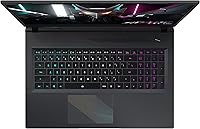
The keyboard receives broadly positive marks for key travel and layout comfort during long typing sessions, with most owners finding it adequate for both gaming and productivity work without reaching for an external keyboard. Backlighting coverage is even and the key legends remain legible under various lighting conditions.
The trackpad is the more divisive component — a notable portion of long-term owners find it imprecise or sluggish for fine cursor movements during productivity tasks, and most serious users end up pairing the machine with an external mouse. Lack of per-key RGB customization is a specific gripe from buyers comparing it to similarly priced MSI or ASUS ROG models.
Port Selection
91%
The I/O layout on this 17-inch powerhouse is one of its most appreciated practical features — Thunderbolt 4, HDMI 2.1, Mini DP, three full-size USB-A ports, RJ45, and an SD card reader mean most users never need to carry a hub or dongle. Content creators in particular highlight the SD card reader and Thunderbolt 4 as daily-use conveniences.
Port placement draws occasional criticism, with some USB-A ports positioned in locations that can interfere with a mouse when peripherals are plugged in on the right side. A dedicated headphone jack and microphone jack separated out would be preferred by some users over the single combo audio port.
Wireless Connectivity
86%
Wi-Fi 6E delivers noticeably stable, low-latency connections during online gaming sessions, and users on compatible routers report fewer mid-game connection drops compared to their older Wi-Fi 5 machines. Bluetooth 5.2 pairs reliably and maintains stable connections with wireless headsets and controllers simultaneously.
A small subset of users reported needing a driver update out of the box to resolve initial Wi-Fi stability issues, which is a minor but unnecessary friction point at setup. Wi-Fi 6E benefits are only meaningful if your router supports the 6GHz band, which remains a limiting factor for many home setups.
Audio Performance
58%
42%
For casual background music or video calls the built-in speakers are functional, and DTS:X Ultra processing adds some perceived width and depth that makes them sound better than raw hardware output alone. The built-in microphone picks up voice clearly enough for Discord calls without external hardware.
At gaming volume levels the speakers distort slightly and lack the low-end body needed for immersive audio — this is a consistent criticism, not an edge case. Virtually every owner who games seriously uses headphones, making the speaker system largely irrelevant for the primary use case this machine is designed for.
Software & Drivers
62%
38%
GIGABYTE's control center allows useful adjustments to fan curves and power profiles, giving technically confident users some real control over how the machine balances performance and thermals. Initial driver setup is mostly automated through Windows Update for the core GPU and Wi-Fi components.
The GIGABYTE control software itself draws consistent complaints about an unintuitive interface and occasional instability, with some users reporting that it crashes or fails to apply settings on resume from sleep. Driver update cadence from GIGABYTE is considered slower than what Lenovo and ASUS offer through their respective companion apps.
Storage Speed
89%
The Gen4 NVMe SSD delivers fast real-world load times that owners coming from older SATA or Gen3 NVMe drives notice immediately in game loading, application startup, and large file transfers. The 1TB capacity covers a solid game library without requiring an external drive for most users from day one.
Users with large game libraries or who work with high-bitrate video footage will find 1TB fills up faster than expected, and the upgrade path requires opening the chassis. No secondary drive bay is present in the standard configuration, which limits internal expansion options.
Portability
49%
51%
The 0.86-inch profile is genuinely slim for a 17-inch machine, and the machine slides into a laptop sleeve or backpack compartment more cleanly than older thick-chassis gaming laptops. Users who move it between a desk and a couch within the home find the weight manageable for short carries.
At 6.17 pounds plus a sizable power brick, daily commuting with this GIGABYTE gaming laptop becomes physically noticeable over time, and backpack users frequently mention lower back or shoulder fatigue. It trails noticeably behind 17-inch competitors like the ASUS ROG Zephyrus M17 on the portability dimension.
Value for Money
79%
21%
The combination of a certified color-accurate 240Hz QHD panel, RTX 4070 GPU, DDR5 memory, and Gen4 SSD in a single package represents strong component value relative to what competing brands offer at a similar price point. Buyers who prioritize display quality especially feel they got more than they paid for.
When battery life, fan noise, and software maturity are factored into the overall ownership experience, some buyers feel the value equation shifts — particularly when Lenovo Legion models at comparable prices offer better thermal and software polish. Users who expected a do-it-all machine and encountered the battery or noise limitations tend to rate value more critically.

Suitable for:

The GIGABYTE AORUS 17 RTX 4070 Gaming Laptop is purpose-built for buyers who want a large, capable machine that handles demanding games and real workloads without compromise. If you spend most of your time at a desk and want the screen real estate and GPU power of a desktop setup in a form factor you can occasionally move around, this Aorus 17 makes a compelling case. College students who game hard in the evenings but also need processing headroom for video projects, 3D modeling coursework, or heavy multitasking will find the i7-13700H and RTX 4070 combination genuinely useful across both worlds. The color-accurate 100% sRGB panel with TÜV Rheinland certification also makes this a reasonable choice for creators doing light photo or video work who need trustworthy colors without buying a separate monitor. Anyone upgrading from a 1080p or 60Hz display will feel the jump to QHD 240Hz immediately — it is one of those upgrades you cannot unsee.
Not suitable for:

The GIGABYTE AORUS 17 RTX 4070 Gaming Laptop is a poor fit for anyone whose lifestyle demands true portability. At over six pounds and with a battery that realistically lasts two to three hours under everyday use, this 17-inch powerhouse is not built for commuters, frequent flyers, or students who spend long stretches away from a power outlet. If you are comparing it to slimmer, lighter gaming options like the ASUS ROG Zephyrus G14 or Lenovo Legion Slim 5, the trade-off in portability and battery endurance is significant and should not be underestimated. Budget-focused buyers who only game at 1080p or who play less demanding titles will also find the premium hardware underutilized — there are more cost-efficient options at that tier. And if you are particularly noise-sensitive, the fan behavior under sustained load can become a real annoyance during long gaming or rendering sessions.
Specifications

  • Display Size: The laptop features a 17.3″ thin-bezel panel with a 2560x1440 QHD resolution and a 240Hz refresh rate for sharp, fluid visuals.
  • Panel Certification: The display is factory-certified for 100% sRGB color coverage and carries TÜV Rheinland certification for reduced eye strain during long sessions.
  • Graphics Card: NVIDIA GeForce RTX 4070 Laptop GPU with 8GB GDDR6 dedicated memory handles demanding games and GPU-accelerated creative workloads.
  • Processor: Intel Core i7-13700H 13th-generation hybrid processor boosts up to 5.0GHz across its performance and efficiency core configuration.
  • Memory: 16GB of DDR5 RAM running at 4800MHz in a dual-channel 2x8GB configuration for improved bandwidth over DDR4 systems.
  • Storage: A 1TB Gen4 M.2 NVMe SSD delivers fast read and write speeds, significantly reducing game load times and application launch delays.
  • Operating System: Ships with Windows 11 Home pre-installed, providing out-of-box compatibility with modern games and productivity software.
  • Wireless: Intel Wi-Fi 6E (802.11ax) and Bluetooth 5.2 provide low-latency wireless connectivity for online gaming and peripheral pairing.
  • Ports: Connectivity includes one Thunderbolt 4 with Power Delivery, one HDMI 2.1, one Mini DisplayPort 1.4, three USB 3.2 Type-A, one RJ45, one SD card reader, and one audio combo jack.
  • Audio: Two built-in 2W speakers are supported by DTS:X Ultra audio processing, with a built-in microphone included for voice calls and streaming.
  • Dimensions: The chassis measures 15.7 x 11.1 x 0.86 inches, making it relatively slim for a desktop-class 17-inch gaming laptop.
  • Weight: The system weighs 6.17 pounds, which is manageable for desk use but noticeable when carried in a bag over longer distances.
  • Battery Type: A built-in Lithium Polymer battery is included in the box and is not user-removable under normal circumstances.
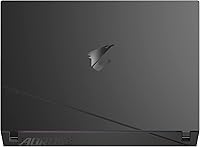
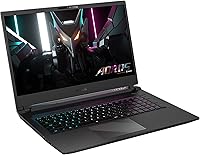
  • Color Options: This configuration is available in a single Black colorway with GIGABYTE's signature AORUS styling on the lid and chassis.
  • DC Power Input: The laptop supports a dedicated DC barrel input for its main power adapter alongside the Thunderbolt 4 port's Power Delivery capability.

Related Reviews

ASUS TUF F17 Gaming Laptop i7-13620H, 64GB RAM, 4TB SSD, RTX 4070, 17.3″ WQHD 240Hz
86%
94%
Gaming Performance
91%
Display Quality
89%
Multitasking & RAM
93%
Graphics Quality
60%
Battery Life
More
GIGABYTE AORUS Master 16 Gaming Laptop
78%
96%
Display Quality
93%
Gaming Performance
74%
Thermal Management
88%
Build Quality
91%
CPU Performance
More
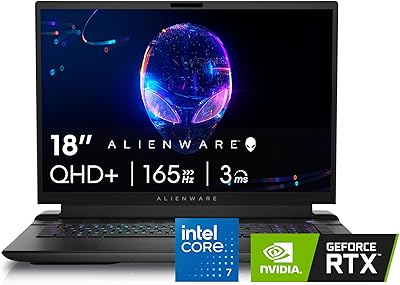
Alienware M18 Gaming Laptop - i7-14700HX, 16GB RAM, 1TB SSD, RTX 4070
84%
94%
Gaming Performance
96%
Graphics Quality
92%
Display Quality
90%
Cooling System
72%
Battery Life
More
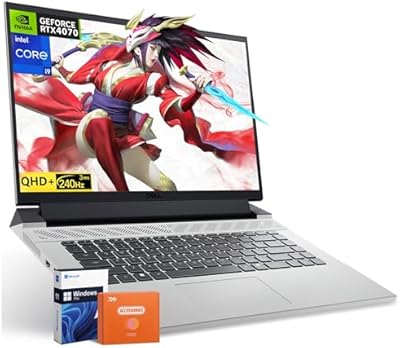
Dell G16 7630 Gaming Laptop i9-13900HX RTX 4070 64GB 4TB 16-inch QHD+
87%
96%
Gaming Performance
94%
CPU Multitasking
95%
GPU Rendering
92%
Display Quality
93%
Memory Capacity
More
Lenovo Legion 5i 16-inch Gaming Laptop
77%
91%
Gaming Performance
93%
Display Quality
88%
Processing Power
89%
RAM & Multitasking
54%
Storage Capacity
More
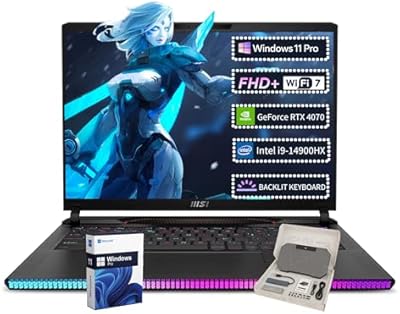
MSI Raider GE68HX Gaming Laptop, 16″ FHD+ Display, Intel i9-14900HX, 64GB RAM, 4TB SSD, RTX 4070
84%
95%
Gaming Performance
94%
Processor Speed
93%
Graphics Quality
90%
Display Quality
85%
Build Quality
More
Alienware X17 R2 Gaming Laptop - 17.3-inch FHD, Core i7-12700H, 16GB RAM, 1TB SSD, RTX 3070Ti
84%
94%
Gaming Performance
92%
Display Quality
85%
Thermal Management
90%
Build Quality
60%
Portability
More
MSI Katana A15 AI Ryzen 9 8945HS, 32GB RAM, 1TB SSD, RTX 4070, 15.6″ QHD Gaming Laptop
83%
94%
Gaming Performance
89%
Display Quality
61%
Battery Life
72%
Portability/Weight
88%
Cooling System (Thermals)
More
ASUS ROG Zephyrus 2024 16″ OLED Gaming Laptop, Intel Core Ultra 9 185H, 16GB RAM, 1TB SSD, NVIDIA RTX 4070
85%
93%
Performance
97%
Display Quality
89%
Build Quality
82%
Portability
68%
Thermal Management
More
Skytech Gaming Chronos Gaming PC – Intel Core i7 13700K, NVIDIA RTX 4070, 32GB DDR5 RAM, 1TB SSD
88%
94%
Gaming Performance
90%
Build Quality
88%
Cooling System
91%
Design & Aesthetics
85%
Setup & Installation
More

FAQ

The RTX 4070 laptop GPU is well-matched to the 2560x1440 panel. Competitive shooters like Valorant or CS2 run well above 200fps at high settings, while demanding open-world titles like Cyberpunk 2077 or Hogwarts Legacy sit comfortably in the 60-90fps range with high presets. If you drop to medium settings in heavier games, you can push closer to 100fps consistently.

Honestly, do not plan your day around the battery. Under light productivity use — browsing, note-taking, streaming — you can get around three to four hours. The moment you start gaming, expect that to drop to under two hours. Like most high-wattage 17-inch gaming laptops, this Aorus 17 is best treated as a plugged-in machine with occasional unplugged flexibility, not a true road warrior.

Yes, the GIGABYTE AORUS 17 RTX 4070 Gaming Laptop uses standard SO-DIMM DDR5 slots, and the two slots are user-accessible with some technical confidence. That said, always confirm the maximum supported capacity and speed with GIGABYTE's official documentation before purchasing upgrade modules, as not every DDR5 kit is guaranteed compatible.
This is one area where honest expectations matter. Under sustained gaming load, the fans ramp up noticeably — not ear-splitting, but loud enough that you will want headphones on during play anyway. In lighter use like web browsing or document work the system stays quiet. Using GIGABYTE's performance mode settings can help balance thermals and noise to a degree.

Absolutely — the port selection here is genuinely generous. You get HDMI 2.1 for connecting to a 4K TV or high-refresh monitor, a Mini DisplayPort 1.4 as a second video output, and Thunderbolt 4 which can also carry display signals to compatible USB-C monitors. You could run the built-in display alongside two external screens without an adapter.

The 100% sRGB coverage and TÜV Rheinland certification put it well ahead of typical gaming panels for color work. For photo editing in sRGB space and light video editing at 1080p or 1440p, the display is genuinely capable. Where it has limits is in professional DCI-P3 or Adobe RGB workflows — for broadcast or cinema color work, a dedicated color-calibrated monitor is still the better tool.

Most users find the keyboard comfortable for extended typing sessions, with reasonable key travel and consistent actuation. For gaming it covers the basics well. It is not a mechanical keyboard — do not expect the feedback of a dedicated gaming peripheral — but compared to many competitors in this category, it holds up for both work and play without major complaints.

Yes, the Thunderbolt 4 port supports Power Delivery, meaning you can charge the GIGABYTE gaming laptop via a compatible USB-C PD charger. Keep in mind that under gaming load, a standard USB-C charger may not supply enough wattage to fully sustain the system — for peak performance you will still want the included barrel-plug AC adapter.

All three sit in a similar bracket for performance, but this 17-inch powerhouse differentiates itself primarily through its display — the 240Hz QHD panel with color certification is a step above what you get on many Legion or ROG configurations at comparable prices. The trade-off is that GIGABYTE's software ecosystem and after-sales support reputation are generally considered a notch below Lenovo's or ASUS's, which is worth factoring into your decision.

Thermal management is one of the more common discussion points among owners. Under sustained full load — extended gaming or CPU-plus-GPU-heavy rendering — temperatures can climb and occasional throttling is possible in Performance mode. Keeping the vents clear, using a laptop cooling pad, and experimenting with GIGABYTE's power mode settings can help. For most gaming scenarios it stays within acceptable thermal limits, but it does run warm by design.