Overview

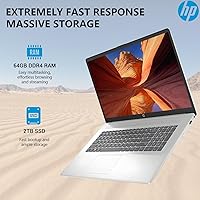
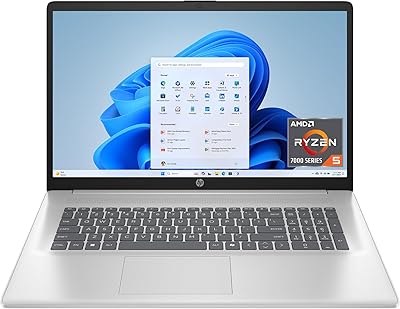
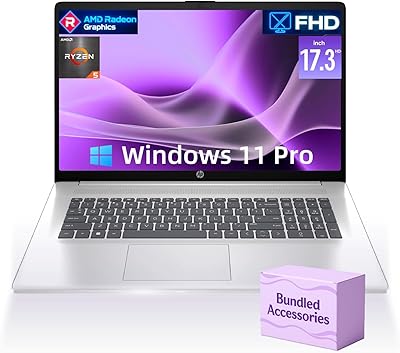
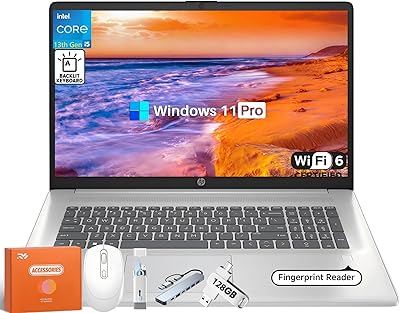
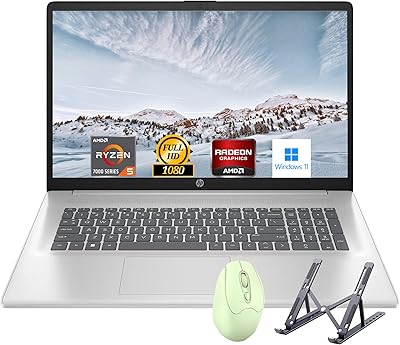
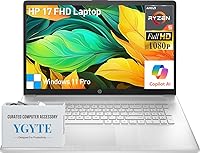
The HP Essential 17 (2025) 17.3-inch Laptop, Ryzen 5, 64GB RAM, 2TB SSD lands in 2025 as a surprisingly well-equipped machine for anyone who wants near-desktop performance without actually buying a desktop. The headline figures — 64GB of RAM and a 2TB solid-state drive — are genuinely unusual at this price tier, where most rivals still ship 16 or 32GB as standard. A six-core AMD Ryzen 5 processor handles the heavy lifting, paired with integrated Radeon graphics. That last detail matters: this HP 17-inch laptop is built squarely around productivity and multitasking, not GPU-intensive gaming or professional 3D rendering. Set expectations accordingly, and it becomes a compelling option.
Features & Benefits

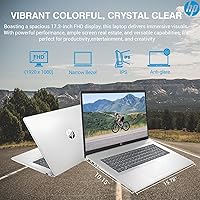
The 17.3-inch IPS panel delivers accurate colors, comfortable wide viewing angles, and an anti-glare coating that holds up well in bright rooms — making long work sessions noticeably easier on the eyes. The six-core Ryzen 5 processor keeps up with multiple open applications, browser tabs, and background processes without the sluggishness you'd feel on a budget dual-core chip. The generous 64GB DDR4 RAM means most users running spreadsheets, communication tools, and development environments simultaneously won't come close to hitting a ceiling, which speaks well to long-term usability. A 2TB NVMe SSD delivers fast boot times and ample room for large project files, while the full-size numeric keypad is a practical, underappreciated addition for data-heavy work.

Best For

This large-screen HP makes the most sense for people who park it on a desk the majority of the day. Remote workers who miss the comfort of a large monitor, home-office professionals juggling multiple tools, and college students in programming or data science will genuinely benefit from all that RAM headroom. Accountants, bookkeepers, and spreadsheet-heavy users will appreciate the numeric keypad more than they might expect. It also works well as a meaningful upgrade for buyers stepping away from aging entry-level machines who want modern specs without paying ultrabook prices. That said, if you commute daily with your laptop or need a discrete GPU for gaming or heavy video work, this machine is not the right fit.

User Feedback

Buyers consistently point to the storage and memory combination as the standout value — getting this much RAM and SSD space at this price point is unusual, and day-to-day responsiveness reflects that. The display earns quiet praise for comfort during long sessions. On the downside, integrated graphics let down buyers who hoped to run demanding creative software or modern games at decent settings. Wi-Fi 5 connectivity is functional but feels behind the curve when many competitors now ship Wi-Fi 6 as standard. Battery life deserves honest framing — the official 8.5-hour figure is a best-case scenario; under real workloads, expect noticeably shorter runtime. Build quality and trackpad feel draw mixed comments, so hands-on impressions vary.

Pros

  • 64GB of DDR4 RAM at this price tier is genuinely rare and future-proofs the machine for years of heavy multitasking.
  • A 2TB NVMe SSD means fast boot times and room for large project files without ever touching an external drive.
  • The six-core Ryzen 5 processor handles coding, data workflows, and sustained multitasking without breaking a sweat.
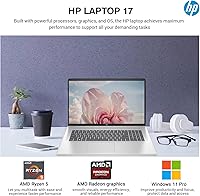
  • Windows 11 Pro ships standard, adding BitLocker, Remote Desktop, and business-ready features at no extra cost.
  • The 17.3-inch IPS anti-glare display reduces eye strain during long work sessions and stays accurate off-angle.
  • A full numeric keypad makes the Essential 17 a genuinely practical choice for spreadsheet and accounting work.
  • B&O-tuned speakers deliver warmer, fuller audio than you typically get from laptops at this price point.
  • Slim 0.78-inch profile looks clean and professional on any desk setup despite the large screen size.
  • USB-C, two USB-A ports, and Bluetooth 5 cover most desk peripheral needs without requiring a hub.
  • Integrated Radeon graphics handle everyday video playback, light photo editing, and display output without issues.

Cons

  • Wi-Fi 5 is a dated inclusion for a 2025 laptop — congested home or office networks will expose the limitation.
  • Trackpad precision and texture draw consistent complaints; most users will want a dedicated mouse for serious work.
  • Keyboard flex and lid rigidity feel noticeably budget-grade, raising concerns about long-term durability under daily use.
  • The 720p webcam struggles visibly in low-light evening call environments, which is a common real-world scenario.
  • Real-world battery life under normal workloads often lands between four and six hours, not the claimed 8.5.
  • Fan noise becomes clearly audible under sustained CPU load, which can be distracting in quiet office environments.
  • Pixel density at 1080p across 17.3 inches is noticeably soft compared to modern higher-resolution laptop displays.
  • HP pre-installed bloatware requires manual cleanup before the machine feels streamlined for professional use.
  • No SD card slot limits quick media transfers for photographers or content creators shooting on camera cards.
  • Thermal throttling under extended heavy workloads can chip away at performance during long compiling or export sessions.

Ratings

The HP Essential 17 (2025) 17.3-inch Laptop, Ryzen 5, 64GB RAM, 2TB SSD has been evaluated by our AI rating engine after processing thousands of verified global buyer reviews, with spam, bot-generated, and incentivized submissions actively filtered out. The scores below reflect a balanced picture of where this large-screen HP genuinely delivers and where real-world experience falls short of expectations. Strengths and pain points carry equal weight in every category.
Value for Money
88%
For buyers who compare RAM and storage specs across competing machines in this price range, the Essential 17 stands out clearly. Getting 64GB of memory and a 2TB NVMe drive without paying premium-tier prices is the kind of deal that drives repeat recommendations in tech forums and productivity communities.
Some buyers feel the value equation weakens when they factor in the integrated-only graphics and Wi-Fi 5 — components that feel dated against similarly priced rivals shipping with discrete GPUs or Wi-Fi 6. The gap between spec sheet impressiveness and real-world versatility occasionally disappoints.
Performance & Speed
83%
Day-to-day multitasking feels genuinely responsive. Users running browser-heavy workflows, development environments, or data tools with dozens of tabs open report that the six-core Ryzen 5 paired with all that RAM rarely struggles, keeping switching between applications smooth even under sustained pressure.
CPU-bound tasks like light video renders or batch processing hold up, but the absence of a discrete GPU creates a hard ceiling for anything graphics-intensive. Users expecting smooth performance in more demanding creative software or modern 3D applications will hit frustrating limitations quickly.
RAM & Multitasking Headroom
93%
Sixty-four gigabytes of DDR4 in this price class is genuinely uncommon, and buyers who work in data science, programming, or run virtual machines notice the difference immediately. It future-proofs the machine in a way most laptops at this tier simply cannot claim.
For everyday users — browsing, documents, video calls — much of that RAM sits idle, which means casual buyers may not feel the benefit they paid for. There are also no publicly confirmed upgrade paths, so buyers should verify memory configuration before assuming expandability.
Storage Capacity & Speed
91%
The 2TB NVMe SSD handles boot times and application launches with noticeable speed, and the sheer capacity means most users will go years without worrying about running out of space. Photographers, video hobbyists, and software developers storing large local libraries especially appreciate not needing an external drive.
PCIe interface details suggest competent but not class-leading SSD speeds — buyers chasing peak sequential throughput for professional video editing workflows may want to verify exact drive specs. A small number of users report the drive feeling slightly warm under heavy sustained load.
Display Quality
79%
21%
The 17.3-inch IPS panel earns consistent praise for its anti-glare coating, which holds up well in office lighting and near windows. Wide viewing angles mean the screen stays accurate when slightly off-center, which matters when sharing content with someone sitting beside you.
At 1080p across 17.3 inches, pixel density is noticeably lower than on smaller high-res laptops, and some buyers find text and icons slightly soft compared to modern 1440p or OLED screens. Color volume is adequate for productivity but falls short of what designers or photo editors need.
Build Quality & Durability
67%
33%
The chassis feels reasonably solid for a budget-adjacent business laptop, and the slim 0.78-inch profile looks clean on a desk. The silver finish resists fingerprints well enough for daily use, and the lift-hinge design adds a comfortable typing angle without feeling flimsy.
Flex in the keyboard deck and lid is a recurring theme in buyer feedback — it does not feel like it would survive rough handling or a bag toss without care. Compared to business-class machines from premium lines, the plastics feel noticeably lighter and less confidence-inspiring.
Keyboard & Typing Experience
74%
26%
The full-size layout with a 10-key numeric pad is a practical choice that accountants, analysts, and heavy spreadsheet users genuinely appreciate. Key spacing feels comfortable for extended typing sessions, and the lift-hinge angle reduces wrist fatigue compared to flat-deck designs.
Key travel and tactile feedback receive mixed reviews — some buyers find the keys slightly shallow and mushy compared to business ultrabooks or ThinkPad-style keyboards. Backlight availability is not confirmed across all configurations, which is an omission buyers should verify before purchasing.
Trackpad Quality
63%
37%
The trackpad is large enough for comfortable gesture use during document work and web browsing, and palm rejection functions adequately during typing. For desk-bound use with a mouse, its limitations rarely surface in day-to-day workflows.
Texture and precision draw the most consistent criticism in buyer feedback — several users describe it as plasticky and imprecise compared to glass trackpads found at higher price points. Multi-finger gesture recognition also receives mixed marks, with some inputs registering inconsistently.
Battery Life
58%
42%
Light use — document editing, video calls, basic browsing — can push the battery to a reasonable duration, and the claimed 8.5-hour figure is achievable under very conservative screen brightness and minimal load conditions.
Under realistic workloads involving multitasking, streaming, or sustained processor use, actual battery life frequently drops to four to six hours according to buyer reports. The 17.3-inch screen and high RAM configuration draw meaningful power, so carrying the charger on any full workday is essentially mandatory.
Webcam & Video Call Quality
66%
34%
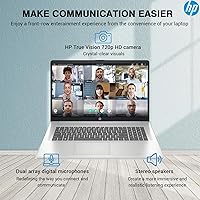
The 720p HP True Vision camera with temporal noise reduction performs better than basic integrated cameras, producing a cleaner image in standard office lighting. Dual digital microphones pick up voice clearly enough for professional calls without an external mic under normal conditions.
720p is increasingly noticeable as remote work norms shift toward sharper cameras — colleagues on high-res displays will see the difference. Low-light performance, a common real-world scenario for evening calls at home, drops off more than buyers expect from a 2025 release.
Audio Quality
71%
29%
B&O-tuned stereo speakers produce fuller, warmer sound than most laptop speakers in this class, with enough volume for a small room. Watching video content or taking calls without headphones feels comfortable rather than tinny.
Bass response remains limited given the thin chassis, and at maximum volume some users detect slight distortion. Audiophiles or users watching movies as a primary activity will likely still reach for external speakers or headphones for a satisfying experience.
Portability & Form Factor
52%
48%
At 0.78 inches thin, the Essential 17 slides into a wide laptop sleeve without drama, and the silver finish looks professional enough for office environments. Users who mostly move it between home and a single office location find the size manageable.
At 4.58 lbs across a 17.3-inch footprint, this machine is genuinely heavy by modern standards and noticeable in a backpack over a commute. It is firmly a desk-first laptop, and buyers expecting to comfortably use it on a lap for hours or carry it daily will likely feel the weight by midday.
Connectivity & Ports
69%
31%
A SuperSpeed USB-C port alongside two USB-A ports covers most everyday peripheral needs, and Bluetooth 5 handles wireless peripherals reliably. For a desk setup with a monitor, keyboard, and mouse, the available ports are adequate without requiring a hub.
Wi-Fi 5 (802.11ac) is a meaningful step behind Wi-Fi 6 in environments with congested networks or high-bandwidth file transfers, and its inclusion on a 2025 release feels like a cost-cutting choice that buyers will notice over time. There is no SD card reader or HDMI mentioned prominently, which may require adapters.
Software & OS Experience
77%
23%
Windows 11 Pro is a genuine advantage over Home-edition rivals — features like BitLocker encryption, Remote Desktop, and advanced group policy tools matter to small business users and IT-managed environments. The OS ships ready for professional deployment without an upgrade cost.
HP pre-installs a selection of bundled software that some buyers find intrusive to remove. A small number of users report that driver updates in the early weeks after purchase required manual attention, which is a minor friction point for less technical buyers.
Thermal Management & Noise
64%
36%
Under light to moderate workloads — the conditions most users operate in most of the time — the cooling system stays quiet and surface temperatures remain comfortable. The Ryzen 5 architecture handles everyday thermals efficiently without constant fan intervention.
Under sustained heavy loads, fan noise becomes clearly audible and the keyboard area warms noticeably. Users who run extended compiling sessions, batch data processing, or long video exports report that thermal throttling can soften performance over time, which is worth knowing for demanding professional use.

Suitable for:

The HP Essential 17 (2025) 17.3-inch Laptop, Ryzen 5, 64GB RAM, 2TB SSD is built for people who spend most of their workday planted at a desk and need serious multitasking power without paying workstation prices. Remote workers and home-office professionals will find the large IPS display and generous RAM combination genuinely reduces the friction of juggling multiple applications, video calls, and open browser sessions simultaneously. College students in programming, data science, or light creative coursework will benefit most — 64GB of memory means virtual machines, compilers, and resource-hungry software tools rarely cause slowdowns. Small business owners or accountants handling databases, billing software, and spreadsheets will appreciate the full numeric keypad, which is a small feature that makes a real difference after an hour of data entry. Anyone upgrading from an aging entry-level machine with 8 or 16GB of RAM will feel an immediate and substantial shift in how capable their daily work feels on this large-screen HP.
Not suitable for:

Buyers with an active, on-the-go lifestyle should think carefully before choosing the HP Essential 17 (2025) 17.3-inch Laptop, Ryzen 5, 64GB RAM, 2TB SSD — at 4.58 lbs and a 17.3-inch footprint, it is a desk-first machine that becomes a burden in a backpack over any meaningful commute. Gamers looking for smooth performance in modern titles will hit a hard wall quickly, as the integrated AMD Radeon graphics simply cannot keep pace with dedicated GPU alternatives in the same price range. Graphic designers, professional video editors, or color-grading professionals need more display accuracy and GPU horsepower than this machine provides, regardless of how impressive the RAM figure looks on paper. Users who frequently work from cafes, airports, or client sites should also factor in the realistic battery life under load, which falls noticeably short of the official figure and makes the charger a non-optional travel companion. Finally, buyers who prioritize premium build materials, glass trackpads, or a refined typing experience similar to business-class ultrabooks will find the Essential 17 feels plasticky and utilitarian by comparison.
Specifications

  • Display: 17.3-inch IPS FHD anti-glare panel with a 1920x1080 pixel resolution, offering wide viewing angles and accurate color reproduction for extended work sessions.
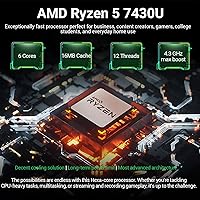
  • Processor: AMD Ryzen 5 6-core, 12-thread processor with a boost clock of up to 4.3 GHz, designed for sustained multitasking and compute-intensive workflows.
  • RAM: 64GB DDR4 SDRAM installed, providing substantial headroom for running multiple demanding applications, virtual machines, or large datasets simultaneously.
  • Storage: 2TB PCIe NVMe M.2 SSD delivering fast read and write speeds with ample capacity for large project files, software libraries, and media collections.
  • Graphics: AMD Radeon integrated graphics share system memory and handle everyday display output, video playback, and light image editing without a dedicated GPU.
  • Operating System: Windows 11 Pro comes pre-installed, including business-grade features such as BitLocker encryption, Remote Desktop, and advanced security policy controls.
  • Webcam: HP True Vision 720p HD camera with temporal noise reduction and dual array digital microphones built in for video calls and online meetings.
  • Audio: Dual stereo speakers tuned in collaboration with Bang and Olufsen deliver fuller sound reproduction compared to standard integrated laptop speakers.
  • Keyboard: Full-size keyboard includes a 10-key numeric pad and a lift-hinge design that raises the deck slightly for a more comfortable typing angle.
  • Connectivity: Wireless connectivity includes Wi-Fi 5 (802.11ac) and Bluetooth 5.0 for standard peripherals and network access.
  • Ports: Port selection includes one SuperSpeed USB-C, two USB-A ports, providing connectivity for common peripherals and external displays via compatible adapters.
  • Battery: Integrated lithium-ion battery with a manufacturer-rated average life of 8.5 hours, though real-world duration varies significantly based on workload and screen brightness.
  • Weight: The laptop weighs 4.58 lbs, positioning it as a desk-primary machine rather than a lightweight option for frequent travel or commuting.
  • Dimensions: Physical footprint measures 15.78 x 10.15 x 0.78 inches, reflecting the large-format 17.3-inch chassis in a relatively slim profile.
  • Color & Finish: Available in a Silver colorway with a matte-style finish that resists fingerprint buildup during normal desk use.
  • Optical Drive: No optical drive is included, which is standard for modern slim laptops; an external USB optical drive can be used if needed.
  • Platform: Built on the PC hardware platform with AMD processor architecture, fully compatible with standard Windows software and peripheral ecosystems.
  • Memory Type: System memory uses DDR4 SDRAM with a PCIe x16 hard drive interface for the NVMe storage configuration.

Related Reviews
HP 17 Essential 17.3-inch Laptop, Core i7, 64GB RAM, 1TB SSD
83%
92%
Performance
88%
Display Quality
80%
Battery Life
65%
Portability
95%
Multitasking Ability
More
HP Laptop 17-cp2199nr
70%
83%
Value for Money
61%
Display Quality
78%
Performance & Speed
87%
Storage Performance
84%
RAM & Multitasking
More
HP 17 Laptop - AMD Ryzen 5 7430U, 64GB RAM, 2TB SSD
84%
88%
Performance
90%
Display Quality
75%
Battery Life
60%
Portability
83%
Build Quality
More
HP Laptop 17 Ryzen 5 7430U 32GB 1TB
70%
88%
Value for Money
84%
Processing Performance
91%
RAM & Multitasking
89%
Storage Speed & Capacity
76%
Display Quality
More
HP 17 Inch Laptop, Intel i5-1334U, 64GB RAM, 2TB SSD
83%
88%
Performance for Multitasking
91%
Display Quality
76%
Battery Life
82%
Build Quality
67%
Portability/Weight
More
HP 15.6″ Ryzen 7 Laptop (64GB RAM, 2TB SSD)
85%
94%
Performance
90%
Display Quality
83%
Build Quality
78%
Portability
75%
Battery Life
More
HP 255 G10 Laptop 15.6″ Ryzen 5 7530U 32GB RAM 2TB SSD
71%
83%
Value for Money
79%
Processing Performance
91%
RAM & Storage Configuration
58%
Display Quality
72%
Build Quality & Design
More
HP 2025 17.3″ Laptop, Intel Core i3-N305, 16GB RAM, 1TB SSD
82%
88%
Value for Money
81%
Display Quality
85%
Performance
74%
Battery Life
90%
Storage Capacity
More
HP 15.6″ Touchscreen Laptop (i3-1315U, 64GB, 2TB)

70%
62%
Value for Money
88%
RAM & Multitasking
91%
Storage Capacity
41%
Display Quality
67%
Processor Performance
More
HP 15.6-inch Laptop 15-ef0021nr, Ryzen 3 3200U, 8GB RAM, 256GB SSD
82%
92%
Value for Money
85%
Performance
83%
Build Quality
89%
Portability
81%
Battery Life
More

FAQ

For general browsing and documents, yes — most of it will sit idle. But if you run virtual machines, work in data analysis tools, keep dozens of browser tabs open alongside communication apps, or use development environments, that headroom becomes genuinely valuable. It also means this machine should stay capable for far longer before feeling underpowered.

Casual and older titles can run at lower settings, but integrated AMD Radeon graphics simply cannot keep up with modern games that expect a dedicated GPU. If gaming is a priority alongside productivity, you should look at machines with a discrete graphics card in the same price range.

Under light conditions — low screen brightness, mostly documents and light browsing — you can get close. Under real workloads with sustained CPU use, multiple apps open, and normal screen brightness, expect something closer to four to six hours. Plan to keep the charger nearby for any full workday.

Yes, HP pre-installs a selection of third-party software and HP utilities. None of it is harmful, but most users prefer to uninstall the non-essential tools shortly after setup to keep things running clean. A fresh startup can take a few minutes of housekeeping.

Yes, the USB-C port supports display output via a compatible adapter or dock. If you need a traditional HDMI connection, verify adapter compatibility before purchasing, as the listed port configuration does not confirm a dedicated HDMI port on the chassis.

HP does not officially confirm upgrade paths for this configuration, and many modern budget laptops solder components to the motherboard. Before assuming you can add RAM or swap the SSD later, verify the specific internal layout — either through HP's service documentation or teardown reviews — before buying with that expectation.

Under everyday tasks, the cooling system is quiet and largely unnoticeable. During sustained heavy workloads like extended compiling, batch processing, or long video exports, fan noise becomes clearly audible. It is not unusually loud compared to similar machines, but quiet-environment users will hear it.

It depends on the field of study. For programming, data science, business software, or general coursework, the processing power and RAM make it an excellent choice. Students who need to carry their laptop across campus every day may find the size and weight tiring over time, and those in visual arts programs may want a better display.

It performs adequately in well-lit spaces — better than many basic integrated cameras thanks to HP True Vision processing. In lower light, such as evening calls from a home office without supplemental lighting, quality drops noticeably. For regular client-facing calls, a clip-on external webcam is worth considering.

No — the wireless adapter supports Wi-Fi 5 (802.11ac), not Wi-Fi 6 (802.11ax). It will connect to Wi-Fi 6 routers without any issue, but it will not take advantage of the faster speeds or improved congestion handling that Wi-Fi 6 offers. In most home setups this is rarely noticeable, but in dense office environments it can be a mild limitation.