Overview

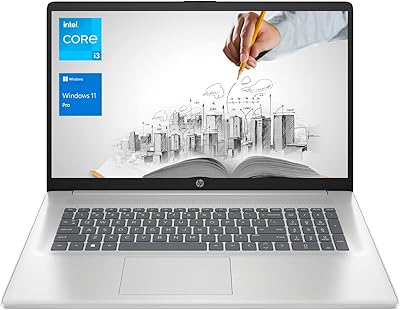
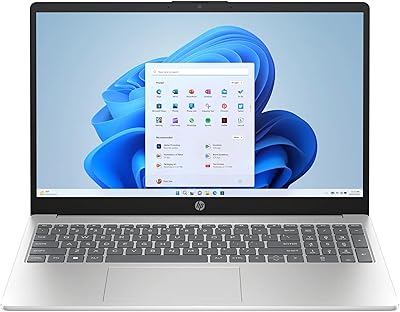
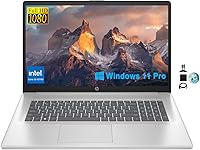
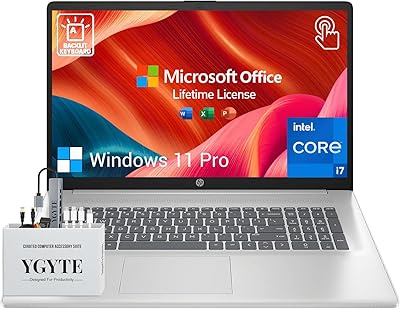
The HP 17.3″ Laptop i3-1215U 32GB RAM 1TB SSD is not a straight-from-the-factory machine — a third-party seller opens the original seal to upgrade the RAM and SSD before shipping it to you, and that’s worth knowing upfront. For buyers comfortable with that trade-off, this large-screen budget laptop offers a surprisingly capable configuration at a mid-range price. It runs Windows 11 Pro, which adds BitLocker encryption and remote management tools you simply don’t get with the Home edition. The pitch is straightforward: more memory and storage than most competing i3 laptops, marketed as a sensible alternative to spending considerably more on an i5 machine.
Features & Benefits

The i3-1215U is a 12th Gen chip with 6 cores and 8 threads, which puts it noticeably ahead of older quad-core i3 processors for everyday multitasking. Where this upgraded HP machine really stands out is the 32GB of DDR4 RAM — that’s double what most budget laptops ship with, and you feel it when juggling a dozen browser tabs, a spreadsheet, and a video call simultaneously. The 1TB SSD keeps boot times short and gives you room to store projects without constantly managing space. The 17.3-inch IPS panel holds up well for long work sessions, and the built-in numpad is a quiet but practical bonus for anyone doing data entry or accounting work.

Best For

This HP 17-inch laptop hits a sweet spot for a fairly specific buyer. College students juggling research tabs and multiple apps will appreciate having real memory headroom — most competing machines at this price ship with 8GB or 16GB, and the difference is noticeable day to day. Remote workers benefit from the Windows 11 Pro license, which matters if you need VPN access or centralized device management. It also works well as a household media machine, since the large screen makes streaming genuinely comfortable. That said, if you regularly edit video, run CAD software, or play modern 3D games, the integrated graphics will be a hard limit.

User Feedback

Buyers consistently highlight the value-to-spec ratio as the standout selling point — getting this much RAM and storage at this price tier is unusual, and that resonates in the positive reviews. The opened-seal upgrade process is a sticking point for some; a handful of buyers report concerns about warranty coverage or units arriving with minor signs of handling. Real-world battery life appears to land between five and six hours under typical workloads, noticeably short of the nine-hour advertised figure. A few users also note the display could be brighter in well-lit rooms, and some mention the chassis feels less rigid than expected at this price.

Pros

  • 32GB of DDR4 RAM is rare at this price tier and makes a tangible difference in everyday multitasking.
  • The 1TB SSD keeps boot times fast and gives you room to store files without constant housekeeping.
  • Windows 11 Pro adds real business features — BitLocker, remote desktop, and domain support — that the Home edition lacks.
  • The 17-inch IPS display is comfortable for long work sessions and easy to share with someone sitting beside you.
  • A built-in numpad makes this upgraded HP machine a stronger choice for spreadsheet and data-entry work.
  • The 12th Gen i3-1215U handles everyday multitasking noticeably better than older quad-core budget chips.
  • The 720p webcam with dual microphones performs reliably for Zoom and Teams calls in standard lighting.
  • At over six pounds, it is still portable enough to move between rooms or carry to a coffee shop occasionally.
  • The large screen makes streaming 4K content a genuinely comfortable experience without any additional hardware.
  • For buyers who accept the upgrade trade-off, the overall spec-to-price ratio is difficult to beat in this size class.

Cons

  • The factory seal is opened before shipping, which raises legitimate questions about HP warranty coverage.
  • Real-world battery life falls well short of the advertised nine hours under typical mixed use.
  • The plastic chassis flexes more than expected, giving the build a less solid feel than the price suggests.
  • The display brightness is underwhelming in well-lit rooms, requiring repositioning near windows or overhead lights.
  • The 802.11ac Wi-Fi standard is a generation behind current Wi-Fi 6 norms, limiting peak wireless performance.
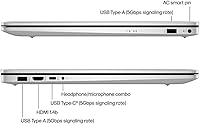
  • There is no USB-C or Thunderbolt port, which is a notable omission as more accessories shift to that standard.
  • Keyboard feel is described by multiple buyers as shallow and soft rather than satisfying for extended typing.
  • The SSD type is unconfirmed, and there is reasonable suspicion it may be SATA rather than faster NVMe.
  • Fan noise and chassis warmth increase meaningfully under sustained processor load, with some reported throttling.
  • Pre-installed bloatware and minor handling marks on arrival can give the unit a refurbished rather than new feel.

Ratings

The HP 17.3″ Laptop i3-1215U 32GB RAM 1TB SSD earned its scores through AI-assisted analysis of verified global buyer reviews, with spam, bot activity, and incentivized feedback actively filtered out before scoring. This upgraded HP machine draws a wide range of buyers, from budget-conscious students to home-office professionals, and the ratings below reflect both what genuinely impresses them and where real frustrations surface. Nothing has been smoothed over — the strengths and the pain points are given equal weight.
Value for Money
82%
18%
For buyers who compare specs side by side, the combination of 32GB RAM, a 1TB SSD, and Windows 11 Pro at this price tier is difficult to match. Most competing machines in this range ship with half the memory, and that gap translates directly into a smoother, more capable daily experience.
The opened-seal upgrade process makes some buyers uncomfortable, and a few feel the pre-upgrade base price of the underlying HP model doesn’t fully justify the premium charged here. If the third-party upgrade raises any warranty complications, the value calculation shifts noticeably.
RAM & Multitasking Performance
88%
Thirty-two gigabytes of DDR4 is genuinely uncommon at this price, and users consistently report that it handles heavy browser sessions, video calls, and open office suites without the frustrating slowdowns that plague lighter configurations. For students running multiple research tools or remote workers on cluttered desktops, it holds up well.
The i3-1215U processor, while improved over older quad-core i3 chips, still creates a bottleneck when tasks become CPU-intensive rather than memory-bound. Buyers doing batch file processing or running demanding local applications will hit processor limits before RAM becomes the constraint.
Storage Speed & Capacity
86%
Boot times are fast, app launches feel immediate, and having a full terabyte of local storage means most users will go months without needing to manage space. Students storing large project files and families keeping media libraries locally both benefit from this without needing external drives.
The SSD is not specified as NVMe in the product listing, and some buyers suspect it may be a SATA-based drive, which would be slower than the current standard. Without confirmed read/write benchmarks, it is hard to know exactly how it compares to NVMe-equipped rivals at a similar price.
Display Quality
71%
29%
The 17.3-inch IPS panel at 1920x1080 gives comfortable pixel density for a screen this size, and the 178-degree viewing angles make it practical for side-by-side viewing or sharing your screen with someone next to you. For document work, streaming, and casual photo browsing, most users find it more than adequate.
Several buyers note the brightness feels underwhelming in well-lit rooms or near windows, requiring repositioning to avoid washed-out visuals. Color accuracy is functional rather than impressive — fine for everyday tasks but not the screen you want if color-critical work is part of your routine.
Battery Life
54%
46%
Under light workloads — document editing, casual browsing, or streaming with the screen dimmed — users report getting through a reasonable portion of a workday on a single charge. The large chassis does accommodate a decent battery cell.
Real-world battery life consistently falls well short of the advertised nine-hour figure. Most buyers report five to six hours under typical mixed use, and heavier workloads push that lower. For a full day away from an outlet, this large-screen budget laptop is not a reliable choice without carrying a charger.
Build Quality & Chassis
63%
37%
The laptop has a clean, professional look in its silver finish and carries a reasonably compact footprint for a 17-inch class machine. At just over six pounds, it is portable enough to move between rooms or pack for occasional travel without feeling burdensome.
The plastic chassis flexes more than buyers expect, particularly around the keyboard deck and display lid. A handful of reviewers describe it as feeling less premium than the spec sheet suggests, with some noting that hinges and panel edges feel less tightly assembled than HP’s more expensive lines.
Processor Performance
72%
28%
The 12th Gen i3-1215U handles everyday workloads — web browsing, office applications, video conferencing, and light media consumption — with noticeably less frustration than older dual-core or quad-core budget chips. The efficiency core architecture helps keep things moving even when background tasks stack up.
Users coming from mid-range i5 or Ryzen 5 systems will feel the performance gap in processor-heavy scenarios like video encoding, large spreadsheet calculations, or running local development environments. This is a chip built for efficiency, not sustained peak output.
Graphics & Media Playback
67%
33%
Intel UHD integrated graphics handles 4K streaming from platforms like Netflix and YouTube without skipping a beat, which is a genuine plus on a 17-inch display. For casual users who mainly watch content and browse, the graphics setup is entirely sufficient.
Anyone hoping to run even moderately demanding games will hit a wall quickly. Integrated graphics mean no dedicated VRAM, and modern titles — even older ones at reduced settings — will struggle. This is not a gaming machine, and buyers who overlook that detail tend to leave disappointed reviews.
Keyboard & Input Experience
69%
31%
The inclusion of a full numpad is a practical feature that many budget 17-inch laptops skip, making this upgraded HP machine a stronger choice for finance, accounting, or data-heavy work. Key spacing on the main layout is comfortable for extended typing sessions.
Key travel is on the shallow side, and the overall typing feel is described by some users as soft or mushy rather than crisp. A few buyers also mention that the touchpad tracking lacks the precision they expected, occasionally requiring more deliberate input to register accurately.
Webcam & Audio
66%
34%
The 720p HP True Vision camera with dual array microphones performs well enough for Zoom, Teams, and Google Meet calls in decent lighting. Voice pickup is reasonably clear without an external microphone, which remote learners and home-office users appreciate.
In lower light conditions, the 720p camera produces noticeably grainy footage — a limitation that feels increasingly dated as 1080p webcams become standard even on entry-level laptops. The integrated speakers are adequate for calls but lack depth for anything resembling serious media playback.
Connectivity & Ports
73%
27%
Three USB 3.0 ports cover the basics for most users — plugging in a mouse, external drive, and a USB hub at the same time is straightforward. Wi-Fi connectivity is stable for everyday use at home or in office environments.
The 802.11ac Wi-Fi standard is one generation behind the current 802.11ax (Wi-Fi 6) norm, which means slightly lower peak throughput and less efficiency in dense wireless environments. The lack of a Thunderbolt port or USB-C with power delivery is a noticeable omission at this price point.
Thermal Management
61%
39%
Under light to moderate workloads, the machine stays quiet and surface temperatures remain comfortable. For typical office tasks and streaming, thermal management is largely a non-issue and the fan noise stays unobtrusive.
When the processor is pushed harder — during software updates, large downloads, or heavier application use — fan ramp-up becomes audible and the underside of the chassis gets noticeably warm. A few buyers report sustained throttling under extended load, which limits the chip’s full potential.
Upgrade & Warranty Transparency
48%
52%
The RAM and SSD upgrades do deliver tangibly better performance than the stock configuration, and buyers who accept the trade-off often express satisfaction with what they receive. The seller provides accessories in the box as an additional gesture of value.
The opened factory seal is a hard stop for many buyers, particularly those concerned about HP’s original manufacturer warranty being voided or complicated by third-party modifications. There is limited clarity in the listing about exactly what warranty coverage remains, which generates recurring frustration and return requests.
Setup & Out-of-Box Experience
74%
26%
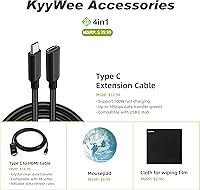
Windows 11 Pro comes pre-installed and the machine is largely ready to use without significant setup friction. The inclusion of KyyWee accessories in the bundle adds a small but appreciated touch for new laptop owners getting started.
Some buyers report that the unit arrives with pre-installed bloatware and that the upgrade process leaves minor traces — such as residual packaging marks or slight scuffs — that create an impression of a refurbished rather than new product, even if technically new hardware was used.

Suitable for:

The HP 17.3″ Laptop i3-1215U 32GB RAM 1TB SSD makes the most sense for buyers who prioritize memory headroom and storage capacity over raw processing power. College students are a natural fit — the large screen makes reading, researching, and writing genuinely comfortable, and 32GB of RAM means you can keep a dozen browser tabs, a video call, and a document editor open without the machine grinding. Remote workers operating from a home office will also appreciate the Windows 11 Pro license, which unlocks BitLocker encryption, domain joining, and remote desktop features that the Home edition simply doesn’t include. Small business owners looking for a dependable workstation for invoicing, email, spreadsheets, and light administrative work will find this upgraded HP machine capable and unfussy. Families wanting a shared living-room or kitchen laptop for streaming, casual browsing, and schoolwork will get solid use out of the big display and generous local storage. If your typical day involves productivity software and communication tools rather than specialized creative or technical applications, this large-screen budget laptop is a reasonable, well-equipped choice.
Not suitable for:

The HP 17.3″ Laptop i3-1215U 32GB RAM 1TB SSD has a clear set of limitations that will frustrate certain buyers, and it is worth being direct about them. Anyone who needs to run GPU-intensive tasks — gaming, 3D rendering, video editing, or motion graphics — should stop here, because Intel UHD integrated graphics simply cannot handle those workloads regardless of how much RAM is on board. Buyers who plan to use this as their only machine and need reliable all-day unplugged performance will likely be disappointed; real-world battery life sits closer to five or six hours under normal use, not the nine hours advertised. If you are sensitive about buying a factory-sealed product, the opened-seal upgrade process is a legitimate concern — HP’s original manufacturer warranty may be affected, and the listing does not make the remaining coverage entirely clear. Power users running local development environments, data science tools, or virtual machines will find the i3-1215U hits its ceiling faster than an i5 or Ryzen 5 chip would. And buyers who expect a rigid, premium-feeling chassis at this price tier may find the plastic build underwhelming compared to business-class alternatives.
Specifications

  • Processor: Intel Core i3-1215U, 12th Gen, 6-core (2 performance + 4 efficiency), 8 threads, base clock 1.2GHz, Turbo Boost up to 4.4GHz.
  • RAM: 32GB DDR4 SDRAM running at 3200MHz, upgraded by the third-party seller from the factory default configuration.
  • Storage: 1TB solid-state drive providing fast boot times and ample local file storage, upgraded from the original factory specification.
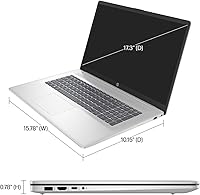
  • Display: 17.3-inch FHD IPS panel with 1920x1080 resolution, 178-degree wide viewing angles, and standard 60Hz refresh rate.
  • Graphics: Intel UHD integrated graphics sharing system memory, suitable for 4K streaming and everyday visual tasks but without dedicated VRAM.
  • Operating System: Windows 11 Pro pre-installed, including BitLocker encryption, remote desktop access, and enterprise device management features.
  • Webcam: HP True Vision 720p HD camera with integrated dual-array digital microphones positioned above the display.
  • Wireless: 802.11ac (Wi-Fi 5) dual-band wireless with no Wi-Fi 6 support; Bluetooth capability included per standard HP configuration.
  • USB Ports: Three USB 3.0 Type-A ports for connecting peripherals, external drives, and accessories simultaneously.
  • Battery: Manufacturer-rated up to 9 hours; real-world usage under mixed workloads typically yields approximately 5 to 6 hours.
  • Weight: 6.34 pounds (approximately 2.87 kg), typical for a 17-inch class laptop with a full-size keyboard layout.
  • Dimensions: 15.78 inches long by 10.15 inches wide by 0.78 inches thin, fitting a standard large-laptop footprint.
  • Keyboard: Full-size keyboard with integrated numeric keypad on the right side, designed for data entry and spreadsheet workflows.
  • Audio: HD Audio output through integrated stereo speakers; no dedicated subwoofer or premium audio hardware included.
  • Optical Drive: No optical drive included; users requiring disc playback or burning will need an external USB DVD or Blu-ray drive.
  • Webcam Privacy: No physical privacy shutter is present on the webcam; a third-party camera cover would need to be purchased separately.
  • Power: Powered by a lithium-ion battery pack with an AC adapter included; exact wattage of the adapter is not specified in the listing.
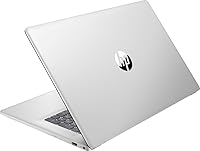
  • Color & Finish: Natural Silver plastic chassis with a matte-style surface finish across the lid, palmrest, and base.

Related Reviews
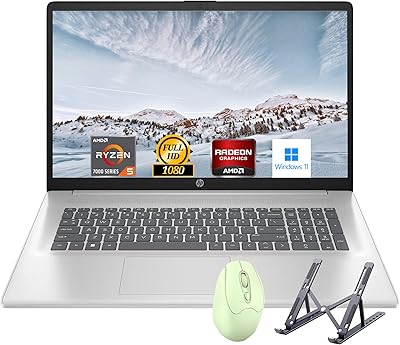
HP Laptop 17 Ryzen 5 7430U 32GB 1TB
70%
88%
Value for Money
84%
Processing Performance
91%
RAM & Multitasking
89%
Storage Speed & Capacity
76%
Display Quality
More
HP 2025 17.3″ Laptop, Intel Core i3-N305, 16GB RAM, 1TB SSD
82%
88%
Value for Money
81%
Display Quality
85%
Performance
74%
Battery Life
90%
Storage Capacity
More
HP 17 Essential 17.3-inch Laptop, Core i7, 64GB RAM, 1TB SSD
83%
92%
Performance
88%
Display Quality
80%
Battery Life
65%
Portability
95%
Multitasking Ability
More
HP 17 Business Laptop, 11th Gen Intel Core i3, 16GB RAM, 1TB SSD
82%
87%
Performance
90%
Display Quality
82%
Multitasking
76%
Battery Life
92%
Value for Money
More
HP 15-DY5033DX 15.6″ Laptop (16GB, 1TB)
83%
96%
Software Value
93%
Storage Capacity
88%
Portability & Weight
84%
Multitasking Performance
67%
Display Quality
More
HP 2025 15.6″ Touchscreen Laptop, Intel i3 1315U, 32GB RAM, 1TB SSD
82%
89%
Value for Money
85%
Performance
90%
Battery Life
70%
Display Quality
88%
Multitasking Capability
More
NIMO N171S 17.3″ Laptop, Intel Core i3-1215U, 16GB RAM, 512GB SSD
81%
85%
Performance
90%
Display Quality
65%
Battery Life
92%
Value for Money
80%
Build Quality
More
NIMO N171B 17.3-inch Laptop, Intel i3-1215U, 16GB RAM, 256GB SSD
82%
88%
Display Quality
85%
Performance (Multitasking)
63%
Battery Life
78%
Build Quality
90%
Keyboard Comfort
More
NIMO N174 17.3″ Gaming Laptop, AMD Ryzen 7 6800H, 32GB RAM, 1TB SSD
84%
89%
Gaming Performance
92%
Display Quality
63%
Battery Life
85%
Build Quality
80%
Portability
More
NIMO N177B 17.3″ Gaming Laptop, AMD Ryzen 7 8745HS, 32GB RAM, 1TB SSD
85%
88%
Performance
90%
Display Quality
85%
Battery Life
89%
Build Quality
80%
Portability
More

FAQ

This is one of the most important questions to ask before buying. The factory seal is opened by the third-party seller to upgrade the RAM and SSD, which can complicate or void the original HP manufacturer warranty. The listing does not clearly specify what warranty coverage remains after the modification, so you should contact the seller directly before purchasing to get a written answer on this point. If warranty security is critical to you, that conversation needs to happen upfront.

Technically, the underlying HP laptop and the upgraded components are described as new hardware. However, because the factory seal is opened for the upgrade process, some buyers receive units with minor handling marks or packaging that feels less pristine than a fully sealed retail box. It sits in a grey area — new parts, but not a factory-sealed unboxing experience.

Only for light or older titles. The Intel UHD integrated graphics can handle casual games, browser-based games, and older titles from several years ago, but modern 3D games will run poorly or not at all. There is no dedicated GPU and no discrete VRAM, so this large-screen budget laptop is not built for gaming and should not be purchased with that expectation.

In real-world use, most buyers report getting between five and six hours on a full charge under typical mixed workloads — browsing, documents, and occasional video. The nine-hour figure is a manufacturer estimate under controlled, minimal-load conditions. If you need all-day unplugged use, plan to bring your charger or manage your usage carefully.

The product listing does not explicitly confirm whether the SSD is NVMe or SATA-based. This matters because NVMe drives are significantly faster than SATA SSDs. Based on the price tier and available information, it may be a SATA SSD. If drive speed is important to you, contact the seller for clarification before purchasing.

Yes, without issue. The 720p webcam with dual microphones handles Zoom, Teams, and Google Meet calls reliably in standard lighting. The 32GB of RAM means you can run a video call alongside other open applications without performance problems, which is where many lower-RAM laptops start to struggle.

Yes, Windows 11 Pro comes pre-installed and should be activated on arrival. You should see a valid license tied to the device, allowing you to set it up and start working without purchasing a separate license. That said, it is worth confirming activation status during initial setup, particularly given the third-party upgrade process.

For indoor use away from direct light, the IPS display is clear and comfortable with good viewing angles. Where it falls short is in bright environments — near windows or under strong overhead lighting, the screen can look washed out because the peak brightness is on the lower side. It is not a dealbreaker for most home or office settings, but it is worth knowing.

It is a strong match for the right kind of student. If your coursework involves research, writing, spreadsheets, online classes, or light creative work, the combination of a large screen, generous RAM, and solid storage makes this upgraded HP machine genuinely capable. Students who need to run engineering software, CAD tools, or game between classes should look at machines with a dedicated GPU.

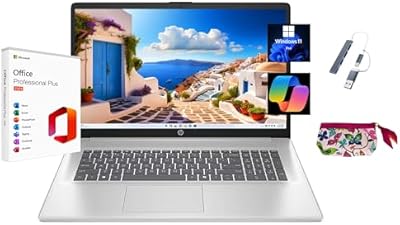
The listing mentions KyyWee accessories are bundled with the laptop, though the exact items are not fully detailed. Typically this type of bundle includes a mouse, a laptop bag or sleeve, and occasionally a USB hub or keyboard cover. You should verify the specific accessory list with the seller before purchase if the bundle contents factor into your buying decision.