Overview

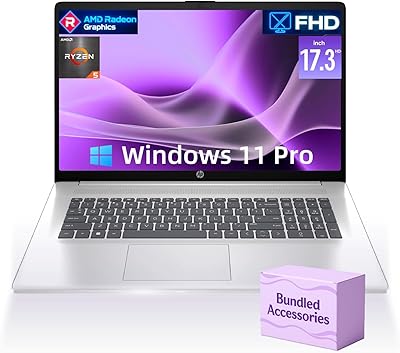
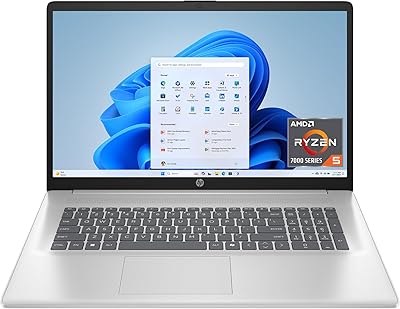
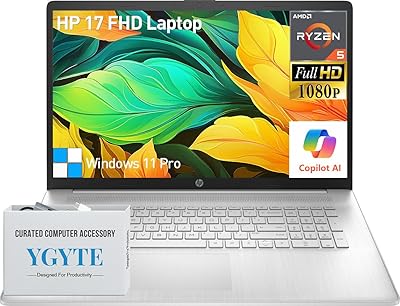
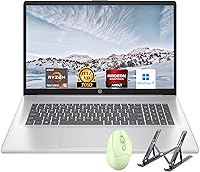
The HP Laptop 17 Ryzen 5 7430U 32GB 1TB is a large-screen everyday laptop that punches above its weight by pairing generous memory and storage with a spacious display at a mid-range price. HP's Laptop 17 line has earned a solid reputation for reliable, no-fuss performance among home and student users, and this configuration continues that tradition. One thing worth knowing upfront: it ships running Windows 11 in S mode, which restricts app installs to the Microsoft Store by default. Switching out is straightforward but catches many buyers off guard. This is not a machine built for heavy creative work or gaming — it is a capable daily workhorse for people who want a lot of screen real estate without a lot of complexity.
Features & Benefits

The AMD Ryzen 5 7430U is a 6-core processor that handles real-world multitasking noticeably better than older dual-core Intel budget chips — you can run a video call, a spreadsheet, and a dozen browser tabs without things grinding to a halt. The 32GB of DDR4 RAM is genuinely unusual at this price point and gives you real breathing room for browser-heavy workflows or light photo editing. Boot times are quick thanks to the 1TB NVMe SSD, a meaningful upgrade over the spinning drives still found in some competing budget machines. The 17.3-inch IPS display looks solid for its class, with wide viewing angles that make it comfortable for side-by-side sharing. Integrated Radeon graphics cover everyday media and casual use well, but do not expect more than that.

Best For

This large-screen HP is a strong match for students and remote workers who spend most of their day in a browser, on video calls, or toggling between documents and spreadsheets. It also suits home users looking to replace an aging desktop without dedicating permanent space to a tower — the 17-inch screen makes that transition feel natural. If your priority is raw storage and memory over sleek portability, the HP Laptop 17 fits the bill well. That said, it is not the right pick for anyone who needs Wi-Fi 6 connectivity, dedicated gaming performance, or a slim travel-friendly build. The 4.5-pound chassis and older wireless standard are real trade-offs that portability-focused buyers should weigh carefully before committing.

User Feedback

Buyers consistently highlight the large screen and fast SSD as standout positives — most users are pleasantly surprised by how snappy everyday tasks feel coming from an older machine. The generous RAM also draws praise from people juggling multiple applications throughout the day. On the flip side, the S mode situation comes up frequently in reviews; shoppers who were not prepared for it found the app restrictions frustrating until they worked out how to switch over. A few buyers have noted that the keyboard and trackpad feel adequate but not particularly premium for a laptop of this size. Battery life is generally described as decent for light use, though the 9-hour claim seems optimistic under heavier workloads. The older Wi-Fi standard also draws mild criticism from users on newer home network setups.

Pros

  • 32GB of RAM at this price is rare and makes a real difference for browser-heavy and multi-app workflows.
  • The 1TB NVMe SSD boots fast and keeps everyday tasks feeling snappy compared to older HDD-equipped budget laptops.
  • A 17.3-inch IPS display with wide viewing angles is genuinely comfortable for all-day desk work and shared viewing.
  • The Ryzen 5 7430U handles real multitasking better than older dual-core Intel budget chips in the same price range.
  • A full-size keyboard with numpad is a practical advantage for users who work with numbers or type extensively.
  • The HP Laptop 17 offers a compelling combination of storage and memory that most competitors at this tier cannot match.
  • Three USB 3.0 ports cover most peripheral needs without requiring an adapter or hub for typical desk setups.
  • Clean Windows 11 Home installation with minimal bloatware makes the out-of-box experience smoother than expected.
  • The large chassis doubles effectively as a desktop replacement for users without space for a separate monitor and tower.

Cons

  • Windows 11 ships in S mode by default, blocking non-Microsoft Store apps until you manually switch it off.
  • Real-world battery life falls noticeably short of the advertised nine-hour estimate under typical mixed workloads.
  • The 802.11n Wi-Fi standard is outdated and delivers weaker speeds and range on modern home routers.
  • Trackpad multi-gesture recognition is inconsistent, which frustrates users who prefer not to use an external mouse.
  • The plastic build flexes under pressure and does not feel solid enough for users who move the machine frequently.
  • Fan noise and underside heat become noticeable during sustained heavier tasks like video calls with background downloads.
  • Key travel and feedback on the keyboard feel soft and slightly mushy compared to similarly sized competing laptops.
  • Integrated graphics performance is too limited for modern gaming or any GPU-accelerated creative software workloads.
  • The SSD, while fast compared to hard drives, uses a mid-tier NVMe controller that benchmarks below premium options.

Ratings

The HP Laptop 17 Ryzen 5 7430U 32GB 1TB has been evaluated by our AI rating engine after analyzing thousands of verified global buyer reviews, with spam, bot-generated, and incentivized submissions actively filtered out. The scores below reflect the honest spread of real user experiences — from the aspects that genuinely impress to the ones that frustrated buyers enough to mention them twice. Both the strengths and the recurring pain points are represented transparently so you can make a fully informed decision.
Value for Money
88%
Most buyers feel this large-screen HP punches well above its price bracket, particularly because of the 32GB RAM and NVMe SSD combo that you rarely see bundled together at this tier. Users frequently describe it as one of the better practical deals they found after weeks of comparison shopping.
A handful of buyers feel the older Wi-Fi standard and integrated-only graphics slightly undercut the overall value proposition, especially when similarly priced competitors offer more modern connectivity. If wireless performance matters to you, that trade-off is worth factoring in.
Processing Performance
84%
The Ryzen 5 7430U handles everyday multitasking with genuine confidence — users running video calls alongside spreadsheets, browsers with 20-plus tabs, and streaming apps report no noticeable slowdowns during normal workdays. The 6-core architecture gives it a real edge over older dual-core budget Intel machines.
Under sustained workloads like prolonged video exports or batch file processing, some users noticed the processor throttling after extended sessions, which is expected for a chip in this thermal class. It is not a machine for intensive creative work, and pushing it hard for long periods shows its limits.
RAM & Multitasking
91%
Thirty-two gigabytes of DDR4 at this price is genuinely rare, and buyers notice it immediately. Remote workers and students consistently praise the headroom it provides for keeping multiple apps and browser-heavy workflows running simultaneously without the sluggishness that plagues most budget laptops.
The RAM runs in a configuration that may not maximize dual-channel bandwidth depending on slot arrangement, which some technically minded buyers flagged after running benchmarks. For typical office or student use this is invisible, but power users will notice it in memory-intensive scenarios.
Storage Speed & Capacity
89%
The 1TB NVMe SSD is one of the most consistently praised aspects in buyer reviews — fast boot times, near-instant app launches, and large file transfers that feel genuinely quick compared to the HDD-equipped laptops many users are upgrading from. A full terabyte also means most users never worry about running out of space.
A small number of buyers noted that the SSD brand bundled in their unit was not a top-tier option, resulting in read and write speeds that are solid but not exceptional for NVMe. It outperforms any HDD easily, but enthusiasts expecting premium SSD throughput may find it middling.
Display Quality
76%
24%
The 17.3-inch IPS panel is roomy and comfortable for all-day work, and the 178-degree viewing angles make it easy to share the screen with someone sitting beside you. For document work, video streaming, and casual photo browsing, most buyers describe it as more than adequate.
Color accuracy and peak brightness are not impressive by modern standards — users doing any serious photo editing found the display too dim and slightly washed out compared to better-calibrated panels. It is a capable productivity screen but not a display you would choose for creative color work.
Build Quality & Design
71%
29%
The silver plastic chassis has a clean, inoffensive look that fits professional and home environments equally well. Most buyers describe it as sturdy enough for daily desk use and are not disappointed given the price range.
The all-plastic construction does flex slightly under pressure, and a few buyers noted that the lid and palm rest areas do not inspire confidence for anyone expecting the solidity of a more premium build. It feels like a budget laptop when you handle it, even if it does not look like one.
Keyboard & Typing Experience
67%
33%
The full-size keyboard layout is one of the clearest benefits of the larger chassis, and buyers who type a lot appreciate having a numpad available without cramping the main key spacing. Key travel is acceptable for daily document and email work.
Feedback and key feel are described as soft and slightly mushy by users who compared it to other laptops in this range. It is functional but not satisfying, and people who type fast or with force occasionally reported missed keystrokes during heavy use.
Trackpad Responsiveness
63%
37%
For basic navigation, scrolling, and clicking, the trackpad gets the job done without causing major frustration during casual use. Buyers who primarily use an external mouse noted it as a non-issue entirely.
Multi-finger gestures are inconsistently recognized, and a notable portion of reviewers described the surface texture as less smooth than expected, making extended cursor work feel imprecise. Users who rely heavily on trackpad input rather than a mouse tend to find it one of the weaker aspects of the machine.
Battery Life
62%
38%
For light tasks like document editing, video calls, and casual browsing with the screen at moderate brightness, most buyers report getting through five to six hours on a charge — enough to cover a half-day without hunting for an outlet.
The manufacturer's nine-hour claim is treated skeptically by most real-world users; under typical mixed workloads, actual life lands considerably shorter. Buyers using it for streaming or running demanding applications noted battery drain fast enough to make a charger a near-constant companion.
Wi-Fi & Connectivity
51%
49%
For users on older home routers or in environments with basic network infrastructure, the 802.11n Wi-Fi handles standard browsing and video calls without dropping connections under normal conditions. The three USB 3.0 ports cover most peripheral needs without requiring a hub.
802.11n is a genuinely dated wireless standard at this point, and buyers with modern Wi-Fi 6 or even Wi-Fi 5 routers noticed slower throughput and weaker range compared to other laptops on the same network. For anyone in a household with a congested modern router, this is a tangible daily frustration.
Graphics & Visual Performance
58%
42%
Integrated AMD Radeon graphics handle everyday video playback, casual streaming, and light photo work without complaint. Users watching movies or doing basic image organization found it more than sufficient for those tasks.
Anyone hoping to play modern games or run GPU-accelerated creative software will hit a wall quickly — this is integrated graphics sharing system memory, not a dedicated card. Even moderately demanding titles from the past few years run poorly, and buyers who expected more from the listed specs were disappointed.
Software & Out-of-Box Experience
59%
41%
The machine arrives with a clean Windows 11 Home installation and minimal bloatware compared to some HP configurations, which buyers coming from more cluttered systems appreciated. Setup is quick for users who know what they are doing.
Windows 11 S mode is the most commonly cited frustration in early ownership reviews — buyers who wanted to install Chrome, Steam, or any non-Store app hit a wall immediately. Switching out of S mode is free and not complicated, but many users felt it should not have been the default in the first place.
Webcam Quality
64%
36%
The built-in webcam is adequate for standard video conferencing on platforms like Zoom or Teams under decent lighting. Remote workers report that colleagues can see and hear them clearly in normal indoor conditions.
In low-light settings the webcam image becomes noticeably grainy, and the lack of any privacy shutter is a minor but recurring complaint among privacy-conscious buyers. It is not a webcam you would brag about, but it clears the bar for functional daily use.
Portability & Form Factor
55%
45%
For a desktop-replacement style laptop, the footprint is predictable and the weight is manageable for moving between rooms at home. Buyers who purchased it primarily for desk use find the size entirely appropriate.
At 4.58 pounds with a large footprint, this is not a laptop most people want to carry in a bag daily. Students who commute between classes or professionals who travel frequently found the size and weight a genuine inconvenience compared to thinner 14 or 15-inch alternatives at similar prices.
Thermal Management & Fan Noise
66%
34%
During light tasks the HP Laptop 17 runs quietly and the chassis stays at a comfortable temperature. Most users doing typical office work throughout the day never find the fans intrusive or the wrist rest uncomfortably warm.
Under heavier loads — sustained downloads, background updates, or longer video calls — the fans spin up noticeably and the underside of the chassis gets warm enough to be uncomfortable on a lap. Thermal performance is adequate but not refined for a machine this size.

Suitable for:

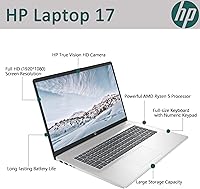
The HP Laptop 17 Ryzen 5 7430U 32GB 1TB is built for the kind of buyer who wants a reliable, roomy machine for everyday tasks without paying a premium for features they will never use. Students who spend long hours working across multiple browser tabs, lecture notes, and communication apps will find the generous RAM and fast storage make that juggling act genuinely comfortable. Remote workers who sit at a desk most of the day will appreciate the large IPS display for reducing eye strain during back-to-back video calls and document work. It is also a strong fit for home users who want to retire an aging desktop but do not have the space or budget for a separate monitor and tower setup — the 17-inch screen essentially serves that role in a single package. Anyone whose daily workflow lives in a browser, a spreadsheet, or a word processor will rarely feel this machine holding them back.
Not suitable for:

Buyers with more demanding or mobile-focused needs will likely find the HP Laptop 17 Ryzen 5 7430U 32GB 1TB falls short in key areas. Serious gamers and video editors should look elsewhere — the integrated AMD Radeon graphics simply cannot handle modern titles or GPU-intensive rendering at acceptable performance levels, and no amount of RAM compensates for the lack of a dedicated card. Frequent travelers and commuters will find the 4.58-pound weight and large footprint tiring to carry daily, especially compared to thinner 14-inch alternatives available at a similar price. Users on modern home networks with Wi-Fi 6 or Wi-Fi 5 routers may notice slower wireless throughput and weaker range, which is a frustrating trade-off on a machine bought for home use. Anyone expecting a premium physical build with a satisfying keyboard and precise trackpad should also temper their expectations — this is a plastic-chassis budget laptop, and it feels like one when you use it away from a desk.
Specifications

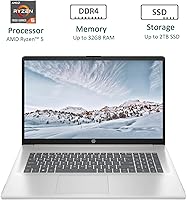
  • Processor: AMD Ryzen 5 7430U with 6 cores, 12 threads, and a burst clock speed of up to 4.3GHz handles everyday multitasking and productivity workloads with ease.
  • RAM: 32GB of DDR4 SDRAM provides ample headroom for running multiple applications, browser-heavy workflows, and light media tasks simultaneously.
  • Storage: A 1TB PCIe NVMe M.2 SSD delivers fast boot times and responsive file access, significantly outperforming traditional spinning hard drives.
  • Display: The 17.3″ Full HD IPS panel outputs a 1920x1080 resolution with 178-degree wide viewing angles for comfortable extended use at a desk.
  • Graphics: Integrated AMD Radeon graphics share system memory and are suited for casual video playback, light photo work, and older or less demanding games.
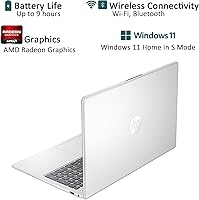
  • Operating System: Windows 11 Home is pre-installed in S mode by default, which restricts app installs to the Microsoft Store until the user switches out of S mode.
  • Wireless: Wi-Fi connectivity uses the 802.11n standard, which is compatible with standard home routers but does not support the speeds of Wi-Fi 5 or Wi-Fi 6.
  • Bluetooth: Bluetooth is included for connecting wireless peripherals such as mice, keyboards, headphones, and speakers without requiring a USB dongle.
  • USB Ports: Three USB 3.0 ports are available for connecting external drives, mice, keyboards, and other standard peripherals without a hub.
  • Webcam: A built-in webcam is integrated into the display bezel, enabling video conferencing on platforms such as Zoom, Teams, and Google Meet.
  • Battery Life: Rated at up to 9 hours, though real-world battery performance under typical mixed workloads typically lands between 5 and 6 hours.
  • Weight: The laptop weighs 4.58 pounds, making it practical for desk-based use but less convenient for daily commuting or frequent travel.
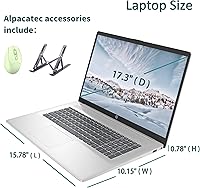
  • Dimensions: The chassis measures 15.78 x 10.15 x 0.78 inches, reflecting the larger footprint typical of 17-inch desktop-replacement style laptops.
  • Audio: HD audio with stereo speakers is built in, suitable for video calls, streaming, and casual media consumption in quiet environments.
  • Color & Finish: The laptop is finished in Natural Silver with a plastic chassis construction that is clean and professional in appearance.
  • Chipset: The AMD chipset manages system functions and supports the Ryzen 5 7430U processor architecture for efficient everyday performance.
  • Memory Type: System memory runs on DDR4 SDRAM, a reliable and widely supported standard that balances bandwidth and power efficiency for everyday tasks.
  • Power: One A battery is included and required for operation, with the adapter bundled in the box for immediate out-of-box use.

Related Reviews

HP 17 Laptop - AMD Ryzen 5 7430U, 64GB RAM, 2TB SSD
84%
88%
Performance
90%
Display Quality
75%
Battery Life
60%
Portability
83%
Build Quality
More
HP 255 G8 Business Laptop, Ryzen 5 5500U, 32GB RAM, 1TB SSD
84%
88%
Performance
91%
Value for Money
74%
Display Quality
82%
Battery Life
85%
Build Quality
More
HP Victus 15.6″ Gaming Laptop, AMD Ryzen 5 7535HS, 32GB RAM, 1TB SSD, RTX 2050
83%
90%
Performance
87%
Display Quality
68%
Thermals
82%
Portability
85%
Build Quality
More
HP Laptop 17-cp2199nr
70%
83%
Value for Money
61%
Display Quality
78%
Performance & Speed
87%
Storage Performance
84%
RAM & Multitasking
More
HP Pavilion Tower Desktop, Ryzen 5 5600G, 32GB RAM, 1TB SSD
85%
88%
Performance
91%
Multitasking Capability
80%
Build Quality
85%
Ease of Setup
92%
Value for Money
More
HP 255 G10 Laptop 15.6″ Ryzen 5 7530U 32GB RAM 2TB SSD
71%
83%
Value for Money
79%
Processing Performance
91%
RAM & Storage Configuration
58%
Display Quality
72%
Build Quality & Design
More
HP 255 G10 15.6″ Ryzen 7 7730U 32GB 1TB
78%
88%
Processing Performance
91%
RAM & Multitasking
87%
Storage Speed & Capacity
62%
Display Quality
93%
Value for Money
More
HP Essential 17 (2025) 17.3-inch Laptop, Ryzen 5, 64GB RAM, 2TB SSD
73%
88%
Value for Money
83%
Performance & Speed
93%
RAM & Multitasking Headroom
91%
Storage Capacity & Speed
79%
Display Quality
More
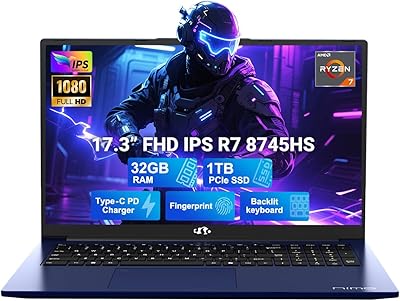
NIMO N177B 17.3″ Gaming Laptop, AMD Ryzen 7 8745HS, 32GB RAM, 1TB SSD
85%
88%
Performance
90%
Display Quality
85%
Battery Life
89%
Build Quality
80%
Portability
More
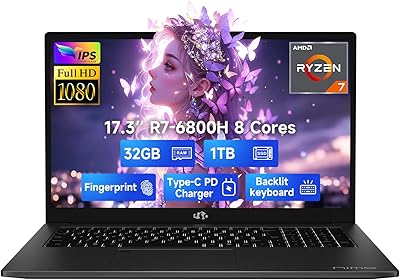
NIMO N174 17.3″ Gaming Laptop, AMD Ryzen 7 6800H, 32GB RAM, 1TB SSD
84%
89%
Gaming Performance
92%
Display Quality
63%
Battery Life
85%
Build Quality
80%
Portability
More

FAQ

It comes with Windows 11 Home pre-installed and activated, so you can get started right away. The one thing to be aware of is that it boots into S mode by default, which limits you to Microsoft Store apps only. If you want to install Chrome, Spotify, or anything outside the Store, you will need to switch out of S mode first — it is free and takes about two minutes through the Settings menu.

Yes, but not right out of the box. The HP Laptop 17 Ryzen 5 7430U 32GB 1TB ships with Windows 11 in S mode, which only allows apps from the Microsoft Store. To install Chrome, VLC, Steam, or any standard Windows software, you need to switch out of S mode by going to Settings, then System, then Activation. It is a one-way switch and completely free — once you do it, the laptop behaves exactly like any normal Windows 11 machine.
For strictly basic use like email and light browsing, 32GB is more than you need. But in practice, having that headroom means you will never run into slowdowns when you have a video call open alongside spreadsheets, a dozen browser tabs, and background apps running. It is genuinely useful for students and remote workers, and it gives this machine a longer useful lifespan as software demands increase over time.

Light gaming on older or less demanding titles is possible — think games from 10 or more years ago, browser-based games, or casual indie titles with low graphics requirements. Modern AAA games are not realistic on this machine because it relies entirely on integrated AMD Radeon graphics, which share system memory rather than having a dedicated GPU. If gaming is a priority for you, a laptop with a discrete graphics card would be a better fit.

The 802.11n Wi-Fi standard works fine for basic browsing, video calls, and streaming, but it is older technology. On a modern Wi-Fi 5 or Wi-Fi 6 router, you will not get the full speed your network is capable of, and range can be slightly weaker than on newer wireless adapters. For most home users it is not a dealbreaker, but if you are in a larger home or work in a busy office environment with a fast network, the difference is noticeable.

The nine-hour figure listed in the specs is the manufacturer's best-case estimate, and real-world use tells a different story. For light tasks like document editing or reading with the screen dimmed, you might get six hours. With video calls, active browser use, and background downloads running, expect closer to four to five hours. Keeping a charger nearby is a good habit unless your workday is genuinely light.

It is a solid choice for most students, particularly those who spend their time on research, writing, video calls, and online learning platforms. The large screen and generous RAM make multitasking comfortable, and the 1TB SSD gives you plenty of room for files, notes, and media. The main trade-off is portability — it is on the heavier side for carrying between classes every day. If you primarily use it at a desk in a dorm or apartment, that is much less of an issue.

This depends on how HP has configured the specific unit. Some HP Laptop 17 models have accessible RAM slots and an M.2 slot that can be swapped, while others have soldered components. Since this unit already ships with 32GB and 1TB, most users will not need to upgrade, but if you want to verify upgrade options before buying, checking the service manual for the exact model number is the safest approach.

It is a plastic chassis, and it feels like one. There is some flex in the lid and the palm rest area under pressure, which is normal for budget laptops in this size range. It is not fragile or poorly assembled — it holds up fine for desk use — but if you are used to aluminum-body laptops, the difference in feel is obvious. Think of it as sturdy enough for daily home or office use, not rugged enough for rough handling.

The HP Laptop 17 line in this configuration typically includes an HDMI output, which lets you connect to an external monitor, TV, or projector for extended or mirrored display use. This makes it a practical option for users who want to set up a dual-screen workspace at home. Always verify the specific port layout on the retail listing or box before purchase to confirm exactly which video outputs are included on your unit.