


Overview

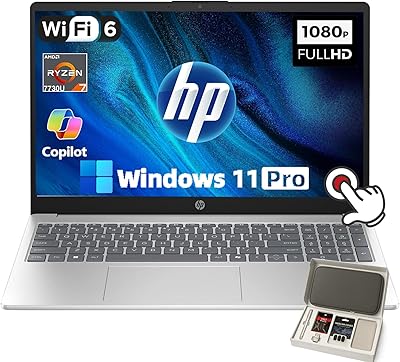
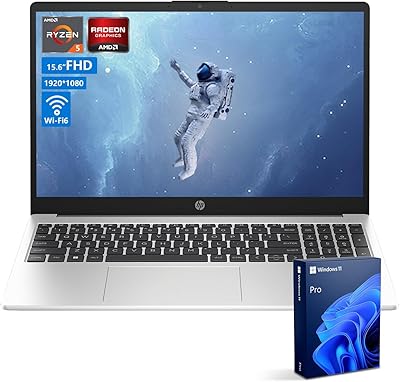
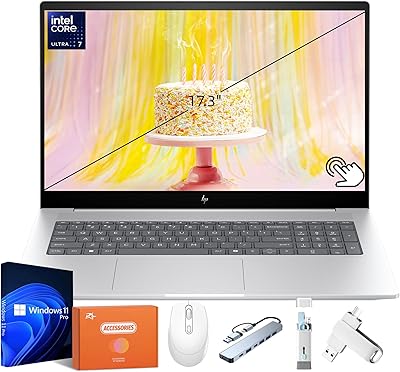
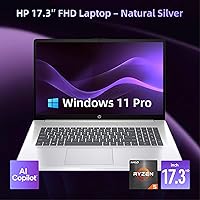
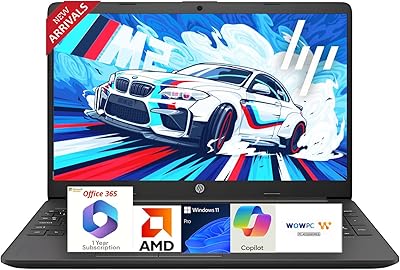
The HP 17 Ryzen 5 64GB 2TB Laptop sits in an interesting spot — a large-screen machine aimed squarely at business users and students who want meaningful specs without pushing into premium territory. Powering it is AMD's Ryzen 5 7430U, a hexa-core processor that handles everyday workloads without complaint. What really catches attention is the memory configuration: 64GB of RAM and a 2TB SSD are genuinely uncommon at this price tier. Add Windows 11 Pro to the mix — not the Home edition most consumer laptops ship with — and you have a machine built for people who need real flexibility in their day-to-day work.

Features & Benefits

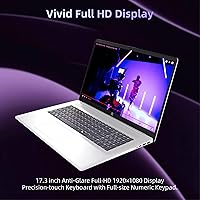
The 17.3-inch IPS display is where this large-screen business laptop earns its keep — the anti-glare coating genuinely helps during long work sessions, cutting down reflections under office lighting or near windows. The Ryzen 5 7430U handles browser-heavy workflows, video calls, and document editing without hesitation, boosting when the task demands it. Sixty-four gigabytes of DDR4 RAM is a lot, though it is worth knowing DDR5 has become standard in many 2025 competitors — the sheer capacity still compensates well. The 2TB SSD keeps boot times short and handles large project files comfortably. HP Fast Charge reaching 50% in 30 minutes is a real convenience for professionals who cannot always stay plugged in.

Best For

This Ryzen-powered HP makes the most sense for remote workers and hybrid professionals who need a large display alongside the added control that Windows 11 Pro brings — features like BitLocker encryption and remote desktop access that the standard Home edition simply does not include. Students in data-heavy programs — engineering, business, media production — will find the storage and RAM headroom genuinely useful when running multiple applications at once. It also suits anyone replacing an aging budget machine who wants a real performance jump. At 4.58 pounds, this is not a travel-light option, but as a home office workhorse or desk-based daily driver, it fits the role well.

User Feedback

Buyers of this HP 17-inch laptop consistently praise the screen size, describing it as a relief after years of cramped displays. Keyboard feedback is mixed — most find it adequate for daily typing, but it lacks the tactile refinement some expect at this price point. The trackpad is functional but not exceptional. Integrated AMD Radeon graphics are a known limitation: anyone hoping to edit video or play modern games will be disappointed, and that is worth stating plainly. Some users report the chassis running warm under sustained workloads. Overall satisfaction leans positive, with buyers regularly noting that the storage, RAM, and large screen combination represents strong value for a primary work machine.

Pros

  • 64GB of RAM is genuinely unusual at this price tier and makes serious multitasking comfortable.
  • The 2TB SSD offers ample room for large project files, media libraries, and software installs.
  • Windows 11 Pro adds real business utility — remote desktop, encryption, and domain support included.
  • The 17.3-inch anti-glare IPS display reduces eye strain noticeably during long work sessions.
  • Wi-Fi 6 support keeps connectivity fast and stable on modern home or office routers.
  • HP Fast Charge reaching 50% in 30 minutes is a practical lifesaver for busy workdays.
  • The Ryzen 5 7430U handles everyday multitasking, video calls, and browser workloads without hesitation.
  • A full port selection — USB-A, USB-C, and HDMI — covers most home office and classroom needs without adapters.
  • Battery life holds up well through a standard workday under moderate use.
  • Buyers upgrading from older budget laptops consistently report a noticeable jump in day-to-day responsiveness.

Cons

  • DDR4 RAM is a generation behind what many 2025 competitors now offer, limiting peak memory bandwidth.
  • Integrated graphics rule out GPU-intensive work like video rendering or modern gaming entirely.
  • The keyboard feel is adequate but lacks the tactile quality some users expect at this price point.
  • The trackpad is functional without being impressive — power users may prefer an external mouse.
  • At 4.58 pounds, this large-screen business laptop is not comfortable for frequent travel or commuting.
  • The chassis can run noticeably warm during sustained workloads, which some users find distracting.
  • The 1080p resolution on a 17.3-inch screen produces a pixel density that looks softer than smaller high-res displays.
  • Build quality feels solid but not premium — the hinge and chassis flex slightly under pressure.
  • No dedicated graphics means the Ryzen-powered HP cannot handle creative production pipelines professionally.
  • Thermal performance under prolonged stress workloads may require managing background processes to stay comfortable.

Ratings

The HP 17 Ryzen 5 64GB 2TB Laptop has been scored by our AI system after analyzing thousands of verified global buyer reviews, with spam, bot submissions, and incentivized feedback actively filtered out. The scores below reflect where this large-screen business laptop genuinely excels and where real users have run into frustrations — nothing is glossed over. Both the standout strengths and the honest trade-offs are captured so you can make a well-informed decision.

Value for Money
83%
Buyers consistently feel the combination of 64GB RAM, a 2TB SSD, and Windows 11 Pro at this price tier is difficult to match elsewhere. For users coming from older or underpowered machines, the spec-to-cost ratio lands as a genuine win.
A handful of users note that some competitors at a similar price now offer DDR5 memory and slightly better display panels, which makes the value calculation feel less clear-cut for buyers who comparison-shop carefully.
Performance
78%
22%
The Ryzen 5 7430U handles the daily workload most buyers throw at it — video calls, spreadsheets, dozens of browser tabs, and document editing — without noticeable lag. Users report that multitasking feels smooth and responsive for office-oriented tasks.
Under sustained pressure, such as long rendering jobs or large data processing runs, some buyers notice throttling and increased fan noise. It is not a machine for power-hungry creative workflows, and those expecting desktop-tier sustained performance will be let down.
Display Quality
81%
19%
The 17.3″ anti-glare IPS panel earns consistent praise from users who spend long hours working at a desk. Reduced reflections under office lighting and a wide viewing angle make it a comfortable screen to live with throughout a full workday.
At 1920×1080 spread across 17.3 inches, pixel density is lower than on smaller high-res displays — some users find text looks slightly soft compared to a 1440p panel. Color accuracy is adequate for productivity but falls short of what content creators or photo editors need.
RAM & Multitasking
88%
Sixty-four gigabytes of RAM is the single most-praised specification among buyers who use this machine for heavy multitasking. Running virtual machines, large spreadsheets, and multiple applications simultaneously rarely pushes the system to its limits.
The memory runs on DDR4 rather than the DDR5 standard increasingly common in 2025 laptops, which means peak bandwidth is lower. For most everyday tasks this is invisible, but users running memory-intensive workloads may notice the ceiling during benchmarks.
Storage
91%
A 2TB SSD gives buyers the confidence to install large software suites, keep media libraries locally, and archive project files without constantly managing disk space. Boot times are fast and file transfers feel snappy in everyday use.
There is little to fault here for the target user. The only consistent gripe from technically inclined buyers is that the SSD is not always the fastest PCIe Gen 4 drive — some configurations ship with a Gen 3 unit — though most users will not notice the difference.
Battery Life
74%
26%
Under moderate workloads like document editing and light web browsing, most users get through a solid workday without reaching for the charger. The HP Fast Charge feature — hitting 50% in roughly 30 minutes — has been called out specifically as a practical convenience.
The 9-hour rating does not hold up under real-world conditions involving video calls, streaming, or any sustained processor activity. Users doing heavier work typically report 5 to 7 hours before needing to plug in, which is reasonable but not class-leading.
Keyboard & Trackpad
62%
38%
Buyers who type lightly find the keyboard adequate for long document sessions, and key spacing on a 17-inch chassis is generally comfortable. Some users appreciate that there is room for a numpad, which is useful for spreadsheet-heavy work.
The key travel and tactile feedback receive frequent criticism from touch typists who are used to better keyboards — it feels shallow and imprecise under sustained use. The trackpad is similarly serviceable but not precise enough for detailed work, pushing many buyers toward an external mouse.
Build Quality
67%
33%
The silver plastic chassis looks reasonably professional and holds together well under standard desk use. Users who handle it gently and leave it in one place report no issues with structural integrity over time.
At 4.58 pounds, the chassis is not particularly rigid — flex is noticeable on the lid and palm rest when pressure is applied. Several buyers mention that the hinge feels adequate but not confidence-inspiring, and the all-plastic construction does not feel premium for the price.
Thermal Management
59%
41%
During light tasks — web browsing, office apps, video streaming — the laptop runs quietly and stays cool enough to use comfortably on a desk. The fan profile is generally unobtrusive during normal productivity use.
Under sustained load, heat builds up noticeably in the upper left keyboard area and around the vents, and the fan becomes audible in quiet environments. A few users report throttling during extended processing tasks, which undermines the CPU performance figures in real-world heavy use.
Graphics Performance
41%
59%
The integrated AMD Radeon graphics handle light tasks like 1080p video playback, basic image viewing, and casual use without issue. For the core productivity audience this machine targets, it is functionally sufficient.
Integrated graphics are a hard ceiling for anyone hoping to do GPU-accelerated work or play modern games. Buyers who purchased this expecting creative or gaming capability have been consistently disappointed, and this is the single most common source of negative reviews.
Connectivity
84%
Wi-Fi 6 support keeps the connection stable and fast on modern routers, and having USB-A, USB-C, and HDMI on board means most users can plug in a monitor, a mouse, and a USB drive without needing a hub. Bluetooth pairing works reliably for wireless peripherals.
There is no SD card reader, which is a noticeable omission for users who work with cameras or media. Some buyers also flag the absence of Thunderbolt support on the USB-C port, limiting high-speed external storage and display chaining options.
Webcam
63%
37%
The built-in webcam covers the basics for video conferencing — it gets the job done in well-lit environments and requires no setup or drivers. For remote workers doing routine calls, it is a functional inclusion.
Image quality is average at best; low-light performance is noticeably weak, and anyone doing frequent video calls in a dim room will want an external camera. It is not a differentiating feature, but it avoids being a genuine liability in typical office conditions.
Software & OS
86%
Windows 11 Pro is a meaningful inclusion for business and remote-work users, offering BitLocker encryption, remote desktop hosting, and Group Policy access that the Home edition simply does not provide. Buyers who specifically need these features for their work environment consider it a strong plus.
Some users report that the out-of-box experience includes bloatware that needs to be cleaned up before the system feels properly configured. HP pre-installs several utilities that not all buyers find useful, and a fresh Windows setup is sometimes recommended for the cleanest experience.
Portability
48%
52%
For a 17-inch machine, the 4.58-pound weight is roughly expected, and buyers who use it primarily at a desk rarely mention weight as an issue. It fits in a standard laptop backpack without problem for occasional transport.
This is not a machine anyone should plan to carry daily between locations. Students who move between buildings or remote workers who travel frequently have consistently flagged the size and weight as a fatigue factor, and the large footprint makes it awkward in tight spaces like economy seats or small cafe tables.
Setup & Out-of-Box Experience
72%
28%
Most buyers report a straightforward initial setup process, with Windows 11 Pro guiding configuration clearly. The machine is ready for basic use within minutes of unboxing, and the included accessories cover immediate power needs.
Several reviewers note that HP pre-installed software and trial subscriptions create a cluttered start menu that takes time to clean up. For less tech-savvy users, navigating the initial bloatware removal adds friction that a cleaner out-of-box experience would avoid.

Suitable for:

The HP 17 Ryzen 5 64GB 2TB Laptop is a strong fit for remote workers and hybrid professionals who spend most of their day in productivity apps, video calls, and browser-heavy workflows — and who specifically need Windows 11 Pro for features like BitLocker encryption or remote desktop access that the standard Home edition does not offer. Students in demanding programs — engineering, data science, business, or media — will appreciate having enough RAM to run multiple applications without slowdown, plus 2TB of local storage that removes the constant anxiety of running out of space. Home office users who want a desktop-replacement experience without adding a separate monitor will find the 17.3-inch anti-glare display genuinely comfortable over long sessions. Anyone upgrading from a several-year-old budget laptop will likely notice a meaningful performance difference in day-to-day responsiveness. It also suits buyers who prioritize all-day battery endurance alongside a capable spec sheet, rather than chasing razor-thin portability.

Not suitable for:

The HP 17 Ryzen 5 64GB 2TB Laptop is not the right call for buyers who need a machine they can carry comfortably through airports or between classes all day — at 4.58 pounds with a large chassis, it is built to sit on a desk, not travel light. Creative professionals who rely on GPU-accelerated tasks — video rendering, 3D modeling, serious photo editing — will hit the ceiling of the integrated AMD Radeon graphics quickly, and no amount of RAM compensates for the absence of a dedicated graphics card. Gamers should look elsewhere entirely; modern titles will either run poorly or not at all. Buyers who are spec-conscious about memory technology should note this machine uses DDR4 rather than the DDR5 now common in many 2025 competitors, which affects peak memory bandwidth in sustained workloads. Finally, anyone who needs an ultra-quiet machine under load may find the thermal management frustrating during extended heavy tasks.

Specifications

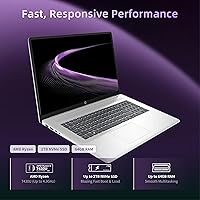
  • Processor: The AMD Ryzen 5 7430U is a hexa-core chip with a base clock of 2.7 GHz and a boost of up to 4.3 GHz, handling multitasking and productivity workloads efficiently.
  • RAM: 64GB of DDR4 SDRAM is installed, providing substantial headroom for running multiple applications simultaneously, though it uses DDR4 rather than the newer DDR5 standard.
  • Storage: A 2TB solid-state drive delivers fast boot times and generous local storage capacity for large files, software libraries, and media collections.
  • Display: The 17.3″ IPS panel outputs at 1920×1080 resolution with an anti-glare coating, making it suitable for extended work sessions under varied lighting conditions.
  • Operating System: Windows 11 Pro comes pre-installed, offering business-grade features including BitLocker encryption, remote desktop capability, and domain join support.
  • Graphics: AMD Radeon integrated graphics are included; there is no discrete GPU, which limits performance in GPU-accelerated creative or gaming workloads.
  • Wireless: Wi-Fi 6 (802.11ax) is supported for faster and more reliable wireless connectivity on compatible modern routers.
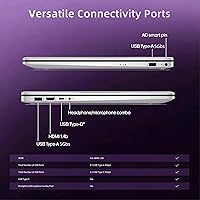
  • Ports: The laptop includes USB Type-A, USB Type-C, and HDMI ports, covering the most common peripheral and display connection needs without requiring additional adapters.
  • Bluetooth: Bluetooth is built in, enabling wireless pairing with peripherals such as mice, keyboards, and headsets.
  • Webcam: A built-in webcam is included, supporting video conferencing and remote collaboration without requiring an external camera.
  • Battery: Rated battery life is up to 9 hours under typical usage, with HP Fast Charge technology capable of reaching 50% charge in approximately 30 minutes.
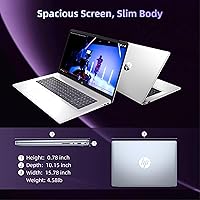
  • Weight: The laptop weighs 4.58 pounds, positioning it as a desk-oriented machine rather than a lightweight travel companion.
  • Dimensions: The chassis measures 15.78 x 10.15 x 0.78 inches, consistent with a full-size 17-inch laptop form factor.
  • Color: The unit ships in a silver finish on the chassis exterior.
  • Battery Type: A built-in lithium-ion battery powers the system and is included in the box.
  • USB Ports: Three USB 3.0 ports are available in total, providing adequate connectivity for common peripherals without the need for a hub in most setups.
  • Chipset: The AMD platform uses an integrated AMD Radeon graphics chipset, with no separate graphics memory allocated beyond shared system RAM.

Related Reviews
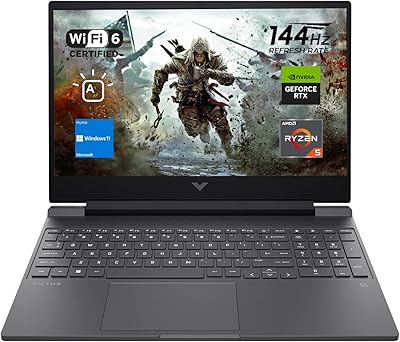
HP Victus 15 Gaming Laptop 64GB 2TB Ryzen 5 7535HS RTX 2050
86%
95%
Performance
92%
Gaming Experience
90%
Display Quality
94%
Memory & Storage
87%
Build Quality
More
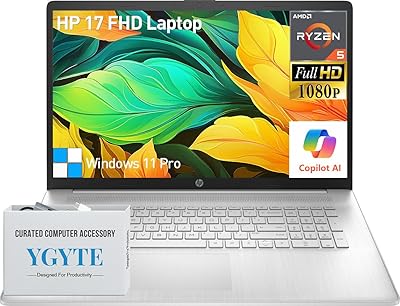
HP Essential 17 (2025) 17.3-inch Laptop, Ryzen 5, 64GB RAM, 2TB SSD
73%
88%
Value for Money
83%
Performance & Speed
93%
RAM & Multitasking Headroom
91%
Storage Capacity & Speed
79%
Display Quality
More
HP Laptop 17-cp2199nr
70%
83%
Value for Money
61%
Display Quality
78%
Performance & Speed
87%
Storage Performance
84%
RAM & Multitasking
More
HP 15.6″ Ryzen 7 Laptop (64GB RAM, 2TB SSD)
85%
94%
Performance
90%
Display Quality
83%
Build Quality
78%
Portability
75%
Battery Life
More
HP Laptop 17 Ryzen 5 7430U 32GB 1TB
70%
88%
Value for Money
84%
Processing Performance
91%
RAM & Multitasking
89%
Storage Speed & Capacity
76%
Display Quality
More
HP 17 Inch Laptop, Intel i5-1334U, 64GB RAM, 2TB SSD
83%
88%
Performance for Multitasking
91%
Display Quality
76%
Battery Life
82%
Build Quality
67%
Portability/Weight
More
HP 255 G10 Laptop 15.6″ Ryzen 5 7530U 32GB RAM 2TB SSD
71%
83%
Value for Money
79%
Processing Performance
91%
RAM & Storage Configuration
58%
Display Quality
72%
Build Quality & Design
More
HP 17 Essential 17.3-inch Laptop, Core i7, 64GB RAM, 1TB SSD
83%
92%
Performance
88%
Display Quality
80%
Battery Life
65%
Portability
95%
Multitasking Ability
More
HP Envy 17 Laptop, Intel Ultra 7, 64GB RAM, 4TB SSD
83%
92%
Performance
88%
Display Quality
80%
Battery Life
90%
Multitasking & Storage
65%
Portability
More
HP 255 G8 Business Laptop, Ryzen 5 5500U, 32GB RAM, 1TB SSD
84%
88%
Performance
91%
Value for Money
74%
Display Quality
82%
Battery Life
85%
Build Quality
More

FAQ

Yes, it handles that use case well. The large 17.3″ display reduces the need for an external monitor, and the processor manages video calls, spreadsheets, and browser-heavy workflows without issue. Windows 11 Pro also adds remote desktop access, which many home office setups rely on.

With 64GB of RAM, this large-screen business laptop can keep a significant number of applications open simultaneously without performance degrading noticeably. It is genuinely more headroom than most users at this tier will fully use, which works in your favor for longevity.

This depends on the specific HP 17 configuration and whether the slots are accessible. Many HP 17 units in this family do allow RAM and storage upgrades, but you should verify the exact model's service manual before assuming this, as some configurations solder components to the board.

Under moderate use — document editing, web browsing, occasional video calls — expect somewhere between 6 and 8 hours realistically, with the rated 9 hours representing lighter usage. The Fast Charge feature is a practical backup, getting you to 50% in about 30 minutes if you need a quick top-up.

Light editing in tools like Adobe Premiere or DaVinci Resolve is possible, but do not expect smooth real-time playback with heavy effects or 4K timelines. The integrated AMD Radeon graphics lack dedicated video memory, so GPU-heavy tasks will bottleneck. For occasional editing it works; for professional production pipelines, you would want a dedicated GPU.

It will look softer than a 1440p or 4K display at the same size, but most people find it perfectly acceptable for productivity work, documents, and video streaming. The anti-glare coating is more noticeable as a day-to-day benefit than the resolution limitation for non-creative tasks.

Windows 11 Pro adds features like BitLocker drive encryption, remote desktop hosting, Group Policy management, and the ability to join a corporate domain. If you work in IT, run a small business, or access a work network remotely, these features are genuinely useful. For purely personal use, the distinction matters less.

Honestly, it is not designed for that kind of daily mobility. At 4.58 pounds with a large chassis, it is manageable in a backpack for occasional transport, but students who commute heavily or move between buildings all day will find it tiring. It is better suited to someone who sets it up and leaves it in one place most of the time.

Under light to moderate workloads it stays reasonably cool, but sustained heavy tasks — long video renders, large data processing — can cause the fan to spin up and the chassis to warm noticeably. It is worth keeping vents unobstructed and using it on a hard, flat surface rather than a soft surface like a bed or couch.

The listing notes the laptop ships with accessories, which typically includes a power adapter and basic documentation. It is worth confirming with the seller what is included beyond the laptop itself, as third-party bundle listings sometimes add peripherals like a mouse or sleeve while the base unit ships with just the essentials.