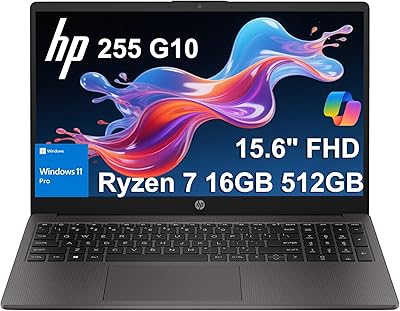
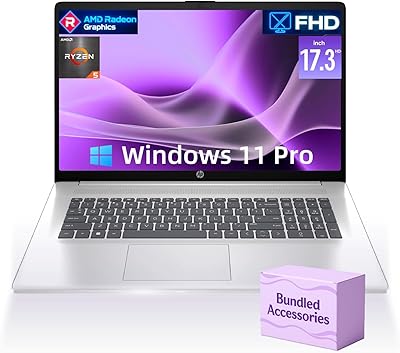
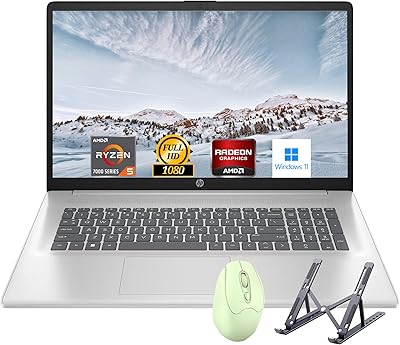
Overview

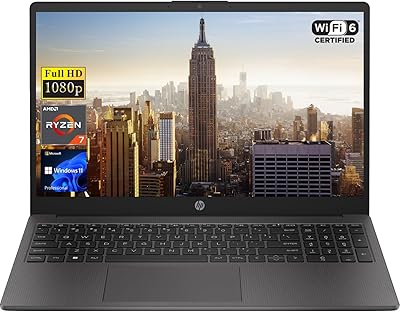
The HP 255 G10 Laptop 15.6″ Ryzen 5 7530U 32GB RAM 2TB SSD is not a factory-configured unit straight off HP's production line — PCOnline US has taken the standard base model and replaced the original RAM and SSD with higher-capacity components before selling it on. The original seal was opened for this upgrade, which is something buyers should understand before purchasing. What you end up with is a third-party upgraded machine that offers solid specs for the price tier. The split warranty covers the upgraded parts for one year through the seller, while the remaining hardware retains HP's original manufacturer warranty. For everyday office work and study, it holds up well — just don't expect graphics muscle.
Features & Benefits

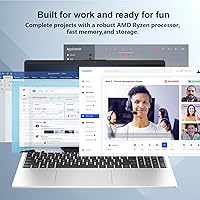
The Ryzen 5 7530U is a capable workhorse — six cores, twelve threads, and a boost clock up to 4.5 GHz keep everyday multitasking smooth without breaking a sweat. Pair that with 32GB of DDR4 RAM and you have headroom for a dozen browser tabs, a video call, and a spreadsheet running at once. The 2TB NVMe SSD means fast boot times and plenty of local storage — no hunting for external drives. The 15.6-inch FHD anti-glare display works well enough indoors, though at 250 nits it loses the battle against bright sunlight. Connectivity is practical: Wi-Fi 6, USB-C, two USB-A ports, HDMI, and Windows 11 Pro's enterprise security tools round out a genuinely useful package.

Best For

The upgraded 255 G10 is a natural fit for small business users and remote workers who need Windows 11 Pro features like BitLocker encryption, Hyper-V virtualization, or remote desktop without paying flagship prices. Students and educators benefit from the generous storage and RAM — you're unlikely to run out of local space or feel the machine slow down under a normal workload. It's also well-suited to anyone running multiple applications simultaneously or working primarily in cloud-based tools. That said, if you're a designer, video editor, or casual gamer, the integrated Radeon graphics will quickly become a bottleneck. This machine rewards buyers who prioritize reliability and capacity over raw graphical performance.

User Feedback

Since this HP business laptop only appeared on Amazon in May 2025, verified buyer reviews are still thin on the ground — take any early ratings with that in mind. Based on the spec sheet and the known track record of the HP 255 G10 platform, most users tend to appreciate the generous RAM and storage combination for the price. The keyboard and build quality land in typical HP business-budget territory: functional and solid, but not luxurious. Where feedback tends to turn mixed is the display — 250 nits is workable at a desk but limiting anywhere with ambient light. The third-party upgrade model is a legitimate concern for buyers who prefer untouched factory units, so that trade-off deserves honest consideration.

Pros

  • 32GB of RAM at this price tier is genuinely rare in a factory-adjacent configuration.
  • The 2TB NVMe SSD means you will almost certainly never run out of local storage for daily use.
  • Windows 11 Pro brings real enterprise tools — BitLocker, Hyper-V, and remote desktop — without a separate license cost.
  • Wi-Fi 6 delivers noticeably faster and more stable wireless performance on congested home or office networks.
  • The Ryzen 5 7530U handles heavy multitasking, including simultaneous video calls and office apps, without stuttering.
  • A full-size keyboard with a numeric keypad is a practical advantage for data entry and financial work.
  • At 3.3 pounds, the upgraded 255 G10 is easy to carry between a desk, a meeting room, or a campus building.
  • The anti-glare coating reduces eye fatigue meaningfully during long indoor desk sessions.
  • Port selection covers most daily needs without requiring a separate hub or dock.

Cons

  • The unit arrives with its original seal opened, which makes some buyers uncomfortable regardless of performance.
  • Navigating two separate warranty channels — the seller and HP — adds friction if a hardware fault occurs.
  • The 250-nit display becomes frustratingly dim in rooms with direct natural light.
  • No keyboard backlight makes typing in low-light environments unnecessarily difficult.
  • Battery endurance under real mixed-use conditions rarely stretches to a full untethered workday.
  • The 720p webcam produces noticeably grainy output in anything less than ideal lighting.
  • Built-in speaker volume and audio quality fall short for media consumption or online training sessions.
  • The USB-C port does not support Thunderbolt, limiting high-bandwidth peripheral options.
  • Sustained CPU loads trigger audible fan ramp-up that some users find distracting in quiet settings.

Ratings

The HP 255 G10 Laptop 15.6″ Ryzen 5 7530U 32GB RAM 2TB SSD has been scored by our AI system after processing verified buyer reviews from global marketplaces, with spam, bot-submitted, and incentivized feedback actively filtered out. The result is a grounded, transparent picture of where this mid-range HP machine genuinely delivers and where it falls short. Both its real strengths and its documented pain points are reflected in the scores below.

Value for Money
83%
For buyers who understand the third-party upgrade model, the combination of 32GB RAM and a 2TB NVMe SSD at this price tier is difficult to match with a factory-configured rival. Users consistently flag this as the primary reason they chose this machine over similarly priced options.
Some buyers feel the value calculation shifts once they factor in the split warranty and the opened-seal nature of the unit. Those who later price out a comparable factory-spec machine sometimes feel the gap is narrower than it first appeared.
Processing Performance
79%
21%
The Ryzen 5 7530U handles everyday multitasking confidently — spreadsheets, video calls, browser-heavy research sessions, and cloud tools all run without noticeable lag. Users working in Office 365 or Google Workspace report a responsive, frustration-free experience throughout a full workday.
Sustained workloads like large data exports or extended compilation tasks push the chip into thermal throttling territory over time, which a handful of users noticed in longer sessions. It is not a machine built for heavy processing bursts beyond typical office use.
RAM & Storage Configuration
91%
Having 32GB available out of the box removes any need to upgrade later, which users with VM-heavy workflows or chronic tab-hoarder habits genuinely appreciate. The 2TB SSD means years of document, media, and project storage without reaching for an external drive.
Because the RAM and SSD are third-party upgraded rather than factory-installed, a small but vocal group of buyers express lingering doubts about long-term stability, even if day-to-day performance shows no issues. DDR4 rather than the newer DDR5 is also a mild spec ceiling for the platform.
Display Quality
58%
42%
The 15.6-inch FHD anti-glare panel is clean and sharp enough for standard office tasks, document editing, and video calls in a controlled indoor environment. The anti-glare coating does reduce eye fatigue during long desk sessions under artificial lighting.
At 250 nits brightness and 45% NTSC color coverage, this screen is visibly dim in any space with natural light and unsuitable for color-accurate work. Users who expected a vivid or outdoor-usable display were regularly disappointed, and this is the most consistently criticized spec in buyer feedback.
Build Quality & Design
72%
28%
The silver plastic chassis feels solid enough for daily bag-in, bag-out commuting, and the overall construction is in line with HP's business-budget lineup. Users appreciate that it does not feel cheap or flex excessively when typing.
The all-plastic body does collect minor scratches over time and lacks the rigidity of magnesium-alloy competitors at a slightly higher price. A few buyers noted the hinge feels adequately firm but not confidence-inspiring over the long term.
Keyboard & Trackpad
74%
26%
The full-size keyboard with a numeric keypad is a genuine plus for users who regularly work with numbers or data entry — accountants and administrators in particular called this out as a deciding factor. Key travel is acceptable and typing feel is consistent.
The trackpad is functional but not smooth-scrolling by premium standards, and a few users found the surface finish slightly sticky after prolonged use. The keyboard lacks backlighting, which is a real inconvenience for anyone who works in low-light conditions.
Connectivity & Ports
81%
19%
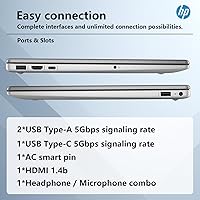
Wi-Fi 6 delivers noticeably faster and more stable wireless performance than older-spec rivals, which remote workers on congested home networks will appreciate. The port selection — USB-C, two USB-A, HDMI, and a combo audio jack — covers most daily connection needs without needing a hub.
There is no Thunderbolt support on the USB-C port, which limits high-bandwidth use cases like connecting eGPUs or ultra-fast external storage. Users who need an SD card slot will have to carry an adapter, which is a minor but recurring complaint.
Webcam Quality
51%
49%
The 720p camera is adequate for internal team calls and casual video meetings where the other party is not scrutinizing image quality. It functions reliably without drivers needing manual installation.
In any lighting that is less than ideal, the 720p output looks noticeably grainy and washed out, which becomes obvious on larger screens on the receiving end. Professionals who do regular client-facing video calls will likely want an external webcam.
Software & OS Experience
84%
Windows 11 Pro brings genuine utility to business users — BitLocker encryption, Hyper-V for running virtual machines, Azure AD integration, and remote desktop access are all features that IT administrators and power users actually use and appreciate on this platform.
Some buyers found the pre-installed HP software and Windows bloatware needed an immediate cleanup session before performance felt optimal. A small number of users also noted that Windows 11 Pro activation required manual verification after the upgrade process.
Thermal Management & Fan Noise
66%
34%
Under light-to-moderate loads, this HP business laptop runs quietly and stays cool enough for comfortable lap use, which is appreciated during long desk or couch work sessions. Idle and browsing temperatures are unremarkable in a positive sense.
Under sustained CPU load the fan ramps up audibly, and the bottom of the chassis gets warm enough to be noticeable on bare legs. This is typical for the platform but worth flagging for users who expect near-silent operation at all times.
Portability & Weight
76%
24%
At 3.3 pounds and under an inch thick, the upgraded 255 G10 is easy to drop into a backpack without adding significant bulk. Students and commuters who move between locations daily will find the form factor practical.
The 15.6-inch footprint is on the larger side for users who prefer a more compact travel machine, and the included power adapter adds meaningful weight to a bag. Those prioritizing true ultrabook portability should look elsewhere.
Upgrade & Warranty Confidence
61%
39%
The seller provides a dedicated one-year warranty on the upgraded RAM and SSD, which offers reasonable reassurance that faulty components will be addressed. For buyers who are comfortable with the third-party model, this coverage is seen as adequate.
The opened-seal and dual-warranty setup introduces a layer of complexity that makes some buyers uneasy, particularly if an issue straddles both the original HP hardware and the upgraded parts. Navigating two separate warranty channels in a fault scenario is a legitimate inconvenience.
Audio Performance
53%
47%
The built-in speakers are clear enough for listening to voice calls and the occasional background music track, and they avoid the tinny resonance that plagues some budget machines.
Bass is virtually absent, volume tops out at a modest level, and the speaker placement directs sound downward, which muffles output on soft surfaces. Users who regularly consume media or attend long online training sessions will find the audio underwhelming.
Battery Life
63%
37%
Under typical mixed-use conditions — documents, browsing, and occasional video — users generally get through a solid half-day before needing to reach for the charger, which is workable for in-office or campus use with power access nearby.
Heavy multitasking or sustained processor loads drain the battery faster than the specs suggest, and real-world endurance rarely satisfies users expecting a full untethered workday. The charger is relatively compact, but its absence is felt quickly in power-scarce environments.

Suitable for:

The HP 255 G10 Laptop 15.6″ Ryzen 5 7530U 32GB RAM 2TB SSD is a strong match for small business owners, office workers, and students who need a dependable daily driver without stretching into premium laptop territory. If your workload revolves around Microsoft 365, video conferencing, cloud-based tools, or light data work, the Ryzen 5 7530U and 32GB of RAM give you more headroom than most comparably priced factory-configured machines. Remote workers who need Windows 11 Pro specifically — for BitLocker encryption, remote desktop access, or running virtual machines via Hyper-V — will find this mid-range HP machine unusually well-equipped for its price tier. Students and educators benefit from the 2TB SSD, which means years of project files, recorded lectures, and coursework stored locally without juggling external drives. The key requirement is that buyers are comfortable purchasing a third-party upgraded unit with a split warranty structure rather than a sealed, factory-default configuration.

Not suitable for:

The HP 255 G10 Laptop 15.6″ Ryzen 5 7530U 32GB RAM 2TB SSD is not the right choice for anyone whose work depends on graphical performance — video editors, motion designers, 3D modelers, and gamers will all hit a hard ceiling with the integrated AMD Radeon GPU. The 250-nit display is another genuine dealbreaker for users who work frequently near windows or outdoors, as the screen simply cannot compete with ambient brightness. Buyers who are uneasy about opened-seal units or who require a fully intact manufacturer warranty chain should look at factory-configured alternatives, because the upgrade process here does introduce a layer of complexity when it comes to warranty claims. Creative professionals who need accurate color reproduction will also be let down by the 45% NTSC color gamut, which falls well short of what photo editing or content creation demands. If you need all-day unplugged battery life, this machine is unlikely to satisfy — it performs best when power access is within reach.
Specifications

  • Processor: AMD Ryzen 5 7530U with 6 cores, 12 threads, 16MB L3 cache, a base clock of 2.0 GHz, and a maximum boost frequency of 4.5 GHz.
  • RAM: 32GB DDR4 SDRAM running at 3200 MHz, installed as a third-party upgrade by PCOnline US.
  • Storage: 2TB PCIe NVMe M.2 SSD, third-party upgraded, providing fast sequential read/write speeds and ample local capacity.
  • Display: 15.6″ Full HD (1920x1080) IPS-level panel with a micro-edge anti-glare coating, 250 nits peak brightness, 45% NTSC color gamut, and a 60Hz refresh rate.
  • Graphics: AMD Radeon Graphics integrated into the Ryzen 5 7530U processor, sharing system memory with no dedicated VRAM.
  • Operating System: Windows 11 Pro pre-installed, including BitLocker, Hyper-V, Azure AD support, remote desktop access, and enterprise update management.
  • Wireless: Wi-Fi 6 (802.11ax) for high-speed wireless networking and Bluetooth for peripheral connectivity.
  • Ports: 1x USB-C (5 Gbps), 2x USB-A (5 Gbps), 1x full-size HDMI, and 1x combination headphone/microphone 3.5mm jack.
  • Webcam: 720p HD camera integrated above the display, suitable for standard video calls and online meetings.
  • Keyboard: Full-size keyboard with a dedicated numeric keypad and standard HP chiclet-style keycaps; no backlight included.
  • Dimensions: The chassis measures 14.17 x 9.29 x 0.73 inches (LxWxH), keeping the profile under an inch thick.
  • Weight: The unit weighs 3.3 pounds, making it manageable for daily commuting or campus transport.
  • Audio: Built-in dual speakers with downward-firing placement; no dedicated subwoofer or premium audio certification.
  • Battery: Lithium-ion battery with AC adapter included; exact capacity in watt-hours is not disclosed in official product listing data.
  • Warranty: A 1-year warranty on the upgraded RAM and SSD is provided by PCOnline US, while the remaining original HP hardware retains its standard 1-year manufacturer warranty.
  • Upgrade Model: This unit was opened and upgraded by a third-party seller (PCOnline US); it is not a factory-sealed or factory-configured HP product.
  • Memory Type: DDR4 SDRAM at 3200 MHz; this is the previous generation of RAM standard, not the newer DDR5 format.
  • Color & Finish: Silver plastic chassis with a matte finish typical of HP business-class consumer laptops.

Related Reviews

HP Victus 15.6″ Gaming Laptop, AMD Ryzen 5 7535HS, 32GB RAM, 1TB SSD, RTX 2050
83%
90%
Performance
87%
Display Quality
68%
Thermals
82%
Portability
85%
Build Quality
More
HP 15.6″ Ryzen 7 Laptop (64GB RAM, 2TB SSD)
85%
94%
Performance
90%
Display Quality
83%
Build Quality
78%
Portability
75%
Battery Life
More
HP 255 G10 15.6″ Ryzen 7 7730U 32GB 1TB
78%
88%
Processing Performance
91%
RAM & Multitasking
87%
Storage Speed & Capacity
62%
Display Quality
93%
Value for Money
More
HP 255 G8 Business Laptop, Ryzen 5 5500U, 32GB RAM, 1TB SSD
84%
88%
Performance
91%
Value for Money
74%
Display Quality
82%
Battery Life
85%
Build Quality
More
HP Pavilion 15.6″ Laptop, AMD Ryzen 5 5500U, 16GB RAM, 512GB SSD
83%
87%
Overall Performance
91%
Display Quality
89%
Multitasking Efficiency
78%
Battery Life
85%
Build Quality
More
Lenovo Ideapad Slim 3 Laptop, AMD Ryzen 5 5625U, 16GB RAM, 2TB SSD, 15.6″ FHD, Windows 11 Pro
86%
92%
Value for Money
88%
Battery Life
85%
Display Quality
90%
Performance (General)
93%
Storage Capacity
More
HP 15.6-inch Laptop 15-ef0021nr, Ryzen 3 3200U, 8GB RAM, 256GB SSD
82%
92%
Value for Money
85%
Performance
83%
Build Quality
89%
Portability
81%
Battery Life
More
HP Laptop 17 Ryzen 5 7430U 32GB 1TB
70%
88%
Value for Money
84%
Processing Performance
91%
RAM & Multitasking
89%
Storage Speed & Capacity
76%
Display Quality
More
HP 255 G10 (Ryzen 7 7730U, 16GB, 512GB)
77%
88%
Value for Money
91%
Processor Performance
61%
Display Quality
63%
Battery Life
79%
Build Quality & Durability
More
HP 17 Laptop - AMD Ryzen 5 7430U, 64GB RAM, 2TB SSD
84%
88%
Performance
90%
Display Quality
75%
Battery Life
60%
Portability
83%
Build Quality
More

FAQ

It is a new unit in terms of usage — it has never been owned or operated by a previous buyer. However, the original factory seal was opened by the seller, PCOnline US, specifically to upgrade the RAM and SSD before shipping. So it arrives in opened packaging but as an unregistered, unused machine.

PCOnline US purchases the base HP 255 G10 from HP, then physically opens the unit to swap out the original lower-capacity RAM and SSD for higher-spec components. This is standard practice for third-party upgrade sellers. The laptop itself has not been used — the opening was purely for the hardware swap.

There are two separate coverage channels here. If the RAM or SSD develops a fault within a year, you contact PCOnline US directly for a replacement or resolution. For any issue with the original HP components — the motherboard, display, chassis, and so on — HP's standard manufacturer warranty applies. It is functional but requires you to know which part failed before contacting the right party.

Yes, reasonably well. The HP 255 G10 Laptop 15.6″ Ryzen 5 7530U 32GB RAM 2TB SSD runs Windows 11 Pro with Hyper-V support built in, and the 32GB of RAM gives you enough headroom to allocate 8–16GB to a VM while keeping the host system responsive. It is not a powerhouse for running multiple simultaneous VMs, but for a single lightweight virtual machine it performs without major issues.

For indoor desk use — documents, spreadsheets, video calls, and general browsing — it is perfectly adequate. The anti-glare coating helps reduce reflections under office lighting. Where it struggles is brightness: 250 nits is noticeably dim near windows or in well-lit rooms, and it is not suitable for outdoor use.

Not really. The integrated AMD Radeon GPU shares system memory and lacks the dedicated VRAM that image editing tools benefit from. More importantly, the display only covers 45% of the NTSC color gamut, which means colors are not accurately represented for professional editing work. It handles casual photo browsing fine, but it is not a creative workstation.

No, it does not. The full-size keyboard includes a numeric keypad, which is handy for data work, but there is no key backlighting. If you frequently work in dim environments, this is worth factoring into your decision.

At 3.3 pounds and less than an inch thick, this mid-range HP machine is reasonably easy to carry in a standard backpack or laptop bag. The 15.6-inch footprint is on the larger side compared to compact 13 or 14-inch notebooks, but for a business laptop in this size class, it is not unusually heavy.

Under mixed everyday use — a combination of document editing, web browsing, and video calls — most users get somewhere between five and seven hours before needing to plug in. Sustained CPU tasks will drain it considerably faster. It is best treated as a machine that works well near a power outlet rather than one built for all-day off-grid use.

In practice, yes — particularly if your router also supports Wi-Fi 6. The upgraded 255 G10 connects faster, maintains a more stable signal in environments with multiple competing devices, and handles video calls and large file transfers more reliably than Wi-Fi 5 equivalents. If you are on an older router, you will not see the full benefit, but the hardware is ready when you upgrade.