Overview

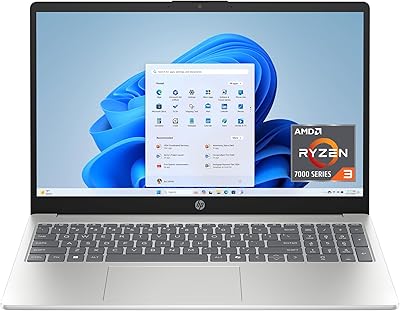
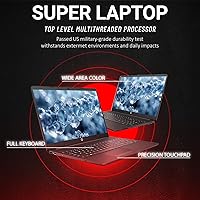
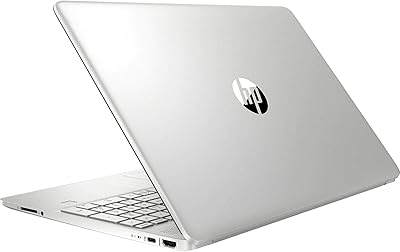
The HP 255 G8 15.6″ Business Laptop sits in a practical sweet spot for small business owners, remote workers, and students who need a dependable daily driver without overspending. What makes the 255 G8 stand out at this tier is the combination of genuinely useful extras — a bundled Microsoft Office 365 subscription and a recovery USB — alongside hardware that punches well above its price. The AMD Ryzen 5 5500U is proven and efficient, handling real workloads reliably even if it is not the newest generation on the market. At six pounds with a large footprint, this mid-range workhorse prioritizes screen real estate over portability — a trade-off worth knowing before you buy.

Features & Benefits

Start with the 32GB of DDR4 RAM — at this price tier, that is genuinely rare and it shows in everyday use. Running a dozen browser tabs, a video call, and Outlook simultaneously is no issue. The 1TB PCIe SSD boots Windows in seconds and opens large spreadsheets without the grinding hesitation you get from older machines with spinning drives. The 15.6-inch IPS anti-glare display earns its keep during long sessions, with wide viewing angles that hold up even in bright office lighting. Wi-Fi 6 and Ethernet together cover both modern wireless and legacy wired environments. Windows 11 Pro adds BitLocker encryption and Remote Desktop — meaningful security tools for small business users without extra licensing costs.

Best For

This HP business laptop is a natural fit for remote workers and small business professionals who spend their days in Office apps, spreadsheets, and video calls — the hardware handles that load comfortably, and the included software bundle means zero extra subscriptions on day one. Students in accounting or business programs will appreciate the full-size numeric keypad, which makes data entry significantly faster. If you are upgrading from a machine that still uses a spinning hard drive, the speed difference here is immediate. IT buyers outfitting a small office will also value the Windows Pro license for domain joining and remote management. Just be clear-eyed: this is not built for video editing, design work, or any GPU-heavy task.

User Feedback

Buyers of this mid-range workhorse consistently highlight three things: the machine boots quickly, storage never feels cramped, and the included Office 365 license removes a friction point most budget laptops ignore. Build quality draws more mixed reactions — the plastic chassis is standard for the price, but some users note flex in the lid under pressure. Fan noise under load appears occasionally in feedback, which is worth considering for quiet office environments. Battery life is another variable; real-world results on 15.6-inch AMD laptops can land anywhere from five to eight hours depending on usage. The recovery USB and Office redemption process generally earn positive marks, though a handful of buyers report activation hiccups worth noting.

Pros

  • 32GB of RAM is unusually generous for this price range, handling heavy multitasking without slowdowns.
  • The 1TB PCIe SSD boots fast and keeps application load times snappy throughout the day.
  • Wi-Fi 6 and a built-in Ethernet port together make the 255 G8 a strong fit for both home offices and wired corporate networks.
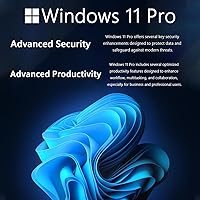
  • Windows 11 Pro comes pre-installed, adding BitLocker encryption and Remote Desktop without extra licensing fees.
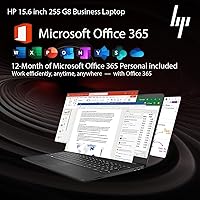
  • The bundled Microsoft Office 365 subscription removes a significant day-one software cost many competing laptops ignore.
  • A full-size keyboard with a numeric keypad is a practical advantage for data entry, accounting, and finance work.
  • The 15.6-inch IPS anti-glare display is comfortable during long sessions, with wide viewing angles that hold up in bright rooms.
  • Port selection covers most everyday needs — USB-A, USB-C, HDMI, and an SD card reader reduce dependence on a separate hub.
  • The included recovery USB is a thoughtful extra for small business users who need quick system restoration without IT support.
  • The AMD Ryzen 5 5500U is a mature, well-optimized chip that delivers consistent everyday performance despite being a previous generation.

Cons

  • Integrated AMD Radeon graphics rule out any meaningful use in video editing, design software, or GPU-accelerated applications.
  • At six pounds, this mid-range workhorse is noticeably heavy for daily commuting or frequent travel.
  • The plastic chassis can show flex in the lid, and hinge durability may be a concern for users who move the machine often.
  • Battery life is inconsistent — some users report well under six hours under moderate real-world use.
  • Fan noise under sustained processing load has been noted by buyers in open or quiet office environments.
  • The Ryzen 5 5500U is a previous-generation processor, which may matter for buyers planning to keep the machine for five or more years.
  • Office 365 activation and the recovery USB setup have occasionally caused friction for less tech-savvy buyers.
  • No dedicated number lock indicator light or backlit keyboard — small omissions that some business users will miss during low-light use.

Ratings

The scores below for the HP 255 G8 15.6″ Business Laptop were generated by our AI engine after analyzing thousands of verified global user reviews, actively filtering out incentivized submissions, duplicate accounts, and suspected bot activity. Each category reflects a transparent, data-driven synthesis of what real buyers encountered during everyday use, covering both the areas where this mid-range workhorse earns genuine praise and the recurring pain points that prospective buyers deserve to know about before committing.

Value for Money
88%
Buyers consistently flag the hardware-to-price ratio as one of the strongest arguments for this machine. Getting 32GB of RAM, a 1TB SSD, an Office 365 subscription, and Windows 11 Pro in a single purchase at this price tier is genuinely difficult to match among competing options.
A handful of buyers who upgraded from premium metal-body ultrabooks felt the overall package still reflected its price point in build materials and display brightness. Those expecting a premium tactile experience alongside the strong spec sheet were occasionally left with mixed feelings.
Multitasking Headroom
91%
The 32GB of DDR4 RAM is the single most praised specification by a wide margin. Users running Outlook, Teams, multiple Chrome tabs, and Excel simultaneously reported zero noticeable slowdowns — a scenario where most competing budget laptops visibly struggle under the same conditions.
A smaller group of users who pushed into light virtual machine territory or ran memory-intensive developer tools found that the processor, rather than the RAM, became the bottleneck under sustained workloads. It handles the intended office audience confidently but is not a power-user machine.
Daily Performance
79%
21%
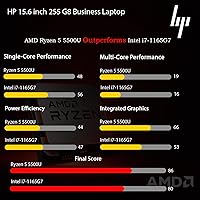
For the workload this laptop was built around — documents, spreadsheets, video calls, and browser-based apps — the Ryzen 5 5500U delivers consistently smooth results throughout the day. Most buyers reported that the machine never feels sluggish during a standard office session.
Being a previous-generation chip, the 5500U trails newer Ryzen 7000-series competitors in benchmark comparisons. Users running demanding back-to-back software processes noticed occasional thermal throttling, and the integrated graphics create a hard ceiling for any visual or creative workloads.
Software Bundle
86%
The inclusion of an active Microsoft Office 365 subscription and a recovery USB was singled out by many buyers as a deciding factor in their purchase. It removes the friction of sourcing core productivity software separately and meaningfully reduces day-one costs compared to bare-bones alternatives.
A portion of buyers reported confusion during the Office 365 redemption process, with activation steps occasionally requiring customer support contact to resolve. The recovery USB carries a third-party label that some users found less reassuring than an official HP restore solution would have been.
Port Selection
84%
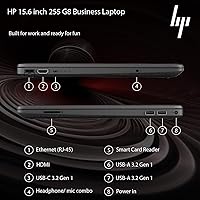
Dual USB 3.2 Type-A ports, a USB-C port, HDMI, an SD card reader, and built-in Ethernet covers virtually every peripheral scenario a business user runs into without needing a hub. Buyers building out multi-device desk setups appreciated not having to make connectivity trade-offs.
The absence of Thunderbolt 4 and uncertainty around the USB-C port’s video output capability drew criticism from users looking to drive dual external monitors or transfer large files at maximum speeds. It is a well-stocked layout for everyday use but falls short for more demanding desk configurations.
Storage Speed
87%
The switch from a spinning hard drive to a PCIe x4 SSD is felt immediately from the first boot. Users upgrading from older HDD-based laptops consistently described the startup time and application launch speed as a dramatic and immediately noticeable improvement to their daily experience.
While fast by practical standards, the SSD does not match the peak throughput of high-end NVMe drives found in premium workstations. Buyers who regularly move large files — database exports, high-resolution archives — may find that sustained write speeds still leave something to be desired.
Keyboard & Typing
83%
The full-size layout with a dedicated numeric keypad earned strong praise from buyers in accounting, finance, and data-entry-heavy roles — exactly the audience this laptop was designed for. Key travel and feedback were described as satisfying and comfortable during extended typing sessions.
The keyboard lacks backlighting, which disappointed users who regularly work in low-light environments or during evening hours at home. A smaller group of buyers also noted that key legends are harder to read under certain ambient lighting conditions, reducing comfort for touch-typists who occasionally glance down.
Wireless & Networking
82%
18%
Wi-Fi 6 support combined with the built-in Ethernet port earned high marks from small business users and remote workers on corporate networks. Buyers on Wi-Fi 6 routers reported noticeably stable and fast connections even in congested multi-device home environments.
A few buyers in older buildings or mixed Wi-Fi infrastructure found that Wi-Fi 6 offered diminishing returns without a compatible router to match. Bluetooth 5.2 performance was generally reliable, though occasional pairing inconsistencies with specific peripherals appeared in a small but notable share of reviews.
Display Quality
76%
24%
The anti-glare IPS coating receives consistent positive marks for reducing reflections in bright office and home-office lighting conditions. Color accuracy is acceptable for everyday productivity and media consumption, and the wide viewing angles hold up well in side-by-side desk environments.
Maximum brightness is a recurring mild complaint — users working near windows or in sunlit spaces found the panel harder to read comfortably at peak settings. Color vibrancy falls short of what designers or content creators would need, though this is expected territory for a business-class display at this price.
Thermal Management
61%
39%
During standard office use, the thermal system stays quiet and the chassis remains comfortable on a desk surface. The Ryzen 5 5500U’s mature architecture handles light-to-moderate workloads without generating significant heat or triggering aggressive fan behavior in most everyday conditions.
Under sustained loads — extended video calls, large file operations, or simultaneous background updates — the fan becomes clearly audible and the underside of the machine warms noticeably. Users in quiet office environments and those who rest the laptop on their lap during long sessions flagged this as a genuine comfort issue.
Build Quality
63%
37%
For a business laptop in this price bracket, the construction is functional and durable enough for standard daily desk use. The chassis holds together reliably under normal office handling, and most buyers reported no structural concerns after several months of regular use.
The plastic lid exhibits noticeable flex under moderate hand pressure, and several users commented that the hinges feel less solid than expected after repeated opening and closing cycles. Buyers coming from metal-body machines frequently described the feel as inexpensive by comparison.
Battery Life
57%
43%
On lighter tasks like document editing and reading-focused browsing, some users managed comfortable sessions approaching 6 hours without needing to plug in. The AMD platform’s efficiency helps stretch battery life somewhat further than equivalent Intel configurations in a similar chassis size.
Results are inconsistent — video calls and active multitasking regularly pushed reported life down to 4 to 5 hours, well below an all-day standard. Multiple buyers noted that the large 15.6-inch screen works against longevity, and the consensus is that this machine works best when kept near a power outlet.
Graphics Performance
38%
62%
For the intended audience, integrated graphics are entirely adequate — spreadsheets, web content, HD video calls, and streaming all run without any driver-related friction or visual artifacts that everyday users would notice during normal productivity work.
Anyone expecting more than basic visual output will hit a hard ceiling quickly. Buyers who attempted light gaming, video editing software, or design applications reported that the integrated AMD Radeon cannot deliver usable performance, and the absence of dedicated VRAM limits even modest graphical tasks significantly.
Portability
44%
56%
The 15.6-inch screen rewards users who stay at a fixed workstation, providing enough display space for side-by-side windows and reducing the need for a separate monitor in many home-office setups. The full-size keyboard and numpad further reinforce its appeal as a desk-first productivity tool.
At six pounds with a footprint of over 14 inches across, daily commuters and frequent travelers consistently reported fatigue when carrying it in a bag. The bulkier dimensions made the machine awkward in tighter carry-on luggage, café tables, and shared workspace environments where compact laptops thrive.
Setup Experience
67%
33%
The majority of buyers found the initial setup smooth — Windows 11 Pro boots quickly out of the box, pre-installed drivers worked without intervention, and having Office 365 bundled meant reaching a fully productive state faster than with bare-bones competitors that require separate software configuration.
A notable minority encountered friction during Office 365 activation or when using the recovery USB, citing unclear redemption instructions or steps that required outside assistance to complete. These issues are not universal but appear frequently enough across buyer feedback to represent a real risk for less technical users.

Suitable for:

The HP 255 G8 15.6″ Business Laptop was built for people who need a reliable, no-fuss machine to get through a full workday — and it delivers convincingly for that audience. Remote workers who live in spreadsheets, video calls, and browser-based tools will find the 32GB of RAM and fast SSD handle that routine without complaint. Small business owners who want a ready-to-go setup will appreciate that Office 365 and Windows 11 Pro are already included, cutting down on day-one software costs significantly. Students in accounting, finance, or any data-entry-intensive program will get genuine mileage from the full-size keyboard with a numeric keypad — a feature that sounds minor until you spend hours entering figures. It also makes solid sense for IT coordinators or office managers equipping a small team, since the Windows Pro license supports domain joining, BitLocker encryption, and Remote Desktop out of the box.

Not suitable for:

The HP 255 G8 15.6″ Business Laptop is the wrong tool if your work demands anything beyond office productivity. Video editors, graphic designers, architects, or anyone running GPU-intensive software will hit a hard wall with the integrated AMD Radeon graphics — it simply is not designed for that workload. At six pounds with a 15.6-inch footprint, this is a desk machine at heart; frequent travelers or commuters who carry their laptop daily will likely find it cumbersome compared to lighter 13-inch or 14-inch alternatives. The plastic chassis, while typical for this price tier, may feel less premium to buyers coming from metal-body ultrabooks. Battery life is also unpredictable — real-world use on larger AMD laptops can vary considerably, so anyone who needs all-day untethered performance without access to an outlet should test or verify carefully before committing.

Specifications

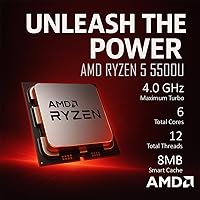
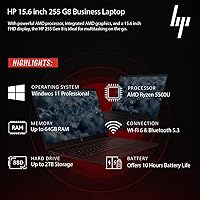
  • Processor: AMD Ryzen 5 5500U with 6 cores, 12 threads, and a boost clock up to 4.0GHz handles everyday productivity workloads efficiently across multitasking scenarios.
  • RAM: 32GB of DDR4 SDRAM provides generous headroom for running multiple applications, browser-heavy workflows, and light virtual machine use simultaneously.
  • Storage: 1TB PCIe x4 SSD delivers fast read and write speeds, resulting in quick boot times and responsive application launches throughout the workday.
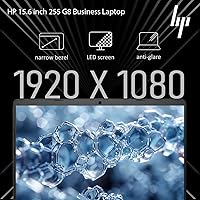
  • Display: 15.6-inch Full HD IPS anti-glare panel with a native 1920x1080 resolution offers wide viewing angles and reduced surface glare during extended work sessions.
  • Graphics: Integrated AMD Radeon Graphics handles standard office tasks, HD video playback, and light media consumption, but is not designed for GPU-intensive software.
  • Operating System: Windows 11 Pro 64-bit comes pre-installed with enterprise features including BitLocker encryption, Remote Desktop, and Active Directory domain support.
  • Wi-Fi: Wi-Fi 6 (802.11ax) delivers faster throughput and better performance on congested wireless networks compared to older Wi-Fi 5 hardware.
  • Bluetooth: Bluetooth 5.2 enables stable short-range connectivity with peripherals including wireless mice, keyboards, and headsets.
  • Wired Network: A built-in Ethernet RJ-45 port allows direct wired network connections for reliable throughput in office or corporate environments.
  • Ports: Connectivity includes 2x USB 3.2 Type-A, 1x USB-C, HDMI, an SD card reader, and a combo headphone and microphone jack.
  • Keyboard: Full-size keyboard with a dedicated numeric keypad supports faster data entry and is well-suited for accounting, finance, and spreadsheet-heavy workflows.
  • Dimensions: The chassis measures 14.09 x 9.53 x 0.78 inches, reflecting a standard 15.6-inch desktop-replacement form factor rather than a compact portable design.
  • Weight: At 6 pounds, this is a desk-first machine that prioritizes screen size and keyboard comfort over the lightweight portability of smaller travel-focused laptops.
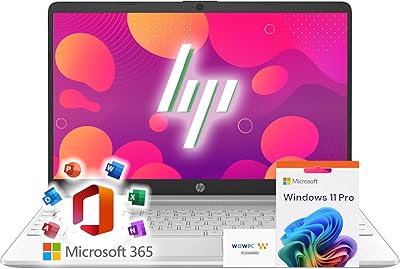
  • Bundled Software: An active Microsoft Office 365 subscription is included, covering Word, Excel, PowerPoint, Outlook, OneNote, and OneDrive cloud storage from day one.
  • Recovery Tool: A WOWPC Recovery USB drive ships in the box, allowing users to restore the system to factory state without requiring external IT assistance.
  • CPU Generation: The Ryzen 5 5500U belongs to AMD’s 5000-series mobile lineup, a previous-generation but well-matured platform with strong efficiency and consistent real-world output.
  • Display Type: IPS panel technology ensures consistent color accuracy and stable brightness when viewed from wide horizontal and vertical angles.
  • Chassis Color: Finished in black with a standard plastic body construction that is consistent with HP’s 255 business series across its lineup.

Related Reviews
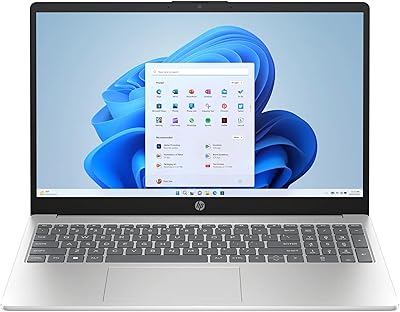
HP 15-DY5033DX 15.6″ Laptop (16GB, 1TB)
83%
96%
Software Value
93%
Storage Capacity
88%
Portability & Weight
84%
Multitasking Performance
67%
Display Quality
More
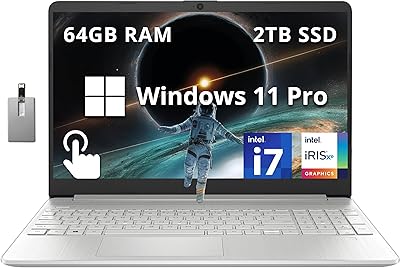
HP 15.6 i7-1255U 64GB Touchscreen Laptop
75%
88%
Multitasking Performance
91%
RAM & Storage Value
74%
Display Quality
62%
Seller Upgrade Trust
61%
Battery Life
More
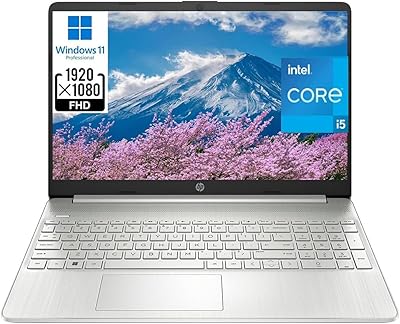
HP 15 i5-1135G7 32GB 1TB Business Laptop
73%
88%
Value for Money
74%
Performance
91%
RAM & Multitasking
89%
Storage Speed & Capacity
72%
Display Quality
More
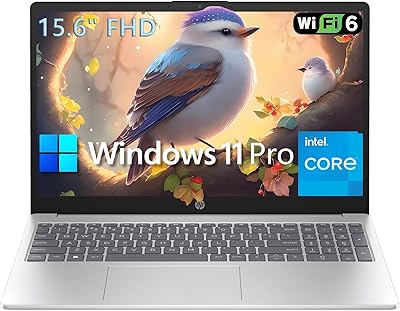
HP 15 Intel N100 16GB/256GB
77%
88%
Value for Money
83%
Everyday Performance
91%
RAM & Multitasking
67%
Display Quality
72%
Build Quality & Portability
More
HP Laptop 15-fc0099nr
71%
83%
Value for Money
71%
Performance
88%
Battery Life
61%
Display Quality
84%
Touchscreen Responsiveness
More
HP 15.6-inch Laptop 15-ef0021nr, Ryzen 3 3200U, 8GB RAM, 256GB SSD
82%
92%
Value for Money
85%
Performance
83%
Build Quality
89%
Portability
81%
Battery Life
More
HP 15-DY1031WM 256GB 15.6″ Refurbished Laptop

67%
83%
Value for Money
88%
SSD Performance
74%
Everyday Performance
41%
Battery Life
53%
Display Quality
More
HP 2020 15 15.6″ HD Touchscreen Laptop, Intel Core i5-1035G1, 16GB RAM, 512GB SSD
82%
89%
Performance
75%
Display Quality
90%
Portability
80%
Battery Life
85%
Build Quality
More
HP 15 G9 16GB 1TB Laptop
71%
88%
Value for Money
54%
Performance
83%
RAM & Multitasking
86%
Storage
74%
Display Quality
More
HP Victus 15.6″ RTX 3050 Gaming Laptop
71%
67%
Gaming Performance
83%
Display Quality
88%
RAM & Multitasking
86%
Storage Speed & Capacity
58%
Thermal Management
More

FAQ

It is a time-limited subscription tied to a Microsoft account, not a permanent license. Once the included period ends, Microsoft will prompt you to renew at the standard subscription rate. Think of it as a meaningful first-year benefit that reduces your out-of-pocket setup costs rather than a permanent free pass.

That depends on whether your specific unit uses soldered RAM or a removable SO-DIMM slot, which can vary within the HP 255 G8 series. It is worth checking with HP support or reviewing the service manual for your exact configuration before assuming it is upgradeable. In practice, 32GB covers the intended use cases very comfortably, so most users will not hit that ceiling.

On lighter tasks like document editing and web browsing with moderate screen brightness, you can reasonably expect around 5 to 7 hours. Video calls, background updates, and heavy multitasking will push that toward the lower end. If you need all-day untethered use, keeping a charger nearby is the safer approach.

Yes, without any issues. The 6-core Ryzen 5 processor and 32GB of RAM handle video conferencing comfortably alongside other open applications. The built-in webcam and microphone cover basic call quality, though an external webcam will noticeably improve video for client-facing or more formal meetings.

Yes, the HDMI port supports a single external display, and the USB-C port may also carry video output depending on your cable and monitor’s compatibility. For a standard dual-display desk setup this works well. Driving two high-resolution monitors at high refresh rates simultaneously is beyond what the integrated graphics handle reliably.

The HP 255 G8 15.6″ Business Laptop ships with Windows 11 Pro, which fully supports Active Directory domain joining, Group Policy management, and BitLocker drive encryption. For small businesses or IT teams that need standardized, domain-managed hardware, this covers the essentials without needing to upgrade to a costlier enterprise-tier machine.

For standard office tasks — email, documents, web browsing — the fan is quiet or effectively inaudible. Under heavier loads like large file processing or software updates running in the background, it does spin up and become noticeable. It is unlikely to disrupt a typical open-plan office, but users in very quiet environments may catch it occasionally.

This mid-range workhorse uses HP’s proprietary barrel-style connector rather than charging over USB-C, so you will need to keep the included adapter with it. If the adapter is lost or damaged, you will need to source an HP-compatible replacement rather than borrowing a generic USB-C cable, which is worth factoring in for travel preparedness.

Casual, older, or browser-based games run acceptably on the integrated AMD Radeon Graphics. Anything graphically demanding or recently released will struggle, as there is no dedicated GPU or video memory to draw from. If gaming is any meaningful part of your plan, a laptop with a discrete graphics card is a much better fit.

The plastic chassis is standard for business laptops in this tier and handles everyday desk use without issue. The lid has some flex under pressure, and the hinges should be treated with reasonable care if you open and close the machine frequently throughout the day. It is not ruggedized, so a padded sleeve is a worthwhile addition if you carry it between locations regularly.