
Overview

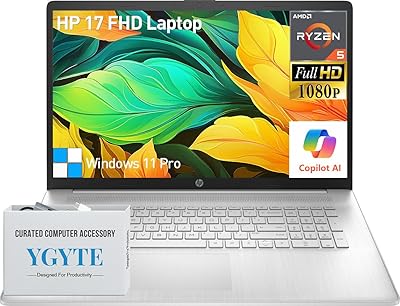
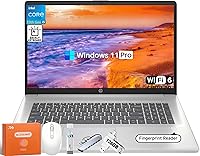
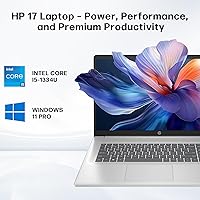
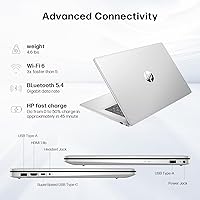
The HP 17 17.3-inch Laptop is a large-screen workhorse built for students and home office users who want practical power without stepping into premium territory. What sets it apart at this price tier is the unusually generous RAM and storage configuration — 64 GB and 2 TB respectively — which puts it well ahead of most rivals in its class. The silver chassis is slim at 0.78 inches thick, which is respectable for a machine this size. One honest caveat worth flagging upfront: the HD+ 1600x900 display is a real compromise on a panel this large, and if sharp visuals matter to you, that is worth knowing before you buy. This is a productivity machine, full stop.

Features & Benefits

The Intel Core i5-1334U handles day-to-day workloads well — browser-heavy sessions, Office apps, video calls, and light multitasking all run without complaint. But the real story is the memory and storage pairing. 64 GB of DDR4 RAM is genuinely rare at this price point; most competing laptops ship with 16 or 32 GB, so the headroom here means this large-screen HP stays capable well into the future. The 2 TB NVMe SSD keeps things snappy and removes the need for external drives for most users. Fingerprint login, Windows 11 Pro, Wi-Fi 6, and a backlit keyboard with a numeric keypad round out a connectivity and security package that is better than you would typically expect here.

Best For

This HP 17-inch laptop suits anyone who spends long hours at a screen and wants the comfort of extra real estate to work with. College students writing papers, managing research tabs, and attending virtual lectures will appreciate both the spacious display and the keyboard layout. Remote workers juggling spreadsheets, email, and video conferencing will benefit most from the high-memory configuration. It also makes sense for professionals who need Windows 11 Pro features — BitLocker, remote desktop, domain join — without paying a premium for a business-branded device. Users with large local media or project libraries will find the 2 TB drive removes a persistent headache. Video editors or anyone needing a discrete GPU should look elsewhere.

User Feedback

Buyers of the HP 17 tend to highlight two things immediately: how fast it boots and how comfortable the keyboard is during extended sessions. The sheer screen size earns consistent praise from anyone switching up from a 15-inch machine. The criticisms, though, are predictable. The 1600x900 resolution draws recurring complaints — text and images look noticeably softer next to Full HD alternatives at similar prices. Battery life is another trade-off; the size and weight mean you will likely stay near an outlet. The plastic build is functional but not premium. Some buyers also note that 64 GB of RAM, while impressive, is more than casual users will realistically tap — though for anyone planning to keep this machine for several years, that surplus starts to look like smart planning.

Pros

  • 64 GB of DDR4 RAM is exceptionally rare at this price tier and keeps the machine future-proof for years.
  • The 2 TB NVMe SSD offers fast boot times and enough local storage to avoid relying on external drives.
  • Windows 11 Pro is included out of the box, covering professional needs like BitLocker and remote desktop.
  • Fingerprint login adds real security convenience without requiring extra software or accessories.
  • The full-size backlit keyboard with numeric keypad is genuinely productive for long work sessions.
  • Wi-Fi 6 and Bluetooth 5.4 ensure this large-screen HP stays current with modern networking standards.
  • The anti-glare display coating reduces eye strain during extended indoor use under mixed lighting.
  • A 17.3-inch screen gives users significantly more visible workspace than standard 15-inch laptops.
  • USB-C, HDMI, and three USB 3.0 ports cover most peripheral and display needs without a hub.
  • The 10-core i5-1334U handles multitasking and productivity workloads reliably without excessive throttling.

Cons

  • The 1600x900 resolution looks noticeably soft on a 17.3-inch panel — Full HD rivals offer a sharper picture.
  • Integrated Intel graphics rule out gaming, video editing, and any GPU-dependent creative applications.
  • Battery life is a real limitation; the size and power demands mean this laptop works best near an outlet.
  • The plastic chassis feels functional but unremarkable — build quality does not match the spec sheet ambition.
  • At 4.6 pounds, daily commuting with this machine gets tiring fast.
  • Casual users who just browse and stream are effectively paying for 64 GB of RAM they will never touch.
  • No optical drive may inconvenience users who still rely on physical media.
  • Display brightness and color accuracy are mediocre, limiting usefulness for any color-sensitive work.
  • The HD+ screen is a notable downgrade compared to Full HD options available at similar or lower prices.
  • Thermal management on large productivity laptops can lead to fan noise during sustained workloads.

Ratings

The scores below for the HP 17 17.3-inch Laptop were generated by our AI engine after analyzing thousands of verified global buyer reviews, with spam, incentivized submissions, and bot-generated feedback actively filtered out. Each category reflects the honest balance of what real owners love and what genuinely frustrates them — nothing is glossed over. Both the standout strengths and the recurring pain points are weighted transparently into every score.

Value for Money
74%
26%
The combination of 64 GB RAM and a 2 TB NVMe SSD at this price tier genuinely stands out — most competing laptops offer a fraction of that memory for the same or higher cost. Buyers upgrading from older, sluggish machines consistently describe the performance jump as immediately noticeable and well worth the spend.
Casual users who only browse and stream often feel they are paying a premium for hardware headroom they will never realistically use. When compared directly to Full HD rivals at a similar price, the HD+ display makes the overall value proposition feel less clear-cut.
Performance
81%
19%
The 10-core i5-1334U handles simultaneous workloads comfortably — users report smooth performance across video calls, large spreadsheets, and a dozen browser tabs running concurrently without meaningful slowdown. Boot times on the NVMe SSD are consistently fast, which buyers coming from HDD-based laptops find immediately impressive.
Under sustained workloads, some users report fan noise becoming noticeable, and the processor does not have the headroom for demanding creative tasks like 4K video exports or complex 3D rendering. It is a capable productivity chip, but it is not a powerhouse, and expecting otherwise leads to disappointment.
Display Quality
52%
48%
The 17.3-inch screen size itself earns consistent praise — users who work with multiple documents side by side, attend video calls, or read long documents appreciate having that extra real estate without an external monitor. The anti-glare coating genuinely helps during daytime use near windows.
The 1600x900 resolution is the most recurring criticism across buyer feedback, and fairly so — text and images look noticeably soft on a panel this large, especially for anyone familiar with Full HD displays. Color accuracy and brightness are also mediocre, limiting the screen for photo work or detailed media review.
RAM & Storage
93%
64 GB of DDR4 RAM is an exceptional configuration for this category, and buyers who run virtual machines, large databases, or memory-intensive workflows notice the difference immediately. The 2 TB SSD gives users room to store years of project files, media libraries, and software without ever reaching for an external drive.
For lighter users — students writing essays or professionals managing email — much of this capacity sits idle, which can feel like paying for something unused. A small number of buyers also note they would have preferred a slightly faster RAM configuration over raw capacity alone.
Build Quality
61%
39%
The chassis sits at a reasonable standard for its price tier — nothing flexes alarmingly, and the hinge feels stable during everyday opening and closing. Most desk-bound users report that it holds up fine through consistent daily use without visible wear over several months.
The all-plastic construction is a real differentiator from metal-bodied alternatives, and buyers who handle the machine frequently report it picks up scratches and scuffs more readily than expected. The overall feel lacks the solidity that makes a machine feel like a long-term investment rather than a budget purchase.
Keyboard & Trackpad
78%
22%
The full-size backlit keyboard with a numeric keypad is a genuine productivity asset, particularly for users entering data or working with spreadsheet-heavy tasks where a number pad saves real time. Key travel is comfortable enough that buyers who type for hours report minimal fatigue.
The trackpad receives more mixed feedback — some users find it adequately responsive while others note occasional imprecision during fine cursor work. The backlight offers only a single brightness level, which some buyers find either too dim or too bright depending on the environment.
Battery Life
48%
52%
On lighter tasks like document editing or video calls at moderate brightness, some users manage four to five hours before needing to plug in, which covers a typical half-day work block without a charger nearby.
Real-world battery life under mixed workloads consistently disappoints — the large display and 10-core processor draw more power than smaller laptops, and most buyers report needing a power outlet for any full workday. Users hoping to use this unplugged for long stretches at a coffee shop or during travel will find it limiting.
Connectivity
88%
Wi-Fi 6 delivers noticeably stable and fast wireless performance, and buyers using modern routers report fewer dropped connections during video calls compared to older Wi-Fi standards. The port selection — USB-C, HDMI, and three USB 3.0 slots — covers the vast majority of home office peripheral setups without needing a hub.
There is no Thunderbolt port, which limits high-speed external storage and daisy-chained display configurations for more advanced users. The absence of an SD card reader is a minor but recurring frustration for users who transfer photos or work with camera media regularly.
Security Features
86%
The fingerprint reader works reliably and integrates smoothly with Windows Hello, allowing users to unlock the machine in under a second without typing a password. Windows 11 Pro adds meaningful enterprise-grade security features — BitLocker encryption and remote desktop support — that professionals and students with sensitive data genuinely rely on.
There is no IR camera for face recognition login, which some buyers expect at this price point given the fingerprint reader is already included. Beyond the built-in tools, security configuration requires some initial setup time for less technical users to get the most out of Windows 11 Pro.
Portability
44%
56%
For users who use it exclusively at a desk or carry it occasionally between rooms, the slim 0.78-inch profile makes it feel less cumbersome than its 17-inch size suggests, and the silver finish gives it a reasonably professional appearance in a home office setting.
At 4.6 pounds, daily commuting with this machine becomes tiring quickly, and the 17.3-inch footprint means it barely fits in standard laptop bags. Buyers who travel regularly or move between locations frequently report regretting the size within a few weeks of purchase.
Software & OS
84%
Windows 11 Pro is a genuine inclusion at this tier — buyers who need domain joining, group policy management, or remote desktop for work or study find it saves the cost of a separate license upgrade. The out-of-box experience is relatively clean for an HP consumer machine.
Some buyers report a modest amount of pre-installed HP bloatware that requires manual removal to keep the system clean. A small number of users also note that Windows 11 Pro requires a learning curve for those coming from Windows 10, particularly around settings and system preferences.
Audio Quality
63%
37%
For video calls and casual media playback, the built-in speakers deliver adequate volume and clarity — voices come through clearly enough during conferencing, which is the primary use case for most buyers in this category.
Bass response is thin and audio quality does not hold up well for music or movie playback at higher volumes. Buyers who care about audio output quickly reach for headphones or external speakers, suggesting the built-in audio is functional but not a selling point.
Webcam
59%
41%
The built-in webcam handles standard video calls on Zoom, Teams, and Google Meet without requiring an external camera, which suits the core remote work and student audience well enough for daily use.
Image quality is mediocre in anything less than bright lighting — low-light environments result in grainy, washed-out footage that compares poorly to even entry-level external webcams. Buyers who prioritize video presence in professional calls often invest in an external option after a short period.
Thermal Management
66%
34%
Under typical workloads — web browsing, documents, and video streaming — the machine stays quiet and surface temperatures remain comfortable, which makes it pleasant to use on a desk for extended periods.
During sustained heavier tasks, the fan ramps up noticeably and the bottom of the chassis gets warm enough to be uncomfortable on a lap. A few buyers note that thermal throttling under load reduces performance consistency during longer processing tasks.

Suitable for:

The HP 17 17.3-inch Laptop is a strong fit for anyone who spends the bulk of their day in front of a screen and values working space over portability. College students writing long papers, switching between research tabs, and attending remote lectures will find the large display and comfortable keyboard genuinely useful over a full academic year. Remote workers who need to run video conferencing, spreadsheets, and a browser loaded with tabs simultaneously will benefit most from the 64 GB RAM — a headroom most rivals at this price simply do not offer. Administrative professionals who need Windows 11 Pro features like BitLocker encryption, domain joining, or remote desktop access get a legitimate business-grade OS without paying business-laptop prices. It also suits buyers with large local file collections — photographers archiving raw files, users maintaining offline media libraries, or anyone who has outgrown cloud storage — since the 2 TB SSD removes the need for external drives entirely.

Not suitable for:

The HP 17 17.3-inch Laptop is a poor match for anyone expecting sharp, vivid visuals from their screen. At 1600x900 pixels across a 17.3-inch panel, text and images look noticeably soft compared to Full HD alternatives at similar or even lower price points — that is a legitimate drawback, not a minor quibble. Gamers should look elsewhere entirely; the integrated Intel graphics cannot handle modern titles at acceptable frame rates. Video editors, motion designers, or anyone running GPU-accelerated creative software will hit a hard wall quickly. The 4.6-pound weight and dependence on an outlet for sustained performance make this a poor choice for commuters or frequent travelers who need a machine they can use unplugged for hours. Finally, buyers on a tight budget who primarily check email and browse the web are likely paying a premium for 64 GB of RAM they will never realistically use — there are more cost-efficient options for lighter workloads.

Specifications

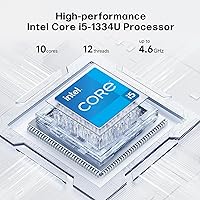
  • Processor: The Intel Core i5-1334U features 10 cores (2 performance, 8 efficient) and boosts up to 4.6 GHz, handling productivity workloads and moderate multitasking reliably.
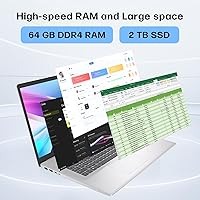
  • RAM: 64 GB of DDR4 SDRAM is installed, which is well above the category average and supports heavy multitasking and long-term usability.
  • Storage: A 2 TB PCIe NVMe SSD provides fast read and write speeds alongside ample space for large file collections, projects, and media libraries.
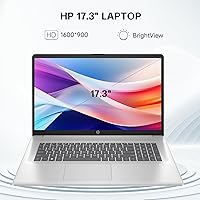
  • Display Size: The 17.3″ panel offers a generous viewing area suited to extended work sessions, spreadsheet navigation, and video calls.
  • Resolution: The screen runs at HD+ (1600x900 pixels), which is below Full HD and may appear soft on a panel this size.
  • Display Coating: An anti-glare coating is applied to the panel surface to reduce reflections and minimize eye strain under bright or mixed lighting.
  • Operating System: Windows 11 Pro comes pre-installed, supporting professional features including BitLocker encryption, remote desktop, and domain joining.
  • Graphics: Intel integrated graphics handle everyday display tasks but are not suitable for gaming, video rendering, or GPU-accelerated applications.
  • Wireless: Wi-Fi 6 (802.11ax) and Bluetooth 5.4 are built in, providing fast and stable wireless connectivity with modern routers and peripherals.
  • Ports: The port selection includes one USB-C, one HDMI output, and three USB 3.0 ports for connecting monitors, drives, and accessories.
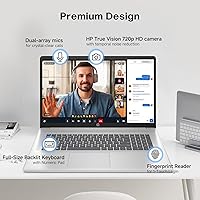
  • Keyboard: A full-size backlit keyboard with a dedicated numeric keypad is included, improving comfort and productivity during long typing sessions.
  • Security: A built-in fingerprint reader enables fast, password-free login and integrates with Windows Hello for secure authentication.
  • Webcam: A built-in webcam supports video conferencing and remote meetings without requiring an external camera.
  • Weight: This laptop weighs 4.6 pounds, which is typical for a 17-inch chassis but limits its practicality as a daily carry device.
  • Dimensions: The chassis measures 15.78 x 10.15 x 0.78 inches, keeping the profile relatively slim for a machine in this screen size class.
  • Color: The unit ships in silver, with a plastic chassis construction that is standard for laptops at this price tier.
  • Battery: One lithium-ion battery is included and pre-installed; real-world battery life is limited by the large display and processor demands.
  • Optical Drive: No optical drive is included, so users who rely on CDs or DVDs will need an external USB drive.

Related Reviews
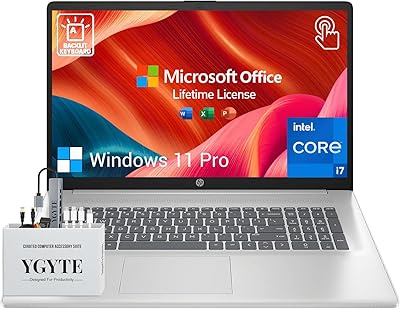
HP Essential 17 Touchscreen Laptop
75%
88%
Performance & Speed
93%
RAM & Multitasking
61%
Display Quality
78%
Touchscreen Usability
91%
Storage & File Access
More
HP Laptop 17-cp2199nr
70%
83%
Value for Money
61%
Display Quality
78%
Performance & Speed
87%
Storage Performance
84%
RAM & Multitasking
More
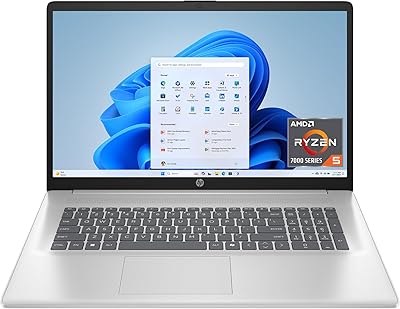
HP Essential 17 (2025) 17.3-inch Laptop, Ryzen 5, 64GB RAM, 2TB SSD
73%
88%
Value for Money
83%
Performance & Speed
93%
RAM & Multitasking Headroom
91%
Storage Capacity & Speed
79%
Display Quality
More
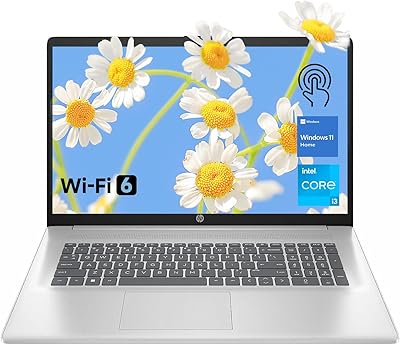
HP 17.3″ Touchscreen Laptop
70%
74%
Value for Money
61%
Display Quality
58%
Performance
83%
Storage & Speed
78%
Touchscreen Usability
More
Tangcorle 17.3-inch 26L Travel Laptop Backpack
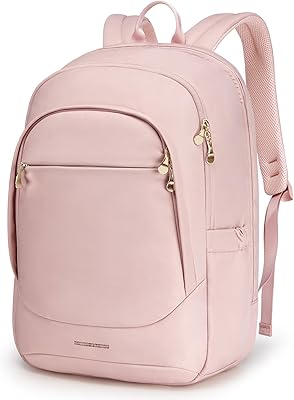
78%
91%
Value for Money
88%
Organizational Layout
86%
Laptop Protection
84%
Carry-On Compliance
67%
Build Quality
More
LOVEVOOK 17.3″ Women's Laptop Backpack
78%
93%
Storage & Organization
88%
Laptop Protection
66%
Build Quality
81%
Comfort & Ergonomics
89%
Value for Money
More
LIGSAN Rolling Backpack 17.3-inch Laptop
87%
86%
Overall Durability
88%
Ease of Use
83%
Comfort & Ergonomics
90%
Storage Capacity
87%
Build Quality
More
Ytonet 17.3-Inch Rolling Laptop Briefcase
76%
88%
Wheel Performance
83%
Storage & Organization
74%
Build Quality
86%
Handle & Mobility
89%
Laptop Protection
More
MOLNIA Expandable 17.3″ 3-in-1 Laptop Backpack
77%
88%
Versatility & Carry Modes
83%
Expansion Feature
86%
Laptop Protection
57%
Weight & Portability
62%
Shoulder Strap Comfort
More
Tzowla 17.3-inch Canvas Laptop Backpack
76%
88%
Build Quality
91%
Laptop Fit & Protection
86%
Organization & Storage
72%
Comfort & Ergonomics
23%
Water Resistance
More
LIGHT FLIGHT 17.3-inch Laptop Backpack
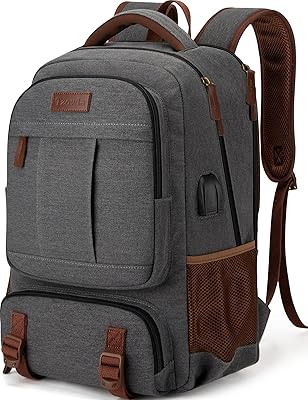
82%
93%
Storage Capacity
88%
Laptop Protection
79%
Comfort & Ergonomics
74%
Build Quality
81%
Water Resistance
More

FAQ

For most everyday users, 64 GB is more than they will actively use — but it is not a gimmick. If you plan to keep this machine for four or five years, that overhead means it will not slow down as applications and operating systems grow more demanding. Power users running virtual machines, large databases, or many applications at once will actually put it to work today.

Honestly, it is noticeable — especially if you have used a Full HD display before. Text edges look slightly soft and fine detail in photos or video is less crisp than you would get on a 1080p panel. For document work and video calls it is perfectly functional, but if display sharpness matters to you, this is the main trade-off to weigh before buying.

Casual, older, or very undemanding games may run at low settings, but this large-screen HP is not designed for gaming in any meaningful sense. The integrated Intel graphics lack the dedicated VRAM that modern titles require, so frame rates on current games will be poor. Look for a laptop with a discrete GPU if gaming is a priority.

Expect somewhere in the range of four to six hours under mixed real-world use — browsing, documents, and video calls. Large-screen laptops draw more power than their 13 or 15-inch counterparts, so this one works best when you have access to an outlet. Heavy tasks will drain the battery faster.

Yes, it suits remote work well. The large screen reduces the need for an external monitor, the backlit keyboard with numeric keypad is comfortable for long sessions, and the combination of Windows 11 Pro with fingerprint login covers most professional requirements. Just expect to keep it plugged in for all-day use.

For most setups, yes. You get three USB 3.0 ports, one USB-C, and an HDMI output, which covers an external monitor, a USB hub or dock, a mouse, and a keyboard simultaneously. Users with heavy peripheral setups — multiple displays, audio interfaces — may want a powered USB hub to expand further.

The chassis is plastic, which is standard for laptops at this price point. It does not feel flimsy, but it also does not carry the premium feel of a metal-bodied machine. For desk use, it holds up fine; just be mindful if you are transporting it regularly, as the corners and hinges on plastic builds can show wear over time.

This depends on the specific configuration of the unit you receive, as HP sometimes solders RAM or limits access on consumer models. Before purchasing, it is worth checking HP's official documentation for your exact model number to confirm whether the slots are accessible. The SSD is more commonly user-replaceable than the RAM on machines like this.

Yes, the backlight is straightforward to toggle using a keyboard shortcut, typically through the function keys. It is a single-level backlight rather than multi-zone RGB, so you simply turn it on or off based on your environment.

It is a solid choice for longevity. The 64 GB RAM and 2 TB SSD mean the machine will not feel outdated midway through a degree, and Windows 11 Pro handles everything from coursework to internship software requirements. The main thing to accept going in is the display resolution — it is workable for studying, but students used to sharper screens may notice it daily.