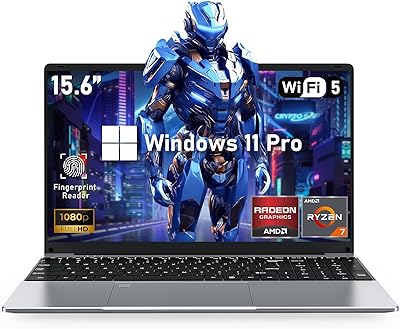
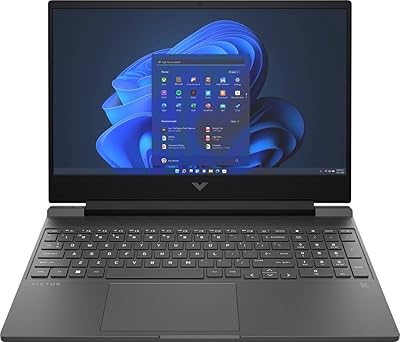
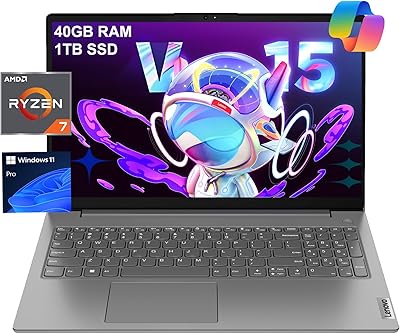
Overview

The HP 255 G10 15.6″ Ryzen 7 7730U 32GB 1TB sits in a practical sweet spot for professionals who need real computing muscle without veering into premium territory. HP's G10 business series has earned a quiet reputation for dependability — these aren't flashy machines, but they hold up in real work environments. What separates this HP business laptop from consumer alternatives is the inclusion of Windows 11 Pro, which matters the moment you need remote desktop access or device management tools. Think of it as a serious daily driver for productivity. Don't expect gaming prowess or color-accurate creative work — that's simply not the target here.
Features & Benefits

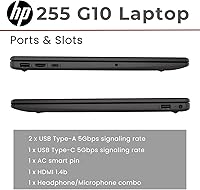
The Ryzen 7 7730U is a genuinely capable processor — eight cores handling 16 threads means you can run video calls, spreadsheets, and a dozen browser tabs without the machine breaking a sweat. Pairing that chip with 32GB of DDR4 RAM at this price point is uncommon, and it pays off daily. The 1TB PCIe SSD keeps boot times short and file transfers brisk. Port selection is thoughtful: you get USB-A, USB-C, HDMI, and a numeric keypad — handy if you work with numbers. The display handles indoor office work well, though at 250 nits and 45% NTSC coverage, it's not suited for bright outdoor environments or color-sensitive editing.

Best For

The HP 255 G10 makes the most sense for remote and hybrid workers who need a dependable machine that can handle a full workday without surprises. Small business owners running IT-managed setups will appreciate the Pro-grade OS, which enables BitLocker encryption and simplified device enrollment. Technical students juggling multiple applications — IDEs, virtual machines, research databases — will find the generous RAM headroom genuinely useful rather than just a spec on a box. If your priorities lean toward raw storage and processing capacity rather than a high-refresh display or dedicated GPU, this Ryzen 7 machine delivers a compelling package. It rewards practical buyers over spec-sheet chasers.

User Feedback

Buyers consistently highlight fast system responsiveness as a standout quality — coming from older machines, the performance difference feels significant. The value-per-spec ratio also gets frequent praise, particularly the RAM and storage configuration at this price tier. That said, a recurring complaint involves the display: several users note it looks washed out in well-lit rooms, and those who do photo editing or video work find the color gamut limiting. Battery life draws mixed reactions — adequate for moderate workdays but not the all-day endurance some expect. Build quality feedback is mostly positive, and keyboard comfort holds up for extended typing, though some users would welcome a firmer key feel. Fan noise under load appears to be a non-issue for most.

Pros

  • 32GB of DDR4 RAM at this price tier is rare and pays off immediately in real multitasking scenarios.
  • The 1TB PCIe SSD delivers fast boot times and keeps application launches feeling snappy day after day.
  • Windows 11 Pro adds BitLocker encryption and remote desktop out of the box — no extra licensing needed.
  • The Ryzen 7 7730U handles demanding office workloads and parallel tasks without breaking a sweat.
  • Wi-Fi 6 delivers noticeably more stable and faster wireless performance in congested network environments.
  • The numeric keypad is a practical bonus that finance and data-entry users genuinely appreciate.
  • At just over three pounds, this Ryzen 7 machine is manageable for daily commutes and office moves.
  • The anti-glare IPS panel reduces reflections effectively during long indoor work sessions.
  • Port selection covers everyday needs without requiring a hub for most standard peripherals.
  • The overall value-per-spec ratio is hard to beat for productivity-focused buyers on a sensible budget.

Cons

  • The display tops out at 250 nits, making it frustrating to use in bright rooms or near windows.
  • Color coverage at 45% NTSC is too limited for any work where accurate color reproduction matters.
  • Battery life under heavier workloads often falls short of a full workday without a charger nearby.
  • The plastic chassis flexes slightly under pressure and does not feel as solid as aluminum-bodied competitors.
  • Key travel is shallower than many typists prefer, with feedback that feels soft during extended sessions.
  • The built-in webcam struggles noticeably in low-light conditions, producing grainy video on dim calls.
  • Pre-installed bloatware requires cleanup time before the system feels lean and ready for serious use.
  • The single USB-C port lacks Thunderbolt support, limiting clean single-cable docking station options.
  • Fan noise and chassis warmth become noticeable during sustained CPU-intensive tasks over longer periods.
  • Battery degradation reported by some users after the first year raises mild concerns about long-term portability.

Ratings

The HP 255 G10 15.6″ Ryzen 7 7730U 32GB 1TB has been evaluated using AI-driven analysis of verified global user reviews, with spam, bot activity, and incentivized feedback actively filtered out to ensure the scores reflect genuine buyer experiences. This HP business laptop earns strong marks in performance and value categories, though real-world pain points around display quality and battery endurance are transparently reflected in the numbers. Across thousands of reviews, the picture is consistent: a capable workhorse that over-delivers on core specs but has clear trade-offs that matter depending on how you work.
Processing Performance
88%
Users upgrading from older dual-core or budget machines consistently report a dramatic speed improvement. The 8-core Ryzen 7 handles parallel workloads — running video calls while processing spreadsheets and keeping 20-plus browser tabs open — without the hesitation or throttling that plagues cheaper chips in this price range.
Under sustained loads like compiling code or extended rendering tasks, some users note the chip eventually throttles to manage heat, resulting in a slight performance dip over time. It's not a dealbreaker for typical office work, but those pushing the processor hard for hours will notice it.
RAM & Multitasking
91%
Thirty-two gigabytes of DDR4 at this price tier is genuinely rare, and buyers feel it immediately. Power users running virtual machines alongside their daily workflow, or students juggling multiple development environments, report that the system stays responsive in ways that 16GB machines simply cannot match.
A small number of technically experienced users point out that the RAM runs in a configuration that may not be dual-channel optimized out of the box, which can mildly affect memory bandwidth-sensitive tasks. For most buyers this is invisible, but it's worth knowing if you rely on memory-intensive workloads.
Storage Speed & Capacity
87%
The PCIe M.2 SSD keeps boot times under 15 seconds for most users, and application launches feel snappy even with a busy startup folder. The full terabyte means professionals storing large project files, presentations, and local backups rarely hit space anxiety — a genuine comfort for everyday use.
Some users have noted that the SSD's read and write speeds, while fast, land on the lower end of the PCIe range rather than matching premium NVMe drives. For day-to-day tasks this is undetectable, but transferring very large files like 4K video libraries will be measurably slower than on higher-spec machines.
Display Quality
62%
38%
Indoors under controlled office lighting, the IPS anti-glare panel holds up reasonably well for document work, spreadsheets, and video calls. The anti-glare coating earns specific praise from users who work near windows, as it reduces distracting reflections during long sessions.
At 250 nits and 45% NTSC color coverage, this screen struggles in brighter environments and disappoints anyone accustomed to a richer visual experience. Several buyers working in photography, design, or even casual video editing flagged the washed-out colors as a genuine frustration — this display is built for productivity, not visual fidelity.
Value for Money
93%
This is where the HP 255 G10 consistently earns its strongest reviews. Buyers repeatedly highlight that finding 32GB RAM and a 1TB SSD with a business-grade OS in this price bracket feels almost anomalous compared to competitors. For small business owners watching budgets carefully, the per-dollar performance ratio is hard to argue with.
A handful of users feel the display and battery could have been upgraded without meaningfully impacting the price, and point to competitors that trade some RAM for a brighter or wider-gamut screen. Whether that trade-off is worth it depends entirely on the buyer's priorities, but it does represent a real compromise baked into the value equation.
Battery Life
67%
33%
For moderate workloads — email, documents, light browsing — most users report getting through a standard 6-to-7-hour workday on a single charge, which is adequate for a desk-to-meeting-room workflow or shorter travel days. The machine charges back up reasonably quickly, which some users mention as a partial offset.
Heavy users and those who run demanding software throughout the day consistently find themselves reaching for the charger by early afternoon. Several reviewers note that battery life degrades more noticeably than expected after the first year of regular use, which raises mild concerns about long-term portability.
Build Quality & Durability
78%
22%
HP's G10 business line has a reputation for building machines that survive the daily grind of professional environments, and this model largely upholds that. The chassis feels solid during everyday handling, and users who have carried it in bags over months report no significant flex, creaking, or structural issues.
The plastic body construction does not inspire the same confidence as aluminum-chassis competitors in a similar price bracket. Some users describe the lid as prone to minor flexing under pressure, and the overall aesthetic is functional rather than refined — a trade-off most business buyers accept, but worth noting.
Keyboard & Typing Comfort
76%
24%
The keyboard layout is well-suited to extended typing, and the inclusion of a numeric keypad is a genuine practical win for finance professionals and data entry users who would otherwise rely on an external accessory. Key spacing feels adequate, and most users report minimal fatigue during full workdays.
Key travel is shallower than some typists prefer, and a portion of reviews mention that the keystroke feedback feels slightly mushy compared to premium business keyboards. It's not a dealbreaker for light-to-moderate typing, but power typists accustomed to ThinkPad-style keyboards may find themselves adjusting expectations.
Thermal Management & Fan Noise
74%
26%
Under typical office workloads — documents, calls, web browsing — the machine stays quiet and the chassis remains comfortable to touch. Most users report that fan activity is barely noticeable during everyday tasks, which makes it a good fit for shared office spaces and quiet home work environments.
During extended bursts of CPU-heavy activity, the fan spins up audibly and the bottom of the chassis gets warm. A subset of users in warmer climates or those who use the laptop on soft surfaces like beds or couches report more noticeable heat buildup, suggesting the cooling system works best with proper airflow clearance.
Connectivity & Ports
84%
The port layout covers the real-world bases well — two USB-A ports handle peripherals and drives simultaneously without requiring a hub, the HDMI output works reliably with external monitors, and Wi-Fi 6 delivers noticeably faster and more stable wireless performance than older standards in congested network environments.
The single USB-C port lacks Thunderbolt support, which limits high-speed docking station options for users who want a clean single-cable desk setup. A few power users also wish for an SD card slot, which is absent — a minor inconvenience for photographers or anyone pulling files from cameras regularly.
Webcam Quality
61%
39%
The built-in webcam handles standard video calls on Zoom or Teams with acceptable clarity in well-lit settings. For routine check-ins and remote meetings where participants aren't scrutinizing video quality, it does the job without requiring an external camera purchase.
In low-light conditions, the webcam image degrades noticeably — grain becomes visible and facial detail softens. Users who work in dim home offices or do frequent client-facing video calls have recommended pairing it with an external webcam, which undercuts the convenience of the built-in option.
Software & OS Experience
82%
18%
Windows 11 Pro adds tangible value beyond the home edition — BitLocker encryption, remote desktop functionality, and enterprise device management tools matter to small business IT setups. Several buyers explicitly note that the Pro license alone justifies part of the purchase price compared to buying it separately.
Like most OEM laptops, the HP 255 G10 ships with pre-installed software that some users find unnecessary. A clean Windows install is straightforward but adds setup time. A small number of users also report that initial driver configuration required some attention to get all hardware running optimally out of the box.
Weight & Portability
72%
28%
At just over three pounds, the machine is lighter than many 15.6-inch laptops and manageable for daily commutes or moving between rooms in an office. Users who prioritize a larger screen over a compact form factor find the size-to-weight balance reasonable for a full-day carry.
It is still a 15.6-inch machine, and users expecting the portability of a 13-inch ultrabook will find it bulky in tight bags or on cramped commutes. The power adapter adds meaningful bag weight, and since battery life requires keeping it nearby, portability is more limited than the spec sheet implies.
Setup & Out-of-Box Experience
79%
21%
Most users report a straightforward unboxing and initial setup experience, with Windows 11 Pro guiding new users through configuration cleanly. For non-technical buyers, the process feels approachable, and the machine is generally ready for productive use within 20-30 minutes of first power-on.
A subset of users notes that HP's pre-loaded software package requires cleanup before the system feels truly ready, and some driver updates are needed to achieve optimal performance. IT administrators setting up multiple units in a managed environment may want to prepare a clean image in advance to streamline deployment.

Suitable for:

The HP 255 G10 15.6″ Ryzen 7 7730U 32GB 1TB is built for people who need a dependable, high-performing machine for real work — not a showpiece. Remote workers and hybrid professionals will find it handles a full day of video calls, document editing, and multi-tab research without complaint, and the Windows 11 Pro license means IT-managed environments can deploy it cleanly with encryption and remote access tools already baked in. Small business owners who want a capable fleet machine without overspending will appreciate that the core specs — processor, RAM, and storage — punch well above the price. Technical students running virtual machines, coding environments, or data analysis tools simultaneously will benefit directly from the 32GB of RAM, which removes the bottleneck that handicaps cheaper machines in exactly those scenarios. If you are upgrading from a sluggish older laptop and primarily need speed, reliability, and storage headroom for productivity tasks, this HP business laptop will feel like a meaningful step forward.
Not suitable for:

The HP 255 G10 15.6″ Ryzen 7 7730U 32GB 1TB has real limitations that make it the wrong choice for certain buyers, and it is worth being direct about them. Creative professionals — photographers, video editors, or graphic designers — will find the 45% NTSC display coverage genuinely problematic; colors look flat and inaccurate compared to even mid-range displays with wider color gamuts, making color-critical work unreliable. Gamers should look elsewhere entirely, as the integrated AMD Radeon graphics handle light tasks but cannot run modern titles at acceptable frame rates. Anyone who needs true all-day unplugged portability will likely find the battery life falls short of expectations, particularly under heavier workloads. Those who value a premium build aesthetic or a keyboard that rivals dedicated business lines like ThinkPads may find the plastic chassis and shallow key travel disappointing. Finally, power users who rely on Thunderbolt docking for a clean single-cable desk setup will hit a dead end with the standard USB-C port on offer here.
Specifications

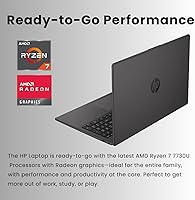
  • Processor: AMD Ryzen 7 7730U with 8 cores and 16 threads, running at a 2.0GHz base frequency and boosting up to 4.5GHz for demanding tasks.
  • RAM: 32GB of DDR4 SDRAM running at 3200MHz, providing ample headroom for multitasking, virtual machines, and heavy browser sessions.
  • Storage: 1TB PCIe x4 M.2 Solid State Drive, delivering fast boot times and quick application launches compared to traditional hard drives.
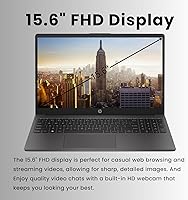
  • Display: 15.6″ Full HD IPS anti-glare panel with a 1920x1080 resolution, 250 nits peak brightness, and 45% NTSC color coverage.
  • Graphics: AMD Radeon integrated graphics, sufficient for everyday productivity tasks, video streaming, and light image viewing but not designed for gaming or creative rendering.
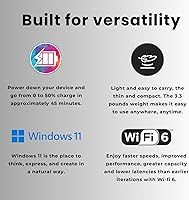
  • Operating System: Windows 11 Pro, which includes enterprise features such as BitLocker encryption, remote desktop access, and advanced device management tools.
  • Wireless: Wi-Fi 6 (802.11ax) with Bluetooth support, providing faster and more stable wireless connectivity in congested network environments.
  • Ports: Two SuperSpeed USB Type-A ports, one SuperSpeed USB Type-C port, one HDMI output, and one combined headphone and microphone jack.
  • Webcam: Built-in webcam suitable for standard video conferencing in well-lit environments, with no IR or Windows Hello facial recognition support.
  • Keyboard: Full-size keyboard with a dedicated numeric keypad, designed for productivity-oriented users who work frequently with numbers or data entry.
  • Dimensions: The laptop measures 14.17 x 9.29 x 0.73 inches, keeping the profile reasonably slim for a 15.6″ business machine.
  • Weight: The unit weighs 3.35 pounds, making it manageable for daily commutes and movement between workspaces.
  • Battery: Single lithium-ion battery with AC adapter included; battery life is adequate for moderate workloads but falls short under sustained heavy use.
  • Audio: Integrated speakers with a shared headphone and microphone combo jack for standard audio output and communication accessories.
  • Optical Drive: No optical drive is included, consistent with modern business laptop design that prioritizes a thinner profile over legacy disc media support.
  • Power Source: Runs on both AC adapter and internal lithium-ion battery, with AC power recommended for sustained high-performance tasks.
  • Color & Build: Available in black with a plastic chassis construction, measuring a slim 0.73 inches thick for a 15.6″ form factor.
  • Memory Type: DDR4 SDRAM at 3200MHz provides reliable bandwidth for multitasking workloads typical of business and education environments.

Related Reviews
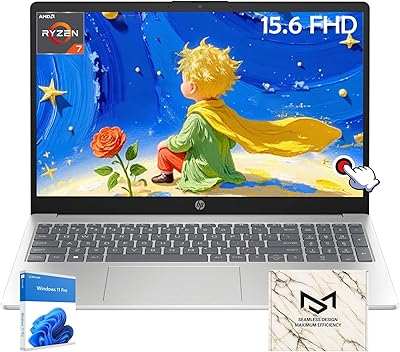
HP 15.6 Touchscreen Laptop, AMD Ryzen 7 7730U, 64GB RAM, 4TB SSD
88%
94%
Performance
89%
Battery Life
91%
Display Quality
96%
Multitasking Capability
93%
Storage Capacity
More
NIMO N155L 32GB/1TB
NIMO N155L 32GB/1TB
72%
88%
Processing Performance
91%
RAM & Memory Experience
87%
Storage Speed & Capacity
58%
Gaming Capability
66%
Display Quality
More
MSI Katana A15 AI B8VF-448US
73%
88%
Gaming Performance
84%
Value for Money
46%
Battery Life
87%
CPU Performance
67%
Display Quality
More
HP Victus 15.6″ Gaming Laptop, AMD Ryzen 5 7535HS, 32GB RAM, 1TB SSD, RTX 2050
83%
90%
Performance
87%
Display Quality
68%
Thermals
82%
Portability
85%
Build Quality
More
Lenovo V15 Gen 4 Business Laptop, 15.6″, AMD Ryzen 7 7730U, 40GB RAM, 1TB SSD
83%
91%
Performance
88%
Value for Money
90%
Build Quality and Durability
78%
Battery Life
85%
Display Quality
More
NIAKUN LAITMIN-G5 Gaming Laptop, 15.6-inch, AMD Ryzen 7 5700U, 32GB RAM, 1TB SSD
82%
88%
Performance
92%
Value for Money
65%
Battery Life
87%
Display Quality
80%
Build Quality
More
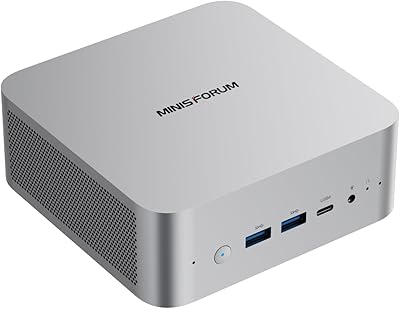
MINISFORUM X1-255 Mini PC, AMD Ryzen 7 255, 32GB RAM, 1TB SSD
86%
88%
Performance
91%
Connectivity
83%
Build Quality
87%
Expansion Potential
80%
Cooling System
More
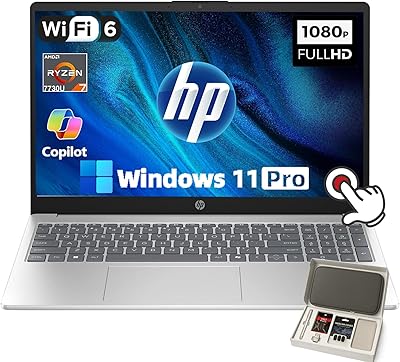
HP 15.6″ Ryzen 7 Laptop (64GB RAM, 2TB SSD)
85%
94%
Performance
90%
Display Quality
83%
Build Quality
78%
Portability
75%
Battery Life
More
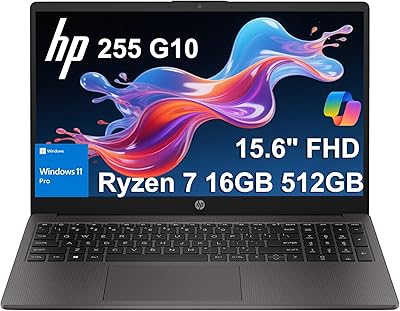
HP 255 G10 (Ryzen 7 7730U, 16GB, 512GB)
77%
88%
Value for Money
91%
Processor Performance
61%
Display Quality
63%
Battery Life
79%
Build Quality & Durability
More
HP 255 G10 Laptop 15.6″ Ryzen 5 7530U 32GB RAM 2TB SSD
71%
83%
Value for Money
79%
Processing Performance
91%
RAM & Storage Configuration
58%
Display Quality
72%
Build Quality & Design
More

FAQ

HP's G10 series typically uses soldered RAM in some configurations, so it is important to verify the specific unit's serviceability before purchasing with upgrade intentions. If RAM upgradeability matters to you, check HP's official maintenance manual for the TPN-Q287 model before buying. Given that 32GB is already generous for most professional workloads, many users find an upgrade unnecessary.

Yes, this is actually one of the stronger use cases for the HP 255 G10 15.6″ Ryzen 7 7730U 32GB 1TB. With 32GB of RAM and an 8-core processor, running a lightweight virtual machine alongside your regular workflow is very manageable. Tools like VirtualBox or VMware Workstation Player handle reasonably well, though the integrated graphics mean GPU-accelerated virtual environments will have limits.

For indoor office use, the anti-glare IPS panel is comfortable over long periods — the matte coating reduces eye strain from reflections, and the FHD resolution keeps text sharp. The main caveat is brightness: at 250 nits, working near a sunny window or outdoors is uncomfortable. If your workspace has controlled lighting, it holds up fine for daily document and browser work.

The USB-C port on this HP business laptop supports data transfer but does not include Thunderbolt, which limits compatibility with some high-speed docking stations. For video output, the dedicated HDMI port is the more reliable option. Always check the exact port specifications against your docking station or monitor requirements before assuming full compatibility.

Casual tasks like streaming video, light puzzle games, or older titles on low settings are manageable, but this machine is not designed with gaming in mind. The integrated AMD Radeon graphics lack the dedicated memory and processing power needed for modern games at acceptable frame rates. If gaming is even a secondary priority, a laptop with a discrete GPU will serve you much better.

This is where the Ryzen 7 machine genuinely shines. Running Teams or Zoom alongside multiple Office applications, a browser with several tabs, and a PDF viewer is exactly the kind of workload the 8-core processor and 32GB of RAM handle without slowdown. Most users report that this combination — which brings mid-range laptops to their knees — stays fluid and responsive here.

Under moderate workloads like document editing, email, and video calls, expect roughly 6 to 7 hours before needing a charger. Push the processor harder with data processing, extended video conferencing, or running multiple apps simultaneously, and that figure drops noticeably. It is worth keeping the charger accessible for full-day work sessions rather than treating this as a truly untethered machine.

Like most OEM laptops, it ships with some pre-installed HP software and third-party trials that some users prefer to remove. The cleanup process is straightforward — a standard Windows app uninstall is sufficient for most of it — and the machine runs noticeably leaner afterward. IT administrators deploying multiple units may prefer to prepare a clean Windows image to streamline the setup process.

During typical office work — browsing, documents, video calls — the fan is barely audible and most users do not notice it. It ramps up during CPU-intensive tasks like large file operations or extended compilation jobs, but the noise level is generally acceptable in a shared workspace. Users in very quiet environments may notice the fan spin-up during brief bursts, but it settles down quickly once the load eases.

For most small business owners, yes — the Pro license adds meaningful features that Home simply does not offer. BitLocker drive encryption protects sensitive business data if the laptop is lost or stolen, and remote desktop access lets you or your IT team connect to the machine without third-party tools. If you manage more than a handful of machines or operate in a regulated industry, the Pro features can justify the machine on their own.