Overview

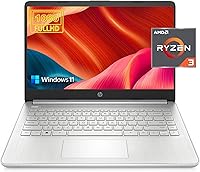
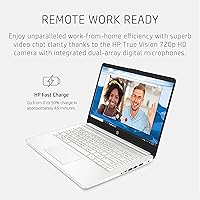
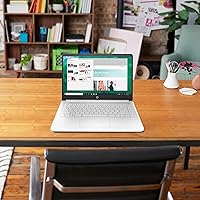
The HP 14 Ryzen 3 1TB Laptop is a straightforward Windows 11 machine built for students and everyday home users who need solid fundamentals without spending a fortune. What makes it stand out at this price point is the combination of 16GB of RAM and a full terabyte of SSD storage — a pairing you rarely see in budget-tier notebooks. The processor is an AMD Ryzen 3 3250U, a Zen+ chip dating back to 2019, so don't expect it to power through video editing or demanding multitasking. For light daily use, it holds up well. The 14-inch form factor keeps it portable and practical without feeling cramped.

Features & Benefits

Pack a laptop with 1TB M.2 SSD storage and 16GB of DDR4 RAM, and you have a machine that handles browser-heavy workflows, cloud apps, and HD streaming without much complaint. Boot times are quick, file transfers feel responsive, and switching between a dozen open tabs won't grind things to a halt. The IPS display covers 1920x1080 resolution with an anti-glare coating, which works well indoors, though at 250 nits of brightness it struggles near windows or in brightly lit rooms. Connectivity covers USB-C, HDMI, and both USB 2.0 and 3.0 ports for most daily needs. The fast charge support is a genuine convenience for anyone constantly on the move.

Best For

This HP 14-inch laptop makes the most sense for students who live in Google Docs, Zoom calls, and research tabs, or for remote workers whose daily load doesn't stretch beyond spreadsheets and email. It also fits a home setting well for casual browsing, streaming, and light photo viewing. What it isn't built for is heavy creative work, gaming, or anything demanding sustained processor output. If you're a first-time laptop buyer drawn to a trusted brand at an approachable price, this Ryzen 3 laptop fills that gap cleanly. Just stay realistic about the CPU — it's capable, not powerful, and that distinction matters.

User Feedback

Buyers who've picked up this budget HP notebook generally appreciate the generous RAM and storage combo, calling it strong value compared to competitors at a similar tier. Build quality gets mixed reactions — the chassis feels adequate but not premium, though the keyboard is frequently described as comfortable for extended typing sessions. The 720p webcam draws predictable complaints in an era where video calls are a daily routine. Battery life in real-world use tends to land closer to 7–8 hours rather than the marketed figure. Screen brightness is a recurring concern for anyone working near a window. For the intended use case, though, most owners seem genuinely satisfied with what they got.

Pros

  • Generous 1TB SSD storage gives students and home users serious room to grow without paying for upgrades.
  • 16GB of DDR4 RAM is above average for this price tier and keeps everyday multitasking smooth.
  • The anti-glare IPS display is comfortable for long indoor work sessions and significantly reduces eye strain.
  • Fast Charge support is a practical convenience that most budget laptops skip entirely.
  • Windows 11 Home comes pre-installed, so setup is immediate with no extra software costs.
  • At 3.2 pounds, this HP 14-inch laptop is genuinely easy to carry between classes or rooms.
  • USB-C, HDMI, and both USB 2.0 and 3.0 ports cover most real-world connectivity needs without a hub.
  • HP brand reliability and warranty support give first-time buyers peace of mind.
  • The keyboard has received consistent praise for comfort during extended typing sessions.
  • Battery life, while not matching the marketed figure, holds up reasonably well through a full school or work day.

Cons

  • The Ryzen 3 3250U is a 2019 dual-core chip that shows its age under any sustained or CPU-heavy workload.
  • Real-world battery life runs closer to 7–8 hours, falling noticeably short of the advertised 10-hour claim.
  • At 250 nits, the display is too dim for comfortable outdoor or bright-room use.
  • The 720p webcam produces soft, grainy video that looks dated compared to competing machines in this range.
  • Color reproduction covers only 45% of the NTSC gamut, which limits usefulness for any color-sensitive work.
  • Integrated graphics mean this Ryzen 3 laptop cannot handle modern gaming or GPU-accelerated applications.
  • The chassis feels plasticky and lacks the build rigidity that even some competing budget notebooks manage.
  • Wi-Fi is limited to the older 802.11ac standard, with no Wi-Fi 6 support for faster modern networks.
  • Only two cores mean the processor can bog down noticeably when background tasks compete for resources.
  • The 2666MHz DDR4 memory speed, while adequate, is slower than what newer platform laptops offer today.

Ratings

The scores below reflect our AI-driven analysis of verified global user reviews for the HP 14 Ryzen 3 1TB Laptop, with spam, incentivized, and bot-generated feedback actively filtered out before any scoring was applied. The result is an honest, balanced picture of where this budget HP notebook genuinely delivers and where real buyers have run into frustration. Both strengths and recurring pain points are transparently reflected in every category score.

Value for Money
83%
Among buyers who understood what they were purchasing, this laptop is frequently cited as one of the stronger value propositions in its price tier — largely because the 16GB RAM and 1TB SSD combination is uncommon at this cost. Students especially appreciated getting reliable, brand-name hardware without stretching their budget.
A segment of buyers felt misled by spec sheet marketing that obscured the aging processor architecture. Once they realized the Ryzen 3 3250U dated back to 2019, some felt the price still felt slightly optimistic given the generational gap compared to newer budget alternatives.
Processing Performance
54%
46%
For light, predictable workloads — web browsing, streaming, word processing, and basic spreadsheet use — the Ryzen 3 3250U handles things without constant hiccups. Users running only a handful of applications at once found the experience acceptable for routine daily tasks.
The dual-core Zen+ chip shows its age quickly when workloads intensify. Buyers who tried running multiple resource-hungry applications simultaneously, or who expected smooth performance in anything creative or technical, reported frustrating lag and sluggishness that made the processor a recurring complaint.
Storage
91%
The 1TB M.2 SSD is one of the clearest standout features here. Users consistently praised the fast boot times and snappy file access compared to older laptops with traditional spinning drives, and having a full terabyte meant most buyers never needed to think about storage management.
A small number of power users noted that SSD write speeds, while faster than HDDs, are on the modest side compared to higher-end NVMe drives. There were also isolated reports of the storage configuration not being exactly as listed, though these appeared to be isolated fulfillment anomalies.
RAM & Multitasking
79%
21%
Sixteen gigabytes of DDR4 RAM is the second headline spec that drew buyers to this machine, and for good reason. Running a dozen browser tabs alongside a video call and a document editor was consistently reported as manageable — something many competing budget laptops struggle with.
The 2666MHz memory speed is functional but not cutting-edge, and the aging platform means it cannot fully leverage the RAM's potential. Users doing heavier multitasking — particularly with memory-intensive web applications or large local files — still noticed occasional slowdowns under sustained load.
Display Quality
66%
34%
The 1080p IPS panel is genuinely well-suited to indoor desk use, offering comfortable viewing angles and a clear, sharp image for documents, video, and casual browsing. The anti-glare coating reduced eye strain noticeably during long work sessions under standard indoor lighting.
At 250 nits of peak brightness, the display is a real limitation the moment you move near a window or step outside. Multiple users flagged this as a day-to-day frustration, and the 45% NTSC color gamut means anything requiring color accuracy — photo editing, design work — simply cannot be done responsibly on this screen.
Battery Life
61%
39%
On lighter tasks like note-taking, cloud browsing, or streaming at moderate brightness, this budget HP notebook reliably gets through a standard school or work day on a single charge. The fast charge feature was specifically appreciated by users who needed a quick top-up before heading out.
The gap between the marketed 10-hour claim and the real-world 7 to 8 hours was a common point of frustration in user feedback. Buyers who pushed the machine harder — running multiple applications or keeping brightness high — reported even shorter sessions, sometimes dipping below six hours.
Build Quality
63%
37%
The chassis is slim and feels reasonably solid for a plastic-bodied budget laptop. At 3.2 pounds, it sits comfortably in a backpack without adding much weight, and the overall dimensions make it feel more premium than the price might suggest at first glance.
Repeated feedback pointed to the plastic construction feeling cheap under closer inspection — particularly the lid flex and the slight give around the keyboard deck. Users coming from older but sturdier machines noted that this HP 14-inch laptop did not inspire the same confidence in terms of long-term durability.
Keyboard & Trackpad
72%
28%
The keyboard was one of the more positively reviewed physical aspects of this machine. Students and remote workers praised the key travel and spacing for comfortable extended typing, particularly during long note-taking sessions or writing assignments.
The trackpad received more mixed reactions — some users found the surface accuracy acceptable, while others reported inconsistent palm rejection that caused unintended cursor jumps during typing. It is functional but not refined enough to replace a dedicated mouse for precision tasks.
Webcam
41%
59%
The webcam technically performs its basic function — it puts your face on the screen during a video call. In well-lit environments, the 720p output is passable enough for casual personal calls where image quality is not a priority.
In any real professional or academic context, the webcam is a genuine weak point. Low-light performance degrades quickly into grainy, washed-out video, and the fixed 720p resolution is increasingly behind the curve at a time when most competitors include 1080p cameras even on budget models.
Connectivity & Ports
74%
26%
Having USB-C, HDMI, and both USB 2.0 and 3.0 ports on a budget machine is a practical combination that covers most users' real-world peripheral needs without requiring an external hub. The HDMI output for a secondary monitor was frequently mentioned as a useful work-from-home feature.
There is no USB 3.1 or Thunderbolt port, and only a single USB-C connection limits expandability for users with heavier peripheral setups. The omission of a card reader was also noted by users who transfer files from cameras or other media.
Wireless Performance
67%
33%
Wi-Fi 5 (802.11ac) handles everyday wireless tasks — streaming, video calls, cloud syncing — without issues on most home and campus networks. Bluetooth connectivity worked reliably across a wide range of peripherals including headsets and mice in user testing.
The lack of Wi-Fi 6 support is a meaningful omission for buyers on newer routers who want the full benefit of their network hardware. A few users in congested network environments also reported occasional signal inconsistency, though this appeared linked more to router distance than the adapter itself.
Thermal Management
58%
42%
Under light workloads, the laptop runs cool and quiet enough that fan noise is rarely noticeable. For students in libraries or quiet office settings doing document work or browsing, the thermal behavior is unobtrusive and largely acceptable.
When the processor is pushed — even by tasks that should be manageable, like running browser-based video alongside a few applications — fan noise ramps up noticeably and the bottom chassis warms to an uncomfortable level for lap use. Sustained performance also appears to throttle under thermal pressure.
Software & Setup
77%
23%
Windows 11 Home arriving pre-installed was a genuine convenience most first-time buyers appreciated, as there was no separate OS licensing or installation step involved. The out-of-box experience was described as smooth by the majority of users who reviewed the setup process.
Like most consumer HP laptops, this Ryzen 3 laptop ships with a layer of pre-installed software including HP utilities and trial subscriptions that some buyers found annoying to sort through. None of it causes performance issues, but cleaning it up is an extra first-day chore most experienced users will want to do immediately.
Portability
81%
19%
At 3.2 pounds and just 0.7 inches thin, this HP 14-inch laptop genuinely earns its portability credentials. Students who carried it daily between classes consistently noted it did not weigh down their bag, and the compact footprint fits comfortably on small lecture hall desks.
The charger adds meaningful bulk and weight to the overall carry load, and since real-world battery life falls short of the 10-hour claim, most users felt obligated to bring it along. A lighter or more compact power adapter would have made the portability story considerably stronger.

Suitable for:

The HP 14 Ryzen 3 1TB Laptop is a practical pick for anyone whose computing needs stay in the everyday lane — think students writing papers, doing research, and hopping between video calls, or remote workers who spend their day in spreadsheets, email, and browser-based tools. The 16GB of RAM means you won't hit a wall with moderate multitasking, and the 1TB SSD gives students and home users more than enough room to store coursework, photos, media, and documents without constantly managing storage. Casual home users who stream shows, video chat with family, or use cloud apps like Google Drive or Microsoft 365 will find this budget HP notebook more than capable for those tasks. First-time laptop buyers who want a reputable brand and a familiar operating system out of the box will appreciate the low friction of Windows 11 Home pre-installed. For anyone who values storage headroom and RAM over raw speed, this Ryzen 3 laptop hits a sweet spot that is genuinely hard to find at this price tier.

Not suitable for:

Buyers expecting modern processing muscle should think twice before committing to the HP 14 Ryzen 3 1TB Laptop — the Ryzen 3 3250U is a 2019-era, dual-core chip, and it shows under any sustained workload. Video editors, programmers compiling large projects, or anyone running demanding software will quickly feel the ceiling this processor imposes. The integrated graphics rule out casual gaming beyond very light titles, and creative professionals who rely on color-accurate displays will find the 45% NTSC color gamut and 250-nit brightness limiting for serious visual work. If you frequently work outdoors or in bright environments, the dim display will frustrate you faster than almost any other shortcoming. The 720p webcam is passable but noticeably behind what competitors offer at similar price points, which could be a real issue for professionals on constant video calls. Anyone anticipating heavy multitasking with resource-hungry applications — say, running virtual machines or editing large audio sessions — should invest in a more current processor architecture before settling on this budget HP notebook.

Specifications

  • Processor: The laptop is powered by the AMD Ryzen 3 3250U, a dual-core, four-thread chip with a 2.6GHz base clock that boosts up to 3.5GHz, built on the older Zen+ architecture.
  • RAM: It comes equipped with 16GB of DDR4 SDRAM running at 2666MHz, which is above average for this price segment and supports comfortable everyday multitasking.
  • Storage: A 1TB M.2 SSD handles all storage duties, offering fast read and write speeds compared to traditional spinning hard drives with no mechanical moving parts.
  • Display Size: The screen measures 14 inches diagonally with a 1920x1080 full HD resolution delivered through an IPS panel for wider viewing angles than standard TN displays.
  • Brightness: The display has a rated brightness of 250 nits, which is adequate for indoor use but can feel insufficient in well-lit rooms or outdoor environments.
  • Display Coating: An anti-glare BrightView coating is applied to the screen surface, reducing reflections during extended indoor work sessions under artificial lighting.
  • Graphics: Graphics are handled by integrated AMD UHD graphics sharing system memory, suitable for video playback and light visual tasks but not gaming or GPU-intensive work.
  • Operating System: Windows 11 Home 64-bit comes pre-installed in English, so the laptop is ready to use out of the box without requiring a separate OS purchase or installation.
  • Battery: HP advertises up to 10 hours of battery life, though real-world usage typically yields closer to 7 to 8 hours depending on workload and screen brightness settings.
  • Charging: The laptop supports fast charging technology, allowing users to recover a meaningful portion of battery capacity in a shorter time than standard-rate charging.
  • Ports: Connectivity includes one USB-C port, one HDMI output, one USB 3.0 port, and one USB 2.0 port, covering most standard peripheral and display needs.
  • Wireless: Wi-Fi is supported via 802.11a/b/g/n/ac (Wi-Fi 5) and Bluetooth, though there is no Wi-Fi 6 support on this model.
  • Webcam: The built-in webcam captures video at 720p HD resolution, which is functional for video calls but noticeably below the 1080p standard increasingly common on newer laptops.
  • Weight: At 3.2 pounds, this laptop is light enough for daily commutes, backpack carry, and moving between rooms without much physical fatigue.
  • Dimensions: The chassis measures 12.7 x 8.9 x 0.7 inches, making it a slim and reasonably compact footprint for a 14-inch class machine.
  • Color: The laptop is available in a grey finish with a standard plastic build typical of budget-tier notebooks in this category.
  • Color Gamut: The display covers approximately 45% of the NTSC color gamut, which limits its suitability for color-sensitive creative or design work.
  • Memory Type: System memory uses DDR4 SDRAM in a dual-channel capable configuration, providing the bandwidth needed for smooth operation of everyday applications.
  • Optical Drive: There is no optical drive included, which is standard for slim modern laptops but worth noting for users who still rely on CDs or DVDs.
  • Warranty: HP typically covers this product with a one-year limited hardware warranty; buyers should verify specific terms at time of purchase as coverage details can vary by region.

Related Reviews
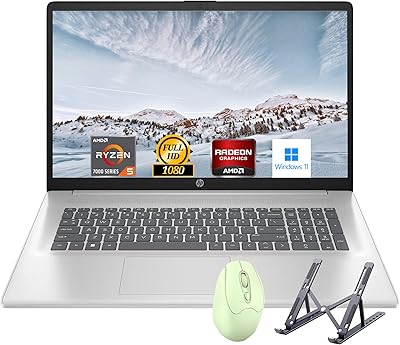
HP Laptop 17 Ryzen 5 7430U 32GB 1TB
70%
88%
Value for Money
84%
Processing Performance
91%
RAM & Multitasking
89%
Storage Speed & Capacity
76%
Display Quality
More
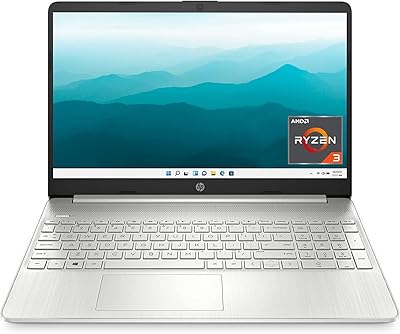
HP 15 Laptop, Ryzen 3 5300U, 8GB RAM, 256GB SSD
79%
91%
Value for Money
88%
Portability
85%
Battery Life
82%
Performance
65%
Display Quality
More
HP Laptop 15-fc0099nr
71%
83%
Value for Money
71%
Performance
88%
Battery Life
61%
Display Quality
84%
Touchscreen Responsiveness
More
HP 255 G8 Business Laptop, Ryzen 5 5500U, 32GB RAM, 1TB SSD
84%
88%
Performance
91%
Value for Money
74%
Display Quality
82%
Battery Life
85%
Build Quality
More
HP 255 G10 15.6″ Ryzen 7 7730U 32GB 1TB
78%
88%
Processing Performance
91%
RAM & Multitasking
87%
Storage Speed & Capacity
62%
Display Quality
93%
Value for Money
More
Lenovo IdeaPad Slim 3 Business Laptop, Ryzen 5 5625U, 16GB RAM, 1TB SSD
86%
88%
Performance
90%
Multitasking Capability
85%
Display Quality
86%
Keyboard Comfort
65%
Battery Life
More
HP Essential 17 (2025) 17.3-inch Laptop, Ryzen 5, 64GB RAM, 2TB SSD
73%
88%
Value for Money
83%
Performance & Speed
93%
RAM & Multitasking Headroom
91%
Storage Capacity & Speed
79%
Display Quality
More
Lenovo IdeaPad 3 14 Laptop, AMD Ryzen 5 5500U, 8GB RAM, 256GB SSD
83%
88%
Performance
89%
Battery Life
84%
Build Quality
75%
Display Quality
67%
Keyboard Comfort
More
HP 2025 17.3″ Laptop, Intel Core i3-N305, 16GB RAM, 1TB SSD
82%
88%
Value for Money
81%
Display Quality
85%
Performance
74%
Battery Life
90%
Storage Capacity
More
HP 17 Essential 17.3-inch Laptop, Core i7, 64GB RAM, 1TB SSD
83%
92%
Performance
88%
Display Quality
80%
Battery Life
65%
Portability
95%
Multitasking Ability
More

FAQ

For most students, yes. Browsing, writing papers, running video calls on Zoom or Teams, and using cloud-based tools like Google Docs or Microsoft 365 all run without issue. The 16GB of RAM and 1TB of storage are genuinely generous for the price. Just keep your expectations realistic on the processor — it handles everyday tasks well but slows down noticeably if you throw too much at it simultaneously.

Not comfortably. The Ryzen 3 3250U is a 2019 dual-core chip, and creative applications like Premiere Pro or Photoshop with large files will push it past its comfort zone quickly. The integrated graphics also lack dedicated VRAM for GPU-accelerated tasks. If creative work is a regular part of your workflow, you will want a more current and capable machine.

It holds up well indoors. The 1080p IPS panel is clear, the anti-glare coating reduces reflections under ceiling lights or lamps, and colors are decent for casual viewing. The main limitation is brightness — at 250 nits, it struggles near windows or in brightly lit spaces. Do not plan to use it comfortably outside.

In practice, most users find the real figure is closer to 7 to 8 hours under typical use — light browsing, documents, some streaming. The 10-hour claim reflects a best-case, low-intensity usage scenario. It is enough to get through a school day or work session, but carry the charger if you have back-to-back long days.

HP does not officially advertise this model as user-upgradeable, and some configurations have RAM soldered to the motherboard. Before purchasing, it is worth checking the specific service manual for your exact unit. The SSD in M.2 form factor is more likely to be swappable, but always verify before voiding any warranty.

It is functional but not flattering. The 720p camera produces soft, moderately grainy video in anything less than bright lighting. For casual calls with family or quick check-ins at work, it gets the job done. If you are on professional video calls regularly where appearance matters, an external USB webcam would be a worthwhile addition.

This Ryzen 3 laptop is genuinely comfortable with web browsing across multiple tabs, streaming HD video, writing and editing documents, sending emails, joining video calls, and working in cloud-based apps. It is the kind of machine that quietly handles everything a typical student or home office worker needs without drama.

Yes, easily. The HDMI port lets you plug into a standard external monitor or TV, and the USB-C port can also support display output depending on the monitor and cable setup. It is a practical setup for someone who works from home and wants more screen real estate during the day.

It is a reasonable pick for a teenager doing schoolwork, watching content, or learning basic computing skills. The build is not rugged, so younger children who are rough with hardware might need something more durable. For a high school student heading to their first year of college, this budget HP notebook covers the basics well.

Like most HP consumer laptops, it ships with some pre-installed software beyond the core Windows 11 Home installation. This typically includes a handful of HP utilities and a few trial subscriptions. None of it significantly impacts performance, and most of it can be uninstalled within the first hour of setup if you prefer a cleaner system.