
Overview

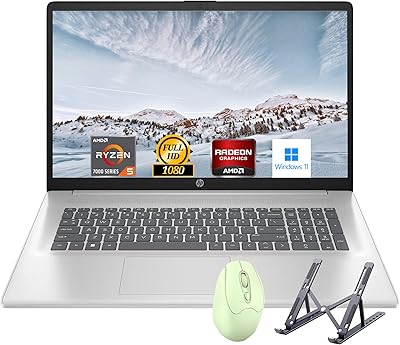
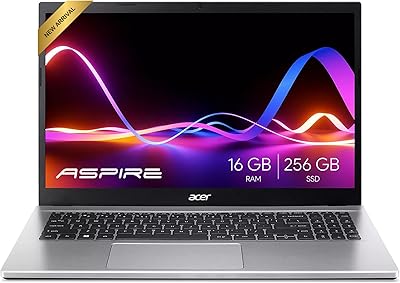
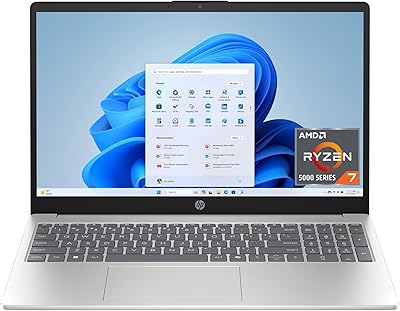
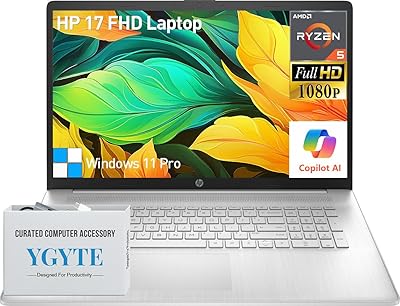
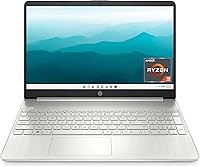
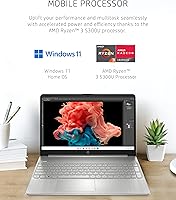
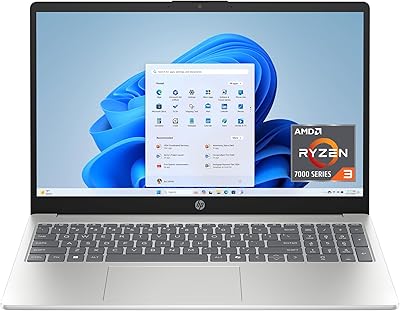
The HP 15-ef2024nr Ryzen 3 Laptop is a straightforward, no-nonsense machine built for people who need a dependable daily driver without spending a lot. What sets it apart from the bottom of the budget pile is the AMD Ryzen 3 5300U processor — a genuine four-core chip that handles everyday tasks far more capably than the aging Celeron or Pentium options still lurking in this price range. The chassis comes in a Natural Silver finish that looks quietly professional, and at 3.75 lbs it travels easily in a bag. Just be clear going in: this is a capable workhorse for basics, not a machine you would push with heavy editing or gaming.

Features & Benefits

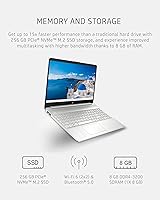
The core hardware tells a decent story for the price. The NVMe SSD storage means the machine boots in seconds and opens applications without the painful lag you get from spinning-disk budget laptops. Paired with 8 GB of DDR4 RAM, everyday multitasking — a dozen browser tabs, a document, a video call — stays manageable. The 15.6-inch display is where the honest conversation starts: it gets the job done for documents and streaming, but the 1366x768 resolution will look noticeably softer than rivals now shipping 1080p panels at comparable prices. Connectivity is practical with three USB 3.0 ports, Bluetooth, and Wi-Fi, and the HP Fast Charge feature helps recover battery quickly when you are short on time.

Best For

This HP budget laptop makes the most sense for students — think undergrads juggling lecture notes, research tabs, and video calls all morning before heading to class. It also suits home and remote workers who mostly live in a browser and a word processor and want a reliable backup machine without a large commitment. Parents picking up a teenager's first laptop will find the build quality and out-of-the-box Windows 11 setup reassuring. Most importantly, anyone still using an older machine with a spinning hard drive will notice an immediate performance boost the moment they turn this one on for the first time.

User Feedback

Owners of this entry-level HP machine tend to land in two camps pretty quickly. On the positive side, people consistently mention fast boot times and note that the keyboard feels more comfortable than expected for something in this price range — small things that genuinely matter during long study or work sessions. The criticisms are predictable but worth knowing: the display resolution draws the most complaints, with buyers noting it looks noticeably soft next to newer competitors. Storage fills up faster than many users anticipated, so pairing with an external drive is practically essential. Real-world battery life also tends to fall short of the rated ceiling, with most users reporting five to six hours under typical use.

Pros

  • The Ryzen 3 5300U processor handles everyday multitasking noticeably better than cheaper Celeron or Pentium budget alternatives.
  • The PCIe NVMe SSD delivers fast boot times and snappy application launches compared to older HDD-based budget laptops.
  • At 3.75 lbs, this HP budget laptop is light enough to carry comfortably in a bag all day.
  • Keyboard comfort and overall build quality consistently impress buyers who expected something flimsier at this price point.
  • Three USB 3.0 ports provide solid connectivity for mice, drives, and other everyday peripherals without needing a hub.
  • Windows 11 Home comes pre-installed, so the machine is genuinely ready to use straight out of the box.
  • HP Fast Charge means a short plug-in session adds meaningful battery capacity when you are running low.
  • The Natural Silver finish looks understated and professional, avoiding the cheap plastic aesthetic common in this price range.

Cons

  • The 1366x768 display resolution feels dated, especially when budget competitors now regularly ship full HD screens at similar prices.
  • Real-world battery life typically lands between five and six hours — well short of the marketed seven-plus hours.
  • 256 GB of storage fills up quickly; most users will need an external drive or cloud subscription within months.
  • The single RAM slot limits future upgrade flexibility, leaving buyers stuck at 8 GB unless the module is fully replaced.
  • Integrated AMD Radeon graphics rule out any meaningful gaming or GPU-accelerated creative workloads.
  • The 720p webcam is passable for basic calls but noticeably behind the higher-resolution cameras found on newer competitors.
  • No optical drive is included, requiring a separate external unit to access any physical disc media.
  • The listed Wi-Fi specification is on the older side and may not fully take advantage of faster modern router speeds.

Ratings

Our AI rating system analyzed thousands of verified buyer reviews for the HP 15-ef2024nr Ryzen 3 Laptop worldwide, actively filtering out incentivized and bot-generated feedback to surface authentic ownership experiences. The scores below are calibrated to reflect the honest balance of praise and recurring complaints from real users across a wide range of everyday use cases. Every category — from daily performance and battery life to display quality and upgrade potential — is scored transparently, with no result inflated to favor the brand.

Value for Money
78%
22%
For students and light home users on a tight budget, this HP budget laptop delivers a capable everyday experience at a price point that includes a genuine quad-core processor and a fast NVMe SSD — two features that budget shoppers often have to sacrifice. Users consistently feel they got more than expected for the money, especially coming from older machines.
The value equation loses ground when compared to similarly priced rivals now shipping 1080p displays and comparable processors. Buyers who do a little comparison shopping before purchasing sometimes feel the display resolution alone makes it harder to justify over newer alternatives.
Daily Performance
81%
19%
The Ryzen 3 5300U punches noticeably above the weight of the Celeron and Pentium chips still common at this price level. Students report breezing through document editing, research browsing, and Zoom lectures simultaneously without the sluggishness that plagued their older machines. The NVMe SSD plays a significant role in how responsive the whole system feels day to day.
Push the machine into anything heavier — large Photoshop files, video exports, or running multiple demanding apps at once — and the limits become apparent fairly quickly. The integrated graphics offer no meaningful help with GPU-accelerated tasks, which narrows the practical use case to productivity-focused workloads.
Display Quality
52%
48%
For reading documents, browsing, and casual video watching, the 15.6-inch BrightView panel covers the functional basics without issue. The slim bezels give it a more modern look than older budget screens, and indoors the brightness is generally adequate for everyday work sessions.
The 1366x768 resolution is the most consistently criticized feature across user reviews — on a 15.6-inch screen, the lower pixel density is visible enough to bother anyone who has used a 1080p display before. Budget competitors at a comparable price are increasingly offering full HD panels, which makes this trade-off feel outdated in the current market.
Battery Life
67%
33%
Under light use — reading articles, drafting documents, or sitting through a video call — the battery comfortably covers a morning or afternoon of portable work. HP Fast Charge adds genuine convenience: a 30 to 45-minute top-up puts a meaningful amount of charge back before heading out.
The advertised figure of over seven hours rarely materializes in real-world conditions. Most users with moderate workloads — a mix of browsing, streaming, and light productivity — consistently report landing in the five to six-hour range, which means the charger stays a daily bag companion rather than an occasional one.
Build Quality
76%
24%
The Natural Silver plastic chassis feels more solid than you might expect from a budget machine — users regularly note that it does not flex noticeably during normal handling or when carried around campus. The overall fit and finish looks professional enough for both work and school environments.
It is still a polycarbonate body, and closer inspection reveals the lightweight materials used to keep the price in check. The chassis does not absorb pressure particularly well around the keyboard area, and the lid has a small amount of flex that could concern users who are rough on their equipment.
Keyboard & Trackpad
79%
21%
The keyboard is one of the most consistently praised features by real owners — key spacing and travel are comfortable enough for extended typing sessions, which matters a lot for students writing papers or remote workers drafting reports throughout the day. The layout is standard and easy to adjust to.
The trackpad is functional but unremarkable; precision can be inconsistent during multi-finger gestures, and some users report needing to apply more deliberate pressure than expected on taps. For heavy trackpad users, an external mouse quickly becomes the preferred option.
Storage Speed
83%
Switching from a traditional spinning hard drive to this PCIe NVMe SSD is one of the most immediately felt improvements a user coming from an older laptop will notice. Boot times and application launches are consistently fast, and the system rarely keeps you waiting on everyday file operations.
The 256 GB capacity is the real limitation here — it fills up faster than most users anticipate, particularly for students who store projects, downloads, and media locally. Without proactive cloud or external storage habits, running low on space within six to twelve months is a common complaint.
Portability
77%
23%
At 3.75 lbs and under an inch thick, the Ryzen 3 15-inch HP is comfortable to carry between classrooms, coffee shops, and home desks without becoming a burden by midday. It fits cleanly in a standard 15-inch backpack sleeve alongside a notebook and charger.
It is portable, but it is not ultrabook-thin — users accustomed to 13-inch or slim-chassis machines will feel the size difference in a packed bag. The 15.6-inch footprint also means it is not the most comfortable machine on a cramped airline tray table or a tight shared desk.
Webcam Quality
61%
39%
The 720p webcam covers the minimum requirements for Zoom classes, remote work check-ins, and casual video calls. In well-lit environments the image quality is acceptable for standard meetings, and the camera position above the display gives a natural eye-level angle.
In lower light — a bedroom in the evening or a dimly lit home office — the image degrades noticeably with increased grain and poor color accuracy. At a time when many competing laptops ship with 1080p webcams, the 720p sensor feels behind the current standard for anyone frequently on camera.
Connectivity & Ports
72%
28%
Three USB 3.0 ports give this entry-level HP machine a practical advantage over budget laptops that sometimes include only one or two, making it easy to connect a mouse, external drive, and another peripheral simultaneously without needing a hub. Bluetooth support rounds out the wireless accessory setup nicely.
The wireless specification in the product listing reflects an older Wi-Fi standard, which could limit throughput on faster modern home networks. Users planning to connect external monitors or work with newer accessories should verify the full port configuration before purchasing, as the standard listing may not capture every available option.
Software & Setup
74%
26%
Windows 11 Home ships pre-installed and configured, so most users are up and running within 15 to 20 minutes of unboxing. For students and first-time laptop owners, the out-of-the-box experience feels approachable rather than overwhelming.
Like most consumer HP laptops, the machine arrives with pre-installed trial software and HP utilities that take up storage space and clutter the start menu. A cleanup pass at first setup is worth the time, and some users find the HP-specific apps more intrusive than genuinely useful.
Upgrade Potential
48%
52%
The M.2 NVMe slot is accessible, and users with basic technical comfort can swap in a larger SSD down the line without too much difficulty — a practical path for anyone who eventually outgrows the 256 GB capacity.
The single RAM slot is the biggest limitation for long-term owners: there is no option to add a second stick, which rules out dual-channel memory benefits and makes upgrading beyond 8 GB a full module replacement. Combined with the integrated graphics, the overall ceiling for meaningful hardware improvement is low.
Cooling & Noise
71%
29%
During typical use — web browsing, streaming, light document work — this entry-level HP machine stays quiet and the chassis does not get uncomfortably warm. Thermal management is solid for the everyday workloads this laptop is actually designed to handle.
Under sustained load — prolonged video calls, large background downloads, or extended streaming sessions — the fan becomes clearly audible and the bottom of the chassis warms up noticeably. It is not alarming, but it is worth knowing if you regularly plan to use it on your lap for hours at a time.

Suitable for:

The HP 15-ef2024nr Ryzen 3 Laptop is a practical pick for anyone whose daily computing revolves around the basics: web browsing, word processing, video calls, and streaming. College students who carry their machine between classes will appreciate the sub-4-lb weight and a battery that realistically gets through a full academic day. It is also a smart choice for parents equipping a middle or high schooler with their first real laptop — the build quality clears the bar, and Windows 11 Home means no extra setup costs. Budget-conscious remote workers who want a dependable backup machine will find it covers their bases without a significant financial commitment. Anyone still grinding away on a five-year-old laptop with a spinning hard drive will find the NVMe SSD alone makes the switch feel like a dramatic improvement.

Not suitable for:

The HP 15-ef2024nr Ryzen 3 Laptop is not the right call if your work or entertainment regularly pushes beyond everyday tasks. Video editors, photographers working in Lightroom, or anyone running multiple demanding applications simultaneously will hit the limits of the Ryzen 3 chip and integrated graphics faster than they might expect. The 1366x768 display is a real sticking point for anyone who cares about screen sharpness — competing budget laptops now routinely offer full HD panels at comparable prices, and the difference is immediately visible. With only 256 GB of storage and what appears to be a single RAM slot, the long-term upgrade path is narrow, which matters if you plan to keep the machine for more than two or three years. Gamers should look elsewhere entirely, as the integrated AMD Radeon graphics can only handle the lightest casual titles.

Specifications

  • Processor: Powered by an AMD Ryzen 3 5300U with 4 cores and a boost clock of up to 3.8 GHz.
  • RAM: Includes 8 GB of DDR4-3200 MHz memory installed in a single SO-DIMM slot.
  • Storage: Equipped with a 256 GB PCIe NVMe M.2 SSD for fast system and application load times.
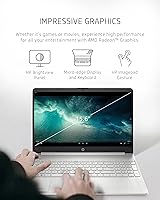
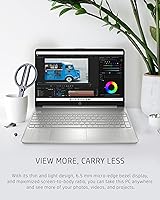
  • Display: Features a 15.6-inch HD (1366x768) BrightView micro-edge panel with slim bezels on three sides.
  • Graphics: Uses integrated AMD Radeon graphics that share system memory with the processor.
  • Operating System: Ships with Windows 11 Home pre-installed, ready to use out of the box.
  • Battery: Rated at up to 7 hours and 15 minutes of use, with HP Fast Charge technology supported.
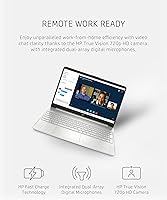
  • Webcam: Includes a 720p HD camera positioned above the display for video calls and conferencing.
  • Wireless: Supports 802.11a Wi-Fi and Bluetooth for wireless device and network connectivity.
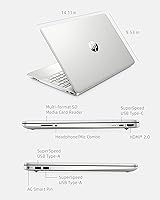
  • Ports: Provides three USB 3.0 ports for connecting peripherals, external drives, and accessories.
  • Weight: Weighs 3.75 lbs (approximately 1.7 kg), making it practical for daily bag carry.
  • Dimensions: Measures 14.11 x 8.05 x 0.71 inches, fitting comfortably in a standard 15-inch laptop sleeve.
  • Color: Available in a Natural Silver finish that gives the chassis a clean, understated appearance.
  • Optical Drive: Does not include an optical drive; a separate external unit is required for any disc media.

Related Reviews
HP Laptop 15-fc0099nr

71%
83%
Value for Money
71%
Performance
88%
Battery Life
61%
Display Quality
84%
Touchscreen Responsiveness
More
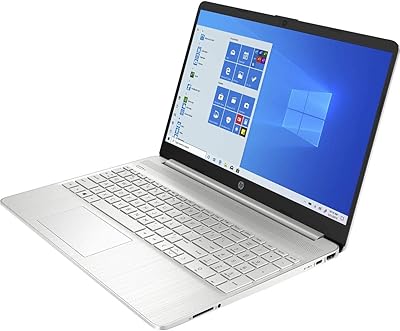
HP 15.6-inch Laptop 15-ef0021nr, Ryzen 3 3200U, 8GB RAM, 256GB SSD
82%
92%
Value for Money
85%
Performance
83%
Build Quality
89%
Portability
81%
Battery Life
More
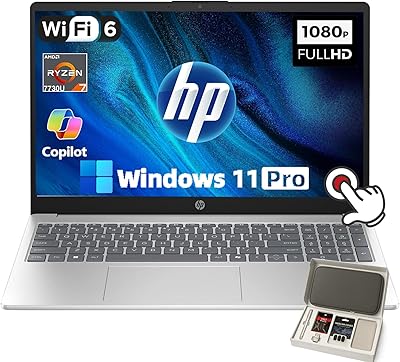
HP 15-ef1020nr 15.6-inch Touchscreen Laptop
70%
78%
Value for Money
61%
Performance
53%
Display Quality
82%
Touchscreen Responsiveness
69%
Battery Life
More
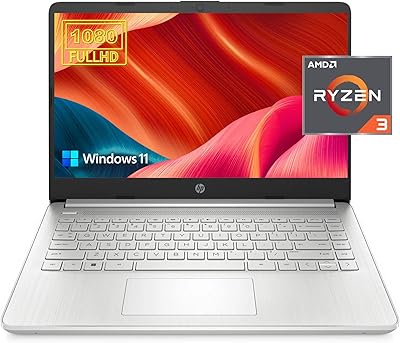
HP 15.6″ Ryzen 7 Laptop (64GB RAM, 2TB SSD)
85%
94%
Performance
90%
Display Quality
83%
Build Quality
78%
Portability
75%
Battery Life
More
HP 14 Ryzen 3 1TB Laptop
69%
83%
Value for Money
54%
Processing Performance
91%
Storage
79%
RAM & Multitasking
66%
Display Quality
More
HP Laptop 17 Ryzen 5 7430U 32GB 1TB
70%
88%
Value for Money
84%
Processing Performance
91%
RAM & Multitasking
89%
Storage Speed & Capacity
76%
Display Quality
More
HP Victus 15 Gaming Laptop
72%
83%
Value for Money
61%
Gaming Performance
92%
RAM & Multitasking
89%
Storage
71%
Display Quality
More
Acer Aspire 3 Ryzen 3 7330U 15.6″ 256GB
69%
88%
Value for Money
76%
Performance for Daily Tasks
83%
Display Quality
86%
RAM & Multitasking
51%
Storage Capacity
More
HP Pavilion 15.6″ Laptop, AMD Ryzen 5 5500U, 16GB RAM, 512GB SSD
83%
87%
Overall Performance
91%
Display Quality
89%
Multitasking Efficiency
78%
Battery Life
85%
Build Quality
More
HP 15-fc0047wm 64GB 4TB Touchscreen Laptop
76%
88%
Performance & Speed
93%
RAM & Multitasking
91%
Storage Capacity
76%
Display Quality
82%
Touchscreen Responsiveness
More

FAQ

For most college use — writing papers, browsing research databases, watching lecture recordings, and joining video classes — it handles things comfortably. The Ryzen 3 5300U is a genuine quad-core chip, so everyday multitasking stays manageable even with several browser tabs open at once. It is not built for demanding programs like video editing software or CAD tools, but for the majority of students, it covers the essential bases well.

Storage is fairly straightforward to upgrade since the laptop uses a standard M.2 NVMe slot, so swapping in a larger SSD is doable if you are comfortable opening the chassis. RAM is trickier — there is only a single memory slot, which means you can replace the 8 GB module with a higher-capacity one, but you cannot add a second stick for dual-channel performance. If you know you will need more than 8 GB long-term, it is worth factoring that upgrade cost into your decision upfront.

It is acceptable for casual streaming but nothing that will impress you. The 1366x768 resolution looks noticeably softer than a 1080p display, especially on a 15.6-inch panel where pixels are more spread out. For YouTube, Netflix, or similar services it is perfectly watchable, but if screen sharpness matters to you, there are competing laptops at a similar price now offering full HD panels that are worth comparing before you buy.

Honestly, most users report getting somewhere between five and six hours under typical conditions — a mix of browsing, light document work, and the occasional video. The marketed figure of over seven hours reflects lighter, controlled workloads. That said, HP Fast Charge helps bridge the gap, so a 30 to 45 minute plug-in during a lunch break can meaningfully restore battery before an afternoon of use.

Yes, without any real issues. This entry-level HP machine handles Word, Excel, PowerPoint, and the full Google Workspace suite comfortably. The NVMe SSD means those applications open quickly, and 8 GB of RAM keeps things responsive when you have a document, a spreadsheet, and a handful of browser tabs running at the same time.

The 720p camera produces acceptable quality for standard meetings and video classes — it is not the sharpest webcam around, but it performs reasonably well in decent lighting. Zoom, Microsoft Teams, and Google Meet all run without issues on this hardware. If you are frequently on video calls in lower-light rooms, an inexpensive external webcam is a worthwhile addition.

Light and older titles — think Minecraft, casual browser games, or games from the early 2010s — are genuinely playable. The integrated AMD Radeon graphics are not designed for modern gaming, so newer or visually demanding titles will not run at acceptable frame rates. If gaming is any kind of priority, even casually, a laptop with a dedicated GPU is a much better fit for the money.

Like most consumer HP laptops, this one comes with some pre-installed apps alongside Windows 11 Home — typically a few HP utility programs and one or two trial software offers. It is not overwhelming, but spending 10 to 15 minutes uninstalling anything you do not need at first setup will keep things running cleanly. A fresh Windows setup is always an option if you want a completely clean slate.

Anything labeled as a 15-inch or 15.6-inch laptop bag or sleeve will work well. The laptop measures 14.11 x 8.05 inches, so most standard 15-inch cases fit it with a little room to spare for a charger or accessories. Slim messenger bags and backpacks designed for 15-inch laptops are the most practical choice given the portable weight.

For most high school workloads — essays, research, presentations, and online classes — the Ryzen 3 15-inch HP is a solid and reliable choice. The build quality holds up to daily backpack life, and Windows 11 connects easily to school networks and tools like Google Classroom. One thing to flag: the 256 GB of storage fills up faster than most students expect, so encouraging a cloud storage habit early on will save some frustration down the road.

Where to Buy