Overview

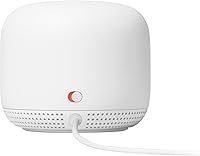
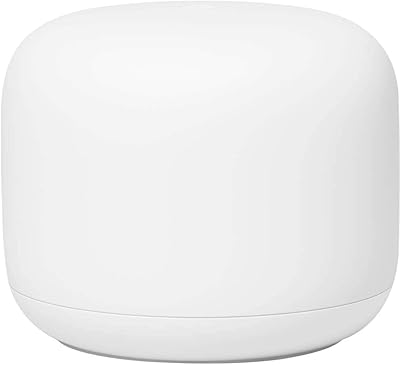
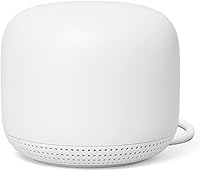
The Google Nest Wi-Fi Point H2E Mesh Extender is an expansion unit designed to work within Google's Nest Wi-Fi ecosystem — it is not a standalone router and cannot function without an existing Nest Wi-Fi router already in place. This Nest Wi-Fi Point arrives in open-box condition, which typically means it has been previously purchased and returned, so minor cosmetic wear or a missing accessory here and there is possible. Physically, it's a compact, rounded white orb that sits unobtrusively on a shelf or countertop. If you're expecting Wi-Fi 6 speeds or cutting-edge specs, temper those expectations — this is a practical, mid-range coverage extender that gets the job done without fanfare.
Features & Benefits

The H2E mesh extender runs on dual-band 802.11n Wi-Fi, with a theoretical ceiling of 1200 Mbps — though in real-world use, actual throughput will land noticeably lower depending on distance, interference, and how many devices are connected. That said, it handles everyday streaming, video calls, and casual browsing without much fuss. The Google Home app handles all setup and monitoring, and it's genuinely easy to use — even for people who don't consider themselves tech-savvy. A built-in Google Assistant means you get basic voice control as a side benefit. Automatic band steering quietly routes your devices to whichever frequency offers the better connection. The unit's small footprint makes it easy to tuck almost anywhere.

Best For

This Google mesh unit makes the most sense for people who already own a Google Nest Wi-Fi router and want to push coverage into a back bedroom, basement, or far corner of a mid-sized home. It's not going to serve power users who need advanced routing controls, port forwarding options, or the speed headroom of Wi-Fi 6. Renters and apartment dwellers who want decent coverage without a complicated setup will find it straightforward. Moderate internet use — streaming a show, attending a video call, scrolling social media — is really where this unit shines. It's also a reasonable pick for budget-minded buyers comfortable with open-box purchases, as long as expectations around specs are appropriately grounded.

User Feedback

Buyers who've picked up this Nest Wi-Fi Point — including open-box versions — consistently praise the ease of setup. Most report that connecting it to an existing Nest system takes only a few minutes through the app, with no technical knowledge required. Connections stay stable for everyday tasks, and the design earns compliments for not looking like a typical router. On the downside, the missing Ethernet port frustrates users who want a wired backhaul option, and the lack of Wi-Fi 6 is a real limitation for those on high-speed internet plans. A few open-box buyers noted missing power adapters or light scuffs, so checking the package on arrival is wise. App-based controls are praised for simplicity but leave more technical users wanting more flexibility.

Pros

  • Setup takes only a few minutes through the Google Home app, even for non-technical users.
  • Integrates naturally into an existing Nest Wi-Fi network without any complicated configuration.
  • The compact, orb-shaped design blends into home decor far better than most networking hardware.
  • Automatic band steering quietly optimizes device connections without any manual intervention.
  • Built-in Google Assistant adds convenient voice control without needing a separate smart speaker.
  • Open-box pricing makes this Nest Wi-Fi Point an accessible way to expand coverage on a tighter budget.
  • Dual-band coverage handles moderate household traffic — streaming, browsing, and video calls — reliably.
  • Lightweight and easy to reposition, which is genuinely useful for renters or those who rearrange frequently.
  • The Google Home app provides a clean overview of connected devices and basic network health at a glance.

Cons

  • No Ethernet port on the unit, ruling out wired backhaul or wired device connections entirely.
  • Wi-Fi 4 (802.11n) is aging technology that will feel increasingly limited as households add more devices.
  • Real-world speeds fall well short of the 1200 Mbps theoretical figure — manage expectations accordingly.
  • Open-box units occasionally arrive with missing power adapters or light cosmetic damage, so inspect carefully.
  • The H2E mesh extender is completely dependent on a Nest Wi-Fi router — useless without one already in place.
  • The Google Home app lacks advanced controls, frustrating users who want more than basic network management.
  • Not well-suited for large homes; coverage gains may disappoint buyers with sprawling or multi-floor layouts.
  • Long-term firmware support for this generation of Nest hardware is uncertain compared to newer product lines.
  • No tri-band option means the network can get congested when many devices compete for bandwidth simultaneously.

Ratings

Our AI rating engine analyzed thousands of verified global purchases of the Google Nest Wi-Fi Point H2E Mesh Extender, actively filtering out incentivized reviews, bot submissions, and one-off outliers to surface what real everyday buyers consistently experience. The scores below reflect a balanced picture — genuine strengths and recurring frustrations included — so you can make a confident, informed decision before buying.

Ease of Setup
91%
Getting the H2E mesh extender up and running is one of its clearest strengths. Buyers routinely describe the process as taking under five minutes: open the Google Home app, scan the device, place it, done. Even users who describe themselves as non-technical report zero friction during installation.
A small number of open-box buyers reported that the setup hit a snag when a previous owner's account was still linked to the device, requiring a factory reset before the app would recognize it as new. This is an open-box edge case, not a design flaw, but it catches people off guard.
Wi-Fi Coverage
76%
24%
For medium-sized homes and apartments, this Nest Wi-Fi Point does a respectable job pushing coverage into rooms that the main router struggles to reach. Buyers in two-bedroom to three-bedroom homes frequently note that dead zones in back bedrooms or home offices become reliably usable after adding this unit.
In larger homes or multi-story layouts, the coverage gain from a single Point can feel underwhelming. Thick walls, concrete construction, and long hallways cut into the effective range noticeably, and several buyers in bigger spaces ended up needing a second unit to fully close the gap.
Connection Stability
83%
Day-to-day reliability is where this Google mesh unit earns its keep. Buyers report that video calls stay connected, streaming holds steady, and the network rarely drops unexpectedly during normal household use. The mesh handoff between the router and the Point is smooth enough that most users never notice the transition.
A subset of longer-term owners — particularly those running the unit for over a year — mention occasional disconnects that required restarting the device or the router. These episodes are infrequent for most, but they surface often enough in verified reviews to be worth noting.
Real-World Speed
61%
39%
For everyday tasks like browsing, standard-definition and HD streaming, and casual video calls, the H2E mesh extender delivers acceptable speeds. Buyers with modest internet plans in the 100–300 Mbps range generally have no complaints about the throughput they experience in extended rooms.
The Wi-Fi 4 ceiling becomes a real limitation for households with gigabit internet plans or multiple heavy users simultaneously. Real-world speeds measured at the Point are frequently far below the theoretical 1200 Mbps figure, and buyers expecting near-router performance in extended rooms are often disappointed.
App Experience
74%
26%
The Google Home app is genuinely one of the better consumer networking interfaces available for non-technical users. Checking which devices are connected, running a speed test, or pausing the internet for a specific device — these tasks are approachable and clearly laid out.
Anyone with more than basic needs runs into the app's hard ceiling quickly. There is no access to DNS settings, no VLAN support, no detailed traffic monitoring, and no meaningful QoS configuration. Power users consistently flag this as a dealbreaker.
Build Quality
79%
21%
The physical unit feels solid and well-constructed for its size. The matte white finish resists fingerprints reasonably well, and the orb shape sits stably without any wobble. Several buyers note it feels more premium than its compact footprint might suggest.
The open-box condition introduces some variability — a portion of buyers received units with light scuffs or minor discoloration that would not be present in a new purchase. The unit itself holds up well over time, but condition consistency is an open-box gamble.
Design & Aesthetics
86%
The rounded, compact shape in Snow white is one of the more tasteful pieces of home networking hardware on the market. Buyers frequently mention that guests mistake it for a smart speaker or decorative object rather than a router, which makes placement in living rooms or bedrooms a non-issue.
The Snow colorway is the only option available with this unit, which is a minor limitation for anyone with darker decor or shelving where a white orb stands out more than it blends in. Color choice is a small gripe, but it comes up occasionally.
Google Assistant Integration
68%
32%
Having a built-in Google Assistant speaker is a genuinely useful bonus for buyers who are already in the Google ecosystem. Setting timers, checking the weather, or controlling smart lights from a room that previously had no smart speaker capability is a convenient side benefit.
The speaker quality is noticeably modest — fine for voice responses but uninspiring for music. Buyers who expected a real smart speaker experience are often let down, and those who already own Nest Audio or Nest Mini devices find the built-in Assistant largely redundant.
Value for Money
72%
28%
At open-box pricing, this Nest Wi-Fi Point represents a reasonable deal for Nest ecosystem owners who just need straightforward coverage expansion without spending on a full new mesh kit. For light users, the cost-to-coverage ratio is defensible.
At closer to new pricing, the value proposition weakens considerably given the Wi-Fi 4 technology and missing Ethernet port. Buyers comparing it against similarly priced Wi-Fi 6 alternatives from competitors may find it difficult to justify the Nest Point on specs alone.
Ecosystem Compatibility
81%
19%
Within the Google Nest Wi-Fi ecosystem, the pairing experience is reliable and the integration is tight. Buyers who already own a Nest Wi-Fi router report that adding this Point expands the same unified network without creating any separate SSIDs or awkward configuration steps.
The ecosystem lock-in is a genuine constraint. This unit will not mesh with third-party routers, older Google Wifi hardware, or any non-Google system, which limits its appeal to buyers who are not already committed to the Nest Wi-Fi platform.
Placement Flexibility
88%
The cord is the only real placement constraint. The compact size and cable-light design mean buyers can tuck this unit on a bookshelf, a side table, or a kitchen counter without it dominating the space. Renters especially appreciate how easy it is to move between homes.
Without an Ethernet port, the unit is completely dependent on a power outlet and wireless backhaul, which limits placement options in buildings with thick walls or spotty wireless signal between floors — precisely the situations where a wired connection would have helped most.
Long-Term Reliability
69%
31%
The majority of buyers who have used this Google mesh unit for one to two years report it continues to work without issue. Google has pushed firmware updates to the Nest Wi-Fi line on a reasonably consistent cadence, keeping the device functional and patched.
Concerns about future support are legitimate for a Wi-Fi 4 device from a company that has already moved on to newer hardware generations. Some longer-term owners note that firmware updates have become less frequent, and there is no official commitment from Google on how long support will continue.
Open-Box Condition Consistency
58%
42%
When open-box units arrive in good shape — which the majority do — buyers are pleased with the effective discount versus buying new. Most report that the hardware itself is fully functional with no performance differences compared to a sealed unit.
The inconsistency is the core problem. Missing power adapters, light cosmetic damage, and occasionally units still linked to a prior owner's Google account are recurring complaints specific to the open-box purchase. Buyers need to inspect and verify carefully upon arrival.

Suitable for:

The Google Nest Wi-Fi Point H2E Mesh Extender is a solid pick for anyone already invested in the Google Nest Wi-Fi ecosystem who simply needs more coverage — think a ranch-style home, a two-story apartment, or a space where one router leaves a back room or garage perpetually underserved. It works best for households with everyday internet habits: streaming shows, attending video calls, browsing, and running a handful of smart home devices without putting extreme demand on the network. People who dislike fussing with router admin panels will appreciate how the Google Home app handles everything, keeping setup and ongoing management genuinely approachable. Renters who move frequently will find the compact, cable-light design easy to pack up and redeploy. Budget-conscious buyers who are comfortable with open-box condition — and understand the minor risks that come with it, like cosmetic wear or an occasionally missing accessory — can find real value here compared to buying new.
Not suitable for:

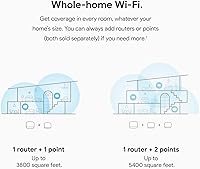
The Google Nest Wi-Fi Point H2E Mesh Extender is a poor fit for anyone who does not already own a Google Nest Wi-Fi router, since this unit cannot operate independently as a router or access point on its own. Power users who rely on wired backhaul connections for low-latency gaming or large file transfers will hit a wall quickly — there is no Ethernet port on this unit. Households with high-speed gigabit internet plans are unlikely to get their money's worth, as the underlying Wi-Fi 4 technology cannot come close to saturating those speeds in real-world conditions. Network enthusiasts who want granular control over VLANs, QoS settings, or advanced firewall rules will find the Google Home app frustratingly limited. If you are covering a very large home — say, over 2,500 square feet — a single added Point may not be sufficient, and the lack of Wi-Fi 6 means the system will eventually feel dated as device counts grow.

Specifications

  • Brand: Manufactured by Google, a well-established name in consumer networking and smart home hardware.
  • Model: Nest Wi-Fi Point H2E, part of Google's second-generation Nest Wi-Fi product family.
  • Wi-Fi Standard: Operates on 802.11n (Wi-Fi 4), supporting both 2.4 GHz and 5 GHz frequency bands simultaneously.
  • Max Speed: Theoretical combined throughput reaches up to 1200 Mbps; real-world speeds will be lower depending on environment and usage.
  • Frequency Bands: Dual-band configuration covers the 2.4 GHz band for range and the 5 GHz band for higher-speed short-distance connections.
  • Dimensions: The unit measures 4.02 x 4.02 x 3.43 inches, making it compact enough to sit unobtrusively on a shelf or countertop.
  • Weight: Weighs 12.3 ounces, light enough to reposition easily without any mounting hardware.
  • Color: Available in Snow, a clean white finish designed to blend into typical home interiors without standing out.
  • Ethernet Port: This unit does not include an Ethernet port, so wired backhaul or wired device connections are not supported.
  • Voice Assistant: Google Assistant is built directly into the unit, enabling basic voice commands and smart home control without a separate device.
  • App Management: All setup, monitoring, and network management is handled through the Google Home app, available for both iOS and Android.
  • Ecosystem: Compatible exclusively with the Google Nest Wi-Fi ecosystem; requires an existing Nest Wi-Fi router to function.
  • Band Steering: Automatic band steering intelligently routes connected devices to whichever frequency band offers the best available signal.
  • Condition: Sold as open-box, meaning the unit has been previously purchased and returned; minor cosmetic wear or missing accessories are possible.
  • Best Sellers Rank: Ranked #269 in the Wi-Fi Repeaters category on Amazon at the time of listing, indicating a moderately well-known product.

Related Reviews

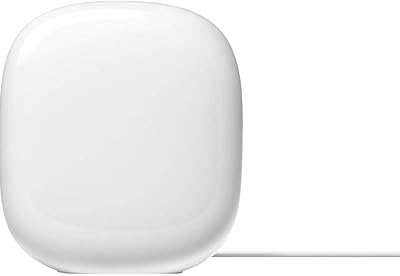
Google Nest WiFi Pro Mesh Router
79%
86%
Wi-Fi Coverage & Range
79%
Wi-Fi 6E Performance (6 GHz Band)
91%
Setup & Ease of Use
84%
Network Stability & Reliability
88%
Video Call & Streaming Prioritization
More
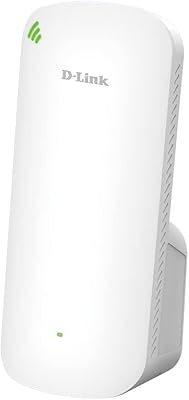
D-Link AX1800 Mesh Wi-Fi 6 Range Extender
84%
90%
Wi-Fi Range and Coverage
85%
Setup and Installation
88%
Device Compatibility
80%
Wi-Fi Speed and Stability
93%
Security Features
More
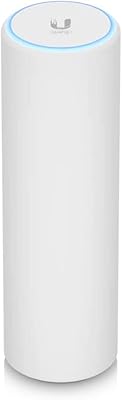
Ubiquiti U6-Mesh Wi-Fi 6 Access Point
79%
93%
Wireless Performance
54%
Setup & Configuration
91%
Build Quality & Durability
88%
Coverage Range
74%
Value for Money
More
TP-Link Deco BE25-Outdoor Wi-Fi 7 Mesh Extender
86%
91%
Wi-Fi Performance
95%
Outdoor Durability
80%
Setup & Installation
88%
Speed & Throughput
85%
Mounting & Placement Flexibility
More
Cisco CBW240AC Wi-Fi Access Point
80%
83%
Wireless Performance
76%
Setup & Configuration
88%
Build Quality & Design
81%
Coverage Range
87%
Security Features
More
Linksys Velop WHW0203 Mesh Wi-Fi System
85%
94%
Coverage Reliability
91%
Setup & Installation
89%
Connection Speed
88%
App Interface
86%
Device Capacity
More
Grandstream GWN7630 Wi-Fi 5 Access Point
87%
88%
Performance
81%
Setup & Installation
84%
Software & App Experience
90%
Reliability
85%
Build Quality
More
Google Nest Wifi Router 1-Pack
79%
93%
Setup & Onboarding
84%
Signal Consistency & Stability
88%
App & Network Management
79%
Parental Controls
74%
Wireless Performance (Speed)
More
Cudy RE3000 AX3000 Wi-Fi 6 Extender
74%
88%
Setup & Ease of Use
76%
Wi-Fi Coverage
67%
5 GHz Band Performance
81%
2.4 GHz Band Reliability
63%
Real-World Speed Throughput
More
Cisco Business 150AX Wi-Fi 6 Access Point
85%
89%
Performance
92%
Security Features
78%
Ease of Setup
85%
Wi-Fi Coverage
80%
Management App Usability
More

FAQ

No, you cannot. The Google Nest Wi-Fi Point H2E Mesh Extender is strictly an expansion unit and requires an existing Google Nest Wi-Fi router to create a network. It has no routing capability on its own, so purchasing it without a compatible Nest router already in place means it simply will not work.
This Point unit is designed to work within the Google Nest Wi-Fi ecosystem specifically. It is not fully compatible with the original Google Wifi system for mesh pairing purposes. If you have an original Google Wifi puck, you would need to upgrade your main router to a Nest Wi-Fi unit to use the H2E mesh extender properly.

Open-box means the item was previously sold, returned, and then repackaged for resale. In most cases, the unit itself is fully functional, but there may be light cosmetic marks, and occasionally an accessory like a power adapter could be missing. It is worth inspecting the contents carefully when it arrives. The savings compared to buying new can be meaningful, so it is a reasonable trade-off for most buyers who are comfortable with that slight uncertainty.

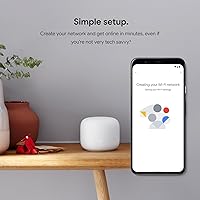
Setup is genuinely straightforward. You open the Google Home app, tap to add a new device, follow the on-screen prompts, and the unit handles the rest. Most users report the whole process takes under five minutes. No technical background is required at all.

Honestly, no. The Wi-Fi 4 technology in this unit has a theoretical ceiling of 1200 Mbps combined across both bands, and real-world throughput is considerably lower than that. If you have a gigabit plan and want to actually use that bandwidth over Wi-Fi, you would be better served by a Wi-Fi 6 system. This extender is well-suited for moderate internet usage, not for squeezing every bit out of a high-speed connection.

No, there is no Ethernet port on this unit. If you need a wired connection to a device, or want to use a wired backhaul between your router and extender for better performance, this is not the right choice. The Point is designed purely for wireless connectivity.

Google estimates each Nest Wi-Fi Point covers roughly 1600 square feet, though that figure assumes a reasonably open floor plan with minimal obstructions like thick concrete walls or large metal objects. In a typical apartment or modest home, it should comfortably extend coverage to a room or two that your main router struggles to reach.

It is a functional, if limited, bonus rather than a main selling point. The built-in speaker supports basic Google Assistant commands — setting timers, answering quick questions, controlling compatible smart home devices — but the audio quality is modest at best. Think of it as a helpful extra rather than a replacement for a dedicated smart speaker.

Google has continued to push firmware updates to the Nest Wi-Fi product line, but this is a previous-generation device, and the long-term support horizon is not officially confirmed. Based on Google's general update practices, you can likely expect a few more years of support, though it is reasonable to assume newer Nest hardware will receive priority attention going forward.

Probably not on its own. A single Point unit will help fill in gaps in a medium-sized home, but a large house would likely need multiple units to get consistent whole-home coverage, and even then the Wi-Fi 4 limitation could become a bottleneck in heavily used areas. Buyers with larger homes might be better served looking at a full mesh kit designed for that scale, ideally with Wi-Fi 6 support.