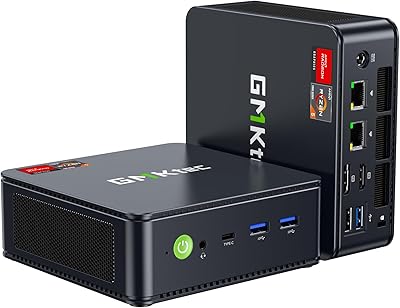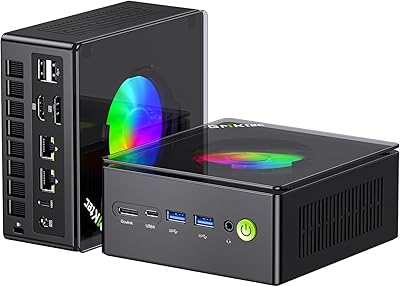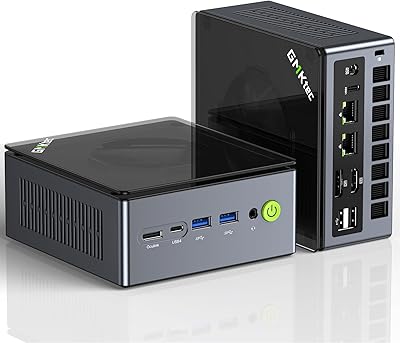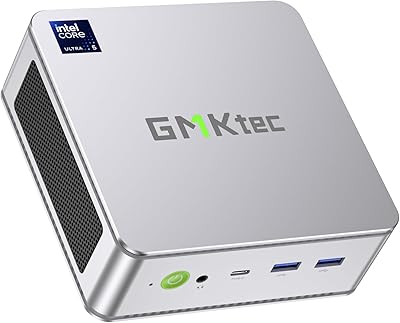

Overview

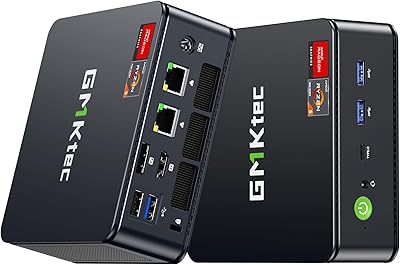
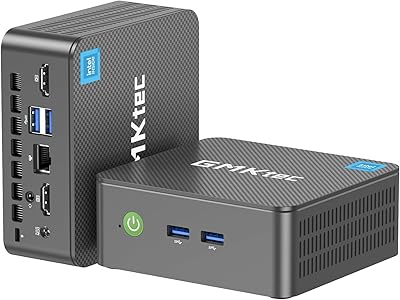
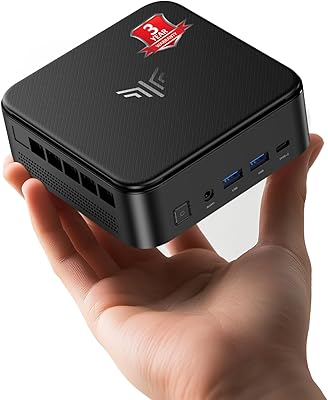
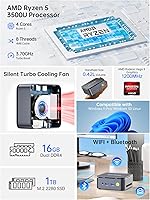
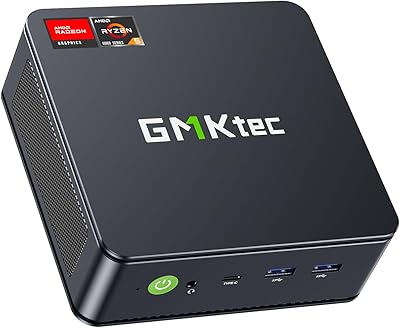
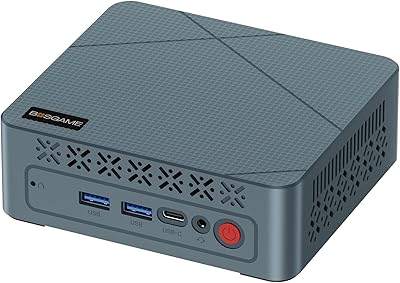
The GMKtec Nucbox G10 Ryzen 5 Mini PC is a surprisingly capable little machine that punches above its weight class for everyday desktop tasks. At roughly the size of a thick paperback book, it ships with a Ryzen 5 3500U, 16GB of dual-channel DDR4 RAM, a 1TB NVMe SSD, and Windows 11 Pro pre-installed. What genuinely stands out is the triple 4K display output via HDMI 2.1, DisplayPort 1.4, and USB-C — a combination rarely found at this price tier. Add in 2.5GbE wired LAN and an included VESA mount, and this compact desktop arrives well-equipped before you buy a single accessory.

Features & Benefits

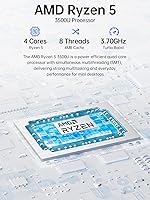
The Ryzen 5 3500U is a mature chip — AMD Zen+ architecture from 2018 — but it still handles office workloads, light video editing, and browser-heavy multitasking without complaint. Newer N-series Intel chips trail it noticeably in multi-threaded tasks, and the difference shows in real use. The dual M.2 storage slots give the Nucbox G10 genuine long-term flexibility; you can expand well past the stock 1TB drive without removing anything. The full-function USB-C port handles Power Delivery, DisplayPort output, and data simultaneously — one cable doing three jobs on a crowded desk. TDP is configurable from 12W to 35W, so you can tune for quiet operation or push for more headroom depending on what you are running.

Best For

This mini PC is a strong fit for home office workers who want a quiet, space-saving machine for video calls, documents, and spreadsheets without giving up a full Windows Pro environment. It also works well as an HTPC living room setup, where the triple 4K output lets you drive a television alongside one or two other screens. Homelab enthusiasts will appreciate the 2.5GbE NIC, which makes it a usable node for Proxmox, pfSense, or Untangle without buying extra networking hardware. Students and educators get a capable Windows 11 Pro machine at a sensible price. It is not the right call for heavy 3D rendering or serious gaming.

User Feedback

Buyers running this compact desktop in office roles generally report solid satisfaction, with fan noise described as barely noticeable during light tasks — though sustained CPU loads do spin the fan up audibly. One thing worth flagging for transparency: GMKtec's listing references two different RAM speeds in separate sections (DDR4-2400 and DDR4-3200), and several buyers have pointed out that inconsistency. The included VESA mount earns consistent praise for making installation tidy and straightforward. On the critical side, a few users found the power adapter larger than expected, and getting all three displays running simultaneously occasionally required a driver update before everything worked reliably. Build quality feedback is largely positive for the price.

Pros

  • Triple 4K display output across HDMI 2.1, DisplayPort 1.4, and USB-C is rare at this price point.
  • Ships with Windows 11 Pro pre-installed — no separate license cost to factor in.
  • The 2.5GbE LAN port opens up real homelab and light server use cases without added hardware.
  • Dual M.2 slots mean storage can grow with your needs long after purchase.
  • The full-function USB-C port handles power delivery, video, and data through a single cable.
  • Fan noise is minimal during light office tasks, making it viable in quiet environments.
  • At under 1.7 inches tall, it disappears behind a monitor or under a desk with the included VESA mount.
  • The Ryzen 5 3500U handles multi-threaded office workloads noticeably better than current Intel N-series chips.
  • RAM is upgradeable to 32GB, giving the Nucbox G10 a longer useful life than sealed systems.
  • Wi-Fi 5 and Bluetooth 5.0 are both built in, so no dongles needed for wireless peripherals.

Cons

  • The Ryzen 5 3500U is a 2018-era chip — newer mini PCs at similar prices offer more modern architectures.
  • RAM speed is inconsistently listed across the product page, which creates unnecessary confusion for buyers.
  • Getting all three displays running simultaneously may require a driver update before everything works correctly.
  • The included power adapter is bulkier than expected given the compact size of the unit itself.
  • Wi-Fi 5 rather than Wi-Fi 6 means wireless bandwidth may bottleneck in dense network environments.
  • Sustained workloads push the fan noticeably louder, which may bother users in very quiet spaces.
  • USB port count is limited — two USB 3.2 and one USB 2.0 may not be enough for peripheral-heavy desks.
  • Only a one-year warranty is included, which is shorter than some competitors in this category offer.

Ratings

These scores for the GMKtec Nucbox G10 Ryzen 5 Mini PC were generated by AI after analyzing verified purchase reviews from buyers worldwide, with spam, bot activity, and incentivized feedback actively filtered out. The ratings reflect a balanced picture — genuine strengths are recognized alongside real frustrations that buyers encountered in daily use. Nothing has been smoothed over to flatter the product.

Value for Money
83%
For a machine that ships with Windows 11 Pro, 16GB of dual-channel RAM, a 1TB NVMe drive, and a 2.5GbE NIC, buyers consistently feel they are getting a well-stocked package without paying for excess. The inclusion of a VESA mount and HDMI cable in the box adds practical value that budget-conscious buyers genuinely appreciate.
The Ryzen 5 3500U is a 2018-era chip, and some buyers feel the pricing could be sharper given how mature that architecture now is. Users who discover the RAM speed inconsistency in the listing — DDR4-2400 vs DDR4-3200 — occasionally feel misled, which chips away at perceived value.
Performance
74%
26%
For everyday productivity — spreadsheets, video calls, browser-heavy multitasking, and light photo work — the Ryzen 5 3500U handles the workload with confidence, and users upgrading from older budget desktops notice a clear improvement. Multi-threaded tasks run noticeably better than on Intel N-series alternatives at similar prices.
The chip is showing its age in more demanding workloads like video transcoding or running several virtual machines simultaneously, where newer Ryzen 5000 or 7000 series mini PCs pull ahead meaningfully. Users expecting snappy performance in heavy compute tasks will hit a ceiling sooner than they might like.
Connectivity & Ports
88%
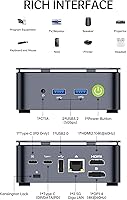
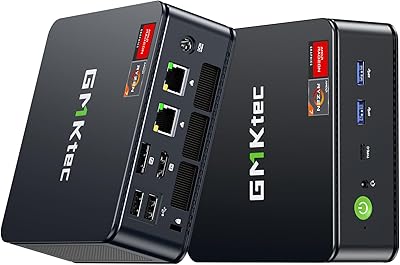
The port selection on this compact desktop punches well above its size class — 2.5GbE LAN, a full-function USB-C, two USB 3.2 ports, HDMI 2.1, and a dedicated DisplayPort all on a box smaller than a paperback. Homelab users in particular highlight the 2.5GbE NIC as a standout feature that saves them from buying a separate adapter.
The total USB port count is limited for users with peripheral-heavy desks — two USB 3.2 ports fill up quickly once a keyboard, mouse, and external drive are connected. There is only one USB 2.0 port rounding out the selection, which feels sparse for users who rely on multiple wired devices.
Display Output
86%
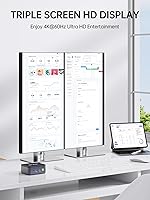
Triple 4K display support is genuinely uncommon at this price point, and buyers using this as an HTPC or multi-monitor office setup report that the HDMI 2.1 and DisplayPort outputs work reliably once drivers are current. The ability to drive three screens from a machine this small is a recurring highlight in user feedback.
Getting all three displays working simultaneously out of the box sometimes requires an AMD driver update first, which catches less technical users off guard. The USB-C output is limited to 4K@30Hz rather than 60Hz, which is a noticeable step down if that port is your primary display connection.
Thermal Management
67%
33%
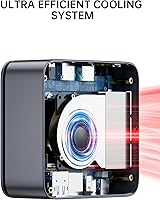
During light daily tasks — web browsing, document editing, video calls — the cooling system keeps things impressively quiet, and users in office or living room environments rarely notice the fan at all. The configurable TDP range gives technically inclined users the option to tune the unit toward quieter, cooler operation at the cost of some peak performance.
Sustained CPU loads push the fan into clearly audible territory, which frustrates users who expected near-silent operation throughout. A handful of buyers have noted that the chassis gets warm to the touch under prolonged load, and thermal throttling can occur if the unit is placed in a poorly ventilated spot.
Build Quality
77%
23%
The chassis feels solid for its size and price tier — there is no flex or creaking when handling the unit, and the port cutouts are cleanly finished. Most buyers describe the physical construction as better than they expected from a lesser-known brand at this price point.
The plastic finish shows fingerprints readily and a few users have noted that the overall aesthetic feels generic rather than refined. At this scale, the power button and port labels are small and can be fiddly to navigate in low-light desk setups.
Setup & Ease of Use
81%
19%
Windows 11 Pro boots up activated and ready to use, which means most buyers are up and running within minutes of unboxing. The included VESA mount hardware is straightforward to install, and the HDMI cable in the box means single-display users do not need to hunt for accessories immediately.
Multi-display configurations require some driver housekeeping before all three outputs are recognized, which trips up less experienced users expecting a true plug-and-play experience. The user manual is minimal and does not walk through advanced configurations like TDP adjustment or dual storage installation.
Storage & Expandability
84%
Shipping with a 1TB NVMe drive as the baseline is generous, and the second M.2 slot means users can double their storage without removing or replacing anything already installed. Buyers planning to use the Nucbox G10 as a Proxmox node or media server appreciate having room to grow without immediately hitting a hardware ceiling.
The second M.2 slot requires opening the chassis, which voids the warranty for some buyers and intimidates those who are not comfortable with basic hardware installation. There is no 2.5-inch SATA bay option, so storage expansion is strictly limited to the two M.2 slots.
Wireless Performance
69%
31%
Wi-Fi 5 dual-band and Bluetooth 5.0 cover the wireless needs of most home office users without requiring any dongles, and signal reliability in typical home environments is rated as solid by the majority of buyers. Bluetooth connectivity to peripherals and headsets works without reported pairing issues.
Wi-Fi 5 rather than Wi-Fi 6 is a limitation that users in dense wireless environments or those with high-bandwidth NAS workflows will notice — particularly since the wired LAN is 2.5GbE, creating a mismatch if you rely on wireless for heavy transfers. Users expecting modern wireless specs at this price point may feel the radio falls short.
GPU & Graphics
58%
42%
For 4K media playback, light emulation, and casual older games, the Radeon Vega 8 integrated graphics do the job without complaint, and HTPC users find it entirely sufficient for their needs. Hardware video decoding keeps CPU load down during streaming and local playback, which helps the system stay quiet.
Vega 8 is integrated graphics from 2018, and any expectation of modern gaming performance will end in disappointment — even modestly demanding titles from the past few years struggle at playable frame rates. Users who initially hoped to use this for casual gaming often find themselves underwhelmed once they push beyond older or very light titles.
Software & OS Experience
79%
21%
Receiving Windows 11 Pro pre-activated is a genuine plus, especially for users who need Remote Desktop, BitLocker, or domain-join capability without paying extra. Most buyers report a clean install with no excessive bloatware, which is not always the case with budget mini PC brands.
Some users have noted that the pre-installed AMD drivers are not always the latest version, requiring an update pass before the system performs optimally — particularly for display output. A small number of buyers have reported inconsistent RAM speed reporting in Windows, likely tied to the DDR4-2400 vs DDR4-3200 discrepancy in the product listing.
Noise Levels
71%
29%
At idle and during typical light workloads, the Nucbox G10 is quiet enough for open-plan office environments and living room HTPC use, with most users describing the ambient noise as negligible. This makes it a comfortable daily driver for anyone sensitive to desk clutter and noise.
The fan ramps up noticeably under sustained CPU load, and a few users found the acoustic profile during peak activity louder than expected for such a small, low-TDP machine. Users who need genuinely silent operation — recording environments, very quiet bedrooms — should consider whether the thermal design meets that bar.
Warranty & Support
63%
37%
GMKtec provides a one-year limited warranty covering manufacturing defects, and buyers who have needed to use it report that the support team is responsive and generally resolves issues without excessive friction. Direct brand support adds some peace of mind over generic no-name alternatives.
One year is shorter than the two-year coverage some competing mini PC brands now offer, and it leaves buyers exposed earlier in the product lifecycle. A subset of buyers have reported slower-than-ideal response times during busy periods, and international warranty service can be inconsistent depending on region.
Accessories in the Box
72%
28%
Including a VESA mount bracket, screws, and an HDMI cable alongside the power adapter sets the Nucbox G10 apart from competitors that ship with nothing but the unit itself. Buyers who planned a behind-monitor installation found the included hardware genuinely useful rather than a token gesture.
Only one HDMI cable is included, meaning users setting up dual or triple displays need to source additional cables themselves. The power adapter is larger and heavier than buyers expect given the mini PC's compact footprint, which slightly undermines the clean desk aesthetic the unit otherwise delivers.

Suitable for:

The GMKtec Nucbox G10 Ryzen 5 Mini PC is a practical pick for anyone who needs a capable, low-footprint Windows desktop without paying for hardware they will never use. Home office workers handling documents, video calls, spreadsheets, and light photo editing will find the Ryzen 5 3500U more than adequate for daily workloads — and the triple 4K display support means you can drive a multi-monitor setup without hunting for a separate dock or adapter. Students and educators benefit from a full Windows 11 Pro license and a 1TB NVMe drive that actually has room for a working library of files. Homelab enthusiasts will particularly appreciate the 2.5GbE wired LAN, which makes this compact desktop a legitimately useful node for running Proxmox, pfSense, or Untangle without dedicated server hardware. HTPC users who want to tuck a real PC behind their living room television — quietly, with a VESA mount — will also find this a sensible fit.

Not suitable for:

The GMKtec Nucbox G10 Ryzen 5 Mini PC is the wrong tool for buyers with demanding compute requirements. The Ryzen 5 3500U is based on AMD Zen+ architecture from 2018, and while it handles everyday tasks well, it will fall noticeably short in sustained workloads like video transcoding, large compilation jobs, or running multiple virtual machines simultaneously. The integrated Radeon Vega 8 GPU can handle casual older titles at modest settings, but anyone expecting a genuine gaming experience should look elsewhere — this is not a gaming machine and should not be evaluated as one. Content creators working with high-resolution video or 3D assets will quickly hit a ceiling. If your workflow is CPU-intensive or you rely heavily on GPU acceleration, a more recent processor platform with a higher sustained TDP will serve you significantly better than this mini PC.

Specifications

  • CPU: AMD Ryzen 5 3500U with 4 cores and 8 threads, base clock of 2.1GHz and boost up to 3.7GHz, built on AMD Zen+ architecture at 12nm.
  • GPU: Integrated AMD Radeon Vega 8 graphics running at up to 1200MHz, sharing system memory for display and light graphical tasks.
  • RAM: 16GB DDR4 dual-channel memory installed as two 8GB SO-DIMM modules, with a maximum supported capacity of 32GB.
  • Storage: 1TB PCIe 3.0 NVMe SSD in M.2 2280 form factor, with a second M.2 2280 PCIe slot available for expansion up to a combined 16TB.
  • Display Output: Triple display support via HDMI 2.1 at 4K@60Hz, DisplayPort 1.4 at 4K@60Hz, and a full-function USB-C port at 4K@30Hz.
  • Wired LAN: Realtek 8125BG 2.5 Gigabit Ethernet via RJ45, supporting data transfer rates up to 2500Mbps over a wired connection.
  • Wireless: Wi-Fi 5 (802.11a/b/g/n/ac) with dual-band 2.4GHz and 5GHz support, plus Bluetooth 5.0 built in.
  • USB Ports: Two USB 3.2 ports, one USB 2.0 port, and one full-function USB-C port supporting Power Delivery, DisplayPort output, and data simultaneously.
  • Audio: One 3.5mm CTIA combo jack supporting both headphone output and microphone input through a single port.
  • Operating System: Windows 11 Pro comes pre-installed and activated, with no separate license purchase required.
  • TDP Range: Configurable thermal design power between 12W (TDP-down) and 35W (TDP-up), with a default operating TDP of 15W.
  • Dimensions: The unit measures 4.1 × 3.8 × 1.7 inches, making it compact enough to mount behind a monitor or sit unobtrusively on a desk.
  • Weight: The unit weighs 1.65 pounds without the power adapter, making it easy to reposition or travel with.
  • Power Adapter: Includes a 19V / 3.42A power adapter rated at 64.98W with universal input of 100–240V AC at 50/60Hz.
  • VESA Mount: A VESA mounting bracket with screws is included in the box, allowing the unit to attach to the rear of a compatible monitor or TV.
  • Operating Temp: Rated for operation between -10°C and 45°C with ambient relative humidity between 30% and 85% (non-condensing).
  • Warranty: GMKtec provides a one-year limited warranty covering defects in design and workmanship from the date of purchase.
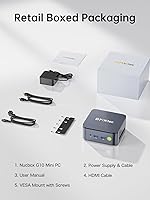
  • Package Contents: Box includes the mini PC unit, power adapter, VESA mount with screws, one HDMI cable, and a printed user manual.

Related Reviews
GMKtec Nucbox M6 Ryzen 6600H Mini PC, 32GB RAM, 1TB SSD
86%
90%
Performance for Office Tasks
75%
Gaming Performance (Casual)
84%
Build Quality
91%
Compact Design
89%
Storage Speed (SSD)
More
GMKtec Nucbox K11 (Ryzen 9 8945HS, 32GB, 2TB)
89%
94%
CPU Performance
96%
Expansion & Upgradability
92%
Connectivity & Ports
87%
Thermal Management
89%
Build Quality
More
GMKtec Nucbox M5 Ultra Mini PC Ryzen 7 7730U 16GB RAM 512GB SSD
84%
89%
Performance
85%
Build Quality
91%
Multi-Display Support
90%
Networking/Connectivity
88%
Size/Portability
More
GMKtec M6 Ultra Ryzen 7640HS Mini PC
75%
88%
CPU Performance
61%
Gaming Performance
91%
Multi-Display Support
86%
Networking & Connectivity
67%
Thermal Management
More
GMKtec Nucbox K6 Mini Gaming PC AMD Ryzen 7 7840HS 1TB SSD 16GB RAM
83%
89%
Gaming Performance
88%
Multitasking Ability
82%
Build Quality
90%
Network Performance
72%
Cooling System
More
GMKtec NucBox M7 (32GB/2TB)
82%
88%
Processing Performance
74%
Gaming & Graphics
69%
Thermal Management & Cooling
63%
Fan Noise
91%
Connectivity & Ports
More
GMKtec Nucbox K9 Mini PC Intel Core Ultra 5 125H 32GB RAM 1TB SSD
85%
89%
Performance
85%
Build Quality
90%
Energy Efficiency
88%
Connectivity Options
87%
Display Support
More
KAMRUI E3B Mini PC (Ryzen 5 7430U, 32GB RAM, 512GB SSD)
86%
94%
Multitasking Performance
91%
Office Productivity
89%
Display Connectivity
93%
Value for Money
96%
Space Efficiency
More
GMKtec Nucbox G5 Mini PC Intel N97 12GB RAM 512GB SSD
85%
85%
Performance
94%
Compact Design
88%
Connectivity Options
90%
4K Display Support
91%
Noise Level
More
BOSGAME E2 Mini PC 16GB/512GB
80%
88%
Value for Money
83%
Performance for Everyday Tasks
76%
Build Quality & Design
61%
Thermal Management & Fan Noise
82%
Display Output & Multi-Monitor Support
More

FAQ

Yes, the Nucbox G10 supports triple display output using the HDMI 2.1, DisplayPort 1.4, and USB-C ports together. The HDMI and DisplayPort connections run at 4K@60Hz, while the USB-C output is capped at 4K@30Hz. Some users have reported needing a driver update before all three displays are recognized simultaneously, so make sure you check for AMD graphics driver updates right after first boot.

This is a fair point of confusion, and it comes from inconsistent listing information. The Ryzen 5 3500U officially supports DDR4-2400 in its hardware specification, so that is the speed you should expect. The DDR4-3200 reference appears to be an error in parts of the product description. If exact memory speed matters for your workload, it is worth verifying with GMKtec support directly before purchasing.

Both are upgradeable. The RAM runs as two 8GB SO-DIMM modules and can be swapped up to 32GB total. There are also two M.2 2280 PCIe slots, so you can add a second NVMe drive without replacing the existing one. Just make sure you buy the correct SO-DIMM DDR4 form factor for the RAM upgrade.

During light tasks like web browsing, documents, and video calls, the fan is barely noticeable — most users describe it as near-silent in those conditions. Under sustained CPU load, such as long video exports or running a virtual machine, the fan does spin up and becomes audible. It is not aggressively loud, but it is not completely passive either, so keep that in mind if you need near-silent operation at all times.

Yes, and this is genuinely one of the stronger use cases for this compact desktop. The 2.5GbE LAN port, the configurable TDP, and the dual M.2 slots make it a solid lightweight node for Proxmox virtualization or pfSense routing. Keep in mind that it only has one physical NIC, so pfSense deployments will require a USB network adapter or a managed switch for multi-interface setups.

Yes, Windows 11 Pro comes pre-installed and activated out of the box — you do not need to purchase or enter a separate license key. It is the full Pro version, not Home, which is worth noting for users who need features like Remote Desktop, BitLocker, or domain joining.

It depends on your expectations. The Radeon Vega 8 integrated graphics can handle older or less demanding titles — think indie games, older AAA titles at low settings, or emulation — but it is not a gaming GPU by any modern standard. Do not expect smooth performance in graphically intensive current-generation games. If gaming is a meaningful priority, a dedicated GPU system would serve you much better.

The box includes the mini PC, a power adapter, a VESA mounting bracket with screws, one HDMI cable, and a user manual. You will need to supply your own DisplayPort cable and USB-C cable if you plan to use those outputs, as only the HDMI cable is included.

Yes, 4K video playback is well within its capabilities. The Ryzen 5 3500U supports hardware decoding for common 4K codecs, and the Radeon Vega 8 handles the workload without taxing the CPU heavily. Streaming services, local playback via apps like VLC or Kodi, and YouTube 4K all work reliably in everyday use.

Yes, the included bracket lets you mount the unit onto any VESA-compatible monitor or TV using the standard 75mm or 100mm hole pattern. The screws and bracket are included, so you do not need to source any additional hardware. It is one of the more appreciated details in the box — it keeps the setup clean and saves desk space entirely.