






Overview
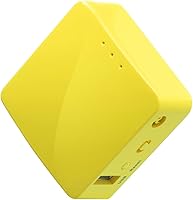
The GL.iNet GL-MT300N-V2 (Mango) is a palm-sized travel router that has quietly built a devoted following since its 2017 debut — and it's not hard to see why. Drop it in your jacket pocket, plug it into a hotel room's Ethernet jack, and within minutes you have your own private Wi-Fi network instead of trusting whatever the front desk set up. It runs OpenWrt firmware out of the box, which gives technically inclined users real control over their network. One thing to be clear about upfront: this mini travel router is 2.4GHz only, so if you're expecting dual-band speeds, adjust your expectations before buying.
Features & Benefits
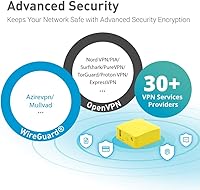
What makes the Mango router genuinely useful rather than just cute is the practical combination of features packed into such a small shell. It arrives with an OpenVPN client already installed and works with more than 30 VPN providers, so you can have encrypted traffic running through a familiar service within minutes of unboxing. Dual Ethernet ports — one in, one out — let you bridge a wired hotel connection to wireless without any fuss. The whole unit draws power from a standard USB port, so a laptop or power bank is all you need. Setup is handled through a web admin panel or a mobile app, no command-line knowledge required.
Best For
This mini travel router hits its sweet spot for a few very specific types of buyers. If you travel frequently and find yourself connecting to hotel or airport networks, the GL-MT300N-V2 acts as a clean buffer between your devices and whatever sketchy public infrastructure is underneath. Remote workers who want the same network configuration at every desk — VPN rules, custom DNS, known SSIDs — will appreciate the consistency it brings. OpenWrt tinkerers get a capable, hackable platform at a price that does not sting if a project goes sideways. It is also a natural fit for privacy-conscious users who simply do not want their phone or laptop touching a public hotspot directly.
User Feedback
With over 12,000 ratings, the feedback on the Mango router is unusually candid and consistent. Most buyers are satisfied — the easy VPN setup and the convenience of a USB-powered device that slips into any bag get repeated praise. That said, the criticism is equally consistent: the single 2.4GHz band becomes a real headache in places like dense hotel floors where that frequency is already crowded with competing signals. A handful of users found the firmware update process less intuitive than expected, especially when coming from consumer routers. Range is also limited, which should surprise no one given the antenna-free design. Those who knew what they were buying tend to rate it highly.
Pros
- OpenVPN client works out of the box and connects to most major VPN providers in minutes.
- WireGuard support gives a meaningful speed advantage over OpenVPN for users who want it.
- Weighing just 39g, the Mango router genuinely disappears into any travel bag or jacket pocket.
- USB power means no dedicated wall adapter is needed — a laptop or power bank is enough.
- Dual Ethernet ports let you bridge a wired hotel connection to wireless without any added hardware.
- OpenWrt pre-installed opens the door to deep customization well beyond what most routers allow at this price.
- Web admin panel and mobile app make initial setup accessible even without a networking background.
- Two-year warranty offers meaningful coverage for a device in this price category.
- A review pool of over 12,000 buyers provides a reliable signal that this is a proven, not speculative, purchase.
- Priced accessibly enough that even if your use case is occasional, the value math still works out.
Cons
- The 2.4GHz-only radio degrades noticeably in crowded hotel environments with heavy channel congestion.
- Firmware updates are not always smooth — post-update configuration resets have caught many users off guard.
- Navigating captive portal login screens in repeater mode requires extra steps the documentation does not clearly explain.
- Signal range drops off sharply beyond a single standard-sized room, limiting shared or suite use.
- VPN tunnel throughput is constrained by the modest CPU, making encrypted video streaming feel sluggish.
- The power adapter is sold separately, adding a small but real extra cost for users who want a dedicated wall setup.
- Advanced OpenWrt features assume Linux familiarity — casual users can end up in confusing territory quickly.
- Self-hosted or less common VPN server setups require documentation digging that first-timers often find frustrating.
- The printed user manual covers only the basics, leaving edge-case setup questions to community forums.
- Users who later discover they needed 5GHz support may feel the budget would have been better spent on a dual-band model.
Ratings
The GL.iNet GL-MT300N-V2 (Mango) has accumulated over 12,000 verified ratings worldwide, giving us a unusually rich dataset to work with. These scores are generated by AI after systematically analyzing confirmed buyer reviews across global markets, with spam, bot activity, and incentivized feedback actively filtered out. The result is an honest breakdown that reflects both what this mini travel router genuinely does well and where real users have run into friction.
Portability & Form Factor
VPN Integration
Ease of Setup
Wi-Fi Performance
Build Quality
OpenWrt Flexibility
Value for Money
Power & Compatibility
Range
Firmware & Software Updates
Repeater Mode Reliability
Heat Management
Documentation & Support
Suitable for:
The GL.iNet GL-MT300N-V2 (Mango) is a strong fit for frequent travelers who regularly find themselves relying on hotel Ethernet ports or crowded public Wi-Fi networks and want a private, encrypted layer between their devices and that infrastructure. Remote workers who carry a consistent VPN setup from city to city will appreciate being able to plug in once and have the same trusted network environment wherever they land — no reconfiguring individual devices at every new location. Privacy-conscious users who simply do not want their laptop or phone touching a public hotspot directly will get real, practical value from this device with minimal setup effort. It also speaks directly to a second, distinct audience: OpenWrt hobbyists and hardware tinkerers who want a low-cost, hackable platform with GPIO access and a full package ecosystem to experiment with. For budget-aware buyers who want open-source router capabilities without spending on enterprise gear, the value proposition here is genuinely difficult to argue with at this price tier.
Not suitable for:
The GL.iNet GL-MT300N-V2 (Mango) is not the right choice for anyone who needs reliable dual-band performance or strong signal coverage across a large space. Its single 2.4GHz radio becomes a real liability in dense hotel environments where that band is saturated with competing networks from neighboring rooms — if you are expecting fast, consistent speeds for 4K streaming or large file transfers over a busy network, this device will frustrate you. Users who want to cover a full apartment, suite, or shared workspace should look at hardware with external antennas and stronger radios, because the Mango router was never designed for range or throughput; it was designed for portability. Anyone who is uncomfortable with light technical configuration — reading a firmware changelog, uploading a VPN config file, or navigating a web admin panel — may find the learning curve steeper than expected, particularly around firmware updates. Buyers comparing this against newer dual-band travel routers for similar money should factor the 5GHz limitation carefully before committing.
Specifications
- Wi-Fi Standard: The device supports 802.11b/g/n on the 2.4GHz band only, with a maximum theoretical throughput of 300Mbps.
- Processor: A MediaTek MT7628NN SoC running at 580MHz handles all routing, VPN, and firmware operations.
- Memory: 128MB of DDR2 RAM provides enough headroom for OpenWrt, active VPN tunnels, and basic package installations simultaneously.
- Storage: 16MB of onboard Flash ROM stores the firmware and configuration; a USB 2.0 port allows expansion via external flash drives.
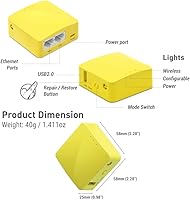
- Ethernet Ports: Two 10/100Mbps Ethernet ports are included — one designated for WAN input and one for LAN output — enabling wired-to-wireless bridging.
- USB Port: One USB 2.0 port serves dual purposes: powering the device from any 5V source and optionally connecting USB storage for expanded capacity.
- Power Input: The router is powered via USB at 5V/2A; a USB cable is included, though a wall adapter is sold separately.
- Dimensions: The chassis measures 58 × 58 × 25mm, making it roughly the footprint of a large matchbox.
- Weight: The complete unit weighs 39g, light enough to carry in a jacket pocket without any noticeable bulk.
- Firmware: OpenWrt is pre-installed from the factory, giving users immediate access to the full open-source package ecosystem and advanced network controls.
- VPN Support: An OpenVPN client comes pre-installed and is compatible with more than 30 commercial VPN providers; WireGuard protocol is also supported.
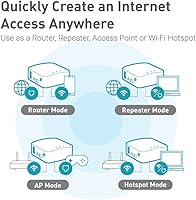
- Operating Modes: The device supports multiple network modes including router, repeater, access point, and WDS, selectable from the admin panel.
- Setup Interface: Configuration is accessible through a browser-based web admin panel or the GL.iNet mobile app, available for both iOS and Android.
- Wireless Frequency: Only the 2.4GHz frequency band is supported; there is no 5GHz radio in this model.
- Antenna: The device uses an internal antenna only; there are no external or detachable antenna ports on this model.
- Warranty: GL.iNet covers the GL-MT300N-V2 with a standard two-year manufacturer warranty from the date of purchase.
- In-Box Contents: Each unit ships with the router, one USB cable, one Ethernet cable, and a printed user manual.
- Manufacturer: The device is designed and manufactured by GL Technologies, a company specializing in OpenWrt-based networking hardware.
- First Released: The GL-MT300N-V2 was first made available in July 2017 and remains an active, non-discontinued product.
- Certifications: The unit carries standard FCC and CE certifications, confirming compliance with radio frequency regulations in the US and European markets.
Related Reviews
GL.iNet Comet (GL-RM1)
GL.iNet GL-AX1800 Flint WiFi 6 Router
GL.iNet GL-A1300 Slate Plus Travel Router
GL.iNet GL-B3000 Marble Wi-Fi 6 Router
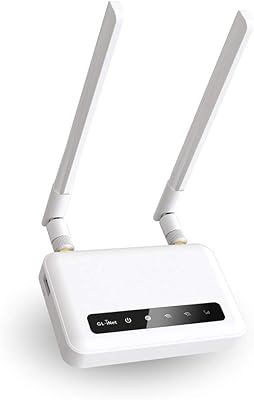
GL.iNet Spitz GL-X750V2 4G LTE Router
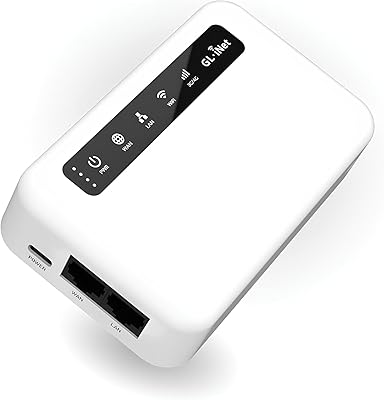
GL.iNet GL-XE300 Puli 4G LTE IoT Gateway
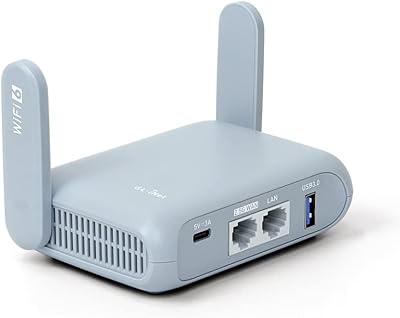
GL.iNet GL-MT3000 Beryl AX
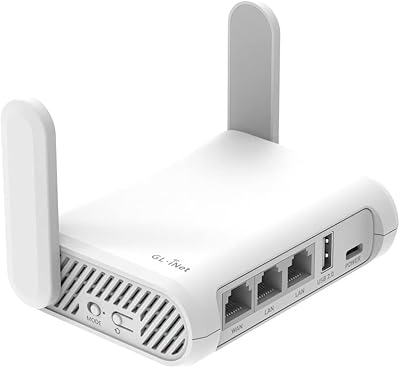
GL.iNet GL-SFT1200 Opal
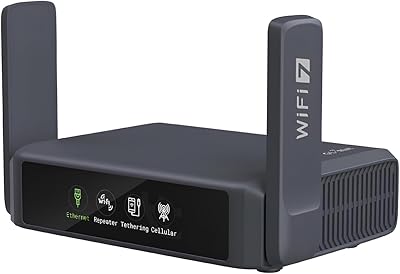
GL.iNet GL-BE3600 Slate 7