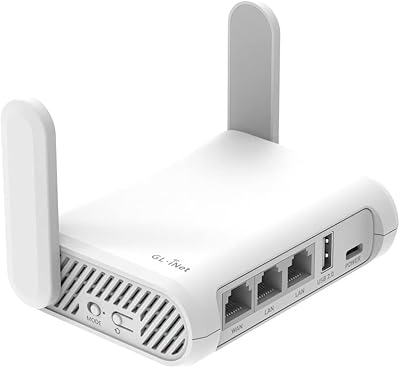
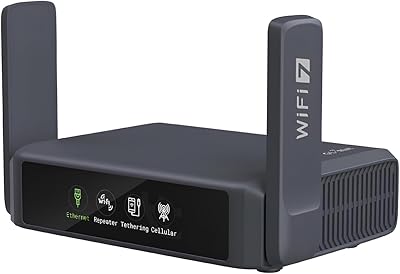
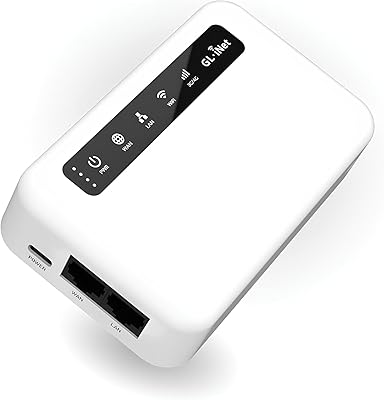
Overview

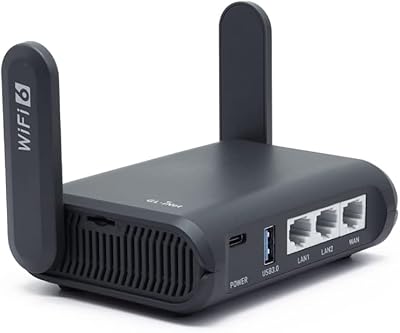
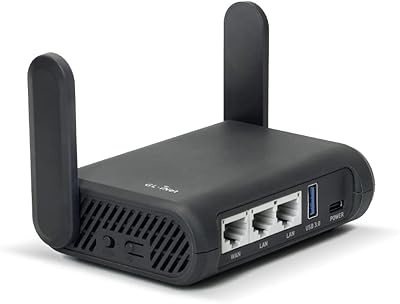
The GL.iNet GL-MT3000 Beryl AX is a compact Wi-Fi 6 travel router that packs a genuinely impressive set of security and VPN features into a device small enough to forget is in your bag. It sits in the mid-range tier, yet delivers capabilities you'd normally expect from far bulkier hardware. The box includes US, UK, and EU power adapters, so international travelers don't need to hunt for accessories on arrival. Under the hood, it runs OpenWrt 21.02 firmware, opening the door to deep customization for anyone comfortable with network settings. A physical toggle switch lets you flip VPN or AdGuard Home on or off without logging into any panel — once you've configured it first.
Features & Benefits

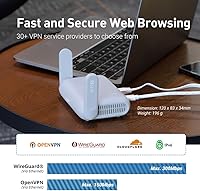
On the wireless side, the Beryl AX handles multiple devices without the congestion you'd hit on older standards — the 5 GHz band offers substantial headroom for video calls or large transfers. Its 2.5G WAN port is a thoughtful inclusion; most hotel ethernet tops out at gigabit today, but as infrastructure improves, you won't be the bottleneck. VPN performance is where this pocket router distinguishes itself: WireGuard throughput reaches speeds that make it practical for everyday use, not just occasional tunneling. OpenVPN and WireGuard come pre-installed and work with over thirty major providers. The security stack — WPA3, DNS over HTTPS, DNS over TLS — is unusually thorough for something this small.

Best For

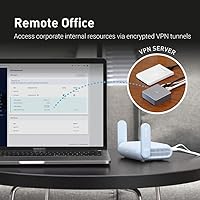
This travel router fits a specific but sizeable audience. Frequent hotel and airport Wi-Fi users will appreciate having their own encrypted network bubble, regardless of how questionable the host connection is. Remote workers who need to reach office resources — printers, local servers, shared drives — can run a VPN server and client simultaneously, which is a genuinely useful dual role. Privacy-conscious travelers can enable AdGuard Home to strip ads and trackers across every connected device at the network level. RV and van-life users benefit from a stable local network while hopping between upstream connections. Tech enthusiasts who want OpenWrt flexibility without flashing custom firmware from scratch will feel right at home.

User Feedback

Most owners are positive about how approachable the VPN setup is compared to configuring a standard router — that is a recurring theme across reviews. Build quality earns consistent praise given how light and portable the unit is. That said, the toggle switch catches new users off guard: it does nothing out of the box, and its function must be assigned through the admin panel first. A fair number of buyers mention this, so knowing upfront saves frustration. Real-world WireGuard speeds are generally solid but vary with your upstream connection. Firmware updates are described as smooth by experienced users, though some find the initial setup curve steeper than expected for a travel-oriented device.

Pros

  • WireGuard VPN delivers practically usable speeds on a device that fits in a coat pocket.
  • All three major plug types — US, UK, and EU — are included in the box, no extras needed.
  • WPA3, DNS over HTTPS, and DNS over TLS provide a security stack rarely found at this size and price.
  • The Beryl AX can run a VPN server and VPN client simultaneously, enabling remote access and tunneled browsing at once.
  • Wi-Fi 6 handles multiple simultaneous devices without the slowdowns common on older travel routers.
  • The 2.5G WAN port future-proofs the device for faster hotel and co-working ethernet as infrastructure improves.
  • OpenWrt firmware opens access to thousands of plug-ins for users who want to go beyond factory defaults.
  • Build quality holds up well to the packing and unpacking cycle of regular travel use.
  • AdGuard Home blocks ads and trackers across every connected device at the network level, no per-device setup needed.
  • Over thirty major VPN providers are supported out of the box, so most users can log in with existing credentials immediately.

Cons

  • The physical toggle switch does nothing until you configure its function inside the admin panel first — easy to miss.
  • Casual users without networking experience will find the initial setup notably steeper than typical consumer routers.
  • Only one LAN port limits wired device connections without adding a separate ethernet switch.
  • Real-world VPN speeds vary with upstream connection quality and often fall short of advertised maximums in crowded networks.
  • The device runs warm under sustained VPN load, which requires mindful placement in enclosed bags or tight spaces.
  • Official written documentation sometimes lags behind firmware updates, leaving newer features under-explained.
  • OpenVPN throughput is significantly slower than WireGuard, which matters for users locked into OpenVPN by corporate policy.
  • Support response times for edge-case technical issues can be slow for a device people depend on while traveling.
  • Advanced configurations like VPN cascading require solid networking knowledge and are not well-documented for beginners.

Ratings

The GL.iNet GL-MT3000 Beryl AX has been evaluated by our AI rating system after analyzing thousands of verified global buyer reviews, with spam, bot-generated, and incentivized submissions actively filtered out. This pocket router attracts a technically diverse audience — from frequent business travelers to privacy-focused remote workers — and the scores below reflect both what it genuinely excels at and where real users have run into friction. Strengths and pain points are represented transparently, so you can decide whether this travel router matches your actual needs.
VPN Performance
91%
WireGuard throughput on this pocket router consistently impresses users who have tried VPN on other compact devices. In real-world hotel and coworking setups, many report speeds that remain practical for video calls and file transfers, which is rare at this form factor. The broad provider compatibility means most people can log in with their existing subscription immediately.
OpenVPN speeds, while functional, fall noticeably behind WireGuard — users who rely on OpenVPN for corporate policy reasons may feel the gap. Real-world performance also varies depending on the upstream connection quality, so speeds in congested hotel networks can drop below expectations.
Portability & Form Factor
93%
At under seven ounces and roughly the footprint of a large smartphone, the Beryl AX genuinely disappears into a laptop bag or coat pocket. Travelers specifically praise how it eliminates the need to carry multiple regional adapters, since all three major plug types ship in the box. The build feels solid rather than cheap despite the compact dimensions.
The small size means only two ethernet ports — one WAN, one LAN — which limits wired device connections. Users expecting a multi-port switch will need a separate hub, and the single LAN port can feel restrictive in a shared office or RV setup with wired peripherals.
Security Features
88%
The combination of WPA3 encryption, DNS over HTTPS, DNS over TLS, and IPv6 support gives this travel router a security posture well above what most people encounter in a device this size. Users who regularly connect on public Wi-Fi report genuine peace of mind, knowing all devices behind the router inherit these protections without individual configuration.
Some less technical users find the security feature set overwhelming to configure correctly from scratch. DNS-over-HTTPS settings in particular require navigating admin panel options that are not immediately intuitive, and a misconfiguration can leave protections partially inactive without an obvious warning.
Ease of Initial Setup
67%
33%
For users with any networking background, the admin panel is clean and logically organized. Connecting to an existing VPN provider is genuinely faster than manually configuring a standard router, and GL.iNet provides video guides that walk through the key steps clearly for newcomers.
Casual users repeatedly flag the initial setup as steeper than expected for a travel-oriented device. The physical toggle switch — one of the most visible hardware features — does nothing until you assign its function inside the admin panel, which catches a meaningful number of buyers off guard and generates frustration in early setup sessions.
Wi-Fi Speed & Range
82%
18%
The Wi-Fi 6 radio handles a handful of simultaneous devices well in hotel room or small office scenarios, with the 5 GHz band delivering noticeably snappier throughput for nearby devices. Users upgrading from older travel routers notice a real difference when streaming or handling video conferences through this pocket router.
Range is appropriate for a single room or small apartment but should not be expected to cover larger spaces — this is a travel router, not a home mesh node. In some environments with significant interference, the 2.4 GHz band performance can feel modest compared to the headline figures.
WAN Port Speed (2.5G)
79%
21%
The 2.5G WAN port is an uncommon inclusion at this price tier and gives the Beryl AX genuine longevity. Early adopters in locations that already offer multi-gigabit ethernet — certain co-working spaces and newer hotels — can take full advantage today rather than being capped at standard gigabit.
In practice, the vast majority of hotel and airport wired connections still top out well below gigabit, making the 2.5G port a future-proofing investment rather than an immediate daily benefit. Users expecting a tangible speed boost in typical travel scenarios may not notice any difference for some time.
Firmware & Customization
84%
OpenWrt 21.02 is a well-regarded open platform, and the access to thousands of plug-ins through the admin panel gives technically minded users a degree of control that purpose-built travel routers rarely offer. Power users appreciate being able to shape traffic, set up advanced DNS configurations, or install monitoring tools without reflashing anything.
Firmware updates, while generally smooth according to experienced users, can occasionally introduce behavioral changes that require reconfiguration of custom settings. Users who have tuned their setup carefully sometimes need to spend time revalidating their configuration after an update, which is a minor but real inconvenience.
Build Quality & Durability
86%
The chassis feels purposefully sturdy for something so light, and the unit holds up well to the repeated packing and unpacking that frequent travelers put it through. The finish resists minor scuffs, and the port placement is practical — nothing feels like it would snap under normal travel stress.
A small subset of long-term users report that the plastic casing shows wear along edges after extended daily use. The device also runs noticeably warm under sustained VPN load, and while no thermal issues have been widely reported, users in hot climates mention keeping ventilation in mind.
Value for Money
81%
19%
Relative to dedicated hardware VPN appliances or higher-end travel routers, the Beryl AX delivers a strong feature-to-price ratio. The inclusion of three plug adapters, pre-installed VPN client and server support, and an active OpenWrt community backing effectively reduces the total cost of ownership for a well-equipped travel network setup.
Budget-focused buyers can find simpler travel routers at lower price points if VPN and security depth are not priorities. Users who ultimately do not use the VPN or OpenWrt features may feel they are paying for capabilities that sit idle, making it less compelling for purely basic use cases.
AdGuard Home Integration
76%
24%
Having network-wide ad and tracker blocking available at the router level — covering every device that connects, including smart TVs and phones — is a feature users in this category genuinely value. Enabling it through the toggle switch, once configured, makes activating protection in a new location quick and consistent.
Like the VPN toggle, AdGuard Home requires upfront admin panel setup before the switch does anything, which is a repeated friction point in user feedback. Some users also report occasional DNS resolution delays when AdGuard Home is active on congested upstream connections.
VPN Cascading Capability
78%
22%
Running a VPN server and a VPN client simultaneously on one device is a technically impressive capability that remote professionals specifically seek out. It allows users to access local home or office resources — shared printers, local media servers, internal dashboards — while routing general internet traffic through a separate VPN tunnel.
This dual-role configuration requires a solid understanding of networking concepts to set up correctly. Users without that background frequently struggle to get both roles functioning in parallel, and documentation for this specific use case, while available, is denser than the rest of the setup guides.
Compatibility with VPN Providers
89%
Support for more than thirty major VPN providers out of the box is a practical advantage — most users simply enter their existing credentials and the router handles the rest. This removes the need to manually configure protocols or import configuration files for popular services.
Less mainstream or self-hosted VPN setups sometimes require manual configuration that the admin panel does not simplify. Users running niche or enterprise VPN solutions occasionally find the pre-built integrations do not apply to their situation, requiring more technical legwork.
Power Efficiency
72%
28%
For a device running Wi-Fi 6 radios and active VPN encryption, power draw is reasonable. Users powering it from a USB power bank during travel report comfortable runtime for short-to-medium sessions without draining the battery source unusually fast.
Under sustained VPN load — especially with WireGuard running continuously — the device draws enough power that weaker USB ports on laptops or older power banks may struggle to maintain stable output. A dedicated power adapter is recommended for extended stationary use.
Documentation & Support
68%
32%
GL.iNet maintains a reasonably active community forum and provides video setup guides that cover the most common configuration scenarios. Users who engage with the community typically find answers to specific questions faster than going through official support channels.
Official written documentation can lag behind firmware updates, leaving some newer features under-explained in the formal guides. Users who encounter edge-case issues — particularly with advanced OpenWrt configurations — sometimes find the official support response time slower than they would like for a travel-critical device.

Suitable for:

The GL.iNet GL-MT3000 Beryl AX is purpose-built for a specific type of user who connects to untrusted networks regularly and wants a private, consistent network environment wherever they land. Business travelers checking into hotels every few days will get the most value — plug it into the room's ethernet port, connect all devices to your own encrypted network, and stop worrying about what the hotel's Wi-Fi is doing with your traffic. Remote professionals who need to reach office resources like internal servers or shared printers while abroad will appreciate the ability to run a VPN server and client at the same time on a single device. Privacy-focused users who want network-wide ad and tracker blocking without installing software on every device will find AdGuard Home integration genuinely useful in practice. RV travelers and van-lifers benefit from the consistent local network it creates across devices when switching between upstream connections. Tech enthusiasts who want the flexibility of OpenWrt without starting from a bare-metal flash will find this pocket router a capable, ready-to-extend platform.
Not suitable for:

If your networking needs are straightforward — you just want Wi-Fi in a hotel room with no interest in VPNs, custom firmware, or layered security — the GL.iNet GL-MT3000 Beryl AX is likely more router than you need, and simpler options exist at lower price points. The initial setup requires patience and at least a basic comfort with network concepts; complete beginners may find the admin panel intimidating and the toggle switch confusing until they realize it must be pre-configured before it does anything. Users expecting plug-and-play simplicity comparable to a consumer mesh system will likely feel let down by the learning curve. Those who need wired connections for multiple devices simultaneously will hit the single LAN port limitation quickly and require a separate switch. If extended Wi-Fi range across a large space is the primary goal, this device is not designed for that role — it covers a room well, not a floor. Anyone running a niche or enterprise VPN solution that falls outside the supported provider list may face manual configuration work that negates some of the convenience appeal.

Specifications

  • Wi-Fi Standard: The router operates on Wi-Fi 6 (802.11ax), supporting dual-band connections across both 2.4 GHz and 5 GHz frequencies simultaneously.
  • 2.4 GHz Speed: The 2.4 GHz band delivers a maximum wireless throughput of up to 574 Mbps, suitable for lower-bandwidth devices and longer-range connections.
  • 5 GHz Speed: The 5 GHz band reaches a maximum wireless throughput of up to 2402 Mbps, designed for high-demand devices operating at close range.
  • WAN Port: The WAN port supports 2.5G multi-gigabit speeds, allowing wired upstream connections that exceed standard gigabit ethernet where available.
  • LAN Port: One gigabit LAN port is included for wired device connections, with additional wired expansion requiring a separate ethernet switch.
  • USB Port: A single USB 3.0 port is built in, enabling storage sharing or compatible modem/tethering attachments depending on configuration.
  • VPN Protocols: OpenVPN and WireGuard are pre-installed, with WireGuard reaching up to 300 Mbps and OpenVPN up to 150 Mbps under optimal local network conditions.
  • VPN Compatibility: The router integrates natively with more than 30 major VPN service providers, requiring only existing account credentials to activate.
  • Processor: A MediaTek MT7981B dual-core processor clocked at 1.3 GHz handles routing, VPN encryption, and concurrent network tasks.
  • Memory: 512 MB of DDR4 RAM provides headroom for multitasking across active VPN sessions, plug-ins, and connected devices.
  • Storage: 256 MB of NAND Flash storage holds the firmware, installed plug-ins, and configuration data.
  • Firmware: The device ships with OpenWrt 21.02, an open-source firmware platform that supports over 5,000 community plug-ins for advanced customization.
  • Security Protocols: The router supports WPA3 encryption, DNS over HTTPS, DNS over TLS, and IPv6 with built-in authentication for comprehensive network-level privacy protection.
  • Dimensions: The unit measures 4.53 x 3.15 x 1.18 inches, making it compact enough to fit in a jacket pocket or the sleeve of a laptop bag.
  • Weight: At 6.9 ounces, the router is light enough to include in daily carry without adding meaningful load to a travel bag.
  • Included Plugs: The package includes three regional power adapters covering US, UK, and EU plug standards, removing the need for separate travel adapters.
  • Toggle Switch: A physical hardware switch on the unit can be assigned to enable or disable a selected feature — AdGuard Home, OpenVPN client, or WireGuard client — via the admin panel before use.
  • Wireless Protocols: The device is backward-compatible with 802.11a, 802.11b, 802.11n, and 802.11ac standards alongside the primary Wi-Fi 6 (802.11ax) support.
  • Warranty: GL.iNet includes a 2-year manufacturer warranty with the router, covering hardware defects under standard usage conditions.
  • VPN Cascading: The router supports simultaneous VPN server and VPN client operation on the same device, enabling remote local network access and outbound VPN tunneling at the same time.

Related Reviews

GL.iNet GL-X3000 Spitz AX
82%
88%
Cellular Signal Performance
91%
Dual-SIM & Failover Reliability
84%
Wi-Fi 6 Local Network Speed
82%
VPN Performance
86%
Setup & Initial Configuration
More
GL.iNet GL-AXT1800 Slate AX
79%
93%
VPN Performance
81%
Wi-Fi Speed & Range
78%
Ease of Setup
86%
Build Quality & Portability
67%
Admin Interface & Usability
More
GL.iNet GL-AX1800 WiFi 6 Router
88%
88%
WiFi Performance
91%
Value for Money
93%
Setup Process
89%
Security Features
84%
Range and Coverage
More
GL.iNet Comet (GL-RM1)
88%
93%
Ease of Network Setup
96%
BIOS-Level Control
94%
Physical Portability
88%
Visual Clarity
82%
Remote Audio Performance
More
GL.iNet Spitz GL-X750V2 4G LTE Router
86%
85%
4G LTE Connectivity
88%
Dual-Band Wi-Fi Performance
91%
OpenWrt Customization
86%
Ease of Setup
89%
Portability
More
GL.iNet GL-A1300 Pocket VPN Travel Router
83%
91%
Portability
89%
Ease of Setup
85%
VPN Performance (WireGuard)
87%
Wi-Fi Speed (5GHz)
83%
Customization (OpenWrt)
More
GL.iNet GL-B3000 Marble WiFi 6 Router
86%
88%
Performance
91%
Setup & Installation
85%
Security Features
80%
Parental Controls
94%
Design & Aesthetics
More
GL.iNet GL-XE300 4G LTE Industrial IoT Gateway
87%
88%
Performance
84%
Connectivity Reliability
91%
Ease of Setup
92%
Customization (OpenWrt)
90%
Security (VPN Support)
More
GL.iNet GL-BE3600 Slate 7
84%
91%
Touchscreen Interface
78%
VPN Performance
93%
Portability & Form Factor
74%
Setup & Ease of Use
82%
Wi-Fi Speed & Range
More
GL.iNet GL-SFT1200 Opal
80%
88%
Ease of Setup
84%
VPN Performance
93%
Portability & Form Factor
67%
Wi-Fi Range & Coverage
79%
Build Quality
More

FAQ

No VPN subscription is included — you need an active account with a supported provider. The router comes with OpenVPN and WireGuard pre-installed, so once you have credentials from your chosen provider, setup is straightforward through the admin panel.

It is almost certainly not broken — this catches a lot of new users off guard. By default, the toggle switch has no assigned function. You need to log into the admin panel first and assign it to either AdGuard Home, the OpenVPN client, or the WireGuard client before it will do anything. Once configured, it works exactly as expected.

Yes, the GL.iNet GL-MT3000 Beryl AX handles captive portal networks — the type that require you to accept terms on a browser page before granting internet access. The admin panel includes a repeater mode and captive portal passthrough, which is one of the reasons this router is popular for cruise and hotel use specifically.

Advertised speeds are measured under ideal local network conditions, so real-world results depend heavily on your upstream connection. In a solid hotel or co-working ethernet connection, many users report WireGuard speeds that are genuinely practical for video calls and file work. On congested or slower upstream connections, expect noticeably lower throughput — that is true of any VPN router, not just this one.

It depends on what you want to do with it. Basic VPN setup and connecting devices is manageable for most people using the admin panel without touching OpenWrt directly. If you want to install plug-ins, tweak DNS settings, or explore advanced features, a willingness to learn is helpful. Complete beginners who just want simple hotel Wi-Fi may find the setup more involved than they expected.

There is only one LAN ethernet port on this travel router, so you can directly connect one wired device at a time without additional hardware. If you need wired connections for several devices simultaneously, you would need to add a small ethernet switch to the LAN port — a common and inexpensive addition for desk setups.

Yes, and this is one of the more powerful use cases. The Beryl AX can act as a VPN server while simultaneously running as a VPN client, so you can tunnel back to your home network to access local resources — a NAS, a printer, a local web server — while your general internet traffic exits through a separate VPN tunnel. Setting this up requires some networking knowledge, but it works reliably once configured.

Most likely yes. The router natively supports over thirty major VPN providers including NordVPN, ExpressVPN, Mullvad, Surfshark, and many others through the admin panel. If your provider supports WireGuard or OpenVPN and you can export configuration files, you can set it up manually even if your provider is not in the pre-built list.

The unit runs noticeably warm under sustained VPN load — that is normal for a device doing real-time encryption at this scale. It has not been widely reported to cause thermal shutdowns or reliability issues, but leaving it flat on a hard surface with airflow around it is a sensible habit. Tucking it deep inside a closed bag while actively running VPN for hours is worth avoiding.

That is exactly what AdGuard Home at the router level does — every device that connects to the Beryl AX inherits the ad and tracker blocking automatically, with no software installation needed on phones, laptops, or smart TVs. You set it up once in the admin panel, assign the toggle switch if you want quick on/off control, and it applies network-wide from that point on.