Overview

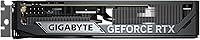
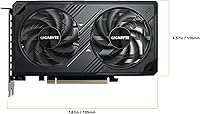
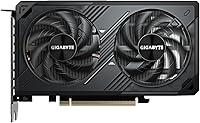
The GIGABYTE RTX 5060 WINDFORCE OC 8GB GPU is NVIDIA's Blackwell-generation answer for mid-range buyers who want modern architecture without spending flagship money. It competes against AMD's mid-tier offerings and its own predecessor, bringing two meaningful generational upgrades: GDDR7 memory and a PCIe 5.0 interface that future-proofs the platform connection. The card measures just under 8 inches long and occupies two slots, so it fits comfortably in most mid-tower and even some compact builds. Expectations should be set honestly — this is a strong 1080p performer and a capable 1440p card, not a 4K powerhouse, and that distinction matters when deciding whether it fits your setup.
Features & Benefits

The Blackwell architecture delivers genuine raster and ray tracing efficiency improvements over the prior generation — real gains you notice in titles that push lighting and shadows hard. Where this WINDFORCE RTX 5060 really leans in is DLSS 4 Multi Frame Generation, which can multiply perceived frame rates in supported games well beyond what raw hardware alone produces. The memory situation deserves an honest look: 8GB of GDDR7 running at 28,000 MHz is genuinely fast, but the 128-bit bus is narrower than some rivals, and in heavily memory-loaded 1440p scenarios that gap does show. The WINDFORCE cooling system, with Hawk fans and server-grade thermal gel, keeps temperatures in check quietly under sustained loads, which is something smaller cards often struggle with.

Best For

This mid-range Blackwell card is an obvious fit for 1080p competitive gamers — anyone chasing triple-digit frame rates in esports titles will find plenty of headroom here. At 1440p it holds up well, especially once DLSS 4 enters the picture. Upgraders stepping up from a 30-series or older GPU will notice a real performance jump, not a marginal refresh. The compact 7.83-inch length and dual-slot footprint make it practical for builders working with tighter cases where larger three-slot cards simply won't fit. It is not the right pick for native 4K ultra settings or texture-heavy open-world games at maximum resolution, but for the target audience it covers the most common gaming scenarios confidently.

User Feedback

With over 1,800 ratings averaging 4.7 out of 5, the GIGABYTE 5060 OC has earned a notably strong reception. Buyers consistently praise hassle-free installation, quiet operation under load, and punchy out-of-the-box 1080p performance. The factory overclock runs stable for most users, and long-term reports point to reliable driver support without unusual durability issues. The criticism appearing most consistently is the 8GB VRAM ceiling — in texture-heavy AAA titles at 1440p, users do hit limits, and that is a legitimate concern rather than a niche edge case. A handful also find GIGABYTE's AORUS Engine software a bit clunky for fine-tuning clocks. Neither complaint is a dealbreaker for the intended buyer, but both are worth knowing before committing.

Pros

  • Exceptional 1080p frame rates make it ideal for high-refresh-rate competitive gaming.
  • DLSS 4 Multi Frame Generation significantly boosts playable performance in supported 1440p titles.
  • GDDR7 memory runs substantially faster than the GDDR6X found in competing prior-gen cards.
  • The compact dual-slot design fits mid-tower and smaller cases that reject bulkier GPUs.
  • WINDFORCE cooling keeps thermals quiet and controlled across typical gaming sessions.
  • Ships factory overclocked, delivering a performance bump with no manual tuning required.
  • PCIe 5.0 interface provides a future-proof platform connection for next-generation motherboards.
  • Clean, straightforward installation that builders of all experience levels have praised consistently.
  • Strong driver stability reported across multiple update cycles since launch.
  • Ranked among the top-selling graphics cards, reflecting broad real-world buyer confidence.

Cons

  • 8GB VRAM causes noticeable stutters in texture-heavy AAA games at 1440p maximum settings.
  • The 128-bit memory bus is narrower than some competing mid-range cards at similar price points.
  • DLSS 4 gains are game-dependent; titles without support see no upscaling benefit whatsoever.
  • AORUS Engine software feels bloated and less reliable than established third-party tuning tools.
  • Manual overclocking headroom is minimal since the card already ships near its thermal ceiling.
  • Native ray tracing without DLSS active imposes a steep performance cost at higher resolutions.
  • The plastic shroud finish feels less refined compared to higher-tier GIGABYTE AORUS models.
  • Early driver cycles after launch introduced instability for some users that required clean reinstalls.
  • Long-term VRAM adequacy is a real concern for buyers expecting to keep the card for four or more years.
  • Performance in non-DLSS 1440p titles can feel inconsistent and underwhelming for the price.

Ratings

The GIGABYTE RTX 5060 WINDFORCE OC 8GB GPU earns one of the stronger mid-range reception records we have tracked this year, with a 4.7-star average drawn from over 1,800 verified global purchases. These scores are generated by AI after systematically analyzing authenticated buyer reviews worldwide, with spam, bot activity, and incentivized submissions actively filtered out. Both the genuine strengths and the real friction points buyers have reported are reflected transparently below.
1080p Gaming Performance
93%
At 1080p this card runs demanding titles with headroom to spare, and competitive game players consistently report hitting high refresh-rate targets without needing to touch quality settings. The Blackwell architecture handles modern workloads noticeably more efficiently than prior-generation cards at this price tier.
A small number of users running extremely CPU-limited systems found the GPU waiting on the processor rather than showing its full potential, which is a system balance issue rather than a card flaw, but still worth noting for budget build planners.
1440p Gaming Performance
76%
24%
With DLSS 4 Multi Frame Generation active, the card punches well above its hardware spec at 1440p, and many buyers report smooth, playable experiences in visually demanding open-world titles they did not expect to run this well. For DLSS-supported games the experience is genuinely good.
In titles without DLSS support, or when running native 1440p at maximum settings, performance becomes inconsistent and frame rates drop into uncomfortable territory. Buyers who primarily play non-DLSS games should factor this in carefully before committing.
VRAM Adequacy
61%
39%
For 1080p gaming and moderate 1440p workloads, 8GB is enough headroom today, and GDDR7 speed partially compensates by moving data faster than older GDDR6X implementations at the same capacity. Most users gaming at 1080p have not hit the ceiling in everyday play.
At 1440p ultra settings in texture-heavy AAA releases, buyers regularly report VRAM saturation causing stutters and frame drops. This is the single most discussed concern across reviews, and it is a legitimate long-term worry as games continue pushing memory requirements upward.
Thermal Performance
88%
The WINDFORCE cooling setup with Hawk fans and server-grade thermal gel keeps GPU temperatures comfortably controlled even during extended gaming sessions, and buyers in warm ambient environments have reported better results than they expected from a compact dual-slot card.
Under synthetic stress loads or prolonged rendering workloads, temperatures climb higher than during typical gaming, and a handful of users in poorly ventilated cases noted the card needed more airflow than anticipated to maintain its best thermal behavior.
Noise Levels
84%
At typical gaming loads the fans are quiet enough that most users report not noticing them over light background noise, and the semi-passive behavior at idle means the card runs completely silent during light desktop and video tasks.
When the card is pushed hard in demanding scenes, fan ramp-up is noticeable, and a few users found the fan curve aggressive enough to be distracting in quiet room environments during GPU-intensive workloads.
Build Quality & Physical Design
82%
18%
The card feels solid in hand and installs cleanly into standard PCIe slots without the flex issues some heavier triple-slot cards introduce. At just over a pound, it is light enough that most users did not need an additional GPU support bracket.
The plastic shroud, while functional, does not feel as premium as higher-end GIGABYTE AORUS variants, and a small number of buyers noted minor aesthetic panel gaps that do not affect function but feel inconsistent with the price tier.
Form Factor & Compatibility
91%
At under 8 inches long and occupying just two slots, this card fits builds where longer triple-slot options simply cannot go, and buyers with compact mid-towers have highlighted fit as a key reason they chose it over competing models.
The dual-slot design means slightly less heatsink mass than some competitors, which is an acceptable tradeoff for most users but is worth considering if you are in an extremely hot or poorly ventilated enclosure.
DLSS 4 & AI Feature Effectiveness
87%
Multi Frame Generation in DLSS 4 produces frame rate boosts in supported titles that buyers describe as genuinely transformative compared to DLSS 3, and several users noted games they assumed required higher-tier hardware running smoothly on this card with the feature enabled.
DLSS 4 coverage still depends on per-game developer support, and buyers who play a mix of older or niche titles will not see these gains consistently. The feature is a strong argument for the card but cannot be treated as universally applicable.
Ray Tracing Performance
71%
29%
Blackwell improves ray tracing efficiency meaningfully over the prior generation, and buyers using DLSS 4 alongside ray tracing report visually impressive results in supported games without the severe performance cliff that plagued older mid-range cards.
Native ray tracing without upscaling still imposes a heavy performance tax at 1440p, and users who insist on maximum RT settings with DLSS off will be disappointed. Ray tracing here is best treated as a DLSS-assisted feature, not a standalone capability.
Installation & Setup Experience
92%
Buyers across experience levels — from first-time builders to veteran enthusiasts — consistently describe installation as smooth and driver setup as straightforward, with NVIDIA's driver package detecting the card cleanly on first boot.
A small number of users reported initial driver instability that resolved after a clean driver reinstall, which is not uncommon for newly launched GPU families but added friction to an otherwise painless setup process.
Software & Tuning (AORUS Engine)
63%
37%
AORUS Engine gives buyers access to fan curve customization, clock offsets, and power limit adjustments without needing third-party tools, and casual users who want a simple overclock report the interface is approachable enough for basic tuning.
Recurring complaints describe the software as bloated and occasionally unstable, with some users preferring MSI Afterburner as a replacement. The GIGABYTE ecosystem software has not kept pace with the hardware quality and remains a weak point for enthusiasts who care about fine-grained control.
Factory Overclock Headroom
79%
21%
The MAX OC binning means the card ships with a bump over reference speeds that most buyers notice translates to slightly better benchmark results and smoother performance in GPU-limited scenarios right out of the box with no manual tuning required.
Because the card already ships near its comfortable power and thermal limits, additional manual overclocking headroom is modest, and enthusiasts hoping to push clocks significantly beyond factory settings have found the gains marginal at best.
Value for Money
78%
22%
Against the backdrop of current mid-range GPU pricing, buyers generally feel the card delivers competitive performance per dollar, particularly given the generational jump to GDDR7 and PCIe 5.0 that prior-tier cards at similar prices did not offer.
The 8GB VRAM ceiling keeps the value score from being higher — buyers who plan to hold the card for several years have noted that 8GB may age poorly, making the price harder to justify as a long-term investment compared to competing options with more memory.
Long-term Stability & Driver Support
83%
Buyers who have owned the card through several driver update cycles report no major stability regressions, and NVIDIA's track record for supporting mid-range Blackwell cards with consistent driver updates has reassured most long-term reviewers.
As a newer-generation launch product, some users experienced early driver quirks that required patience through the first few update cycles, and buyers who need day-one rock-solid stability for work-adjacent use cases may want to wait for the driver ecosystem to fully mature.

Suitable for:

The GIGABYTE RTX 5060 WINDFORCE OC 8GB GPU is a well-matched choice for gamers who primarily play at 1080p and want high, stable frame rates in competitive titles like shooters, MOBAs, and battle royale games without paying flagship prices. It also works well for 1440p players whose game libraries lean heavily on DLSS 4-supported titles, where Multi Frame Generation can compensate meaningfully for the hardware's native ceiling. Upgraders coming from a GTX 10-series, RTX 20-series, or RTX 30-series card will notice a real and satisfying performance jump, both in raw frame rates and in how efficiently the card handles modern lighting and shading workloads. Builders working with compact or mid-tower cases will appreciate the sub-8-inch length and dual-slot footprint, which opens compatibility with enclosures that larger three-slot cards simply cannot fit. If you want Blackwell-generation architecture and GDDR7 memory speed without stretching your budget into the upper mid-range bracket, this card hits that target reliably.
Not suitable for:

The GIGABYTE RTX 5060 WINDFORCE OC 8GB GPU is not the right pick for anyone planning to game natively at 1440p ultra settings or 4K in texture-heavy AAA titles, where the 8GB VRAM ceiling becomes a recurring bottleneck rather than an occasional edge case. Buyers who prefer playing without upscaling — those who want native resolution performance as a baseline — will find the card's raw output underwhelming in demanding modern games at higher resolutions. Content creators who use the GPU for video editing, 3D rendering, or machine learning tasks with large asset sets will also hit memory limits faster than they would on cards offering 12GB or 16GB. Enthusiasts who enjoy aggressive manual overclocking should temper expectations, as the factory OC variant ships close to its practical thermal and power ceiling, leaving limited room to push further. Finally, if longevity over a five-plus year horizon is a priority and you expect to max out whatever games release in that window, the 8GB memory configuration is a legitimate long-term risk worth weighing before committing.
Specifications

  • GPU Architecture: Built on NVIDIA's Blackwell architecture, the current generation platform offering improved rasterization and ray tracing efficiency over the prior Lovelace generation.
  • GPU Model: Equipped with the GeForce RTX 5060 graphics processor manufactured by NVIDIA.
  • VRAM Capacity: 8GB of GDDR7 memory provides fast data throughput for gaming and light creative workloads.
  • Memory Bus: The memory interface runs at 128-bit width, which is narrower than some competing mid-range cards but partially offset by GDDR7 speed advantages.
  • Memory Speed: GDDR7 memory operates at 28,000 MHz effective clock speed, delivering substantially higher bandwidth per pin than prior GDDR6X implementations.
  • PCIe Interface: Uses a PCIe 5.0 x16 slot interface, providing forward compatibility with current and upcoming motherboard platforms.
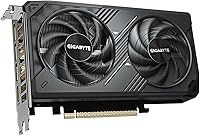
  • Cooling System: WINDFORCE dual-fan cooling system featuring GIGABYTE's Hawk fan design and server-grade thermal conductive gel between the die and heatsink.
  • Slot Profile: Occupies two expansion slots, making it compatible with a wider range of cases including compact mid-tower builds.
  • Card Length: Measures 7.83 inches in length, a compact form factor relative to many competing dual or triple-fan mid-range cards.
  • Card Weight: Weighs approximately 1.1 pounds, light enough for standard PCIe slot retention without requiring supplemental GPU support hardware in most builds.
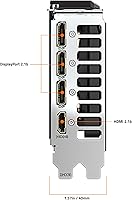
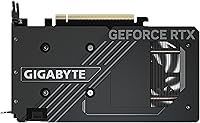
  • Display Outputs: Provides both DisplayPort and HDMI outputs, supporting multi-monitor setups and compatibility with a wide range of modern displays.
  • Max Resolution: Supports output resolutions up to 3840x2160 (4K UHD), suitable for high-resolution desktop use and content playback.
  • Factory Overclock: Ships as the MAX OC variant, meaning clocks are tuned above NVIDIA reference specifications directly from the factory with no user adjustment required.
  • AI Upscaling: Supports NVIDIA DLSS 4 including Multi Frame Generation, which uses AI to generate additional frames and significantly increase perceived frame rates in supported titles.
  • Ray Tracing: Includes dedicated hardware ray tracing cores that accelerate real-time lighting, shadow, and reflection rendering in compatible games.
  • Tuning Software: Compatible with GIGABYTE AORUS Engine for fan curve adjustments, clock offsets, and power limit changes, as well as third-party tools such as MSI Afterburner.
  • Seller Rank: Ranked #14 in the Computer Graphics Cards category on Amazon at time of review, reflecting strong sales volume in a competitive segment.
  • User Rating: Holds a 4.7 out of 5 star average rating based on over 1,800 verified purchaser reviews globally.

Related Reviews
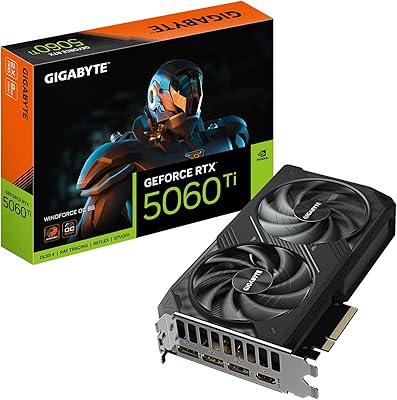
GIGABYTE RTX 5060 Ti 8GB Graphics Card
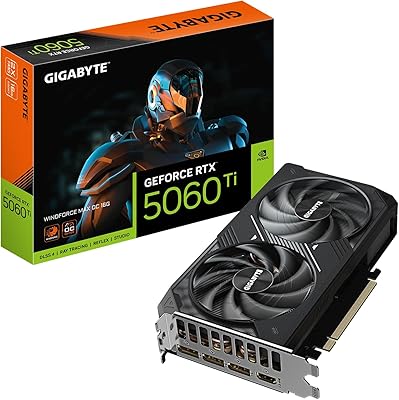
84%
88%
1440p Gaming Performance
91%
DLSS 4 & AI Upscaling
66%
VRAM Capacity & Adequacy
93%
Thermal Performance & Cooling
86%
Noise Level
More
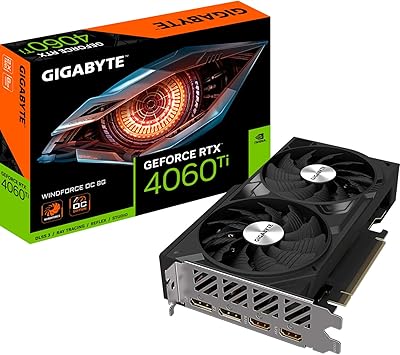
Gigabyte NVIDIA GeForce RTX 4060 Ti WINDFORCE OC 8GB Graphics Card
86%
90%
Gaming Performance
92%
Value for Money
89%
Ray Tracing & DLSS
88%
Cooling & Noise
85%
Installation & Setup
More
GIGABYTE GeForce RTX 5060 Ti WINDFORCE MAX OC 16G
85%
91%
1440p Gaming Performance
93%
Thermal Management
88%
VRAM Capacity & Usefulness
92%
Noise Levels
84%
Value for Money
More
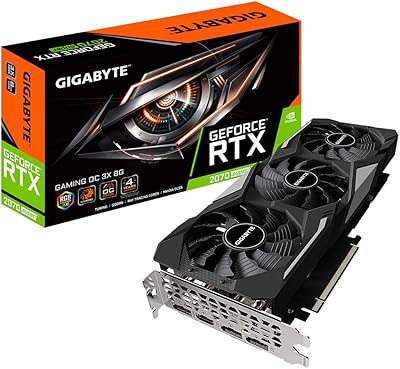
Gigabyte GV-N207SGAMING OC-8GD GeForce RTX 2070 Super Gaming OC 8GB Graphics Card
86%
91%
Gaming Performance
94%
Cooling Efficiency
87%
Ray Tracing Capabilities
89%
Build Quality
92%
Value for Money
More
GIGABYTE GeForce RTX 3060 WINDFORCE OC 12GB Graphics Card
83%
88%
1080p Gaming Performance
74%
Thermal Management
86%
Noise Level
93%
VRAM Capacity
63%
Ray Tracing Performance
More
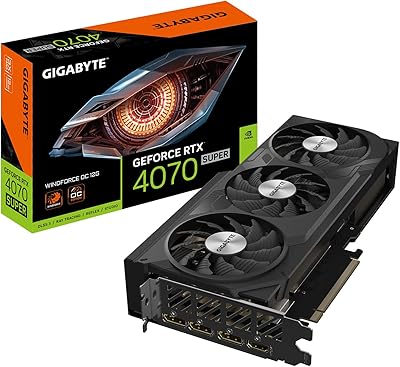
GIGABYTE GeForce RTX 4070 Super WINDFORCE OC 12GB
88%
94%
4K Gaming Performance
88%
Cooling Efficiency
90%
Build Quality
85%
Noise Levels
81%
Value for Money
More
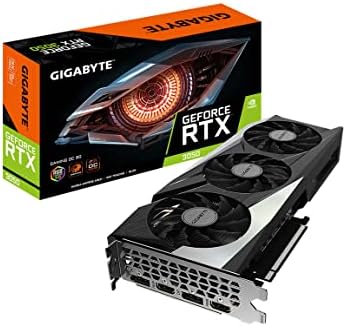
GIGABYTE GeForce RTX 3050 Gaming OC 8GB Graphics Card
84%
91%
Value for Money
88%
Gaming Performance (1080p)
89%
Cooling Efficiency
84%
Build Quality
86%
Noise Level
More
GIGABYTE GeForce RTX 5080 WINDFORCE OC SFF 16G
78%
93%
Gaming Performance
91%
DLSS 4 & AI Features
89%
SFF Compatibility & Fit
86%
Thermal Performance
84%
Noise Levels
More
GIGABYTE GeForce RTX 4070 Ti Super WINDFORCE MAX OC 16GB

88%
94%
Gaming Performance
91%
Cooling Efficiency
92%
Ray Tracing & DLSS 3
93%
4K Gaming Capability
88%
Build Quality & Durability
More
Gigabyte RTX 4060 Ti Eagle OC GPU
82%
83%
Gaming Performance
88%
Thermal Management
84%
Noise Level
86%
DLSS 3 & Frame Generation
61%
VRAM & Memory
More

FAQ

For 1080p gaming it is still sufficient in the vast majority of titles, including demanding ones. At 1440p you can start to see memory pressure in texture-heavy AAA games at maximum settings, and a handful of newer releases already push past 8GB comfortably. If most of your library is 1080p or DLSS-supported, you will rarely notice the ceiling. If you regularly play cutting-edge open-world games at 1440p ultra with no upscaling, it is a genuine limitation worth factoring in.

Almost certainly yes. At just under 8 inches long and occupying two slots, the GIGABYTE 5060 OC is notably compact compared to most mid-range GPUs on the market. Check your case specifications for GPU length clearance, but this card will fit in enclosures that reject longer triple-slot models with no issues.

No. PCIe is backward compatible, so this card will work in PCIe 4.0 and even PCIe 3.0 slots. You will not see a meaningful gaming performance difference between PCIe 4.0 and 5.0 at this GPU tier, so older boards are perfectly fine. PCIe 5.0 is more relevant as a future-proofing consideration than a day-one requirement.

During typical gaming sessions most users describe it as quiet enough to not be distracting, especially with headphones on. The fans ramp up noticeably during sustained high-load scenarios like long gaming sessions in demanding titles, but it does not approach the loud operation some smaller single-fan cards are known for. At idle and in light desktop use the fans can stop entirely, making it completely silent.

Yes, particularly from a 3060. You are stepping up to a newer architecture, faster memory type, and better upscaling technology in DLSS 4. From an RTX 3070 the jump is more moderate in raw rasterization, but DLSS 4 Multi Frame Generation is a genuinely new capability that older cards cannot access. Whether the upgrade justifies the cost depends on whether your current card is bottlenecking your gaming experience.

It can output at 4K resolution and handles 4K video playback and lighter game titles well. For demanding AAA games at native 4K ultra settings, it will struggle — that workload is more suitable for higher-tier GPUs with more VRAM and a wider memory bus. With DLSS 4 quality mode at 4K you can get playable results in supported games, but this card is fundamentally designed and priced for 1080p and 1440p gaming.

It ships with a factory overclock applied as part of the MAX OC designation, so you get a performance advantage over reference clock speeds right out of the box without touching any settings. If you want to push further using AORUS Engine or a third-party tool, the option is there, but available headroom beyond the factory tune is limited.

NVIDIA recommends a 550W to 650W power supply for a system built around the RTX 5060. The exact requirement depends on the rest of your components — CPU, drives, and cooling — but a quality 650W unit should be more than sufficient for most builds. If you are using a high-end CPU alongside it, consider a 750W unit for comfortable headroom.

You can absolutely skip it. The card works perfectly without any GIGABYTE software installed, and drivers from NVIDIA handle the core functionality. Many users who want fan curve or overclock control simply use MSI Afterburner, which is more widely trusted for stability. AORUS Engine is there if you prefer to stay within the GIGABYTE ecosystem, but it is optional.

The step up to Blackwell brings a faster memory type in GDDR7, a generational improvement in ray tracing and rasterization efficiency, and the addition of DLSS 4 with Multi Frame Generation — which the RTX 4060 does not support. Raw rasterization gains are meaningful but not dramatic. The bigger practical advantage is DLSS 4, which can multiply frame rates in supported games in ways the previous generation simply cannot replicate. For users whose games support it, that difference is tangible.

Where to Buy