Overview

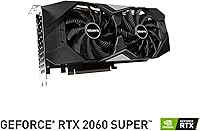
The GIGABYTE RTX 2060 OC 6GB Graphics Card sits in an interesting spot — a factory-overclocked version of NVIDIA's Turing-based RTX 2060, built for players chasing strong 1080p frame rates without flagship-level spend. The REV2.0 revision brought minor board-level refinements worth knowing about when comparing older stock. Honest talk: the 6GB GDDR6 VRAM feels adequate in most current 1080p titles, but push into heavier textures and you will notice the ceiling. Ray tracing is accessible here, not effortless — expect trade-offs at ultra settings. That said, this GIGABYTE OC card holds up well for budget-minded builders entering the market today.
Features & Benefits

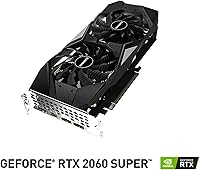
The Windforce 2X cooling is one of the first things you will notice once the card is running — dual fans with alternate spinning directions move air efficiently, keeping things quiet at idle and thermals in check through extended sessions. GIGABYTE pushes the core clock to 1755 MHz out of the box, a meaningful bump over the reference 1680 MHz that translates to a few extra frames in titles like Fortnite or Elden Ring. The 192-bit GDDR6 bus running at 14 Gbps effective keeps texture streaming reasonably fast for 1080p workloads. Four display outputs — one HDMI and three DisplayPort — cover multi-monitor setups, and AORUS Engine software makes fan curves and clock adjustments simple without third-party tools. At under 9 inches long, it slots into mATX builds without hassle.

Best For

The RTX 2060 OC is most at home driving a 1080p high-refresh display — think 144Hz gaming in competitive shooters or reasonably well-optimized AAA titles. If you are upgrading from a GTX 1070 or similar 10-series card, the performance jump is real, and you finally unlock DLSS, which helps noticeably when ray tracing is on. The compact footprint makes this a smart choice for mATX or smaller mid-tower cases where triple-fan cards simply will not fit. Light creative work — video exports, basic 3D rendering, game streaming — runs cleanly on this hardware too. It is a weaker fit for anyone consistently targeting 1440p ultra settings or handling large, VRAM-hungry production assets.

User Feedback

With over 400 ratings averaging 4.4 out of 5, buyer sentiment around this Windforce GPU is largely positive. The most consistent praise covers near-silent idle performance, straightforward installation, and the pleasant discovery that there is still decent overclocking headroom left on a card that is already factory-boosted. On the flip side, the 6GB VRAM draws the most frequent criticism — Cyberpunk 2077 at higher texture settings gets mentioned more than once as a pain point. A handful of users also note driver sensitivity on specific platform configurations. Some REV1.0 veterans report the REV2.0 iteration resolved minor reliability concerns. The overall owner satisfaction is high for 1080p-focused use, but the VRAM ceiling is a recurring theme for those pushing beyond it.

Pros

  • Windforce 2X cooling keeps temperatures well-managed and fan noise impressively low during idle and light loads.
  • Factory overclocked core clock delivers a noticeable real-world frame-rate advantage over the standard reference design.
  • DLSS support meaningfully compensates for ray tracing performance costs in titles that offer it.
  • Compact 8.88-inch PCB makes this a rare option that actually fits in mATX and smaller mid-tower cases.
  • AORUS Engine simplifies fan curve and clock adjustments without requiring any third-party software.
  • Four display outputs — one HDMI plus three DisplayPort — handle multi-monitor setups without needing an adapter.
  • Buyers coming from GTX 10-series hardware will experience a genuine and noticeable performance generational leap.
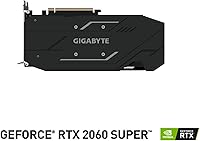
  • REV2.0 board revisions resolved minor reliability concerns flagged by some early-version owners.
  • Installation is consistently described as smooth and hassle-free, even by less experienced builders.

Cons

  • The 6GB VRAM ceiling causes real texture-streaming issues in newer titles at high or ultra quality settings.
  • Some users on specific system configurations report driver sensitivity that requires occasional troubleshooting to resolve.
  • Enabling ray tracing demands heavy DLSS dependence just to stay playable, ruling out a clean native-resolution RT experience.
  • Current-generation RTX 30 and 40 series cards now offer meaningfully better efficiency and longevity at comparable price points.
  • The 192-bit memory bus leaves less bandwidth headroom than some competing cards positioned at a similar market tier.
  • No USB-C or VirtualLink output, which may complicate compatibility with certain VR headsets or newer display hardware.
  • 1440p gaming is technically possible but inconsistent — demanding titles drop frame rates enough to undermine a high-refresh setup.
  • Manual overclocking gains are modest since the factory OC has already consumed a portion of the available headroom.

Ratings

The GIGABYTE RTX 2060 OC 6GB Graphics Card has been scored by our AI-powered rating engine after processing hundreds of verified global owner reviews, with spam, incentivized, and bot-generated submissions systematically filtered out before analysis. Scores reflect what real buyers reported across extended day-to-day use — from smooth 1080p gaming sessions to genuine frustrations with VRAM headroom in newer titles. Both the card's consistent strengths and its most commonly reported pain points are represented honestly across each category below.
Gaming Performance (1080p)
88%
At 1080p high settings, the RTX 2060 OC handles the vast majority of competitive and AAA titles with consistent, playable frame rates. Owners running 144Hz monitors in Fortnite, Valorant, and moderately demanding titles like Elden Ring report smooth, stutter-free experiences without needing to compromise on visual quality across the board.
Push into ultra settings on more demanding modern releases and the combination of 6GB VRAM and available clock headroom starts showing its age. Games with heavy post-processing or large open-world asset streaming can produce frame dips that interrupt an otherwise steady high-refresh experience.
Thermal Performance
84%
The Windforce 2X cooling keeps GPU temperatures well within safe operating ranges during extended sessions — most owners report peaks in the low-to-mid 70s Celsius under sustained load. The alternate-spinning fan design visibly reduces hotspot buildup compared to same-direction dual-fan configurations, a detail that real-world owners appreciate over longer play sessions.
Under prolonged heavy workloads in poorly ventilated cases, temperatures can creep closer to 80°C — safe, but warmer than some competing dual-fan designs at similar load levels. Buyers in compact or airflow-restricted enclosures may not replicate the cooler numbers reported by owners with well-ventilated mid-towers.
Noise Levels
86%
Fan stop at idle is a frequently praised feature — when the system is browsing or handling light tasks, the card runs completely silent. Even under gaming loads, the fans spin at a level most users describe as background noise rather than an active distraction, which matters for long sessions without headphones.
At sustained maximum load in warm ambient environments, fan speed ramps up audibly — not aggressively loud, but noticeable enough for noise-sensitive users without headphones. A subset of owners noted a faint harmonic tone at mid-range fan speeds that some find mildly irritating during quieter in-game moments.
Build Quality
78%
22%
The card has a solid, well-assembled feel — the dual-fan shroud shows no flex, and the PCB is sturdy enough to handle routine installation and removal without concern. The included backplate adds meaningful rigidity and prevents the subtle sag common on cards that lack one, a detail experienced builders tend to notice.
The overall construction does not quite match what you would find on premium AIB variants from the same generation, with some users noting the plastic shroud feels less refined to the touch. The PCIe power connector angle can also be slightly awkward in tighter chassis, making cable routing a minor inconvenience.
VRAM Capacity
57%
43%
For 1080p gaming at high texture settings in most titles released before 2022, 6GB of GDDR6 handles the workload without obvious pressure. Titles like Fortnite, CS2, and older AAA releases run comfortably within this budget, and owners who stay at this resolution and setting range rarely encounter VRAM-related issues in everyday play.
Newer texture-heavy releases regularly push against the 6GB ceiling at 1080p ultra settings, triggering texture pop-in or stutters that break immersion noticeably. This is the single most consistently cited frustration among verified owners, and it represents a genuine, practical concern for anyone planning to play modern or upcoming titles at maximum quality.
Value for Money
73%
27%
For builders upgrading from GTX 10-series hardware, this GIGABYTE OC card delivers a meaningful generational performance jump while also unlocking hardware ray tracing and DLSS support. At its positioning, it remains a capable option for 1080p-focused builders who want a reliable mainstream GPU without stepping into a significantly higher budget tier.
The competitive GPU market has shifted significantly since this card launched, with current-generation alternatives now offering better performance-per-dollar and more future-proof VRAM at comparable price points. Buyers comparing the RTX 2060 OC against newer options on a pure value calculation will find the case harder to make than it was at launch.
Ray Tracing Performance
62%
38%
Ray tracing is technically functional, and in well-optimized titles like Control or Metro Exodus at medium RT settings with DLSS active, the visual results are genuinely impressive at 1080p. For users primarily interested in sampling RT effects in lighter or older supported titles, the hardware delivers a satisfying introduction to the technology.
In demanding RT scenarios like Cyberpunk 2077 at higher settings, frame rates collapse significantly without DLSS support, forcing a difficult trade-off between image quality and playability. The Turing RT core count feels clearly outpaced by more modern architectures, and buyers chasing a true ray tracing experience will find the RTX 30 series a considerably better investment.
DLSS Support
83%
DLSS meaningfully rescues the card's ray tracing frame rates in supported titles, allowing users to recover performance that would otherwise be unplayable at 1080p. In a game like Control with RT and DLSS Quality mode active simultaneously, the visual quality is genuinely compelling and the performance trade-off becomes far more manageable.
DLSS availability is limited to supported titles, and older or less mainstream games often lack implementation entirely, leaving the card to handle those workloads at native resolution only. Turing-generation DLSS also lacks the more refined model updates that newer RTX cards benefit from, meaning output sharpness can appear softer in some implementations.
Driver Stability
66%
34%
On mainstream platform configurations pairing this card with modern Intel or AMD CPUs, driver stability is generally solid and unremarkable in the best sense. Owners running up-to-date NVIDIA drivers on Windows 11 report no unusual issues during everyday gaming and productivity workloads across the card's standard operating range.
A recurring subset of user reports describes driver sensitivity on specific system configurations — particularly with certain motherboard chipsets or following major NVIDIA driver releases. These issues are not universal, but they appear frequently enough in verified feedback to be flagged as a real consideration rather than an isolated edge case.
Overclocking Headroom
71%
29%
Genuine headroom remains above the factory OC settings — experienced tuners typically find an additional 50 to 80 MHz on the core clock without difficulty, yielding a measurable further performance uplift. AORUS Engine makes initial clock offset testing accessible even for buyers who are newer to GPU tuning.
Because GIGABYTE has already extracted a meaningful boost over reference clocks at the factory level, the remaining headroom above stock is noticeably narrower than on a standard-clocked card. Pushing aggressively can introduce stability issues, and exceeding factory-defined limits may affect warranty coverage depending on the retailer's specific terms.
Software Experience
77%
23%
AORUS Engine is a cleaner, less cluttered experience than some rival AIB tuning utilities, offering straightforward access to fan curves, clock offsets, and basic monitoring without overwhelming newer users. The interface is responsive, and most adjustments take effect quickly without requiring a full system restart.
AORUS Engine occasionally conflicts with other monitoring tools running simultaneously, and some users report fan control settings reverting after driver or software updates without warning. The application also lacks some of the more advanced profiling and per-game switching features that enthusiast-level tuners tend to expect from a dedicated GPU utility.
Ease of Installation
92%
Virtually every buyer who mentions installation describes it as entirely uncomplicated — the card seats cleanly into a standard PCIe x16 slot, the single 8-pin power connection is clearly accessible, and NVIDIA driver installation requires no unusual steps. Builders new to GPU upgrades consistently describe the overall process as a confidence-building first experience.
The PCIe power connector angle can be slightly awkward in smaller chassis where cable clearance is limited, occasionally requiring routing adjustments to avoid undue pressure on the connector. A small number of users in very compact mATX builds also noted that the card length, while modest, pushed available GPU clearance closer to its limit.
Display Connectivity
81%
19%
Four display outputs — one HDMI and three DisplayPort connections — cover the vast majority of monitor setups without requiring adapters, including triple-display gaming or wide productivity arrangements. The HDMI output handles TV connections cleanly, and the DisplayPort outputs support high-refresh monitors at both 1080p and 1440p without signal quality concerns.
The absence of a USB-C or VirtualLink port limits plug-and-play compatibility with certain newer VR headsets and USB-C monitors that have become more common since this card launched. Owners using hardware that depends on those connection types will require adapters or may face outright compatibility limitations.
Form Factor
87%
At just under 8.9 inches in length and a standard dual-slot footprint, this Windforce GPU fits comfortably in mATX and smaller mid-tower cases where triple-fan cards simply will not clear the chassis interior. Builders working with space constraints frequently cite the compact footprint as a genuine deciding factor in choosing this specific model.
The dual-slot design means there is no room for a third fan, which caps ultimate cooling capacity compared to triple-fan variants of competing cards — a trade-off that becomes more relevant as ambient temperatures rise. Users in hot-climate environments or poorly cooled rooms may find the compact cooler working harder than larger alternatives under heavy load.
Power Efficiency
74%
26%
The RTX 2060 OC draws reasonable power for its performance tier, and a quality 550W power supply handles a full system build without strain. Owners report no unusual power-related instability, and the card does not demand the higher-wattage PSU planning that upper-tier GPU purchases typically require alongside them.
Compared to current-generation cards built on more advanced process nodes, the Turing architecture is visibly less efficient — delivering similar performance to newer competitors often requires meaningfully more power draw at the wall. Buyers with older power supplies sitting below 500W may need to budget for a supply upgrade alongside the card itself.

Suitable for:

The GIGABYTE RTX 2060 OC 6GB Graphics Card is a strong match for gamers who have committed to a 1080p setup — particularly those running a 144Hz monitor who want reliable high frame rates in competitive titles like Fortnite or Valorant and solid performance in moderately demanding AAA games. Builders stepping up from GTX 10-series hardware will feel a real generational jump, and for the first time unlock DLSS and entry-level ray tracing without moving to a significantly more expensive tier. The compact 8.88-inch PCB is a practical fit for mATX and smaller mid-tower cases where larger cards would simply not clear the enclosure. Content creators doing occasional video exports, game streaming, or basic 3D rendering will also find this card comfortable for those workloads. If quiet idle operation and a stable out-of-box experience matter to you more than chasing every last clock megahertz manually, this Windforce GPU delivers on both fronts.
Not suitable for:

Anyone consistently targeting 1440p ultra settings, or planning to play texture-heavy modern titles at maximum quality, will likely bump against the limits of this card faster than expected. The GIGABYTE RTX 2060 OC 6GB Graphics Card is not the right choice for builders planning a longer upgrade cycle who want VRAM headroom to remain comfortable over several years — 6GB is an increasingly tight ceiling as newer titles push higher base texture budgets by default. Dedicated content creators handling 4K timelines in DaVinci Resolve, complex multi-layer edits in Premiere, or large 3D scene files will hit memory constraints regularly. Ray tracing purists should also adjust expectations — running RT in something like Cyberpunk 2077 at 1080p demands heavy reliance on DLSS just to stay at playable frame rates, which removes the option of a clean native-resolution experience. Finally, shoppers with no case size constraints and a flexible budget will likely find better long-term value stepping up to a current-generation alternative.
Specifications

  • GPU Architecture: Built on NVIDIA's Turing architecture, the GeForce RTX 2060 core supports hardware-accelerated ray tracing and DLSS natively.
  • Variant: This is the factory-overclocked OC REV2.0 edition, with a boosted out-of-box clock speed compared to the standard reference design.
  • Core Clock: The GPU runs at 1755 MHz in OC mode, a meaningful step up from the 1680 MHz reference specification.
  • VRAM: 6GB of GDDR6 memory handles texture and frame data storage, targeting 1080p and light 1440p gaming workloads.
  • Memory Bus: A 192-bit memory bus connects the GPU core to the GDDR6 modules, setting the ceiling on available memory bandwidth.
  • Memory Speed: The GDDR6 memory operates at an effective speed of 14000 MHz, providing adequate bandwidth for 1080p and moderate 1440p use cases.
  • Cooling System: Windforce 2X dual-fan cooling uses alternate-spinning fan directions to reduce air turbulence and improve overall thermal efficiency.
  • Display Outputs: Four total display connections are available: one HDMI port and three DisplayPort outputs, supporting multi-monitor configurations simultaneously.
  • PCIe Interface: The card installs into a PCIe 3.0 x16 slot and is backward-compatible with PCIe 2.0 motherboards.
  • Max Resolution: Maximum supported output resolution is 3840x2160 (4K UHD) across compatible display connections.
  • Card Dimensions: The card measures 8.88 x 4.8 x 1.59 inches, occupying a standard dual-slot footprint inside the system chassis.
  • Card Weight: The card weighs approximately 5.3 ounces, making it a relatively lightweight option within the dual-fan GPU segment.
  • Power Connector: An 8-pin PCIe power connector is required from the system power supply unit for the card to operate.
  • Tuning Software: GIGABYTE's AORUS Engine application provides controls for adjusting fan curves, core clocks, and memory speeds without any third-party tools.
  • Buyer Rating: The card holds a 4.4 out of 5 rating derived from 428 verified customer ratings on Amazon.

Related Reviews

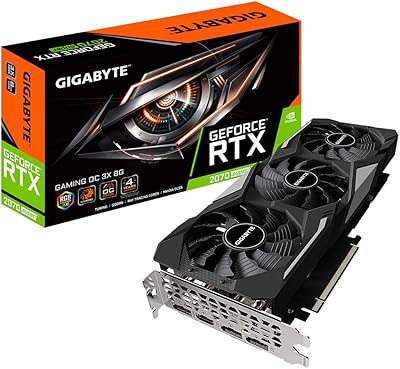
Gigabyte RTX 2070 Super Gaming OC Graphics Card
81%
91%
1440p Gaming Performance
93%
Thermal Management
88%
Noise Level
67%
Value for Money
62%
Ray Tracing Capability
More
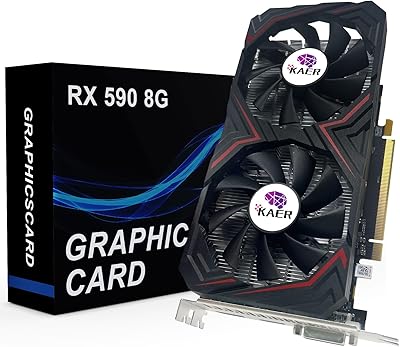
KAER RX590 8GB Graphics Card
70%
71%
1080p Gaming Performance
63%
Value for Money
74%
Thermal Performance
69%
Fan Noise
83%
Driver & Software Support
More
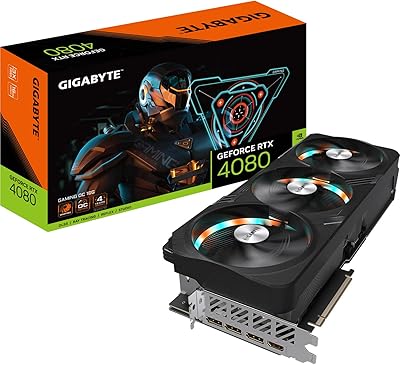
GIGABYTE RTX 4080 Gaming OC 16GB GPU
81%
93%
Gaming Performance
89%
Thermal Management
91%
Build Quality
74%
Cooling Noise Level
86%
DLSS 3 & Frame Generation
More
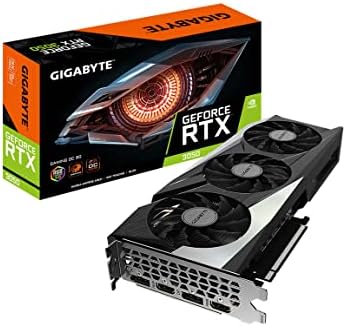
GIGABYTE GeForce RTX 3050 Gaming OC 8GB Graphics Card
84%
91%
Value for Money
88%
Gaming Performance (1080p)
89%
Cooling Efficiency
84%
Build Quality
86%
Noise Level
More
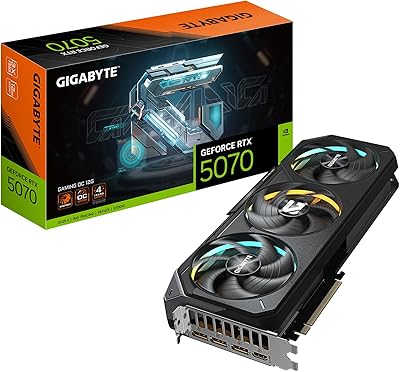
GIGABYTE RTX 5070 Gaming OC 12GB GPU
83%
93%
Gaming Performance at 1440p
76%
4K Gaming Capability
91%
Thermal Performance
94%
DLSS 4 and Multi Frame Generation
89%
Build Quality and Construction
More
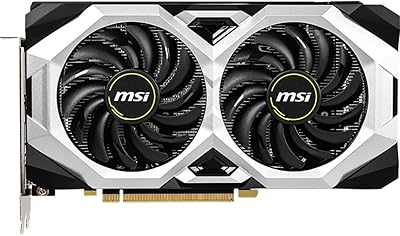
MSI GeForce RTX 2060 VENTUS 6G OC Graphics Card
86%
91%
Performance at 1080p
87%
Performance at 1440p
90%
Ray Tracing and DLSS Support
89%
VR Performance
88%
Cooling and Noise Levels
More
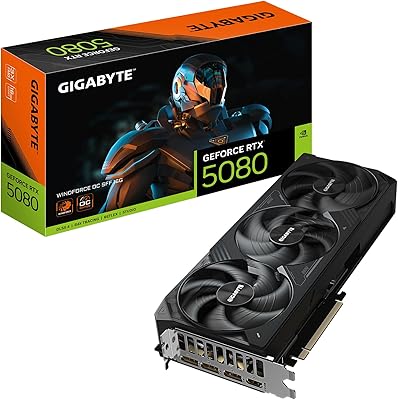
GIGABYTE GeForce RTX 5080 WINDFORCE OC SFF 16G
78%
93%
Gaming Performance
91%
DLSS 4 & AI Features
89%
SFF Compatibility & Fit
86%
Thermal Performance
84%
Noise Levels
More
GIGABYTE GeForce RTX 3050 WINDFORCE OC V2 6G
79%
74%
1080p Gaming Performance
71%
Value for Money
83%
Cooling & Thermal Management
57%
Memory Bandwidth & Bus Width
91%
Installation & Setup Ease
More
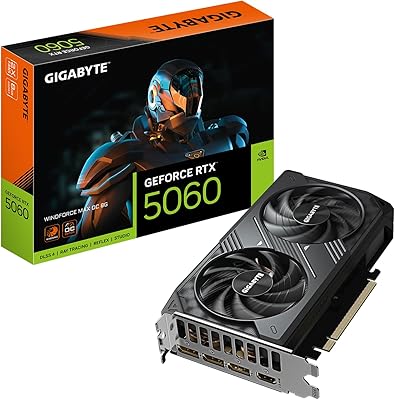
GIGABYTE RTX 5060 WINDFORCE OC 8GB GPU
81%
93%
1080p Gaming Performance
76%
1440p Gaming Performance
61%
VRAM Adequacy
88%
Thermal Performance
84%
Noise Levels
More
Gigabyte RTX 4060 Ti Eagle OC GPU
82%
83%
Gaming Performance
88%
Thermal Management
84%
Noise Level
86%
DLSS 3 & Frame Generation
61%
VRAM & Memory
More

FAQ

In most cases, yes. The GIGABYTE RTX 2060 OC 6GB Graphics Card measures just under 8.9 inches in length, which clears the drive cage in the vast majority of mid-tower and mATX enclosures. That said, always cross-check your specific case's maximum GPU clearance before buying, especially in compact ITX builds where length tolerances are tighter.
The card requires a single 8-pin PCIe power connector, and NVIDIA recommends at least a 550W power supply for a full system running the RTX 2060. If your current PSU has a spare 8-pin PCIe cable and sits at or above that wattage, you should have no issues.

It depends heavily on the game and your settings. In well-optimized titles like Control or Metro Exodus, you can hold playable frame rates at 1080p medium-to-high ray tracing settings if DLSS is also enabled. In something like Cyberpunk 2077 with ray tracing at ultra, you will need DLSS set to quality or performance mode just to stay above 60fps. It works, but it is not effortless the way it is on RTX 30 or 40 series hardware.

For 1080p gaming at high settings, 6GB is workable but no longer generous. Some newer releases with high-resolution texture packs can push past 6GB at 1080p ultra, leading to stuttering or forced texture downscaling. If you are realistic about keeping texture quality at high rather than ultra in the most demanding titles, this Windforce GPU holds up well for everyday play.

This card is notably quiet at idle — the fans can stop entirely at low loads, which catches some users off guard the first time. Under sustained gaming loads, the fans ramp up but stay within reasonable noise levels, and most owners describe the result as unobtrusive rather than loud, particularly compared to blower-style single-fan coolers.

The REV2.0 introduced minor board-level revisions to address reliability concerns that a subset of early REV1.0 owners reported. Core specifications and gaming performance are essentially identical between the two. If you are purchasing new stock today, you are almost certainly receiving the REV2.0 variant.

Yes, the card supports up to four simultaneous displays using any combination of its one HDMI and three DisplayPort outputs. Running three monitors for a surround gaming setup or a wide multi-panel productivity arrangement is fully supported.

Absolutely. GPU and CPU brand compatibility is not a concern in desktop builds — the RTX 2060 OC connects via PCIe and functions identically whether your platform is Intel or AMD Ryzen. Just confirm your motherboard has a standard PCIe x16 slot, which virtually all modern desktop boards include.

Some headroom remains, but since this is already a factory-overclocked variant, the gap between stock and your maximum stable manual OC will be narrower than on a reference-clocked card. Most users find an additional 50 to 100 MHz on the core is achievable, yielding a modest further frame-rate bump. Keep in mind that pushing past the factory OC may affect warranty coverage depending on the retailer's terms.

For light-to-moderate creative work, the RTX 2060 OC holds up well. NVIDIA's NVENC encoder handles game streaming in OBS cleanly, and 1080p video editing timelines in Premiere or DaVinci Resolve run without obvious bottlenecks. Where it starts to strain is on heavy 4K timelines or effects-heavy projects — at that point, the 6GB VRAM ceiling becomes the limiting factor before the GPU compute does.

Where to Buy