Overview

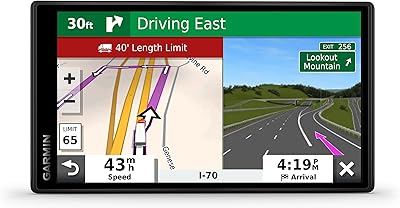
The Garmin DriveSmart 86 8-inch Car GPS Navigator makes a strong case for why dedicated GPS units still earn a place on your windshield, even in a world where everyone has Google Maps in their pocket. The 8-inch high-resolution display is the obvious centerpiece — dramatically larger and easier to read than any phone propped in a mount, especially in direct sunlight. Garmin has spent decades building a reputation for map accuracy and routing reliability that phone-based navigation can't always match, particularly in areas with spotty cell coverage. Worth noting upfront: this is a windshield-mounted unit, not a replacement for your car's infotainment system, and managing that expectation matters.
Features & Benefits

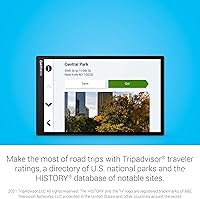
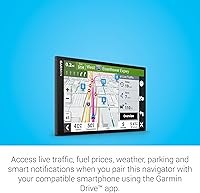
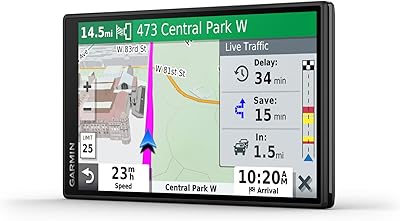
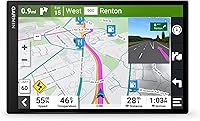
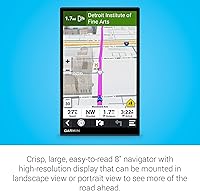
The 1280x800 dual-orientation display holds up well in real-world conditions — it stays legible in harsh sunlight where phone screens wash out, and it pivots between portrait and landscape to suit your mount. This Garmin navigator offers two distinct voice assistants: Garmin Voice Assist handles navigation commands natively without any internet connection, while Alexa Built-in lets you play music or hear the news — though Alexa requires a paired smartphone running the Garmin Drive app. That same app unlocks live traffic, fuel prices, weather, and parking data. The DriveSmart 86 also includes TripAdvisor ratings, Foursquare points of interest, a national parks directory, and the HISTORY database — genuinely handy for long drives.

Best For

This dedicated GPS unit earns its keep in situations where your phone starts to struggle. Drivers crossing rural stretches with unreliable cell service will find it routes confidently using onboard North America maps, no signal required. Road-trippers planning multi-day journeys will appreciate the curated travel content — national parks, historic sites, and rated restaurants built right in. Older drivers or anyone who finds phone-based navigation fiddly will welcome the large, no-fuss interface. Families benefit from having a dedicated navigation screen so the passenger keeps their phone free. Frequent travelers and commercial drivers also gain the practical upside of consistent routing without draining their phone battery.

User Feedback

Buyers at this price point hold things to a high standard, and feedback on the DriveSmart 86 is largely positive but not without caveats. Screen size and clarity win people over quickly, setup is straightforward, and voice control handles basic commands reliably. Criticism clusters around a few recurring pain points: the suction cup mount can lose grip on textured or curved dashboards, and routing occasionally produces detours that feel unnecessary. The one-hour battery life is worth understanding clearly — this unit is built to run off vehicle power, so unplugging it is only a short-term option. Some users find the Garmin Drive app pairing rock-solid; others report intermittent connection drops that can disrupt live services.

Pros

  • The 8-inch display is dramatically easier to read than any phone mount, especially in direct sunlight.
  • Onboard North America maps work reliably without any cell signal — genuinely useful in rural or remote areas.
  • Lifetime map updates download automatically over Wi-Fi, no computer or cable required.
  • Built-in travel content — national parks, HISTORY sites, TripAdvisor ratings — adds real value for road-trippers.
  • Garmin Voice Assist handles core navigation commands natively, even when offline.
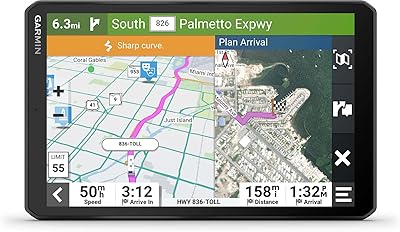
  • Driver alerts for school zones, sharp curves, and speed changes are timely and accurate.
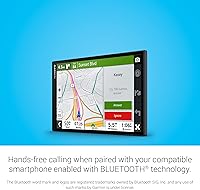
  • Hands-free calling through the DriveSmart 86 keeps your phone pocketed and your eyes on the road.
  • Dual orientation lets you switch between portrait and landscape to suit your dash setup.
  • Setup is fast and intuitive — most users are navigating within minutes of unboxing.
  • The device keeps your smartphone battery free, a real advantage on full-day drives.

Cons

  • The suction cup mount loses grip on textured or curved dashboards — a persistent complaint from real owners.
  • All live services — traffic, fuel prices, weather — require a paired smartphone running the Garmin Drive app.
  • Battery life of roughly one hour means the unit is tethered to vehicle power during any real-world use.
  • Alexa Built-in response times can lag, and connection drops when the phone app runs in the background.
  • Routing occasionally produces detours or road preferences that do not match driver intent.
  • The large screen can obstruct sightlines noticeably in smaller or more compact vehicles.
  • Microphone pickup for hands-free calls struggles with road noise at highway speeds.
  • Some software updates have introduced temporary bugs, frustrating long-term owners mid-trip.
  • Browsing POI categories safely while driving requires navigating menus that are a few layers too deep.
  • POI and restaurant data can lag behind reality in fast-changing areas, with outdated listings surfacing occasionally.

Ratings

The Garmin DriveSmart 86 8-inch Car GPS Navigator scores below are produced by our AI system after processing thousands of verified global buyer reviews, with spam, incentivized responses, and bot activity actively filtered out. The result is an honest, balanced picture — real strengths sit alongside real frustrations, nothing glossed over. Whether you are comparing dedicated GPS units or deciding if this one justifies its premium price, these scores reflect what actual owners consistently report after extended use.
Display Quality
93%
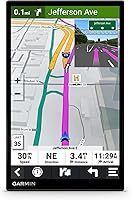
The 8-inch, 1280x800 panel is consistently the feature buyers rave about most. In direct sunlight on highway drives, it stays readable where a phone screen frequently washes out. The dual-orientation capability means it adapts naturally to different dash and windshield angles without losing clarity.
A small number of users report minor glare issues when the sun hits at a very low angle, and the display can run noticeably warm after several hours of continuous use in hot climates. Neither issue is a dealbreaker, but worth knowing for summer road trips.
Map Accuracy & Routing
81%
19%
Garmin's North America maps are well-regarded for their depth and reliability, especially in rural zones where Google Maps can lose confidence. Lifetime map updates over Wi-Fi keep data reasonably current, and the routing generally handles highways and back roads with solid logic.
Occasional routing decisions frustrate users — unexpected detours, preference for certain road types that don't match driver intent, and slower detection of road closures compared to real-time phone navigation. These quirks don't happen constantly, but they surface enough to be a pattern.
Voice Control
78%
22%
Garmin Voice Assist handles core navigation commands — destination entry, route changes, muting alerts — without needing a phone connection, which is genuinely useful in low-signal areas. The trigger phrase recognition is responsive, and most users get comfortable with it quickly.
Alexa Built-in, while a nice addition, requires an active smartphone connection and the Garmin Drive app running in the background, which some users find inconsistent. Alexa's response time can lag slightly compared to a native smart speaker, and certain commands occasionally misfire.
Ease of Setup
88%
Most buyers report being up and running within minutes straight out of the box. The included suction cup mount attaches quickly, the touchscreen interface is intuitive even for first-time GPS users, and the initial Bluetooth pairing with a smartphone is straightforward on most Android and iOS devices.
Getting the Garmin Drive app fully configured for live services adds a few extra steps that can confuse less tech-savvy users. A handful of buyers with older Android phones reported pairing hiccups that required reinstalling the app to resolve.
Live Services & Connected Features
72%
28%
When the Garmin Drive app connection is stable, the live traffic rerouting, fuel price comparisons, and parking availability data add genuine value on longer drives. The weather overlay is a handy bonus for road-trippers planning routes through variable conditions.
All live features are dependent on a paired smartphone — this dedicated GPS unit has no independent data connection of its own. Users whose phones drop the app connection mid-drive lose live traffic updates silently, which can be frustrating when you expect dynamic rerouting.
Road Trip Content & POI Database
86%
The built-in content library genuinely sets this navigator apart from bare-bones GPS units. TripAdvisor ratings, the HISTORY database of notable sites, a U.S. national parks directory, and millions of Foursquare points of interest give road-trippers a co-pilot's worth of discovery options baked right in.
The POI data can feel slightly dated in fast-changing areas — new restaurants or recently closed attractions sometimes appear incorrectly. Users also note the interface for browsing POI categories while driving is a bit deep to navigate safely without stopping.
Driver Alerts
83%
School zone warnings, sharp curve alerts, and speed change notifications are consistently accurate and timely according to long-term users. These alerts are delivered with enough advance notice to be genuinely useful rather than reactive, and the audio cues are clear without being startling.
Some users find the frequency of alerts in dense suburban or urban areas excessive, leading them to reduce or disable certain alert types. Customizing which alerts stay active requires navigating a few menu layers that could be more accessible.
Hands-Free Calling
69%
31%
For drivers who spend long hours behind the wheel, having calls routed through the DriveSmart 86 rather than fumbling with a phone is a practical safety improvement. Call audio through the device speaker is clear enough for highway use at moderate speeds.
Microphone pickup can struggle at high speeds with road noise, and callers occasionally report that the audio sounds hollow or slightly muffled. The Bluetooth connection needs to be re-paired after certain software updates, which catches some users off guard.
Mount & Physical Stability
61%
39%
The suction cup mount holds reliably on smooth, clean glass windshields and keeps the large screen steady on typical highway surfaces. The arm provides enough reach to position the screen within comfortable sightlines for most driver heights.
On textured, curved, or coated dashboards, the suction mount loses grip with frustrating regularity — a recurring complaint from owners. The size and weight of the 8-inch unit make this worse than smaller GPS models, and several buyers end up purchasing a third-party adhesive mount separately.
Battery Life
44%
56%
The internal battery allows the device to retain settings and briefly function away from power, which is useful when moving between vehicles or adjusting setup before a trip. It handles brief unplugged use without shutting off immediately.
Roughly one hour of battery life means this navigator is functionally dependent on the vehicle power cable at all times during real use. Buyers who expect even moderate portability will be caught off guard — this is a known limitation, but the product marketing undersells how tethered it really is.
Wi-Fi Updates
89%
The ability to pull map and software updates directly over Wi-Fi without connecting to a computer is a legitimate quality-of-life improvement over older Garmin models. Updates download in the background and the process is reliable for the vast majority of users.
Large map updates can take a significant amount of time depending on connection speed, and a few users report update processes that stalled or required a manual restart to complete. These are edge cases, but they can be inconvenient if you are preparing for an imminent trip.
Screen Size & Ergonomics
91%
The 8-inch footprint is a genuine differentiator for drivers who struggle with small text or who share the car with a co-pilot who needs to read the map from the passenger seat. Instructions, street names, and lane guidance are all displayed with room to breathe.
The same large size that makes it easy to read can also obstruct more of the windshield than some drivers are comfortable with, particularly in smaller vehicles. A few users note it feels oversized for compact cars and interferes with peripheral sightlines.
Long-Term Durability
77%
23%
Most verified buyers who have owned the DriveSmart 86 for a year or more report no hardware failures, and the build quality feels solid and purposeful rather than plasticky. Garmin's track record for device longevity is reflected in the feedback.
A minority of users report touchscreen sensitivity degrading over time, particularly in high-heat environments like parked cars in summer. Software bugs introduced through periodic updates also generate recurring frustration from a subset of long-term owners.
Value for Money
74%
26%
For dedicated road-trippers and drivers who rely heavily on offline navigation, the combination of a large display, lifetime map updates, and extensive built-in travel content justifies the premium positioning. Buyers who use it frequently on long routes generally feel it earns its place.
Buyers who primarily drive familiar urban routes or rely mainly on connected live features — which still need a phone — often question whether the price premium over a mid-range GPS or simply using a phone is justified. The value equation is strong for the right use case and weaker for casual users.

Suitable for:

The Garmin DriveSmart 86 8-inch Car GPS Navigator is built for a specific kind of driver, and it genuinely delivers for them. If you regularly take long road trips across North America, the combination of offline maps, TripAdvisor ratings, national parks content, and the HISTORY database makes this a far richer co-pilot than any phone-based solution. Drivers who frequently travel through rural areas or regions with unreliable cell coverage will find the onboard maps and Garmin Voice Assist work confidently without any data connection at all. Older drivers, or anyone who finds phone-based navigation fiddly and hard to read, will appreciate the large, clear 8-inch screen that requires zero squinting at a windshield mount. Families benefit from having a dedicated navigation screen so the co-pilot retains their phone for other uses, and commercial drivers or frequent travelers gain the practical advantage of keeping their smartphone battery intact on long hauls.
Not suitable for:

The Garmin DriveSmart 86 8-inch Car GPS Navigator is likely the wrong buy for drivers who stick to familiar urban or suburban routes where Google Maps already does the job for free. If your navigation needs are casual and your cell signal is consistently strong, the premium you pay here is hard to justify against simply using your phone — especially since live traffic, fuel prices, and weather data all require a paired smartphone running the Garmin Drive app anyway. Buyers expecting this to function as a truly portable, untethered device will be disappointed: the roughly one-hour battery life means it is realistically dependent on vehicle power during any real drive. Drivers in compact cars may find the physical footprint of an 8-inch windshield unit obstructs more of their forward sightline than they are comfortable with. If a modern built-in infotainment system is what you are after, this is a windshield-mounted accessory — not a replacement for factory navigation.
Specifications

  • Screen Size: The display measures 8 inches diagonally, making it one of the largest screens available in a windshield-mounted GPS category.
  • Resolution: The panel renders at 1280 x 800 pixels, delivering sharp text and map detail that remains legible at a glance while driving.
  • Orientation: The display supports both portrait and landscape orientations, allowing drivers to choose the layout that best suits their windshield angle and mounting position.
  • Map Coverage: Preloaded maps cover the full North America region, including the U.S., Canada, and Mexico, with free lifetime updates delivered over Wi-Fi.
  • Connectivity: The unit connects via Bluetooth for phone pairing and hands-free calling, Wi-Fi for map and software updates, and USB for power and data transfer.
  • Voice Assistants: Two voice systems are included: Garmin Voice Assist for offline navigation commands, and Alexa Built-in for media and smart home controls when paired with a smartphone.
  • Live Services: Real-time traffic, fuel prices, weather conditions, and parking availability are accessible when the unit is paired with a smartphone running the Garmin Drive app.
  • Battery Life: The internal lithium-ion battery provides approximately 1 hour of unplugged operation, meaning the unit is designed primarily for continuous use on vehicle power.
  • Dimensions: The device measures 4.7 x 0.77 x 7.6 inches, giving it a slim profile relative to its large screen footprint.
  • Weight: The unit weighs 10.4 ounces, which is notable for a windshield-mounted device and may affect suction cup mount stability on certain surfaces.
  • POI Databases: Onboard points of interest include TripAdvisor traveler ratings, Foursquare venues, a U.S. national parks directory, and the HISTORY database of notable sites.
  • Driver Alerts: The device issues proactive audio and visual alerts for school zones, sharp curves, railroad crossings, and speed limit changes to support safer driving habits.
  • Included Accessories: In the box: the navigator unit, a vehicle suction cup windshield mount, a combined traffic receiver and vehicle power cable, a USB cable, and printed documentation.
  • Audio Output: The device outputs stereo audio for voice guidance, alerts, and Alexa responses through its built-in speaker.
  • Touchscreen Input: Interaction is handled through a capacitive touchscreen interface designed for use with bare fingers while stationary or at stops.
  • Update Method: Map and firmware updates are downloaded directly over a Wi-Fi connection without requiring a computer or USB cable connection to a PC.
  • Power Source: The unit is powered by the included vehicle power cable, which also receives live traffic data through the integrated traffic receiver.
  • Bluetooth Calling: When paired with a compatible smartphone, the navigator supports hands-free calling with audio routed through the device speaker and onboard microphone.

Related Reviews
Garmin dezl OTR810 8-inch GPS Navigator
87%
94%
Routing Accuracy
91%
Display Clarity
88%
Ease of Use
89%
Truck-Specific Features
85%
PrePass Integration
More
Garmin RV 895 RV GPS Navigator 8-inch
85%
93%
Custom Routing for RVs
88%
Touchscreen Display
67%
Battery Life
90%
Satellite Imagery
85%
Ease of Use
More
Garmin DriveSmart 55 GPS Navigator
74%
88%
Screen Readability
83%
Routing Accuracy
79%
Live Traffic Updates
91%
Ease of Use
57%
Voice Recognition
More
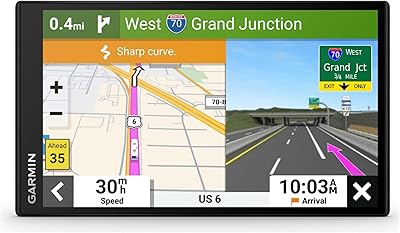
Garmin DriveSmart 71 EX Car GPS Navigator
79%
83%
Display Clarity & Readability
88%
Navigation Accuracy & Routing
79%
Live Traffic & Rerouting
71%
Voice Assist Usability
74%
Map Update Process
More
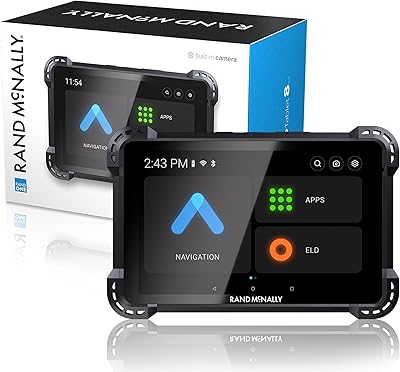
Garmin RV 795 7-Inch GPS Navigator
75%
91%
Screen Clarity
83%
RV-Specific Routing
86%
Campground Database
72%
Value for Money
84%
Ease of Setup
More
Garmin DriveSmart 61 6.95-inch GPS Navigator
75%
91%
Display Quality
88%
Navigation Accuracy
86%
Lifetime Map Updates
34%
Battery Life
78%
Voice Activation
More
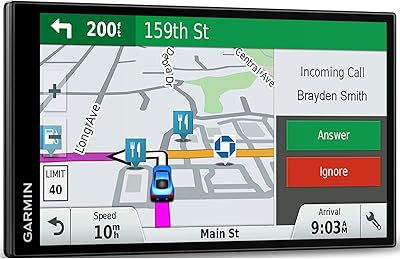
Rand McNally RANDTAB8 8-inch GPS Truck Navigator
75%
88%
Routing Accuracy
91%
HazMat & Load Configuration
86%
Screen Readability
83%
POI Database Quality
79%
Mount & Physical Stability
More
Garmin Dezl OTR500 5.5-inch Truck GPS Navigator
75%
91%
Truck Routing Accuracy
88%
Display Quality
74%
PrePass Integration
72%
Load-to-Dock Guidance
69%
Ease of Setup
More
CT Sounds MESO-8-D4 8-Inch Dual 4 Ohm Car Subwoofer
87%
94%
Bass Performance
91%
Build Quality
88%
Sound Clarity at High Volumes
93%
Power Handling
84%
Ease of Integration
More
CT Sounds TROPO-8-D2 8-Inch Car Subwoofer
77%
91%
Value for Money
83%
Bass Quality
88%
Build Quality
67%
Enclosure Compatibility
71%
Amplifier Pairing
More

FAQ

Yes — the core navigation functions work entirely offline. The preloaded North America maps and Garmin Voice Assist operate without any phone or data connection, which is a key advantage over phone-based GPS in rural or low-signal areas. Just note that live services like traffic updates and fuel prices do require a paired smartphone running the Garmin Drive app.

The app is not required for basic navigation, but it unlocks all the connected features — live traffic rerouting, current fuel prices, weather overlays, parking availability, and smart phone notifications on screen. Alexa Built-in also requires the app to be running in the background. Think of the app as the bridge between this dedicated GPS unit and your phone's data connection.

For everyday city driving with reliable cell service, Google Maps is genuinely hard to beat on convenience and real-time data. Where this navigator pulls ahead is in areas with spotty coverage, on long road trips where you want curated travel content baked in, and for drivers who prefer a large dedicated screen that does not drain their phone battery. It is a complementary tool for specific use cases, not a head-to-head phone replacement.

It holds reliably on smooth, clean glass windshields, which is where Garmin intends it to be mounted. Textured, curved, or coated dashboard surfaces are a different story — this is a recurring complaint from owners, partly because the 8-inch screen adds more weight and leverage than smaller GPS units. If your windshield is not a good suction surface, budget for a third-party adhesive dash mount.

Briefly, yes. The internal battery gives you around an hour of use unplugged, so checking a route or adjusting settings before you pull out is fine. For any actual drive of meaningful length, plan to have it connected to the vehicle power cable — treating it as a portable handheld device is not what it is designed for.

Map updates are free for the life of the device and download directly over Wi-Fi — no computer, no USB connection to a laptop needed. When an update is available, the device will prompt you. Larger updates can take a while depending on your connection speed, so it is worth starting them when you are not about to leave for a trip.

It is a genuine feature when it works well — playing music, setting reminders, or getting a weather update without touching your phone is convenient. That said, Alexa on this navigator depends on your smartphone connection staying active in the background, and response times can lag compared to a native Alexa device. Garmin Voice Assist is more reliable for core navigation tasks since it works without any internet dependency.

Yes, the Garmin Drive app is available for both iOS and Android, and Bluetooth pairing for hands-free calling works across both platforms. That said, a small number of users on older Android versions have reported occasional pairing issues that required reinstalling the app to resolve. Most current smartphones connect without any trouble.

This is one of the most consistently praised aspects of the DriveSmart 86. The 8-inch panel holds up noticeably better in direct sunlight than a typical smartphone screen, which tends to wash out badly on summer highway drives. A small number of users note glare at very low sun angles, but the overall sunlight readability is considered a genuine strength by the majority of owners.

Garmin releases firmware and map updates periodically — typically several times a year for maps and less frequently for firmware. The vast majority of updates install without issues. However, a subset of long-term owners have reported that occasional firmware updates introduced temporary bugs, such as touchscreen quirks or connectivity hiccups, that were later patched. It is worth checking user forums before installing a new update if you have an important trip coming up.

Where to Buy