Overview

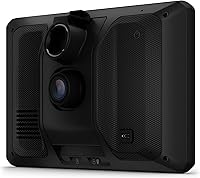
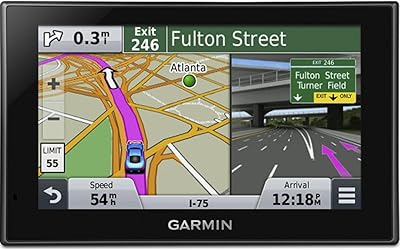
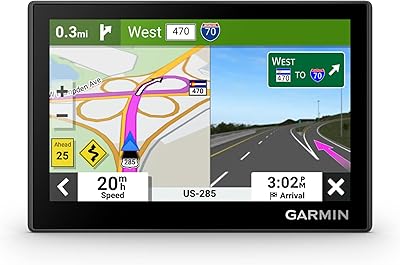
The Garmin DriveCam 76 GPS Navigator Dash Cam is Garmin's answer to a question many drivers ask: why run a separate GPS and dash cam when one device can handle both? Garmin has spent decades building a reputation for dependable navigation hardware, and this navigator leans into that legacy. The 7-inch display is genuinely large by dashboard standards — easy to read at a glance without squinting or leaning forward. This is a premium device priced accordingly, so budget shoppers should look elsewhere. But for road-trippers, safety-focused drivers, and commuters who want a capable, consolidated cockpit tool, it makes a compelling case.
Features & Benefits

The automatic incident detection is where the DriveCam 76 earns real attention. When the device senses a collision-level event, it saves and uploads the surrounding video clip to Garmin's secure Vault through the Drive app — no manual intervention needed. The Birdseye Satellite Imagery adds visual depth to route planning that standard vector maps simply lack. The forward collision and lane departure warnings are genuinely useful on the road, though their reliability does depend on lighting and road conditions. Bluetooth pairing brings hands-free calling and Voice Assist into the mix, and built-in Wi-Fi means map updates happen without a computer.

Best For

This dash cam GPS combo is a particularly strong fit for anyone who regularly covers long distances across North America. The map coverage is extensive — the U.S., Canada, Mexico, Puerto Rico, and beyond — and the combined navigation and recording functionality means one fewer device cluttering the windshield. Older drivers or those who find small screens frustrating will genuinely appreciate the 7-inch display. Safety-first drivers who want alerts for school zones, sharp curves, and speed changes will find real value here. It is less ideal for city-only commuters or drivers already happy with separate standalone devices they trust.

User Feedback

Drivers who have used this Garmin navigator long-term tend to highlight screen clarity and the ease of initial setup as standout positives. The incident detection system gets consistent praise for working without fuss. On the flip side, the roughly 30-minute internal battery life comes up frequently — though this is by design, since the device is built to run off vehicle power continuously. Some users report occasional hiccups with video uploads to Garmin's Vault, particularly on slower connections. The suction cup mount draws mixed opinions; most find it secure, but a handful of owners note the unit's size feels imposing on compact windshields.

Pros

  • Combines GPS navigation and dash cam in one unit, eliminating the need for two separate devices on your dashboard.
  • The 7-inch display is genuinely easy to read while driving, even in bright sunlight.
  • Automatic incident detection saves and uploads video clips without any manual action required.
  • Birdseye Satellite Imagery adds real visual context to navigation that standard map views lack.
  • Built-in Wi-Fi means map and software updates happen without hunting for a USB cable or a computer.
  • Forward collision and lane departure warnings provide a useful extra layer of awareness on long drives.
  • Broad North America map coverage includes Mexico, Canada, Puerto Rico, and several island territories.
  • The pre-installed 16GB microSD card means the device is ready to record right out of the box.
  • Hands-free Bluetooth calling keeps your eyes on the road during incoming calls.
  • Long-term users consistently praise the reliability of incident detection and the clarity of the screen.

Cons

  • Internal battery lasts only around 30 minutes, so the device is essentially useless without vehicle power.
  • Live traffic, weather, and fuel price features require a paired smartphone — they do not work standalone.
  • The physical size of the unit can feel intrusive on smaller windshields or compact vehicle dashboards.
  • Video upload reliability to the Garmin Vault has been inconsistent for some users on slower connections.
  • Collision and lane departure warnings can produce false alerts depending on lighting and road conditions.
  • The suction cup mount, while functional, has drawn mixed reviews for long-term stability over rough roads.
  • The Garmin Drive app is a required companion for key features, adding a dependency that not all buyers anticipate.
  • Drivers outside North America will find the map coverage largely irrelevant for their needs.
  • The premium price tier puts this device out of reach for buyers who only need basic navigation or basic recording.

Ratings

The scores below for the Garmin DriveCam 76 GPS Navigator Dash Cam were generated by our AI system after analyzing thousands of verified buyer reviews from global markets, with spam, bot activity, and incentivized feedback actively filtered out. The results capture both what drivers genuinely love and where real frustrations tend to surface — nothing is glossed over. Strengths and pain points are weighted equally so you get an honest picture before committing to a purchase.
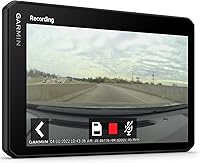
Display Clarity
91%
The 7-inch screen consistently draws praise from drivers of all ages, particularly those who have struggled with smaller GPS units in the past. At highway speeds, glanceability is excellent — text is large, contrast holds up in direct sunlight, and the Birdseye Satellite Imagery adds a layer of spatial awareness that flat vector maps simply cannot match.
A small number of users report minor glare issues in low-angle afternoon sun without a screen protector. Night brightness calibration has also been flagged occasionally as slightly aggressive, requiring manual dimming on dark rural roads.
Navigation Accuracy
88%
Route calculation is fast and dependable, and the North America coverage is genuinely comprehensive — drivers heading into remote national park areas or crossing into Mexico appreciate having detailed maps available offline without relying on a data signal. Frequent travelers report very few missed turns or rerouting errors during long interstate drives.
Some users note that map data in rapidly developing suburban areas can lag behind reality, occasionally directing drivers toward construction zones or roads that have recently changed. The device handles rerouting well, but the underlying map freshness depends on how regularly the user installs Wi-Fi updates.
Dash Cam Performance
83%
Having a continuously recording dash cam built into the navigation unit is the core selling point of the DriveCam 76, and for most drivers it delivers. Daytime footage quality is solid and detailed enough for insurance purposes, and the automatic incident detection reliably captures events without requiring the driver to do anything in the moment.
Low-light and nighttime footage quality is noticeably weaker than dedicated standalone dash cams in a similar price range. Drivers who commute heavily in pre-dawn or post-dusk conditions may find the footage less useful as evidence than they expected.
Incident Detection
79%
21%
When a hard braking or impact event occurs, the system reliably flags and saves the relevant clip — verified long-term users consistently report that the detection logic is well-calibrated and does not miss obvious events. The hands-off nature of the process is a genuine advantage; there is nothing to press or configure after the initial setup.
Sensitivity thresholds can be imprecise — aggressive braking in stop-and-go traffic sometimes triggers false saves, filling storage with unnecessary clips. A few users have also reported that the Vault upload process stalls if the Garmin Drive app is running in the background on a phone with aggressive battery optimization settings.
Cloud Backup Reliability
67%
33%
When the Garmin Drive app is properly configured and the phone connection is stable, clip uploads to the Vault work without intervention. Drivers who have actually needed their footage after an incident report that the system came through, which is ultimately the most important measure of success.
Inconsistent upload behavior is one of the more frequently cited frustrations from verified reviewers. Clips sometimes fail to upload silently, with no alert to the user, and the Vault interface has been described as unintuitive when manually browsing saved footage. Users on older Android phones report more connectivity hiccups than iOS users.
Safety Alert System
72%
28%
The forward collision and lane departure warnings are a meaningful addition on open highway stretches, and the school zone and sharp curve alerts have been credited by multiple long-haul drivers with helping them stay more attentive during monotonous drives. These are not gimmicks — when conditions are right, they genuinely add a layer of situational awareness.
Alert reliability drops in poor weather, on roads with faded lane markings, or in dense urban traffic where the camera struggles to interpret the scene clearly. A portion of users ultimately disable lane departure warnings after experiencing repeated false positives in road construction zones.
Ease of Setup
86%
Out-of-the-box setup is consistently rated as straightforward, even by self-described non-tech-savvy buyers. The suction cup mount attaches quickly, the device boots with maps already loaded, and pairing with a smartphone via the Garmin Drive app takes only a few minutes for most users.
The initial app pairing process trips up a small but notable number of users, particularly on Android devices where Bluetooth permissions and background app access need to be manually configured. The documentation included in the box is minimal and does not walk through app setup in adequate detail.
Mount Stability
71%
29%
For most drivers in temperate climates, the suction cup mount holds reliably through typical daily use and occasional rough roads. The swivel arm allows for reasonable angle adjustment, and once properly seated on a clean windshield, the unit sits steady during normal highway driving.
The nearly 10-ounce weight of the unit is at the upper limit of what a suction cup mount handles comfortably over time. Users in hot climates — particularly those who park outdoors in summer — report the mount losing grip more frequently, and a handful have had the unit fall during sharp cornering after prolonged heat exposure.
Battery Life
44%
56%
The roughly 30-minute internal battery is adequate for its intended purpose — keeping the device alive briefly if the vehicle power cable is accidentally disconnected. It is not designed as a portable unit, and users who understand this going in have no complaints about the battery itself.
For anyone expecting to use this Garmin navigator away from a power source for more than a few minutes, the battery is genuinely limiting. It cannot record or navigate for a full parking lot walk, and the device shuts down abruptly when the battery depletes, with no gradual warning that is prominently displayed.
Smartphone Dependency
61%
39%
When paired with a compatible smartphone, the live services layer — traffic, weather, fuel prices, and notifications — adds real value, particularly on unfamiliar routes. Drivers who keep their phone mounted nearby find the integration mostly frictionless once configured.
The reliance on a smartphone for a significant portion of the advertised features is a recurring point of frustration among buyers who expected a more self-contained device. If your phone battery dies on a long drive, or if you prefer not to use mobile data, you lose access to live traffic and several other features that factor heavily into the purchase decision.
Physical Footprint
66%
34%
Drivers with full-size trucks, SUVs, or larger sedans generally find the size perfectly acceptable and appreciate the commanding screen real estate. The large format is part of what makes this dash cam GPS combo readable without straining, and in vehicles with wide A-pillars or high dashboards, it integrates naturally.
In compact cars, hatchbacks, or vehicles with smaller windshields, the unit can feel genuinely intrusive and may partially obstruct the driver's sightline depending on placement. This is not a minor quibble for affected users — several have returned the device specifically because of how much dashboard and windshield space it occupies.
POI & Travel Features
82%
18%
The inclusion of TripAdvisor ratings, a U.S. national parks directory, and millions of Foursquare points of interest makes this a genuinely useful road trip companion beyond basic navigation. Road trippers particularly appreciate being able to find rated stops, gas stations, and attractions without pulling out a phone.
POI data freshness can be uneven — some smaller or regional businesses listed have permanently closed, and ratings occasionally lag behind more current app-based data. Users in Canada and Mexico also note that POI coverage outside the U.S. is noticeably thinner.
Value for Money
74%
26%
For drivers who were previously running a standalone GPS and a separate dash cam simultaneously, the consolidation into one unit represents a real practical and financial argument. The addition of free lifetime map updates further strengthens the long-term value case compared to devices that charge for ongoing map subscriptions.
At its price point, the DriveCam 76 faces stiff competition from pairing a capable mid-range dedicated dash cam with a smartphone GPS app at a fraction of the cost. Buyers who already own either a quality GPS or a quality dash cam will find it difficult to justify the premium unless they specifically want the integration.
Voice Control
77%
23%
Garmin Voice Assist handles the most common use cases — asking for directions, searching for a nearby gas station, or initiating a phone call — reliably enough that regular users start to depend on it. It reduces the need to tap the screen while moving, which is the main point.
Recognition accuracy drops in noisy environments like open windows at highway speeds or vehicles with loud road noise. Users who speak with regional accents or in a non-standard cadence report more frequent misinterpretations, and the system does not support complex multi-step voice commands.

Suitable for:

The Garmin DriveCam 76 GPS Navigator Dash Cam is built for drivers who spend serious time on the road and want a single, reliable device handling navigation and incident recording without compromise. Long-haul travelers crossing multiple states will appreciate the broad North America map coverage and the peace of mind that comes from knowing every mile is being recorded. Safety-conscious drivers — particularly those who have dealt with insurance disputes or close calls — will find the automatic incident detection and cloud video backup genuinely reassuring rather than just a marketing checkbox. The large 7-inch display also makes this a strong pick for older drivers or anyone who finds smaller GPS screens frustrating to read at highway speeds. If you currently juggle a dedicated GPS unit and a separate dash cam, this Garmin navigator offers a practical path to decluttering your dashboard without sacrificing capability on either front.
Not suitable for:

The Garmin DriveCam 76 GPS Navigator Dash Cam is a hard sell for budget-focused buyers — the price reflects a premium, consolidated device, and there are far cheaper ways to get basic navigation or basic dash cam recording separately. Drivers with compact cars or smaller windshields may find the physical footprint of the DriveCam 76 obstructive, as the unit is noticeably large and not everyone has the windshield real estate to accommodate it comfortably. Anyone expecting full functionality completely off-grid will also be disappointed: live traffic, fuel prices, and smart notifications all require a paired smartphone, so the device leans on your phone more than the standalone pitch implies. If you already own a high-quality dedicated dash cam you trust and a GPS app you're happy with on your phone, the value case for this dash cam GPS combo becomes much harder to justify at this price point. Urban commuters who rarely leave familiar city routes are also unlikely to extract enough value from the extensive mapping and road-trip-oriented features to make it worth the investment.
Specifications

  • Screen Size: The display measures 6.95 inches diagonally, placing it firmly in the 7-inch class for easy visibility from the driver's seat.
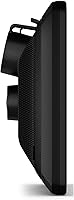
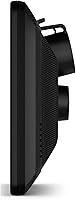
  • Dimensions: The unit measures 6.97 x 4.17 x 1.38 inches, making it one of the larger GPS navigators designed for dashboard or windshield mounting.
  • Weight: The device weighs 9.6 ounces, which is noticeable but manageable with the included suction cup mount on most standard windshields.
  • Battery Life: The internal battery provides approximately 30 minutes of standalone power; continuous use requires a constant connection to the included vehicle power cable.
  • Storage: A 16GB microSD card comes pre-installed, providing immediate storage capacity for recorded video clips without any additional purchase.
  • Connectivity: The device supports both Bluetooth and Wi-Fi, enabling smartphone pairing for live data and wireless map updates without a computer.
  • Map Coverage: North America maps are pre-loaded, covering the United States, Canada, Mexico, Puerto Rico, the U.S. Virgin Islands, the Cayman Islands, and the Bahamas.
  • Dash Cam: The built-in dash cam includes automatic incident detection, which triggers video saves and cloud uploads to the Garmin Vault when a collision-level event is sensed.
  • Safety Alerts: The device provides forward collision warnings, lane departure alerts, and driver notifications for school zones, sharp curves, and speed changes.
  • Voice Control: Garmin Voice Assist allows drivers to request directions and control basic functions by voice, reducing the need to interact with the touchscreen while driving.
  • Mounting Type: A dashboard suction cup mount is included in the box, designed for straightforward windshield or dash-top installation without permanent hardware.
  • POI Directory: The device includes TripAdvisor traveler ratings, a U.S. national parks directory, and millions of Foursquare points of interest for trip planning.
  • Satellite Imagery: Birdseye Satellite Imagery is included, offering a photographic overhead view of terrain and roads to supplement standard navigation maps.
  • Live Services: When paired with a compatible smartphone via the Garmin Drive app, the device can display live traffic conditions, fuel prices, weather forecasts, and smart notifications.
  • Hands-Free Calling: Bluetooth pairing with a compatible smartphone enables hands-free phone calls directly through the device, keeping the driver focused on the road.
  • Power Source: The device is powered by one included lithium-ion battery and is designed for primary operation via the included vehicle power cable.
  • Box Contents: The package includes the DriveCam 76 unit, a vehicle suction cup mount, a pre-installed 16GB microSD card, a vehicle power cable, and documentation.
  • Model Number: The official Garmin model number for this device is 010-02729-00, which can be used for warranty registration and accessory compatibility verification.

Related Reviews
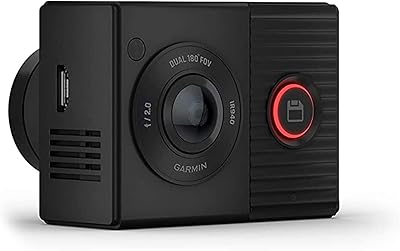
Garmin Dash Cam Tandem Dual-Lens Dash Camera
75%
88%
Video Quality (Front Lens)
83%
Interior Night Vision
61%
Interior Video Resolution
91%
GPS & Location Accuracy
67%
App Experience (Garmin Drive)
More
Garmin Dash Cam Live 1440p LTE Camera
78%
83%
Live Connectivity
86%
Video Quality
71%
Parking Guard
81%
App Experience
61%
Value for Money
More
Garmin Dash Cam 67W 1440p Dash Camera
75%
88%
Video Quality
83%
Wide-Angle Coverage
81%
Build Quality & Design
61%
Parking Mode Reliability
54%
Cloud Storage & Vault
More
Garmin Nuvi 2539LMT GPS Navigator
84%
91%
Ease of Use
89%
Display Quality
75%
Traffic Update Accuracy
85%
Bluetooth Connectivity
93%
Navigation Accuracy
More
Garmin GPS 18x USB Navigation Receiver
67%
91%
Signal Accuracy
47%
Software Compatibility
78%
Build Quality
63%
Ease of Setup
84%
Long-Term Durability
More
Nexar Beam GPS Dash Cam
86%
91%
Ease of Setup
87%
AI Incident Detection
93%
Cloud Storage Integration
89%
Parking Mode Functionality
82%
App Connectivity and Streaming
More
Garmin DriveSmart 55 GPS Navigator
74%
88%
Screen Readability
83%
Routing Accuracy
79%
Live Traffic Updates
91%
Ease of Use
57%
Voice Recognition
More
Garmin Drive 53 GPS Navigator
76%
88%
Display Quality
91%
Ease of Use
86%
Navigation Accuracy
41%
Battery Life
63%
Mount & Stability
More
Garmin eTrex 32x Handheld GPS Navigator
78%
93%
Satellite Performance
91%
Battery Life
88%
Build & Durability
74%
Map Quality & Coverage
89%
Navigation Accuracy
More
Garmin DriveSmart 71 EX Car GPS Navigator
79%
83%
Display Clarity & Readability
88%
Navigation Accuracy & Routing
79%
Live Traffic & Rerouting
71%
Voice Assist Usability
74%
Map Update Process
More

FAQ

For core navigation, no — the maps are pre-loaded and work completely offline. That said, features like live traffic, fuel prices, weather updates, and smart notifications all depend on pairing with a smartphone through the Garmin Drive app, so you will lose some functionality without one.

The built-in dash cam continuously monitors for sudden deceleration or impact consistent with a collision. When it detects one, it automatically saves the surrounding video clip and queues it for upload to Garmin's secure Vault storage through the Drive app. You do not have to press anything — it handles it on its own.

Technically yes, but only for about 30 minutes on the internal battery. This device is designed to run continuously off your vehicle's power outlet, not to be used as a portable unit. Think of the battery as a buffer for brief unplugged moments, not a practical power source.

Most drivers find it secure for everyday use, but heat can weaken suction cup adhesion on any device over time — and the DriveCam 76 is on the heavier side at nearly 10 ounces. A few long-term users have reported the mount loosening in very hot climates or during summer months, so it is worth checking periodically and reseating it as needed.

16GB is a reasonable starting point and covers a solid amount of continuous footage before older clips get overwritten. If you frequently drive long distances and want to retain more video history, upgrading to a larger compatible microSD card is straightforward and relatively inexpensive.

They work well under clear conditions on roads with visible lane markings, but do not expect them to be flawless. Rain, glare, faded road markings, or heavy traffic can reduce their accuracy, and some drivers report occasional false alerts. Treat them as a helpful nudge, not a substitute for attentive driving.

This Garmin navigator includes free lifetime map updates for North America, which is a genuine long-term value. Updates download wirelessly over Wi-Fi directly to the device — no cables or computer required. Just make sure it is connected to your home network and it handles the rest.

It can be. The unit is physically larger than most GPS devices, and a handful of owners with compact or subcompact cars have noted it feels intrusive or partially blocks sightlines. Before buying, it is worth measuring your available windshield space — particularly if your car already has a rearview camera display or other mounted hardware.

The dash cam runs continuously in the background while the device is powered on — you do not need to toggle between navigation and recording modes. Both functions operate simultaneously, which is the whole point of this dash cam GPS combo.

Clips that have not yet been uploaded will remain saved on the local microSD card until a connection is available. The upload happens through the Garmin Drive app on your phone, so if your phone connection was spotty at the time of an incident, you may need to manually trigger the upload later when connectivity is restored.

Where to Buy