Overview

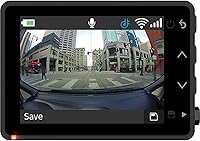
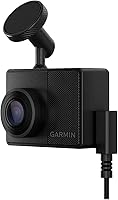
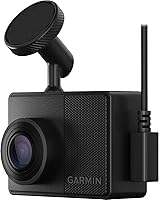
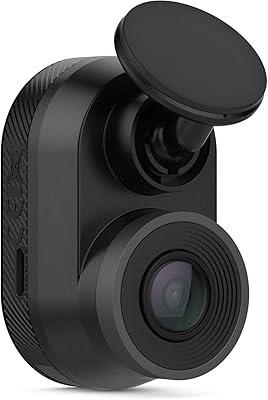
The Garmin Dash Cam 67W 1440p Dash Camera is one of those rare devices that earns its place on the windshield by being genuinely useful rather than just feature-packed. Compact enough to hide behind a rearview mirror, this Garmin dash cam reflects the brand's knack for building reliable navigation tools — only this time the focus is on protecting you after something goes wrong. The 180-degree wide-angle lens captures far more lateral context than a standard 140-degree unit, meaning pedestrians and cyclists at the edges of the frame actually appear in the footage. It ships ready to use, with a 16GB card and a magnetic low-profile mount already in the box.
Features & Benefits

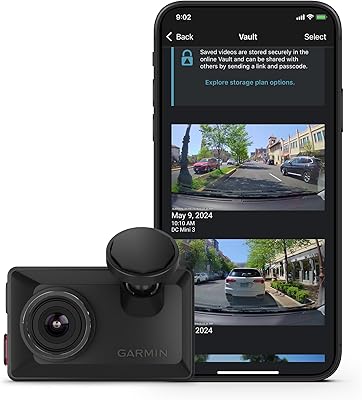
The standout here isn't the resolution — it's how the 67W handles the moments right after an incident. Voice control means you can tell the camera to save a clip without fumbling for your phone, which is genuinely practical when you're still processing what just happened. Recorded footage automatically uploads to Garmin's cloud Vault over Wi-Fi, so clips don't vanish if the card gets corrupted or the camera gets stolen. The Parking Guard feature watches for bumps and movement while the car sits unattended and pushes alerts to the Garmin Drive app. GPS embeds the exact location and timestamp into every file, which matters enormously if you end up filing an insurance claim.

Best For

This wide-angle dash camera is a strong fit for commuters and rideshare drivers who just want something that records reliably every day without fuss. If you already own a Garmin GPS unit and use the Drive app, the integration feels natural rather than bolted-on. It's also worth considering for anyone who regularly parks in tight city lots or on busy streets, since the Parking Guard capability directly addresses that low-level anxiety of coming back to find a dent with no note. One honest caveat: if your car doesn't have a consistent Wi-Fi hotspot, several of the connected features won't fire reliably, so purely offline drivers should weigh that before buying.

User Feedback

Owners consistently praise the video clarity and how small the unit is — the most common reaction seems to be surprise at how little windshield space it takes up. Setup also gets high marks. The recurring complaint, though, centers on Garmin Vault storage: the free tier is modest, and some users feel nudged toward a paid subscription to get full value from the Wi-Fi upload feature. Parking mode performance is genuinely mixed — it works well for users with a strong in-car hotspot, but those without report it as nearly unusable. The driver alerts draw consistent criticism for over-triggering in dense traffic. App connectivity is reliable for most, though Android users report occasional dropout more than iOS users do.

Pros

  • 1440p HDR footage keeps license plates legible even in harsh backlit conditions.
  • The 180-degree lens captures cyclists and pedestrians at the edges of the frame that standard cameras miss.
  • Tiny footprint hides completely behind most rearview mirrors without blocking sightlines.
  • Voice commands let you lock a clip immediately after an incident without touching the camera.
  • GPS metadata embeds speed, location, and time into every file — exactly what insurers ask for.
  • Ships with a memory card and mount, so it records from the very first drive.
  • The magnetic mount makes swapping the camera between vehicles a one-second task.
  • Automatic cloud backup means footage survives even if the camera is stolen or the card fails.
  • App setup is straightforward, and the camera reconnects automatically on most mornings.

Cons

  • Parking Guard and Live View are effectively unusable without a stable in-car Wi-Fi hotspot.
  • The free Vault storage tier fills quickly for regular drivers, pushing users toward a paid plan.
  • Driver assistance alerts over-trigger in stop-and-go city traffic, leading most urban drivers to disable them.
  • No built-in screen means you always need a phone or laptop to review footage.
  • Android users encounter more frequent app drop-outs and connectivity issues than iOS users.
  • The barrel distortion at the outer edges of the wide-angle frame can confuse viewers unfamiliar with fisheye footage.
  • A hardwire kit for always-on parking mode is sold separately, adding cost to an already premium purchase.
  • GPS lock is slow in dense urban canyons, occasionally missing the first few seconds of location data after startup.

Ratings

The Garmin Dash Cam 67W 1440p Dash Camera earns a nuanced scorecard here — our AI has processed verified buyer reviews from global markets, actively filtering out incentivized and bot-generated submissions to surface what real daily drivers actually experience. The scores below reflect both the genuinely impressive strengths and the friction points that show up repeatedly across thousands of honest ratings. Nothing has been glossed over.
Video Quality
88%
Footage from the 67W holds up well in the situations that matter most — bright afternoon glare, predawn commutes, and rainy nights where cheaper cameras turn headlights into smeared blobs. The HDR processing keeps license plates legible in high-contrast lighting, which is exactly what you need when filing an insurance claim.
At the very edges of the 180-degree frame there is noticeable barrel distortion, and fine details in the far periphery can look softer than the center. A handful of users also noted that in extreme summer heat the image occasionally develops a slight washed-out quality.
Wide-Angle Coverage
83%
The 180-degree field of view is a genuine differentiator for city driving. Cyclists cutting in from the side, pedestrians stepping off a curb, and vehicles merging aggressively from adjacent lanes all land in the frame in a way that a standard 140-degree camera simply would not capture.
The ultra-wide lens introduces a fisheye effect that some drivers find disorienting when reviewing footage. Distances and speeds can look compressed on screen, which occasionally causes confusion when showing clips to third parties who are not used to wide-angle dash cam footage.
Build Quality & Design
81%
19%
The physical unit is impressively small — genuinely easy to tuck behind the rearview mirror so it disappears from the driver's sightline. The magnetic mount clicks in and out with one hand, which makes it easy to move the camera between vehicles or take it inside overnight.
The plastic housing feels adequate rather than premium for a camera at this price tier. A few long-term owners reported that the magnetic connection loosens slightly over time, particularly in hot climates where dashboard temperatures spike during summer months.
Parking Mode Reliability
61%
39%
When everything lines up — a stable in-car Wi-Fi hotspot, a hardwire power kit keeping the camera on — the Parking Guard feature is legitimately useful. Users who park regularly in known problem areas appreciated getting phone alerts with timestamped clips rather than discovering damage hours later with no record.
The dependency on a live Wi-Fi connection is a significant real-world limitation. Drivers without a vehicle hotspot effectively cannot use the feature at all, and even those with hotspots report missed alerts when signal drops in parking garages or underground lots. This is the single most common disappointment in long-term reviews.
Cloud Storage & Vault
54%
46%
Automatic Wi-Fi upload is a smart concept — clips saved during an incident are off the camera and protected before you even pull into your driveway. Users who experienced card failures or camera theft after incidents particularly appreciated having cloud backup copies available.
The free Vault storage tier is thin enough that it fills quickly for regular commuters, nudging users toward a paid subscription to keep the feature functional. Many buyers felt this recurring cost was not clearly communicated at purchase and view it as a hidden expense layered on top of an already premium price.
App Experience
67%
33%
The Garmin Drive app handles the core tasks — reviewing flagged clips, checking Live View, and adjusting camera settings remotely — without requiring much technical know-how. iOS users in particular report a fairly smooth experience with consistent Bluetooth pairing on startup.
Android users encounter more frequent connectivity drop-outs, and the app interface feels slightly dated compared to competitors. Reconnecting after the app is backgrounded for a while is a recurring annoyance, and several users noted the app occasionally fails to load Live View on the first attempt.
Voice Control
74%
26%
Hands-free clip saving and audio recording control is more useful than it sounds in practice — particularly useful at moments of stress immediately after a near-miss when you want to lock footage without looking away from traffic. The recognition accuracy in a quiet car is solid.
Background road noise, music, or HVAC on high can confuse the microphone, causing missed commands or false triggers. Voice control is only available in six languages, which excludes a meaningful portion of the global buyer base and is worth confirming before purchase.
GPS Accuracy
86%
Location and speed data embedded in the footage is accurate and locks on quickly in open-sky conditions. Commuters who have used clips as evidence in insurance disputes specifically called out the GPS metadata as the detail that made their case credible and easy to verify.
GPS lock takes slightly longer in dense urban canyons with tall buildings, and a small number of users noted occasional speed readout discrepancies compared to their vehicle's own speedometer — a minor issue, but worth knowing if precise speed data is critical to your use case.
Driver Assistance Alerts
58%
42%
On open highways or well-marked suburban roads the forward collision and lane departure warnings give reasonable advance notice without being disruptive. Speed camera alerts work reliably in regions where the database is kept current, which covers most of North America and Western Europe.
In dense city traffic the alerts fire so frequently they become background noise within a few days, and most urban drivers admit to disabling them entirely. The feature set feels borrowed from Garmin's GPS lineup rather than purpose-built for a dash cam, and the calibration options are limited.
Setup & Installation
89%
Everything needed for a basic install is in the box — memory card, mount, and power cable — so the camera is recording on day one without a hardware store run. The magnetic mount system makes windshield positioning genuinely quick to adjust until you find the ideal spot.
Routing the power cable cleanly along the headliner to hide it takes time and some patience, especially in vehicles with tight A-pillar trim. Hardwiring for always-on parking mode requires a separate kit that is sold separately, which is a minor frustration at this price point.
Night Vision Performance
79%
21%
HDR processing noticeably reduces the blown-out headlight effect that plagues many dash cams at night. Stationary objects and lane markings remain readable in footage from unlit rural roads, where budget cameras often produce nearly unusable dark footage.
Moving objects in very low light — a pedestrian in dark clothing at the edge of a poorly lit intersection — can still appear as motion blur rather than a clear subject. Night performance is strong for the category but not exceptional enough to be a primary buying reason on its own.
Value for Money
63%
37%
The hardware itself is competitive for a 1440p wide-angle cam from a brand with genuine engineering credibility. Buyers who use the cloud features actively and keep a vehicle hotspot running tend to feel the price is justified by the complete, integrated experience.
For drivers who end up not using Vault, Parking Guard, or Live View — either because of the Wi-Fi dependency or the subscription question — the effective feature set narrows considerably, and strong competitors offer comparable video quality for meaningfully less. The price requires the connected features to deliver.
Compact & Discreet Profile
91%
Among drivers who have owned bulkier dash cams before, the size difference is immediately noticeable. Rideshare drivers in particular appreciate that passengers rarely notice the camera at all, which avoids the awkward conversation and keeps the focus on the ride.
The unit is small enough that some older drivers with vision limitations find the status indicator lights difficult to read at a glance while seated. The tiny form factor also means there is no built-in screen for reviewing clips directly on the camera — a phone or computer is always required.
Connectivity & Pairing
71%
29%
Initial Bluetooth and Wi-Fi pairing is straightforward and well-guided by the app. Once paired, the camera reconnects automatically on most mornings without any manual input, which is exactly the kind of low-friction behavior buyers expect from a set-and-forget device.
Some users report that firmware updates occasionally reset pairing preferences, requiring a full re-setup. Wi-Fi transfer speeds for longer video clips are slow enough that large incident files can take several minutes to finish uploading, which is frustrating when you need to share footage quickly.

Suitable for:

The Garmin Dash Cam 67W 1440p Dash Camera is a natural fit for daily commuters and urban drivers who want dependable incident documentation without spending time fiddling with settings every morning. Rideshare drivers benefit particularly well here — the discreet profile means passengers are rarely aware of the camera, and the 180-degree coverage catches interactions on both sides of the vehicle without requiring a second unit. Drivers who regularly park on busy streets or in crowded lots will appreciate the Parking Guard capability, provided they have a vehicle Wi-Fi hotspot to back it up. People already using the Garmin Drive app for navigation will find the integration natural and the learning curve almost nonexistent. If having GPS-stamped, cloud-backed footage ready to hand over to an insurer is a priority, this wide-angle dash camera delivers that with minimal manual effort.
Not suitable for:

The Garmin Dash Cam 67W 1440p Dash Camera is a harder sell for drivers who do not have a vehicle Wi-Fi hotspot, because the connected features that justify much of the premium — Parking Guard alerts, Live View monitoring, and automatic Vault uploads — all go dormant without one. Budget-conscious buyers should also think carefully: if the Vault free tier fills up quickly and a subscription feels like an unwanted recurring cost, the value equation shifts noticeably. Drivers who want to review footage on the camera itself without pulling out a phone will be frustrated, since there is no built-in screen. Those who primarily drive open highways and care less about wide peripheral coverage may find that competitors offer comparable 1440p video quality for significantly less money. The 67W is also not the right call for anyone who parks in underground garages frequently, since parking mode reliability drops sharply when cellular and Wi-Fi signals disappear.

Specifications

  • Video Resolution: Records footage at 1440p HD for sharper detail than standard 1080p cameras, particularly useful for capturing license plates at distance.
  • Field of View: The 180-degree wide-angle lens covers a significantly broader scene than the 140-degree lenses found on most competing dash cams.
  • HDR Optics: Garmin Clarity HDR processing reduces blown-out highlights and lifts shadow detail, improving legibility in high-contrast lighting conditions day and night.
  • Dimensions: The unit measures 2.21 x 0.86 x 1.59 inches, compact enough to sit fully behind most rearview mirrors without obstructing the driver's sightline.
  • Weight: At 2.01 ounces, the camera is light enough that the magnetic mount holds it securely without sagging over time under normal conditions.
  • Included Storage: A 16GB microSD card is included in the box, providing enough capacity to begin recording immediately without a separate purchase.
  • Mount Type: A low-profile magnetic dashboard mount is included, allowing the camera to be attached and removed with one hand in seconds.
  • Connectivity: The camera connects via both Bluetooth and Wi-Fi; Bluetooth handles app pairing while Wi-Fi manages cloud uploads and live streaming functions.
  • Cloud Storage: Recorded footage can be automatically uploaded to the Garmin Vault cloud service over Wi-Fi; free storage is included but capacity is limited.
  • GPS: Built-in GPS tags every video file with precise location coordinates, vehicle speed, date, and time for use in insurance or legal documentation.
  • Voice Control: Voice commands are supported in English, German, French, Spanish, Italian, and Swedish, allowing hands-free control of recording and photo capture.
  • Parking Guard: The Parking Guard feature uses motion and incident detection to monitor the vehicle when parked and sends alerts via the Garmin Drive app, but requires an active Wi-Fi connection to function.
  • Live View: Remote Live View monitoring is accessible through the Garmin Drive app on a compatible smartphone, but requires both constant power to the camera and an active Wi-Fi connection.
  • Driver Alerts: The camera provides forward collision warnings, lane departure alerts, and speed camera notifications, though red light and speed camera alerts are not available in all regions.
  • Power Input: The camera is powered via the included vehicle power cable that connects to a 12V or 24V accessory socket, with a dual USB adapter also included in the box.
  • App Compatibility: The Garmin Drive app is required for full feature access and is available for compatible iOS and Android smartphones.
  • Color: The unit is available in Black, with a matte finish that minimizes reflections on the windshield glass.
  • Item Model: The official Garmin model number is 010-02505-05, corresponding to the ASIN B093244D1J on Amazon.

Related Reviews
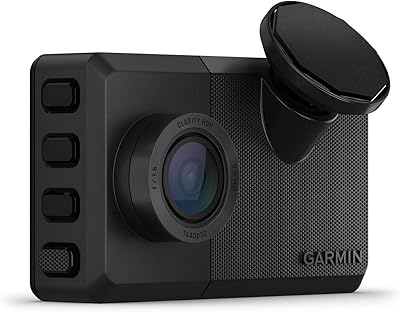
Garmin Dash Cam Live 1440p LTE Camera
78%
83%
Live Connectivity
86%
Video Quality
71%
Parking Guard
81%
App Experience
61%
Value for Money
More
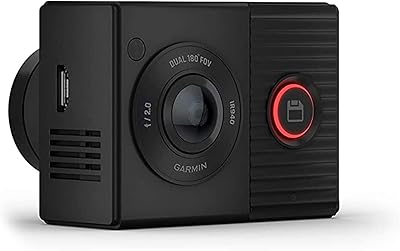
Garmin Dash Cam Tandem Dual-Lens Dash Camera
75%
88%
Video Quality (Front Lens)
83%
Interior Night Vision
61%
Interior Video Resolution
91%
GPS & Location Accuracy
67%
App Experience (Garmin Drive)
More
Baideluo Y50B+32G 3-Camera Dash Cam
83%
88%
Value for Money
84%
Video Quality
90%
Ease of Installation
65%
Night Vision Performance
91%
Field of View
More
Garmin Dash Cam Mini 010-02062-00
85%
88%
Video Quality
91%
Ease of Installation
78%
App Integration & Usability
94%
Design & Portability
85%
Incident Detection Reliability
More
Garmin Dash Cam X310 4K Camera
78%
93%
Video Clarity
88%
Polarizer Effectiveness
51%
Subscription Value
86%
Mount & Installation
82%
Touchscreen Usability
More
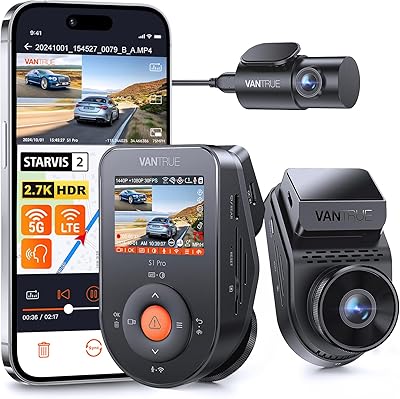
Vantrue S1 Pro Dual Dash Cam
77%
88%
Night Vision & Low-Light Performance
84%
Video Clarity & Resolution
67%
App & Wi-Fi Connectivity
71%
Parking Mode Reliability
82%
GPS Accuracy & Usefulness
More
YOVDA Y8-32 Dual Dash Cam
67%
88%
Value for Money
76%
Video Quality (Daytime)
67%
Night Vision (Interior Camera)
61%
Night Vision (Front Camera)
91%
Ease of Installation
More
VIOFO A129 Plus Dash Cam 2K 1440P 60FPS
87%
96%
Video Quality
94%
Night Recording Performance
89%
GPS Accuracy
87%
Wi-Fi Connectivity
85%
Parking Mode Reliability
More
AMprime 4.5″ Dual 1080P Mirror Dash Cam
67%
78%
Video Clarity (Daytime)
63%
Night Vision Performance
88%
Ease of Installation
57%
Touchscreen Responsiveness
61%
Build Quality
More
Garmin DriveCam 76 GPS Navigator Dash Cam
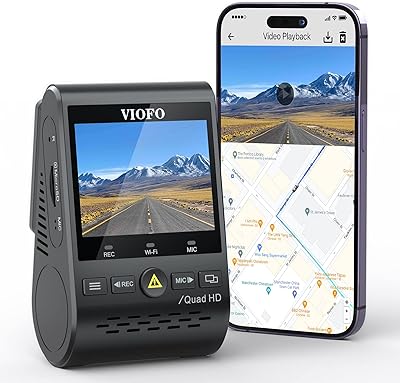
74%
91%
Display Clarity
88%
Navigation Accuracy
83%
Dash Cam Performance
79%
Incident Detection
67%
Cloud Backup Reliability
More

FAQ

A basic free tier of Vault storage is included, but it fills up fairly quickly for drivers who record daily. Garmin does offer a paid subscription for expanded storage if you want automatic backups of longer footage history. If you only plan to use the cloud for saving specific incident clips rather than continuous recording, the free tier may be workable.

Unfortunately, no. Parking Guard relies on a live Wi-Fi connection to send alerts to your phone and upload clips to the Vault. Without a hotspot, the camera can still record locally if it has constant power, but you will not receive any real-time notifications — you would only find the footage the next time you connect and review the card manually.

No, the box only includes a standard 12V vehicle power cable that runs off the accessory socket, which cuts power when the ignition is off. For true always-on parking monitoring, you need a separate hardwire kit that connects directly to the vehicle fuse box — that is sold separately and is not included at purchase.

There is no built-in display on the 67W. To review clips you will need to either use the Garmin Drive app on your smartphone or remove the microSD card and view the files on a computer. This is a common trade-off with compact dash cams at this size.

Honestly, mixed. On well-marked highways and suburban roads the alerts are reasonably useful. In dense city traffic, though, they fire very frequently — stop-and-go conditions trigger the forward collision warning constantly, and lane markings in urban areas are often worn enough to confuse the lane departure system. Most city drivers end up disabling the alerts within the first week.

Yes, the Garmin Drive app is available for both iOS and Android. That said, Android users do report more frequent connectivity drop-outs and occasional pairing issues compared to iPhone users. It works on Android, but if seamless connectivity is important to you, expect to do a bit more troubleshooting on that platform.

The camera supports microSD cards up to 256GB, so you can swap out the included 16GB card for a larger one if you want longer continuous recording before footage loops over. Garmin recommends using cards rated for high-endurance video recording rather than standard photo cards, which can wear out faster under continuous write cycles.

By default, the camera powers on and begins recording automatically as soon as it receives power from the accessory socket when the ignition is turned on. There is nothing special to configure — it is one of the genuinely set-and-forget aspects of this camera that users appreciate most.

Yes, it holds up well for insurance and legal purposes. The GPS-stamped metadata is typically what insurers focus on, and the core footage is legible. The barrel distortion at the outer edges can look unfamiliar to people not used to wide-angle cameras, but the central portion of the frame where most incidents occur is clear and undistorted.

Voice control is supported in English, German, French, Spanish, Italian, and Swedish. If your primary language is outside that list, voice commands will not work and you will need to use the physical button or app controls instead. The language setting for voice recognition is configured through the camera's settings menu.

Where to Buy