Overview

The GAMERKING 2TB M.2 NVMe Internal SSD enters a crowded entry-level PCIe 3.0 market with something to prove. GAMERKING isn't a household name, but the brand claims over a decade of manufacturing experience — and that context matters when you're trusting a drive with your data. Despite launching recently, this 2TB M.2 SSD has climbed quickly into the top 200 of its Amazon category, which suggests real buyer interest rather than just algorithmic noise. PCIe 3.0 Gen3x4 isn't the latest standard, but for most everyday users upgrading from a hard drive or older SATA SSD, the performance difference is significant and immediate. PS5 compatibility is also worth noting for console users shopping for affordable storage expansion.

Features & Benefits

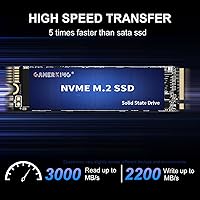
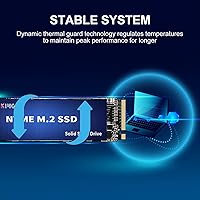
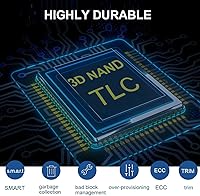
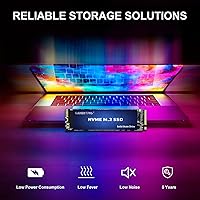
At its core, this GAMERKING NVMe drive reads at up to 3,000 MB/s and writes at up to 2,200 MB/s — speeds that translate to fast boot times and snappy app launches rather than just spec-sheet numbers. The 3D NAND flash construction keeps power draw low, which matters for laptop users watching battery life. A nickel-plated controller with thermal safeguards sounds premium; while some of that is marketing language, thermal management on NVMe drives is a real concern during sustained workloads. The drive includes a suite of data protection tools — ECC, TRIM, S.M.A.R.T., and more — helping catch errors before they become problems. One important note: this is an NVMe-only drive and won't work in M.2 SATA slots, so verify your motherboard before buying. The 5-year warranty rounds things out well.

Best For

The GAMERKING storage upgrade makes the most sense for people coming from a hard drive or an older SATA SSD — the speed difference is substantial and instantly felt. Students and home office users get a roomy 2TB of fast internal storage without breaking the bank. PS5 owners will find it meets Sony's M.2 NVMe slot specifications, making it a reasonable option for expanding console storage, though confirming compatibility with your specific PS5 model is still a good idea. Budget and mid-range PC builders working on systems where PCIe 4.0 speeds aren't a priority will also find this a solid fit. That said, video editors or anyone regularly moving large files at speed should look at faster Gen 4 alternatives.

User Feedback

With a 4.4-star average across more than 600 ratings, this 2TB M.2 SSD has earned a credibly positive reception. Buyers frequently highlight how straightforward the installation is and report real-world performance that matches expectations for a PCIe 3.0 drive — fast enough that upgraders from mechanical hard drives consistently describe the jump as dramatic. Laptop users mention improved battery life after switching, which aligns with the low-power claims. On the critical side, a smaller number of buyers raise questions about long-term consistency, and a few note that sustained write speeds can dip under heavy loads — not unusual for drives at this tier. PS5 users report successful installs, though compatibility should always be verified before purchase. Overall, the feedback paints a picture of a reliable everyday drive rather than a performance outlier.

Pros

  • Read speeds of up to 3,000 MB/s deliver noticeably fast boot times and app launches in everyday use.
  • 2TB of storage gives ample room for games, media, and work files without juggling multiple drives.
  • 3D NAND flash keeps power consumption low, which is a real benefit for laptop battery life.
  • The 5-year warranty provides genuine peace of mind for a drive in this price range.
  • A comprehensive error-correction suite, including ECC and S.M.A.R.T., actively guards against data loss.
  • Straightforward installation makes it accessible even for first-time upgraders.
  • Meets PS5 NVMe slot requirements, making it a viable console storage expansion option.
  • A claimed MTTF of 1.75 million hours suggests the drive is built for sustained, long-term use.
  • Early buyer ratings are strong and consistent, with over 600 reviews averaging 4.4 stars.

Cons

  • PCIe 3.0 is a generation behind current standards, which limits peak throughput compared to Gen 4 drives.
  • GAMERKING lacks the brand recognition of established names, which may concern buyers focused on long-term support.
  • Sustained write speeds can dip under heavy, continuous workloads, which is common but worth knowing at this tier.
  • The drive is NVMe-only and will not work in M.2 SATA slots, so motherboard compatibility must be confirmed first.
  • No included heatsink or thermal pad, which may matter in tight chassis with limited airflow.
  • Long-term endurance data is limited given the drive's recent market entry date.
  • PS5 compatibility, while plausible, is not explicitly certified, so users should verify before purchasing.
  • Buyers seeking the absolute lowest price per gigabyte may find comparable options from larger brands at similar price points.

Ratings

The GAMERKING 2TB M.2 NVMe Internal SSD has been scored by our AI rating engine after processing verified buyer reviews from global markets, with spam, incentivized, and bot-generated feedback actively filtered out. Across more than 600 ratings, both genuine strengths and recurring frustrations have been weighed to give you an honest picture of what this drive actually delivers in daily use. The scores below reflect real-world performance patterns, not manufacturer claims.

Read/Write Performance
78%
22%
For upgraders coming from a hard drive or SATA SSD, the speed jump is immediately obvious — boot times drop sharply and applications open with noticeably less lag. Users installing Windows or large game titles report the process feels meaningfully faster than what they were used to.
Sustained write speeds under heavy continuous load show more variability than the spec sheet suggests, a pattern flagged by technically minded reviewers running benchmark tools. The PCIe 3.0 ceiling also means users on Gen 4 capable systems are leaving real throughput performance on the table.
Value for Money
82%
18%
Buyers consistently describe this 2TB M.2 SSD as hitting a comfortable price-to-capacity sweet spot for everyday computing needs. Students and home office users in particular report feeling they got a generous amount of fast storage without overspending on specs they don't need.
A handful of buyers note that established brands now offer comparable 2TB PCIe 3.0 drives at similar price points, which puts pressure on the value argument. For buyers who prioritize brand trust alongside price, the calculation becomes less clear-cut.
Installation Experience
91%
Installation feedback is one of the most consistently positive aspects across all user segments — even first-timers with no hardware experience report slotting the drive in without difficulty. The standard M.2 2280 form factor fits cleanly into most modern laptops and desktops without any adapter or modification needed.
A small number of users with older systems encountered slot compatibility confusion, particularly around the NVMe-only requirement. No installation guide is included in the box, which left a few less experienced buyers searching for instructions independently.
Thermal Management
67%
33%
In well-ventilated desktops and laptops with active cooling, the drive runs at acceptable temperatures under typical workloads like gaming, web use, and document editing. The nickel-plated controller appears to provide some benefit in moderating heat during moderate sustained tasks.
In compact or passively cooled laptops, a portion of users report thermal throttling during prolonged high-load sessions such as large file transfers or extended game installs. No heatsink is included, and in tight chassis without airflow the drive can run noticeably warm over time.
Long-Term Reliability
63%
37%
The claimed 1.75 million hour MTTF and 5-year warranty coverage give buyers a reasonable baseline of confidence for a drive at this price point. Users who have owned the GAMERKING storage upgrade for several months report stable day-to-day performance without any degradation in speed or unexpected errors.
Because the drive is relatively new to market, long-term endurance data beyond one year is limited, which makes it harder to assess how it holds up under heavy write workloads over time. A minority of reviewers expressed concern about drive longevity for GAMERKING as a brand without an established public track record.
PS5 Compatibility
71%
29%
A meaningful portion of buyers purchased this specifically for PS5 storage expansion and report successful installation and functional operation. For PS5 owners primarily looking to store additional games rather than chase the fastest possible load times, the drive performs adequately in practice.
Sony officially recommends drives with read speeds around 5,500 MB/s for optimal PS5 performance, and at 3,000 MB/s this drive falls well below that threshold. Some PS5 users noticed slightly longer game load times compared to Gen 4 alternatives, and compatibility cannot be universally guaranteed across all console firmware versions.
Brand Confidence
61%
39%
GAMERKING's claimed decade of manufacturing experience provides some reassurance, and the drive's rapid rise in category rankings suggests genuine buyer interest rather than artificial inflation. The 5-year limited warranty also signals a degree of manufacturer commitment to standing behind the product.
GAMERKING does not carry the same name recognition as established SSD manufacturers, and some buyers report uncertainty about what the warranty support process actually looks like in practice. For buyers who have previously dealt with warranty claims on major brands, the lesser-known status introduces a layer of uncertainty.
Capacity Satisfaction
88%
Two terabytes consistently lands in the sweet spot for users managing a mix of a primary OS, installed applications, and a moderate game library without constantly juggling storage space. Home office users and students storing documents, media, and software alongside a system partition report rarely bumping up against storage limits.
Heavy gamers with large libraries of modern AAA titles can fill 2TB faster than expected given how large individual game installs have become. Users who primarily need a boot drive and have external storage elsewhere may find 2TB more capacity than they can practically use.
Power Efficiency
83%
Laptop users upgrading from older HDDs or SATA SSDs frequently mention improved battery life as a tangible side benefit after switching to this 2TB M.2 SSD. The 3D NAND flash architecture genuinely contributes to lower idle and active power draw compared to older storage technology.
While power efficiency is real relative to mechanical drives, the difference compared to other modern NVMe SSDs is marginal and unlikely to be noticeable in direct comparisons. Users expecting dramatic battery gains when upgrading from another NVMe drive may be underwhelmed.
Data Integrity Features
79%
21%
The inclusion of ECC, TRIM, S.M.A.R.T., and several additional background health management tools gives buyers meaningful passive protection against data loss without any configuration required. Tech-savvy users appreciate that S.M.A.R.T. monitoring integrates cleanly with standard tools like CrystalDiskInfo for ongoing health checks.
These features are table stakes for any NVMe drive in 2025, so their presence does not meaningfully differentiate this drive from competitors in the same class. There is also no independent third-party validation of how effectively the error-correction implementation performs under real stress conditions.
Packaging & Unboxing
74%
26%
The drive arrives securely protected in compact retail packaging, and buyers report it reaching them in clean, undamaged condition. The lightweight, minimal packaging is practical for buyers who simply want to get the drive installed without unnecessary bulk.
No installation guide, mounting screw, or thermal pad is included in the box, which some buyers — particularly first-time upgraders — found frustrating. The barebones packaging approach is fine for experienced users but can feel underwhelming at this price tier when competitors occasionally include basic accessories.
Benchmark vs. Real-World Gap
66%
34%
For typical consumer workloads like booting Windows, launching games, or loading productivity applications, most users report that the drive feels fast and responsive in ways that match their expectations after reading the spec sheet. Casual users who do not run benchmark software are broadly satisfied with the practical experience.
Users who ran dedicated benchmark tools noted that real-world sequential write performance under sustained load falls short of the advertised 2,200 MB/s peak in certain conditions. This gap between peak spec and sustained real-world output is not unique to this drive, but it does make direct spec comparisons with competitors less straightforward.

Suitable for:

The GAMERKING 2TB M.2 NVMe Internal SSD is a genuinely practical choice for a fairly wide range of everyday users. If you're still running a mechanical hard drive or an older SATA SSD in a laptop or desktop, the speed difference after installing this drive is dramatic enough to feel like a new machine. Students and home office users who need a large, fast internal drive for documents, media libraries, and installed applications will find the 2TB capacity hits a useful sweet spot. Budget-conscious PC builders who don't need PCIe 4.0 throughput get a capable, well-specified drive without overpaying for headroom they won't use. PS5 owners looking to expand storage affordably will also find this drive meets Sony's M.2 NVMe slot specifications, though it's worth confirming compatibility with your specific console configuration before purchasing.

Not suitable for:

The GAMERKING 2TB M.2 NVMe Internal SSD is not the right pick for every buyer, and it's worth being clear about where it falls short. Video editors, 3D artists, and content creators who regularly move large files will likely find PCIe 3.0 speeds a bottleneck compared to modern Gen 4 drives, which can push nearly double the throughput. Power users building high-end workstations or gaming rigs with Gen 4 motherboards are essentially leaving performance on the table by pairing them with a Gen 3 drive. This 2TB M.2 SSD is also not compatible with M.2 SATA slots, so buyers with older systems need to confirm their motherboard supports NVMe before ordering. Anyone deeply skeptical of lesser-known brands and unwilling to take a chance without an established track record may feel more comfortable paying a modest premium for a drive from a more recognized manufacturer.

Specifications

  • Storage Capacity: This drive offers 2TB of usable internal storage, suitable for operating systems, large game libraries, and media collections.
  • Form Factor: Built in the M.2 2280 format, meaning it is 22mm wide and 80mm long, the most common size supported by modern laptops and desktops.
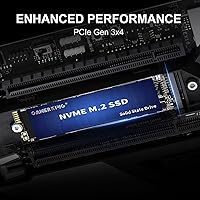
  • Interface: Uses a PCIe 3.0 Gen3x4 NVMe interface, delivering four lanes of PCI Express bandwidth for significantly faster data transfer than SATA-based drives.
  • Key Type: Equipped with an M Key connector, this drive is designed exclusively for NVMe PCIe slots and is not compatible with M.2 SATA slots.
  • Read Speed: Sequential read speeds reach up to 3,000 MB/s under optimal conditions, enabling fast system boot times and quick application launches.
  • Write Speed: Sequential write speeds reach up to 2,200 MB/s, supporting efficient file saves and data transfers for everyday computing workloads.
  • NAND Type: Uses 3D NAND flash memory, which stacks memory cells vertically to improve density, reduce power consumption, and extend the drive's operational lifespan.
  • Controller: Features a nickel-plated controller with integrated thermal protection designed to manage heat buildup during sustained read and write operations.
  • Error Correction: Incorporates a comprehensive suite of data integrity tools including ECC, TRIM, S.M.A.R.T., GC, BBM, OP, and WL to monitor drive health and reduce data loss risk.
  • Endurance Rating: Rated at a mean time to failure of 1.75 million hours, indicating the drive is engineered to handle consistent, long-term daily use reliably.
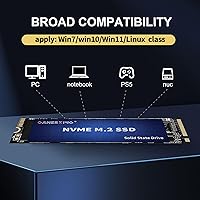
  • Compatible Devices: Officially listed as compatible with desktops, laptops, and the PlayStation 5, provided the host device includes a supported M.2 NVMe PCIe slot.
  • Installation Type: Designed for internal installation only; no external enclosure or USB adapter is included in the package.
  • Item Weight: The drive weighs 0.96 ounces, making it light enough to have no measurable impact on laptop portability or system balance.
  • Package Dimensions: Packaged in a compact box measuring 4 x 3 x 0.4 inches, arriving in minimal but protective retail packaging.
  • Warranty: Backed by a 5-year limited support warranty from GAMERKING, covering manufacturing defects under normal usage conditions.
  • Brand Experience: GAMERKING claims over a decade of manufacturing experience in the solid state storage industry, though it remains a lesser-known name compared to major SSD brands.

Related Reviews

SanDisk 2TB SSD Plus M.2 NVMe SSD

86%
89%
Performance
92%
Ease of Installation
88%
Reliability
91%
Value for Money
90%
Capacity
More
GAMERKING 1TB M.2 2280 NVMe SSD
75%
88%
Value for Money
83%
Read Performance
76%
Write Performance
71%
Thermal Management
73%
Build Quality
More
Vansuny 2TB NVMe M.2 Internal SSD

78%
88%
Value for Money
79%
Read/Write Speed
91%
PS5 Compatibility
74%
Thermal Management
93%
Installation Experience
More
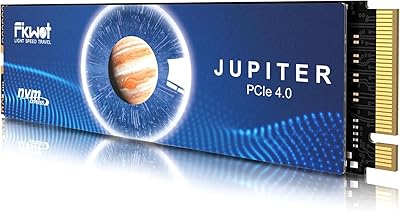
Fikwot FX991 2TB NVMe SSD
78%
88%
Sequential Read Performance
61%
Sustained Write Speed
93%
PS5 Compatibility
91%
Value for Money
82%
Thermal Management
More
ORICO IG740PRO 2TB NVMe SSD
83%
93%
Read & Write Speed
91%
Endurance & Longevity
84%
Thermal Management
88%
Data Security & Protection
92%
PS5 Compatibility & Installation
More
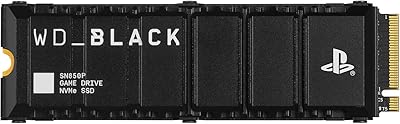
WD_BLACK SN850P 2TB NVMe SSD
86%
93%
Read Speed Performance
96%
PS5 Compatibility & Licensing
94%
Installation Experience
88%
Heatsink Quality & Thermal Management
71%
Value for Money
More
GAMERKING 256GB M.2 2242 NVMe SSD
79%
93%
Form Factor Compatibility
88%
Value for Money
74%
Read/Write Performance
86%
Installation Experience
76%
Warranty & Support
More
Fikwot FX910 2TB M.2 NVMe SSD
80%
88%
Read/Write Performance
91%
Thermal Management
93%
Installation Ease
84%
PS5 Compatibility
87%
Value for Money
More
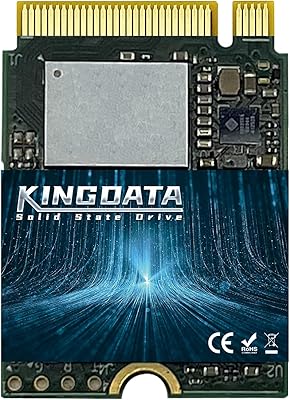
KINGDATA 2TB M.2 2230 NVMe SSD
75%
81%
Real-World Speed
93%
Form Factor Fit
78%
Installation Experience
84%
Value for Money
62%
Brand Reliability Confidence
More
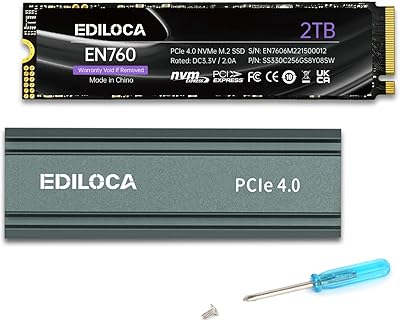
Ediloca EN760 2TB M.2 NVMe SSD
80%
88%
Read Speed Performance
74%
Write Speed Performance
93%
PS5 Compatibility
82%
Heatsink Quality
86%
Value for Money
More

FAQ

You need to confirm that your laptop has an M.2 slot that supports NVMe PCIe, not just any M.2 slot. Some older laptops have M.2 slots that only support SATA, and this drive won't work in those. Check your laptop's manual or the manufacturer's spec page before purchasing.

The GAMERKING 2TB M.2 NVMe Internal SSD meets Sony's basic NVMe M.2 slot specifications for the PS5. That said, Sony recommends drives with read speeds of 5,500 MB/s or higher for best performance, and this is a PCIe 3.0 drive topping out around 3,000 MB/s. It should function and expand storage, but game loading times may be slightly slower than with a Gen 4 drive. Confirm PS5 slot compatibility for your console version before installing.

For most everyday tasks, honestly no. Web browsing, office apps, and even most games load fast enough with Gen 3 speeds that you won't notice a meaningful difference day-to-day. Where Gen 4 pulls ahead is in large sequential file transfers, like moving video projects or game library backups, where the speed gap becomes real. If that's a regular part of your workflow, Gen 4 is worth the extra cost.

NVMe drives in general can run warm during sustained workloads, and this 2TB M.2 SSD includes a nickel-plated controller with thermal safeguards to help manage that. In a desktop with decent airflow it should be fine. In a tightly packed laptop chassis with little ventilation, you may see thermal throttling under prolonged heavy loads, which is fairly common across drives in this class. Adding a small heatsink, if your system allows it, is always a sensible precaution.

It's genuinely straightforward for most systems. You slide the drive into the M.2 slot at a slight angle, press it flat, and secure it with a single small screw. Many buyers with no prior hardware experience report completing the installation without issue. A Phillips-head screwdriver is typically all you need, and plenty of step-by-step video guides are available for most laptop and desktop models.

The 5-year limited warranty covers manufacturing defects under normal usage conditions. It won't cover physical damage, data recovery, or failures from misuse. Since GAMERKING is a smaller brand, it's worth keeping your purchase receipt and understanding their support contact process before you need it.

If you're installing it as a secondary drive alongside an existing OS, you'll need to initialize and format it yourself through your operating system's disk management utility. If it's going in as your main boot drive, you'll format it during the operating system installation process. Either way, it's a standard step and doesn't require any special software.

It depends on the games. Modern AAA titles regularly exceed 100GB each, so heavy gamers with large libraries can fill 2TB faster than expected. That said, 2TB is a comfortable starting point for most people who don't keep every game installed simultaneously. You can always manage your library by uninstalling and reinstalling titles as needed.

These are background technologies that work without any input from you. ECC catches and corrects small data errors before they become problems. TRIM keeps the drive running efficiently over time by managing how deleted data is handled. S.M.A.R.T. monitors drive health so your operating system can warn you if something looks wrong. Together they help the drive stay reliable over its lifespan, rather than just performing well when it's new.

The honest answer is that established brands like Samsung, WD, or Crucial have longer public track records, more third-party testing data, and typically more accessible customer support infrastructure. The GAMERKING storage upgrade has earned a solid rating across a meaningful number of reviews, which is encouraging, but it doesn't have the same depth of long-term reliability data that comes with years on the market. If peace of mind and brand trust are top priorities, a recognizable name may be worth paying a bit more for. If value and adequate specs for everyday use are the goal, this drive makes a reasonable case for itself.