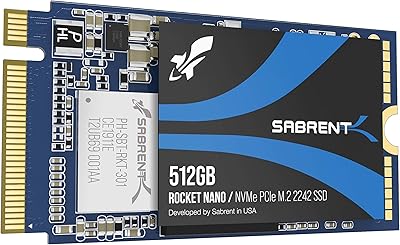
Sabrent Rocket Q4 1TB NVMe SSD
Overview
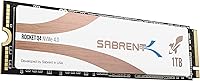
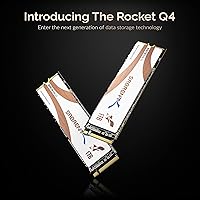
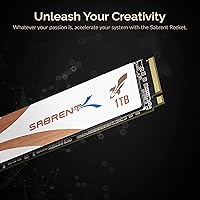
The Sabrent Rocket Q4 1TB NVMe SSD sits in an interesting spot in the Gen 4 storage market — it uses QLC NAND to keep costs lower than TLC-based Gen 4 rivals while still delivering read speeds that leave Gen 3 drives far behind. It ships in the standard M.2 2280 form factor, so it drops into virtually any modern motherboard with a PCIe 4.0 slot. That said, QLC comes with a real trade-off: sustained write performance is more modest than premium drives, and that matters if you are writing large files back to back. Go in with honest expectations — this is a read-heavy workhorse, not an all-around performance king.
Features & Benefits
Peak sequential reads hit 4700 MB/s, roughly double what most Gen 3 drives can manage — you notice this most when loading large game levels, importing raw video footage, or booting into Windows. Writes top out at 1800 MB/s under ideal conditions, which handles typical prosumer tasks well. The drive is NVMe 1.3 compliant and includes power management protocols that help it behave sensibly in compact or battery-powered systems. Built-in ECC, wear leveling, and bad block management are standard but worth noting for long-term peace of mind. The bundled cloning software — Acronis True Image — is genuinely useful, and the sector size utility covers an edge case that frustrates more people than you would expect.
Best For
This Gen 4 QLC drive makes the most sense for PC builders moving up from a SATA or Gen 3 NVMe setup who want a real speed difference without spending significantly more. Content creators transferring large video files or pulling assets off fast external drives will benefit from the high read bandwidth. Gamers on AMD X570 or B550 platforms — or Intel boards supporting PCIe 4.0 — can take full advantage without the cost premium of TLC alternatives. It also fits neatly into home lab arrays that accept M.2 2280 PCIe drives. If your workload is write-heavy and sustained, a TLC drive might serve you better.
User Feedback
Most owners report that the Rocket Q4 performs close to spec in read-intensive scenarios and call the installation process refreshingly straightforward — coming from a SATA SSD, the difference is immediately obvious. The cloning software gets specific praise; people appreciate not having to hunt down third-party tools. Where buyers do express concern is thermal throttling during long sequential writes, and pairing this NVMe SSD with a heatsink is widely recommended, especially in tighter cases. A small number of users have flagged compatibility quirks with older BIOS versions, though these cases appear isolated. On balance, the value-to-performance ratio earns consistently high marks from people using it for everyday read-heavy storage.
Pros
- Delivers genuine PCIe 4.0 read speeds that make a noticeable difference over Gen 3 and SATA drives.
- QLC NAND keeps the cost lower than most TLC Gen 4 alternatives at the same capacity.
- Standard M.2 2280 form factor fits virtually every modern motherboard with a PCIe 4.0 slot.
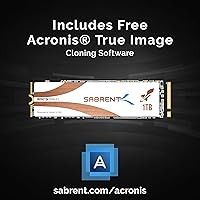
- Bundled Acronis True Image cloning software is a practical, time-saving inclusion for drive migrations.
- Sector size utility lets users reformat to 512-byte or 4K sectors, covering compatibility edge cases others ignore.
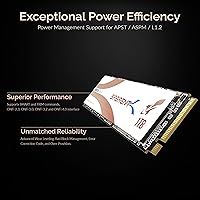
- Power management support (APST, ASPM, L1.2) makes the Rocket Q4 a reasonable option for compact and mobile builds.
- Built-in ECC and wear leveling add a layer of long-term reliability assurance for everyday users.
- Installation is straightforward, with most buyers reporting a smooth out-of-box experience.
- Strong value-to-performance ratio for read-intensive workloads like gaming and media consumption.
- Broad compatibility with AMD and Intel PCIe 4.0 platforms gives buyers flexibility across builds.
Cons
- Sustained write speeds drop significantly once the SLC cache fills, affecting heavy write workloads.
- QLC NAND has a shorter rated write endurance compared to TLC alternatives at similar capacities.
- A heatsink is effectively necessary in warm or compact cases to prevent thermal throttling under load.
- The drive does not reach its speed potential on older PCIe 3.0 platforms, limiting upgrade value for legacy systems.
- Write performance ceiling of 1800 MB/s is noticeably lower than premium TLC Gen 4 competitors.
- A small subset of users have reported BIOS compatibility issues requiring firmware updates before the drive is recognized.
- No included heatsink means an additional purchase may be needed depending on the build environment.
- Cache-less write performance can be inconsistent during large file operations that exceed the SLC buffer size.
Ratings
The scores below reflect an AI-driven analysis of verified global buyer reviews for the Sabrent Rocket Q4 1TB NVMe SSD, with spam, bot-submitted, and incentivized feedback actively filtered out before scoring. Each category captures both what real users praised and where they ran into genuine frustrations — nothing is glossed over. The result is a balanced, data-grounded snapshot of how this Gen 4 QLC drive actually performs in the hands of everyday builders, gamers, and professionals.
Sequential Read Performance
Sustained Write Performance
Value for Money
Thermal Management
Installation & Setup
Cloning & Migration Software
Compatibility
Long-Term Reliability
Noise & Vibration
PCIe 4.0 Platform Optimization
Power Efficiency
Packaging & Unboxing
Write Cache Transparency
Suitable for:
The Sabrent Rocket Q4 1TB NVMe SSD is a strong choice for PC builders who want to step up to PCIe 4.0 performance without committing to the higher cost of TLC-based drives. Gamers on AMD X570, B550, or compatible Intel platforms will appreciate the jump in load times and system responsiveness compared to older Gen 3 or SATA storage. Content creators who regularly move large video files, pull from fast external media, or stage project assets locally will get real, tangible benefit from the high sequential read bandwidth. It also works well in home lab or small server setups that accept M.2 2280 PCIe drives and need dependable throughput at a reasonable outlay. The bundled Acronis True Image software makes this an especially practical pick for anyone migrating from an existing drive, since it removes the usual headache of sourcing cloning tools separately.
Not suitable for:
The Sabrent Rocket Q4 1TB NVMe SSD is not the right call for users whose work involves heavy, sustained write activity — think large database transactions, continuous 4K video capture directly to the drive, or virtual machine workloads that write aggressively over extended periods. QLC NAND, by its nature, slows down noticeably once the SLC write cache is exhausted, and that limitation shows up in real workloads rather than just synthetic benchmarks. Professional video editors who are constantly ingesting and writing back long-form footage may find the sustained write ceiling frustrating compared to a TLC Gen 4 alternative. Users running systems without PCIe 4.0 support will also not unlock the drive's read speed potential — they will be paying for bandwidth their platform cannot deliver. Finally, anyone who tends to skip thermal management in a tight case should be aware that this drive benefits from a heatsink, and ignoring that in a hot build can lead to throttling under load.
Specifications
- Capacity: The drive offers 1TB of usable storage, suitable for operating systems, applications, and large media libraries.
- Interface: It connects via a PCIe Gen 4 x4 interface, requiring a motherboard slot that supports PCIe 4.0 to achieve full rated speeds.
- Protocol: The drive complies with the NVMe 1.3 specification, enabling low-latency communication between the drive and the host system.
- Form Factor: Built in the M.2 2280 format, measuring 80mm in length, which fits the vast majority of desktop and laptop M.2 slots.
- Sequential Read: Maximum sequential read speed is rated at 4700 MB/s under optimal, lightly loaded conditions.
- Sequential Write: Maximum sequential write speed is rated at 1800 MB/s, with real-world sustained performance varying based on workload and thermal conditions.
- NAND Type: Storage cells use QLC (Quad-Level Cell) NAND flash, which offers higher density and lower cost per gigabyte than TLC at the expense of write endurance and sustained write speed.
- Power Management: Supports APST, ASPM, and L1.2 power states, reducing idle power draw in laptops and small form factor systems.
- Error Correction: Onboard ECC (Error Correction Code) continuously monitors and corrects data errors to maintain read and write integrity over time.
- Wear Management: Incorporates advanced wear leveling and bad block management to distribute writes evenly and extend the operational lifespan of the NAND cells.
- Sector Size: A Sabrent utility allows the drive to be reformatted to either 512-byte or 4K sector sizes to accommodate legacy cloning and compatibility scenarios.
- Bundled Software: Includes a license for Sabrent Acronis True Image, enabling full disk cloning and migration from an existing drive without requiring third-party tools.
- Dimensions: Physical dimensions are 4 x 2.8 x 0.5 inches, consistent with the standard M.2 2280 specification.
- Weight: The drive weighs 2.39 ounces, making it light enough for any portable or compact build.
- PCB Color: The circuit board features a gold finish, though this has no bearing on performance or compatibility.
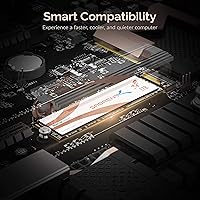
- Compatibility: Compatible with desktops, laptops, and server arrays that accept M.2 2280 PCIe drives, including systems based on AMD X570, B550, and compatible Intel chipsets.
- Heatsink: No heatsink is included in the package; one is recommended for builds with poor airflow or sustained write workloads to prevent thermal throttling.
Related Reviews
Sabrent Rocket 4 1TB NVMe SSD
SABRENT Rocket 2230 1TB NVMe SSD
SABRENT Rocket Q4 2230 2TB NVMe SSD
Sabrent 1TB Rocket 4 Plus NVMe 4.0 SSD
SABRENT Rocket 4 4TB NVMe SSD
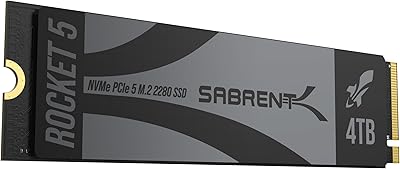
SABRENT Rocket 5 4TB NVMe SSD
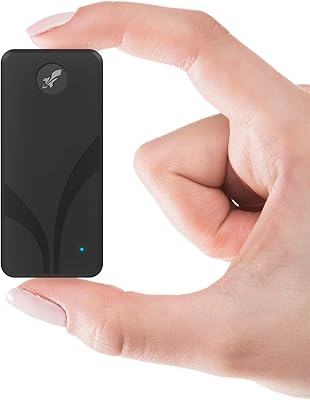
SABRENT Rocket Nano V2 1TB External SSD
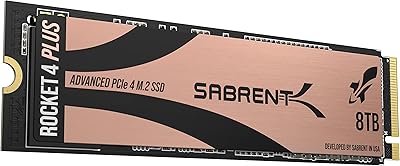
SABRENT Rocket 4 Plus 8TB NVMe SSD
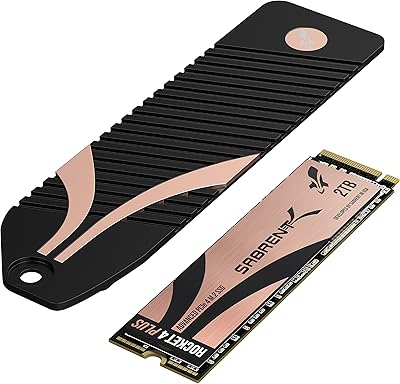
SABRENT Rocket 4 Plus 2TB NVMe SSD