
Overview
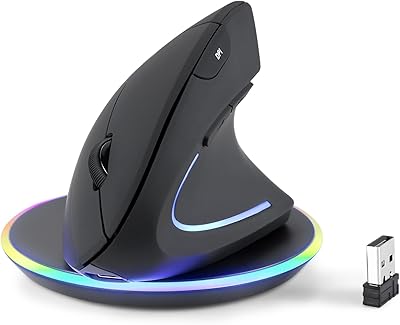
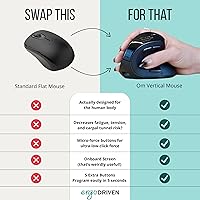
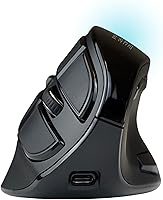
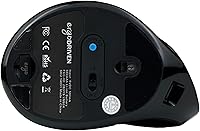
The Ergodriven Om Vertical Wireless Mouse enters a crowded ergonomic market with a few genuinely interesting ideas at an accessible price point. Most people don't think about wrist position until something starts to ache — and by then, habits are hard to break. This vertical mouse addresses that by rotating your grip into a natural handshake position, keeping your forearm from twisting inward the way it does with a flat mouse. What sets it apart from similarly priced options is an onboard OLED screen and no-software button customization — features you'd normally expect to pay considerably more for. Dual wireless connectivity rounds things out practically.
Features & Benefits
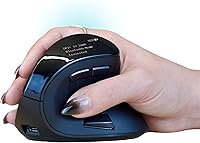
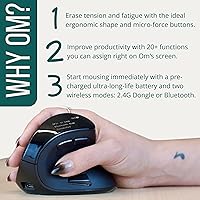
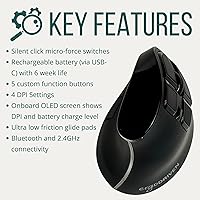
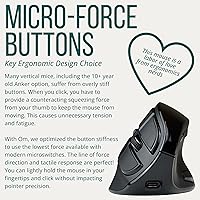
The handshake grip is the foundation here. Holding the Om mouse upright keeps your forearm in a more neutral rotation, which can meaningfully reduce the tension that builds across long work sessions — though results vary person to person. The silent micro-force switches are noticeably muted, making this a solid pick for shared spaces or anyone who finds click noise distracting. The small OLED display is genuinely useful: glancing down to confirm or cycle through the four DPI settings — 1200 through 2400 — takes seconds without opening a single app. The rechargeable battery ships partially charged and ready to use, and both 2.4GHz dongle and Bluetooth are supported for flexible device switching.
Best For
This ergonomic wireless mouse makes the most sense for people who spend the bulk of their workday at a desk and have started noticing discomfort in their wrist, forearm, or shoulder. It's also a reasonable entry point for anyone curious about vertical mice but hesitant to invest heavily before committing. The no-software setup is a practical advantage for Mac users in particular, where driver compatibility can be unpredictable. Multi-device households benefit from the Bluetooth plus dongle combination, and anyone working in a quiet environment will appreciate the muted clicks more than expected. One honest caveat: new users typically need a week or two to adapt before the vertical grip starts feeling fully natural.
User Feedback
Across roughly 220 ratings, the Om mouse holds a 4.4-star average — a solid score that reflects genuine satisfaction alongside a few recurring concerns. The most consistent praise centers on immediate comfort improvement after switching from a conventional mouse, and buyers frequently note how straightforward the out-of-box setup is. The quiet clicks tend to win people over more than they anticipated. On the critical side, some users report the adjustment period runs longer than expected, and a handful mention the sizing doesn't suit very large or very small hands equally well. Build quality gets occasional mention as feeling modest, which is understandable at this tier. The two-year warranty is frequently cited as a meaningful confidence boost.
Pros
- The vertical handshake grip can meaningfully reduce forearm tension during long daily work sessions.
- Silent micro-force switches are genuinely quiet — a noticeable difference in shared or noise-sensitive environments.
- The onboard OLED screen lets you check and switch DPI settings in seconds without installing any software.
- Both 2.4GHz dongle and Bluetooth are included, making multi-device setups easy to manage.
- Rechargeable Li-ion battery ships partially charged and reportedly lasts for weeks between charges.
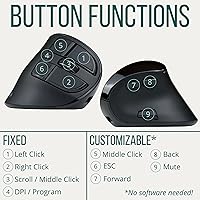
- Five programmable buttons can be customized directly on the mouse in under ten seconds.
- Works out of the box with Windows and Mac, with no driver installation required.
- A 2-year manufacturer warranty adds meaningful confidence for a relatively new product.
- At this price tier, the combination of OLED display and silent switches is hard to find elsewhere.
- Setup is genuinely plug-and-play — most users are up and running within a minute of unboxing.
Cons
- New vertical mouse users typically need one to two weeks to adapt before the grip feels natural.
- The sizing does not suit very large or very small hands equally well.
- Build material and button feel reflect the accessible price point — it does not feel premium in hand.
- Strictly right-handed design leaves left-handed users without an option.
- No dedicated software means advanced users cannot create per-app profiles or complex macros.
- DPI maxes out at 2400, which limits usefulness for high-resolution multi-monitor or precision design work.
- The mouse is relatively light at 5.6 ounces, which some users find reduces the sense of control.
- As a newer market entrant, long-term durability data across years of heavy use is still limited.
Ratings
The scores below were generated by AI after systematically analyzing verified global user reviews for the Ergodriven Om Vertical Wireless Mouse, with spam, bot-generated, and incentivized feedback actively filtered out. Each category reflects the honest distribution of buyer sentiment — strengths and frustrations weighted equally — so you get a clear, unvarnished picture of where this ergonomic wireless mouse excels and where it falls short.
Ergonomic Comfort
Wireless Performance
Click Switch Quality
OLED Display Utility
Value for Money
Build Quality
Battery Life
Setup & Ease of Use
DPI Range & Accuracy
Hand Fit & Sizing
Button Customization
Multi-Device Compatibility
Warranty & Brand Trust
Suitable for:
The Ergodriven Om Vertical Wireless Mouse is a strong fit for desk workers who clock six or more hours daily at a computer and have started feeling the early signs of wrist, forearm, or shoulder strain. If you've been curious about vertical mice but didn't want to spend heavily on a first experiment, this sits at a price point that makes the risk feel manageable. It's also a practical pick for anyone working across both Mac and PC, since everything is configurable directly on the mouse — no drivers, no software headaches. People in shared or quiet spaces, like open-plan offices or home setups where others are sleeping, will particularly appreciate how genuinely muted the click switches are. Remote workers who occasionally switch between a laptop and a desktop will find the Bluetooth plus USB dongle combination more convenient than it might seem on paper.
Not suitable for:
The Ergodriven Om Vertical Wireless Mouse is not the right call for users who need a precision tool for gaming or graphic-heavy design work — the DPI range tops out at 2400, and the form factor isn't built for fast, sweeping movements across large monitors. People with very large hands or unusually small hands have flagged fit issues in real-world feedback, so if ergonomic sizing is a specific concern, it's worth researching hand measurements against the mouse dimensions before buying. Left-handed users should look elsewhere entirely, as the vertical grip is shaped exclusively for right-hand use. Those who expect a premium, weighty feel from their peripherals may find the build quality underwhelming at this price tier. And if you're already deep into a software ecosystem that relies on advanced mouse macros or per-app button profiles, the no-software approach that works well for casual users becomes a genuine limitation here.
Specifications
- Form Factor: Vertical handshake grip design that holds the hand in an upright, forearm-neutral position rather than the pronated posture of a traditional flat mouse.
- Dimensions: The mouse measures 4.25 x 3 x 0.1 inches and weighs 5.6 ounces, sized for average adult right hands.
- Connectivity: Supports both 2.4GHz wireless via a USB-A dongle and Bluetooth, allowing connection to two device types without re-pairing.
- DPI Settings: Four selectable sensitivity levels at 1200, 1600, 2000, and 2400 DPI, switchable directly from the mouse body.
- Onboard Display: A small OLED screen on the mouse body shows the active DPI setting, removing the need for any companion software.
- Click Switches: Silent micro-force switches are used for both primary buttons, producing significantly reduced audible click noise compared to standard mechanical switches.
- Programmable Buttons: Five buttons are fully customizable for functions such as copy, paste, or navigation shortcuts, all assignable without installing software.
- Battery Type: Built-in rechargeable Li-ion battery that charges via cable, eliminating the need for disposable AA or AAA batteries.
- Battery Level: Units ship with at least 50% battery charge, providing enough power for several weeks of typical office use before a first recharge is needed.
- Software Required: No driver or companion application is required for core functionality or button customization on either Windows or macOS.
- Compatibility: Compatible with Windows PCs and Apple Mac computers; works with both operating systems using either wireless connection method.
- Tracking Technology: Optical movement detection technology is used for cursor tracking across standard desk surfaces and most mouse pads.
- Hand Orientation: Designed exclusively for right-handed use; no left-handed variant is available for this model.
- Color: Available in Black only as of the current product listing.
- Warranty: Covered by a 2-year manufacturer warranty provided directly by Ergodriven.
- Release Date: First made available for purchase in November 2024, making it a recent addition to the ergonomic mouse market.
- Market Ranking: Holds a Best Sellers Rank of #306 in the Computer Mice category on Amazon, reflecting strong early sales traction.
- User Rating: Rated 4.4 out of 5 stars based on approximately 222 customer ratings at the time of this review.
Related Reviews

Lekvey XC-05 Vertical Wireless Mouse

Acer OMR241 Ergonomic Vertical Mouse

seenda Ergonomic Vertical Wireless Mouse

Logitech MX Vertical

Woddlffy RAAVEE Ergonomic Vertical Wireless Mouse

UGREEN Vertical Wireless Ergonomic Mouse
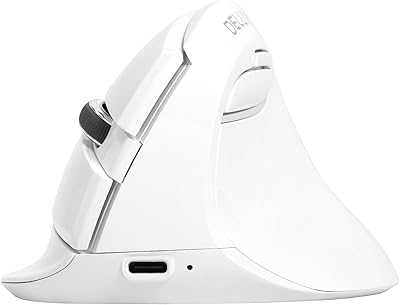
DeLUX M618mini Wireless Vertical Ergonomic Mouse
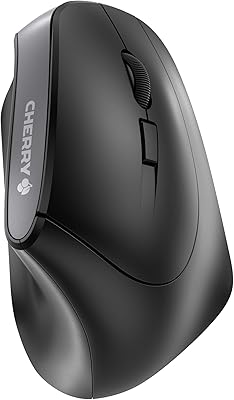
Cherry MW4500 Wireless Vertical Ergonomic Mouse
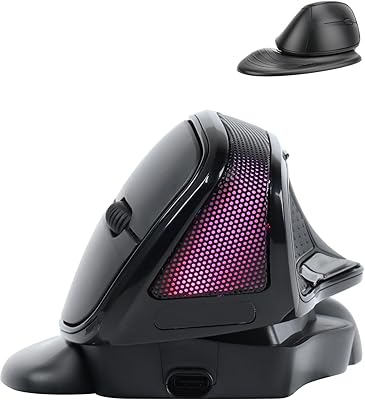
SHARE SUNSHINE Ergonomic Vertical Wireless Mouse