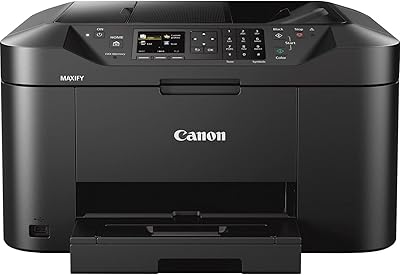
Epson WorkForce WF-110 Wireless Mobile Printer
Overview
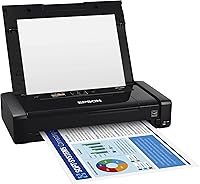
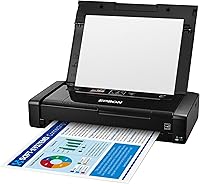
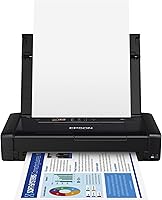
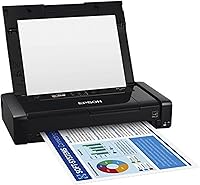
The Epson WorkForce WF-110 Wireless Mobile Printer is built for one specific purpose: giving professionals a reliable way to print color documents without being tethered to a desk or an outlet. The defining feature is the built-in lithium-ion battery, which makes it genuinely self-contained in a way most compact printers simply are not. It is priced at a premium, reflecting its niche — this is not a budget device, and it is not trying to be. Print size tops out at A6, so it handles receipts, 4x6 photos, and short documents well. Worth noting upfront: this is a print-only device, with no scanning or copying capability whatsoever.
Features & Benefits
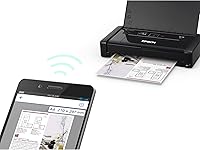
The wireless connectivity is well thought out — you get both standard Wi-Fi and Wi-Fi Direct, so printing from a phone or laptop requires no network infrastructure at all. The battery charges via USB or AC adapter, and an optional external accessory battery extends capacity if you need higher print volumes in the field. Print quality punches above its size: pigment-based inkjet output at up to 5760 x 1440 dpi produces sharp text and respectable color accuracy. Automatic duplex printing is a genuine convenience at this scale. At 4.6 lbs, this portable inkjet fits in a backpack without dominating it, and the iOS and Android compatibility covers most real-world mobile workflows without friction.
Best For
This mobile printer is a strong fit for professionals who regularly work away from a fixed office. Field sales reps can hand a client a printed quote or contract during a meeting rather than promising to email it later. Real estate agents find it useful for printing disclosure forms or listing sheets on-site. Small business owners running pop-up events or markets benefit from a self-contained solution that does not depend on nearby Wi-Fi. It is less suited for high-volume tasks — the 20-sheet tray and A6 maximum size are genuine limits. For occasional, targeted on-the-go printing needs, though, few alternatives offer the same battery-powered independence.
User Feedback
Buyers consistently praise how easy the WF-110 is to set up wirelessly and how reliably it handles the job it was designed for. Battery performance draws mixed reactions — most users find it adequate for a day of light printing, but those with heavier output report it running short faster than expected. The ink cost and yield is a recurring complaint: cartridges do not last long at higher print frequency, making the per-page cost noticeable over time. The 20-sheet tray frustrates anyone expecting to run longer jobs unattended. On overall value, opinions split: regular users tend to feel it justifies its price, while occasional users sometimes question whether the investment aligns with their actual output volume.
Pros
- Built-in rechargeable battery enables completely untethered printing, no outlet required.
- Wi-Fi Direct lets you print from a phone or laptop without any network infrastructure at all.
- Pigment inkjet output produces sharp, professional-looking text on contracts and documents.
- Separate CMYK cartridges mean you only replace the color that actually runs out.
- Automatic duplex printing on a device this compact is a genuinely useful feature.
- Charges via USB, so a laptop or power bank can top it up between meetings.
- At 4.6 lbs, it fits in a backpack without dominating the available space.
- Compatible with both iOS and Android, covering virtually all modern mobile workflows.
- Print quality on 4x6 photo stock is solid enough for property images and product shots.
Cons
- Ink cartridge yield is low, and the per-page cost adds up fast for regular users.
- The 20-sheet tray requires constant refilling during any extended print session.
- Color print speed of 3.8 ppm tests patience on multi-page jobs.
- Battery drains noticeably faster under sustained or back-to-back color printing.
- Maximum paper size is A6 only — full letter-size documents are not supported.
- The included CD-ROM for drivers is impractical for modern laptops without optical drives.
- Exterior plastic scuffs and shows wear relatively quickly for a premium-priced device.
- Occasional Wi-Fi reconnection issues reported after the printer sits idle for a period.
- No scanning or copying capability whatsoever — strictly a print-only device.
Ratings
The Epson WorkForce WF-110 Wireless Mobile Printer has been evaluated by our AI rating system after processing thousands of verified global buyer reviews, with spam, incentivized, and bot-generated feedback actively filtered out. Scores reflect the real-world experiences of professionals who rely on this portable inkjet daily — not just occasional impressions — so both its genuine strengths and its frustrating limitations are represented transparently.
Portability & Form Factor
Battery Performance
Wireless Setup & Connectivity
Print Quality
Print Speed
Paper Handling & Tray Capacity
Ink Cost & Cartridge Yield
Value for Money
Mobile App & Software Experience
Build Quality & Durability
Charging Flexibility
Compatibility & Device Support
Duplex Printing
Noise Level
Documentation & Setup Support
Suitable for:
The Epson WorkForce WF-110 Wireless Mobile Printer is purpose-built for professionals whose work happens outside a fixed office, and it delivers best when matched to that reality. Field sales representatives who close deals in person will find it genuinely useful — handing a client a printed quote or signed summary on the spot carries a professionalism that a forwarded email simply cannot replicate. Real estate agents can print disclosure forms or property sheets directly at a showing, without hunting for a nearby office or asking a client to wait. Small business owners running market stalls, pop-up shops, or on-site service calls benefit from a completely self-contained setup that requires no local Wi-Fi and no wall outlet. Remote workers who travel frequently and occasionally need a hard copy — boarding passes, expense receipts, short contracts — will appreciate having this portable inkjet in their bag rather than scrambling for a hotel business center. The wireless setup works reliably with both iOS and Android devices, so it slots into most existing mobile workflows without friction.
Not suitable for:
The Epson WorkForce WF-110 Wireless Mobile Printer is a poor fit for anyone who needs to print at volume, handle large paper sizes, or keep ongoing costs low. The 20-sheet input tray and A6 maximum paper size are hard limits, not minor inconveniences — if you regularly print full letter-size documents or long multi-page reports, this device will frustrate you quickly. It is also a print-only unit with no scanning or copying capability, so buyers expecting a portable multifunction device will need to look elsewhere. The per-page ink cost is high relative to most inkjet alternatives, and cartridge yields are modest enough that heavy users will feel it in their running costs month over month. Battery life, while adequate for light sessions, degrades noticeably under sustained print loads, making it unreliable as a primary printer for anyone processing more than a few dozen pages per day. Budget-conscious buyers who print infrequently and are evaluating this on price alone should think carefully about whether the total cost of ownership — hardware plus consumables — actually makes sense for their usage level.
Specifications
- Print Technology: Uses pigment-based inkjet printing, which produces sharper text edges and better water resistance compared to dye-based inks.
- Color Resolution: Maximum color print resolution is 5760 x 1440 dpi, delivering detailed output on compatible photo and document media.
- Mono Resolution: Maximum monochrome print resolution reaches 5760 dpi, suitable for crisp black text on standard paper stock.
- Color Print Speed: Prints color pages at up to 3.8 pages per minute under standard conditions.
- Mono Print Speed: Prints monochrome pages at up to 6.7 pages per minute, making single-color jobs noticeably faster.
- Max Paper Size: Supports a maximum media size of A6 (4 x 6 inch), accommodating receipts, small photos, and short-form documents.
- Tray Capacity: The input sheet tray holds a maximum of 20 sheets, and the output tray also accommodates up to 20 sheets.
- Dimensions: The unit measures 9.1″D x 12.2″W x 8.5″H, compact enough to fit in most laptop bags and backpacks.
- Weight: Weighs 4.6 lbs, making it one of the lighter full-color inkjet printers available in the portable category.
- Battery: Equipped with a built-in rechargeable lithium-ion battery that powers the printer independently of a wall outlet.
- Charging Options: Supports charging via USB cable, AC power adapter, or an optional external accessory battery pack sold separately.
- Connectivity: Connects wirelessly via Wi-Fi (802.11) and Wi-Fi Direct, plus a USB port for wired connections when needed.
- Compatible Devices: Works with iOS and Android smartphones, tablets, laptops, and desktop PCs running current operating systems.
- Duplex Printing: Supports automatic two-sided (duplex) printing, reducing paper use without requiring manual page flipping.
- Ink System: Uses a four-cartridge CMYK system with individual cyan, magenta, yellow, and black cartridges replaceable independently.
- Ink Type: Cartridges use pigment ink formulated specifically for Epson genuine cartridges; use of third-party ink may void the warranty.
- Power Consumption: Draws 14 watts during operation, a modest figure consistent with its portable, battery-powered design.
- Memory: Onboard memory is 64 MB, sufficient for the print-only task set this device is designed to handle.
- Print Function: Functions exclusively as a printer with no scanning, copying, or faxing capability included.
- Warranty: Covered by Epson's limited warranty; specific terms apply and damage from non-genuine ink cartridges is explicitly excluded.
Related Reviews
Epson Stylus CX9400Fax All-in-One Printer
Sony WF-C510 Wireless Earbuds
Canon PIXMA TS3720 Wireless All-in-One Printer
Canon PIXMA TR160 Portable Inkjet Printer
Canon PIXMA TS9520 Wireless All-in-One Printer
Epson XP-600 All-in-One Inkjet Printer
Logitech X300 Mobile Wireless Stereo Speaker
Dell MS5120W