Epson XP-600 All-in-One Inkjet Printer
Overview
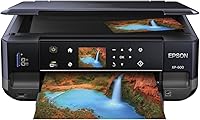
The Epson XP-600 All-in-One Inkjet Printer is a compact home workhorse that has quietly held its ground since its 2012 release — a respectable run for any piece of consumer hardware. Built around Claria Premium Ink, this Epson all-in-one was designed to produce photo-quality output without demanding the space or budget of a dedicated photo printer. The 2.5″ touchscreen makes navigating menus straightforward, even for less tech-savvy users. Wi-Fi connectivity means you can print from a laptop, phone, or tablet without hunting for a cable. It's a practical, space-aware choice for households that care about print quality but don't want a machine dominating the desk.
Features & Benefits
The XP-600 packs more capability into its frame than you might expect. At 5760 x 1440 dpi, photo prints come out with real depth and color accuracy — good enough to frame a 4x6 shot without cringing. Auto duplex printing handles both sides of a page automatically, which saves paper on longer documents. The dedicated photo tray and CD/DVD printing tray mean you're not constantly swapping media. Built-in card slots let you pull photos directly off a memory card, no computer required. Epson Connect adds wireless printing from mobile devices, and a 100-sheet input capacity keeps the machine running through moderate home workloads without constant refilling.
Best For
This home photo printer is a strong fit for households that print photos regularly — think birthday snapshots, school projects, or holiday cards — and need a single device that can also scan and copy. If desk space is limited, the relatively compact footprint makes it easier to justify keeping it out permanently. Mobile users who print from a phone or tablet will appreciate how reliably Epson Connect handles those jobs. It's also a niche pick for anyone who still burns CDs or DVDs and wants printed labels to match. Where it falls short: high-volume offices or anyone needing wide-format output.
User Feedback
Buyers who picked up the XP-600 tend to land in one of two camps. On the positive side, photo print quality earns consistent praise — colors are accurate, prints look polished, and the Claria ink holds up well over time. Wireless setup is generally rated as straightforward. The friction shows up around ink cartridge costs, a common frustration with consumer inkjets across the board, and some users note the touchscreen can feel sluggish. Given the machine's age, a few long-term owners report reliability wear, though others have run theirs for years without issues. The physical size, despite being marketed as compact, also surprises some buyers when it arrives.
Pros
- Photo prints show accurate, vibrant color that holds up well over time thanks to Claria Premium Ink.
- Automatic duplex printing saves paper on multi-page documents without any manual page-flipping.
- Built-in card slots let you print photos directly from a memory card, no computer needed.
- Wireless setup is straightforward for most home networks and works reliably once configured.
- The dedicated photo tray and CD/DVD tray make this Epson all-in-one unusually versatile for a home device.
- At 5760 x 1440 dpi, text documents and photo prints both come out noticeably sharp.
- Individual ink cartridges mean you only replace the color that actually runs out.
- Mobile printing via Epson Connect works well for sending jobs from a phone or tablet.
- The touchscreen makes basic tasks like copying or selecting print modes faster than button-only interfaces.
- Long-term owners report reasonable durability, with many units running reliably for five or more years.
Cons
- Ink maintenance cycles consume cartridge levels even when you have not printed anything recently.
- Standard cartridge yields are low, making running costs high for households that print more than occasionally.
- The sheet-fed scanner cannot handle books, thick documents, or anything that needs a flatbed surface.
- Wi-Fi connectivity can drop after router changes or firmware updates, requiring a full reconnection process.
- The bundled driver software feels dated and installation is noticeably bloated compared to newer printers.
- The touchscreen can be slow to respond to light taps, which gets frustrating during multi-step tasks.
- No automatic document feeder means copying a ten-page original requires feeding each sheet by hand.
- The actual desk footprint with trays extended is meaningfully larger than the boxed dimensions suggest.
- Compatibility with newer operating systems sometimes requires extra configuration steps not covered in the manual.
- At full original pricing, the total cost of ownership is hard to justify given how much the competition has advanced.
Ratings
The Epson XP-600 All-in-One Inkjet Printer has accumulated a substantial body of real-world feedback since its 2012 launch, and our AI has analyzed verified global user reviews — actively filtering out incentivized submissions and bot activity — to produce the scores below. The ratings reflect an honest picture of where this home photo printer genuinely delivers and where it falls short, so you can make a confident buying decision without surprises.
Photo Print Quality
Ink Cost & Efficiency
Wireless Setup & Connectivity
Document Text Sharpness
Scanning Performance
Auto Duplex Printing
Media Versatility
Touchscreen Usability
Build Quality & Durability
Physical Footprint
Mobile & App Printing
Copy Speed & Quality
Setup & Initial Configuration
Value for Money
Suitable for:
The Epson XP-600 All-in-One Inkjet Printer is a solid pick for home users who prioritize photo output over raw document volume — specifically households that regularly print 4x6 snapshots, holiday cards, or school projects and want results that look genuinely good without sending files to a print shop. Families who need one machine to handle printing, scanning, and copying without dedicating a large corner of a room to it will find the compact design practical. If you frequently print from a phone or tablet, the wireless setup and Epson Connect app make that workflow smooth enough for everyday use. The built-in card slots and dedicated photo tray are small but meaningful conveniences for anyone who still pulls photos off a camera memory card. CD and DVD hobbyists — a niche but real group — will also find this one of the few home printers that still supports disc printing out of the box.
Not suitable for:
The Epson XP-600 All-in-One Inkjet Printer is a poor fit for anyone who prints in high volume, whether that means running a home-based business, printing lengthy reports weekly, or handling document-heavy workflows — the ink costs alone will frustrate you within a few months. Users who need an automatic document feeder for multi-page copying or scanning will hit a wall quickly, since the sheet-fed scanner requires feeding originals one at a time. If you are considering this as a primary office printer for text-heavy output, a laser all-in-one will serve you better at a lower long-term cost. Anyone expecting a truly pocket-sized machine should know the footprint, once trays are extended, is larger than the spec sheet implies. Given its 2012 origins, buyers who need robust modern software compatibility — particularly on the latest operating systems — may encounter friction that newer models simply do not have.
Specifications
- Print Technology: Uses Epson's Claria Premium Ink system, an inkjet formulation optimized for vibrant color accuracy and long-lasting photo output.
- Max Resolution: Achieves a maximum print resolution of 5760 x 1440 dpi for both color and black-and-white output.
- Color Print Speed: Prints color pages at up to 9 pages per minute under standard conditions.
- Mono Print Speed: Prints black-and-white pages at up to 12 pages per minute under standard conditions.
- Scanner Type: Equipped with a sheet-fed flatbed scanner capable of digitizing documents and photos at home-use resolutions.
- Input Capacity: Supports a maximum input sheet capacity of 100 sheets in the main paper tray.
- Supported Media: Handles paper sizes including 4x6″ photo paper and standard 8.5x11″ letter-size sheets.
- Duplex Printing: Supports automatic two-sided printing, copying, and scanning without manual page intervention.
- Display: Features a 2.5″ color touchscreen with gesture-based navigation for accessing print, copy, and scan functions.
- Connectivity: Connects via Wi-Fi and Ethernet, with mobile printing supported through the Epson Connect platform.
- Compatible Devices: Works with PCs, smartphones, and tablets running compatible operating systems including iOS and Android.
- Included Trays: Ships with a dedicated photo tray and a CD/DVD printing tray for expanded media options.
- Card Slots: Built-in memory card slots allow direct photo printing without connecting to a computer.
- Ink Colors: Uses individual Claria Premium ink cartridges in black, cyan, magenta, and yellow for precise color replacement.
- Memory: Equipped with 64 MB of onboard memory to handle standard home print jobs and queued tasks.
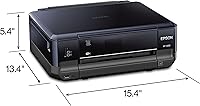
- Dimensions: Measures 15.4 x 13.4 x 5.4 inches, representing the unit's footprint with trays closed.
- Weight: Weighs 19 pounds, consistent with a full-featured home all-in-one inkjet machine.
- Power Interface: Connects via a standard AC power adapter; no battery option is available.
- Warranty: Covered by Epson's limited warranty, with terms and duration subject to regional variation.
- Model Series: Part of Epson's Expression Premium line, which targets home users who prioritize photo quality over high-volume output.
Related Reviews
Epson Stylus CX9400Fax All-in-One Printer
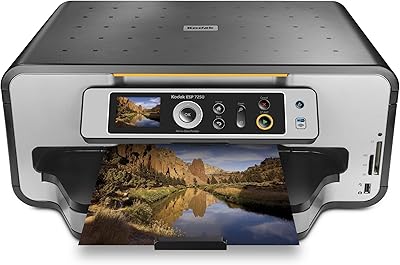
Kodak ESP 7250 All-in-One Inkjet Printer
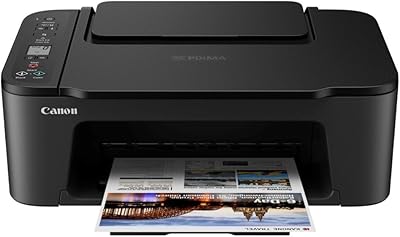
Canon PIXMA TS3720 Wireless All-in-One Printer
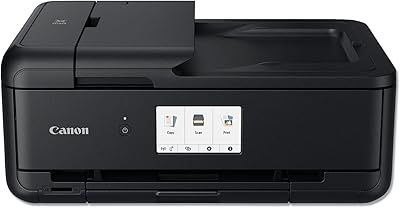
Canon PIXMA TS9520 Wireless All-in-One Printer
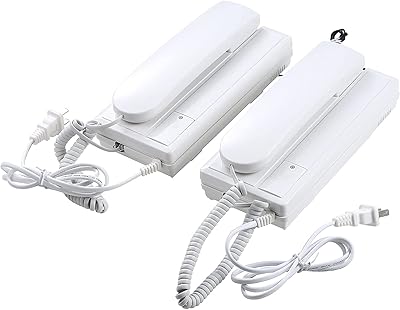
UHPPOTE UT-RL-209 Non-Visual One-to-One Intercom Doorphone
Epson EX11000 1080p Laser Projector
Donner Dobuds ONE Wireless Earbuds
Liene ZPP110 2x3 Portable Instant Photo Printer
be quiet! Pure Base 600 Mid-Tower Case