
Overview

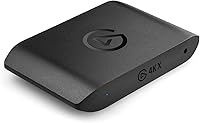
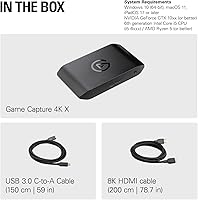
The Elgato 4K X Game Capture Card sits firmly at the top of the external capture card market, built for creators who've outgrown the limitations of older 1080p or 4K30 hardware. The jump to HDMI 2.1 isn't just a spec bump — it's what makes recording high-framerate console gameplay actually possible without sacrificing passthrough quality. This capture card works natively with PS5, Xbox Series X|S, and Nintendo Switch 2, which matters more than it might seem when you're trying to capture 120fps titles without dropping frames. It's also surprisingly compact, taking up almost no desk space. That said, getting the most out of this Elgato device demands a modern PC with a proper USB 3.2 Gen 2 port — cut corners there and you won't see its ceiling.

Features & Benefits

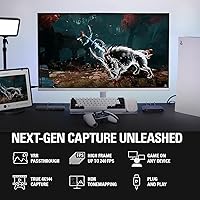
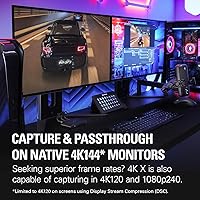
What separates the 4K X from most capture cards isn't just raw resolution — it's the ability to record at up to 4K144, which is genuinely useful for shooters and racing games where frame clarity matters. VRR passthrough means your console's variable refresh rate signal passes through to your display untouched, so your monitor never takes a hit just because you plugged in a capture card. Latency is handled through USB 3.2 Gen 2, keeping the setup clean and simple compared to PCIe alternatives that require opening a PC case. HDR10 is supported, though it's worth knowing that HDR capture isn't available at every resolution and framerate combination — check Elgato's site before assuming. Works with OBS, Streamlabs, and most major streaming tools right away, with no proprietary software lock-in.

Best For

This capture card makes the most sense for console streamers on PS5 or Xbox Series X|S who want to pull high-framerate footage without compromising what their display receives. If you've been sitting on a 4K30 card and feel like you're leaving performance on the table, this Elgato device is a meaningful step up. It also suits creators who value flexibility — no mandatory proprietary software, just plug in and use whatever streaming app you prefer. iPad users get native support too, opening a more portable capture workflow that most competing cards still don't offer. And if you care deeply about passthrough signal quality and want your monitor to receive exactly what the console sends, this card doesn't compromise there either.

User Feedback

With a 4.6-star average across nearly 550 ratings, buyer sentiment around this Elgato device leans strongly positive. The most consistent praise centers on setup simplicity — most users report being up and running within minutes — and passthrough quality, which receives particular attention from console players who noticed no degradation on their display. Build quality also comes up repeatedly as a point of satisfaction. On the critical side, a recurring theme is frustrated buyers who discovered their PC lacked a true USB 3.2 Gen 2 port or sufficient CPU headroom, which limits capture resolution significantly. Some users mention driver inconsistencies on certain Windows configurations as well. Upgraders from older Elgato models generally report a clear improvement, though a handful feel the price demands a near-perfect setup to truly justify it.

Pros

  • Records up to 4K at 144fps, a genuine step up for creators capturing fast-paced console titles.
  • VRR passthrough keeps your monitor's refresh rate behavior intact, so gameplay feels exactly as intended.
  • Works with OBS, Streamlabs, Twitch Studio, Zoom, and more — no forced proprietary software.
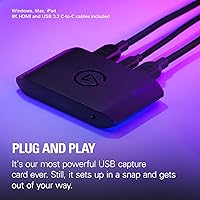
  • Setup is straightforward: plug in via USB-C and you're largely ready to go without opening a PC case.
  • Compatible with PS5, Xbox Series X|S, and Nintendo Switch 2 out of the box.
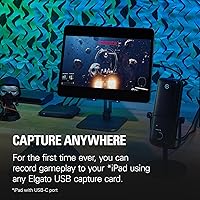
  • iPad support opens up a portable, lightweight capture workflow most competing cards don't offer.
  • Bundled 8K HDMI cable and 150cm USB-C cable add real out-of-the-box value.
  • Build quality consistently earns praise from buyers, with a compact and durable form factor.
  • Upgraders from older 4K30 capture cards report a clearly noticeable improvement in captured footage quality.
  • HDMI 2.1 input and output future-proofs the setup for next-gen console generations.

Cons

  • Requires a genuine USB 3.2 Gen 2 port to hit full capture resolution — many older PCs fall short.
  • HDR capture is not available at all resolution and framerate combinations, which can catch buyers off guard.
  • The price is hard to justify if you mostly stream at 1080p and don't need high-framerate capture.
  • Some users on specific Windows configurations have reported driver inconsistencies requiring troubleshooting.
  • Underpowered CPUs become a real bottleneck, and the card cannot compensate for a weak host system.
  • No internal storage or standalone recording mode — a connected PC or iPad is always required.
  • USB 3.2 Gen 1 fallback mode meaningfully reduces capture resolution, limiting value on older machines.
  • HDR mode restrictions are not clearly communicated at purchase — buyers need to check Elgato's site for the full compatibility matrix.

Ratings

The Elgato 4K X Game Capture Card earns strong marks overall, and the scores below reflect what real buyers across global markets actually experienced — not what the spec sheet promises. Our AI analyzed verified purchase reviews, actively filtering out incentivized, bot-generated, and duplicate feedback to surface honest sentiment. Both the genuine strengths and the recurring frustrations are represented transparently here.

Capture Quality
93%
Users consistently describe the captured footage as noticeably sharper and smoother than anything they'd seen from previous-generation cards, particularly when recording fast-paced shooters or racing titles at high framerates. The jump from 4K30 to 4K120 or 4K144 capture is described as immediately visible in the final video output.
A small number of users noted that compression artifacts can appear at lower bitrate settings in certain software configurations, and HDR capture quality specifically drew some mixed impressions due to the mode restrictions that limit when it can actually be used.
Passthrough Performance
91%
The lag-free passthrough is one of the most consistently praised aspects across hundreds of reviews. Console players report that their TV or monitor feels completely unaffected by the card being in the chain, with no added latency, color shifts, or signal degradation — even during VRR-enabled sessions.
A handful of users on older displays reported occasional handshake issues when first setting up the HDMI 2.1 passthrough, requiring a cable swap or display setting adjustment to resolve. These cases appear to be edge scenarios rather than a systemic issue.
Setup & Ease of Use
88%
The plug-and-play experience is a recurring theme in positive reviews. Most users report going from unboxing to a live OBS stream in under ten minutes, with no driver hunting or software configuration required beyond their preferred streaming app. The USB-C connection keeps the desk setup clean and simple.
The experience gets bumpier for users who discover mid-setup that their USB port isn't running at Gen 2 speeds, or that their CPU isn't powerful enough to handle encoding at higher resolutions. These aren't setup failures exactly, but they do create friction that some buyers didn't anticipate.
Software Compatibility
89%
Broad compatibility with OBS, Streamlabs, Twitch Studio, Zoom, and Teams means this capture card fits into virtually any existing creator workflow without requiring a software overhaul. Users switching from competing cards noted that it was recognized immediately without needing to install anything beyond their usual tools.
A recurring minority complaint involves inconsistent behavior on certain Windows configurations, particularly around driver stability after OS updates. A small number of macOS users also reported needing to restart the software to restore capture output after waking from sleep.
Build Quality
86%
The physical unit draws consistent praise for feeling solid and well-constructed despite its compact size. Users who've owned multiple Elgato products over the years describe the 4K X as continuing that tradition of no-nonsense, durable hardware that doesn't feel fragile on a desk.
A few buyers expressed that the all-plastic exterior, while sleek, doesn't feel as premium as the price point might suggest. There are also no mounting points or rubber feet on all units, which can cause it to shift slightly on a smooth desk surface.
Console Compatibility
92%
PS5 and Xbox Series X|S users report excellent out-of-the-box compatibility, with the card correctly handling the high-bandwidth signals those consoles output. Nintendo Switch 2 support is also confirmed, making this one of the few cards that covers the full current-gen console lineup without any workarounds.
Compatibility is limited to unencrypted HDMI sources by design, so any buyer hoping to capture content from streaming apps directly on their console will hit a wall immediately. This is a class-wide limitation, but it still generates frustrated reviews from buyers who didn't realize it beforehand.
High-Framerate Recording
91%
Recording at 120fps or higher is where this Elgato device truly separates itself from the competition. Content creators who play competitive titles say the smoothness of the captured footage is noticeably different from anything they previously posted, and it's the primary reason most users cite for choosing this card over cheaper alternatives.
Achieving the highest framerate capture modes places significant demands on the host PC, and users with mid-range systems sometimes find themselves having to dial back to lower framerates to maintain stability. The card is capable, but the PC needs to be equally capable to realize it.
VRR Passthrough
87%
Console gamers who use VRR-enabled displays appreciate that the card doesn't break their variable refresh rate setup. The signal passes through cleanly, and users report that gameplay on their monitor during capture sessions feels identical to playing without the card in the chain at all.
VRR passthrough functionality can be display-dependent, and a small number of users with older or budget monitors reported inconsistent VRR behavior after introducing the card into the signal path. Most resolved it by adjusting display settings, but it required more troubleshooting than expected.
HDR Support
68%
32%
HDR10 capture is a genuine capability and works well within its supported modes. Users who stream or record content where HDR is available at the right resolution and framerate combination report vivid, accurate color representation in the final captured output.
The conditional nature of HDR support is a real source of frustration. Many buyers expected universal HDR capture and were surprised to find it unavailable at certain popular capture settings like 4K60 or 1080p120. Clearer communication at purchase would prevent a meaningful share of the negative reviews this aspect generates.
Value for Money
74%
26%
For creators who genuinely need 4K high-framerate capture and HDMI 2.1 passthrough, the pricing reflects real hardware capability and the buyers in that group largely feel the cost is justified. Upgraders from older cards consistently describe the performance difference as immediately apparent.
Buyers who don't have a system capable of fully utilizing the card often feel they paid a premium for performance they can't access. Casual streamers or those recording primarily at 1080p60 are paying significantly more than they need to, and that sentiment surfaces frequently in mixed reviews.
Included Accessories
83%
Bundling an 8K-rated HDMI cable and a 150cm USB-C cable is a genuinely appreciated touch that many competing cards skip. Users note that both cables are long enough to accommodate realistic desk setups without requiring immediate replacements.
The USB-C cable, while sufficient, is a single cable with no spare included. A small number of users also noted that the HDMI cable, while long, is somewhat stiff and can be awkward to route neatly in tighter cable management setups.
Portability
81%
19%
At under 100 grams and roughly the size of a deck of cards, this capture card is easy to toss into a bag for travel or LAN events. iPad compatibility extends its usefulness in portable scenarios where carrying a full PC isn't practical.
Portability is somewhat offset by the requirement for a capable host device. The card itself is lightweight, but realizing its full potential requires a laptop with specific USB port specs — something not every travel-friendly machine provides.
Driver Stability
72%
28%
For the majority of users on standard Windows and macOS setups, the card runs reliably without requiring driver intervention after initial setup. Long-term users report months of stable operation without needing to troubleshoot capture dropouts or recognition failures.
A visible pattern in lower-rated reviews involves driver issues following Windows updates or software conflicts with other USB devices. These problems appear to affect a meaningful minority of users and can require manual driver reinstallation to resolve, which is frustrating for users who expected a maintenance-free experience.

Suitable for:

The Elgato 4K X Game Capture Card is purpose-built for console streamers and content creators who are serious about capturing high-framerate gameplay without making compromises on what their display receives. If you're playing fast-paced titles on a PS5 or Xbox Series X|S — games where 120fps actually matters — this capture card lets you record that footage at full fidelity rather than dropping it down to what older hardware can handle. It's equally well-suited to creators who want a clean, flexible workflow: no mandatory software ecosystem, no PCIe slot required, and broad compatibility with every major streaming application. iPad users who want a capable mobile capture setup will also find this one of the few cards that genuinely supports that workflow without workarounds. And if passthrough signal integrity is a priority — meaning you want your TV or monitor to receive exactly what the console is sending, VRR and all — this Elgato device handles that cleanly.

Not suitable for:

The Elgato 4K X Game Capture Card is a poor fit for anyone whose PC isn't up to the task, and that's a more common issue than most buyers anticipate. If your machine doesn't have a true USB 3.2 Gen 2 port, you won't hit the capture resolutions this card is built around — USB 3.2 Gen 1 works, but with reduced capture resolution, which undermines much of the reason to buy this over a cheaper alternative. Casual streamers who record at 1080p60 and have no plans to move beyond it are paying a significant premium for headroom they'll never use. Buyers hoping for full HDR capture across all resolutions and framerates will hit a wall quickly, since HDR support is conditional and doesn't apply to every mode. And if you're on a tight hardware budget or running an older CPU, the system requirements here aren't suggestions — they're real bottlenecks that will affect your experience.

Specifications

  • Max Capture: This capture card can record gameplay at up to 4K resolution and 144 frames per second, covering a wide range of resolutions from 1080p30 all the way up to 4K144.
  • Passthrough: Lag-free HDMI passthrough supports up to 4K144 and 1080p240, ensuring your display receives a full-quality signal while recording is active.
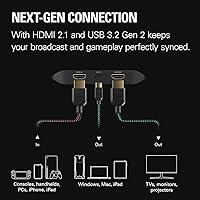
  • HDMI Version: Both the input and output ports use HDMI 2.1, which is required to support the high-bandwidth signals needed for 4K high-framerate and VRR content.
  • Connection: The card connects to your PC or iPad via USB 3.2 Gen 2 Type-C, which provides the bandwidth needed for high-resolution, high-framerate capture without a PCIe slot.
  • VRR Support: Variable Refresh Rate passthrough is fully supported, meaning consoles like the PS5 and Xbox Series X can pass their VRR signal through to your display without interruption.
  • HDR Support: HDR10 capture is supported, though it is only available at specific resolution and framerate combinations — buyers should consult Elgato's official compatibility chart for the full list.
  • Compatible Consoles: The card is officially compatible with PS5, Xbox Series X|S, and Nintendo Switch 2, as well as any other device outputting an unencrypted HDMI signal.
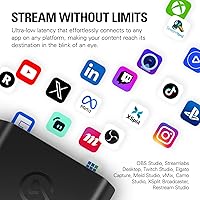
  • Software Support: Works natively with OBS, Streamlabs, Twitch Studio, Restream, Zoom, and Microsoft Teams, with no requirement to use Elgato's own software.
  • OS Requirements: Supported operating systems include Windows 10 64-bit, macOS 11, and iPadOS 17 or later, covering the major desktop and tablet platforms.
  • CPU Requirement: A minimum of a 6th-generation Intel Core i5 (i5-6xxx) or AMD Ryzen 5 equivalent is required for stable capture performance.
  • GPU Requirement: An NVIDIA GeForce GTX 10xx series GPU or better is recommended to handle hardware-accelerated encoding during capture and streaming.
  • Dimensions: The device measures 112 x 72 x 18 mm (approximately 4.4 x 2.8 x 0.7 inches), making it compact enough to sit flat on a desk without taking up meaningful space.
  • Weight: At just 91 g (3.2 oz), this Elgato device is lightweight enough to be easily relocated or packed into a bag for portable setups.
  • In the Box: The package includes the capture card itself, a 150 cm USB 3.2 C-to-C cable, and a 200 cm 8K-rated HDMI cable.
  • Color: The unit is finished in matte black, consistent with the rest of the Elgato Game Capture product line.
  • HDMI Input Type: The HDMI input accepts unencrypted signals only, which covers all standard console and PC sources but will not work with HDCP-protected content such as streaming apps or Blu-ray players.
  • Capture Modes: Supported capture resolutions span from 1080p30 through 1080p240, 1440p up to 144fps, and 4K up to 144fps, giving creators significant flexibility depending on their storage and bandwidth needs.
  • Release Date: The product was first made available on February 29, 2024, placing it firmly in the current generation of capture hardware built around HDMI 2.1.

Related Reviews
Elgato Game Capture 4K Pro
88%
97%
Passthrough Performance
94%
Capture Fidelity
96%
Input Latency
91%
VRR Implementation
88%
Build Quality
More
Elgato 4K S
Elgato 4K S
87%
92%
4K Capture Quality
94%
VRR Support
77%
Passthrough Performance
96%
Software Integration
88%
Latency & Responsiveness
More
MYPIN MYPIN-4K60-AVGC Capture Card
70%
83%
Ease of Setup
67%
Video Recording Quality
71%
4K Passthrough Performance
61%
Software Compatibility
69%
Audio Capture & Mic Input
More
Elgato HD60 Game Capture Card
77%
91%
Ease of Setup
87%
Video Quality
78%
Software Experience
88%
Flashback Recording
74%
Build Quality
More
Bytebridges 4K HDMI Capture Card (affd05f3)
88%
94%
Ease of Setup
88%
Build Quality
91%
Video Fluidity
87%
Input Latency
83%
Audio Versatility
More
Razer Ripsaw X USB Capture Card
77%
92%
Ease of Setup
78%
Video Capture Quality
88%
Software Compatibility
83%
Latency Performance
74%
Build Quality
More
ORIVISION U923 4K HDMI Video Capture Card
76%
93%
Ease of Setup
74%
Video Capture Quality
81%
HDMI Loopout Performance
67%
Audio Functionality
76%
Latency
More
Mirabox HSV3217 4K Capture Card
79%
91%
Ease of Setup
74%
Video Capture Quality
88%
HDMI Passthrough Performance
82%
Software Compatibility
61%
Build Quality
More
HeavenBird 4K HDMI Video Capture Card
75%
91%
Ease of Setup
78%
Video Output Quality
74%
4K Passthrough Performance
69%
Audio Functionality
82%
Build Quality
More
PACOXI Capture Card
PACOXI Capture Card
82%
93%
Ease of Setup
74%
Video Capture Quality
88%
HDMI Passthrough
79%
Audio Functionality
86%
Device Compatibility
More

FAQ

Yes, it connects directly using a standard HDMI cable. You run an HDMI cable from your PS5 into the card's input, then another from the card's output to your TV or monitor. No adapters needed, and the passthrough keeps your display receiving a full-quality signal while the card captures the footage.

It will technically work on a USB 3.2 Gen 1 port, but your capture resolution will be reduced. If you want to record at 4K or high framerates, Gen 2 is not optional — it's the bottleneck that determines how much bandwidth is available for capture. Check your motherboard or laptop specs before purchasing.

HDR10 capture is supported, but not across every resolution and framerate combination. For example, you may not be able to capture HDR at 4K120 simultaneously. Elgato publishes a full compatibility matrix on their website, and it's worth checking before you assume HDR will work in your specific setup.

No, and that's one of the things people appreciate about it. The Elgato 4K X Game Capture Card works directly with OBS, Streamlabs, Twitch Studio, and most other major streaming and recording applications right out of the box. Elgato's 4K Capture Utility software is available if you want it, but it's not required.

Passthrough is what your TV or monitor sees — the card sends the console's signal through to your display so you can play without any lag or quality loss. Capture resolution is what actually gets recorded or streamed to your PC. The passthrough can support higher modes than what's being captured, so you can play at full quality while recording at a lower setting if your PC needs the headroom.

Yes, macOS 11 or later is officially supported. That said, make sure your MacBook has a port running at USB 3.2 Gen 2 speeds, not just a port that looks the same physically. Some USB-C ports on older or budget MacBooks run at slower speeds, which will limit your capture performance.

Yes, iPadOS 17 or later is supported, which makes this one of the few capture cards with genuine iPad compatibility. You can use it with apps like OBS for iPad or other compatible recording apps. It won't replace a full desktop setup for heavy-duty streaming, but for portable or lightweight recording workflows it's a solid option.

No, the passthrough is designed to be lag-free. You should not experience any additional latency on your TV or monitor compared to plugging your console in directly. This is one of the features that consistently gets positive mentions from users who've tested it carefully.

It depends on what you're capturing. If you're recording 1080p60 console gameplay and happy with it, the jump is hard to justify on specs alone. But if you're on a PS5 or Xbox Series X and playing games at 120fps, you're currently throwing away a lot of that framerate in your recordings. The 4K X captures that high-framerate footage cleanly in a way the HD60 S simply can't.

It won't work. The card only accepts unencrypted HDMI signals, and streaming apps use HDCP copy protection, which this device — and virtually every capture card on the market — cannot bypass. This is a standard industry limitation and is not specific to this device. For gaming and original recorded content, you'll have no issues.