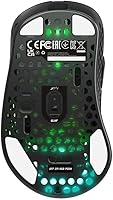
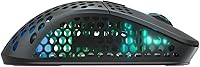
Overview

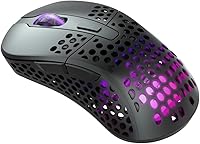
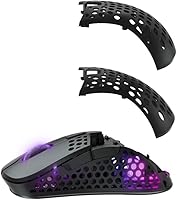
The Xtrfy M4 Wireless Ultralight Gaming Mouse entered a crowded market in late 2021 with a genuinely interesting angle: adjustable ergonomics packed into an ultralight wireless body. Xtrfy has deep roots in e-sports, and that background informs every hardware choice here. Worth stating upfront — this is a right-handed-only design, so left-handed players should look elsewhere. What separates the M4 Wireless from most ultralights isn't just the 71g weight; it's the ability to physically swap between two included back casings and reposition the battery to change the weight balance. That kind of physical customization is genuinely rare. No software installation required — everything works straight out of the box.

Features & Benefits

The heart of this wireless gaming mouse is the Pixart 3370 sensor — a chip competitive players have trusted for years because it tracks accurately across nearly any surface with no smoothing or prediction artifacts. Pair that with 2.4 GHz RF wireless and a 1000 Hz polling rate, and you get a connection that genuinely rivals wired setups in responsiveness — unlike Bluetooth alternatives. The Kailh GM 8.0 switches feel crisp and are rated for 80 million actuations, which, practically speaking, means years of hard daily use before any degradation. Battery life reaches 75 hours on a single charge, and pass-through charging lets you plug in and keep playing without interruption. All sensitivity and RGB settings are adjusted directly on the mouse — no driver software needed.

Best For

The M4 Wireless is built for right-handed claw and fingertip grip players who want wireless freedom without sacrificing any competitive edge. FPS and battle royale players will get the most out of the accurate sensor and near-zero latency connection. It's also a strong pick for LAN regulars or people who switch between PCs often — the USB dongle setup needs no installation, so you're up and running in seconds anywhere you go. Players frustrated by bloated software ecosystems from competing brands will find driver-free configuration genuinely refreshing. And for those who want flagship sensor quality without paying top-tier prices, the M4 Wireless lands in an attractive spot.

User Feedback

With around 143 ratings averaging 4.2 stars, the reception for Xtrfy's ultralight mouse is positive — and because reviewers here tend to be technically literate enthusiasts, the feedback carries more weight than sheer volume suggests. The most consistent praise centers on click feel and wireless reliability, with buyers noting the connection holds up solidly across long sessions. The adjustable shell gets specific appreciation from players who've always struggled to find a properly fitting mouse. On the downside, larger-handed users frequently mention that the shape feels too narrow or shallow for comfortable palm grip use. A few reviewers also flag that dongle storage is an afterthought, and most agree the RGB is a nice extra rather than a meaningful feature.

Pros

  • The Pixart 3370 sensor tracks cleanly on virtually any surface with no smoothing, acceleration, or prediction interference.
  • At 71g, the M4 Wireless is light enough for fast, aggressive movements without feeling hollow or cheaply built.
  • 2.4 GHz RF wireless at 1000 Hz polling delivers responsiveness that is practically indistinguishable from a wired connection.
  • Two swappable back casings let you physically resize the mouse body — a genuinely rare feature at this price.
  • Battery life stretches up to 75 hours, and pass-through charging means you never have to stop playing to top it up.
  • CPI, polling rate, lift-off distance, and debounce are all adjusted on-mouse with no software installation required.
  • Kailh GM 8.0 switches feel crisp and snappy, with an 80-million-click rating that points to strong long-term durability.
  • PTFE glides provide consistent, smooth movement across both cloth and hard mouse pad surfaces.
  • The plug-and-play dongle setup is ideal for LAN events or shared PCs where installing drivers is not an option.

Cons

  • Left-handed players are fully excluded — no southpaw or ambidextrous variant exists in this product line.
  • The narrow, shallow profile is a genuine comfort issue for larger-handed users or anyone who prefers a palm grip.
  • With roughly 143 ratings, the review pool is small — feedback quality is solid, but real-world breadth is still limited.
  • There is no built-in dongle storage on the mouse, making the USB receiver easy to lose during travel or transport.
  • Bluetooth is not supported, which limits compatibility for users with restricted USB ports or multi-device wireless setups.
  • Repositioning the internal battery to shift weight balance requires opening the mouse — not a quick or casual adjustment.
  • RGB lighting is underwhelming compared to competing mice at a similar price, with limited visual range and impact.
  • The matte textured coating, while grippy, tends to collect skin oils and grime more visibly than smoother finishes.

Ratings

The scores below for the Xtrfy M4 Wireless Ultralight Gaming Mouse were produced by our AI engine after processing verified global buyer reviews, with automated filtering applied to remove spam, bot submissions, and any feedback flagged as incentivized. Each category score reflects the honest balance of what real users consistently praised and what genuinely frustrated them — nothing is smoothed over to flatter the product.

Sensor Performance
93%
The Pixart 3370 is one of the most trusted chips in competitive gaming, and buyers consistently report that it tracks cleanly across cloth, hard, and hybrid pads without any smoothing or jitter. In fast FPS sessions, the accuracy at both low and high CPI settings holds up without drift or prediction artifacts that cheaper sensors introduce.
A small number of users noted occasional micro-stutters on very worn or heavily textured hard pads, though this is more a surface compatibility issue than a sensor defect. Newer Pixart generations have since launched, and some buyers feel the 3370, while still capable, is no longer the absolute cutting edge.
Wireless Performance
91%
The 2.4 GHz RF connection at 1000 Hz polling is one of the most reliable wireless implementations in this price bracket, with virtually zero reported dropouts or lag spikes during extended competitive sessions. Players who switched from Bluetooth mice specifically noted how much more consistent and immediate the connection felt during high-intensity gameplay.
A handful of users encountered brief interference in dense wireless environments like convention halls during LAN events, though these were isolated rather than a widespread pattern. The dongle is also small enough to misplace easily, and there is no dedicated storage slot on the mouse to keep it safe.
Battery Life
88%
The 75-hour rated capacity is genuinely practical — most players report going several days of heavy sessions between charges, which removes the anxiety of mid-session power drops that shorter-life wireless mice create. The reliable duration means battery management is rarely top of mind, which is exactly what you want from a wireless peripheral.
Battery life is notably affected by RGB usage and polling rate settings, with users keeping lighting at maximum brightness reporting shorter cycles than the stated 75 hours. There is no on-mouse charge indicator beyond a low-battery warning LED, which some users found insufficient for proactively tracking remaining power.
Weight & Form Factor
86%
At 71g, the M4 Wireless delivers the kind of effortless feel that FPS players specifically seek when they want faster wrist movements and reduced fatigue during extended sessions. Buyers regularly praised how natural it felt to flick and reposition quickly without fighting the mouse's own inertia on both cloth and hard surfaces.
For users who prefer heavier mice for deliberate, controlled cursor tracking, 71g can feel almost too light and difficult to anchor precisely during slow methodical movements. A few reviewers noted the weight balance felt slightly uneven with the larger back casing attached, requiring an adjustment period before it felt natural.
Ergonomics & Fit
73%
27%
The two swappable back casings address a real pain point for players who fall between standard mouse sizes — being able to physically change the shell at home provides a degree of size personalization that competing mice in this class rarely offer. Claw and fingertip grip users with medium-sized hands reported very comfortable extended sessions.
The core shape runs narrow and shallow, which consistently draws criticism from palm grip users and larger-handed players who find the profile too cramped for comfortable all-day use. Left-handed players are fully excluded with no ambidextrous variant available, which is a hard dealbreaker for a significant portion of potential buyers.
Click Feel
87%
The Kailh GM 8.0 switches deliver a crisp, tactile click response that competitive players tend to prefer — satisfying without being loud, and consistent across extended sessions without softening. Buyers switching from mice with mushier switches frequently cited the snappy feel as one of the first things they noticed positively.
A portion of users found the actuation force slightly higher than expected, particularly those coming from ultra-light-trigger switches used in other premium mice. After extended use, a handful of reviewers reported minor inconsistency in the scroll wheel button click, though this was far from a widespread or systematic issue.
Durability
83%
Kailh GM 8.0 switches rated at 80 million actuations point to a mouse built to outlast most players' upgrade cycles, and the matte textured surface holds up against daily wear better than glossy alternatives. The main body rigidity received consistently positive notes with no reported structural flexing or creaking under normal use.
The swappable back casing mechanism raised some concern about long-term clip durability among users who swap sizes frequently during the adjustment phase. Several reviewers also noted that the PTFE glides showed moderate wear after months of heavy use on abrasive hard pads, requiring earlier replacement than expected.
Charging Experience
89%
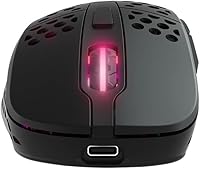
Pass-through charging is the standout quality here — plugging in the cable keeps the mouse fully functional with zero gameplay interruption, which eliminates one of the most frustrating aspects of wireless gaming peripherals. The USB-C connector is also a welcome modern choice over older micro-USB ports still found on competing mice.
The included cable, while functional and reasonably flexible, drew complaints from users who found it added noticeable drag compared to aftermarket paracord cables available at similar price points. There is no wireless or dock-style charging support, and a few users reported the charging port felt slightly recessed and awkward to connect quickly in dim conditions.
Build Quality
79%
21%
The overall construction feels solid for the weight class, with no notable flex or creaking in the main shell under normal use. The matte textured surface resists fingerprints better than most smooth-finish competitors, and the primary click buttons maintain consistent tolerances without perceptible side-to-side wobble.
At a mid-range price, some buyers felt the plastic finish did not convey the premium feel offered by competing mice at similar price points. The casing swap system, while functional, introduces a small amount of shell flex when pressure is applied near the seam between the top and back sections.
Value for Money
82%
18%
Getting the Pixart 3370 sensor, Kailh GM 8.0 switches, and 2.4 GHz RF wireless in one package at a mid-range price represents solid overall value, particularly for competitive players who would otherwise pay significantly more for an equivalent sensor in a higher-positioned product. The no-software approach also saves real setup time.
Some buyers note that competing mice in the same price range now offer newer sensor generations, which slightly undercuts the value argument for spec-conscious shoppers. The relatively lean feature set — no onboard profile memory beyond basic settings and no macro support — also leaves some users questioning the price-to-feature ratio.
Software Experience
77%
23%
The on-mouse configuration system is a genuine practical advantage for LAN events and minimalist setups — adjusting sensitivity, polling rate, lift-off distance, and debounce without installing anything means the mouse works identically on any PC or Mac the moment the dongle is inserted. Technically minded users particularly appreciated the clean, dependency-free approach.
Users accustomed to feature-rich companion apps from major brands may find the on-mouse button combination system unintuitive until the pattern is memorized, especially for less-used settings like debounce. The only feedback mechanism is LED color changes, which makes precise configuration feel like guesswork during the initial learning curve.
Customization
81%
19%
The combination of physical size adjustment via swappable casings and on-mouse control over sensitivity, polling rate, and debounce gives this mouse more meaningful customization options than most competitors in its class who offer only software-side tweaks. Players who dislike software dependencies find this approach especially well matched to their workflow.
Customization depth hits a ceiling quickly for power users — there is no macro programming, button remapping, or support for multiple saved profiles that can be switched on the fly. Users who want fine-grained control over RGB lighting zones or per-application sensitivity settings will find the on-mouse system too limited.
Portability & LAN Use
74%
26%
The fully software-free setup combined with plug-and-play USB dongle wireless makes this one of the more genuinely LAN-friendly mice available — grab it, insert the dongle on any machine, and it works immediately with all settings intact. No driver conflicts, no login requirements, and no compatibility surprises across different PC builds.
The absence of a dongle storage slot is the most practical LAN-use shortcoming — losing a small USB receiver in a tournament bag or shared gaming space is a realistic risk that a simple hidden compartment could have prevented. The included 1.8m cable is also longer than necessary for a portable travel setup.
Glide Performance
84%
The pre-fitted PTFE glides provide smooth, low-friction movement across both cloth and hard pad surfaces, with the mouse tracking consistently without catching or stuttering during sharp directional changes. Buyers using premium cloth pads specifically noted how effortlessly the mouse repositioned during rapid FPS movements.
On rougher or lower-quality mouse pads, the glides showed wear faster than some users expected, with noticeable surface drag developing within a few months of heavy daily use. Replacement glides are available separately, but factoring in an accessory cost after only a few months of use is a minor but genuine inconvenience.
RGB Lighting
57%
43%
RGB is present and adjustable — effects, colors, and brightness are all controlled directly on the mouse, which keeps things simple for users who want a basic visual setup without dealing with companion software. The on-mouse approach means the lighting functions consistently on any system without driver dependency.
The lighting is visually underwhelming compared to competing mice at a similar price, with limited color accuracy and a diffuse glow that lacks the definition many buyers expect. Most reviewers treat it as a minor included extra rather than a genuine feature, and a meaningful portion of users simply disable it entirely.

Suitable for:

The Xtrfy M4 Wireless Ultralight Gaming Mouse is a strong match for right-handed competitive players who want a proven sensor, low weight, and wireless freedom without being tied to proprietary software. FPS and battle royale enthusiasts who use a claw or fingertip grip will feel immediately at home with the 71g frame and the no-lag 2.4 GHz RF connection running at 1000 Hz. Players who attend LAN events or swap between multiple PCs regularly will genuinely benefit from the plug-and-play USB dongle setup — no driver installation, no account login, just connect and go. The dual back casing system is a real differentiator for anyone who has always landed awkwardly between standard mouse size categories, since you can physically swap the shell at home to find the better fit. Those who have grown frustrated with bloated software ecosystems from competing brands will also find the fully on-mouse configuration approach both practical and freeing.

Not suitable for:

The Xtrfy M4 Wireless Ultralight Gaming Mouse is a firm pass for left-handed players — the ergonomic shape is designed exclusively for right-hand use, and no mirrored or ambidextrous version exists in this line. Palm grip users with larger hands will likely struggle with the narrow, shallow profile, which simply does not offer enough surface area for that style to feel comfortable over long sessions. Players who prefer a heavier mouse for more deliberate, controlled tracking will also find 71g feels too light and unanchored for their playstyle. Bluetooth-only setups are not an option here, so anyone using a device with limited USB ports or needing to pair across multiple systems wirelessly will hit a wall. Finally, buyers who place significant weight on polished RGB aesthetics should look at alternatives — the lighting works, but it is clearly a secondary consideration on this mouse.

Specifications

  • Weight: The mouse weighs 71g excluding the cable, placing it firmly in the ultralight category suited for fast, competitive gaming.
  • Sensor: Uses the Pixart 3370 optical sensor, a zero-smoothing, zero-acceleration chip trusted for precise tracking across nearly all common mouse pad surfaces.
  • CPI Range: Sensitivity is adjustable from 400 to 19,000 CPI, covering low-sens precision play through to high-speed desktop navigation.
  • Polling Rate: Supports selectable polling rates of 125, 500, and 1000 Hz, all switchable directly on the mouse without any software.
  • Connection: Connects wirelessly via a 2.4 GHz RF USB dongle; Bluetooth connectivity is not supported on this model.
  • Main Switches: Fitted with Kailh GM 8.0 mechanical switches rated for up to 80 million actuations, delivering a tactile, snappy click response with strong long-term durability.
  • Battery Life: The internal 500 mAh lithium-ion battery is rated for up to 75 hours of continuous use on a full charge.
  • Charging: Charges via an included USB-A to USB-C cable, and the mouse remains fully operational during charging so play is never interrupted.
  • Glides: Pre-fitted with PTFE glides for low-friction, consistent glide performance across both cloth and hard mouse pad surfaces.
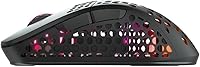
  • Ergonomic Shape: Designed exclusively for right-handed users, with two swappable back casings included in the box to allow physical size adjustment for different hand sizes.
  • Surface Finish: Features a matte, textured coating that improves grip during extended sessions without adding meaningful weight.
  • RGB Lighting: Includes on-board adjustable RGB lighting with effects, colors, and brightness configured entirely through button combinations on the mouse itself — no software required.
  • Debounce Time: Debounce time is adjustable to 2, 4, 8, or 12 ms directly on the mouse; Xtrfy recommends a minimum of 4 ms for reliable, consistent click registration.
  • Max Acceleration: The Pixart 3370 sensor handles a maximum acceleration of 50G, sustaining accurate tracking through even the fastest flick movements.
  • Max Speed: Tracking remains accurate up to 400 IPS, which comfortably covers the movement speed range of most competitive gaming scenarios.
  • Included Cable: Ships with a 1.8m Xtrfy EZcord Pro USB-A to USB-C cable, designed to be lightweight and flexible for minimal drag when wired use is preferred.

Related Reviews
Pulsar X3 Mini Wireless Gaming Mouse
80%
91%
Sensor Performance
88%
Click Feel & Switches
93%
Weight & Build
79%
Ergonomics & Grip Fit
89%
Wireless Latency
More
Pulsar X2F Wireless Fingertip Gaming Mouse
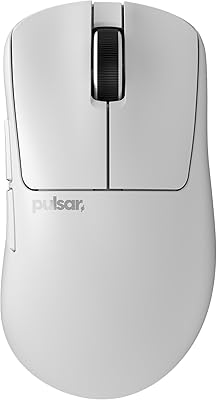
80%
94%
Weight & Form Factor
89%
Sensor Performance
91%
Polling Rate (8K Wireless)
88%
Switch Feel & Click Quality
78%
Grip & Ergonomics
More
Pulsar Gaming Gears Xlite v3 Medium Wireless Gaming Mouse
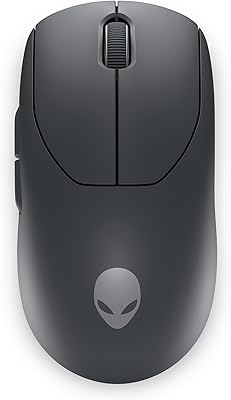
88%
93%
Ergonomics & Comfort
91%
Wireless Performance
89%
Battery Life
86%
Build Quality
94%
Precision & Sensor Accuracy
More
Alienware Pro Wireless Gaming Mouse
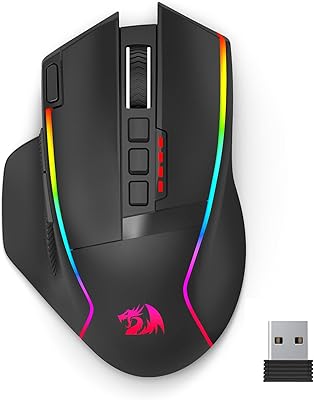
83%
91%
Precision and Performance
74%
Battery Life
88%
Ergonomics and Comfort
84%
Customization Options
90%
Build Quality
More
Redragon M915WL Wireless Gaming Mouse
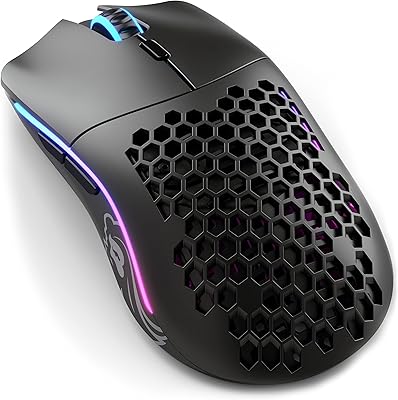
86%
88%
Performance
91%
Build Quality
94%
Battery Life
85%
Ergonomics/Comfort
89%
Precision & DPI Control
More
VGN F1 MOBA Wireless Gaming Mouse
90%
94%
Performance
91%
Precision & Responsiveness
89%
Battery Life
87%
Comfort & Ergonomics
88%
Customization (Buttons)
More
MechLands AJ159 APEX Wireless Gaming Mouse
77%
93%
Sensor Performance
88%
Wireless Latency
63%
Build Quality
91%
Weight & Ergonomics
74%
Click Feel & Switches
More
Elasto M4 Ergonomic Wireless Mouse
74%
88%
Click Comfort
81%
Ergonomic Design
83%
Wireless Connectivity
46%
Button Layout
53%
Adjustment Period
More
Glorious Model I 2 Wireless Gaming Mouse
87%
91%
Performance
94%
Ergonomics & Comfort
90%
Battery Life
88%
Customization & Features
85%
Build Quality & Durability
More
ROCCAT Kain 200 Wireless Gaming Mouse
82%
93%
Click Feel & Precision
88%
Sensor Accuracy
91%
Battery Life
76%
Ergonomics & Shape
87%
Wireless Performance
More

FAQ

No, and that is genuinely one of its most practical advantages. CPI, polling rate, lift-off distance, debounce time, and RGB lighting are all configured through button combinations directly on the mouse. There is nothing to download, no account to create, and no background software running — which makes it especially useful at LAN events or on shared computers.

Unfortunately, no. The M4 Wireless has an ergonomic shape designed specifically for right-handed users, and the contours simply do not work comfortably in a left-hand grip. There is no mirrored version of this model, so left-handed players should look for ambidextrous alternatives instead.

The mouse comes with two different back casings — one slightly smaller, one larger — and you physically swap them out at home to find the size that suits your hand best. You pop off the current casing and clip the other one on; it takes a minute and does not require any tools. It is not a mid-session adjustment, but it is a genuinely useful way to dial in the fit before you start playing, especially if you have always found standard mice to be slightly off in one direction or the other.

Yes. The 2.4 GHz RF connection running at 1000 Hz polling is competitive-grade and behaves like a wired connection in practice — there is no perceptible input lag during normal play. This is a meaningfully different experience from Bluetooth, which tends to carry higher and less consistent latency, making it less suitable for fast-paced gaming.

Xtrfy rates it at up to 75 hours, and real-world use generally tracks close to that number depending on RGB settings and polling rate. When the battery does run low, you can plug in the included USB-C cable and keep playing immediately — there is no forced downtime or mode switch while charging.

The Xtrfy M4 Wireless Ultralight Gaming Mouse launched with the Pixart 3370 in late 2021, and while newer sensor generations have since arrived, the 3370 remains a highly capable chip. For the vast majority of players — including those competing at a high level — it is more than sufficient. The practical differences between the 3370 and the latest flagship sensors are marginal and largely imperceptible during actual gameplay.

Claw and fingertip grip players tend to get the most out of the M4 Wireless. The low-profile, relatively narrow shape suits both of those styles well. Palm grip users — especially those with larger hands — often find the mouse lacks the height and surface area needed for comfortable extended use, which is a recurring point in user reviews.

This is a minor but genuine limitation — there is no built-in storage compartment on the mouse for the receiver. You will need to keep it in a separate case or pouch, which makes it easier to misplace. If you travel frequently, it is worth designating a specific spot for it, such as a small accessories pouch in your bag.

It works on both platforms. Since all configuration is handled directly on the mouse with no software required, it functions identically on macOS and Windows — plug the dongle into a free USB port and it is ready to use straight away.

You cycle through your configured CPI stages by pressing the dedicated sensitivity button on the mouse. The full adjustable range runs from 400 to 19,000 CPI, and you set your preferred stages using on-mouse button combinations outlined in the included documentation. It takes a few minutes to set up initially, but once your stages are saved, switching between them mid-game is instant.

Where to Buy