Overview

The Ediloca EN760 500GB M.2 NVMe SSD enters a crowded budget Gen4 market with a straightforward pitch: competitive speeds and an included aluminum heatsink at a price most name-brand drives can't match. Ediloca isn't a household name like WD or Samsung, and that's worth acknowledging upfront — brand recognition here comes from specs and real-world results, not legacy reputation. On paper, the sequential numbers are strong, but sustained performance under heavy workloads depends on how the SLC cache behaves once exhausted. The 5-year warranty is a genuine differentiator at this tier, offering reassurance that most budget competitors quietly skip.
Features & Benefits

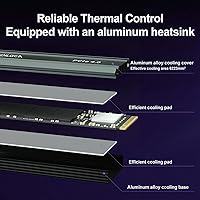
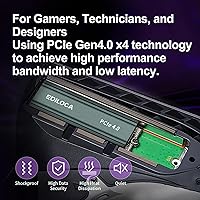
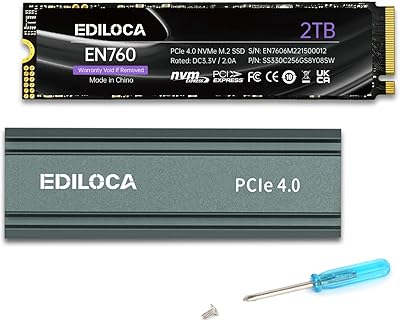
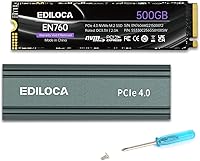
The EN760 SSD runs on a PCIe Gen4 x4 interface, delivering sequential reads up to 4800MB/s and writes up to 2400MB/s — figures that put it well ahead of older Gen3 drives in raw throughput. It uses 3D TLC NAND paired with Dynamic SLC caching, which means everyday tasks like loading games or moving files feel snappy, though write speeds can taper noticeably when pushing large continuous transfers beyond the cache threshold. The included aluminum heatsink fits directly into the PS5 expansion slot without any trimming or adaptation. A screwdriver and mounting hardware are in the box, and the M.2 2280 form factor covers PS5, most Windows laptops, desktops, and even Linux builds without fuss.

Best For

This Gen4 upgrade makes the most sense for PS5 storage expansion — if your console library has grown past what the built-in capacity allows, this NVMe drive installs cleanly and shows up in the PS5 storage menu without compatibility headaches. It's also a solid pick for first-time upgraders who've never cracked open a PC or console before; the included tools remove one more excuse to delay. Budget-minded PC builders moving up from SATA SSDs will notice real gains in boot and load times. Light creative work — think 4K proxy editing or batch photo exports — benefits too, as long as you're not regularly pushing files larger than the SLC cache can absorb in one pass.

User Feedback

Among verified buyers, installation ease comes up repeatedly as a highlight — people appreciate that the heatsink fits the PS5 slot without fuss and that the included screwdriver actually feels usable. PS5 game load times get positive mentions, with users reporting meaningful improvements over stock storage. On the flip side, a recurring concern involves sustained write performance: once the SLC cache fills during large file transfers, speeds fall back to more modest figures, which matters if you frequently move big game installs. A handful of users raised questions about long-term reliability, noting that Ediloca's support reputation is still being established, though most multi-month owners report no issues and appreciate the warranty backing.

Pros

  • PCIe Gen4 x4 interface delivers noticeably faster load times compared to SATA or Gen3 NVMe drives.
  • Aluminum heatsink is included in the box and fits the PS5 expansion slot without any trimming.
  • The 5-year warranty is a rare and reassuring commitment for a drive at this price point.
  • Screwdriver and mounting screws in the package make first-time installation genuinely approachable.
  • Compatible with PS5, Windows, macOS, and Linux — one drive covers most setups without extra configuration.
  • 350TBW endurance rating gives a concrete, measurable durability benchmark to evaluate against.
  • PS5 users report meaningful improvements in game load times over the console's stock storage.
  • Dynamic SLC caching keeps everyday read and write tasks feeling responsive for typical gaming and productivity use.
  • At 500GB capacity, this Gen4 upgrade offers a solid amount of headroom for a growing PS5 game library.
  • Compact M.2 2280 form factor fits a wide range of desktop and laptop slots without compatibility concerns.

Cons

  • Sustained write speeds drop significantly once the SLC cache is exhausted during large continuous transfers.
  • Ediloca is a lesser-known brand with a limited public track record for long-term reliability data.
  • 500GB fills up faster than expected once a few modern AAA titles are installed on a PS5.
  • Warranty support experience is not well-documented, making it hard to gauge how claims are handled in practice.
  • Real-world sequential speeds in typical consumer workloads often fall short of the advertised peak figures.
  • No high-capacity variant is available for users who need 1TB or more from a single drive.
  • Users on Gen3-only systems will see no benefit from the Gen4 interface and overpay relative to Gen3 options.
  • Brand unfamiliarity makes resale value and community support thinner than with drives from established manufacturers.
  • Some users have reported uncertainty about PS5 firmware compatibility after certain console updates.
  • The included heatsink, while functional, may not perform as well as aftermarket thermal solutions during extended heavy workloads.

Ratings

The scores below reflect AI-driven analysis of verified global buyer reviews for the Ediloca EN760 500GB M.2 NVMe SSD, with spam, bot activity, and incentivized feedback actively filtered out before scoring. Each category captures both what real users praised and where genuine frustrations surfaced, giving you a transparent picture of how this NVMe drive performs outside the marketing copy.

Value for Money
88%
For buyers comparing Gen4 SSDs with included heatsinks at this price tier, the EN760 SSD consistently earns praise as one of the more complete packages available. Getting PCIe Gen4 speeds, an aluminum heatsink, and installation tools bundled together — without paying a name-brand premium — resonates strongly with budget-conscious PS5 upgraders and first-time PC builders.
A handful of users feel the value calculation shifts if you factor in brand uncertainty over a multi-year ownership horizon. Buyers who prioritize long-term peace of mind occasionally note that paying slightly more for an established brand feels worth it when you consider resale value and documented warranty track records.
PS5 Compatibility
91%
The vast majority of PS5 users report a clean, problem-free installation — the heatsink slips into the expansion bay without any trimming, and the drive shows up in the PS5 storage settings immediately after formatting. Load time improvements over the console's built-in storage are consistently described as noticeable, particularly for open-world games with frequent asset streaming.
A small but recurring cluster of users flagged concerns following specific PS5 firmware updates, reporting occasional detection issues that required reseating the drive. These cases appear isolated rather than systemic, but they are worth monitoring if you update your console frequently.
Sequential Read Speed
84%
In benchmark conditions, this Gen4 upgrade delivers read speeds that comfortably outpace Gen3 drives, making a real difference in scenarios like loading large game levels, booting into Windows quickly, or opening heavy creative project files. Users migrating from SATA SSDs notice the jump immediately and consistently describe it as one of the more impactful hardware upgrades they have made.
Informed buyers note that the headline 4800MB/s figure is a best-case benchmark result and not what most real-world mixed workloads produce. Actual observed speeds during typical desktop use land noticeably lower, which is standard behavior for TLC-based drives but can feel misleading if you bought in expecting sustained peak throughput.
Sustained Write Performance
61%
39%
For everyday gaming tasks — installing titles from the PS5 store, saving game data, transferring a few files at a time — the Dynamic SLC cache keeps write speeds feeling responsive and quick. Users who stick to typical consumer workloads rarely encounter any perceptible slowdown during normal operation.
When the SLC write cache fills during large sequential transfers — such as copying a 60GB or 80GB game backup in one shot — write speeds drop significantly to native TLC rates. This is the most commonly cited technical frustration in user feedback and is a real limitation for anyone who regularly moves large files in bulk.
Heatsink Quality
79%
21%
Users generally appreciate that the aluminum heatsink is pre-attached rather than loose in the box, reducing installation steps and the risk of misalignment. For PS5 use, it satisfies Sony's thermal coverage requirement without needing aftermarket accessories, and several users noted temperatures stayed stable during multi-hour gaming sessions.
A portion of PC users who track drive temperatures with monitoring software found that the heatsink provides only modest cooling headroom under sustained CPU- and GPU-intensive workloads where case airflow is limited. It handles casual gaming fine, but it is not a substitute for a robust aftermarket cooler in a thermally challenged build.
Installation Experience
93%
The included screwdriver and mounting hardware are consistently called out as a thoughtful touch — especially by first-time builders who have never opened a PC case or PS5 before. Several reviewers described the unboxing and installation process as faster and less intimidating than they expected, with the physical components doing what they needed to without improvisation.
A small number of users noted that the included screwdriver, while functional, feels lightweight and borderline flimsy for repeated use. It gets the job done for a single install, but it is not a tool you would reach for again if you needed to reseat or swap the drive later.
Build & Component Quality
72%
28%
The physical construction of the EN760 SSD feels solid in hand, with the NAND and controller components seated cleanly on the PCB. Users who have owned the drive for six months or more generally report no physical issues — no loose connections, no heatsink separation, and no visible degradation under normal use.
Ediloca does not publish granular controller or NAND supplier details publicly, which makes it harder for technically informed buyers to independently assess component quality. Without that transparency, some users feel they are taking the drive's internals on faith rather than verified specification.
Brand Reliability & Trust
63%
37%
The 5-year warranty stands out as a genuine trust signal at this price point, and users who have had straightforward experiences with the drive tend to view Ediloca favorably as a value-oriented brand that delivers on its core promises. Positive multi-month ownership reports help gradually build confidence in the brand's reliability narrative.
Ediloca's limited public history and sparse user documentation of actual warranty claim experiences leave a real gap in confidence for buyers who weigh brand accountability heavily. Compared to WD, Samsung, or Crucial — where community troubleshooting resources and verified support experiences are abundant — Ediloca is still building that foundation.
Compatibility Breadth
86%
The M.2 2280 form factor and NVMe 1.4 protocol make this NVMe drive broadly compatible across a wide range of modern hardware — from Windows gaming PCs and Linux workstations to MacBooks with M.2 slots and, of course, the PS5. Users switching between systems or building a versatile setup appreciate not having to verify slot compatibility beyond confirming Gen4 support.
Backward compatibility with Gen3 slots works, but the drive does not communicate clearly upfront that users will see only Gen3-level speeds in those configurations. A few buyers expected full Gen4 performance in older machines and were disappointed when benchmark results came in well below the rated maximums.
Endurance & Longevity
74%
26%
The 350TBW endurance rating gives buyers a concrete number to reference when thinking about how long the drive should last under typical consumer workloads. For a PS5 user or light-to-moderate PC user, reaching 350TBW in a reasonable ownership window is genuinely unlikely, meaning the rated lifespan should comfortably outlast most users' needs.
350TBW is on the lower end compared to some competing Gen4 drives in the same category, and power users running write-intensive workloads like continuous game recording or frequent large backup cycles will burn through that headroom faster than the average consumer. There is no published MTBF figure to supplement the TBW rating.
Thermal Management
71%
29%
In the PS5 context specifically, the heatsink keeps the drive operating within safe temperature ranges during normal gaming sessions lasting two to four hours. Users playing titles with heavy streaming — large open worlds, frequent fast-travel — report no thermal throttling incidents under typical living-room gaming conditions.
In enclosed PC cases without dedicated M.2 slot cooling, some users monitoring drive temps with CrystalDiskInfo or HWiNFO reported temperatures climbing into ranges that could affect sustained performance over time. Ediloca does not publish official max operating temperature specifications, which makes it harder to evaluate thermal limits objectively.
Packaging & Accessories
81%
19%
Buyers consistently describe the unboxing experience as practical and complete — the screwdriver is a small but meaningful detail that removes a common friction point for new installers. The retail packaging is compact, not wasteful, and everything arrives well protected without excessive plastic.
The screwdriver quality is the most common accessory complaint; it functions for a one-time install but is clearly an afterthought rather than a quality tool. A few users also noted they would have appreciated a brief printed quick-start guide rather than having to seek installation documentation online.
Real-World PS5 Load Times
82%
18%
Buyers who benchmarked game load times before and after installing this Gen4 upgrade in their PS5 generally report improvements that are visible and satisfying — not marginal. Games with long initial load screens on stock storage tend to open faster, and fast-travel transitions in open-world titles feel more fluid after the upgrade.
Some users with high expectations based on headline speed ratings were surprised that the real-world PS5 load time gains, while genuine, are not always dramatic compared to other well-regarded Gen4 competitors. The PS5's architecture processes SSD bandwidth efficiently, meaning the delta between a budget Gen4 drive and a premium one is smaller than raw specs imply.

Suitable for:

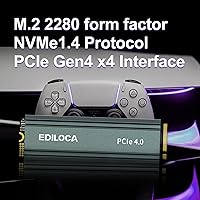
The Ediloca EN760 500GB M.2 NVMe SSD is a practical choice for PS5 owners who have burned through their console's base storage and want a straightforward expansion without paying a premium for a recognizable brand name. If your library has grown to the point where you're constantly deleting games to make room, this NVMe drive installs cleanly into the PS5 expansion slot and appears in the storage menu without any firmware gymnastics. First-time upgraders will appreciate that the box includes a screwdriver and mounting hardware, removing the usual friction of a DIY install. Budget-focused PC builders stepping up from an older SATA SSD will also see a genuine performance improvement in boot times and application loading. Light creative workloads — proxies, batch exports, moderate 4K timelines — run comfortably on this Gen4 upgrade, provided you are not routinely moving files large enough to exhaust the SLC write cache in a single session.
Not suitable for:

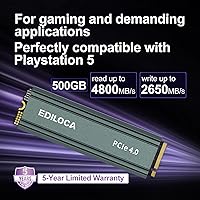
The Ediloca EN760 500GB M.2 NVMe SSD is not the right call for users who regularly work with massive sequential writes, such as video editors capturing raw 4K or 8K footage directly to the drive or data professionals migrating multi-hundred-gigabyte archives on a daily basis. Once the Dynamic SLC cache fills up, sustained write speeds fall back to native TLC rates, which is a real-world limitation that matters in those workflows. Power users who want a drive from an established brand with a proven long-term reliability track record — and robust public documentation of warranty claims — may find Ediloca's relative obscurity a sticking point. Anyone needing more than 500GB from a single drive will also need to look elsewhere, since the EN760 SSD tops out at this capacity in its current lineup. Finally, if your PC motherboard or laptop uses an older PCIe Gen3 slot exclusively, you will not see the headline speeds this drive is rated for, making a less expensive Gen3 option a smarter financial decision.
Specifications

  • Capacity: The drive offers 500GB of usable storage, suitable for a growing PS5 game library or a primary PC system drive.
  • Interface: It connects via a PCIe Gen4 x4 interface, which delivers substantially higher bandwidth than older Gen3 or SATA connections.
  • Protocol: The drive uses the NVMe 1.4 protocol, enabling low-latency communication between the SSD and the host system.
  • Form Factor: The M.2 2280 form factor measures 22mm wide and 80mm long, fitting the vast majority of modern desktops, laptops, and the PS5 expansion slot.
  • Sequential Read: Rated peak sequential read speed reaches up to 4800MB/s under ideal, queue-depth-optimized test conditions.
  • Sequential Write: Rated peak sequential write speed reaches up to 2400MB/s, with real-world sustained rates dependent on SLC cache availability.
  • NAND Type: Storage cells are built on 3D TLC (Triple-Level Cell) NAND flash, which balances cost-efficiency with acceptable endurance for consumer workloads.
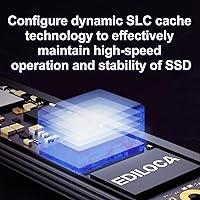
  • Cache Type: Dynamic SLC caching is used to accelerate burst write performance, though speeds taper once the cache threshold is exceeded during large transfers.
  • Endurance: The drive carries a 350TBW (Terabytes Written) endurance rating, providing a defined durability baseline for warranty and longevity assessment.
  • Heatsink: An aluminum heatsink is included and pre-fitted, designed to dissipate heat during sustained workloads and sized for direct PS5 slot installation.
  • Warranty: Ediloca provides a 5-year limited warranty along with free lifetime technical support for the original purchaser.
  • Compatible Devices: The EN760 SSD is compatible with PlayStation 5, Windows-based desktops and laptops, macOS systems with M.2 slots, and Linux machines.
  • In-Box Accessories: The retail package includes a small screwdriver and mounting screws to support tool-free installation for first-time users.
  • Item Weight: The drive with heatsink weighs approximately 2.82 ounces, keeping overall system weight impact negligible in both console and PC builds.
  • Package Dimensions: Retail packaging measures approximately 5.79 x 3.39 x 0.67 inches, compact enough for easy storage or resale.
  • Brand: Ediloca is the manufacturer and brand, a lesser-known storage label competing in the budget-to-mid-range consumer SSD segment.
  • Model Series: This drive belongs to the EN760 series, which represents Ediloca's Gen4 NVMe product line for consumer storage applications.
  • OS Support: The drive operates without additional drivers on Windows, macOS, and Linux operating systems, relying on native NVMe support built into modern kernels and OS versions.

Related Reviews

PNY CS2230 500GB M.2 NVMe SSD
82%
93%
Value for Money
84%
Read/Write Performance
91%
Installation Ease
88%
Compatibility
89%
Warranty & Support
More
Ediloca EN760 2TB M.2 NVMe SSD
80%
88%
Read Speed Performance
74%
Write Speed Performance
93%
PS5 Compatibility
82%
Heatsink Quality
86%
Value for Money
More
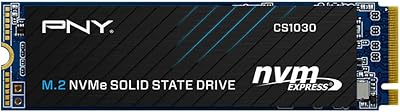
PNY CS1030 M.2 NVMe SSD 500GB
86%
89%
Performance
92%
Value for Money
84%
Installation Process
90%
Boot Time Improvement
87%
File Transfer Speed
More
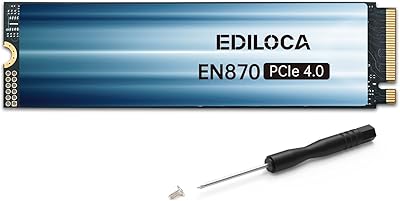
Ediloca EN870 2TB NVMe M.2 SSD
78%
88%
Sequential Read Speed
79%
Sequential Write Speed
91%
Value for Money
93%
PS5 Compatibility
86%
Installation Ease
More
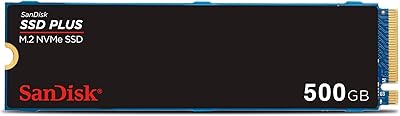
SanDisk SSD Plus 500GB M.2 NVMe SSD
81%
83%
Read Performance
64%
Write Performance
96%
Installation Ease
88%
Value for Money
84%
Compatibility
More
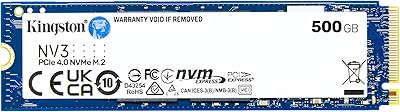
Kingston NV3 500GB NVMe SSD
81%
91%
Read Performance
78%
Write Performance
94%
Value for Money
63%
Thermal Management
93%
Installation Ease
More
PNY CS2241 500GB M.2 NVMe Gen4 SSD
86%
91%
Performance
89%
Value for Money
94%
Ease of Installation
93%
Compatibility with Gen4 Systems
85%
Build Quality
More
Ediloca EN600 Pro 256GB NVMe M.2 SSD
77%
93%
Value for Money
94%
Installation Experience
83%
Read Performance
57%
Sustained Write Speed
87%
Compatibility
More
Samsung 970 EVO 500GB NVMe M.2 SSD
86%
94%
Read Speed
89%
Write Speed
91%
Reliability
78%
Ease of Installation
83%
Thermal Performance
More
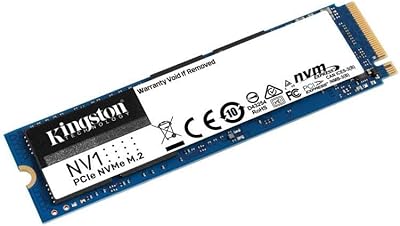
Kingston NV1 500GB M.2 2280 NVMe SSD
85%
88%
Performance
92%
Value for Money
90%
Installation Ease
80%
Speed Consistency
85%
Durability
More

FAQ

Yes, it fits directly into the PS5 M.2 expansion slot without trimming or adapting the heatsink. The aluminum heatsink is sized to meet Sony's dimensional requirements, so you just seat the drive, secure it with the included screw, and run the PS5 storage formatting process from the console settings menu.

It does serve a real purpose. The PS5 requires a heatsink on any M.2 drive installed in its expansion bay, and the included aluminum spreader handles thermal dissipation during normal gaming sessions. It is not a high-end cooler, but it keeps temperatures in check for typical use. Extreme sustained workloads could push limits, but that scenario is uncommon in console gaming.

This is worth understanding before you buy. The dynamic SLC cache gives the drive a fast-lane buffer for most everyday tasks, but when you push a very large file transfer — think moving a 50GB or 100GB game archive in one shot — write speeds will drop once the cache is exhausted. The drive falls back to native TLC write rates, which are noticeably slower. For typical gaming, streaming installs, or normal PC use, this rarely becomes a problem.

It depends on your library. Modern AAA titles regularly run between 50GB and 100GB each, so realistically you are looking at space for five to eight large games alongside the internal storage. If you tend to rotate your library and delete titles you have finished, 500GB works well. If you prefer keeping a large collection installed and ready, you may want to consider a 1TB option instead.

Absolutely. The Ediloca EN760 500GB M.2 NVMe SSD includes a screwdriver and mounting screw in the box specifically for this reason. For PS5, Sony also provides a clear step-by-step guide in the console settings that walks you through the process. For PC installation, the steps are similarly straightforward: power down, seat the drive in the M.2 slot, secure it, and boot up. No prior experience is required.
It will work — the drive is backward compatible with Gen3 slots — but you will not see the Gen4 speeds. The drive will negotiate down to Gen3 bandwidth, meaning peak reads will top out around 3500MB/s rather than the rated 4800MB/s. It is still faster than SATA, but if your machine is Gen3 only, paying for a Gen4 drive is not the most efficient use of your budget.

In day-to-day PS5 gaming, the differences between Gen4 drives are smaller than the spec sheets suggest. Game load times on PS5 are influenced by many factors beyond raw SSD speed, and once drives exceed a certain throughput threshold, gains become marginal. Established brands like WD and Samsung have a longer reliability track record and more refined controllers, but for typical gaming use, this NVMe drive holds its own without a significant real-world penalty.

The warranty covers manufacturing defects and drive failure under normal use conditions for five years from purchase. Ediloca also advertises free lifetime technical support. For claims, you would contact Ediloca directly through their support channels. As a relatively newer brand, documented community experiences with warranty claims are less abundant than with established manufacturers, so it is reasonable to keep your purchase receipt and order confirmation stored safely.

Technically yes, if you place it in a compatible M.2 NVMe USB enclosure. However, the full Gen4 speed will not be accessible over USB since even USB 3.2 Gen 2x2 tops out well below the drive's rated throughput. It will function and perform reasonably for external storage tasks, but it is not the intended use case and is not the most cost-efficient way to get external storage.

Under typical PS5 gaming conditions, the aluminum heatsink manages temperatures adequately. The PS5 also has its own internal cooling system that helps manage the expansion bay environment. In a PC without good airflow, temperatures could climb higher, and you may want to monitor them with a tool like CrystalDiskInfo. Ediloca does not publish official operating temperature ranges in their consumer-facing documentation, which is a minor gap worth noting.