
Overview

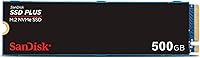
The SanDisk SSD Plus 500GB M.2 NVMe SSD launched in early 2024 and has quietly carved out a respectable spot among budget-conscious upgraders, currently sitting at #147 in Amazon's Internal SSD rankings. This is not a drive built for enthusiasts chasing benchmark records — it's a practical, no-fuss option for everyday PC users who want a genuine speed improvement without a steep price. Western Digital's brand credibility backs it, which matters when you're entrusting a drive with your operating system and personal files. It uses the M.2 2280 form factor with a PCIe Gen 3 interface, fitting a wide range of modern laptops and desktops — but not systems that lack an M.2 slot entirely.

Features & Benefits

This NVMe drive tops out at 2,400 MB/s sequential read via PCIe Gen 3x4 — which, in day-to-day use, translates to faster Windows boot times, snappier app launches, and noticeably quicker large file transfers compared to any SATA drive. The 500GB capacity hits a practical sweet spot: enough for an operating system, a solid stack of applications, and a decent media library. Backward compatibility with PCIe Gen 2 slots is an underappreciated detail that makes this useful even in older machines. Installation is refreshingly simple — single screw, standard 2280 slot, done. The Western Digital Dashboard adds genuine long-term utility by letting you monitor drive health at a glance, which not every entry-level drive bothers to offer.

Best For

This SanDisk M.2 SSD makes the most sense for people moving off an aging hard drive or old SATA SSD who want a noticeable real-world speed boost without stretching their budget. It's a natural fit for budget laptop or desktop builds where a reliable boot drive matters more than chasing peak numbers. Students managing documents, photos, and video files will find 500GB workable, though heavy game libraries or large media collections will push it quickly. It also functions well as a secondary storage drive in systems where the primary NVMe slot is already taken. That said, content creators, NAS builders, and anyone with sustained write-heavy workloads should look elsewhere — this drive is not built for that kind of punishment.

User Feedback

With a 4.7-star average across more than 700 ratings, this entry-level solid state drive has earned strong marks for its price tier. Most owners point to the painless installation and how noticeably faster their systems feel afterward — especially on boot. Where feedback gets more critical is around sustained write performance. This is a DRAM-less design, and under heavier workloads — large batch transfers or prolonged write sessions — speeds can drop meaningfully below the rated ceiling. A portion of reviewers also note that real-world read figures don't always reach the advertised peak. On the upside, the WD Dashboard earns consistent praise for being genuinely practical, not just a checkbox feature, and long-term reliability reports are largely positive across the rating pool.

Pros

  • Real-world boot and app load speeds are noticeably faster than any SATA drive.
  • Backed by Western Digital, a manufacturer with a long track record in consumer storage.
  • Backward-compatible with PCIe Gen 2 slots, expanding its use to older machines.
  • Single-screw M.2 2280 installation makes setup quick and painless for most users.
  • Western Digital Dashboard provides useful health monitoring without requiring technical know-how.
  • Holds a 4.7-star average across hundreds of verified ratings — strong for its price tier.
  • Lightweight enough to be completely irrelevant to portable or thin-and-light builds.
  • Works well as a secondary drive in systems where the primary NVMe slot is already taken.
  • 500GB capacity comfortably handles an OS install plus a solid library of apps and media.

Cons

  • DRAM-less design means sustained write speeds can fall significantly under heavy workloads.
  • Real-world read speeds often fall short of the advertised 2,400 MB/s ceiling.
  • Not viable for users who need PCIe Gen 4 performance in a modern high-end system.
  • 500GB fills up faster than expected once games, RAW photos, or video projects enter the picture.
  • No included thermal pad or heatspreader, which may matter in tightly packed builds with poor airflow.
  • Write endurance ratings are modest compared to mid-range or prosumer NVMe alternatives.
  • Not suitable for NAS or external enclosure use cases — strictly an internal desktop or laptop drive.
  • Buyers on systems without an M.2 slot cannot use this drive at all, making compatibility research essential before purchasing.

Ratings

The SanDisk SSD Plus 500GB M.2 NVMe SSD has been scored by our AI rating engine after processing hundreds of verified global buyer reviews, with spam, incentivized submissions, and bot activity actively filtered out before any analysis. Scores reflect the full picture — where this NVMe drive genuinely delivers and where real users have run into frustrations. The result is an honest, balanced breakdown designed to help you decide whether this drive fits your specific situation.

Read Performance
83%
For everyday tasks — booting into Windows, launching browsers, opening large documents — users consistently report a dramatic improvement over their previous SATA or HDD setup. The PCIe Gen 3x4 interface gives this SanDisk M.2 SSD a tangible speed advantage that most casual users will actually feel in daily use.
Real-world sequential read speeds rarely match the advertised 2,400 MB/s ceiling outside of controlled benchmarks. Users running CrystalDiskMark or similar tools often see figures notably lower than rated, which can feel misleading if expectations were set by the spec sheet.
Write Performance
64%
36%
For light write tasks — saving files, installing apps, occasional large downloads — write performance is perfectly adequate and noticeably faster than any SATA alternative. Users handling typical office or student workloads rarely encounter any meaningful bottleneck.
The DRAM-less architecture is the clearest limitation here. During sustained write operations — copying large folders, transferring video projects, or running disk-heavy background tasks — speeds can drop sharply as the drive exhausts its SLC cache buffer. This is a known structural trade-off at this price tier, not a defect, but it catches some buyers off guard.
Installation Ease
96%
Nearly universal praise across user reviews for how straightforward the physical installation is. The standard M.2 2280 form factor slots in at an angle, a single screw locks it down, and most users report having their system up and running in under ten minutes — even first-timers.
A small number of users noted that their specific laptop models required removing multiple panels or a battery assembly before reaching the M.2 slot, which has nothing to do with the drive itself but still contributed to frustration. No installation guide is included in the box, which beginners occasionally flag.
Value for Money
88%
At its price point, this entry-level solid state drive represents a compelling cost-per-gigabyte ratio for NVMe storage. Users upgrading from HDDs or older SATA SSDs feel they got a meaningful performance leap without paying a premium, and the strong brand name adds confidence to that purchase decision.
A handful of buyers point out that slightly higher-end NVMe options — with DRAM caches and better sustained write endurance — sometimes go on sale for only a modest premium, making the value calculation less clear-cut for anyone planning to push the drive harder than basic tasks.
Compatibility
84%
Backward compatibility with PCIe Gen 2 slots meaningfully widens the pool of machines this drive works with, including systems from 2015 and later that have an M.2 slot. Users with older laptops and desktops appreciated being able to get NVMe speeds without needing a brand-new board.
The drive is strictly limited to systems with an M.2 PCIe slot — it offers no path forward for users with only SATA M.2 or legacy 2.5-inch bays. A small number of reviews flagged compatibility research as something they wished they had done more carefully before purchasing.
Boot Drive Performance
91%
As a dedicated Windows boot drive, this SanDisk M.2 SSD earns consistently strong feedback. Users migrating from hard drives in particular report their boot times dropping from over a minute to under fifteen seconds — a change that noticeably changes how a machine feels to use every single day.
A few users running heavily customized Windows builds with large pagefile configurations or extensive startup services noticed that the improvement was less dramatic than expected, suggesting diminishing returns when the OS itself is the bottleneck rather than drive speed.
Thermal Behavior
71%
29%
Under typical light-to-moderate workloads, the drive runs at comfortable temperatures and does not trigger thermal throttling in well-ventilated systems. Most laptop users report no heat-related complaints during day-to-day work sessions or casual media consumption.
In compact laptops with poor airflow or during extended file transfer sessions, some users observed the drive warming up enough to cause minor performance throttling. The lack of an included heatspreader means heat management is entirely dependent on the host system's cooling design.
Software & Monitoring
78%
22%
The Western Digital Dashboard is a genuine value-add that users appreciate for its clarity. Checking drive health, available capacity, and temperature takes seconds, and the interface is clean enough that non-technical users find it navigable without a learning curve.
The software must be downloaded separately and requires a WD account for full functionality, which some users find unnecessarily cumbersome for a simple health-monitoring tool. The Dashboard's feature set is also relatively basic compared to third-party tools like CrystalDiskInfo.
Long-Term Reliability
82%
18%
Across the ratings pool, reports of early drive failure or data loss are rare, and WD's manufacturing reputation provides a reasonable baseline of confidence. Most users who have owned the drive for six months or more report no unexpected behavior or degradation.
Long-term write endurance data specific to this model is limited given its relatively recent 2024 release. Users with heavy daily write workloads should monitor TBW ratings carefully — DRAM-less drives at this tier can show wear more quickly under sustained use than their DRAM-equipped counterparts.
Capacity Adequacy
73%
27%
For a primary OS drive handling Windows, a browser stack, productivity apps, and a moderate media library, 500GB comfortably handles the workload for most everyday users. Students and remote workers in particular report it meeting their storage needs without issue.
Gamers and creative professionals frequently flag 500GB as running out faster than expected once a few modern game titles or video project folders enter the picture. Several reviews note that buyers wished they had opted for a 1TB variant from the start.
Build & Form Factor
89%
The drive's compact M.2 2280 footprint and sub-0.2-ounce weight make it essentially invisible inside any build. There are no cables, no bulky enclosures, and no space overhead — it disappears into the slot and frees up room for other components.
As is standard with M.2 drives, there is no visual indicator of activity or status once installed, which some newer PC builders find disorienting when troubleshooting. The bare PCB design also offers no physical protection against static discharge during handling.
Packaging & Unboxing
74%
26%
The packaging is clean, compact, and appropriately minimal for a budget-tier internal drive. The drive arrives well-protected and clearly labeled, with no excess plastic waste — something a growing number of eco-conscious buyers specifically mention appreciating.
No mounting screw, thermal pad, or installation documentation is included, which leaves first-time builders to source their own hardware or rely entirely on online tutorials. For a product frequently purchased by upgrade beginners, this feels like an unnecessary omission.
Brand Confidence
86%
SanDisk's long consumer reputation and Western Digital's backing give buyers a level of brand-level confidence that cheaper no-name NVMe alternatives simply cannot match. For users who prioritize peace of mind alongside price, that association carries real weight at the purchase stage.
Some technically informed buyers note that SanDisk's NVMe lineup does not carry the same premium engineering reputation as its enterprise or prosumer-tier WD Black drives, meaning the brand halo only extends so far when comparing specification sheets head to head.

Suitable for:

The SanDisk SSD Plus 500GB M.2 NVMe SSD is a strong match for everyday PC users who are tired of slow boot times and sluggish app loads but don't want to overspend to fix the problem. If you're running Windows off an old hard drive or a SATA SSD and your machine has an open M.2 2280 slot, this drive delivers a genuinely felt improvement in daily responsiveness. It's equally well-suited as a secondary storage drive in a build where the primary slot is already occupied by a faster NVMe option. Students, remote workers, and casual home users storing documents, photos, and streaming-ready media will find 500GB of NVMe storage more than adequate for their needs. Owners of slightly older systems with PCIe Gen 2 slots can also benefit, since this SanDisk M.2 SSD's backward compatibility means it isn't strictly limited to newer hardware.

Not suitable for:

The SanDisk SSD Plus 500GB M.2 NVMe SSD is not the right tool for users who push their storage hard on a regular basis. Without a DRAM cache, sustained write performance can drop noticeably during large batch transfers, prolonged file operations, or back-to-back write-heavy tasks — the kind of workloads that video editors, photographers working with RAW files, or developers compiling large codebases deal with constantly. Anyone looking to max out PCIe Gen 4 bandwidth in a modern high-end build will find this entry-level drive a bottleneck by design, not by defect. The 500GB ceiling also rules it out for gamers with large libraries or professionals who keep substantial local archives. If your use case involves sustained write endurance, NAS deployment, or workstation-level performance, this NVMe drive is simply not built for that.

Specifications

  • Capacity: This drive offers 500GB of formatted storage, with actual usable space slightly less due to system overhead and formatting.
  • Interface: It connects via NVMe over a PCIe Gen 3x4 lane configuration, offering substantially higher bandwidth than SATA-based alternatives.
  • Form Factor: The drive uses the M.2 2280 form factor, measuring 3.15 x 0.87 x 0.09 inches — a standard size compatible with most modern desktops and laptops.
  • Read Speed: Sequential read performance is rated at up to 2,400 MB/s under ideal, controlled conditions.
  • Backward Compatibility: The drive is backward compatible with PCIe Gen 2 M.2 slots, making it usable in a broader range of older hardware platforms.
  • Weight: At just 0.192 ounces, this NVMe drive adds virtually no meaningful weight to any laptop or desktop build.
  • Installation: Installation is internal only, secured with a single screw into a standard M.2 slot on compatible motherboards and laptops.
  • Compatible Devices: Designed for internal use in both desktop PCs and laptops equipped with an M.2 PCIe slot.
  • Cache Architecture: This drive uses a DRAM-less design, which means sustained write performance may taper off during prolonged or large-scale write operations.
  • Software: Western Digital Dashboard is available as a free companion app for monitoring drive health, temperature, and storage status in real time.
  • Manufacturer: Produced by Western Digital Technologies, Inc., which markets consumer storage products under the SanDisk brand.
  • Color: The drive ships in a black finish, though it is typically not visible once installed inside a system.
  • Flash Type: Uses NAND flash memory in a solid-state configuration with no moving parts, making it inherently more shock-resistant than traditional hard drives.
  • Release Date: This drive was first made available in March 2024, positioning it as a relatively recent entry in SanDisk's NVMe lineup.
  • Model Number: The official model identifier is SDSSDA3N-500G-G26, which can be used to verify compatibility with specific system documentation.
  • Market Ranking: As of available data, this drive holds the #147 position in Amazon's Internal Solid State Drives category, reflecting strong sales velocity.
  • User Rating: It carries a 4.7-out-of-5-star average rating based on 716 verified customer ratings on Amazon.
  • Operating Platform: Officially supported on PC-based systems running compatible operating systems; not designed or validated for NAS enclosures or external USB adapters.

Related Reviews

SanDisk 2TB SSD Plus M.2 NVMe SSD
86%
89%
Performance
92%
Ease of Installation
88%
Reliability
91%
Value for Money
90%
Capacity
More
SanDisk Extreme PRO M.2 NVMe SSD 500GB
85%
92%
Performance Speed
90%
Reliability & Endurance
88%
Installation & Setup
75%
Price vs. Value
84%
Power Efficiency
More
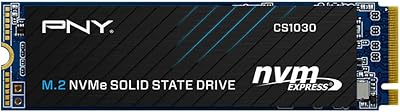
PNY CS1030 M.2 NVMe SSD 500GB
86%
89%
Performance
92%
Value for Money
84%
Installation Process
90%
Boot Time Improvement
87%
File Transfer Speed
More
PNY CS2230 500GB M.2 NVMe SSD
82%
93%
Value for Money
84%
Read/Write Performance
91%
Installation Ease
88%
Compatibility
89%
Warranty & Support
More
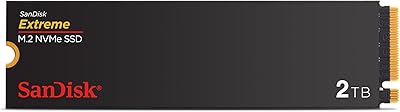
SanDisk Extreme M.2 NVMe 2TB SSD
79%
91%
Read Speed Performance
63%
Sustained Write Performance
94%
Installation Ease
83%
Value for Money
88%
Compatibility & Versatility
More
Kingston NV3 500GB NVMe SSD
81%
91%
Read Performance
78%
Write Performance
94%
Value for Money
63%
Thermal Management
93%
Installation Ease
More
SanDisk Extreme M.2 1TB NVMe SSD
79%
88%
Read Performance
71%
Write Performance
94%
Installation Ease
86%
Value for Money
62%
Thermal Management
More
fanxiang S630 500GB M.2 2230 NVMe SSD
78%
88%
Read Performance
74%
Write Performance
94%
Form Factor Fit
86%
Installation Experience
71%
Thermal Management
More
Crucial P2 500GB NVMe PCIe M.2 SSD
87%
91%
Value for Money
88%
Performance
94%
Read Speed
78%
Write Speed
85%
Build Quality
More
Samsung 970 EVO 500GB NVMe M.2 SSD
86%
94%
Read Speed
89%
Write Speed
91%
Reliability
78%
Ease of Installation
83%
Thermal Performance
More

FAQ

It depends on whether your laptop has an M.2 slot that supports PCIe — specifically the 2280 size, which is the most common M.2 length. Check your laptop's manual or the manufacturer's spec page to confirm. If your machine only has a SATA M.2 slot and not a PCIe one, this NVMe drive will not work in it.

Yes, it's a solid choice for that specific role. Boot times are noticeably faster compared to any SATA SSD or hard drive, and 500GB is enough room for Windows, your core apps, and a reasonable amount of personal files. It's one of the most common use cases owners report being happy with.

A DRAM cache acts as a fast buffer that helps the drive manage write operations more efficiently. Without it, performance during large, sustained write tasks — like copying a 50GB folder — can slow down noticeably. For everyday use like booting, browsing, and running apps, you likely won't feel it. If you regularly move large files or do video editing, it becomes more relevant.

Yes. This SanDisk M.2 SSD is backward compatible with PCIe Gen 2 slots. You won't hit the full rated speed, but it will still run significantly faster than a SATA or spinning hard drive, and it will be recognized and function correctly in the older slot.

Just a small Phillips-head screwdriver to fasten the single retaining screw on the M.2 standoff. The drive itself slides into the slot at an angle and clicks into place — no complicated brackets or adapters needed for standard 2280 slots.

Probably not in typical everyday use. That figure reflects peak sequential read performance under controlled benchmark conditions. Real-world speeds vary depending on the task, your system's PCIe configuration, thermal conditions, and how full the drive is. Expect solid, snappy performance — just don't expect benchmark-matching results during normal file operations.

Yes, Western Digital's free Dashboard app lets you monitor the drive's health status, temperature, and available capacity. It's straightforward to use and gives you an early warning if anything looks off. You have to download it separately — it doesn't come pre-installed — but setup takes only a few minutes.

The jump is meaningful for real-world use. This entry-level solid state drive reads at up to 2,400 MB/s, while a typical SATA SSD tops out around 550 MB/s. In practice, that translates to faster boot times, quicker application launches, and more responsive file handling. It's one of the better value upgrades you can make if your system still has a SATA-based drive.

For a Windows install plus everyday apps and a modest media library, 500GB is workable. However, if you game heavily, edit video, or keep large local archives, you'll likely fill it faster than expected. If budget allows, sizing up to 1TB gives you considerably more breathing room and often costs only a bit more.

SanDisk typically covers its SSD Plus NVMe drives with a limited 3-year warranty through Western Digital. It's worth registering the drive through the WD Dashboard or their website after installation to make any future claims easier to process.