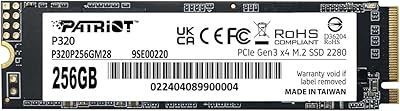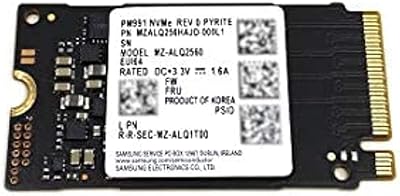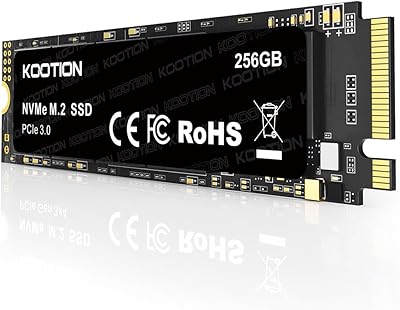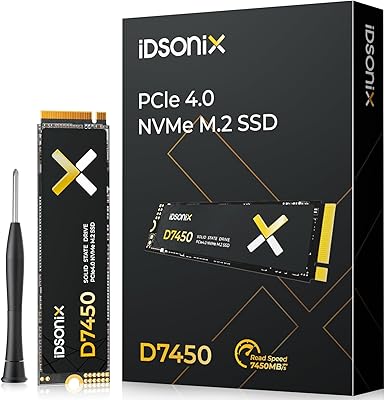
Overview

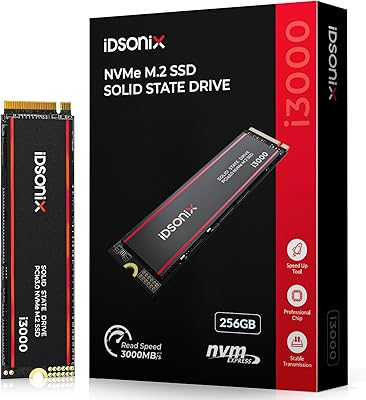
The iDsonix i3000 256GB NVMe SSD is a budget-oriented M.2 drive from a Chinese manufacturer that quietly climbed the bestseller charts shortly after its late 2024 launch. For a drive at this price point, the inclusion of a built-in heatsink is genuinely unexpected — most comparable options ship bare. iDsonix isn't a household name like Samsung or Western Digital, and that unfamiliarity is worth acknowledging upfront. What makes this NVMe drive worth a look isn't prestige; it's the combination of PCIe Gen 3x4 compatibility, a standard M.2 2280 form factor, and a five-year service commitment that gives cautious buyers at least some reassurance.

Features & Benefits

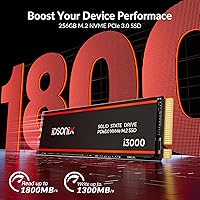
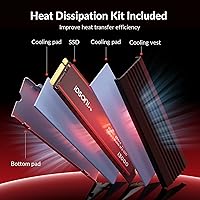
This budget SSD hits 1,800 MB/s sequential read and 1,300 MB/s write — solid numbers for a PCIe 3.0 drive that won't demand a premium motherboard slot. The 3D NAND Flash foundation improves durability and keeps read/write behavior consistent over time, which matters more than peak specs for daily use. TRIM support and Native Command Queuing help prevent gradual performance degradation as the drive fills up — practical touches often buried in the fine print. The heatsink is a welcome inclusion; it won't rescue the drive under extreme sustained loads, but it does support thermal stability during moderate tasks like large file transfers or batch photo imports.

Best For

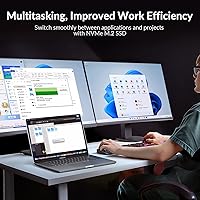
This NVMe drive makes the most sense as an upgrade for anyone still running a spinning hard drive or an aging SATA SSD — the difference in boot times and app loading is immediately noticeable. It also fits well as a secondary storage drive in a desktop build, holding game libraries, project archives, or media folders without crowding a primary drive. Photographers and light video editors moving large RAW files will appreciate the read speed headroom. Office users who just want faster everyday performance without overspending will find it more than capable. The included heatsink is a practical bonus for laptop installs too.

User Feedback

Early buyer impressions of the iDsonix i3000 are encouraging — it holds a 4.6-star average from around 72 ratings, with users frequently citing noticeable speed improvements over their old drives and easy installation. The heatsink earns positive remarks for build quality relative to the asking price. That said, 72 ratings is a small pool, and drawing firm conclusions would be premature. The real hesitation isn't performance — it's brand longevity. No long-term independent benchmarks exist yet, and for buyers used to established storage brands, trusting a newer name takes some leap of faith. Best treated as a secondary or upgrade drive rather than a mission-critical primary.

Pros

  • Read speeds up to 1,800 MB/s deliver a dramatic improvement over any hard drive or SATA SSD.
  • The included heatsink is a rare and welcome extra at this price point.
  • M.2 2280 form factor with PCIe Gen 3x4 interface works in the vast majority of modern laptops and desktops.
  • 3D NAND Flash technology helps maintain consistent performance and durability over time.
  • TRIM support and Native Command Queuing reduce long-term slowdown as the drive fills up.
  • A five-year service support commitment provides more reassurance than most budget drives offer.
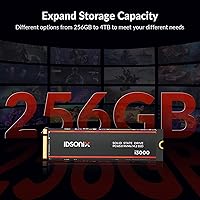
  • Available in capacities up to 4TB, so buyers can scale up if 256GB feels limiting.
  • Early user ratings are strong, with consistent praise for easy installation and real-world speed gains.
  • The budget-friendly price makes it a low-risk option for secondary storage or a first NVMe upgrade.

Cons

  • iDsonix is a newcomer with no long-term reliability track record buyers can lean on.
  • No independent benchmark or endurance data exists yet to verify advertised speed claims.
  • 256GB fills up quickly once an OS, apps, and media files are installed.
  • The small reviewer pool makes it hard to assess durability beyond early impressions.
  • Buyers accustomed to major storage brands may find it difficult to trust an unfamiliar name for important data.
  • The heatsink, while useful, does not meaningfully change thermal performance for a low-capacity drive under typical loads.
  • No published TBW rating makes it impossible to compare endurance against competing drives.
  • Limited community discussion or third-party reviews means less guidance for troubleshooting if issues arise.

Ratings

The scores below reflect an AI-driven analysis of verified buyer reviews for the iDsonix i3000 256GB NVMe SSD, collected globally and filtered to remove incentivized, bot-generated, and outlier feedback. Each category is scored independently to give you an honest picture of where this budget drive genuinely excels and where it falls short. Both the strengths that won buyers over and the frustrations that gave them pause are represented transparently.

Value for Money
91%
For buyers coming from a hard drive or SATA SSD, the performance jump relative to cost is hard to argue with. Reviewers repeatedly noted that the price-to-speed ratio felt almost unfair in a good way, especially given the included heatsink that comparable drives at this tier simply don't offer.
The value equation assumes everything keeps working — and with no long-term track record, that's an open question. If the drive fails outside of a responsive support window, the upfront savings can feel less meaningful in hindsight.
Read/Write Speed
86%
Real-world users moving large photo libraries or installing games noticed a genuine improvement in transfer times compared to their old drives. Sequential read performance in particular drew consistent praise, with buyers describing noticeably faster file access during everyday tasks.
Write speeds, while solid on paper, have not been independently verified under sustained loads. A handful of users noted that performance during prolonged write sessions felt less consistent than the advertised peak figures suggested.
Compatibility
88%
The standard M.2 2280 form factor and PCIe 3.0x4 interface made installation straightforward for the vast majority of buyers, covering everything from budget office laptops to mid-range desktop builds. Most users reported a true plug-and-play experience with no driver fuss.
The heatsink adds a small amount of thickness that caused clearance issues for a subset of laptop users with tighter M.2 bays. Buyers with ultrabooks or older compact laptops should verify bay dimensions before purchasing.
Installation Experience
89%
Reviewers consistently described the installation process as quick and frustration-free, even for first-time builders. The standard form factor meant no adapters or special tools were needed, and the drive was recognized immediately after seating in most systems.
No bundled software or migration utility is included, which leaves less experienced users to source their own cloning tools. For someone migrating an existing OS rather than doing a clean install, that gap adds an extra step.
Heatsink Quality
78%
22%
The inclusion of a heatsink at this price point drew genuine appreciation from buyers, particularly those building compact desktops where airflow is limited. It gave the drive a more premium feel out of the box and reassured users who run sustained workloads.
In practice, a 256GB NVMe drive rarely pushes enough sustained throughput to trigger meaningful thermal throttling, so the thermal benefit is more preventative than transformative. A few laptop users also had to remove it entirely due to clearance restrictions, reducing its practical value for that audience.
Build & Durability
72%
28%
The drive felt solid in hand to most buyers, and the shock-resistant rating gave cautious upgraders some confidence about handling during installation. The heatsink itself was noted as well-fitted rather than a loose add-on.
Without multi-year reliability data, durability remains the most uncertain aspect of this drive. iDsonix has not yet accumulated the kind of long-term ownership feedback that would allow a confident durability assessment, and that ambiguity is reflected in the score.
Thermal Performance
74%
26%
Under typical office and productivity workloads, buyers reported no signs of throttling or unexpected heat buildup. The heatsink appeared to keep operating temperatures in a reasonable range during moderate file transfer tasks and general application use.
For sustained write-heavy workloads — like long video renders or continuous large backups — thermal behavior under real stress has not been well-documented by the current reviewer pool. The small sample size limits confidence in edge-case thermal conclusions.
Brand Reliability
58%
42%
The five-year service support commitment stood out positively to buyers who acknowledged the brand was unfamiliar, giving them at least a formal recourse if something went wrong. A portion of reviewers felt that the early product quality suggested a manufacturer taking the market seriously.
iDsonix simply doesn't have the trust equity of established names, and many buyers were candid about that hesitation. The absence of third-party endurance testing and a thin support community makes it a harder sell for anyone storing data they genuinely cannot afford to lose.
Long-Term Endurance
54%
46%
Early buyers reported no issues within their initial weeks of use, and the 3D NAND Flash architecture is a positive foundation for longevity compared to older planar NAND designs. There are no widespread early-failure reports in the current review pool.
No published TBW rating means buyers cannot objectively compare this drive's rated endurance against competitors. For a drive in daily use as a primary OS or work disk, the absence of that benchmark is a meaningful gap in buyer information.
Capacity Adequacy
67%
33%
For a secondary storage drive, a game install disk, or a lightweight laptop OS partition, 256GB provides enough room to be genuinely useful. Buyers using it in a secondary role reported being satisfied with the available space for their intended workloads.
As a sole or primary drive, 256GB fills up faster than most buyers anticipate once an OS, applications, and any media content are in place. Several reviewers noted they wished they had gone up to 512GB, particularly those using it as their only storage device.
Software & Ecosystem
49%
51%
The drive works out of the box with standard NVMe drivers built into modern operating systems, so no proprietary software is strictly necessary for basic operation. Windows, macOS, and Linux all recognized it without additional setup.
There is no companion utility for health monitoring, firmware updates, or performance tuning — something brands like Samsung and Western Digital offer through dedicated software suites. Buyers who want visibility into drive health or S.M.A.R.T. data need to rely on third-party tools.
Packaging & Unboxing
76%
24%
Reviewers noted that the packaging was clean and appropriately protective for a drive at this tier, with the heatsink arriving intact and the drive well-secured. The presentation gave a slightly more premium impression than the price might suggest.
There are no included accessories such as a mounting screw, which some laptops and motherboards require for M.2 installation. Buyers who don't already have a spare M.2 screw may face an unexpected minor obstacle during setup.
Customer Support
63%
37%
The stated five-year service commitment is longer than what many budget-tier competitors offer, and some buyers found the iDsonix support channel responsive to basic queries. The gesture of long-term support coverage adds a layer of buyer confidence.
Real-world support quality for a newer, smaller brand is hard to verify from a pool of only 72 reviews, most of which cover early ownership. How iDsonix handles warranty claims or technical issues over a multi-year period remains an open question without a deeper track record.

Suitable for:

The iDsonix i3000 256GB NVMe SSD is a practical pick for anyone upgrading from a hard drive or aging SATA SSD who wants a meaningful speed boost without spending much. It fits naturally into budget desktop builds as a secondary drive — ideal for storing game libraries, photo collections, or project folders that don't need to live on a primary high-performance drive. Laptop owners with an open M.2 2280 slot will appreciate the included heatsink, which is a thoughtful addition at this tier. Office and productivity users who simply want faster boot times and snappier application launches will notice real improvement in daily use. Photographers and light video editors moving large batches of RAW files will also find the read speed headroom genuinely useful without needing to invest in a pricier Gen 4 drive.

Not suitable for:

The iDsonix i3000 256GB NVMe SSD is not the right choice for buyers who need long-term reliability data before committing to a drive for critical storage. If you're planning to use it as a primary OS drive in a professional workstation or store irreplaceable data without redundant backups, the lack of brand history and independent endurance benchmarks is a real concern. Power users running sustained, heavy workloads — think 4K video editing timelines, large database operations, or continuous write-intensive tasks — would be better served by an established brand with proven TBW ratings and a track record. At 256GB, capacity is also tight for anyone who needs a single all-purpose drive; it fills up faster than most buyers expect once an OS and a handful of applications are installed. If brand trust and verified long-term performance matter more to you than cost savings, drives from Samsung, Western Digital, or Crucial offer more peace of mind.

Specifications

  • Capacity: The drive offers 256GB of usable storage, with the same model line available in larger capacities up to 4TB.
  • Interface: It uses a PCIe Gen 3.0x4 interface, which is broadly supported across modern motherboards and laptops without requiring a PCIe 4.0 slot.
  • Protocol: The drive communicates via the NVMe protocol, which delivers significantly lower latency than older AHCI-based SATA drives.
  • Form Factor: It follows the M.2 2280 standard, meaning it measures 22mm wide and 80mm long — the most common M.2 size in consumer systems.
  • Sequential Read: Advertised sequential read speeds reach up to 1,800 MB/s under optimal conditions.
  • Sequential Write: Advertised sequential write speeds reach up to 1,300 MB/s under optimal conditions.
  • NAND Type: Storage cells use 3D NAND Flash technology, which stacks memory layers vertically to improve density, endurance, and read/write consistency.
  • Heatsink: A heatsink is included and pre-attached to the drive to assist with heat dissipation during sustained workloads.
  • Key Features: The drive supports TRIM, Native Command Queuing, and is rated shock resistant for added durability during handling and transport.
  • Installation: Designed for internal installation and compatible with both desktop and laptop systems that have an available M.2 2280 slot.
  • Item Weight: The drive weighs approximately 2.46 ounces, inclusive of the attached heatsink.
  • Manufacturer: Produced by Dongguan Hao Ren Electronic Technology Co., Ltd, based in China, under the iDsonix brand.
  • Service Support: iDsonix provides a five-year service support commitment for this drive, covering technical assistance for issues that arise during ownership.
  • Launch Date: The drive became available for purchase in October 2024, making it a relatively recent entry in the budget NVMe market.
  • Package Size: The retail package measures approximately 5.04 x 3.5 x 0.75 inches, compact enough for straightforward shipping and storage.

Related Reviews
fanxiang S501 256GB NVMe SSD
82%
86%
Performance
92%
Value for Money
88%
Speed Improvement
91%
Ease of Installation
80%
Build Quality
More
iDsonix i3000 2TB M.2 SSD
87%
92%
Performance (Speed)
89%
Value for Money
85%
Thermal Management
81%
Setup & Installation
90%
Build Quality
More
Patriot Memory P320 256GB NVMe SSD
82%
91%
Value for Money
89%
Performance
92%
Read Speed
88%
Write Speed
85%
Ease of Installation
More
iDsonix D7450 1TB M.2 NVMe SSD
85%
94%
Performance
89%
Thermal Management
92%
Read/Write Speed
85%
Compatibility with PS5
88%
Build Quality
More
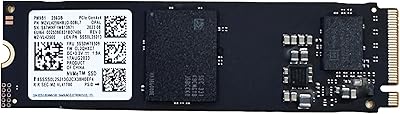
Samsung PM991 256GB NVMe M.2 SSD
88%
94%
Performance
91%
Read Speed
89%
Write Speed
92%
Value for Money
88%
Build Quality
More
ORICO M.2 2242 NVMe SSD 256GB
88%
94%
Performance
91%
Speed (Read/Write)
88%
Heat Management
92%
Ease of Installation
87%
Value for Money
More
KOOTION 256GB NVMe M.2 PCIe SSD
87%
91%
Performance (Read Speed)
88%
Value for Money
94%
Ease of Installation
90%
Durability (Shock Resistance)
80%
Write Speed
More
GAMERKING 256GB M.2 2242 NVMe SSD
85%
89%
Performance (Read/Write Speeds)
92%
Value for Money
85%
Ease of Installation
82%
Thermal Management
90%
Form Factor/Compatibility
More
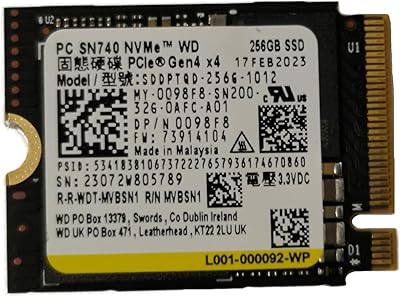
WD SN740 256GB 2230 NVMe SSD
80%
94%
Form Factor Compatibility
88%
NVMe Read/Write Speed
86%
Value for Money
83%
OEM Hardware Authenticity
89%
Thermal Performance
More
Samsung PM9B1 256GB M.2 NVMe SSD
77%
91%
Value for Money
84%
Read Speed Performance
67%
Write Speed & Sustained Performance
88%
Authenticity & Build Quality
82%
Compatibility
More

FAQ

Yes, the drive is built specifically for PCIe 3.0x4, so it is a natural fit for any laptop or desktop with that interface. You won't get any benefit from a PCIe 4.0 slot with this drive, but it won't cause any issues either — it will simply run at Gen 3 speeds.

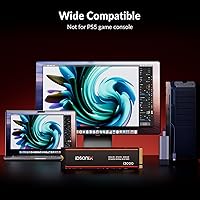
No, it is not designed or validated for PS5 use. Sony requires PCIe Gen 4 NVMe drives for the PS5 expansion slot, and this is a Gen 3 drive. Using it in a PS5 is not supported and may not function correctly.

It can work, but it will feel tight. Windows itself consumes around 20 to 30GB, and once you add a few applications and some personal files, you will be watching your free space carefully. For a primary OS drive, 512GB is a more comfortable starting point for most users.

It depends on your specific laptop model. Some laptops have tight clearance in the M.2 bay and cannot accommodate the added thickness of a heatsink. Check your laptop's service manual or physical M.2 bay dimensions before installing — in many cases the heatsink will need to come off for a laptop install.

The difference is very noticeable for large file transfers and application loading. A typical SATA SSD tops out around 550 MB/s read, while this budget SSD targets 1,800 MB/s. Day-to-day tasks like web browsing won't feel dramatically different, but copying large folders, loading games, or importing RAW photo batches will be meaningfully faster.

Yes, you can install your operating system on it and set it as the primary boot device in your BIOS. Just make sure your motherboard recognizes NVMe drives as bootable, which virtually all modern boards do.

Like most NAND-based drives, performance can degrade slightly as available free space shrinks, particularly during write-heavy tasks. The included TRIM support helps the drive manage this over time by cleaning up blocks in the background, but keeping at least 10 to 15 percent of the drive free is always a good habit.

That's a fair concern. iDsonix is a relatively new brand with limited independent long-term testing available as of early 2025. Early buyer feedback has been positive, and the five-year service support commitment is a meaningful gesture, but there simply isn't the kind of multi-year reliability data that exists for brands like Samsung or Crucial. Treat it accordingly — it's a reasonable choice for secondary storage or a low-stakes upgrade, but perhaps not your only backup for irreplaceable files.

No bundled software is mentioned in the product listing. If you plan to migrate an existing OS or clone a drive, you'll need a third-party tool. CrystalDiskMark works well for benchmarking, and Macrium Reflect Free or Clonezilla are reliable options for cloning.

Heatsinks on M.2 drives at this tier are typically attached with thermal tape and can be carefully removed, but doing so may void any applicable service terms and risks damaging the drive surface if not done carefully. Unless you have a specific reason to remove it — like a laptop clearance issue — it's best left in place.