EarlyLit CK230G Wireless Keyboard and Mouse Combo





Overview
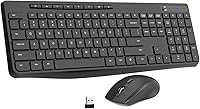
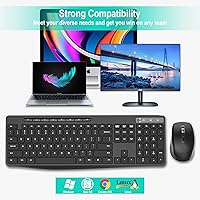
The EarlyLit CK230G Wireless Keyboard and Mouse Combo is a cord-free peripheral set aimed squarely at everyday users who want a tidier desk without a big spend. It launched in mid-2023 and has quietly climbed into the top 200 of its Amazon category — a sign that real buyers are picking it up and sticking with it. Setup takes about ten seconds: pull the nano USB receiver out of the mouse battery compartment, plug it in, and you're typing. Cross-platform compatibility covers Windows, Mac, Chrome OS, and Linux, so it works for most people right out of the box. One thing to know upfront: batteries are not included, so grab a AAA and an AA before it arrives.
Features & Benefits
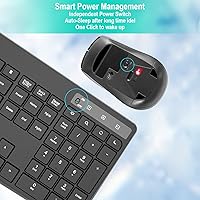
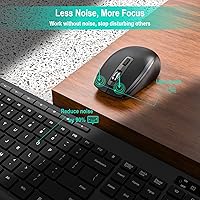
The 2.4 GHz wireless connection handles up to 33 feet of range, which is more than enough for most home setups — and in practice, there's no noticeable lag during normal typing or web browsing. The keyboard is full-size with 104 keys and 12 dedicated shortcut keys for things like volume, media playback, and screen brightness, so you're not hunting through menus for basic controls. An adjustable tilt stand at the back helps reduce wrist fatigue during longer sessions. The silent mouse click is probably the standout feature here — genuinely quiet, not just marketed-as-quiet. Both devices have physical power switches and drop into auto-sleep after ten minutes idle, which actually makes a meaningful difference to how long the batteries last.
Best For
This wireless combo is a natural fit for remote workers and students who need a dependable daily setup but aren't looking to spend heavily on peripherals. The ambidextrous mouse design means left-handed users don't have to compromise — a small detail that not every budget combo gets right. If you regularly move between a Windows laptop and a Mac, the broad OS compatibility removes any headache there. It's also a solid pick for anyone working in a shared space: quiet mouse clicks won't bother a roommate or a coworker on a call. And if you're switching from wired peripherals for the first time, plug-and-play setup makes the transition about as painless as it gets.
User Feedback
Buyers generally respond well to the EarlyLit keyboard-and-mouse set, with the most consistent praise going to how effortlessly it sets up and how comfortable the key spacing feels on the number pad during extended use. The 24-month support window gets mentioned positively too — it's longer than you'd expect at this price, and buyers have reported decent responsiveness when they've reached out. On the other side, the plastic build quality reflects what you're paying, and a handful of users have flagged occasional connectivity hiccups after prolonged use. The missing batteries are the most cited gotcha in negative reviews. Overall satisfaction trends positive, but going in with grounded expectations will keep you from being disappointed.
Pros
- Single nano USB receiver handles both devices, so setup is done in under a minute.
- Works across Windows, macOS, Chrome OS, and Linux without any driver installation.
- The quiet mouse click is genuinely unobtrusive — comfortable in shared offices or late-night sessions.
- Full-size 104-key layout with 12 dedicated shortcut keys keeps everyday tasks efficient.
- Physical on/off switches on both devices help stretch battery life noticeably between changes.
- Adjustable keyboard tilt stand offers a more comfortable typing angle during extended sessions.
- Ambidextrous mouse shape works equally well for left- and right-handed users without compromise.
- Splash-resistant keyboard membrane with drainage holes adds a practical safeguard against everyday desk accidents.
- A 24-month support window is longer than most rivals offer at this price tier.
- Lightweight and compact enough to pack for a commute or a shared co-working space.
Cons
- Batteries for both devices are sold separately, which catches many buyers off guard at unboxing.
- Plastic build quality feels budget-grade and may show wear faster under heavy daily use.
- Some users report occasional wireless dropouts after extended use, suggesting the connection is not always rock-solid.
- No adjustable DPI control on the mouse limits its usefulness for design work or precision tasks.
- Real-world wireless range in cluttered environments likely falls short of the advertised 33 feet.
- No keyboard backlighting makes typing in low-light conditions noticeably harder.
- Key travel and tactile feedback are minimal — not a satisfying experience for fast or heavy typists.
- Mouse performance is too basic for gaming or any task requiring rapid, precise cursor movement.
- USB-only connectivity means losing a port on devices that already have limited USB availability.
Ratings
The scores below were generated by AI after analyzing thousands of verified purchase reviews for the EarlyLit CK230G Wireless Keyboard and Mouse Combo from buyers worldwide, with automated filtering applied to remove incentivized, spam, and bot-generated feedback. Every category reflects what real daily users actually experience — both the genuine strengths and the recurring frustrations — rather than manufacturer claims in isolation. The result is a transparent, balanced picture designed to help you decide whether this budget wireless peripheral pair genuinely fits your needs.
Value for Money
Ease of Setup
Wireless Reliability
Build Quality
Noise Level
Mouse Performance
Typing Experience
Battery Life
Ergonomics
OS Compatibility
Shortcut Keys
Splash Resistance
Warranty & Support
Portability
Suitable for:
The EarlyLit CK230G Wireless Keyboard and Mouse Combo is a genuinely practical choice for anyone who wants a cord-free desk setup without committing serious money to peripherals. Remote workers and students who spend long hours at a laptop or desktop will appreciate the full-size keyboard layout and adjustable tilt stand — small comforts that add up over a long workday. If you share a workspace with others, or work late while someone nearby is sleeping, the whisper-quiet mouse clicks are a real, daily-use benefit rather than a marketing checkbox. The ambidextrous mouse shape means left-handed users get an equal experience, which is a detail many budget combos skip entirely. People who regularly bounce between a Windows machine and a Mac will find the broad OS compatibility removes a persistent friction point. And for anyone making their first move away from wired peripherals, the single-receiver plug-and-play setup is about as low-friction as it gets.
Not suitable for:
If your work demands precision input or you spend hours on tasks where tactile feedback and key travel really matter, the EarlyLit CK230G Wireless Keyboard and Mouse Combo is unlikely to satisfy at the level a dedicated mechanical keyboard would. The ABS plastic construction is functional but does not inspire confidence under heavy, sustained use — buyers who are hard on their peripherals may find it shows wear sooner than expected. The optical mouse, while quiet, lacks adjustable DPI presets beyond basic sensitivity, which rules it out for graphic designers or anyone doing detailed image editing. Gamers should look elsewhere entirely, as the wireless latency and basic mouse specs are not built for fast-paced, reaction-sensitive play. If your workstation is far from your receiver or sits in a signal-cluttered environment, reported connectivity hiccups suggest the real-world range may fall well short of the stated 33 feet. Buyers who rely on Bluetooth for pairing flexibility will also find that the USB-only connection is a hard limitation with no workaround.
Specifications
- Wireless Tech: Both devices connect via a single 2.4 GHz nano USB receiver that is stored inside the mouse battery compartment during shipping.
- Wireless Range: The manufacturer rates the wireless range at up to 33 feet, though real-world performance in signal-dense environments may vary.
- Keyboard Layout: The keyboard uses a full-size US QWERTY layout with 104 keys, including a complete number pad with individually spaced keys.
- Shortcut Keys: Twelve independent hotkeys provide direct access to media playback, volume control, and common system functions without requiring key combinations.
- Mouse Design: The optical mouse uses a symmetrical ambidextrous shape, making it equally comfortable for left- and right-handed users.
- Mouse Clicks: Both primary mouse buttons use a whisper-quiet click mechanism engineered to minimize audible noise during normal operation.
- Auto-Sleep: Both the keyboard and mouse automatically enter a low-power sleep state after 10 minutes of inactivity to reduce battery drain.
- Power Switches: Each device includes a dedicated physical on/off switch, allowing users to fully cut power when the combo is not in use.
- Keyboard Battery: The keyboard requires one AAA battery, which is not included in the package and must be purchased separately before first use.
- Mouse Battery: The mouse requires one AA battery, also not included; the nano USB receiver is stored inside this same battery compartment at time of purchase.
- Dimensions: The keyboard measures 17.24 × 5.87 × 0.87 inches, placing it within the standard full-size desktop keyboard footprint.
- Combo Weight: The keyboard and mouse together weigh 1.59 pounds, light enough to transport without adding meaningful bulk to a bag.
- Build Material: The keyboard housing is constructed from ABS plastic with a light matte surface finish intended to reduce visible fingerprint smudging.
- Liquid Protection: A built-in waterproof conductive membrane paired with multiple drainage holes in the keyboard base provides a basic level of splash resistance.
- Tilt Stand: A foldable stand on the underside of the keyboard lets users raise the rear edge for a more ergonomic typing angle.
- OS Compatibility: The combo supports Windows XP through 10, macOS, Chrome OS, and Linux-based operating systems without requiring additional driver installation.
- Warranty: EarlyLit provides 24 months of customer support coverage for units purchased directly through their official store.
Related Reviews
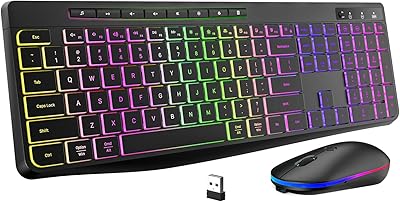
EarlyLit CK230GL Wireless Keyboard and Mouse Combo

Arteck HW192 Wireless Keyboard and Mouse Combo

RECCAZR Wave Keys Ergonomic Wireless Keyboard Mouse Combo
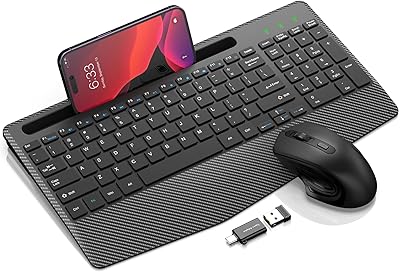
Hayyiesh KG659-01 Wireless Keyboard and Mouse Combo
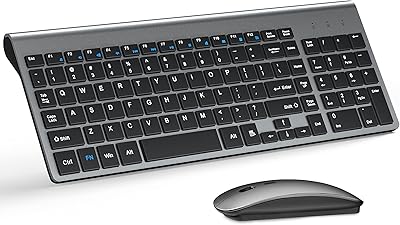
TopMate Wireless Keyboard and Mouse Combo
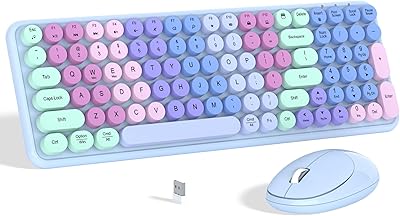
Links9+ Rainbow Wireless Keyboard Mouse Combo
MARVO Wireless Keyboard and Mouse Combo
Tayderley Wireless Keyboard and Mouse Combo
GUKJOB iK6630 Wireless Keyboard and Mouse Combo
