Dragon Touch TM10 10.1-inch Digital Family Calendar







Overview
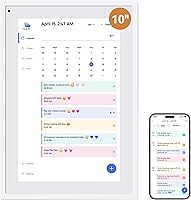
The Dragon Touch TM10 10.1-inch Digital Family Calendar is a wall or desk-mountable smart display built for households that have outgrown sticky notes and scattered phone reminders. Dragon Touch has been producing budget-to-mid-range tablets and digital frames for years, so this isn't a brand taking a blind leap into smart home territory. The device runs a dual role: an active family scheduler during the day and a digital photo frame when nobody's interacting with it. Launched in April 2025, it's still early days for real-world data, but the concept targets a genuine gap in the connected home market at a mid-range price point.
Features & Benefits
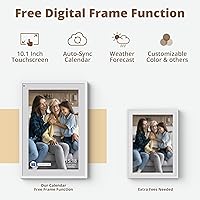
The 10.1-inch 1080p touchscreen is clear enough to read from across a kitchen counter, which matters during a mid-morning rush. Syncing with Google Calendar or Apple Calendar through the eCalendar app means the display pulls in events you're already managing on your phone — no redundant data entry required. Each family member gets a color-coded profile, so at a glance you can see whose dentist appointment or soccer practice is clashing with what. The chore chart lets parents assign tasks to specific kids, building accountability into the daily routine rather than relying on verbal reminders. The dinner planner is a small but practical addition: post the week's meals and the daily what's-for-dinner question largely disappears.
Best For
This family calendar display makes the most sense for households with school-age children who need a shared, visible hub — somewhere everyone can check without reaching for a phone. If your family already lives inside Google or Apple Calendar, the sync capability makes the physical display feel like a natural extension rather than an extra step. It also suits parents who've been patching together chore systems through group chats, whiteboards, and reminders that get ignored. Home office setups could use it as a secondary at-a-glance calendar, though a 10.1-inch screen is modest for that role. Anyone wanting a digital frame that actually does something useful between photo slideshows will find the dual-purpose design genuinely worthwhile.
User Feedback
Because the Dragon Touch smart planner only hit the market in spring 2025, the review pool is still thin — take any emerging consensus with that in mind. Early buyers tend to praise the screen clarity and how quickly kids engage with the chore chart once it's set up. On the critical side, some users raise concerns about app reliability: if the eCalendar app misbehaves or Wi-Fi drops, the display loses much of its practical value. There's also a recurring note that certain features sit behind a paid subscription tier, which can feel unexpected at this price point. Build quality gets mixed marks — the resin casing looks tidy but feels lightweight for a permanently wall-mounted device.
Pros
- Crisp 1080p screen is genuinely readable from across a room without needing to walk up to it.
- Pulling in existing Google or Apple Calendar events removes the burden of double-entering information.
- Color-coded profiles make it instantly clear whose task or appointment belongs to whom.
- The chore chart creates a visual routine kids can actually interact with independently.
- Doubles as a photo frame when idle, so it does not look out of place in a living room or kitchen.
- The dinner planner eliminates a surprisingly common daily household friction point.
- Wall or desk mounting options give flexibility for different home layouts.
- The eCalendar app lets parents update schedules remotely, even when away from home.
Cons
- Functionality collapses without a stable Wi-Fi connection — there is no meaningful offline mode.
- Several useful features sit behind a paid app subscription tier, which feels like a sting at this price.
- The resin casing feels lightweight and may not inspire confidence as a permanent wall fixture.
- At 10.1 inches, the screen is on the smaller side for households expecting visibility from a distance.
- App reliability concerns appear in early feedback, with some users reporting sync hiccups.
- Being a 2025 launch means long-term durability and software support are still unproven.
- Less tech-savvy family members may find the initial calendar-linking setup unnecessarily fiddly.
Ratings
The scores below for the Dragon Touch TM10 10.1-inch Digital Family Calendar were generated by our AI engine after analyzing verified purchase reviews from buyers worldwide, with spam, bot-submitted, and incentivized feedback actively filtered out. The ratings reflect the full picture — where this smart wall calendar genuinely earns its place in a busy household, and where early adopters have run into friction. Both the strengths and the sticking points are represented transparently.
Screen Clarity
App Reliability
Chore Chart Usability
Calendar Sync
Setup Experience
Build Quality
Value for Money
Touchscreen Responsiveness
Dinner Planner Feature
Photo Frame Mode
App Feature Gating
Remote Management
Long-term Reliability
Suitable for:
The Dragon Touch TM10 10.1-inch Digital Family Calendar is purpose-built for busy households with school-age kids who need one central, always-visible place to track who needs to be where and when. If your family already relies on Google Calendar or Apple Calendar, mounting a dedicated screen in the kitchen or hallway means everyone — including children who don't carry phones — can see the day's plan at a glance. Parents who have been juggling chore assignments through text threads, verbal reminders, or paper charts will find the color-coded task system a meaningful upgrade in household accountability. It also suits buyers who want a digital photo frame that earns its counter or wall space by doing something genuinely useful during the day, rather than just cycling through photos. For home office users who want a low-distraction secondary calendar display nearby, this smart wall calendar fills that role without requiring a second monitor or tablet.
Not suitable for:
Buyers who prefer fully offline or app-free solutions should look elsewhere, because the Dragon Touch TM10 10.1-inch Digital Family Calendar depends entirely on a stable Wi-Fi connection and the eCalendar companion app to function as intended. If your household's Wi-Fi is unreliable, or if the idea of a third-party app holding your family's schedule feels uncomfortable, this device will frustrate more than it helps. Those expecting a premium, solid-feeling build may be underwhelmed by the lightweight resin casing — it looks presentable but does not feel like a long-term fixture at this price tier. Tech-averse users may find the initial setup and app authorization process more involved than expected, particularly when linking multiple family members' calendars. And since the product only launched in April 2025, buyers who rely heavily on long-term owner reviews before committing will find the available feedback pool still limited.
Specifications
- Screen Size: The display measures 10.1 inches diagonally, providing a readable surface area suitable for mounting in kitchens, hallways, or home offices.
- Resolution: The touchscreen runs at 1080p Full HD, delivering sharp text and clear calendar entries without pixelation at typical viewing distances.
- Touch Input: The screen supports interactive touch input, allowing family members to tap, assign, and update tasks or events directly on the display.
- Mounting Options: The device can be mounted on a wall or placed on a desk or countertop, offering flexibility depending on household layout.
- Connectivity: Wi-Fi is required for all core scheduling and sync functions; there is no offline or Bluetooth-only operating mode.
- Calendar Sync: The eCalendar app supports two-way integration with Google Calendar and Apple Calendar, pulling existing events into the shared display automatically.
- Companion App: The eCalendar app is available for both iOS and Android devices and is required for initial setup, calendar linking, and remote management.
- App Pricing: Core features including the photo frame, chore chart, dinner planner, and grocery list are available at no additional cost; advanced tools such as Magic Import require a paid subscription.
- Cover Material: The outer casing is constructed from resin, giving the device a clean, lightweight appearance in a white finish.
- Dimensions: The packaged unit measures 13.31 x 7.76 x 1.34 inches, making it compact enough for most standard wall spaces or countertop positions.
- Item Weight: The device weighs 2.57 pounds, light enough for straightforward wall mounting with standard hardware.
- Color: The unit is available in white, designed to blend with typical modern home interiors.
- Model Number: The official model identifier is TM10, manufactured by Dragon Touch.
- Photo Frame Mode: When no active interaction is occurring, the display automatically switches to a digital photo slideshow using images uploaded via the companion app.
- Family Profiles: Each family member can be assigned a unique color code, making it visually straightforward to distinguish individual schedules and chore assignments at a glance.
- Chore Chart: The built-in chore chart allows parents to assign specific tasks to individual family members, with interactive elements that let children mark tasks as complete.
- Dinner Planner: A dedicated dinner planning section lets households post weekly meal plans directly on the display, visible to all family members throughout the day.
- Launch Date: The product first became available in April 2025, making it a recent release with a still-developing body of long-term user feedback.
Related Reviews
Moonka 10.1-Inch Smart Family Calendar Display
Canupdog MW002 10.1-inch Digital Family Calendar
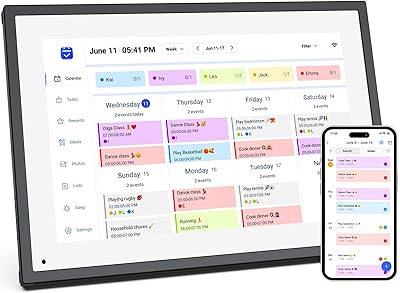
akimart ZN-DP1002 10.1-inch Digital Family Calendar Display

LEADSTAR 10-Inch Portable Digital TV
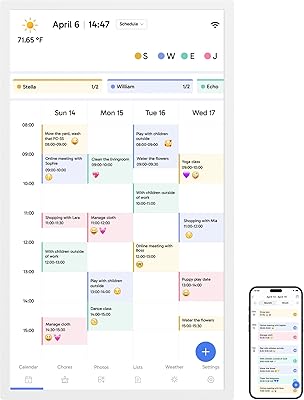
Dragon Touch 32″ Smart Family Calendar Display
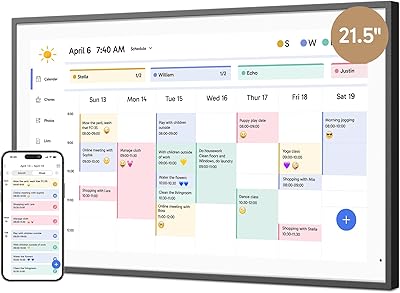
Dragon Touch 21.5″ Smart Family Calendar Display
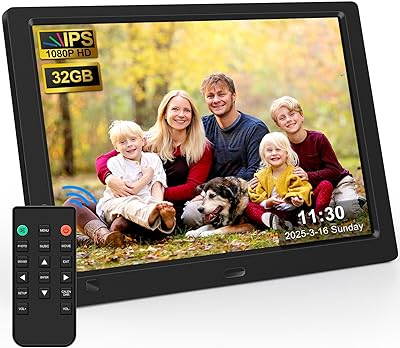
KECAG 10.1-inch 1080p Digital Picture Frame
Andonstar AD210 10.1-inch Digital Microscope
Dragon Touch TM15 15.6″ Smart Family Calendar Display