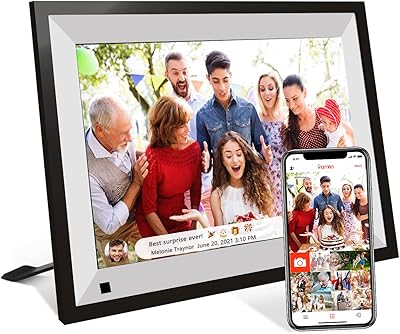
akimart ZN-DP1002 10.1-inch Digital Family Calendar Display




Overview
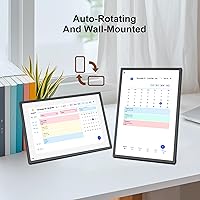
The akimart ZN-DP1002 10.1-inch Digital Family Calendar Display arrived in mid-2025 with a straightforward pitch: one screen to replace sticky notes, scattered apps, and the mental load of coordinating a busy household. This countertop smart display pulled over 10,000 ratings remarkably fast, suggesting it's resonating with real buyers rather than just early adopters. One important caveat worth flagging before anything else — it's tabletop only. There is no wall-mount option, and many buyers discover this too late. If your kitchen counter or entryway shelf has room, great. If you pictured it hung by the front door, adjust now. It's a lifestyle convenience device, not a smart home hub.
Features & Benefits
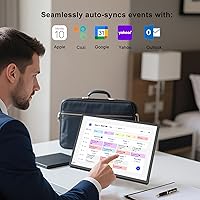
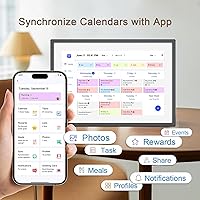
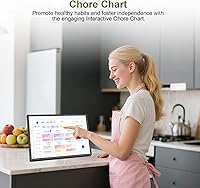
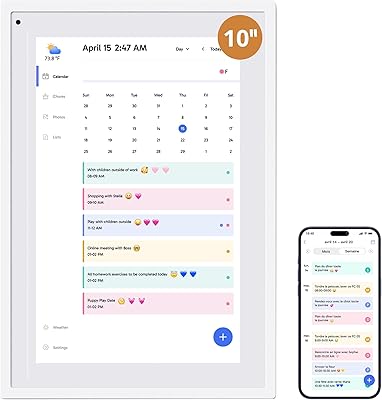
What makes this family calendar display genuinely useful day-to-day is how well the calendar sync works across different platforms. Whether your household runs Google Calendar, iCloud, or Outlook — and plenty of families use a mix — everything pulls together automatically once you connect to Wi-Fi. Each family member gets their own color code, so spotting a scheduling conflict at a glance takes seconds. The interactive chore chart is where parents with younger kids tend to spend the most time: assign tasks, check them off on-screen, and update remotely through the app. Toss in a dinner planner that removes the daily meal-decision guessing game, and the akimart display earns its counter space. The 1080p screen holds up well in bright kitchen light.
Best For
This countertop smart display is built for a specific kind of buyer — and it knows it. Families with school-age children are the clearest fit: the chore chart and color-coded schedule create real accountability without requiring kids to check their own phones. If your household already lives inside Google or Apple calendars, setup takes minutes and the display becomes genuinely useful right away. It also works well as a family photo hub, particularly for grandparents or relatives who want to stay connected without navigating a social media app — someone pushes a photo from their phone, and it appears on the screen. Gift-givers will find this lands well for growing households and newly organized families alike.
User Feedback
With over 10,000 ratings sitting at 4.5 stars, the akimart display has clearly connected with buyers — but the picture is nuanced. The most consistent praise centers on easy initial setup and how reliably the calendar sync holds over weeks of use. Parents repeatedly highlight the chore chart as something their kids actually engage with, which is no small thing. On the critical side, some users flag that the companion app can feel inconsistent, with occasional hiccups requiring a manual refresh. Longer-term reviewers note the device performs solidly after several months of daily use, though the no-wall-mount design continues to frustrate buyers who missed that detail. Customization options also feel limited to users who wanted more control over the display layout.
Pros
- Calendar sync with Google, iCloud, and Outlook works reliably and updates within minutes of changes made on a phone.
- Color-coded family profiles let everyone see their own schedule at a glance without tapping through menus.
- The chore chart feature genuinely engages younger kids in ways that paper lists and verbal reminders typically do not.
- Initial setup takes under 15 minutes for most households, even for buyers who are not especially tech-comfortable.
- The 1080p screen renders family photos with enough clarity that the photo-frame feature feels like a real addition, not a gimmick.
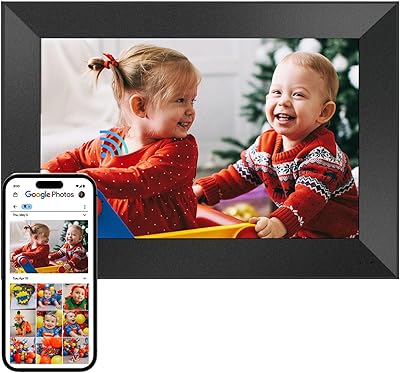
- Remote family members can push photos directly to the display from anywhere using the free companion app.
- The compact 7-by-9-inch footprint fits on a kitchen counter or entryway shelf without dominating the space.
- The dinner planner removes a small but genuinely repetitive daily friction point for households that meal-plan consistently.
- Long-term users report solid hardware durability after several months of continuous daily household use.
- Works well as a practical, well-received gift for families moving into a first home or managing a busier household routine.
Cons
- No wall-mount option exists — buyers who want it hung anywhere must look elsewhere entirely.
- The companion app experiences crashes and refresh failures often enough to be a recurring complaint across reviews.
- Chore scheduling lacks recurring task support, so parents must manually reset chores each week.
- Brightness does not auto-adjust, which makes the screen harder to read in sun-facing kitchens during daylight hours.
- Smart home integration is browser-based only — do not expect the device control depth of a Nest Hub or Echo Show.
- Calendar support excludes Microsoft Teams feeds and school-issued scheduling platforms, limiting utility for some households.
- The fixed color palette for family profiles runs short in larger households with five or more members.
- Video playback through the photo-sharing feature is inconsistent, with clips occasionally stalling mid-load.
- The plastic casing and stand feel less substantial than the price point implies, particularly on slick countertop surfaces.
- Slideshow customization is minimal — users cannot control how long individual photos display before cycling to the next.
Ratings
The akimart ZN-DP1002 10.1-inch Digital Family Calendar Display has been evaluated by our AI rating system after analyzing thousands of verified global buyer reviews, with spam, incentivized, and bot-generated feedback actively filtered out. The scores below reflect an honest cross-section of real household experiences — covering everything users genuinely love about this countertop smart display and the friction points that continue to surface across long-term ownership. Strengths and shortcomings are weighted equally so you can make a fully informed decision.
Ease of Setup
Calendar Sync Reliability
Chore Chart Functionality
Display Quality
Companion App Experience
Photo & Video Sharing
Meal Planning Feature
Touchscreen Responsiveness
Build Quality & Durability
Color-Coded Family Profiles
Placement Flexibility
Smart Home Integration
Value for Money
App Compatibility & Calendar Breadth
Suitable for:
The akimart ZN-DP1002 10.1-inch Digital Family Calendar Display is built for households where coordination is a daily challenge — specifically families with school-age kids who need more than a shared phone calendar to stay on the same page. If your home already runs on Google Calendar or iCloud, setup is minimal and the payoff is immediate: a shared, always-visible screen that removes the need to chase anyone down for schedule updates. Parents who have been piecing together chore accountability through handwritten lists or whiteboard charts will find the color-coded chore system a meaningful upgrade, since kids respond differently to a screen on the counter than to a note on the fridge. It also works well as a thoughtful gift for growing families, new homeowners setting up their first shared space, or anyone who wants a passive photo-display connection with relatives who live far away and are not comfortable navigating social media apps.
Not suitable for:
The akimart ZN-DP1002 10.1-inch Digital Family Calendar Display is a poor fit for anyone who has their heart set on a wall-mounted display — there is no mounting hardware, no VESA compatibility, and no workaround; it sits on a flat surface and plugs into an outlet, full stop. Buyers who want a true smart home hub experience, with native voice assistant support or deep device integration, should look at Google Nest Hub or Amazon Echo Show instead, since this device only accesses smart home apps through its browser and does not replicate that ecosystem experience. If your household relies on Microsoft Teams calendar feeds, school-issued scheduling platforms, or any calendar service outside Google, iCloud, Outlook, Cozi, and Yahoo, you will likely spend more time manually duplicating events than the device saves you. Those expecting a fully polished, app-driven experience comparable to a premium tablet will also find the companion app frustrating — it gets the job done, but inconsistency and occasional crashes make it feel like a work in progress rather than a finished product.
Specifications
- Brand: Manufactured by akimart under model number ZN-DP1002.
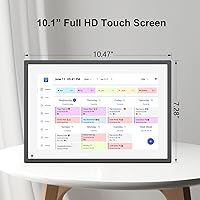
- Screen Size: Features a 10.1-inch diagonal display suitable for countertop viewing from typical kitchen distances.
- Resolution: Delivers 1080p Full HD resolution for sharp calendar text, vivid photo rendering, and clear chore chart readability.
- Touch Interface: Equipped with an interactive capacitive touchscreen allowing direct on-screen navigation, event entry, and chore management.
- Dimensions: Physical footprint measures 7 x 9 x 0.99 inches, making it compact enough for most kitchen counters or entryway shelves.
- Weight: Weighs 2.83 pounds, light enough to reposition easily but substantial enough to sit stably on a flat surface.
- Connectivity: Connects exclusively via Wi-Fi; no Ethernet port or Bluetooth pairing is supported for calendar or photo sync.
- Power Source: Requires a constant plug-in power connection; there is no internal battery, so placement is limited to areas near an outlet.
- Mounting: Tabletop form factor only — no wall-mount bracket, VESA pattern, or mounting hardware is included or supported.
- Calendar Support: Natively syncs with Google Calendar, Apple iCloud, Microsoft Outlook, Cozi, and Yahoo Calendar accounts.
- Chore Chart: Built-in chore management system supports per-member color coding and allows task assignment and tracking both on-screen and via the companion app.
- Meal Planner: Includes a dinner planning module capable of displaying scheduled meals and linking to recipes or cooking tutorial content.
- Photo Sharing: Supports photo and short video uploads from family members via the free companion app, with no subscription required for this feature.
- Companion App: Free mobile application available for iOS and Android devices, used for remote photo sharing, chore updates, and event management.
- Color: Available in a single White finish designed to blend with standard kitchen and home decor environments.
- Compatible Devices: Pairs with iOS and Android smartphones through the companion app for remote content management and photo sharing.
- Time Sync: Synchronizes automatically with internet time servers to maintain accurate clock display without manual time adjustments.
- Smart Home Access: Provides browser-based access to third-party smart home applications; native device-control integration is not supported.
Related Reviews
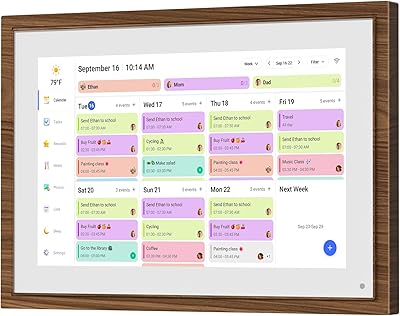
Canupdog MW002 10.1-inch Digital Family Calendar
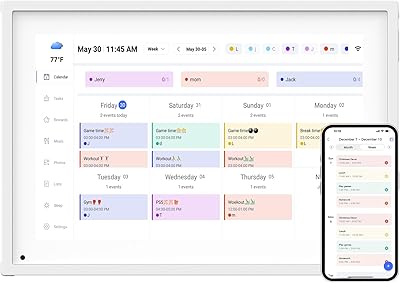
Moonka 10.1-Inch Smart Family Calendar Display
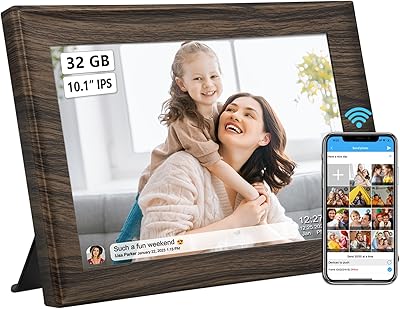
akimart 32GB 10.1-inch WiFi Digital Picture Frame
Andonstar AD210 10.1-inch Digital Microscope
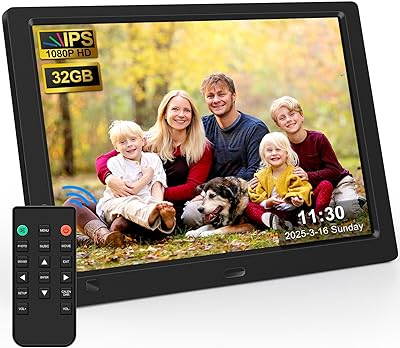
KECAG 10.1-inch 1080p Digital Picture Frame
LEADSTAR 10-Inch Portable Digital TV

Anna Bella 10.1 Inch Digital Picture Frame
Dragon Touch TM10 10.1-inch Digital Family Calendar
Cozyla 10.1-inch WiFi Digital Photo Frame